.

| Games | Emulators | Developer |
Order By:
 6.61 Adrenaline v7 by TheOfficialFloW
Last Release: Sep 23, 2020
6.61 Adrenaline v7 by TheOfficialFloW
Last Release: Sep 23, 2020
Downloads: 101933
Last Release: Sep 23, 2020
Downloads: 101933
Downloads: 101933
Custom Firmware 6.61 Adrenaline for 3.60 HENkaku
| Name | Version | Released | Hits | DL Link | QR |
| Adrenaline.vpk | v7 | 09/23/20 | 12 | Download | QR |
| Adrenaline.vpk | v7 | 09/22/20 | 55009 | Download | QR |
## Changelog v7
- Fixed issue where plugins were loaded in recovery mode.
- Moved native display buffer to a different location, so GePatch works for some more games. Please note that only GePatch v0.18 or above will only work, older versions will cause a black screen. If you're using GTANativeRes, please download the latest binary as well.
**Please reinstall since the latest binary contains a hotfix.**
- Fixed issue where plugins were loaded in recovery mode.
- Moved native display buffer to a different location, so GePatch works for some more games. Please note that only GePatch v0.18 or above will only work, older versions will cause a black screen. If you're using GTANativeRes, please download the latest binary as well.
**Please reinstall since the latest binary contains a hotfix.**
| Name | Version | Released | Hits | DL Link | QR |
| Adrenaline.vpk | v6.9 | 03/16/19 | 19608 | Download | QR |
| Adrenaline.vpk | v6.8 | 02/20/19 | 1691 | Download | QR |
| Adrenaline.vpk | v6.7 | 07/24/18 | 2685 | Download | QR |
| Adrenaline.vpk | v6.6 | 07/11/18 | 1539 | Download | QR |
| Adrenaline.vpk | v6.5 | 07/09/18 | 1233 | Download | QR |
| Adrenaline.vpk | v6.4 | 06/29/18 | 1470 | Download | QR |
| Adrenaline.vpk | v6.3 | 04/17/18 | 1473 | Download | QR |
| Adrenaline.vpk | v6.2 | 04/16/18 | 1240 | Download | QR |
| Adrenaline.vpk | v6.1 | 03/11/18 | 1419 | Download | QR |
| Adrenaline.vpk | v6_fix | 09/04/17 | 2194 | Download | QR |
| Adrenaline.vpk | v6 | 09/04/17 | 1359 | Download | QR |
| adrenaline_v5.1.zip | v5.1 | 06/21/17 | 1334 | Download | QR |
| adrenaline_v5.zip | v5 | 06/05/17 | 1310 | Download | QR |
| adrenaline_v4.2.zip | v4.2 | 06/03/17 | 1768 | Download | QR |
| adrenaline_v4.1.zip | v4.1 | 05/25/17 | 1246 | Download | QR |
| adrenaline_v4.zip | v4 | 04/18/17 | 1216 | Download | QR |
| adrenaline_v3.1.zip | v3.10 | 04/17/17 | 1338 | Download | QR |
| adrenaline_v3_fix.zip | v3.01 | 04/16/17 | 1329 | Download | QR |
| adrenaline_v3.zip | v3.00 | 04/15/17 | 1334 | Download | QR |
 6.61 Adrenaline 8 v8.0.2 by isage/GrayJack
Last Release: Jul 12, 2026
6.61 Adrenaline 8 v8.0.2 by isage/GrayJack
Last Release: Jul 12, 2026
Downloads: 10051
Last Release: Jul 12, 2026
Downloads: 10051
Downloads: 10051
Custom Firmware 6.61 Adrenaline for 3.60 HENkaku.Adrenaline is a software that modifies the official PSP Emulator using taiHEN CFW framework to make it run a PSP 6.61 custom firmware. Thanks to the power of taiHEN, Adrenaline can inject custom code into the IPL which allows unsigned code to run at boottime.
| Name | Version | Released | Hits | DL Link | QR |
| Adrenaline.vpk | v8.0.2 | 07/12/26 | 52 | Download | QR |
| UPDATE.zip | v8.0.2 | 07/12/26 | 35 | Download | QR |
## Changes
### Adrenaline
- Fix the PS1 overlay image not processing correctly
### Epinephrine CFW
- Fix `Saved Data Utility` not opening with `System Storage` set to disabled.
- Fix XMB Memory Stick item showing zero free space after accessing `Saved Data Utility`
- Fix plugins failing to load on POPS (PS1 titles)
- Fix crash in opening context menu when `XMB CFW Settings` is disabled
- Fix Uncategorized category on Categories Lite showing corrupt icons
- Refactor: Don't try to load userlevel plugins on extra RAM
- Refactor: Make fake `TotalFreeMem` more precise
- **DEV:** Fix `guglue` library not exported with weak reference support
### Updater
- Feature: Upgrade the design of the updater
**Full Changelog**: https://github.com/isage/Adrenaline/compare/v8.0.1...v8.0.2
### Adrenaline
- Fix the PS1 overlay image not processing correctly
### Epinephrine CFW
- Fix `Saved Data Utility` not opening with `System Storage` set to disabled.
- Fix XMB Memory Stick item showing zero free space after accessing `Saved Data Utility`
- Fix plugins failing to load on POPS (PS1 titles)
- Fix crash in opening context menu when `XMB CFW Settings` is disabled
- Fix Uncategorized category on Categories Lite showing corrupt icons
- Refactor: Don't try to load userlevel plugins on extra RAM
- Refactor: Make fake `TotalFreeMem` more precise
- **DEV:** Fix `guglue` library not exported with weak reference support
### Updater
- Feature: Upgrade the design of the updater
**Full Changelog**: https://github.com/isage/Adrenaline/compare/v8.0.1...v8.0.2
| Name | Version | Released | Hits | DL Link | QR |
| Adrenaline 8 | v8.0.2 | 07/12/26 | 3075 | Download | QR |
| Adrenaline 8 | v8.0.1 | 07/04/26 | 319 | Download | QR |
| Adrenaline 8 | v8.0.0 | 07/04/26 | 106 | Download | QR |
| 6.61 Adrenaline 7 | v7.1.7 | 01/27/25 | 1615 | Download | QR |
| Adrenaline.Updater.ITA.vpk | v6.61.7U | 01/17/21 | 228 | Download | QR |
| Adrenaline.vpk | v6.61.7U | 01/17/21 | 226 | Download | QR |
| Adrenaline.vpk | v6.1u | 09/17/17 | 458 | Download | QR |
| Adrenaline.vpk | v6.1.1U | 04/02/18 | 685 | Download | QR |
| Adrenaline.vpk | v6-M1E | 10/03/17 | 606 | Download | QR |
| Adrenaline-master.full.ita.zip | v6-M1 | 10/03/17 | 716 | Download | QR |
| Adrenaline.vpk | v6-M1 | 10/03/17 | 454 | Download | QR |
| Adrenaline-master.full.italian.zip | v6_fix0.2 | 09/21/17 | 873 | Download | QR |
| Adrenaline.vpk | v6_fix0.2 | 09/21/17 | 445 | Download | QR |
 ABSvita v0.1.2 by DarthTigerson
Last Release: Oct 11, 2026
ABSvita v0.1.2 by DarthTigerson
Last Release: Oct 11, 2026
Downloads: 48
Last Release: Oct 11, 2026
Downloads: 48
Downloads: 48
An Audiobookshelf client for the PlayStation Vita. Stream your audiobooks from your own server, pick up where you left off, and keep your progress in sync with every other Audiobookshelf app.
## Install
Download `ABSvita.vpk` below on your computer, copy it to your Vita with VitaShell's FTP server (SELECT) or USB mode, then select it in VitaShell and install. (The Vita can't open GitHub itself: its built-in certificates are too old.)
## What's Changed
* Added background playback support with BGM port, suspend/wake handlin… by @DarthTigerson in https://github.com/DarthTigerson/ABSvita/pull/1
## New Contributors
* @DarthTigerson made their first contribution in https://github.com/DarthTigerson/ABSvita/pull/1
**Full Changelog**: https://github.com/DarthTigerson/ABSvita/compare/v0.1.1...v0.1.2
Download `ABSvita.vpk` below on your computer, copy it to your Vita with VitaShell's FTP server (SELECT) or USB mode, then select it in VitaShell and install. (The Vita can't open GitHub itself: its built-in certificates are too old.)
## What's Changed
* Added background playback support with BGM port, suspend/wake handlin… by @DarthTigerson in https://github.com/DarthTigerson/ABSvita/pull/1
## New Contributors
* @DarthTigerson made their first contribution in https://github.com/DarthTigerson/ABSvita/pull/1
**Full Changelog**: https://github.com/DarthTigerson/ABSvita/compare/v0.1.1...v0.1.2
 Account Manager v1.10 by Team ONElua
Last Release: Jun 22, 2017
Account Manager v1.10 by Team ONElua
Last Release: Jun 22, 2017
Downloads: 5787
Last Release: Jun 22, 2017
Downloads: 5787
Downloads: 5787
This app can save current account data + activation data with the touch of a button and lets you transfer it to your pc with qcma as a psp savedata
| Name | Version | Released | Hits | DL Link | QR |
 AdrBubbleBooter.VPKEdition v1.2 by Leecherman
Last Release: Jul 8, 2020
AdrBubbleBooter.VPKEdition v1.2 by Leecherman
Last Release: Jul 8, 2020
Downloads: 14048
Last Release: Jul 8, 2020
Downloads: 14048
Downloads: 14048
This homebrew will allow you to easily setup AdrBubbleBooter into your Adrenaline installation.Directly boot any PSP file (ISOCSOPBPPSOne) from LiveArea's Bubbles.
Usage:
-Install Adrenaline v6.9 and 661.PBP file if it is not already installed, then run it from the bubble and make sure it's working fine.
*** THIS IS JUST ONE TIME UNLESS THERE IS A NEW UPDATED VERSION ***
-Copy 'AdrBubbleBooterInstaller.vpk' to your PSVita 'ux0:' then install and run it
to installupdate the required files for AdrBubbleBooter, after that remove it if you want.
-Reboot the PSVita for changes to take effect if it is not rebooted yet by the installer.
*** THIS IS FOR MAKING BUBBLE FOR EACH FILE ***
-Start AdrBubbleBooterCreator.exe and fill the required fields then press 'Create' button
to create a VPK file for each file you want to direct boot it, after that copy the generated
VPK file to your PSVita and install it.
*** THIS IS FOR CHANGING BOOT CONFIGS FOR THE BOOTED BUBBLE ***
-Start the PSVita and boot the created VPK bubble, open adrenaline settings and go to Booter
tab then change the settings and exit the menu to save the settings.
This VPK Edition uses Adrenaline v6.3 commit b234c78 with some modification and with a binary AdrBubbleBooter.
Credits and special thanks:
TheFloW, Qwikrazor87, Kyleatlast.
Enjoy :)
Adrenaline Bubble Booter Creator (C) 2017-2018 LMAN
Create a VPK Booter Bubble for AdrBubbleBooter.
Requirement:
Microsoft DotNet v4.0.
Change-log:
v0.1:
-Initial updated release.
v0.2:
-Updated icon0 styles names.
-Added livearea template styles pspemupsmobile.
-Added support to fetch and fill title and image fields from SFOISOCSOPBP files.
-Some other minor improvements.
v0.3:
-Updated default startup image.
-Added startup image styles pspminifullfullfixed - > fullfixed option which will
fix the misaligned startup image -> use it instead of full if you are adding startup
image and not manually customizing the startup image.
-Added support to fetch and fill all fields from VPK bubble booter files to edit it.
-Improved error handling and fixed an issue that causes 'Object reference...' in some cases.
-Some minor changes to the GUI.
v0.4:
-Updated and added a new livearea template styles 'ps1emu' and background when using default
background for this style.
v0.5:
-Rewrote boot configs structure for the new AdrBubbleBooter v0.4 and up.
-Added support to can use any titleid for the bubbles instead of the restriction of using PSPEMUXXX as titleid format.
-Added convert button option to convert old config file boot.inf to the new config boot.bin file.
-Removed plugins and npdrm free built-in mode option.
Usage:
-Start AdrBubbleBooterCreator.exe and fill the required fields then press 'Create' button
to create a VPK file for each file you want to auto boot it, after that copy the generated
VPK file to your PSVita storage then install it.
Enjoy :)
-Install Adrenaline v6.9 and 661.PBP file if it is not already installed, then run it from the bubble and make sure it's working fine.
*** THIS IS JUST ONE TIME UNLESS THERE IS A NEW UPDATED VERSION ***
-Copy 'AdrBubbleBooterInstaller.vpk' to your PSVita 'ux0:' then install and run it
to installupdate the required files for AdrBubbleBooter, after that remove it if you want.
-Reboot the PSVita for changes to take effect if it is not rebooted yet by the installer.
*** THIS IS FOR MAKING BUBBLE FOR EACH FILE ***
-Start AdrBubbleBooterCreator.exe and fill the required fields then press 'Create' button
to create a VPK file for each file you want to direct boot it, after that copy the generated
VPK file to your PSVita and install it.
*** THIS IS FOR CHANGING BOOT CONFIGS FOR THE BOOTED BUBBLE ***
-Start the PSVita and boot the created VPK bubble, open adrenaline settings and go to Booter
tab then change the settings and exit the menu to save the settings.
This VPK Edition uses Adrenaline v6.3 commit b234c78 with some modification and with a binary AdrBubbleBooter.
Credits and special thanks:
TheFloW, Qwikrazor87, Kyleatlast.
Enjoy :)
Adrenaline Bubble Booter Creator (C) 2017-2018 LMAN
Create a VPK Booter Bubble for AdrBubbleBooter.
Requirement:
Microsoft DotNet v4.0.
Change-log:
v0.1:
-Initial updated release.
v0.2:
-Updated icon0 styles names.
-Added livearea template styles pspemupsmobile.
-Added support to fetch and fill title and image fields from SFOISOCSOPBP files.
-Some other minor improvements.
v0.3:
-Updated default startup image.
-Added startup image styles pspminifullfullfixed - > fullfixed option which will
fix the misaligned startup image -> use it instead of full if you are adding startup
image and not manually customizing the startup image.
-Added support to fetch and fill all fields from VPK bubble booter files to edit it.
-Improved error handling and fixed an issue that causes 'Object reference...' in some cases.
-Some minor changes to the GUI.
v0.4:
-Updated and added a new livearea template styles 'ps1emu' and background when using default
background for this style.
v0.5:
-Rewrote boot configs structure for the new AdrBubbleBooter v0.4 and up.
-Added support to can use any titleid for the bubbles instead of the restriction of using PSPEMUXXX as titleid format.
-Added convert button option to convert old config file boot.inf to the new config boot.bin file.
-Removed plugins and npdrm free built-in mode option.
Usage:
-Start AdrBubbleBooterCreator.exe and fill the required fields then press 'Create' button
to create a VPK file for each file you want to auto boot it, after that copy the generated
VPK file to your PSVita storage then install it.
Enjoy :)
| Name | Version | Released | Hits | DL Link | QR |
| AdrBubbleBooter.VPKEdition | v1.1 | 06/09/19 | 2329 | Download | QR |
| AdrBubbleBooterInstaller | v0.9 | 02/26/19 | 1119 | Download | QR |
| AdrBubbleBooter | v0.8 | 07/31/18 | 1288 | Download | QR |
| AdrBubbleBooter | v0.7 | 07/20/18 | 1135 | Download | QR |
| AdrBubbleBooter | v0.6 | 07/01/18 | 1099 | Download | QR |
| AdrBubbleBooterInstaller | v0.1 | 09/11/17 | 1235 | Download | QR |
 Adrenaline Bubble Manager v6.24 by Team ONElua
Last Release: Sep 25, 2026
Adrenaline Bubble Manager v6.24 by Team ONElua
Last Release: Sep 25, 2026
Downloads: 207375
Last Release: Sep 25, 2026
Downloads: 207375
Downloads: 207375
This useful application allows you to make personalized bubbles with 'icon' and 'title' of your PSP content (HBS/PSX/ISO/CSO) quick and easy, using the 'LMAN' plugin, forgetting completely of the tedious and long manual method.
Changelog
6.24
Online resources
Fixed download of the VitaBubbles catalog and resource packs (No longer uses http.get / http.getfile for these requests).
JSON uses http.down (RAM); large ZIP packs use http.download to disk.
6.24
Online resources
Fixed download of the VitaBubbles catalog and resource packs (No longer uses http.get / http.getfile for these requests).
JSON uses http.down (RAM); large ZIP packs use http.download to disk.
| Name | Version | Released | Hits | DL Link | QR |
| Adrenaline Bubble Manager | v6.23 | 09/16/26 | 237 | Download | QR |
| Adrenaline Bubble Manager | v6.22 | 09/06/26 | 235 | Download | QR |
| Adrenaline Bubble Manager | v6.21 | 08/31/26 | 181 | Download | QR |
| Adrenaline Bubble Manager | v6.20 | 07/23/23 | 6088 | Download | QR |
| Adrenaline Bubble Manager | v6.19 | 02/11/23 | 106322 | Download | QR |
| Adrenaline Bubble Manager | v6.17 | 12/15/22 | 2545 | Download | QR |
| Adrenaline Bubble Manager | v6.16 | 11/07/21 | 4547 | Download | QR |
| Adrenaline Bubble Manager | v6.15 | 10/29/21 | 877 | Download | QR |
| AdrenalineBubbleManager.vpk | v6.14 | 01/24/21 | 4261 | Download | QR |
| AdrenalineBubbleManager.vpk | v6.13 | 09/27/20 | 2668 | Download | QR |
| Adrenaline Bubbles Manager | v6.12 | 07/14/20 | 966 | Download | QR |
| AdrenalineBubbleManager.vpk | v6.12 | 07/15/20 | 2045 | Download | QR |
| AdrenalineBubbleManager.vpk | v6.11 | 12/05/19 | 4429 | Download | QR |
| AdrenalineBubbleManager.vpk | v6.10 | 10/18/19 | 2012 | Download | QR |
| AdrenalineBubbleManager.vpk | v6.00 | 07/20/19 | 2122 | Download | QR |
| AdrenalineBubbleManager.vpk | v5.30 | 06/10/19 | 1598 | Download | QR |
| AdrenalineBubbleManager.vpk | v5.27 | 06/09/19 | 1034 | Download | QR |
| AdrenalineBubbleManager.vpk | v5.26 | 05/09/19 | 1694 | Download | QR |
| AdrenalineBubbleManager.vpk | v5.25 | 05/06/19 | 1113 | Download | QR |
| AdrenalineBubbleManager.vpk | v5.24 | 04/29/19 | 1034 | Download | QR |
| AdrenalineBubbleManager.vpk | v5.23 | 04/26/19 | 1033 | Download | QR |
| AdrenalineBubbleManager.vpk | v5.22 | 04/24/19 | 977 | Download | QR |
| AdrenalineBubbleManager.vpk | v5.21 | 03/11/19 | 1526 | Download | QR |
| AdrenalineBubbleManager.vpk | v5.20 | 02/27/19 | 1260 | Download | QR |
| AdrenalineBubbleManager.vpk | v5.19 | 02/25/19 | 1060 | Download | QR |
| AdrenalineBubbleManager.vpk | v5.18 | 01/23/19 | 1382 | Download | QR |
| AdrenalineBubbleManager.vpk | v5.17 | 12/19/18 | 1496 | Download | QR |
| AdrenalineBubbleManager.vpk | v5.16 | 11/28/18 | 1321 | Download | QR |
| Adrenaline Bubble Manager | v5.15 | 11/25/18 | 984 | Download | QR |
| AdrenalineBubbleManager.vpk | v5.15 | 11/25/18 | 970 | Download | QR |
| AdrenalineBubbleManager.vpk | v5.14 | 11/10/18 | 1346 | Download | QR |
| AdrenalineBubbleManager.vpk | v5.13 | 08/28/18 | 1736 | Download | QR |
| AdrenalineBubbleManager.vpk | v5.12 | 08/19/18 | 1127 | Download | QR |
| AdrenalineBubbleManager.vpk | v5.11 | 07/31/18 | 1358 | Download | QR |
| AdrenalineBubbleManager.vpk | v5.10 | 07/26/18 | 1273 | Download | QR |
| AdrenalineBubbleManager.vpk | v5.09 | 07/23/18 | 1286 | Download | QR |
| AdrenalineBubbleManager.vpk | v5.08 | 07/20/18 | 1185 | Download | QR |
| AdrenalineBubbleManager.vpk | v5.07 | 07/04/18 | 1489 | Download | QR |
| AdrenalineBubbleManager.vpk | v5.06 | 07/02/18 | 1182 | Download | QR |
| AdrenalineBubbleManager.vpk | v5.05 | 07/02/18 | 1028 | Download | QR |
| AdrenalineBubbleManager.vpk | v5.04 | 06/07/18 | 1114 | Download | QR |
| AdrenalineBubbleManager.vpk | v5.03 | 05/22/18 | 1068 | Download | QR |
| AdrenalineBubbleManager.vpk | v5.02 | 05/07/18 | 1337 | Download | QR |
| AdrenalineBubbleManager.vpk | v5.01 | 04/19/18 | 1182 | Download | QR |
| AdrenalineBubbleManager.vpk | v5.00 | 04/14/18 | 1057 | Download | QR |
| AdrenalineBubbleManager.vpk | v4.11 | 04/10/18 | 1081 | Download | QR |
| AdrenalineBubbleManager.vpk | v4.10 | 03/24/18 | 1411 | Download | QR |
| AdrenalineBubbleManager.vpk | v4.09 | 03/13/18 | 1333 | Download | QR |
| AdrenalineBubbleManager.vpk | v4.08 | 01/15/18 | 2155 | Download | QR |
| AdrenalineBubbleManager.vpk | v4.07 | 12/19/17 | 1231 | Download | QR |
| AdrenalineBubbleManager.vpk | v4.06 | 12/13/17 | 1233 | Download | QR |
| AdrenalineBubbleManager.vpk | v4.05 | 12/08/17 | 1302 | Download | QR |
| AdrenalineBubbleManager.vpk | v4.04 | 12/06/17 | 1199 | Download | QR |
| AdrenalineBubbleManager.vpk | v4.03 | 10/31/17 | 1344 | Download | QR |
| AdrenalineBubbleManager.vpk | v4.02 | 10/22/17 | 1389 | Download | QR |
| AdrenalineBubbleManager.vpk | v4.01 | 10/20/17 | 1211 | Download | QR |
| AdrenalineBubbleManager.vpk | v4.00 | 10/17/17 | 1171 | Download | QR |
| AdrenalineBubbleManager.vpk | v3.10 | 10/10/17 | 1174 | Download | QR |
| AdrenalineBubbleManager.vpk | v3.09 | 10/07/17 | 1256 | Download | QR |
| AdrenalineBubbleManager.vpk | v3.08 | 10/03/17 | 1323 | Download | QR |
| AdrenalineBubbleManager.vpk | v3.07 | 09/20/17 | 1249 | Download | QR |
| AdrenalineBubbleManager.vpk | v3.06 | 09/19/17 | 1179 | Download | QR |
| AdrenalineBubbleManager.vpk | v3.05 | 09/16/17 | 1244 | Download | QR |
| AdrenalineBubbleManager.vpk | v3.01 | 08/27/17 | 1181 | Download | QR |
| AdrenalineBubbleManager.vpk | v3.00 | 08/25/17 | 1217 | Download | QR |
| AdrenalineBubbleManager.vpk | v2.10 | 08/01/17 | 1180 | Download | QR |
| AdrenalineBubbleManager.vpk | v2.00 | 07/14/17 | 1210 | Download | QR |
| AdrenalineBubbleManager.vpk | v1.00 | 07/05/17 | 1269 | Download | QR |
 Adrenaline States Manager v1.20 by Team ONElua
Last Release: Mar 11, 2018
Adrenaline States Manager v1.20 by Team ONElua
Last Release: Mar 11, 2018
Downloads: 4238
Last Release: Mar 11, 2018
Downloads: 4238
Downloads: 4238
AdrenalineStates, is a tool that allows you to update the version or delete the states, its main utility is to allow you to use the states of a previous version in the new adrenaline.
In a future, if the structure of the states changes, it will no longer be possible to use old states, even updating the version.
Controls
Up/Down: Browse the list of states
Cross: Change state version.
Square: Delete state version.
Changelog 1.10
Added support to Adrenaline v6.
A little refactored the code.
Updated to the latest version of ONElua.
Changelog 1.0
Initial release.
Added automatic network update. app will now notify you when there's a new update.
Support get and view complete list of states.
Support change version of states.
Support delete states.
Report bugs
if you see something wrong, please submit an issue or pull request.
Credits
Graphical help as always from my great friend WZ-(JK) in Twitter.
Team Molecule for HENkaku and taihen.
All people contributed creating Vita Scene.
Controls
Up/Down: Browse the list of states
Cross: Change state version.
Square: Delete state version.
Changelog 1.10
Added support to Adrenaline v6.
A little refactored the code.
Updated to the latest version of ONElua.
Changelog 1.0
Initial release.
Added automatic network update. app will now notify you when there's a new update.
Support get and view complete list of states.
Support change version of states.
Support delete states.
Report bugs
if you see something wrong, please submit an issue or pull request.
Credits
Graphical help as always from my great friend WZ-(JK) in Twitter.
Team Molecule for HENkaku and taihen.
All people contributed creating Vita Scene.
 Adrenaline Updater v1.05 by theheroGAC
Last Release: Sep 23, 2020
Adrenaline Updater v1.05 by theheroGAC
Last Release: Sep 23, 2020
Downloads: 16543
Last Release: Sep 23, 2020
Downloads: 16543
Downloads: 16543
Update eCFW adrenaline with one click
Tested on ux0 and ur0
Changelog
v1.05
Updated files for adrenaline 7
v1.04
Adds the patches of rsn8887
v 1.03
Updated files for adrenaline 6.7
Changelog
v1.05
Updated files for adrenaline 7
v1.04
Adds the patches of rsn8887
v 1.03
Updated files for adrenaline 6.7
| Name | Version | Released | Hits | DL Link | QR |
| Adrenaline Updater | v1.04 | 12/01/18 | 4233 | Download | QR |
| Adrenaline Updater | v1.03 | 07/24/18 | 1398 | Download | QR |
| Adrenaline Updater | v1.02 | 07/15/18 | 1962 | Download | QR |
| Adrenaline Update | v1.01 | 06/30/18 | 1201 | Download | QR |
 AdvancedAccountSwitcher v1.2 by SilicaAndPina
Last Release: Mar 23, 2018
AdvancedAccountSwitcher v1.2 by SilicaAndPina
Last Release: Mar 23, 2018
Downloads: 14080
Last Release: Mar 23, 2018
Downloads: 14080
Downloads: 14080
A Simple app to clear out login details and run the sign up app allowing u to switch accounts.
+ Added tm0:npdrm/act.dat backup when saving accounts
+ Added tm0:psmdrm/act.dat backup when saving accounts
both of these can be disabled in the options menu.
+ Added tm0:psmdrm/act.dat backup when saving accounts
both of these can be disabled in the options menu.
| Name | Version | Released | Hits | DL Link | QR |
| AdvancedAccountSwitcher | v1.2 | 03/23/18 | 1155 | Download | QR |
| AdvancedAccountSwitcher | v1.1 | 03/21/18 | 994 | Download | QR |
 AntiBlacklist v1.2 by Rinnegatamante
Last Release: Apr 29, 2017
AntiBlacklist v1.2 by Rinnegatamante
Last Release: Apr 29, 2017
Downloads: 3908
Last Release: Apr 29, 2017
Downloads: 3908
Downloads: 3908
AntiBlacklist is an homebrew-tool for PSTV that will remove the blacklist for games and apps inserted by Xony allowing you to play any game you want on your console.
AntiBlacklist is an homebrew-tool for PSTV that will remove the blacklist for games and apps inserted by Sony allowing you to play any game you want on your console.
Differently to the other tools, AntiBlacklist support both v1 and v2 patches and is also capable to remove v2 patch (if you want to update a game blocked by it and then re-enable it.
Differently to the other tools, AntiBlacklist support both v1 and v2 patches and is also capable to remove v2 patch (if you want to update a game blocked by it and then re-enable it.
| Name | Version | Released | Hits | DL Link | QR |
 Apollo Save Tool v2.4.0 by bucanero
Last Release: Oct 16, 2026
Apollo Save Tool v2.4.0 by bucanero
Last Release: Oct 16, 2026
Downloads: 8827
Last Release: Oct 16, 2026
Downloads: 8827
Downloads: 8827
Apollo Save Tool is an application to manage save-game files on the PlayStation Vita.
The apollo-vita homebrew app allows to download, unlock, patch and resign save-game files directly on your Vita.
The apollo-vita homebrew app allows to download, unlock, patch and resign save-game files directly on your Vita.
### Added
* Manage Dreamcast Virtual Memory Card images (VMU)
- Supports `.BIN` and external formats (`.DCM`, `.VMU`)
- List, import, export, and delete DC saves inside VMU images
- Import/Export - Supported formats: `.VMI/VMS`, `.DCI`
* [Apollo Patch Engine v3.0.0](https://github.com/bucanero/apollo-lib)
- MGS Peace Walker decryption support for PSP saves.
- Fletcher-16 and Fletcher-32 checksums.
- New `[SW:]`, `[BSD:]`, `[LE:]` and `[BE:]` title prefixes, which can be combined.
- Save Wizard lines inside BSD scripts.
- Fix Several BSD byte-order bugs.
- Fix MicroPython `struct.pack_into` bug on 32-bit targets.
- Parser fixes for tabs and for unreadable `set pointer` arguments.
* Custom save decryption support
- Dead or Alive 5 Plus
- Metal Gear Solid Peace Walker
* Custom checksum support
- Patapon 3
### Fixed
* Fixed minor PS1 memcard issues.
* Fixed a bug when reloading a virtual memcard after an update.
* Manage Dreamcast Virtual Memory Card images (VMU)
- Supports `.BIN` and external formats (`.DCM`, `.VMU`)
- List, import, export, and delete DC saves inside VMU images
- Import/Export - Supported formats: `.VMI/VMS`, `.DCI`
* [Apollo Patch Engine v3.0.0](https://github.com/bucanero/apollo-lib)
- MGS Peace Walker decryption support for PSP saves.
- Fletcher-16 and Fletcher-32 checksums.
- New `[SW:]`, `[BSD:]`, `[LE:]` and `[BE:]` title prefixes, which can be combined.
- Save Wizard lines inside BSD scripts.
- Fix Several BSD byte-order bugs.
- Fix MicroPython `struct.pack_into` bug on 32-bit targets.
- Parser fixes for tabs and for unreadable `set pointer` arguments.
* Custom save decryption support
- Dead or Alive 5 Plus
- Metal Gear Solid Peace Walker
* Custom checksum support
- Patapon 3
### Fixed
* Fixed minor PS1 memcard issues.
* Fixed a bug when reloading a virtual memcard after an update.
| Name | Version | Released | Hits | DL Link | QR |
| Apollo Save Tool | v2.4.0 | 10/17/26 | 49 | Download | QR |
| Apollo Save Tool | v2.3.2 | 04/26/26 | 765 | Download | QR |
| Apollo Save Tool | v2.3.0 | 02/11/26 | 141 | Download | QR |
| Apollo Save Tool | v2.0.4 | 11/09/25 | 795 | Download | QR |
| Apollo Save Tool | v2.0.0 | 05/10/25 | 376 | Download | QR |
| Apollo Save Tool | v1.2.0 | 02/04/23 | 3527 | Download | QR |
| Apollo Save Tool | v1.1.2 | 12/24/22 | 752 | Download | QR |
| apollo-vita.vpk | v1.1.0 | 10/23/22 | 752 | Download | QR |
| apollo-vita.vpk | v1.0.2 | 07/30/22 | 524 | Download | QR |
| apollo-vita.vpk | v1.0.0 | 07/24/22 | 583 | Download | QR |
| apollo-vita.vpk | v0.8.0 | 06/25/22 | 569 | Download | QR |
 App Manager Plus v3.01 by ONElua
Last Release: Aug 29, 2017
App Manager Plus v3.01 by ONElua
Last Release: Aug 29, 2017
Downloads: 23075
Last Release: Aug 29, 2017
Downloads: 23075
Downloads: 23075
An easy to use App Manager for, as the name suggests, manage your PS Vita apps/files and your PSP games.
With AppManagerPlus from Onelua Team you can switch your PS vita apps/games from ux0: to ur0: in case you need some room to install more games, plus you can either launch or delete the apps you already have, also, it allows you to delete the apps manual.
With AppManagerPlus from Onelua Team you can switch your PS vita apps/games from ux0: to ur0: in case you need some room to install more games, plus you can either launch or delete the apps you already have, also, it allows you to delete the apps manual.
## Changelog 3.01 ##
- Fix Updater.
- Fix Updater.
| Name | Version | Released | Hits | DL Link | QR |
| AppManagerPlus.vpk | v3.00 | 08/29/17 | 1688 | Download | QR |
| AppManagerPlus.vpk | v2.20 | 05/26/17 | 1127 | Download | QR |
| AppManagerPlus.vpk | v2.10 | 05/24/17 | 1178 | Download | QR |
| AppManagerPLUS2.vpk | v2.0 | 05/18/17 | 1107 | Download | QR |
| AppManagerPLUS.vpk | v1.0 | 05/17/17 | 1184 | Download | QR |
 Application Storage Manager v0.02 by Lupo511
Last Release: Oct 25, 2016
Application Storage Manager v0.02 by Lupo511
Last Release: Oct 25, 2016
Downloads: 4756
Last Release: Oct 25, 2016
Downloads: 4756
Downloads: 4756
A little app that allows you to move applications from your memory card (ux0:app/) to your internal storage (ur0:app/) (and vice-versa).
A little app that allows you to move applications from your memory card (ux0:app/) to your internal sorage (ur0:app/) (and vice-versa).
It basically does the following:
- Copy the files from ux0:/app/ to ur0:/app/
- Modify the app.db to point the bubble at the new location
- Delete the old files if everything went correctly
As of now it just uses the debug text as a menu because I wanted to have it done relatively quickly, but I'll add a proper GUI when I have the time.
Keep in mind that this hasn't been 100% tested and some apps MIGHT not work when moved to the internal storage. I've only tested it with homebrews and not with games. I take no responsibility for any harm this might do to your console.
How to use
- Use DPAD UP and DPAD DOWN to change the selected option
- Use X or O to confirm (depending on your console region)
- Use O or X to cancel (depending on your console region)
Permissions
It's an unsafe homebrew because it needs access to the whole filesystem (ux0:app/, ur0:app/, ur0:shell/db/). The source is also linked below, so you may build from source if you want.
It basically does the following:
- Copy the files from ux0:/app/ to ur0:/app/
- Modify the app.db to point the bubble at the new location
- Delete the old files if everything went correctly
As of now it just uses the debug text as a menu because I wanted to have it done relatively quickly, but I'll add a proper GUI when I have the time.
Keep in mind that this hasn't been 100% tested and some apps MIGHT not work when moved to the internal storage. I've only tested it with homebrews and not with games. I take no responsibility for any harm this might do to your console.
How to use
- Use DPAD UP and DPAD DOWN to change the selected option
- Use X or O to confirm (depending on your console region)
- Use O or X to cancel (depending on your console region)
Permissions
It's an unsafe homebrew because it needs access to the whole filesystem (ux0:app/, ur0:app/, ur0:shell/db/). The source is also linked below, so you may build from source if you want.
| Name | Version | Released | Hits | DL Link | QR |
 AppLocker v1.2 by AntHJ
Last Release: Aug 15, 2021
AppLocker v1.2 by AntHJ
Last Release: Aug 15, 2021
Downloads: 1302
Last Release: Aug 15, 2021
Downloads: 1302
Downloads: 1302
You can now Lock and Unlock access to your Vitas apps. Pressing X on your selected app will create a lock that is bypassable by a combo, Pressing Square will FULLY lock the app so it cannot be bypassed, and Pressing O will remove the app lock.
To bypass the lock : Hold the left analogue left, the right analogue right and press both L + R triggers all at the same time..
To bypass the lock : Hold the left analogue left, the right analogue right and press both L + R triggers all at the same time..
Easily Lock and Unlock you apps, ideal for use with kids or adults who like to mess where they shouldnt..
This app gives you 3 extra levels of security :
- Simple (Analogue and Trigger combo unlock)
- Difficult (Konami code unlock)
- High (App cannot be unlocked with a combo)
To bypass the standard lock :
Hold the Left analogue to the left, the right analogue to the right and press both L + R triggers at the same time....
To bypass the Konami code lock :
Press Up, Up, Down, Down, Left, Right, Left, Right, X, O
If you have selected to FULLY LOCK an app then the combos wont bypass the locks
This app gives you 3 extra levels of security :
- Simple (Analogue and Trigger combo unlock)
- Difficult (Konami code unlock)
- High (App cannot be unlocked with a combo)
To bypass the standard lock :
Hold the Left analogue to the left, the right analogue to the right and press both L + R triggers at the same time....
To bypass the Konami code lock :
Press Up, Up, Down, Down, Left, Right, Left, Right, X, O
If you have selected to FULLY LOCK an app then the combos wont bypass the locks
| Name | Version | Released | Hits | DL Link | QR |
 Art3m1sPSV v1.4.6 by DeQxJ00
Last Release: Oct 24, 2026
Art3m1sPSV v1.4.6 by DeQxJ00
Last Release: Oct 24, 2026
Downloads: 83
Last Release: Oct 24, 2026
Downloads: 83
Downloads: 83
An Artemis Engine (cross-platform visual novel engine) game runner for PlayStation Vita, based on the third-party Art3m1s implementation. Parsing and runtime behavior are based on Alphaly2K/art3m1s-core, with PSV adaptations for some newer engine script behaviors, rendering, shader, resource caching, audio/video, and input.
- 封面缩略图缓存改为 DXT1/BC1,单张磁盘缓存由约 182 KiB 降至 23 KiB;后台完成压缩和纹理排列转换,翻页复用按钮图集。
- 内置 demo 封面缩小到 640×360,减少资源体积和首次解码开销。
- 进入游戏前停止封面加载线程并清空队列;退出游戏时释放离屏目标、转场截图池、预留显存、E-mote 临时 GPU 资源及归档句柄。实机两轮进出 demo 后回到相同列表内存基线。
- 方块菜单及字体设置页的中英文底部提示改为预渲染图片,不再在打开时读取菜单字体;实机 demo 菜单首帧由约 3.35 秒降至约 58 毫秒,关闭后仍释放纹理。计时包含渲染等待,不代表所有场景的端到端延迟。
- Store cover thumbnails as DXT1/BC1, reducing each disk cache entry from about 182 KiB to 23 KiB. Compression and texture layout conversion run in the background; page changes reuse button atlases.
- Resize the bundled demo cover to 640×360 to reduce asset size and initial decoding work.
- Stop the cover worker and clear its queues before starting a game. Release offscreen targets, transition captures, reserved VRAM, transient E-mote GPU resources and archive handles on exit. Two device demo entry/exit cycles returned to the same launcher memory baseline.
- Bake Chinese and English footer hints for the Square-button menu and font settings instead of loading the menu font on opening. Device demo menu first-frame time dropped from about 3.35 seconds to 58 milliseconds; closing still releases textures. Timing includes rendering waits and is not a universal end-to-end latency guarantee.
PSV VPK built from `c6436c843cb63746ed3171b5b4f862ffa334190b`.
Package version: `v1.4.6`.
[Verified build](https://github.com/DeQxJ00/Art3m1sPSV/actions/runs/40085746877). Includes SHA256SUMS.
- 内置 demo 封面缩小到 640×360,减少资源体积和首次解码开销。
- 进入游戏前停止封面加载线程并清空队列;退出游戏时释放离屏目标、转场截图池、预留显存、E-mote 临时 GPU 资源及归档句柄。实机两轮进出 demo 后回到相同列表内存基线。
- 方块菜单及字体设置页的中英文底部提示改为预渲染图片,不再在打开时读取菜单字体;实机 demo 菜单首帧由约 3.35 秒降至约 58 毫秒,关闭后仍释放纹理。计时包含渲染等待,不代表所有场景的端到端延迟。
- Store cover thumbnails as DXT1/BC1, reducing each disk cache entry from about 182 KiB to 23 KiB. Compression and texture layout conversion run in the background; page changes reuse button atlases.
- Resize the bundled demo cover to 640×360 to reduce asset size and initial decoding work.
- Stop the cover worker and clear its queues before starting a game. Release offscreen targets, transition captures, reserved VRAM, transient E-mote GPU resources and archive handles on exit. Two device demo entry/exit cycles returned to the same launcher memory baseline.
- Bake Chinese and English footer hints for the Square-button menu and font settings instead of loading the menu font on opening. Device demo menu first-frame time dropped from about 3.35 seconds to 58 milliseconds; closing still releases textures. Timing includes rendering waits and is not a universal end-to-end latency guarantee.
PSV VPK built from `c6436c843cb63746ed3171b5b4f862ffa334190b`.
Package version: `v1.4.6`.
[Verified build](https://github.com/DeQxJ00/Art3m1sPSV/actions/runs/40085746877). Includes SHA256SUMS.
| Name | Version | Released | Hits | DL Link | QR |
| Art3m1sPSV-v1.4.5.vpk | v1.4.5 | 10/24/26 | 17 | Download | QR |
| Art3m1sPSV | v1.3.13 | 10/08/26 | 40 | Download | QR |
 Auto Backup License v1.20 by theheroGAC
Last Release: Apr 5, 2019
Auto Backup License v1.20 by theheroGAC
Last Release: Apr 5, 2019
Downloads: 4016
Last Release: Apr 5, 2019
Downloads: 4016
Downloads: 4016
Backup your PSVITA activation files in 5 seconds
- Now it is possible to save the backup on PC with the integrated mode usb.Press O to activate this mode.
| Name | Version | Released | Hits | DL Link | QR |
| Auto.Backup.License.vpk | v1.10 | 04/03/19 | 819 | Download | QR |
| Auto.Backup.License.vpk | v1.0 | 04/01/19 | 912 | Download | QR |
 Auto Installer Vpk v1.26 by theheroGAC
Last Release: Apr 18, 2021
Auto Installer Vpk v1.26 by theheroGAC
Last Release: Apr 18, 2021
Downloads: 65470
Last Release: Apr 18, 2021
Downloads: 65470
Downloads: 65470
Autovpk allows you to install Adrenaline, Pkgj and Autoplugin in a minute.Compatible with H-encore and Enso 3.60 / 3.65
Update autoplugin 2 v1.23,Psvita Emu installer v1.07
| Name | Version | Released | Hits | DL Link | QR |
| Auto Installer Vpk | v1.20 | 05/17/20 | 20999 | Download | QR |
| Auto Installer Vpk | v1.19 | 03/06/20 | 3655 | Download | QR |
| Auto Installer Vpk | v1.18 | 01/11/20 | 2679 | Download | QR |
| Auto Installer Vpk | v1.17 | 12/22/19 | 1701 | Download | QR |
| Auto.Installer.Vpk.vpk | v1.16 | 12/21/19 | 912 | Download | QR |
| Auto Installer Vpk | v1.15 | 12/01/19 | 1710 | Download | QR |
| Auto Installer Vpk | v1.14 | 05/19/19 | 11170 | Download | QR |
| Auto Installer Vpk | v1.13 | 03/21/19 | 4637 | Download | QR |
| Auto.Installer.Vpk.vpk | v1.12 | 02/20/19 | 2146 | Download | QR |
| Auto.Installer.Vpk.vpk | v1.11 | 02/02/19 | 1555 | Download | QR |
| Auto.Installer.Vpk.vpk | v1.10 | 01/13/19 | 1732 | Download | QR |
| Auto.Installer.vpk.vpk | v1.09 | 12/01/18 | 1619 | Download | QR |
| Auto Installer Vpk | v1.08 | 11/18/18 | 889 | Download | QR |
| Auto.Installer.Vpk.vpk | v1.08 | 11/18/18 | 1018 | Download | QR |
| Auto Installer Vpk | v1.07 | 11/07/18 | 1095 | Download | QR |
| Auto.Installer.Vpk.vpk | v1.06 | 09/16/18 | 1286 | Download | QR |
| Auto.Installer.Vpk.vpk | v1.05 | 09/14/18 | 1100 | Download | QR |
| Auto.Installer.vpk.vpk | v1.04 | 09/05/18 | 1093 | Download | QR |
| Auto.Installer.vpk.vpk | v1.03 | 08/24/18 | 1111 | Download | QR |
| Autovpk.vpk | v1.02 | 08/19/18 | 1171 | Download | QR |
| Autovpk.vpk | v1.01 | 08/12/18 | 1107 | Download | QR |
| Autovpk.vpk | v1.00 | 08/12/18 | 1051 | Download | QR |
 Autoplugin v4.21 by theheroGAC
Last Release: Feb 29, 2020
Autoplugin v4.21 by theheroGAC
Last Release: Feb 29, 2020
Downloads: 186494
Last Release: Feb 29, 2020
Downloads: 186494
Downloads: 186494
Autoplugin for PSVITA This tool allows you to install the following plugins with one click(on ux0 or ur0 or ur0 for SD2VITA):
DownloadEnabler
NoNpDrm
NoPsmDrm
PSVita-StorageMgr
Shellbat
Shellsecbat
Oclockvita
NoTrophyMsg
NoLockScreen
Custom Warning
Vitabright (only 3.60 and PSVITA)
pngshot
Kuio by Rinnegatamante
PSV-VSH MENU by joel16
Vflux by Applelo
Repatch by dots-tb
NoAVLS by SilicaAndPina
ds3vita by xerpi
ds4vita by xerpi
DownloadEnabler
NoNpDrm
NoPsmDrm
PSVita-StorageMgr
Shellbat
Shellsecbat
Oclockvita
NoTrophyMsg
NoLockScreen
Custom Warning
Vitabright (only 3.60 and PSVITA)
pngshot
Kuio by Rinnegatamante
PSV-VSH MENU by joel16
Vflux by Applelo
Repatch by dots-tb
NoAVLS by SilicaAndPina
ds3vita by xerpi
ds4vita by xerpi
bridge for Autoplugin 2
| Name | Version | Released | Hits | DL Link | QR |
| Autoplugin.vpk | v4.20 | 01/18/20 | 2848 | Download | QR |
| Autoplugin.vpk | v4.19 | 01/11/20 | 1271 | Download | QR |
| Autoplugin.vpk | v4.18 | 01/05/20 | 1141 | Download | QR |
| Autoplugin.vpk | v4.17 | 01/02/20 | 942 | Download | QR |
| Autoplugin.vpk | v4.16 | 12/28/19 | 1022 | Download | QR |
| Autoplugin.vpk | v4.15 | 12/27/19 | 925 | Download | QR |
| Autoplugin.vpk | v4.14 | 12/22/19 | 1134 | Download | QR |
| Autoplugin.vpk | v4.13 | 12/21/19 | 889 | Download | QR |
| Autoplugin.vpk | v4.12 | 12/20/19 | 805 | Download | QR |
| Autoplugin.vpk | v4.11 | 12/07/19 | 1318 | Download | QR |
| Autoplugin.vpk | v4.08 | 11/23/19 | 1259 | Download | QR |
| Autoplugin.vpk | v4.07 | 11/18/19 | 1028 | Download | QR |
| Autoplugin.vpk | v4.06 | 11/16/19 | 844 | Download | QR |
| Autoplugin.vpk | v4.05 | 11/13/19 | 1048 | Download | QR |
| Autoplugin.vpk | v4.04 | 11/10/19 | 965 | Download | QR |
| Autoplugin.vpk | v4.03 | 11/09/19 | 868 | Download | QR |
| Autoplugin.vpk | v4.02 | 11/03/19 | 1054 | Download | QR |
| Autoplugin.vpk | v4.01 | 10/13/19 | 1630 | Download | QR |
| Autoplugin.vpk | v4.00 | 09/29/19 | 1399 | Download | QR |
| Autoplugin | v3.97 | 08/30/19 | 1860 | Download | QR |
| Autoplugin.vpk | v3.97 | 08/30/19 | 848 | Download | QR |
| Autoplugin.vpk | v3.96 | 08/26/19 | 1076 | Download | QR |
| Autoplugin.vpk | v3.95 | 08/25/19 | 995 | Download | QR |
| Autoplugin.vpk | v3.94 | 07/31/19 | 1745 | Download | QR |
| Autoplugin.vpk | v3.93 | 07/14/19 | 1427 | Download | QR |
| Autoplugin.vpk | v3.92 | 06/25/19 | 1417 | Download | QR |
| Autoplugin.vpk | v3.91 | 06/09/19 | 1312 | Download | QR |
| Autoplugin.vpk | v3.90 | 05/31/19 | 1229 | Download | QR |
| Autoplugin.vpk | v3.89 | 05/25/19 | 1074 | Download | QR |
| Autoplugin.vpk | v3.88 | 05/19/19 | 1107 | Download | QR |
| Autoplugin.vpk | v3.87 | 05/10/19 | 1242 | Download | QR |
| Autoplugin.vpk | v3.86 | 04/26/19 | 1458 | Download | QR |
| Autoplugin.vpk | v3.85 | 03/25/19 | 1334 | Download | QR |
| Autoplugin.vpk | v3.84 | 03/24/19 | 915 | Download | QR |
| Autoplugin.vpk | v3.83 | 03/16/19 | 1168 | Download | QR |
| Autoplugin.vpk | v3.82 | 03/10/19 | 1001 | Download | QR |
| Autoplugin.vpk | v3.81 | 03/03/19 | 1115 | Download | QR |
| Autoplugin.vpk | v3.80 | 03/02/19 | 920 | Download | QR |
| Autoplugin.vpk | v3.79 | 02/20/19 | 1155 | Download | QR |
| Autoplugin.vpk | v3.78 | 02/15/19 | 986 | Download | QR |
| Autoplugin.vpk | v3.77 | 02/14/19 | 954 | Download | QR |
| Autoplugin.vpk | v3.76 | 02/08/19 | 1014 | Download | QR |
| Autoplugin.vpk | v3.75 | 02/07/19 | 961 | Download | QR |
| Autoplugin.vpk | v3.74 | 02/02/19 | 1031 | Download | QR |
| Autoplugin.vpk | v3.73 | 01/30/19 | 1053 | Download | QR |
| Autoplugin.vpk | v3.72 | 01/27/19 | 936 | Download | QR |
| Autoplugin.vpk | v3.71 | 01/23/19 | 1011 | Download | QR |
| Autoplugin.vpk | v3.70 | 01/20/19 | 14277 | Download | QR |
| Autoplugin | v3.69 | 01/16/19 | 3811 | Download | QR |
| Autoplugin.vpk | v3.69 | 01/15/19 | 897 | Download | QR |
| Autoplugin.vpk | v3.68 | 01/12/19 | 1035 | Download | QR |
| Autoplugin.vpk | v3.67 | 01/11/19 | 954 | Download | QR |
| Autoplugin.vpk | v3.66 | 01/04/19 | 972 | Download | QR |
| Autoplugin | v3.65 | 12/26/18 | 822 | Download | QR |
| Autoplugin.vpk | v3.65 | 12/26/18 | 1108 | Download | QR |
| Autoplugin.vpk | v3.64 | 12/26/18 | 882 | Download | QR |
| Autoplugin.vpk | v3.63 | 12/26/18 | 1010 | Download | QR |
| Autoplugin.vpk | v3.62 | 12/22/18 | 983 | Download | QR |
| Autoplugin.vpk | v3.61 | 12/17/18 | 942 | Download | QR |
| Autoplugin.vpk | v3.60 | 12/10/18 | 1099 | Download | QR |
| Autoplugin.vpk | v3.59 | 12/01/18 | 1131 | Download | QR |
| Autoplugin.vpk | v3.58 | 11/28/18 | 967 | Download | QR |
| Autoplugin.vpk | v3.57 | 11/11/18 | 1310 | Download | QR |
| Autoplugin.vpk | v3.56 | 11/04/18 | 1127 | Download | QR |
| Autoplugin.vpk | v3.55 | 10/21/18 | 1192 | Download | QR |
| Autoplugin.vpk | v3.54 | 10/12/18 | 1610 | Download | QR |
| Autoplugin.vpk | v3.53 | 10/01/18 | 1213 | Download | QR |
| Autoplugin.vpk | v3.52 | 09/28/18 | 1130 | Download | QR |
| Autoplugin.vpk | v3.51 | 09/27/18 | 1059 | Download | QR |
| Autoplugin.vpk | v3.50 | 09/25/18 | 985 | Download | QR |
| Autoplugin.vpk | v3.34 | 09/24/18 | 1085 | Download | QR |
| Autoplugin.vpk | v3.33 | 09/18/18 | 1173 | Download | QR |
| Autoplugin.vpk | v3.32 | 09/14/18 | 1109 | Download | QR |
| Autoplugin.vpk | v3.31 | 09/13/18 | 1062 | Download | QR |
| Autoplugin.vpk | v3.30 | 09/12/18 | 1110 | Download | QR |
| Autoplugin | v3.29 | 09/10/18 | 1005 | Download | QR |
| Autoplugin.vpk | v3.29 | 09/10/18 | 1101 | Download | QR |
| Autoplugin.vpk | v3.28 | 09/10/18 | 942 | Download | QR |
| Autoplugin.vpk | v3.27 | 09/09/18 | 1091 | Download | QR |
| Autoplugin.vpk | v3.26 | 09/09/18 | 1063 | Download | QR |
| Autoplugin.vpk | v3.25 | 09/06/18 | 981 | Download | QR |
| Autoplugin.vpk | v3.24 | 09/02/18 | 1144 | Download | QR |
| Autoplugin.vpk | v3.23 | 08/28/18 | 1170 | Download | QR |
| Autoplugin.vpk | v3.22 | 08/26/18 | 1060 | Download | QR |
| Autoplugin.vpk | v3.21 | 08/25/18 | 1014 | Download | QR |
| Autoplugin.vpk | v3.20 | 08/24/18 | 1126 | Download | QR |
| Autoplugin.vpk | v3.18 | 08/22/18 | 1022 | Download | QR |
| Autoplugin.vpk | v3.17 | 08/20/18 | 1043 | Download | QR |
| Autoplugin.vpk | v3.16 | 08/18/18 | 1165 | Download | QR |
| Autoplugin.vpk | v3.15 | 08/16/18 | 992 | Download | QR |
| Autoplugin.vpk | v3.14 | 08/15/18 | 990 | Download | QR |
| Autoplugin.vpk | v3.13 | 08/14/18 | 1065 | Download | QR |
| Autoplugin.vpk | v3.12 | 08/13/18 | 1065 | Download | QR |
| Autoplugin.vpk | v3.11 | 08/13/18 | 999 | Download | QR |
| Autoplugin.vpk | v3.10 | 08/10/18 | 1163 | Download | QR |
| Autoplugin.vpk | v3.09 | 08/10/18 | 892 | Download | QR |
| Autoplugin.vpk | v3.08 | 08/06/18 | 1171 | Download | QR |
| Autoplugin.vpk | v3.07 | 08/03/18 | 1292 | Download | QR |
| Autoplugin.vpk | v3.06 | 08/02/18 | 1077 | Download | QR |
| Autoplugin.vpk | v3.05 | 08/01/18 | 982 | Download | QR |
| Autoplugin.vpk | v3.04 | 08/01/18 | 927 | Download | QR |
| Autoplugin.vpk | v3.03 | 07/30/18 | 1016 | Download | QR |
| Autoplugin.vpk | v3.02 | 07/28/18 | 1129 | Download | QR |
| Autoplugin.vpk | v3.01 | 07/26/18 | 1149 | Download | QR |
| Autoplugin.vpk | v3.00 | 07/25/18 | 1195 | Download | QR |
| Autoplugin.vpk | v2.05 | 07/17/18 | 1141 | Download | QR |
| Autoplugin | v2.04 | 07/09/18 | 1227 | Download | QR |
| Autoplugin.vpk | v2.03 | 07/05/18 | 1113 | Download | QR |
| Autoplugin.vpk | v2.02 | 07/03/18 | 1323 | Download | QR |
| Autoplugin.vpk | v2.01 | 06/27/18 | 1228 | Download | QR |
| Autoplugin.vpk | v2.00 | 06/22/18 | 1057 | Download | QR |
| Autoplugin.vpk | v1.11 | 06/11/18 | 1231 | Download | QR |
| Autoplugin.vpk | v1.10 | 06/03/18 | 1100 | Download | QR |
| Autoplugin | v1.09 | 06/02/18 | 1008 | Download | QR |
| Autoplugin | v1.09 | 06/02/18 | 953 | Download | QR |
| Autoplugin.vpk | v1.09 | 06/02/18 | 1045 | Download | QR |
| Autoplugin.vpk | v1.07 | 06/02/18 | 1079 | Download | QR |
| Autoplugin | v1.06 | 05/27/18 | 1231 | Download | QR |
| Autoplugin.vpk | v1.05 | 05/27/18 | 1028 | Download | QR |
| Autoplugin.vpk | v1.04 | 04/28/18 | 1259 | Download | QR |
| Autoplugin.vpk | v1.03 | 04/25/18 | 1165 | Download | QR |
| Autoplugin.vpk | v1.02 | 04/25/18 | 1058 | Download | QR |
| Autoplugin.vpk | v1.01 | 04/22/18 | 1108 | Download | QR |
| AutoPlugin.vpk | v1.0 | 04/21/18 | 999 | Download | QR |
 Autoplugin 2 v2.19 by theheroG/Team Onelua
Last Release: Aug 17, 2026
Autoplugin 2 v2.19 by theheroG/Team Onelua
Last Release: Aug 17, 2026
Downloads: 794341
Last Release: Aug 17, 2026
Downloads: 794341
Downloads: 794341
Autoplugin 2 for PSVITA This tool allows you to install/uninstall the following plugins with one click on ux0 or ur0 (ur0 for SD2VITA):
Changelog 2.19
Version Updates
NoNpDrm Unofficial: v1.4 → v1.5 — now credited to SuleMareVientu (current maintainer of the fork).
noled: v1.1 → v2.2 — now credited to falkenhawk (current maintainer of the fork)..
vixen: v1.5 → v2.0 (major update).
Vitacompanion: v1.00 → v1.06 — now includes a second file (vitacompanion_kernel.skprx), adding kernel-level support.
USBDisable: v3.02 → v3.03.
ioplus.skprx (shared file, a dependency for several plugins): standardized on the FAPS Team / CelesteBlue version (ioPlus 0.1)
Fixes
VPKs: fixed a bug in the downloads section that prevented .vpk files from downloading correctly.
Version Updates
NoNpDrm Unofficial: v1.4 → v1.5 — now credited to SuleMareVientu (current maintainer of the fork).
noled: v1.1 → v2.2 — now credited to falkenhawk (current maintainer of the fork)..
vixen: v1.5 → v2.0 (major update).
Vitacompanion: v1.00 → v1.06 — now includes a second file (vitacompanion_kernel.skprx), adding kernel-level support.
USBDisable: v3.02 → v3.03.
ioplus.skprx (shared file, a dependency for several plugins): standardized on the FAPS Team / CelesteBlue version (ioPlus 0.1)
Fixes
VPKs: fixed a bug in the downloads section that prevented .vpk files from downloading correctly.
| Name | Version | Released | Hits | DL Link | QR |
| Autoplugin 2 | v2.18 | 06/12/26 | 40523 | Download | QR |
| Autoplugin 2 | v2.17 | 07/26/25 | 195127 | Download | QR |
| Autoplugin 2 | v2.01 | 12/08/22 | 453651 | Download | QR |
| Autoplugin 2 | v2.00 | 11/18/22 | 4358 | Download | QR |
| Autoplugin 2 | v1.29 | 10/23/22 | 2597 | Download | QR |
| Autoplugin 2 | v1.28 | 09/26/22 | 3140 | Download | QR |
| Autoplugin 2 | v1.24 | 05/04/21 | 18315 | Download | QR |
| Autoplugin 2 | v1.23 | 04/13/21 | 1559 | Download | QR |
| Autoplugin 2 | v1.22 | 02/22/21 | 4065 | Download | QR |
| Autoplugin 2 | v1.21 | 01/26/21 | 3179 | Download | QR |
| Autoplugin 2 | v1.18 | 12/21/20 | 915 | Download | QR |
| AutoPlugin2.vpk | v1.18 | 12/21/20 | 2067 | Download | QR |
| Autoplugin 2 | v1.17 | 11/18/20 | 2771 | Download | QR |
| AutoPlugin2.vpk | v1.17 | 11/22/20 | 1106 | Download | QR |
| AutoPlugin2.vpk | v1.16 | 11/01/20 | 1790 | Download | QR |
| AutoPlugin2.vpk | v1.15 | 10/29/20 | 990 | Download | QR |
| AutoPlugin2.vpk | v1.14 | 10/23/20 | 868 | Download | QR |
| AutoPlugin2.vpk | v1.13 | 10/11/20 | 1134 | Download | QR |
| AutoPlugin2.vpk | v1.12 | 10/03/20 | 1017 | Download | QR |
| AutoPlugin2.vpk | v1.11 | 09/25/20 | 1989 | Download | QR |
| AutoPlugin2.vpk | v1.10 | 09/14/20 | 1120 | Download | QR |
| AutoPlugin2.vpk | v1.09 | 07/14/20 | 2029 | Download | QR |
| AutoPlugin2.vpk | v1.08 | 07/08/20 | 1338 | Download | QR |
| Autoplugin 2 | v1.07a | 07/01/20 | 1116 | Download | QR |
| AutoPlugin2.vpk | v1.07 | 05/14/20 | 2264 | Download | QR |
| AutoPlugin2.vpk | v1.06 | 05/11/20 | 1044 | Download | QR |
| AutoPlugin2.vpk | v1.05 | 04/15/20 | 2030 | Download | QR |
| AutoPlugin2.vpk | v1.04 | 04/15/20 | 980 | Download | QR |
| AutoPlugin2.vpk | v1.03 | 03/19/20 | 1191 | Download | QR |
| AutoPlugin2.vpk | v1.02 | 03/08/20 | 1090 | Download | QR |
| AutoPlugin2.vpk | v1.01 | 03/07/20 | 912 | Download | QR |
| AutoPlugin2.vpk | v1.00 | 03/02/20 | 1249 | Download | QR |
 Bad Apple VITA v1.0 by knight-ryu12
Last Release: Dec 31, 2018
Bad Apple VITA v1.0 by knight-ryu12
Last Release: Dec 31, 2018
Downloads: 3480
Last Release: Dec 31, 2018
Downloads: 3480
Downloads: 3480
background music of the video game Touhou Project
Here's late christmas gift for you.
#Usage: just install VPK.
#Usage: just install VPK.
| Name | Version | Released | Hits | DL Link | QR |
 Bartender v1.0 by island-games
Last Release: Nov 10, 2021
Bartender v1.0 by island-games
Last Release: Nov 10, 2021
Downloads: 1294
Last Release: Nov 10, 2021
Downloads: 1294
Downloads: 1294
This is a homebrew implementation of the trophy system for the PSVita. The trophies unlocked in this ecosystem do not merge with the official trophies on the PSVita.
How to Use
In order to gain access to the Bartender ecosystem you must create a user account. User accounts are creating in the log in screen which is accssed upon the booting of the app. Scroll down to the "Sign Up" button and press the cross button. Fill in a valid email address, username, and password, followed by pressing the "Submit" button. This will return you back to the main login page. In this page, fill in your username and password follwed by pressing the login button. This will log you into the app.
If this is your first time using the app you will be greeted with a blank list. The list is blank because you do not have any games that utilize the Bartender trophy system. You can find one of those games here https://github.com/island-games/A-Super-Small-Shmup/releases. Install and run that game at least once to add the game to your list. Once a game has been added, while in the Game List screen of the app, you can press the "Cross" button to open up a game and view the available trophies. Pressing the "Cross" button while in the "Trophy" list screen will open the trophy for viewing.
Trophy unlocks are stored on the Bartender server after a sync, so you do not have to worry about deleting a trophy pack or jumping to your second device to play the same game. However, if you do have any previous trophy unlocks in a game and switch devices you will need to manually resync your trophy packs to get them back in line. This is done by pressing the "Triangle" button on the Games List screen in the app. This may change to an automatic process in future updates, but I am currently too worried about my server resources.
Why the Name?
When you are on an island there is nothing better than a nice cold drink. Besides me just loving alcohol, the name comes from the theme of the app. Instead of the tradional trophy levels I use different drinks.
Rum and Coke == Bronze
Mojito == Silver
Piña Colada == Gold
Vita Island Ice Tea == Platinum
The more drinks you acquire the higher your Bar Tab grows. The Top 100 Bar Tabs are featured on the Top 100 page. This page is accessed by tapping the "Bartender's Top 100" button when you open up the Bartender bubble.
Will there be any updates?
If anyone finds any bugs I will be sure to do my best to fix them in a timely manner. In regards to features, I may do a custom theme update in the future, but honestly I am a bit on the fence about that. Same goes for touch controls, but if there is a big enough demand for it then I will try to make time.
When will you release the library so we can make our own games with trophies?
Sooner than later. I want people to play the game I created to show this feature off first. That way it is a bit more controlled and I can have an easier time finding bugs. Follow my twitter account for more information about the release.
Credits and Special Thanks
Thank you @GideonOnGaming for creating the logo and thank you @SomeonPC for creating the theme.
How to Use
In order to gain access to the Bartender ecosystem you must create a user account. User accounts are creating in the log in screen which is accssed upon the booting of the app. Scroll down to the "Sign Up" button and press the cross button. Fill in a valid email address, username, and password, followed by pressing the "Submit" button. This will return you back to the main login page. In this page, fill in your username and password follwed by pressing the login button. This will log you into the app.
If this is your first time using the app you will be greeted with a blank list. The list is blank because you do not have any games that utilize the Bartender trophy system. You can find one of those games here https://github.com/island-games/A-Super-Small-Shmup/releases. Install and run that game at least once to add the game to your list. Once a game has been added, while in the Game List screen of the app, you can press the "Cross" button to open up a game and view the available trophies. Pressing the "Cross" button while in the "Trophy" list screen will open the trophy for viewing.
Trophy unlocks are stored on the Bartender server after a sync, so you do not have to worry about deleting a trophy pack or jumping to your second device to play the same game. However, if you do have any previous trophy unlocks in a game and switch devices you will need to manually resync your trophy packs to get them back in line. This is done by pressing the "Triangle" button on the Games List screen in the app. This may change to an automatic process in future updates, but I am currently too worried about my server resources.
Why the Name?
When you are on an island there is nothing better than a nice cold drink. Besides me just loving alcohol, the name comes from the theme of the app. Instead of the tradional trophy levels I use different drinks.
Rum and Coke == Bronze
Mojito == Silver
Piña Colada == Gold
Vita Island Ice Tea == Platinum
The more drinks you acquire the higher your Bar Tab grows. The Top 100 Bar Tabs are featured on the Top 100 page. This page is accessed by tapping the "Bartender's Top 100" button when you open up the Bartender bubble.
Will there be any updates?
If anyone finds any bugs I will be sure to do my best to fix them in a timely manner. In regards to features, I may do a custom theme update in the future, but honestly I am a bit on the fence about that. Same goes for touch controls, but if there is a big enough demand for it then I will try to make time.
When will you release the library so we can make our own games with trophies?
Sooner than later. I want people to play the game I created to show this feature off first. That way it is a bit more controlled and I can have an easier time finding bugs. Follow my twitter account for more information about the release.
Credits and Special Thanks
Thank you @GideonOnGaming for creating the logo and thank you @SomeonPC for creating the theme.
This is the initial release of the Bartender app.
 Battery Indicator v1.0 by Ruben_Wolfe
Last Release: Sep 4, 2016
Battery Indicator v1.0 by Ruben_Wolfe
Last Release: Sep 4, 2016
Downloads: 3154
Last Release: Sep 4, 2016
Downloads: 3154
Downloads: 3154
Battery Indicator for PSVITA
This is a simple brew I created this afternoon when I saw how inconvenience the battery icon on the psvita ui is.
For exemple, when the battery is at 57%, the battery icon looks almost full. it doesnt give any good intuition.
anyway, this brew shows the real percentage of your vita's battery, and it makes a nice waiting screen when charging
For exemple, when the battery is at 57%, the battery icon looks almost full. it doesnt give any good intuition.
anyway, this brew shows the real percentage of your vita's battery, and it makes a nice waiting screen when charging
| Name | Version | Released | Hits | DL Link | QR |
 Better Homebrew Browser v1.45 by Ibrahim778
Last Release: Mar 23, 2025
Better Homebrew Browser v1.45 by Ibrahim778
Last Release: Mar 23, 2025
Downloads: 64656
Last Release: Mar 23, 2025
Downloads: 64656
Downloads: 64656
Features
It is the second ever app to use Sony's PlayStation Application Framework (PAF).
It is multithreaded, so you won’t get stopped by a single screenshot
It doesn't take 10 minutes to load (cough)
It has background downloading
It can download from both CBPS-DB and VitaDB
It looks, sounds feels almost exactly like the official PlayStation Store App
It can be opened alongside other apps
It has tunes (Yes, I ran out of things now)
Downsides
Background downloads will be terminated without warning when you open an enlarged memory mode game. There is no way to avoid this, but it's not a problem in most cases.
Sometimes it crashes on boot. In this case reboot and next time you launch the app hold L
Note
This is an open beta. So don't be suprised if it crashes
It is the second ever app to use Sony's PlayStation Application Framework (PAF).
It is multithreaded, so you won’t get stopped by a single screenshot
It doesn't take 10 minutes to load (cough)
It has background downloading
It can download from both CBPS-DB and VitaDB
It looks, sounds feels almost exactly like the official PlayStation Store App
It can be opened alongside other apps
It has tunes (Yes, I ran out of things now)
Downsides
Background downloads will be terminated without warning when you open an enlarged memory mode game. There is no way to avoid this, but it's not a problem in most cases.
Sometimes it crashes on boot. In this case reboot and next time you launch the app hold L
Note
This is an open beta. So don't be suprised if it crashes
- Polish: @maniek6666
- Italian: @ganona
- Brazilian Portuguese: @iveurne
- Italian: @ganona
- Brazilian Portuguese: @iveurne
| Name | Version | Released | Hits | DL Link | QR |
| Better Homebrew Browser | v1.44 | 09/12/24 | 3546 | Download | QR |
| Better Homebrew Browser | v1.0 | 11/07/22 | 38720 | Download | QR |
| BetterHomebrewBrowser.vpk | v0.5B | 10/25/21 | 858 | Download | QR |
| BetterHomebrewBrowser.vpk | v0.51B | 10/26/21 | 18051 | Download | QR |
| Better Homebrew Browser | v0.4B | 10/17/21 | 910 | Download | QR |
| BetterHomebrewBrowser.vpk | v0.3B | 10/09/21 | 653 | Download | QR |
| BetterHomebrewBrowser.vpk | v0.32B | 10/10/21 | 688 | Download | QR |
| BetterHomebrewBrowser.vpk | v0.2B | 10/09/21 | 603 | Download | QR |
| BetterHomebrewBrowser.vpk | v0.1B | 10/09/21 | 590 | Download | QR |
 Better QR Scanner v24-07-25 by Harommel Rabbid
Last Release: Jul 24, 2025
Better QR Scanner v24-07-25 by Harommel Rabbid
Last Release: Jul 24, 2025
Downloads: 374
Last Release: Jul 24, 2025
Downloads: 374
Downloads: 374
Multi-functional QR tool that scans and generates QR codes for the PSVita.
**Full Changelog**: https://github.com/HarommelRabbid/BetterQRScanner/compare/20-07-25...24-07-25
Added proper image saving support for generating QR codes
Added proper image saving support for generating QR codes
 BetterTrackPlug v1.1 by fmudanyali
Last Release: Sep 26, 2020
BetterTrackPlug v1.1 by fmudanyali
Last Release: Sep 26, 2020
Downloads: 4967
Last Release: Sep 26, 2020
Downloads: 4967
Downloads: 4967
A plugin that keeps track of how long you played your games, and an app to show you the values.
How is this "Better"?
As it's rewritten as a kernel plugin, the files that record the playtime won't ever get corrupted.
It only writes to file when you close/launch or suspend/resume the games so it doesn't murder your memory card, unlike the old one.
Complete support for Adrenaline and Adrenaline Bubbles.
The app works at 60FPS instead of 30FPS.
How is this "Better"?
As it's rewritten as a kernel plugin, the files that record the playtime won't ever get corrupted.
It only writes to file when you close/launch or suspend/resume the games so it doesn't murder your memory card, unlike the old one.
Complete support for Adrenaline and Adrenaline Bubbles.
The app works at 60FPS instead of 30FPS.
- Added blacklist support (Will prompt if you clear the playtime by pressing TRIANGLE)
- Fixed a bug where games with line-breaks in their names would display incorrectly
- Fixed compiler warnings
- Fixed a bug where games with line-breaks in their names would display incorrectly
- Fixed compiler warnings
| Name | Version | Released | Hits | DL Link | QR |
| BetterTrackPlug.zip | v1.0.3.1 | 09/22/20 | 690 | Download | QR |
| BetterTrackPlug.zip | v1.0.3 | 03/25/20 | 815 | Download | QR |
| BetterTrackPlug.zip | v1.0.2 | 03/21/20 | 804 | Download | QR |
| BetterTrackPlug.zip | v1.0.1 | 03/21/20 | 794 | Download | QR |
| TrackPlug.zip | v1.0 | 03/16/20 | 735 | Download | QR |
 BGFTP v3.23 by GrapheneCt
Last Release: Apr 30, 2021
BGFTP v3.23 by GrapheneCt
Last Release: Apr 30, 2021
Downloads: 7578
Last Release: Apr 30, 2021
Downloads: 7578
Downloads: 7578
Background FTP server for PS Vita
Works simultaneously with any game, including enlarged memory mode games, and in sleep mode. Runs on system-reserved core, so performance in games is not affected. BGFTP can send various information to user via notifications.
Can be somewhat slow when cpu-hungry game process is running due to BGFTP process having low priority.
How to use
Install LowMemMode plugin to increase multitasking abilities. It is not required, but highly recommended.
Intstall .vpk, start BGFTP application.
Press X button to start BGFTP background application.
Now you can use BGFTP.
To disable notifications, go to Settings -> Notifications -> BGFTP. Don't forget to terminate BGFTP after you finished using it, otherwise you system will not switch to sleep mode.
BGFTP background application can be terminated under following conditions:
LiveArea of the main application is peeled off.
Enlarged memory mode game is started. BGFTP can be relaunched afterwards if you have LowMemMode plugin installed.
Works simultaneously with any game, including enlarged memory mode games, and in sleep mode. Runs on system-reserved core, so performance in games is not affected. BGFTP can send various information to user via notifications.
Can be somewhat slow when cpu-hungry game process is running due to BGFTP process having low priority.
How to use
Install LowMemMode plugin to increase multitasking abilities. It is not required, but highly recommended.
Intstall .vpk, start BGFTP application.
Press X button to start BGFTP background application.
Now you can use BGFTP.
To disable notifications, go to Settings -> Notifications -> BGFTP. Don't forget to terminate BGFTP after you finished using it, otherwise you system will not switch to sleep mode.
BGFTP background application can be terminated under following conditions:
LiveArea of the main application is peeled off.
Enlarged memory mode game is started. BGFTP can be relaunched afterwards if you have LowMemMode plugin installed.
- Updated libftpvita to the latest version
- Fixed incorrect notification length limit
- Made notifications more useful
- Disabled preload for unused system modules
- Fixed incorrect notification length limit
- Made notifications more useful
- Disabled preload for unused system modules
| Name | Version | Released | Hits | DL Link | QR |
| BGFTP.vpk | v3.21 | 03/07/21 | 638 | Download | QR |
| BGFTP.vpk | v3.2 | 03/05/21 | 605 | Download | QR |
| BGFTP.vpk | v3.1 | 08/02/20 | 795 | Download | QR |
| BGFTP.vpk | v3.0 | 07/27/20 | 672 | Download | QR |
| BGFTP.vpk | v2.0 | 05/15/20 | 753 | Download | QR |
| BGFTP.vpk | v1.5 | 04/18/20 | 811 | Download | QR |
| BGFTP | v1.3 | 02/28/20 | 823 | Download | QR |
| BGFTP.vpk | v1.2 | 02/23/20 | 823 | Download | QR |
| BGFTP.vpk | v1.0 | 02/22/20 | 738 | Download | QR |
 Bitcoin checker v1.0 by xXx_KevBigBoss98_xXx
Last Release: Dec 12, 2017
Bitcoin checker v1.0 by xXx_KevBigBoss98_xXx
Last Release: Dec 12, 2017
Downloads: 1559
Last Release: Dec 12, 2017
Downloads: 1559
Downloads: 1559
It's a Bitcoin app. So you can look at the bitcoin price from your PSVita any time
It's a Bitcoin app. So you can look at the bitcoin price from your PSVita any time !
| Name | Version | Released | Hits | DL Link | QR |
 bookr-mod-vita v0.4.0a by pathway27
Last Release: May 30, 2021
bookr-mod-vita v0.4.0a by pathway27
Last Release: May 30, 2021
Downloads: 14079
Last Release: May 30, 2021
Downloads: 14079
Downloads: 14079
A book reader for the Vita. Still a work in progress. PDFs soon™
| Name | Version | Released | Hits | DL Link | QR |
| bookr-mod-vita-mac-v0.4.0a.zip | v0.4.0a | 05/30/21 | 893 | Download | QR |
| bookr-mod-vita-v0.4.0a.vpk | v0.4.0a | 05/30/21 | 2433 | Download | QR |
Adding release names going forward based on literature. [Infinity Gauntlet - Marvel Comics](https://www.amazon.de/-/en/Jim-Starlin/dp/3741618985)
- Introducing a big refactor to the codebase
- Somewhat more readable and maintainable
- Adding Switch Support (`.nro`) (and Desktop)
- Same button layout as vita right now
- Vita -> Switch Button Mapping
- `X` -> `B` is for Selecting on the Menu/File Browser
- `Triangle` -> `X` Next Page or Go up a folder
- `Select` -> `-` Bottom Menu for Bookmarks/Rotate/Fit to Height/Width while reading
- `Start` -> `+` Open Main Menu
- Updated to latest MuPDF (v1.18)
- Vita has access to more partitions like: `ur0:` an `uma0:`
Note: This is an alpha for switch since it's a new platform, so there might be issues on it.
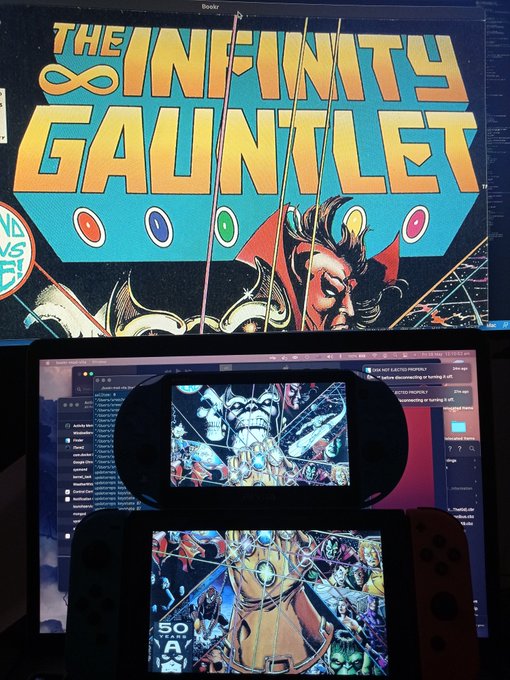
Been a *long* **while** since my last release! I know I've been exceptionally slow since the last release, but this is mostly due to real life stuff. As you are probably aware the last year has been quite unfortunate for the world. Even for me, It will still take quite some time to get back on my feet. But I will continue this project as long as you or I are reading on our devices, albeit slow, but not as slow as before. I have a more clearer roadmap written, so it should be faster for releases to come through.
I now ask for a donation that would be much appreciated:
https://ko-fi.com/pathway27
https://www.paypal.com/paypalme/pathway27
BTC: 18xfZFF87234J4N2cDgBmHMFvx8rFzwgpx
ETH: 0x374b29ab6d59295578fc6d732fee65a85da7adcd
BCH: 18xfZFF87234J4N2cDgBmHMFvx8rFzwgpx
BNB (BEP20 BSC): 0x374b29ab6d59295578fc6d732fee65a85da7adcd
XRP: rEb8TK3gBgk5auZkwc6sHnwrGVJH8DuaLh
LTC: LXBX4FMQPMJ7aHGMcYv4YTH8CebxKhTkbT
XLM:
Address: GAHK7EEG2WWHVKDNT4CEQFZGKF2LGDSW2IVM4S5DP42RBW3K6BTODB4A
Memo: 1037949274
DOGE: D7LLEYCd6cM3nnQkEtY4Ypq3dUX7MDgvEG
If you want to donate with a different crypto/way, please e-mail me.
- Introducing a big refactor to the codebase
- Somewhat more readable and maintainable
- Adding Switch Support (`.nro`) (and Desktop)
- Same button layout as vita right now
- Vita -> Switch Button Mapping
- `X` -> `B` is for Selecting on the Menu/File Browser
- `Triangle` -> `X` Next Page or Go up a folder
- `Select` -> `-` Bottom Menu for Bookmarks/Rotate/Fit to Height/Width while reading
- `Start` -> `+` Open Main Menu
- Updated to latest MuPDF (v1.18)
- Vita has access to more partitions like: `ur0:` an `uma0:`
Note: This is an alpha for switch since it's a new platform, so there might be issues on it.

Been a *long* **while** since my last release! I know I've been exceptionally slow since the last release, but this is mostly due to real life stuff. As you are probably aware the last year has been quite unfortunate for the world. Even for me, It will still take quite some time to get back on my feet. But I will continue this project as long as you or I are reading on our devices, albeit slow, but not as slow as before. I have a more clearer roadmap written, so it should be faster for releases to come through.
I now ask for a donation that would be much appreciated:
https://ko-fi.com/pathway27
https://www.paypal.com/paypalme/pathway27
BTC: 18xfZFF87234J4N2cDgBmHMFvx8rFzwgpx
ETH: 0x374b29ab6d59295578fc6d732fee65a85da7adcd
BCH: 18xfZFF87234J4N2cDgBmHMFvx8rFzwgpx
BNB (BEP20 BSC): 0x374b29ab6d59295578fc6d732fee65a85da7adcd
XRP: rEb8TK3gBgk5auZkwc6sHnwrGVJH8DuaLh
LTC: LXBX4FMQPMJ7aHGMcYv4YTH8CebxKhTkbT
XLM:
Address: GAHK7EEG2WWHVKDNT4CEQFZGKF2LGDSW2IVM4S5DP42RBW3K6BTODB4A
Memo: 1037949274
DOGE: D7LLEYCd6cM3nnQkEtY4Ypq3dUX7MDgvEG
If you want to donate with a different crypto/way, please e-mail me.
| Name | Version | Released | Hits | DL Link | QR |
| bookr-0.7.1-src.zip | voriginal | 01/20/17 | 1247 | Download | QR |
| bookr-mod-vita-v0.3.1.vpk | v0.3.1 | 10/14/18 | 3081 | Download | QR |
| bookr-mod-vita-v0.3.0.vpk | v0.3.0 | 09/15/18 | 1018 | Download | QR |
| bookr-mod-vita-unsafe.vpk | v0.2.1 | 02/23/18 | 1125 | Download | QR |
| bookr-mod-vita-v0.2.1.vpk | v0.2.1 | 02/20/18 | 1095 | Download | QR |
| bookr-mod-vita.vpk | v0.2.0 | 02/18/18 | 1004 | Download | QR |
| bookr-mod-vita.vpk | v0.1.0 | 02/11/18 | 1012 | Download | QR |
| bookr-mod-vita.vpk | v0.0.1 | 03/19/17 | 1098 | Download | QR |
 Bounce Vita v0.1.0 by M-Essa11
Last Release: Aug 24, 2026
Bounce Vita v0.1.0 by M-Essa11
Last Release: Aug 24, 2026
Downloads: 88
Last Release: Aug 24, 2026
Downloads: 88
Downloads: 88
Bounce Vita is a native PlayStation Vita port of the classic Nokia Bounce game. It is based on the open-source C reimplementation from amdray/bounce_zero, adapted for VitaSDK with Vita2D rendering, Vita controls, audio, persistent progress, and refreshed presentation assets.
First public PlayStation Vita release.
Highlights:
- Native Vita2D rendering
- All 11 classic Bounce levels
- Working audio and persistent progress
- Vita controls with L/R movement support
- Updated HD-style graphics, menu, HUD, splash, and LiveArea icon
- Square + Triangle invincibility toggle
Install the VPK using VitaShell. A SHA-256 checksum file is included for verification.
Highlights:
- Native Vita2D rendering
- All 11 classic Bounce levels
- Working audio and persistent progress
- Vita controls with L/R movement support
- Updated HD-style graphics, menu, HUD, splash, and LiveArea icon
- Square + Triangle invincibility toggle
Install the VPK using VitaShell. A SHA-256 checksum file is included for verification.
 Brain Splitter v1.0 by Lapy
Last Release: May 17, 2021
Brain Splitter v1.0 by Lapy
Last Release: May 17, 2021
Downloads: 805
Last Release: May 17, 2021
Downloads: 805
Downloads: 805
Brain Splitter is an original vertically scrolling shoot 'em up single player where you have to controle two spaceships at the same time using both joysticks.It includes a Photo Mode which allows you to take incredible screenshots that will be saved directly in your image gallery and a trophy system simulating the trophy system of official games.
https://kyuhen.customprotocol.com/en/submissions/brain_splitter/
| Name | Version | Released | Hits | DL Link | QR |
 Buckshot Roulette Portable v1.0.1 by voidchecksam
Last Release: Oct 20, 2026
Buckshot Roulette Portable v1.0.1 by voidchecksam
Last Release: Oct 20, 2026
Downloads: 54
Last Release: Oct 20, 2026
Downloads: 54
Downloads: 54
A native C++ port(able) of Buckshot Roulette.
| Name | Version | Released | Hits | DL Link | QR |
| bsht-desktop-v1.0.1-windows.zip | v1.0.1 | 10/20/26 | 12 | Download | QR |
| bsht-extract-v1.0.1-windows.zip | v1.0.1 | 10/20/26 | 12 | Download | QR |
| BuckshotRoulettePortable-BSHT-v1.0.1.vpk | v1.0.1 | 10/20/26 | 13 | Download | QR |
BSHT-Vita v1.0.1. Small fix for the extractor, the game itself didn't change.
- Double-clicking `bsht-extract.exe` now asks for the game instead of closing on you. Drag `Buckshot Roulette.exe` into the window and press Enter.
- Long steps (looking at you, `export_fonts.gd`) now print "still working" every minute so you know it didn't die. That one can take 20+ minutes on a slower PC, so let it cook and keep the PC awake.
Already extracted with v1.0.0? You're good, the data is the same. Just grab the new vpk or zip if you want them.
| File | What it is |
|---|---|
| `BuckshotRoulettePortable-BSHT-v1.0.1.vpk` | the game for the Vita |
| `bsht-extract-v1.0.1-windows.zip` | the tool that converts your copy (Windows 10 or newer) |
| `bsht-desktop-v1.0.1-windows.zip` | the same port on Windows |
Built by GitHub Actions from this repo and scanned with Windows Defender.
- Double-clicking `bsht-extract.exe` now asks for the game instead of closing on you. Drag `Buckshot Roulette.exe` into the window and press Enter.
- Long steps (looking at you, `export_fonts.gd`) now print "still working" every minute so you know it didn't die. That one can take 20+ minutes on a slower PC, so let it cook and keep the PC awake.
Already extracted with v1.0.0? You're good, the data is the same. Just grab the new vpk or zip if you want them.
| File | What it is |
|---|---|
| `BuckshotRoulettePortable-BSHT-v1.0.1.vpk` | the game for the Vita |
| `bsht-extract-v1.0.1-windows.zip` | the tool that converts your copy (Windows 10 or newer) |
| `bsht-desktop-v1.0.1-windows.zip` | the same port on Windows |
Built by GitHub Actions from this repo and scanned with Windows Defender.
 Caffeine for Vita v1.0.1 by M-Essa11
Last Release: Sep 20, 2026
Caffeine for Vita v1.0.1 by M-Essa11
Last Release: Sep 20, 2026
Downloads: 82
Last Release: Sep 20, 2026
Downloads: 82
Downloads: 82
Caffeine for Vita adds a sleep-prevention toggle to the PS Vita Quick Menu. When enabled, it keeps the display awake and prevents automatic suspend. Manual standby remains available.
The toggle starts disabled after every reboot. Its state and blue cup indicator remain synchronized when the Quick Menu is closed and reopened.
The toggle starts disabled after every reboot. Its state and blue cup indicator remain synchronized when the Quick Menu is closed and reopened.
Caffeine for Vita 1.0.1 fixes the false checked state shown after every reboot. The toggle now starts visibly disabled and only activates after you enable it.
The LiveArea bubble also has a new high-quality borderless coffee-cup icon.
## Easy VPK installation
1. Install `CaffeineForVita.vpk` with VitaShell.
2. Open **Caffeine Installer** and press **X**.
3. Reboot when prompted.
After installation, you can delete both the downloaded VPK file and the Caffeine Installer bubble. The installed Quick Menu plugin will remain on the Vita.
## Standalone plugin installation
Use this option only if QuickMenuReborn 2.5 is already installed and loaded under `*main`.
1. Download `caffeine.suprx` and `caffeine.png` below.
2. Copy both files to `ur0:QuickMenuReborn/` with VitaShell.
3. Disable any active NoSleep plugin entry in `ur0:tai/config.txt`.
4. Reboot the Vita.
To uninstall the standalone plugin, delete `ur0:QuickMenuReborn/caffeine.suprx` and `ur0:QuickMenuReborn/caffeine.png`, then reboot.
The LiveArea bubble also has a new high-quality borderless coffee-cup icon.
## Easy VPK installation
1. Install `CaffeineForVita.vpk` with VitaShell.
2. Open **Caffeine Installer** and press **X**.
3. Reboot when prompted.
After installation, you can delete both the downloaded VPK file and the Caffeine Installer bubble. The installed Quick Menu plugin will remain on the Vita.
## Standalone plugin installation
Use this option only if QuickMenuReborn 2.5 is already installed and loaded under `*main`.
1. Download `caffeine.suprx` and `caffeine.png` below.
2. Copy both files to `ur0:QuickMenuReborn/` with VitaShell.
3. Disable any active NoSleep plugin entry in `ur0:tai/config.txt`.
4. Reboot the Vita.
To uninstall the standalone plugin, delete `ur0:QuickMenuReborn/caffeine.suprx` and `ur0:QuickMenuReborn/caffeine.png`, then reboot.
 Castlevania Attack Vita v1.0 by Rocroverss
Last Release: Jul 30, 2026
Castlevania Attack Vita v1.0 by Rocroverss
Last Release: Jul 30, 2026
Downloads: 140
Last Release: Jul 30, 2026
Downloads: 140
Downloads: 140
Castlevania Attack is a combination of Castlevania and Tetris Attack. This Godot demo contains three fully playable levels.
## Changelog v1.00:
- First release
- First release
 Caustic 3 Vita v1.0.2 by trappunk
Last Release: Jul 22, 2026
Caustic 3 Vita v1.0.2 by trappunk
Last Release: Jul 22, 2026
Downloads: 106
Last Release: Jul 22, 2026
Downloads: 106
Downloads: 106
Unofficial source-only PlayStation Vita wrapper for Caustic 3: vitaGL graphics, resampled audio, multitouch, microphone, physical controls, and a published security audit.
# Caustic 3 Vita v1.0.2
This maintenance release updates the Vita package to **01.03** and fixes the remaining preset-dependent harsh noise and redlining in Subsynth, Modular, and larger projects.
## Installation
Download `Caustic3Vita-v1.0.2.vpk`, transfer it to a homebrew-enabled Vita, and install it with VitaShell. Installing over the existing title preserves `ux0:/data/CAUSTIC3/` projects and settings.
Required Vita components:
- `kubridge.skprx`
- `fd_fix.skprx`, unless rePatch is installed
- `libshacccg.suprx`
See the [complete installation guide](https://github.com/trappunk/caustic3-vita/blob/main/docs/INSTALLING.md).
## Audio fix
Caustic uses Android ARMv7 base AAPCS/softfp, while VitaSDK libm uses VFP registers. Earlier compatibility functions also relied on limited-range approximations. Some presets could therefore receive unstable filter coefficients, immediately redline Caustic machine meters, and produce full-scale scratchy noise.
01.03 replaces those approximations with accurate VitaSDK libm functions behind explicit softfp-to-hardfp ABI bridges. Single- and double-precision trigonometric, exponential, logarithmic, power, rounding, and remainder imports now cross the ABI boundary correctly.
## Verification
- Previously failing Subsynth presets and larger projects passed on physical Vita hardware.
- Packaged eboot matches the hardware-tested eboot byte-for-byte.
- Public-tree verification and host path-policy tests passed.
- VPK ZIP integrity passed.
- ARM disassembly confirms the required core-register/VFP argument and result shuffles.
- VPK size: `74755343` bytes
- VPK SHA-256: `7b10dae1eb0a1c692c954ffb560599236bdf9fb52533201abf5ed6de598cb2f8`
- eboot SHA-256: `8a573812e67724994e61a50bc8dac8756b01f2d9a6155595483b81c08ea486cd`
## Credits
Caustic was created by **Rej Poirier / Single Cell Software** and is available from the [official Caustic 3 page](https://www.singlecellsoftware.com/caustic3.html). This port builds on [Trackelf’s original wrapper](https://github.com/Trackelf/caustic3-vita-wrapper). It was developed and hardware-tested by **trappunk (Tennis Rodman)** with extensive assistance from **OpenAI Codex**.
This maintenance release updates the Vita package to **01.03** and fixes the remaining preset-dependent harsh noise and redlining in Subsynth, Modular, and larger projects.
## Installation
Download `Caustic3Vita-v1.0.2.vpk`, transfer it to a homebrew-enabled Vita, and install it with VitaShell. Installing over the existing title preserves `ux0:/data/CAUSTIC3/` projects and settings.
Required Vita components:
- `kubridge.skprx`
- `fd_fix.skprx`, unless rePatch is installed
- `libshacccg.suprx`
See the [complete installation guide](https://github.com/trappunk/caustic3-vita/blob/main/docs/INSTALLING.md).
## Audio fix
Caustic uses Android ARMv7 base AAPCS/softfp, while VitaSDK libm uses VFP registers. Earlier compatibility functions also relied on limited-range approximations. Some presets could therefore receive unstable filter coefficients, immediately redline Caustic machine meters, and produce full-scale scratchy noise.
01.03 replaces those approximations with accurate VitaSDK libm functions behind explicit softfp-to-hardfp ABI bridges. Single- and double-precision trigonometric, exponential, logarithmic, power, rounding, and remainder imports now cross the ABI boundary correctly.
## Verification
- Previously failing Subsynth presets and larger projects passed on physical Vita hardware.
- Packaged eboot matches the hardware-tested eboot byte-for-byte.
- Public-tree verification and host path-policy tests passed.
- VPK ZIP integrity passed.
- ARM disassembly confirms the required core-register/VFP argument and result shuffles.
- VPK size: `74755343` bytes
- VPK SHA-256: `7b10dae1eb0a1c692c954ffb560599236bdf9fb52533201abf5ed6de598cb2f8`
- eboot SHA-256: `8a573812e67724994e61a50bc8dac8756b01f2d9a6155595483b81c08ea486cd`
## Credits
Caustic was created by **Rej Poirier / Single Cell Software** and is available from the [official Caustic 3 page](https://www.singlecellsoftware.com/caustic3.html). This port builds on [Trackelf’s original wrapper](https://github.com/Trackelf/caustic3-vita-wrapper). It was developed and hardware-tested by **trappunk (Tennis Rodman)** with extensive assistance from **OpenAI Codex**.
 CbpsDB Direct v1.0 by theheroGAC
Last Release: Jun 8, 2020
CbpsDB Direct v1.0 by theheroGAC
Last Release: Jun 8, 2020
Downloads: 2779
Last Release: Jun 8, 2020
Downloads: 2779
Downloads: 2779
It is an app that allows direct connection to the CbpsDB store without manually entering the address
https://db.cbps.xyz/
| Name | Version | Released | Hits | DL Link | QR |
 CBPSTube v1.0 by GrapheneCt
Last Release: Feb 17, 2021
CBPSTube v1.0 by GrapheneCt
Last Release: Feb 17, 2021
Downloads: 51617
Last Release: Feb 17, 2021
Downloads: 51617
Downloads: 51617
CBPSTube is unofficial Youtube application for PS Vita based on SCE VSL framework.
Key Features:
1. Supports all current Youtube features
2. Supports native 1280x720 playback on PS TV
3. Quickly access various youtube pages via sidebar menu (triangle button)
Installation:
1. Required. Install CapUnlocker plugin: https://github.com/GrapheneCt/CapUnlocker
Without this plugin your account information will not be saved and you will have to relogin each time you start the app
2. Install .vpk
Known limitations and bugs:
1. By default, youtube uses 360p resolution. You can change that to 720p in video playback settings (gear icon)
2. If video playback has been canceled during video player loading, it may get stuck on the video loading screen and playback controls will not show
How to close ads:
1. Once add starts playing, close it and press on the info icon near the "Ad" in the video player window
2. Select "Do not show this advertisement"
Button Controls:
L/R triggers - previous/next page
Cross - select
Square - load home page
Triangle - show/hide sidebar
Circle - previous page
Key Features:
1. Supports all current Youtube features
2. Supports native 1280x720 playback on PS TV
3. Quickly access various youtube pages via sidebar menu (triangle button)
Installation:
1. Required. Install CapUnlocker plugin: https://github.com/GrapheneCt/CapUnlocker
Without this plugin your account information will not be saved and you will have to relogin each time you start the app
2. Install .vpk
Known limitations and bugs:
1. By default, youtube uses 360p resolution. You can change that to 720p in video playback settings (gear icon)
2. If video playback has been canceled during video player loading, it may get stuck on the video loading screen and playback controls will not show
How to close ads:
1. Once add starts playing, close it and press on the info icon near the "Ad" in the video player window
2. Select "Do not show this advertisement"
Button Controls:
L/R triggers - previous/next page
Cross - select
Square - load home page
Triangle - show/hide sidebar
Circle - previous page
https://forum.devchroma.nl/index.php/topic,331.0.html
| Name | Version | Released | Hits | DL Link | QR |
 CBS v3.1 by SKGleba
Last Release: Oct 14, 2019
CBS v3.1 by SKGleba
Last Release: Oct 14, 2019
Downloads: 3600
Last Release: Oct 14, 2019
Downloads: 3600
Downloads: 3600
This tool can display a Image/Animation during the PSVita boot process.
The boot logo that is displayed at the beginning can not be hidden with this plugin. Use https://github.com/skgleba/enso_ex instead.To update365 users:
If Enso 3.65-update365 is installed and boot_config.txt exists in vs0:tai/ CBS will not be loaded, please update Enso to the latest version.
https://github.com/TheOfficialFloW/enso/releases
The boot logo that is displayed at the beginning can not be hidden with this plugin. Use https://github.com/skgleba/enso_ex instead.To update365 users:
If Enso 3.65-update365 is installed and boot_config.txt exists in vs0:tai/ CBS will not be loaded, please update Enso to the latest version.
https://github.com/TheOfficialFloW/enso/releases
Changelog:
- Removed the delay option
- Now the PS logo should disappear when using the console info mode
- Cleaned the code a bit
- Removed the delay option
- Now the PS logo should disappear when using the console info mode
- Cleaned the code a bit
| Name | Version | Released | Hits | DL Link | QR |
| cbs_manager.vpk | v3.0 | 10/14/19 | 784 | Download | QR |
| cbs_manager.vpk | v2.0 | 03/10/19 | 904 | Download | QR |
 ccleste v1.0 by decomius
Last Release: Mar 6, 2021
ccleste v1.0 by decomius
Last Release: Mar 6, 2021
Downloads: 1818
Last Release: Mar 6, 2021
Downloads: 1818
Downloads: 1818
This is a C source port of the original celeste (Celeste classic) for the PICO-8, designed to be portable. PC and 3DS are the main supported platforms, though other people are maintaining ports to other platforms.
Go to the releases tab for the latest pre-built binaries.
An experimental web port is also available here.
celeste.c + celeste.h is where the game code is, translated from the pico 8 lua code by hand. These files don't depend on anything other than the c standard library and don't perform any allocations (it uses its own internal global state).
Go to the releases tab for the latest pre-built binaries.
An experimental web port is also available here.
celeste.c + celeste.h is where the game code is, translated from the pico 8 lua code by hand. These files don't depend on anything other than the c standard library and don't perform any allocations (it uses its own internal global state).
| Name | Version | Released | Hits | DL Link | QR |
 CEX2DEX v1.1 by TeamFAPS
Last Release: Jan 9, 2022
CEX2DEX v1.1 by TeamFAPS
Last Release: Jan 9, 2022
Downloads: 1390
Last Release: Jan 9, 2022
Downloads: 1390
Downloads: 1390
A PS Vita application to convert between Retail and TestKit.
Add PS TV support.
 COD: BOZ Vita v2.02 by devnoname120
Last Release: Aug 17, 2026
COD: BOZ Vita v2.02 by devnoname120
Last Release: Aug 17, 2026
Downloads: 1774
Last Release: Aug 17, 2026
Downloads: 1774
Downloads: 1774
Port of Call of Duty: Black Ops Zombies for PSVita.
Call of Duty: Black Ops Zombies is a mobile game that proposes the popular Zombies mode from Call of Duty: Black Ops.
Call of Duty: Black Ops Zombies is a mobile game that proposes the popular Zombies mode from Call of Duty: Black Ops.
Requirements:
- libshacccg.suprx
- kubridge.skprx
- Game Data Files: Android
Changelog (v.2.02):
- Use default crew for CotD because turns out original crew is missing from 3rd person models and can cause crashes.
- libshacccg.suprx
- kubridge.skprx
- Game Data Files: Android
Changelog (v.2.02):
- Use default crew for CotD because turns out original crew is missing from 3rd person models and can cause crashes.
| Name | Version | Released | Hits | DL Link | QR |
| COD: BOZ Vita | v2.0 | 08/16/26 | 84 | Download | QR |
| COD: BOZ Vita | v1.06 | 07/21/26 | 529 | Download | QR |
| COD: BOZ Vita | v1.05 | 06/15/26 | 265 | Download | QR |
| COD: BOZ Vita | v1.03 | 06/10/26 | 105 | Download | QR |
 Consolepedia 3D v0.2 by VitaHEX games
Last Release: Sep 23, 2020
Consolepedia 3D v0.2 by VitaHEX games
Last Release: Sep 23, 2020
Downloads: 2345
Last Release: Sep 23, 2020
Downloads: 2345
Downloads: 2345
Consolepedia 3D is a virtual encyclopedia of game systems. From Atari to Nintendo and PlayStation all with with detailed 3D models of each system with information about the history, specifications and their best selling games.
Consolepedia 3D features detailed 3d models where you can take a close look and also learn about it's history through the years. You can also see the top-5 best selling games for each system with the original box art.
In the first alpha version of the app 7 game systems will be included for you to explore.
Consolepedia 3D features detailed 3d models where you can take a close look and also learn about it's history through the years. You can also see the top-5 best selling games for each system with the original box art.
In the first alpha version of the app 7 game systems will be included for you to explore.
 CoolBoardPlaysSounds v1.0 by teakhanirons
Last Release: May 3, 2020
CoolBoardPlaysSounds v1.0 by teakhanirons
Last Release: May 3, 2020
Downloads: 908
Last Release: May 3, 2020
Downloads: 908
Downloads: 908
A homebrew PlayStation Vita soundboard application.
Usage
Place OGG or WAV files in ux0:data/CBPS/
Usage
Place OGG or WAV files in ux0:data/CBPS/
| Name | Version | Released | Hits | DL Link | QR |
 copyicons v1.01 by cy33hc
Last Release: Sep 30, 2020
copyicons v1.01 by cy33hc
Last Release: Sep 30, 2020
Downloads: 1517
Last Release: Sep 30, 2020
Downloads: 1517
Downloads: 1517
This application is used for bulk copying of icon0.png/pic0.png from the ux0:app/GAME_ID/sce_sys to the ur0:appmeta/GAME_ID folder
The psvita can only load 500 bubbles. If you have more then 500 apps/games installed. The vita will not create the icon0.png and pic0.png files in the ur0:appmeta folder for those games that don't have bubbles.
This is used in conjuction with my Launcher app https://github.com/cy33hc/vita-launcher for getting icons to display for the games.
Features
Decrypt the icon0.png/pic0.png and copy to ur0:appmeta.
Like mentioned this app scans every game in the ux0:app folder and copies the icon0.png/pic0.png if it's not found in ur0:appmeta
The psvita can only load 500 bubbles. If you have more then 500 apps/games installed. The vita will not create the icon0.png and pic0.png files in the ur0:appmeta folder for those games that don't have bubbles.
This is used in conjuction with my Launcher app https://github.com/cy33hc/vita-launcher for getting icons to display for the games.
Features
Decrypt the icon0.png/pic0.png and copy to ur0:appmeta.
Like mentioned this app scans every game in the ux0:app folder and copies the icon0.png/pic0.png if it's not found in ur0:appmeta
Fix issue where encrypted icon copied to ur0:appmeta when pfsMount fails
 Cordless v1.0.0 by bren
Last Release: Aug 20, 2026
Cordless v1.0.0 by bren
Last Release: Aug 20, 2026
Downloads: 73
Last Release: Aug 20, 2026
Downloads: 73
Downloads: 73
A native homebrew Discord client for the PlayStation Vita. It talks straight to Discord's REST API and gateway over TLS, with no bridge server and nothing self-hosted. Every network call runs on a vendored mbedTLS stack over raw SceNet sockets.
Cordless drives a personal Discord user token (a self-client), so it breaks Discord's Terms of Service. It's for personal use, not automation. It isn't affiliated with or endorsed by Discord or Sony, and you run it at your own risk.
Cordless drives a personal Discord user token (a self-client), so it breaks Discord's Terms of Service. It's for personal use, not automation. It isn't affiliated with or endorsed by Discord or Sony, and you run it at your own risk.
# Cordless 1.0.0
A native Discord client for the PlayStation Vita. It talks straight to Discord over TLS, so there's no bridge server and nothing to self-host.
## Features
- Servers, DMs, group DMs, and threads
- Send, edit, reply, react, and forward; scroll up to load history
- Images, GIFs, WebP, and video / voice-message playback
- Emoji, live presence, typing indicators, friends, and profile popouts
- Join by invite, block users, and multiple accounts
- Settings: light/dark theme, accent color, font size, compact mode, 12/24h clock, and a low-battery mode
Voice channels are still a work in progress and are turned off in this build.
## Logging in
No password either way. Two options:
- QR code: scan the on-screen code with the official Discord mobile app. It's the quick path, but Discord sometimes asks for a captcha during QR sign-in that the Vita can't complete. If that happens, use the token method.
- Token: put your Discord user token on the card once. The full walkthrough (a one-click bookmarklet, the browser Network tab, or by hand) is in docs/login.md. (https://github.com/Brendonm17/Cordless/blob/main/docs/login.md)
## Terms of service
Using a user token with a third-party client is against Discord's Terms of Service. Cordless is built for personal use and interoperability, not automation, and you run it on your own account at your own risk. It is not affiliated with or endorsed by Discord or Sony.
AI was used for API research and live area assets.
## Install
1. A Vita or PS TV on HENkaku / h-encore2 (firmware 3.60 to 3.74) with unsafe homebrew enabled.
2. Copy Cordless.vpk to the Vita and install it in VitaShell.
3. Launch it, then follow docs/login.md to add your token.
Logs are written to ux0:data/cordless/log.txt.
A native Discord client for the PlayStation Vita. It talks straight to Discord over TLS, so there's no bridge server and nothing to self-host.
## Features
- Servers, DMs, group DMs, and threads
- Send, edit, reply, react, and forward; scroll up to load history
- Images, GIFs, WebP, and video / voice-message playback
- Emoji, live presence, typing indicators, friends, and profile popouts
- Join by invite, block users, and multiple accounts
- Settings: light/dark theme, accent color, font size, compact mode, 12/24h clock, and a low-battery mode
Voice channels are still a work in progress and are turned off in this build.
## Logging in
No password either way. Two options:
- QR code: scan the on-screen code with the official Discord mobile app. It's the quick path, but Discord sometimes asks for a captcha during QR sign-in that the Vita can't complete. If that happens, use the token method.
- Token: put your Discord user token on the card once. The full walkthrough (a one-click bookmarklet, the browser Network tab, or by hand) is in docs/login.md. (https://github.com/Brendonm17/Cordless/blob/main/docs/login.md)
## Terms of service
Using a user token with a third-party client is against Discord's Terms of Service. Cordless is built for personal use and interoperability, not automation, and you run it on your own account at your own risk. It is not affiliated with or endorsed by Discord or Sony.
AI was used for API research and live area assets.
## Install
1. A Vita or PS TV on HENkaku / h-encore2 (firmware 3.60 to 3.74) with unsafe homebrew enabled.
2. Copy Cordless.vpk to the Vita and install it in VitaShell.
3. Launch it, then follow docs/login.md to add your token.
Logs are written to ux0:data/cordless/log.txt.
 Crash-Dump-Delete v1.1 by Princess-of-Sleeping
Last Release: May 8, 2018
Crash-Dump-Delete v1.1 by Princess-of-Sleeping
Last Release: May 8, 2018
Downloads: 4284
Last Release: May 8, 2018
Downloads: 4284
Downloads: 4284
Simple application that deletes all crashdump files generated when an application crashes.
Support for "sd0:", "host0:"
 Cross Connection v1.51 by theheroGAC
Last Release: Feb 17, 2020
Cross Connection v1.51 by theheroGAC
Last Release: Feb 17, 2020
Downloads: 7097
Last Release: Feb 17, 2020
Downloads: 7097
Downloads: 7097
2-in-1 connection PSVITA (ftp + USB)
- Fix bug on 3.65
-compatible now up to firmware 3.73
-compatible now up to firmware 3.73
| Name | Version | Released | Hits | DL Link | QR |
| Cross Connection | v1.50 | 03/10/19 | 1905 | Download | QR |
| Cross Connection | v1.4 | 02/11/18 | 834 | Download | QR |
| Cross.Connection.vpk | v1.4 | 02/11/18 | 1077 | Download | QR |
| Cross Connection | v1.03 | 01/19/18 | 953 | Download | QR |
| Cross Connection | v1.02 | 01/19/18 | 1021 | Download | QR |
| Cross Connection | v1.01 | 01/18/18 | 1221 | Download | QR |
 Crystal Archiver v1.1 by Eli Crystal
Last Release: Aug 10, 2024
Crystal Archiver v1.1 by Eli Crystal
Last Release: Aug 10, 2024
Downloads: 754
Last Release: Aug 10, 2024
Downloads: 754
Downloads: 754
CrystalArchiver is a one click mass archiver for PSM licenses that does not require launching each PSM game. This project was created for the PSM Yaroze project which aims to save not only PSM history, but Sony and indie developer history.
Each license is backed up by calling the original DRM functions used by the original PSM Application and then creating a depersonalized key in FAKE.RIF format used by NoPSMDRM. A depersonalized key allows a backup to be decrypted and to be played without PSM activation, provided you have the original PSM files. Because it is not tied to any one user, it does not contain personalized information.
This can allow you play your PSM titles on another Vita you may own, even if you did not activate or download them before PSM closure. You can even play it on a Windows PC. Please note that this tool is used for creating backups and we would like you not to use it for anything that may hurt developers. Many PSM titles were ported to other systems where you can continue to support them.
After running CrystalArchiver, these license backups will be found at ux0:/data/psm.
Each license is backed up by calling the original DRM functions used by the original PSM Application and then creating a depersonalized key in FAKE.RIF format used by NoPSMDRM. A depersonalized key allows a backup to be decrypted and to be played without PSM activation, provided you have the original PSM files. Because it is not tied to any one user, it does not contain personalized information.
This can allow you play your PSM titles on another Vita you may own, even if you did not activate or download them before PSM closure. You can even play it on a Windows PC. Please note that this tool is used for creating backups and we would like you not to use it for anything that may hurt developers. Many PSM titles were ported to other systems where you can continue to support them.
After running CrystalArchiver, these license backups will be found at ux0:/data/psm.
Fix an issue where sometimes licenses might not be backed up properly.
 Crystal PSM v2 by Eli Crystal
Last Release: Mar 21, 2025
Crystal PSM v2 by Eli Crystal
Last Release: Mar 21, 2025
Downloads: 5480
Last Release: Mar 21, 2025
Downloads: 5480
Downloads: 5480
CrystalPSM installer is a one click installer that downloads and installs PSM runtime for the PS Vita.
It aims to be legal, fast, and sports a modern sleek UI.
It aims to be legal, fast, and sports a modern sleek UI.
fix download of PSM Runtime 1.00 package.
| Name | Version | Released | Hits | DL Link | QR |
| Crystal PSM | v2 | 03/21/25 | 934 | Download | QR |
| Crystal PSM | v1 | 10/13/21 | 4543 | Download | QR |
 cspot_vita v0.2.9 by michal4132
Last Release: Jan 4, 2023
cspot_vita v0.2.9 by michal4132
Last Release: Jan 4, 2023
Downloads: 4104
Last Release: Jan 4, 2023
Downloads: 4104
Downloads: 4104
Spotify Connect client for PS Vita
Only to be used with premium spotify accounts!
Requires iTLS-Enso or newer firmware.
Only to be used with premium spotify accounts!
Requires iTLS-Enso or newer firmware.
| Name | Version | Released | Hits | DL Link | QR |
| cspot_vita | v0.2.9 | 01/04/23 | 938 | Download | QR |
| cspot_vita | v0.2.7 | 12/04/22 | 459 | Download | QR |
| cspot_vita | v0.2.6 | 12/01/22 | 468 | Download | QR |
| cspot_vita | v0.2.2 | 11/21/22 | 424 | Download | QR |
| cspot_vita | v0.2.1 | 11/20/22 | 475 | Download | QR |
| cspot_vita.vpk | v0.2.0 | 11/19/22 | 456 | Download | QR |
| cspot_vita.vpk | v0.1.1 | 10/03/22 | 437 | Download | QR |
| cspot_vita.vpk | v0.1.0 | 10/01/22 | 432 | Download | QR |
 Cubik Adventure v2 by LuckTheGamers
Last Release: May 11, 2019
Cubik Adventure v2 by LuckTheGamers
Last Release: May 11, 2019
Downloads: 1906
Last Release: May 11, 2019
Downloads: 1906
Downloads: 1906
Cubik Adventure is a 2.5D platform game in which you control a cube and have to face various challenges.
- He is in demo and many things are missing ..... VERY MUCH.
- He is in demo and many things are missing ..... VERY MUCH.
https://twitter.com/LuckTheGamers2/status/1120459231403094021
 Custom Themes Manager v4.02 by Red Squirrel
Last Release: May 8, 2024
Custom Themes Manager v4.02 by Red Squirrel
Last Release: May 8, 2024
Downloads: 12787
Last Release: May 8, 2024
Downloads: 12787
Downloads: 12787
Custom Themes Manager is a simple application for PlayStation Vita that allows you, as the name implies, to fully manage your Custom Themes direcly from the console
Custom Themes Manager is a simple application for PlayStation Vita that allows you, as the name implies, to fully manage your Custom Themes direcly from the console. The user can browse, view, download and install Custom Themes from the online repository of psv.altervista.org on his PSVita directly from the same application, without the need to use the Internet Browser, external apps or mods to the database or to connect the console to a PC. This application also includes a function to completely uninstall any Custom Theme you don't like anymore so as to free up space for new themes, again without the need of a PC or having to format the whole Memory Card. Included also an useful feature to create and restore (in case you need) a backup of your own database (app.db file). Finally, the application also includes a handy function to reboot your PSVita, saving you the trouble to manually shutdown and restart it, useful to correctly apply changes and avoid any bug after Custom Theme(s) installation or uninstallation.
Changelog
v4.00
Now after a (successfull) installation of a custom theme the application will return to the repository menu (and not to the main menu like in the previous version).
Added a check at startup that will warn the user if the henkaku safe mode is enabled.
Fixed a bug in the function to check for the available space before to extract the custom themes ZIP files.
Changed the preview screen of the uninstallation menu, now the size value will appear together with custom theme's data (and not under the preview images like in the previous version).
Changed and shortened the message in the cache menu screen.
Added a new function to dump the current official theme in a folder (so as you can use it just as a normal custom theme in the future).
Added a new function to set the partition to use for installations.
Rewritten the general code to support other partitions besides ux0 (specifically ur0 and uma0).
Added a function to save (and load at startup) the user's choices for partition to use and BGM playing status.
Any opened footer (with commands list) will be closed automatically when the user returns to the main menu.
Added a new function to check for new versions of the custom themes in the online repository.
Added a new function to look for a match between the installed custom themes and those ones in the online repository (useful to check for any new version available for it).
Added a new sort choice (by validation score) in the repository menu.
Added the validation score inside the custom theme's data in the preview screen in the repository menu.
Added a command to open the web browser to view the detailed validation report for any custom theme in the repository menu.
Added a new function in the main menu that will open the theme settings, so that the user can now apply a theme directly from the app (without the need to go into the PSVita Settings menu manually).
Fixed a bug with the view of the version value of the custom theme in the uninstallation menu.
Added a new command to jump to a specific page in the repository menu.
Now if the upgrade function of the app can not find Molecularshell installed then it will use Vitashell instead.
Fixed a bug that did not allow to uninstall any custom theme with an apostrophe in its title.
Added the possibility to import the preview images from the ux0:ctm folder instead to download them from the internet.
Now if the application can not download the image previews then it will show a placeholder image at their place: thanks to this fix you'll can browse and download custom themes from the online repository even when imgur has issues.
Compiled with the latest VitaSDK version available.
v3.00
Since this time the changelog is very copious, I decided to split it based on the 4 main menus of the program: online repository, local installation, uninstallation and DB/cache cleaning/backup.
Online repository menu:
Added a new display mode for online repository custom themes. The new display mode is called “mini-grid” and will show 20 custom themes per page. In this way to navigate through the available custom themes and find what you are searching for will be faster and easier.
Added a new feature that saves the last custom theme you saw in the online repository browser. In this way, when you'll access the online repository menu again, a “new” icon will appear on all the new custom themes inserted in the online repository from your last visit.
Added in the online repository menu a new popup menu that will allow you to choose what display mode to use between the 3 available (list, grid and mini-grid).
Added a percentage in the screen that appears when you download (or load) the preview images of the custom themes in the online repository browser.
The function to download all the previews of the custom themes in the online repository menu will now dowload only the missing files (without downloading and overwriting the already existent ones). In this way the procedure (after the first run) is faster.
Fixed a bug that did not center correctly the sort order popup menu in the online repository menu.
Fixed a bug that loaded again the preview images of the custom themes in the online repository menu when the user changed the page even if it was already on the first or on the last page.
Fixed a bug in the online repository menu that did not disable touch screen usage when switching from grid to list display mode.
Fixed a serious bug in the online repository menu that could bring the custom themes list over the number of pages actually available causing obvious graphics and memory glitch.
Local installation menu:
Added a new feature into the installation from a local folder menu that allows you to install in batch all the available custom theme folders without the need to select them one by one.
The list of folders into the installation from a local folder menu is now sorted in alphabetical order (useful to find a specific custom theme when there are many folders).
Fixed a bug that happened when you started the batch installation of custom themes and there was no available folder.
Uninstallation menu:
Added a batch mode to the uninstallation menu: the user can now select multiple custom themes (or even all) and uninstall them in batch with just one tap!
Added a new warning screen when batch mode is selected: the user will be notified of how many custom themes the uninstallation will apply to and ask the user for permission to proceed.
Added a percentage in the loading screen of currently installed custom themes. This to avoid that the PSVita could seem freezed when there are dozens of custom themes installed to load.
Added the ability to sort custom themes in the uninstallation menu: the user can now choose from 5 different sort orders (by title, by author, by size, by folder name and by installation date), so to find a specific custom theme will be even easier now.
Added a new feature that deletes data of a custom theme only from the database, keeping their files on the Memory Card (useful for future re-installations).
Added in the uninstallation menu the ability to change the custom theme that is currently displayed directly from its info screen (without the need to return to the list like it was in the past).
Redesigned, in the uninstallation menu, the info screen about the installed custom theme: now you will also see information about title and version of the custom theme and the command list will now be a popup menu.
Modified the uninstallation menu screen: now the installed custom themes list will cover the entire screen and the command list will now be a popup menu.
Fixed a bug in the uninstallation menu that did not correctly display the error screen if an error occurred.
Fixed a serious bug that did not properly release resources when the user left the uninstallation menu: in past versions this bug led the program to not load the images properly if the user came back into the uninstallation menu.
Fixed a bug in the uninstallation menu that in case of no items in the list it still allowed the user to start the uninstallation procedure, which obviously caused weird behavior.
Completely rewritten the commands in the uninstallation menu: please read the commands list again before using them because the same buttons now have very different behaviors from the past!
Cleaning/backup menu:
Now the cache cleaning function will no longer delete the backup of your database (app.db).
Added a new function to delete only the backup of your database (app.db).
General:
Disabled the use of the PS button during all the operations that write into the database to avoid any corruption risk.
Added a screen with percentage to the batch procedures (both installation and uninstallation) to avoid that the PSVita could seem freezed.
Added a background music to the program.
Added in the main menu an option to stop (and restart) the background music.
Added the support for reading the strings used by the program from an external file: this means that now if you want you can translate the program by yourself in whatever language you want!
Updated the lists scrolling mode: now when you go back up, the selection does not stay anymore on the bottom element in the list but it moves as it should normally do.
Now all the variables will be cleaned when the user return to the main menu: this should avoid some latent bugs while loading images that might happen in the past versions after a deep use of the various available menus.
Now, instead of warning the user to avoid to press the PS button during the most risky operations, the program will automatically disable (and then renable) the use of that button (thanks to TheFlow for reporting this feature).
Fixed a bug that could corrupt the changelog in the application bubble menu.
Fixed a bug that did not disable the analog stick when the user started an operation: this in the past versions could cause the change of the selection in the list before to start the operation on it.
The program now uses the PVF characters set for the details about the custom themes in the online repository menu: since this new font is tighter and clearer, now there is a lower risk of shrinking the text to fit the screen width limits and so users can read the longer strings better.
Removed the GekiHEN splash screen and its waiting for a few seconds at startup: now as soon as you start the application you will be immediately directed to its main menu.
Recompiled with the latest VitaSDK version available.
Changelog
v4.00
Now after a (successfull) installation of a custom theme the application will return to the repository menu (and not to the main menu like in the previous version).
Added a check at startup that will warn the user if the henkaku safe mode is enabled.
Fixed a bug in the function to check for the available space before to extract the custom themes ZIP files.
Changed the preview screen of the uninstallation menu, now the size value will appear together with custom theme's data (and not under the preview images like in the previous version).
Changed and shortened the message in the cache menu screen.
Added a new function to dump the current official theme in a folder (so as you can use it just as a normal custom theme in the future).
Added a new function to set the partition to use for installations.
Rewritten the general code to support other partitions besides ux0 (specifically ur0 and uma0).
Added a function to save (and load at startup) the user's choices for partition to use and BGM playing status.
Any opened footer (with commands list) will be closed automatically when the user returns to the main menu.
Added a new function to check for new versions of the custom themes in the online repository.
Added a new function to look for a match between the installed custom themes and those ones in the online repository (useful to check for any new version available for it).
Added a new sort choice (by validation score) in the repository menu.
Added the validation score inside the custom theme's data in the preview screen in the repository menu.
Added a command to open the web browser to view the detailed validation report for any custom theme in the repository menu.
Added a new function in the main menu that will open the theme settings, so that the user can now apply a theme directly from the app (without the need to go into the PSVita Settings menu manually).
Fixed a bug with the view of the version value of the custom theme in the uninstallation menu.
Added a new command to jump to a specific page in the repository menu.
Now if the upgrade function of the app can not find Molecularshell installed then it will use Vitashell instead.
Fixed a bug that did not allow to uninstall any custom theme with an apostrophe in its title.
Added the possibility to import the preview images from the ux0:ctm folder instead to download them from the internet.
Now if the application can not download the image previews then it will show a placeholder image at their place: thanks to this fix you'll can browse and download custom themes from the online repository even when imgur has issues.
Compiled with the latest VitaSDK version available.
v3.00
Since this time the changelog is very copious, I decided to split it based on the 4 main menus of the program: online repository, local installation, uninstallation and DB/cache cleaning/backup.
Online repository menu:
Added a new display mode for online repository custom themes. The new display mode is called “mini-grid” and will show 20 custom themes per page. In this way to navigate through the available custom themes and find what you are searching for will be faster and easier.
Added a new feature that saves the last custom theme you saw in the online repository browser. In this way, when you'll access the online repository menu again, a “new” icon will appear on all the new custom themes inserted in the online repository from your last visit.
Added in the online repository menu a new popup menu that will allow you to choose what display mode to use between the 3 available (list, grid and mini-grid).
Added a percentage in the screen that appears when you download (or load) the preview images of the custom themes in the online repository browser.
The function to download all the previews of the custom themes in the online repository menu will now dowload only the missing files (without downloading and overwriting the already existent ones). In this way the procedure (after the first run) is faster.
Fixed a bug that did not center correctly the sort order popup menu in the online repository menu.
Fixed a bug that loaded again the preview images of the custom themes in the online repository menu when the user changed the page even if it was already on the first or on the last page.
Fixed a bug in the online repository menu that did not disable touch screen usage when switching from grid to list display mode.
Fixed a serious bug in the online repository menu that could bring the custom themes list over the number of pages actually available causing obvious graphics and memory glitch.
Local installation menu:
Added a new feature into the installation from a local folder menu that allows you to install in batch all the available custom theme folders without the need to select them one by one.
The list of folders into the installation from a local folder menu is now sorted in alphabetical order (useful to find a specific custom theme when there are many folders).
Fixed a bug that happened when you started the batch installation of custom themes and there was no available folder.
Uninstallation menu:
Added a batch mode to the uninstallation menu: the user can now select multiple custom themes (or even all) and uninstall them in batch with just one tap!
Added a new warning screen when batch mode is selected: the user will be notified of how many custom themes the uninstallation will apply to and ask the user for permission to proceed.
Added a percentage in the loading screen of currently installed custom themes. This to avoid that the PSVita could seem freezed when there are dozens of custom themes installed to load.
Added the ability to sort custom themes in the uninstallation menu: the user can now choose from 5 different sort orders (by title, by author, by size, by folder name and by installation date), so to find a specific custom theme will be even easier now.
Added a new feature that deletes data of a custom theme only from the database, keeping their files on the Memory Card (useful for future re-installations).
Added in the uninstallation menu the ability to change the custom theme that is currently displayed directly from its info screen (without the need to return to the list like it was in the past).
Redesigned, in the uninstallation menu, the info screen about the installed custom theme: now you will also see information about title and version of the custom theme and the command list will now be a popup menu.
Modified the uninstallation menu screen: now the installed custom themes list will cover the entire screen and the command list will now be a popup menu.
Fixed a bug in the uninstallation menu that did not correctly display the error screen if an error occurred.
Fixed a serious bug that did not properly release resources when the user left the uninstallation menu: in past versions this bug led the program to not load the images properly if the user came back into the uninstallation menu.
Fixed a bug in the uninstallation menu that in case of no items in the list it still allowed the user to start the uninstallation procedure, which obviously caused weird behavior.
Completely rewritten the commands in the uninstallation menu: please read the commands list again before using them because the same buttons now have very different behaviors from the past!
Cleaning/backup menu:
Now the cache cleaning function will no longer delete the backup of your database (app.db).
Added a new function to delete only the backup of your database (app.db).
General:
Disabled the use of the PS button during all the operations that write into the database to avoid any corruption risk.
Added a screen with percentage to the batch procedures (both installation and uninstallation) to avoid that the PSVita could seem freezed.
Added a background music to the program.
Added in the main menu an option to stop (and restart) the background music.
Added the support for reading the strings used by the program from an external file: this means that now if you want you can translate the program by yourself in whatever language you want!
Updated the lists scrolling mode: now when you go back up, the selection does not stay anymore on the bottom element in the list but it moves as it should normally do.
Now all the variables will be cleaned when the user return to the main menu: this should avoid some latent bugs while loading images that might happen in the past versions after a deep use of the various available menus.
Now, instead of warning the user to avoid to press the PS button during the most risky operations, the program will automatically disable (and then renable) the use of that button (thanks to TheFlow for reporting this feature).
Fixed a bug that could corrupt the changelog in the application bubble menu.
Fixed a bug that did not disable the analog stick when the user started an operation: this in the past versions could cause the change of the selection in the list before to start the operation on it.
The program now uses the PVF characters set for the details about the custom themes in the online repository menu: since this new font is tighter and clearer, now there is a lower risk of shrinking the text to fit the screen width limits and so users can read the longer strings better.
Removed the GekiHEN splash screen and its waiting for a few seconds at startup: now as soon as you start the application you will be immediately directed to its main menu.
Recompiled with the latest VitaSDK version available.
| Name | Version | Released | Hits | DL Link | QR |
| Custom Themes Manager | v4.0 | 09/15/18 | 9905 | Download | QR |
| Custom Themes Manager | v3.0 | 06/22/17 | 1569 | Download | QR |
 CustomBootSplash Image Changer v1.1 by Princess-of-Sleeping
Last Release: Nov 3, 2018
CustomBootSplash Image Changer v1.1 by Princess-of-Sleeping
Last Release: Nov 3, 2018
Downloads: 2615
Last Release: Nov 3, 2018
Downloads: 2615
Downloads: 2615
This application makes it easy to change the image displayed by CustomBootSplash.
Q. Selecting an image causes the application to crash.
A. In this application, some images can not be read correctly. Please read it once on Windows etc, save it as a new png / jpeg and use the newly saved image and retry.
Q. Selecting an image causes the application to crash.
A. In this application, some images can not be read correctly. Please read it once on Windows etc, save it as a new png / jpeg and use the newly saved image and retry.
| Name | Version | Released | Hits | DL Link | QR |
| CustomBootSplash_Image_Changer.vpk | v1.1 | 11/03/18 | 1786 | Download | QR |
| Name | Version | Released | Hits | DL Link | QR |
| CustomBootSplash-Image-Changer.vpk | v1.0 | 11/02/18 | 823 | Download | QR |
 Database Manager v1.20 by DeltaClock
Last Release: Oct 24, 2017
Database Manager v1.20 by DeltaClock
Last Release: Oct 24, 2017
Downloads: 4549
Last Release: Oct 24, 2017
Downloads: 4549
Downloads: 4549
A management tool for the VITA icon-layout and app database.
Added VitaShell options.
Improved app functionality.
Improved app functionality.
| Name | Version | Released | Hits | DL Link | QR |
| Database.Manager.vpk | v1.10 | 10/22/17 | 1042 | Download | QR |
| Database.Manager.vpk | v1.00 | 10/20/17 | 995 | Download | QR |
 DePlayEnabler v1.0 by alpakeno
Last Release: Jun 3, 2020
DePlayEnabler v1.0 by alpakeno
Last Release: Jun 3, 2020
Downloads: 963
Last Release: Jun 3, 2020
Downloads: 963
Downloads: 963
Enable video debug play mode with the ability to change sd0 and ux0 folder path from configuration file.
Install:
Add to taihen config.txt as follows.
*NPXS10010 ur0:tai/deplayenabler.suprx
Extra:
To browse all folders, type the root path only, for example ux0: without any folder name.
To disable the plugin, change sd0 or ux0 path, go to and open 'ur0:tai/deplayenabler.txt' using VitaShell.
Install:
Add to taihen config.txt as follows.
*NPXS10010 ur0:tai/deplayenabler.suprx
Extra:
To browse all folders, type the root path only, for example ux0: without any folder name.
To disable the plugin, change sd0 or ux0 path, go to and open 'ur0:tai/deplayenabler.txt' using VitaShell.
# DePlayEnabler plugin - by alpakeno
Enable video debug play mode with the ability to change sd0 and ux0 folder path from configuration file.
# Install:
Add to taihen config.txt as follows.
*NPXS10010
ur0:tai/deplayenabler.suprx
# Extra:
To browse all folders, type the root path only, for example ux0: without a any folder name.
To disable the plugin, change sd0 or ux0 path, go to and open 'ur0:tai/deplayenabler.txt' using VitaShell.
# Credits:
Original idea and works by GrapheneCt.
Plugin made with help from folks at the CBPS discord: https://discord.gg/2nDCbxJ
Specially @Princess of TB, @Goddess of Sleeping and others folks too.
Thank you all.
Enable video debug play mode with the ability to change sd0 and ux0 folder path from configuration file.
# Install:
Add to taihen config.txt as follows.
*NPXS10010
ur0:tai/deplayenabler.suprx
# Extra:
To browse all folders, type the root path only, for example ux0: without a any folder name.
To disable the plugin, change sd0 or ux0 path, go to and open 'ur0:tai/deplayenabler.txt' using VitaShell.
# Credits:
Original idea and works by GrapheneCt.
Plugin made with help from folks at the CBPS discord: https://discord.gg/2nDCbxJ
Specially @Princess of TB, @Goddess of Sleeping and others folks too.
Thank you all.
| Name | Version | Released | Hits | DL Link | QR |
 Digital Clock Vita v1.01 by theheroGAC
Last Release: Aug 12, 2026
Digital Clock Vita v1.01 by theheroGAC
Last Release: Aug 12, 2026
Downloads: 441
Last Release: Aug 12, 2026
Downloads: 441
Downloads: 441
Minimal PlayStation Vita digital clock with MP3 music playback, alarm scheduling and touch dismiss
- Added options menu
- Added more clock fonts
- Improved graphics
- Added night mode
- Added more clock fonts
- Improved graphics
- Added night mode
| Name | Version | Released | Hits | DL Link | QR |
| Digital Clock Vita | v1.01 | 08/12/26 | 323 | Download | QR |
| Digital Clock Vita | v1.00 | 08/02/26 | 111 | Download | QR |
 DJ Escher v1.0 by dos
Last Release: Aug 9, 2021
DJ Escher v1.0 by dos
Last Release: Aug 9, 2021
Downloads: 25
Last Release: Aug 9, 2021
Downloads: 25
Downloads: 25
M.C. Escher got tired of being an MC and decided to try being a DJ instead!
He throws hexagonal vinyl recordings of his favorite band of singing potatoes, so you have to catch as many as you can with your turntables.
He throws hexagonal vinyl recordings of his favorite band of singing potatoes, so you have to catch as many as you can with your turntables.
Changelog (v.1.0):
- First Release.
- First Release.
| Name | Version | Released | Hits | DL Link | QR |
 DS8 Drumstream v0.4.1 by Intermynd Instrument
Last Release: Jun 26, 2026
DS8 Drumstream v0.4.1 by Intermynd Instrument
Last Release: Jun 26, 2026
Downloads: 265
Last Release: Jun 26, 2026
Downloads: 265
Downloads: 265
DS8 Drumstream is a drum synthesizer and groovebox for the PlayStation Vita.
It turns the Vita into a compact drum machine for sketching ideas, building grooves, and performing anywhere. The app is built around eight drum tracks, a step sequencer with up to sixty-four steps, and direct control through the Vita’s physical buttons.
All sounds are generated in real time. No samples, no wavetables. Each drum voice can be shaped directly, with controls for tuning, decay, drive, pitch, noise, level, and more.
The sequencer supports mute, solo, per-step automation, pattern length control, step copy and paste, metronome, and pattern generation. Individual steps can have their own parameter changes, allowing for accents, ghost notes, tuned percussion, glitch fills, and evolving rhythms.
Pattern generation includes Euclidean rhythms, random patterns, alternating steps, every-N triggers, and preset templates.
DS8 Drumstream is currently in active development. This is an early v0.1 release, so bugs, missing features, performance issues, and interface changes should be expected.
Disclaimer
DS8 Drumstream is homebrew software and requires a modified PlayStation Vita capable of installing .vpk files.
It turns the Vita into a compact drum machine for sketching ideas, building grooves, and performing anywhere. The app is built around eight drum tracks, a step sequencer with up to sixty-four steps, and direct control through the Vita’s physical buttons.
All sounds are generated in real time. No samples, no wavetables. Each drum voice can be shaped directly, with controls for tuning, decay, drive, pitch, noise, level, and more.
The sequencer supports mute, solo, per-step automation, pattern length control, step copy and paste, metronome, and pattern generation. Individual steps can have their own parameter changes, allowing for accents, ghost notes, tuned percussion, glitch fills, and evolving rhythms.
Pattern generation includes Euclidean rhythms, random patterns, alternating steps, every-N triggers, and preset templates.
DS8 Drumstream is currently in active development. This is an early v0.1 release, so bugs, missing features, performance issues, and interface changes should be expected.
Disclaimer
DS8 Drumstream is homebrew software and requires a modified PlayStation Vita capable of installing .vpk files.
To install the .vpk file:
Download the DS8 Drumstream .vpk file.
Copy the .vpk to the Vita using VitaShell, USB transfer, FTP, or another preferred file-transfer method.
Open VitaShell on the Vita.
Navigate to the folder where the .vpk was copied.
Select the .vpk file and press X.
Confirm the installation.
Once installed, DS8 Drumstream will appear as a bubble on the Vita home screen.
Download the DS8 Drumstream .vpk file.
Copy the .vpk to the Vita using VitaShell, USB transfer, FTP, or another preferred file-transfer method.
Open VitaShell on the Vita.
Navigate to the folder where the .vpk was copied.
Select the .vpk file and press X.
Confirm the installation.
Once installed, DS8 Drumstream will appear as a bubble on the Vita home screen.
| Name | Version | Released | Hits | DL Link | QR |
| DS8 Drumstream | v0.2 | 06/11/26 | 83 | Download | QR |
| DS8 Drumstream | v0.1 | 06/06/26 | 85 | Download | QR |
 DVDLogoVITA v1.0 by caghandemir
Last Release: Mar 22, 2019
DVDLogoVITA v1.0 by caghandemir
Last Release: Mar 22, 2019
Downloads: 1337
Last Release: Mar 22, 2019
Downloads: 1337
Downloads: 1337
DVD logo on Vita
Press START to quit
| Name | Version | Released | Hits | DL Link | QR |
 DX Garden v0.9.0 by hiraethclub
Last Release: Oct 22, 2026
DX Garden v0.9.0 by hiraethclub
Last Release: Oct 22, 2026
Downloads: 24
Last Release: Oct 22, 2026
Downloads: 24
Downloads: 24
A radio player and explorer for the PS Vita (homebrew, HENkaku/enso), in the spirit of spinning a globe and listening to what's on air somewhere else.
The first public release of DX Garden: a globe radio explorer for the PS Vita. Spin the globe, stop the crosshair on a place, and hear what's on air there.
**This is a beta.** Everything is in and has been tested on a PCH-1000, and this release is to hear how it does on other Vitas before 1.0. Please report problems as GitHub issues, with the log from `ux0:data/dxgarden/` (`log-0.9.0-b30.txt`).
### What it does
- A globe with a dot for each place: stop the crosshair on one and it starts playing. Or browse by country, city or genre, with favourites and recently played.
- Search by station or place name, jump to a random place, a sleep timer, and a dark screen that keeps the radio playing (it saves most of the display's power on the OLED Vita).
- MP3 streams over HTTP and HTTPS, with track titles, playlist links, clear error messages, and automatic reconnecting, including after standby.
- About 7,500 stations included (see below), plus your own: edit `stations.txt`, drop M3U/PLS files in `import/`, or add a stream by URL.
### Installing
1. You need HENkaku or ensō, VitaShell and Wi-Fi.
2. DX Garden needs the shader compiler at `ur0:data/libshacccg.suprx`. If you don't have it, run the ShaRKBR33D homebrew once to extract it.
3. Install `dxgarden-0.9.0.vpk` with VitaShell.
### About the station list
The included list is a snapshot of [Radio Browser](https://www.radio-browser.info) from 21 October 2026, with places checked against GeoNames and Natural Earth. It was correct as of that date. Stations change address and close, so some will stop working over time; keeping the list up to date, and any changes you make to it, are your responsibility. The app never overwrites your `stations.txt`.
### Known limits
- MP3 only. AAC, Ogg and HLS stations show a message instead of playing.
- Real standby (the power button) and the PS button pause playback, as with any homebrew app. The station reconnects when you come back.
### Checksum
SHA-256 of `dxgarden-0.9.0.vpk`:
`1844dbe86c0b5d695b61cb8ee53799af4a7b7b2a0105131941f86d1c4a955c21`
Build 30, from commit 173fb6e.
**This is a beta.** Everything is in and has been tested on a PCH-1000, and this release is to hear how it does on other Vitas before 1.0. Please report problems as GitHub issues, with the log from `ux0:data/dxgarden/` (`log-0.9.0-b30.txt`).
### What it does
- A globe with a dot for each place: stop the crosshair on one and it starts playing. Or browse by country, city or genre, with favourites and recently played.
- Search by station or place name, jump to a random place, a sleep timer, and a dark screen that keeps the radio playing (it saves most of the display's power on the OLED Vita).
- MP3 streams over HTTP and HTTPS, with track titles, playlist links, clear error messages, and automatic reconnecting, including after standby.
- About 7,500 stations included (see below), plus your own: edit `stations.txt`, drop M3U/PLS files in `import/`, or add a stream by URL.
### Installing
1. You need HENkaku or ensō, VitaShell and Wi-Fi.
2. DX Garden needs the shader compiler at `ur0:data/libshacccg.suprx`. If you don't have it, run the ShaRKBR33D homebrew once to extract it.
3. Install `dxgarden-0.9.0.vpk` with VitaShell.
### About the station list
The included list is a snapshot of [Radio Browser](https://www.radio-browser.info) from 21 October 2026, with places checked against GeoNames and Natural Earth. It was correct as of that date. Stations change address and close, so some will stop working over time; keeping the list up to date, and any changes you make to it, are your responsibility. The app never overwrites your `stations.txt`.
### Known limits
- MP3 only. AAC, Ogg and HLS stations show a message instead of playing.
- Real standby (the power button) and the PS button pause playback, as with any homebrew app. The station reconnects when you come back.
### Checksum
SHA-256 of `dxgarden-0.9.0.vpk`:
`1844dbe86c0b5d695b61cb8ee53799af4a7b7b2a0105131941f86d1c4a955c21`
Build 30, from commit 173fb6e.
| Name | Version | Released | Hits | DL Link | QR |
 Easy Downgrader/Updater v1.03 by BaltazaR4
Last Release: May 26, 2019
Easy Downgrader/Updater v1.03 by BaltazaR4
Last Release: May 26, 2019
Downloads: 17839
Last Release: May 26, 2019
Downloads: 17839
Downloads: 17839
Easy Downgrader/Updater for PS Vita
### Changelog 1.03 ###
Added the option to download and save the PUP files to ux0:data/PUPS/ (127mb ea), choose yes/no for each version.
Added Enso version autodetect to avoid reinstalling chosen Enso version if the app was found.
Added the possibility to translate warning messages in (lang).txt.
Added Japanese and French language.
Fixed bug when exiting Enso Menu, now it goes to Main Menu instead of PUP Menu.
Added the option to download and save the PUP files to ux0:data/PUPS/ (127mb ea), choose yes/no for each version.
Added Enso version autodetect to avoid reinstalling chosen Enso version if the app was found.
Added the possibility to translate warning messages in (lang).txt.
Added Japanese and French language.
Fixed bug when exiting Enso Menu, now it goes to Main Menu instead of PUP Menu.
| Name | Version | Released | Hits | DL Link | QR |
| 36XUDHelper.vpk | v1.02 | 05/20/19 | 1596 | Download | QR |
| 36XUDHelper.vpk | v1.01 | 05/20/19 | 896 | Download | QR |
| Easy Downgrader/Updater | v1.01 | 05/20/19 | 909 | Download | QR |
| 365 UDH | v1.0 | 05/10/19 | 3450 | Download | QR |
 Easy Ds3 v1.01 by Team ONElua
Last Release: Nov 3, 2018
Easy Ds3 v1.01 by Team ONElua
Last Release: Nov 3, 2018
Downloads: 2635
Last Release: Nov 3, 2018
Downloads: 2635
Downloads: 2635
This small application helps you to know the bluetooth address of your psvita, and it tells you some small steps to connect a ps3 control using the ds3vita of @Xerpi.
### Changelog 1.01 ###
- Added italian translation by @TheHeroGAC.
### Download QR ###

- Added italian translation by @TheHeroGAC.
### Download QR ###

 Easy Plugin v1.1.1 by THEN00P
Last Release: Jun 9, 2020
Easy Plugin v1.1.1 by THEN00P
Last Release: Jun 9, 2020
Downloads: 5808
Last Release: Jun 9, 2020
Downloads: 5808
Downloads: 5808
Easy Plugin is an easy to use hombrew application for the PSVITA that installs taiHENkaku plugins from VitaDB.
- fixed curl requests (thanks to Rinnegatamante)
- better text formatting on the details page
- better text formatting on the details page
| Name | Version | Released | Hits | DL Link | QR |
| easyplugin.vpk | v1.1.0 | 08/05/19 | 1447 | Download | QR |
| easyplugin.vpk | v1.0 | 03/05/19 | 1052 | Download | QR |
 Easy Power Refresh v2.01 by ONElua
Last Release: Dec 6, 2017
Easy Power Refresh v2.01 by ONElua
Last Release: Dec 6, 2017
Downloads: 5972
Last Release: Dec 6, 2017
Downloads: 5972
Downloads: 5972
This simple app was made for the users who wanted to have all the options mentioned above in the same vpk. With Easy Power Refresh you'll get the next options in an easy to use menu:
Restart PSVita -> This option will restart the console.
Shutdown PSVita -> This option will turn off the console.
Update DB -> This option will update your games DB (you will not lose the bubbles layout in the livearea).
NoNpDrm Games -> This option will search for non installed games in NoNpDrm format and install them (based on vitashell's Livearea Refresh).
Restart PSVita -> This option will restart the console.
Shutdown PSVita -> This option will turn off the console.
Update DB -> This option will update your games DB (you will not lose the bubbles layout in the livearea).
NoNpDrm Games -> This option will search for non installed games in NoNpDrm format and install them (based on vitashell's Livearea Refresh).
### Changelog 2.01 ###
- Add Export Multimedia file : mp3, mp4, jpg, png (file must be in "ux0:Multimedia").
- Add an batterie indicator.
- New PIC0 and backgroung.
- New ressources thanks to Chronoss.
- Add Export Multimedia file : mp3, mp4, jpg, png (file must be in "ux0:Multimedia").
- Add an batterie indicator.
- New PIC0 and backgroung.
- New ressources thanks to Chronoss.
| Name | Version | Released | Hits | DL Link | QR |
| Easy-Power-Refresh.vpk | v2.00 | 11/10/17 | 1126 | Download | QR |
| Easy-Power-Refresh.vpk | v2.0 | 11/10/17 | 1098 | Download | QR |
| EasyPowerRefresh.vpk | v1.0 | 10/18/17 | 1091 | Download | QR |
 EasyRPG Player v0.8.1.1 by EasyRPG Team
Last Release: Jun 2, 2025
EasyRPG Player v0.8.1.1 by EasyRPG Team
Last Release: Jun 2, 2025
Downloads: 7682
Last Release: Jun 2, 2025
Downloads: 7682
Downloads: 7682
EasyRPG Player is a program that allows to play games created with RPG Maker 2000 and 2003.
vChangelog (v.0.8.1.1):
- Full Changelog: https://blog.easyrpg.org/2025/06/easyrpg-player-0-8-1-1-stun-patch-1/
- Full Changelog: https://blog.easyrpg.org/2025/06/easyrpg-player-0-8-1-1-stun-patch-1/
| Name | Version | Released | Hits | DL Link | QR |
| EasyRPG Player | v0.7.0 | 10/29/21 | 1160 | Download | QR |
| EasyRPG Player | v0.6.2.2 | 09/07/20 | 958 | Download | QR |
| EasyRPG Player | v0.6.2 | 04/27/20 | 927 | Download | QR |
| EasyRPG Player | v0.6.1 | 07/25/19 | 1170 | Download | QR |
| EasyRPG Player | v0.6.0 | 03/04/19 | 1000 | Download | QR |
| EasyRPG Player | v0.5.4 | 10/28/18 | 998 | Download | QR |
| EasyRPG Player | v0.5.3 | 10/22/17 | 1207 | Download | QR |
 EasySwitchVita v1.01 by Kirezar
Last Release: Aug 23, 2018
EasySwitchVita v1.01 by Kirezar
Last Release: Aug 23, 2018
Downloads: 3123
Last Release: Aug 23, 2018
Downloads: 3123
Downloads: 3123
EasySwitchVita aims to simplify the transition between playing the PS Vita as a handheld, and playing it on a big screen by allowing you to toggle the required plugins on and off and rebooting, as fast as one click, without the need to mess with the configuration files.
Added support for nolockscreen, ux0:tai and an option to save the ez_config file, if you wish to save it without actually rebooting the console
### Note
If you are using nolockscreen_v2.suprx then rename it to nolockscreen.suprx, and also change it in the tai/config.txt file
### Note
If you are using nolockscreen_v2.suprx then rename it to nolockscreen.suprx, and also change it in the tai/config.txt file
 EasyVPK v2.1.0 by Electric1447
Last Release: Aug 14, 2021
EasyVPK v2.1.0 by Electric1447
Last Release: Aug 14, 2021
Downloads: 33388
Last Release: Aug 14, 2021
Downloads: 33388
Downloads: 33388
EasyVPK is an easy to use hombrew application for the PSVITA that downloads vpks from VitaDB.
| Name | Version | Released | Hits | DL Link | QR |
| EasyVPK | v2.1.0 | 08/14/21 | 19185 | Download | QR |
| easyvpk.vpk | v2.1.0 | 08/14/21 | 13 | Download | QR |
- Added lite mode (does not download screenshots, thus loading much faster).
| Name | Version | Released | Hits | DL Link | QR |
| easyvpk-offline.vpk | voffline-20200615 | 06/15/20 | 856 | Download | QR |
| EasyVPK | v2.0.1 | 07/11/21 | 1186 | Download | QR |
| easyvpk.vpk | v2.0.0 | 06/29/21 | 910 | Download | QR |
| easyvpk.vpk | v1.3.2 | 06/27/21 | 619 | Download | QR |
| EasyVPK | v1.3.1 | 03/01/21 | 1371 | Download | QR |
| easyvpk.vpk | v1.3.0 | 07/13/20 | 2826 | Download | QR |
| easyvpk.vpk | v1.2.3 | 06/22/20 | 959 | Download | QR |
| easyvpk.vpk | v1.2.2 | 06/17/20 | 886 | Download | QR |
| easyvpk.vpk | v1.2.1 | 06/15/20 | 708 | Download | QR |
| easyvpk.vpk | v1.2.0 | 06/12/20 | 853 | Download | QR |
| easyvpk.vpk | v1.1.1 | 06/11/20 | 694 | Download | QR |
| easyvpk.vpk | v1.1.0 | 06/10/20 | 701 | Download | QR |
| easyvpk.vpk | v1.0.1 | 06/09/20 | 851 | Download | QR |
| easyvpk.vpk | v1.0.0 | 06/09/20 | 761 | Download | QR |
 ElevenMPV v7.10 by Joel16/Graphene
Last Release: Nov 19, 2022
ElevenMPV v7.10 by Joel16/Graphene
Last Release: Nov 19, 2022
Downloads: 27111
Last Release: Nov 19, 2022
Downloads: 27111
Downloads: 27111
A homebrew music player for Playstation VITA that aims to support many different audio formats compared to the offical PS VITA music application.
Currently supported formats: (16 bit signed samples)
FLAC
IT
MOD
MP3
OGG
S3M
WAV (A-law and u-law, Microsoft ADPCM, IMA ADPCM)
XM
Features:
Browse ux0:/ to play the above audio formats.
Pause/Play audio.
Shuffle/Repeat audio.
Next/Previous track in current working directory.
Display ID3v1 and ID3v2 metadata for MP3 files.
Currently supported formats: (16 bit signed samples)
FLAC
IT
MOD
MP3
OGG
S3M
WAV (A-law and u-law, Microsoft ADPCM, IMA ADPCM)
XM
Features:
Browse ux0:/ to play the above audio formats.
Pause/Play audio.
Shuffle/Repeat audio.
Next/Previous track in current working directory.
Display ID3v1 and ID3v2 metadata for MP3 files.
- Improved stability of network operations
- Networking performance improvements
- UI: keyborad will now be automatically hidden when performing search
- Networking performance improvements
- UI: keyborad will now be automatically hidden when performing search
| Name | Version | Released | Hits | DL Link | QR |
| ElevenMPV-A | v7.10 | 11/19/22 | 6425 | Download | QR |
| ElevenMPV-A.vpk | v7.00 | 09/27/22 | 928 | Download | QR |
| ElevenMPV-A.vpk | v6.11 | 06/24/22 | 1055 | Download | QR |
| ElevenMPV-A | v6.02 | 12/19/21 | 1066 | Download | QR |
| ElevenMPV-A.vpk | v6.01 | 12/19/21 | 780 | Download | QR |
| ElevenMPV-A | v5.05 | 07/20/21 | 1104 | Download | QR |
| ElevenMPV-A.vpk | v5.04 | 07/15/21 | 667 | Download | QR |
| ElevenMPV-A.vpk | v5.03 | 07/15/21 | 588 | Download | QR |
| ElevenMPV-A.vpk | v5.01 | 07/15/21 | 633 | Download | QR |
| ElevenMPV-A.vpk | v5.00 | 07/14/21 | 601 | Download | QR |
| ElevenMPV-A.vpk | v4.01 | 03/07/21 | 850 | Download | QR |
| ElevenMPV-A.vpk | v4.00 | 02/27/21 | 669 | Download | QR |
| ElevenMPV.vpk | v3.81 | 11/11/20 | 891 | Download | QR |
| ElevenMPV.vpk | v3.80 | 11/11/20 | 648 | Download | QR |
| ElevenMPV.vpk | v3.71 | 07/05/20 | 970 | Download | QR |
| ElevenMPV.vpk | v3.70 | 07/05/20 | 690 | Download | QR |
| ElevenMPV.vpk | v3.50 | 06/10/20 | 792 | Download | QR |
| ElevenMPV.vpk | v3.0 | 05/25/20 | 663 | Download | QR |
| ElevenMPV.vpk | v2.21 | 05/04/20 | 790 | Download | QR |
| ElevenMPV.vpk | v2.20 | 05/03/20 | 698 | Download | QR |
| ElevenMPV.vpk | v2.10 | 07/17/19 | 1619 | Download | QR |
| ElevenMPV.vpk | v2.00 | 06/02/19 | 989 | Download | QR |
| ElevenMPV.vpk | v1.20 | 05/15/19 | 902 | Download | QR |
| ElevenMPV.vpk | v1.10 | 04/10/19 | 1040 | Download | QR |
| ElevenMPV.vpk | v1.00 | 04/01/19 | 889 | Download | QR |
 enso_ex v5.0 by SKGleba
Last Release: Jul 8, 2023
enso_ex v5.0 by SKGleba
Last Release: Jul 8, 2023
Downloads: 7929
Last Release: Jul 8, 2023
Downloads: 7929
Downloads: 7929
This is a mod of https://github.com/henkaku/enso, all credits go to team molecule for their awesome tool.
The following features/functions were added:
Compatibility with both fw3.60 and fw3.65.
Ability to keep the original Playstation Boot Logo or use a custom Boot Logo/Animation.
SafeBoot system with auto-config-rebuild feature.
sd2vita driver (optional).
Update blocker (optional).
Installer - ability to skip checks (force flash).
The following features/functions were removed:
Ability to download and update the firmware via enso installer.
Functions usage
BootLogo:
location: ur0:tai/boot_splash.img
file format: raw (rgba) or gzipped raw (rgba) 960x544 image.
BootAnimation:
location: ur0:tai/boot_animation.img
file format: custom (see https://github.com/SKGleba/enso_ex/tree/master/cbanim).
Util
sd2vita wakeup fix: self explanatory i think
sleep fd fix by TheFlow: fixes common sleep-related homebrew errors
delay boot: also self explanatory. Useful if you want to test your own boot_animation.
The following features/functions were added:
Compatibility with both fw3.60 and fw3.65.
Ability to keep the original Playstation Boot Logo or use a custom Boot Logo/Animation.
SafeBoot system with auto-config-rebuild feature.
sd2vita driver (optional).
Update blocker (optional).
Installer - ability to skip checks (force flash).
The following features/functions were removed:
Ability to download and update the firmware via enso installer.
Functions usage
BootLogo:
location: ur0:tai/boot_splash.img
file format: raw (rgba) or gzipped raw (rgba) 960x544 image.
BootAnimation:
location: ur0:tai/boot_animation.img
file format: custom (see https://github.com/SKGleba/enso_ex/tree/master/cbanim).
Util
sd2vita wakeup fix: self explanatory i think
sleep fd fix by TheFlow: fixes common sleep-related homebrew errors
delay boot: also self explanatory. Useful if you want to test your own boot_animation.
## Changelog:
- added debug logging
- added proper support for Playstation TV emulation mode on DevKits
- added EMMC recovery and boot toggles
- added basic SD recovery support for Playstation TV
- major rewrite of most critical components
- made the installer safer and faster
- misc tweaks & bug fixes
### Supported firmwares: 3.65 only | types CEX, DEX, TOOL, CFT
- added debug logging
- added proper support for Playstation TV emulation mode on DevKits
- added EMMC recovery and boot toggles
- added basic SD recovery support for Playstation TV
- major rewrite of most critical components
- made the installer safer and faster
- misc tweaks & bug fixes
### Supported firmwares: 3.65 only | types CEX, DEX, TOOL, CFT
| Name | Version | Released | Hits | DL Link | QR |
| enso_ex | v5.0 | 07/08/23 | 359 | Download | QR |
| enso_ex.vpk | v4.5.1 | 11/11/20 | 2389 | Download | QR |
| enso_ex.vpk | v4.5 | 10/10/20 | 840 | Download | QR |
| enso_ex.vpk | v4.1 | 04/14/20 | 1367 | Download | QR |
| enso_installer_ex.vpk | v3.0 | 03/09/19 | 2111 | Download | QR |
| enso_installer_ex.vpk | v2.0 | 10/07/18 | 808 | Download | QR |
 ePSP Bubble Installer v3.1 by CelesteBlue
Last Release: Feb 5, 2017
ePSP Bubble Installer v3.1 by CelesteBlue
Last Release: Feb 5, 2017
Downloads: 2762
Last Release: Feb 5, 2017
Downloads: 2762
Downloads: 2762
This is a tool that quickly installs a mini ePSP bubble for use with Adrenaline or ARK.
This is a tool that quickly installs a mini ePSP bubble for use with Adrenaline or ARK.
No need to be on IDU or to have a PS3. Moreover, the bubble will only cost you 3.5MB !
Since v2.0, you can even activate your PSVita directly through the app !
Since v3.0, you can clone ePSP bubbles and delete them if needed.
Open the app and follow what is written on screen. Enjoy, finally, ARK and Adrenaline.
No need to be on IDU or to have a PS3. Moreover, the bubble will only cost you 3.5MB !
Since v2.0, you can even activate your PSVita directly through the app !
Since v3.0, you can clone ePSP bubbles and delete them if needed.
Open the app and follow what is written on screen. Enjoy, finally, ARK and Adrenaline.
| Name | Version | Released | Hits | DL Link | QR |
 EQVita v1.14.0 by shev0k
Last Release: Jul 7, 2026
EQVita v1.14.0 by shev0k
Last Release: Jul 7, 2026
Downloads: 729
Last Release: Jul 7, 2026
Downloads: 729
Downloads: 729
System-wide 8-band graphic equalizer kernel plugin for PS Vita (3.65 Enso) with a companion UI app.
This is the first EQ app to control frequency bands across the entire PS Vita audio system (yes, globally), simply because nobody bothered to make one before.
This is the first EQ app to control frequency bands across the entire PS Vita audio system (yes, globally), simply because nobody bothered to make one before.
## Download
Install both files from this release:
- `EQVita.vpk`
- `eq_speaker.skprx`
Do not mix the app and plugin from different releases.
## What's New
- App/plugin ABI bumped to `1.14.0`.
## Fixed
- Fixed audio port tracking when different apps reuse the same Vita port ids.
- Fixed recovered BGM ports being tracked with the wrong port type.
- Improved handling for games and apps that open, release, or reconfigure audio ports often.
## Notes
- Current app/plugin ABI: `1.14.0`
- Official builds only come from this GitHub repo.
- If audio behaves weirdly, open EQVita once after the issue happens, then share `ur0:data/eqvita/app.log`.
- No music files are bundled in the VPK.
## Hardware Tested
- Vita model: PS Vita 1000
- Firmware: 3.65 Enso
- Output: Vita speakers
- Games/apps tested: based on the issue reproduction flow for the audio crashes
- Known limits: no new missing-plugin handling is included in this release.
## Checksums
```text
8ae399c5f59355b5be98c9308d6cf6dee906e3f1e6144432204bcbc4ade3727e app/EQVita.vpk
6aed58c876ab178a0b1543f44be4cd8cdf54bfd815fdc868f3edb46f8cc6d8ce plugin/eq_speaker.skprx
```
Install both files from this release:
- `EQVita.vpk`
- `eq_speaker.skprx`
Do not mix the app and plugin from different releases.
## What's New
- App/plugin ABI bumped to `1.14.0`.
## Fixed
- Fixed audio port tracking when different apps reuse the same Vita port ids.
- Fixed recovered BGM ports being tracked with the wrong port type.
- Improved handling for games and apps that open, release, or reconfigure audio ports often.
## Notes
- Current app/plugin ABI: `1.14.0`
- Official builds only come from this GitHub repo.
- If audio behaves weirdly, open EQVita once after the issue happens, then share `ur0:data/eqvita/app.log`.
- No music files are bundled in the VPK.
## Hardware Tested
- Vita model: PS Vita 1000
- Firmware: 3.65 Enso
- Output: Vita speakers
- Games/apps tested: based on the issue reproduction flow for the audio crashes
- Known limits: no new missing-plugin handling is included in this release.
## Checksums
```text
8ae399c5f59355b5be98c9308d6cf6dee906e3f1e6144432204bcbc4ade3727e app/EQVita.vpk
6aed58c876ab178a0b1543f44be4cd8cdf54bfd815fdc868f3edb46f8cc6d8ce plugin/eq_speaker.skprx
```
| Name | Version | Released | Hits | DL Link | QR |
| EQVita | v1.14.0 | 07/07/26 | 117 | Download | QR |
| EQVita pluign | v1.14.0 | 07/07/26 | 105 | Download | QR |
| EQVita | v1.13 | 06/16/26 | 78 | Download | QR |
| EQVita data | v1.13 | 06/16/26 | 70 | Download | QR |
| EQVita | v1.10 | 12/22/25 | 192 | Download | QR |
| EQVita data | v1.10 | 12/22/25 | 196 | Download | QR |
 FAGDec v1.0 by CelesteBlue/dots-tb
Last Release: Jul 25, 2018
FAGDec v1.0 by CelesteBlue/dots-tb
Last Release: Jul 25, 2018
Downloads: 3150
Last Release: Jul 25, 2018
Downloads: 3150
Downloads: 3150
French-American Games Decrypter (FAGDec)
A PSVita homebrew that decrypts easily PSVita user/kernel and games modules and can generate .ppk (compatibility pack for low FWs)
A PSVita homebrew that decrypts easily PSVita user/kernel and games modules and can generate .ppk (compatibility pack for low FWs)
Credits: Motoharu, Molecule Team, zecoxao for vitadump (new), xerpi for both, the NPS team esp. @juliosueiras, check app for further credits.
| Name | Version | Released | Hits | DL Link | QR |
 FakeName Changer v2.1 by Eywa186
Last Release: May 3, 2026
FakeName Changer v2.1 by Eywa186
Last Release: May 3, 2026
Downloads: 142
Last Release: May 3, 2026
Downloads: 142
Downloads: 142
FakeName Changer is a PS Vita homebrew app that lets you rename LiveArea bubble titles without touching PARAM.SFO. It reads installed bubbles from app.db, lets you edit names, creates backups, and requires a reboot/apply refresh so the new titles appear safely on the home screen after restart.
### FakeName Changer Version 2.1
**Bug fixes**
Fixed restore behavior so it no longer replaces the full app.db.
Restore now only reapplies saved bubble title changes to matching title IDs.
Fixed an issue where restoring an older backup could remove newer app entries from the database.
Fixed a startup error caused by the title backup function loading too late.
Kept the full database backup as an emergency fallback only.
**Improvements**
Safer backup and restore system.
Better handling for users who install new games after making a backup.
Manual backups now save title data separately from the full database.
Restore is now better suited for normal use after database changes or new installs.
Notes
This update addresses the concern about restoring an old modified app.db. FakeName Changer now preserves the current database and only restores the renamed title fields.
Installation
Install the updated .vpk through VitaShell like normal.
**Special thanks**
Thanks to the community for pointing out the restore risk and helping improve the app.
**Bug fixes**
Fixed restore behavior so it no longer replaces the full app.db.
Restore now only reapplies saved bubble title changes to matching title IDs.
Fixed an issue where restoring an older backup could remove newer app entries from the database.
Fixed a startup error caused by the title backup function loading too late.
Kept the full database backup as an emergency fallback only.
**Improvements**
Safer backup and restore system.
Better handling for users who install new games after making a backup.
Manual backups now save title data separately from the full database.
Restore is now better suited for normal use after database changes or new installs.
Notes
This update addresses the concern about restoring an old modified app.db. FakeName Changer now preserves the current database and only restores the renamed title fields.
Installation
Install the updated .vpk through VitaShell like normal.
**Special thanks**
Thanks to the community for pointing out the restore risk and helping improve the app.
 FasterARK v42069r206 by ARK-4 Team
Last Release: May 15, 2026
FasterARK v42069r206 by ARK-4 Team
Last Release: May 15, 2026
Downloads: 2004
Last Release: May 15, 2026
Downloads: 2004
Downloads: 2004
ARK-4 e/CFW for the PSP and PS Vita.New, updated, improved and modern Custom Firmware for the PSP and PS Vita's ePSP. Simple to use and full of unique features, ARK CFW aims at keeping the PSP experience fresh. Being a successor to PRO and ME, ARK is now the most feature-complete CFW for the PSP, having all features from classic CFW as well as unique and exclusive new features not found anywhere else.
There is a reason why this time I am using the full version number; it's a pretty big number that has a lot of history behind it.
I have been working on ARK-4 for the past 6 years and had the pleasure of working with some of the best minds in the PSP Scene.
It has been quite a ride, and like all rides it eventually comes to an end.
ARK-4 has become technologically complicated to work with, it uses an old sdk that is no longer maintained, it has a lot of legacy code that can be replaced by much better and simpler approaches and it has become over-scoped (the project has to do things it's not meant to, or that should be responsibilities of other projects).
This is the last official release of ARK-4, which is only here to serve as a bridge for what's going to replace it: ARK-5.
Because I did not stop working on ARK-4 because I stopped working on PSP CFW, but because I can best reserve my time and efforts on the next big evolution of this beloved CFW. Update to this last release to unlock the ARK-5 OTA updates, and then update to ARK-5 or not, it's your choice.
New ARK-5 repository: https://github.com/PSP-Arkfive/ARK-5
I have been working on ARK-4 for the past 6 years and had the pleasure of working with some of the best minds in the PSP Scene.
It has been quite a ride, and like all rides it eventually comes to an end.
ARK-4 has become technologically complicated to work with, it uses an old sdk that is no longer maintained, it has a lot of legacy code that can be replaced by much better and simpler approaches and it has become over-scoped (the project has to do things it's not meant to, or that should be responsibilities of other projects).
This is the last official release of ARK-4, which is only here to serve as a bridge for what's going to replace it: ARK-5.
Because I did not stop working on ARK-4 because I stopped working on PSP CFW, but because I can best reserve my time and efforts on the next big evolution of this beloved CFW. Update to this last release to unlock the ARK-5 OTA updates, and then update to ARK-5 or not, it's your choice.
New ARK-5 repository: https://github.com/PSP-Arkfive/ARK-5
| Name | Version | Released | Hits | DL Link | QR |
| FasterARK | vrev203 | 11/24/25 | 238 | Download | QR |
| FasterARK | vrev201 | 09/25/25 | 241 | Download | QR |
| FasterARK | vrev200 | 09/13/25 | 195 | Download | QR |
| FasterARK | vRelease Candidate 5.1 | 06/06/26 | 151 | Download | QR |
| FasterARK | vRelease Candidate 5 | 05/30/26 | 107 | Download | QR |
| FasterARK | vRelease Candidate 4 | 05/26/26 | 105 | Download | QR |
| FasterARK | vRelease Candidate 3 | 05/23/26 | 109 | Download | QR |
| FasterARK | vRelease Candidate 2 | 05/15/26 | 129 | Download | QR |
| FasterARK | vlast build | 04/18/26 | 163 | Download | QR |
| FasterARK | v2026.07.08 | 07/08/26 | 275 | Download | QR |
| FasterARK | v2026.07.03 | 07/03/26 | 120 | Download | QR |
| FasterARK | v2026.06.30 | 06/30/26 | 111 | Download | QR |
| FasterARK | v2026.06.24 | 06/24/26 | 93 | Download | QR |
 File Downloader v0.23 by Xa_904
Last Release: Jan 6, 2018
File Downloader v0.23 by Xa_904
Last Release: Jan 6, 2018
Downloads: 10043
Last Release: Jan 6, 2018
Downloads: 10043
Downloads: 10043
Simple application has totally enabled the download of files with https / http protocol on PSVITA
Download the vpk file and install it with Vitashell
Enter the web browser of the PSVITA and enter the https address of the file you want to download by adding dl: at the beginning of the example internet address:
dl:https://github.com/henkaku/enso/releases/download/v1.0/enso.vpk
Changelog:
v0.21
Fix a looping problem
Enter the web browser of the PSVITA and enter the https address of the file you want to download by adding dl: at the beginning of the example internet address:
dl:https://github.com/henkaku/enso/releases/download/v1.0/enso.vpk
Changelog:
v0.21
Fix a looping problem
| Name | Version | Released | Hits | DL Link | QR |
| File Downloader | v0.22 | 12/15/17 | 1452 | Download | QR |
| File Downloader | v0.21 | 12/08/17 | 1475 | Download | QR |
| File Downloader | v0.20 | 12/07/17 | 1118 | Download | QR |
 Firmware updater v1.0 by TheOfficialFloW
Last Release: Jun 22, 2018
Firmware updater v1.0 by TheOfficialFloW
Last Release: Jun 22, 2018
Downloads: 2251
Last Release: Jun 22, 2018
Downloads: 2251
Downloads: 2251
Firmware Updater
Installs any official firmware that is higher or same as your current. Note that this will remove HENkaku and enso. Do not install to a firmware past 3.68
Installs any official firmware that is higher or same as your current. Note that this will remove HENkaku and enso. Do not install to a firmware past 3.68
| Name | Version | Released | Hits | DL Link | QR |
 Flash Light v1.0 by theheroGAC
Last Release: Jul 18, 2017
Flash Light v1.0 by theheroGAC
Last Release: Jul 18, 2017
Downloads: 1605
Last Release: Jul 18, 2017
Downloads: 1605
Downloads: 1605
A simple HENkaku Flash Light app for Playstation Vita
-Changed the color in green (Looks stronger than white)
-Changed the button to exit with triangle
-Changed the button to exit with triangle
| Name | Version | Released | Hits | DL Link | QR |
 FlashVita v0.15.31-alpha.1 by robin994
Last Release: Sep 28, 2026
FlashVita v0.15.31-alpha.1 by robin994
Last Release: Sep 28, 2026
Downloads: 50
Last Release: Sep 28, 2026
Downloads: 50
Downloads: 50
FlashVita is an experimental native Flash/SWF player for PlayStation Vita.
Alpha software: the current public build is v0.15.31-alpha.1. Compatibility is incomplete, performance varies significantly between SWFs, and crashes or rendering bugs are still possible. Please report reproducible issues with the SWF name, FlashVita version and a runtime log when available.
FlashVita embeds Ruffle 0.6.0 for SWF parsing, AVM1/AVM2 execution and the Flash timeline, with a Vita-specific frontend, renderer, audio backend, storage layer, input handling and network adapter. The current renderer uses a native SceGxm path for the hot draw path while keeping vitaGL for integration/fallback paths that are still being replaced.
Alpha software: the current public build is v0.15.31-alpha.1. Compatibility is incomplete, performance varies significantly between SWFs, and crashes or rendering bugs are still possible. Please report reproducible issues with the SWF name, FlashVita version and a runtime log when available.
FlashVita embeds Ruffle 0.6.0 for SWF parsing, AVM1/AVM2 execution and the Flash timeline, with a Vita-specific frontend, renderer, audio backend, storage layer, input handling and network adapter. The current renderer uses a native SceGxm path for the hot draw path while keeping vitaGL for integration/fallback paths that are still being replaced.
| Name | Version | Released | Hits | DL Link | QR |
| FlashVita-v0.15.31-alpha.1.vpk | v0.15.31-alpha.1 | 09/28/26 | 10 | Download | QR |
# FlashVita v0.15.31 Alpha 1
This is the first public **Alpha** release of FlashVita, an experimental native Flash/SWF player for PlayStation Vita powered by Ruffle.
## Highlights
- AVM1 and AVM2 execution through the embedded Ruffle runtime.
- Vita-native SceGxm hot rendering path with asynchronous render submission and vitaGL fallback/integration paths.
- Native Vita audio, input, IME, storage and HTTP backends.
- Per-game control profiles, analog mouse and touch input.
- External game asset support under `ux0:data/FlashVita/gamefiles/<game>/`.
- Local overrides and HTTP caching for SWFs that load additional data at runtime.
- Extended-memory application attribute included in the VPK.
## Installation
1. Copy `FlashVita-v0.15.31-alpha.1.vpk` to the Vita using VitaShell USB or FTP.
2. Install the VPK with VitaShell.
3. Copy your legally obtained `.swf` files to `ux0:data/FlashVita/games/`.
4. Launch FlashVita and use **Refresh** if needed.
Games that need external files can use `ux0:data/FlashVita/gamefiles/<game>/`. See the README for directory examples, `data/` overrides and `origin.override.txt`.
FlashVita does not include any Flash games or copyrighted game assets.
## Alpha warning
Compatibility is incomplete. Some SWFs may crash, render incorrectly, run slowly, require unavailable online services, or depend on unsupported browser/AIR APIs. Rendering, masks, filters, text, video, offscreen caching and performance are still under active development.
Please report reproducible issues with the FlashVita version, SWF/game name, steps to reproduce, and `runtime.log` when available.
## SHA-256
`FlashVita-v0.15.31-alpha.1.vpk`
`44bb9cf5f9983494b6e7e8e187c072fb56b45b6fce8864dfc754cfe708c098c0`
This is the first public **Alpha** release of FlashVita, an experimental native Flash/SWF player for PlayStation Vita powered by Ruffle.
## Highlights
- AVM1 and AVM2 execution through the embedded Ruffle runtime.
- Vita-native SceGxm hot rendering path with asynchronous render submission and vitaGL fallback/integration paths.
- Native Vita audio, input, IME, storage and HTTP backends.
- Per-game control profiles, analog mouse and touch input.
- External game asset support under `ux0:data/FlashVita/gamefiles/<game>/`.
- Local overrides and HTTP caching for SWFs that load additional data at runtime.
- Extended-memory application attribute included in the VPK.
## Installation
1. Copy `FlashVita-v0.15.31-alpha.1.vpk` to the Vita using VitaShell USB or FTP.
2. Install the VPK with VitaShell.
3. Copy your legally obtained `.swf` files to `ux0:data/FlashVita/games/`.
4. Launch FlashVita and use **Refresh** if needed.
Games that need external files can use `ux0:data/FlashVita/gamefiles/<game>/`. See the README for directory examples, `data/` overrides and `origin.override.txt`.
FlashVita does not include any Flash games or copyrighted game assets.
## Alpha warning
Compatibility is incomplete. Some SWFs may crash, render incorrectly, run slowly, require unavailable online services, or depend on unsupported browser/AIR APIs. Rendering, masks, filters, text, video, offscreen caching and performance are still under active development.
Please report reproducible issues with the FlashVita version, SWF/game name, steps to reproduce, and `runtime.log` when available.
## SHA-256
`FlashVita-v0.15.31-alpha.1.vpk`
`44bb9cf5f9983494b6e7e8e187c072fb56b45b6fce8864dfc754cfe708c098c0`
 FMVita v0.6.2 by WolffsRoom/TheFloW
Last Release: Aug 28, 2026
FMVita v0.6.2 by WolffsRoom/TheFloW
Last Release: Aug 28, 2026
Downloads: 406
Last Release: Aug 28, 2026
Downloads: 406
Downloads: 406
FMVita (File Manager Vita) is an enhanced VitaShell (by TheFloW) fork by WolffsRoom with animated backgrounds, full touchscreen dialogs, column view, undo system, QR code scanning/downloading, and independent settings at ux0:FMVita/.
# FileManager Vita v0.6.2
This release focuses on stability, touch input and visual refinements.
## Highlights
- Added two color themes: **Dark**, with a black and dark-gray palette, and **Pink**, with hot-pink and light tones.
- Refined **Grid view** with the standard font size, centered file/folder names and width-aware ellipsis for long names.
- The dedicated **Icons** set is now always active and its redundant selector was removed from Settings.
- Added Wi-Fi and Bluetooth status icons. They are shown only when the corresponding connection/feature is active.
- Added touch input to controls that previously only displayed a button hint, including the **OK** button in file properties.
- Single-item copy, move and delete dialogs now show the selected file/folder name; multi-item actions retain the compact count summary.
## Stability fixes
- Limited and periodically cleaned the Recent directory, removing stale entries to prevent excessive directory growth.
- Added a five-second directory-read safeguard that returns to the default root when a directory stalls.
- Fixed IME lifecycle and buffer handling issues that could crash rename/input operations.
- Hardened VPK installation and progress-thread synchronization to prevent stalls around extraction and promotion.
- Removed the GIF background from the VPK after identifying excessive decoded-frame memory use as a potential source of freezes during installation.
- Fixed invalid touch routing while modal dialogs are open and other crash-prone edge cases found in collected logs.
## Installation
Copy `FileManager_v0.6.2.vpk` to your PS Vita and install it with VitaShell or another VPK installer. HENkaku/h-encore is required.
## Screenshots
### Dark and Pink themes
<p align="center">
<img src="https://github.com/WolffsRoom/FMVita/releases/download/v0.6.2/Dark.png" width="46%" alt="Dark theme">
<img src="https://github.com/WolffsRoom/FMVita/releases/download/v0.6.2/Pink.png" width="46%" alt="Pink theme">
</p>
### Adjusted Grid view
<p align="center">
<img src="https://github.com/WolffsRoom/FMVita/releases/download/v0.6.2/Grid-1.png" width="46%" alt="Grid view 1">
<img src="https://github.com/WolffsRoom/FMVita/releases/download/v0.6.2/Grid-2.png" width="46%" alt="Grid view 2">
</p>
This release focuses on stability, touch input and visual refinements.
## Highlights
- Added two color themes: **Dark**, with a black and dark-gray palette, and **Pink**, with hot-pink and light tones.
- Refined **Grid view** with the standard font size, centered file/folder names and width-aware ellipsis for long names.
- The dedicated **Icons** set is now always active and its redundant selector was removed from Settings.
- Added Wi-Fi and Bluetooth status icons. They are shown only when the corresponding connection/feature is active.
- Added touch input to controls that previously only displayed a button hint, including the **OK** button in file properties.
- Single-item copy, move and delete dialogs now show the selected file/folder name; multi-item actions retain the compact count summary.
## Stability fixes
- Limited and periodically cleaned the Recent directory, removing stale entries to prevent excessive directory growth.
- Added a five-second directory-read safeguard that returns to the default root when a directory stalls.
- Fixed IME lifecycle and buffer handling issues that could crash rename/input operations.
- Hardened VPK installation and progress-thread synchronization to prevent stalls around extraction and promotion.
- Removed the GIF background from the VPK after identifying excessive decoded-frame memory use as a potential source of freezes during installation.
- Fixed invalid touch routing while modal dialogs are open and other crash-prone edge cases found in collected logs.
## Installation
Copy `FileManager_v0.6.2.vpk` to your PS Vita and install it with VitaShell or another VPK installer. HENkaku/h-encore is required.
## Screenshots
### Dark and Pink themes
<p align="center">
<img src="https://github.com/WolffsRoom/FMVita/releases/download/v0.6.2/Dark.png" width="46%" alt="Dark theme">
<img src="https://github.com/WolffsRoom/FMVita/releases/download/v0.6.2/Pink.png" width="46%" alt="Pink theme">
</p>
### Adjusted Grid view
<p align="center">
<img src="https://github.com/WolffsRoom/FMVita/releases/download/v0.6.2/Grid-1.png" width="46%" alt="Grid view 1">
<img src="https://github.com/WolffsRoom/FMVita/releases/download/v0.6.2/Grid-2.png" width="46%" alt="Grid view 2">
</p>
| Name | Version | Released | Hits | DL Link | QR |
| FMVita | v0.6.2 | 08/28/26 | 75 | Download | QR |
| FMVita | v0.6.1 | 08/01/26 | 143 | Download | QR |
| FMVita | v0.5.0 | 06/17/26 | 92 | Download | QR |
| FMVita | v0.4.3 | 06/02/26 | 101 | Download | QR |
 fontIntaller v1.0 by cxziaho
Last Release: Sep 29, 2017
fontIntaller v1.0 by cxziaho
Last Release: Sep 29, 2017
Downloads: 11500
Last Release: Sep 29, 2017
Downloads: 11500
Downloads: 11500
App to install fonts to PS Vita
First Release
Certain games still broken :(
Certain games still broken :(
| Name | Version | Released | Hits | DL Link | QR |
 Fractal3D v1.0 by sjoerdwouters
Last Release: Jan 11, 2022
Fractal3D v1.0 by sjoerdwouters
Last Release: Jan 11, 2022
Downloads: 732
Last Release: Jan 11, 2022
Downloads: 732
Downloads: 732
3D Fractal Renderer based on a PC one for PSVITA.
It runs at a consistent 20fps, and with overclocking 30fps.
It runs at a consistent 20fps, and with overclocking 30fps.
https://sjoerdwouters.com/
| Name | Version | Released | Hits | DL Link | QR |
 Free Space Analyzer v1.05 by theheroGAC
Last Release: Nov 4, 2025
Free Space Analyzer v1.05 by theheroGAC
Last Release: Nov 4, 2025
Downloads: 590
Last Release: Nov 4, 2025
Downloads: 590
Downloads: 590
A homebrew tool for the PlayStation Vita to analyze free and used space across system partitions.
Displays usage bars, top folders, battery/FPS info, and shows a custom splash screen at startup.
Displays usage bars, top folders, battery/FPS info, and shows a custom splash screen at startup.
### Added
- Complete controls documentation in README.md
- Beautiful colored header bar for "Free Space Analyzer" title
### Changed
- **UI Improvements:**
- Made file/folder selection bars longer
- Made partition selection bars longer
- Pure black background
- **Visual Design:**
- Header bar now has attractive blue color instead of plain black
- Section separators are black to blend seamlessly with background
### Technical
- **Code Quality:**
- Cleaned the code of unnecessary comments and functions
- Streamlined UI rendering functions
- Improved code organization and readability
- **Performance:**
- Simplified background rendering (removed complex gradients)
- Optimized drawing operations
- Complete controls documentation in README.md
- Beautiful colored header bar for "Free Space Analyzer" title
### Changed
- **UI Improvements:**
- Made file/folder selection bars longer
- Made partition selection bars longer
- Pure black background
- **Visual Design:**
- Header bar now has attractive blue color instead of plain black
- Section separators are black to blend seamlessly with background
### Technical
- **Code Quality:**
- Cleaned the code of unnecessary comments and functions
- Streamlined UI rendering functions
- Improved code organization and readability
- **Performance:**
- Simplified background rendering (removed complex gradients)
- Optimized drawing operations
| Name | Version | Released | Hits | DL Link | QR |
| Free Space Analyzer | v1.05 | 11/04/25 | 309 | Download | QR |
| Free Space Analyzer | v1.04 | 09/13/25 | 196 | Download | QR |
 FrozenEngine v0.2 by FrozenNoober
Last Release: Mar 16, 2020
FrozenEngine v0.2 by FrozenNoober
Last Release: Mar 16, 2020
Downloads: 1023
Last Release: Mar 16, 2020
Downloads: 1023
Downloads: 1023
A sandbox platform game where you create your own levels and then play them made with GameMaker.
I worked on this game before on pc on gdevelop but I decided to switch to gamemaker because there is more consoles to port your game to.
| Name | Version | Released | Hits | DL Link | QR |
 FTDI rs232 driver v1.0 by isage
Last Release: Dec 20, 2022
FTDI rs232 driver v1.0 by isage
Last Release: Dec 20, 2022
Downloads: 1419
Last Release: Dec 20, 2022
Downloads: 1419
Downloads: 1419
This is kernel driver (module) to handle popular FTDI USB->RS232 adapters.
Plus terminal app to send/receive data and change rs232 settings.
Plus terminal app to send/receive data and change rs232 settings.
| Name | Version | Released | Hits | DL Link | QR |
| FTDI rs232 driver | v1.0 | 12/21/22 | 544 | Download | QR |
| FTDI rs232 driver (debug) | v1.0 | 12/21/22 | 403 | Download | QR |
| FTDI rs232 driver (plugin) | v1.0 | 12/22/22 | 457 | Download | QR |
 FTP for Vita v1.0.0 by M-Essa11
Last Release: Sep 20, 2026
FTP for Vita v1.0.0 by M-Essa11
Last Release: Sep 20, 2026
Downloads: 68
Last Release: Sep 20, 2026
Downloads: 68
Downloads: 68
FTP for Vita adds a VitaShell-compatible FTP server to the PS Vita Quick Menu. It starts disabled after every reboot and shows the current IP address and port next to the toggle while running.
FTP for Vita puts a VitaShell-compatible FTP server in the PS Vita Quick Menu. Enable it when needed and the Vita's IP address and port appear beside the toggle.
## Easy installation
1. Install `FTPForVita.vpk` with VitaShell.
2. Open **FTP for Vita Installer** and press **X**.
3. Reboot.
The VPK includes QuickMenuReborn 2.5. Once installation is complete, you can delete the VPK file and installer bubble. The plugin will stay installed.
Open the installer and press **Square** if you want to remove FTP for Vita.
## Standalone installation
This option is for users who already have QuickMenuReborn 2.5:
1. Download `FTPForVita.suprx` and `ftp_for_vita.png`.
2. Copy both files to `ur0:QuickMenuReborn/`.
3. Reboot.
Remove or disable the original FTP Everywhere plugin first because both plugins use port 1337.
## Easy installation
1. Install `FTPForVita.vpk` with VitaShell.
2. Open **FTP for Vita Installer** and press **X**.
3. Reboot.
The VPK includes QuickMenuReborn 2.5. Once installation is complete, you can delete the VPK file and installer bubble. The plugin will stay installed.
Open the installer and press **Square** if you want to remove FTP for Vita.
## Standalone installation
This option is for users who already have QuickMenuReborn 2.5:
1. Download `FTPForVita.suprx` and `ftp_for_vita.png`.
2. Copy both files to `ur0:QuickMenuReborn/`.
3. Reboot.
Remove or disable the original FTP Everywhere plugin first because both plugins use port 1337.
 FTP Vita v1.1 by xerpi
Last Release: Aug 2, 2016
FTP Vita v1.1 by xerpi
Last Release: Aug 2, 2016
Downloads: 2457
Last Release: Aug 2, 2016
Downloads: 2457
Downloads: 2457
FTP Server for the PSVita.
 FTP VPK Installer vb3.0 by Llop1s
Last Release: Sep 14, 2016
FTP VPK Installer vb3.0 by Llop1s
Last Release: Sep 14, 2016
Downloads: 11080
Last Release: Sep 14, 2016
Downloads: 11080
Downloads: 11080
Install vpk files to your PSVita with FTP.
| Name | Version | Released | Hits | DL Link | QR |
| ftpvitainstaller-csharp-b3.0.zip | vb3.0 | 09/14/16 | 8908 | Download | QR |
**Changelog**
· Performance Improved
· You can move/minimize the application while is installing
· When you open a game you'll be asked to rip the manual (this can make the game thinner, for example, Tearaway is 180MB thinner).
**Games Tested**
| Game | Working |
| --- | :-: |
| Hotline Miami |  |
| Metal Gear Solid 2 |  |
| Metal Gear Solid 3 |  |
| The Binding of Isaac |  |
| Nidhogg |  |
| Attack on Titan |  |
| Persona 4 Golden |  |
| The Wolf Among Us |  |
| Minecraft PSVita Edition |  |
| Uncharted Golden Abyss |  |
**If you install a game and it's not working please open an issue and I'll check what is going on. Thanks!**
**VirusTotal Report**
https://www.virustotal.com/es/file/4756abde19c84d437eb5ac2ca15d4933ab69fd34a885bd2f31c5fca3d010b344/analysis/1473935751/
· Performance Improved
· You can move/minimize the application while is installing
· When you open a game you'll be asked to rip the manual (this can make the game thinner, for example, Tearaway is 180MB thinner).
**Games Tested**
| Game | Working |
| --- | :-: |
| Hotline Miami |  |
| Metal Gear Solid 2 |  |
| Metal Gear Solid 3 |  |
| The Binding of Isaac |  |
| Nidhogg |  |
| Attack on Titan |  |
| Persona 4 Golden |  |
| The Wolf Among Us |  |
| Minecraft PSVita Edition |  |
| Uncharted Golden Abyss |  |
**If you install a game and it's not working please open an issue and I'll check what is going on. Thanks!**
**VirusTotal Report**
https://www.virustotal.com/es/file/4756abde19c84d437eb5ac2ca15d4933ab69fd34a885bd2f31c5fca3d010b344/analysis/1473935751/
| Name | Version | Released | Hits | DL Link | QR |
| ftpvitainstaller-beta2.1.zip | vb2.1 | 09/09/16 | 1118 | Download | QR |
| ftpvitainstaller-beta2.0.zip | vb2.0 | 09/09/16 | 987 | Download | QR |
 FTPlaystation v0.1 by Red7s
Last Release: Oct 23, 2016
FTPlaystation v0.1 by Red7s
Last Release: Oct 23, 2016
Downloads: 42
Last Release: Oct 23, 2016
Downloads: 42
Downloads: 42
Standalone FTP server utility for PSVITA/PSTV.
First commit
 FTPzilla Vita v0.90 by DavisDev
Last Release: Aug 11, 2017
FTPzilla Vita v0.90 by DavisDev
Last Release: Aug 11, 2017
Downloads: 3563
Last Release: Aug 11, 2017
Downloads: 3563
Downloads: 3563
FTP client for Play Station Vita. This useful application will allow you to connect to ftp servers, and manage your files.
### Changelog 0.9 ###
- Initial release.
- Added automatic network update. app will now notify you when there's a new update.
- Added config menu with some options.
- Support many unix servers.
- Support connection with pass.
- Support navigate between server files.
- Support download files.
- Initial release.
- Added automatic network update. app will now notify you when there's a new update.
- Added config menu with some options.
- Support many unix servers.
- Support connection with pass.
- Support navigate between server files.
- Support download files.
| Name | Version | Released | Hits | DL Link | QR |
 fucku Vita v2.0 by caghandemir
Last Release: Jan 7, 2019
fucku Vita v2.0 by caghandemir
Last Release: Jan 7, 2019
Downloads: 1788
Last Release: Jan 7, 2019
Downloads: 1788
Downloads: 1788
A homebrew that says "Fuck you." on the screen of your PS Vita.
# NOW WITH THE ORIGINAL SWITCH VERSION'S ICON!
# fucku
A homebrew that says "Fuck you." on the screen of your PS Vita.
A fork of https://github.com/lolicop123/fuck-u
# ALL THE FEATURES:
Press CROSS to say "Fuck you."
Press TRIANGLE to say "Bitch."
Press SQUARE to say "Shut up."
Press CIRCLE to clear the screen
# fucku
A homebrew that says "Fuck you." on the screen of your PS Vita.
A fork of https://github.com/lolicop123/fuck-u
# ALL THE FEATURES:
Press CROSS to say "Fuck you."
Press TRIANGLE to say "Bitch."
Press SQUARE to say "Shut up."
Press CIRCLE to clear the screen
 GamesAndConsoles app v1.02 by theheroGAC
Last Release: Sep 18, 2021
GamesAndConsoles app v1.02 by theheroGAC
Last Release: Sep 18, 2021
Downloads: 8930
Last Release: Sep 18, 2021
Downloads: 8930
Downloads: 8930
GamesAndConsoles app
Simple application to access the gamesandconsoles.net site uses LUA and based on sources by Team OneLua. https://github.com/ONElua/
Thanks to: Team Onelua
Simple application to access the gamesandconsoles.net site uses LUA and based on sources by Team OneLua. https://github.com/ONElua/
Thanks to: Team Onelua
new version
| Name | Version | Released | Hits | DL Link | QR |
| GamesandConsoles.App.vpk | v1.01 | 11/05/17 | 3250 | Download | QR |
| GamesandConsoles.App.vpk | v1.00 | 11/05/17 | 933 | Download | QR |
| Gamesandconsoles.vpk | v1.0 | 11/05/17 | 982 | Download | QR |
 gamesd.skprx installer v1.6 by Yizhi gai
Last Release: Mar 13, 2018
gamesd.skprx installer v1.6 by Yizhi gai
Last Release: Mar 13, 2018
Downloads: 9296
Last Release: Mar 13, 2018
Downloads: 9296
Downloads: 9296
is a tool to install the SD2VITA adapter on PSVITA
is a tool to install the SD2VITA adapter on PSVITA
Changelog
v1.6
Compatible with HENkaku Ensō 3.65
Changelog
v1.6
Compatible with HENkaku Ensō 3.65
| Name | Version | Released | Hits | DL Link | QR |
| gamesd.skprx installer | v1.5 | 11/29/17 | 1499 | Download | QR |
| gamesd.skprx installer | v1.41 | 10/12/17 | 1142 | Download | QR |
 GMCA v1.4.0 by thcolin
Last Release: Oct 24, 2026
GMCA v1.4.0 by thcolin
Last Release: Oct 24, 2026
Downloads: 194
Last Release: Oct 24, 2026
Downloads: 194
Downloads: 194
GMCA - A Gamepad (Switch, PS Vita, Linux, PS4) Media Center Aggregator (Plex, Jellyfin, Emby or Stremio)
### Added
- **Audio files from Files play in the music player (#33).** An audio file
picked in Files opens Now Playing and the persistent mini-bar, like a Plex,
Jellyfin or Emby track. The folder's audio files become the queue, in the
order shown. Title, artist, album and length come from the file tags.
- **Search and Files can be reordered and hidden (#34).** They move and hide
like libraries. Home and the profile stay in place, and the settings screen
is renamed Sidebar.
### Fixed
- **Offline sidebar (#34).** Offline, library tabs follow the order and
visibility saved for the server, and Jellyfin and Emby show Favorites
instead of Watchlist.
- **Offline details of Jellyfin and Emby downloads.** A movie or show
downloaded from Jellyfin or Emby now keeps its summary, poster, backdrop,
cast and versions offline, plus the show, season and episodes for an
episode. Downloads made before this release keep their minimal details.
- **Jellyfin and Emby versions.** The Version selector reads
"1080p · HEVC · 1.4 Mbps" on every backend, and Download takes the version
picked in the selector, like Play.
- **Resumed Plex transcodes (#72).** The OSD shows the resume time, chapter
markers sit in the right place, and seeking works anywhere, before the
resume point too.
- **FTP folders (#54).** Folders on FTP servers without MLSD (vsftpd,
busybox, most routers) open again. On those servers a non-media file such
as `readme.txt` shows as a folder.
- **Edit and Delete in the server menu (#54)** open their screen again.
- **macOS: crash at launch when the active server does not answer.** Errors
from the C++ standard library escaped the app's error handling.
- **Rounded icon on the sign-in screens.** The icon on the connection type,
sign-in and hint screens was clipped at its corners.
- **Server image paths.** An image path from the server that does not start
with `/` is refused, so the access token cannot be sent to another host.

| Name | Version | Released | Hits | DL Link | QR |
| GMCA.vpk | v1.3.1 | 10/24/26 | 15 | Download | QR |
| GMCA | v1.3.0 | 09/24/26 | 52 | Download | QR |
| GMCA.vpk | v1.3.0 | 09/24/26 | 15 | Download | QR |
| GMCA | v1.0.5 | 07/13/26 | 94 | Download | QR |
 GoHAN v2.10 by OneRice07
Last Release: Oct 15, 2016
GoHAN v2.10 by OneRice07
Last Release: Oct 15, 2016
Downloads: 3708
Last Release: Oct 15, 2016
Downloads: 3708
Downloads: 3708
Savedata Modifier for PSVita
GoHAN v2.10
boot with a gamelist.
GoHAN_Parallel v2.10
without a gamelist, but list ux0:/savedata_mod/
boot with a gamelist.
GoHAN_Parallel v2.10
without a gamelist, but list ux0:/savedata_mod/
 GoHAN Parallel v2.1.0 by OneRice07
Last Release: Oct 26, 2016
GoHAN Parallel v2.1.0 by OneRice07
Last Release: Oct 26, 2016
Downloads: 28
Last Release: Oct 26, 2016
Downloads: 28
Downloads: 28
Homebrew that allows the user to modify games data.
first release
| Name | Version | Released | Hits | DL Link | QR |
 GreenVita v0.1.8 by DayOS
Last Release: Jul 21, 2026
GreenVita v0.1.8 by DayOS
Last Release: Jul 21, 2026
Downloads: 946
Last Release: Jul 21, 2026
Downloads: 946
Downloads: 946
Play your favorite Xbox games on your PS Vita with GreenVita.
GreenVita connects to Xbox Cloud Gaming by establishing a WebRTC connection and replicating the web requests made by the official Xbox Cloud Gaming web client.
GreenVita connects to Xbox Cloud Gaming by establishing a WebRTC connection and replicating the web requests made by the official Xbox Cloud Gaming web client.
## What's Changed
* 0.1.8 by @Day-OS in https://github.com/Day-OS/green-vita/pull/10
**Full Changelog**: https://github.com/Day-OS/green-vita/compare/v0.1.7...v0.1.8
- Improved streaming stability and recovery from black screens
- Reduced frame drops and video corruption during streaming
- Improved video frame delivery and responsiveness
* 0.1.8 by @Day-OS in https://github.com/Day-OS/green-vita/pull/10
**Full Changelog**: https://github.com/Day-OS/green-vita/compare/v0.1.7...v0.1.8
- Improved streaming stability and recovery from black screens
- Reduced frame drops and video corruption during streaming
- Improved video frame delivery and responsiveness
| Name | Version | Released | Hits | DL Link | QR |
| GreenVita | v0.1.8 | 07/23/26 | 548 | Download | QR |
| GreenVita | v0.1.7 | 07/21/26 | 136 | Download | QR |
| GreenVita | v0.1.5 | 07/19/26 | 105 | Download | QR |
| GreenVita | v0.1.4 | 07/17/26 | 106 | Download | QR |
| GreenVita | v0.1.3 | 07/16/26 | 84 | Download | QR |
 GrooveSpeedVita v1.0 by smart-pickle
Last Release: Sep 3, 2026
GrooveSpeedVita v1.0 by smart-pickle
Last Release: Sep 3, 2026
Downloads: 55
Last Release: Sep 3, 2026
Downloads: 55
Downloads: 55
GrooveSpeed Vita is a standalone, precision turntable speed and flutter diagnostic tool for vinyl enthusiasts and audiophiles, built natively for the PlayStation Vita (PCH-1000 OLED, PCH-2000 Slim, and PlayStation TV (please don't use it on Playstation TV).
Initial release
 GUN GODZ v1.0 by m1s3ry
Last Release: Jun 7, 2021
GUN GODZ v1.0 by m1s3ry
Last Release: Jun 7, 2021
Downloads: 11
Last Release: Jun 7, 2021
Downloads: 11
Downloads: 11
Original game by Vlambeer. GUN GODZ is a first person shooter about gun, gangster rap and the rich culture of Venus. Players try to escape the jail of a hotel, which is the only building on Venus and is owned by a record-label owner who happens to be the God of Guns.
Patch and install instructions in Release Page (Github).
Patch and install instructions in Release Page (Github).
Follow installation instructions on the readme pls
| Name | Version | Released | Hits | DL Link | QR |
 Halyard v0.1.0 by Wasabules
Last Release: Sep 26, 2026
Halyard v0.1.0 by Wasabules
Last Release: Sep 26, 2026
Downloads: 44
Last Release: Sep 26, 2026
Downloads: 44
Downloads: 44
Halyard is an unofficial client for the Shadow cloud PC service. It connects to a Shadow machine owned by the user and streams its picture and sound to the PS Vita and PS TV, while sending the console inputs back to the machine.
It reimplements the protocol of the official Shadow desktop client. Video is decoded in hardware (H.264, through SceAvcdec); audio is Opus or FLAC, with a five-band equaliser. Inputs reach the machine as an Xbox 360 gamepad, a mouse driven by the front touchscreen, and an on-screen keyboard; the rear touch panel can act as ZL, ZR, L3, R3 or analogue triggers. A performance panel shows the frame rate, bitrate, packet loss and round-trip time during a session.
A Shadow subscription is required. Halyard is not affiliated with, endorsed by or sponsored by Shadow or Sony. Using an unofficial client may breach the Shadow terms of service.
It reimplements the protocol of the official Shadow desktop client. Video is decoded in hardware (H.264, through SceAvcdec); audio is Opus or FLAC, with a five-band equaliser. Inputs reach the machine as an Xbox 360 gamepad, a mouse driven by the front touchscreen, and an on-screen keyboard; the rear touch panel can act as ZL, ZR, L3, R3 or analogue triggers. A performance panel shows the frame rate, bitrate, packet loss and round-trip time during a session.
A Shadow subscription is required. Halyard is not affiliated with, endorsed by or sponsored by Shadow or Sony. Using an unofficial client may breach the Shadow terms of service.
The first public release.
### What it does
- **Streams your Shadow cloud PC to a Nintendo Switch or a PS Vita**: sign in
with your Shadow account, pick your machine, play. Picture, sound, and your
inputs going back the other way.
- **Hardware video decoding on both consoles** — H.264 and HEVC on Switch,
H.264 on Vita.
- **Audio in Opus or FLAC**, whichever the server grants, with a 5-band
equaliser and per-mode profiles.
- **Gamepad, mouse and keyboard reach the VM**: the sticks or the touchscreen
drive a mouse, and there is an on-screen keyboard. Rumble and gyroscope aiming
on Switch.
- **The VM's own mouse pointer** is drawn.
- **It measures itself**: latency by stage, packet loss and the link's estimated
capacity, in the pause menu while you play.
- In-app testers for the network, the pad and the mouse; an optional lock on
opening the app.
### Known limitations
- The VM's **clipboard** and **microphone** are not served.
- On PS Vita: **H.264 only**, no rumble, no gyroscope — hardware limits, not
pending work. The Vita port has far fewer hours of play than the Switch one.
- Above about **25 Mb/s** the picture breaks up in play over Wi-Fi: cap the
bitrate in the pause menu.
- Wi-Fi stalls of a few hundred milliseconds show as short freezes; a wired link
helps more than any setting.
### Coming from a build named `shadow-client`
The data folder moved to `/switch/halyard/` (Switch) and `ux0:data/halyard/`
(Vita). Move the old folder's contents there, or sign in again — see
[`docs/INSTALL.md`](docs/INSTALL.md#coming-from-shadow-client).
[0.1.0]: https://github.com/Wasabules/halyard/releases/tag/v0.1.0
---
### Downloads
| File | For | How |
|---|---|---|
| `halyard.nro` | Nintendo Switch (Atmosphère) | copy to `/switch/` on the SD card |
| `halyard.vpk` | PS Vita / PS TV (HENkaku, Ensō) | install with VitaShell |
| `corresponding-source.tar.gz` | anyone | the GPL-3.0-or-later Corresponding Source of the two packages |
The source bundle is this repository at the tag, every library at the exact
commit it was built from, the FFmpeg 7.1.5 release tarball with the nvtegra
patch for the Switch decoder, our other patches and the build scripts. It has
no git history, so it carries a `VERSION` file that CMake reads instead of the
tag.
Install guide: [docs/INSTALL.md](https://github.com/Wasabules/halyard/blob/main/docs/INSTALL.md).
Coming from a build named `shadow-client`: move its data folder, see the guide.
These packages are built by CI. A green build means they link and package — it
does **not** mean a session was played on hardware.
**Unofficial.** Not affiliated with, endorsed by, or sponsored by Shadow,
Nintendo, or Sony Interactive Entertainment. You need your own Shadow
subscription, and using an unofficial client may breach Shadow's terms of
service — read [docs/LEGAL.md](https://github.com/Wasabules/halyard/blob/main/docs/LEGAL.md)
before installing.
 Harvester Vita v0.1.0 by Parallel Productions
Last Release: Feb 4, 2023
Harvester Vita v0.1.0 by Parallel Productions
Last Release: Feb 4, 2023
Downloads: 547
Last Release: Feb 4, 2023
Downloads: 547
Downloads: 547
Harvester is a Free and Open-Source top-down space mining game made with the Godot game engine. Control your spaceship in forays into an asteroid belt, gather iron, and bring it back to base. Spend them on upgrading your ship's speed and maneuverability and cargo space.
But beware, as you are not alone out here. Pirate miners are out there and want to monopolize the business.
But beware, as you are not alone out here. Pirate miners are out there and want to monopolize the business.
Non Official Vita Port.
This has no optimizations and may not run well. Overclocking the vita is recommended.
This has no optimizations and may not run well. Overclocking the vita is recommended.
| Name | Version | Released | Hits | DL Link | QR |
 HBInjector v1.2.6 by emiyl
Last Release: Apr 7, 2018
HBInjector v1.2.6 by emiyl
Last Release: Apr 7, 2018
Downloads: 9325
Last Release: Apr 7, 2018
Downloads: 9325
Downloads: 9325
Replaces System Apps with VitaShell.
## Changelog
- Fixed mistake where it wouldn't delete the flags
- Optimised code
Thanks to [StepS-](https://github.com/StepS-) for this update
- Fixed mistake where it wouldn't delete the flags
- Optimised code
Thanks to [StepS-](https://github.com/StepS-) for this update
| Name | Version | Released | Hits | DL Link | QR |
| HBInjector | v1.24 | 03/29/18 | 945 | Download | QR |
| HBInjector | v1.23 | 03/19/18 | 1058 | Download | QR |
| HBInjector | v1.20 | 03/18/18 | 944 | Download | QR |
| HBInjector | v1.2.6 | 04/07/18 | 867 | Download | QR |
| HBInjector | v1.2.5 | 04/05/18 | 895 | Download | QR |
| HBInjector | v1.13 | 03/18/18 | 855 | Download | QR |
| HBInjector | v1.0 | 03/17/18 | 909 | Download | QR |
| HBInjector | v0.2 | 03/16/18 | 978 | Download | QR |
 Heboris Vita v1.0.0-Vita by l0wigh
Last Release: Jan 20, 2022
Heboris Vita v1.0.0-Vita by l0wigh
Last Release: Jan 20, 2022
Downloads: 685
Last Release: Jan 20, 2022
Downloads: 685
Downloads: 685
Vita port of Heboris, a Tetris clone.
This port is based on the Heboris SDL2 source code
This port is based on the Heboris SDL2 source code
First release of Heboris-Vita
| Name | Version | Released | Hits | DL Link | QR |
 HENkaku Ensō 3.60 v1.1 by yifanlu
Last Release: Aug 25, 2018
HENkaku Ensō 3.60 v1.1 by yifanlu
Last Release: Aug 25, 2018
Downloads: 3910
Last Release: Aug 25, 2018
Downloads: 3910
Downloads: 3910
Vita CFW installer for firmware 3.60
Visit [enso.henkaku.xyz](https://enso.henkaku.xyz) for more information.
 HENkaku Ensō 3.65 v1.1 by TheOfficialFloW
Last Release: Aug 26, 2018
HENkaku Ensō 3.65 v1.1 by TheOfficialFloW
Last Release: Aug 26, 2018
Downloads: 7293
Last Release: Aug 26, 2018
Downloads: 7293
Downloads: 7293
HENkaku Ensō 3.65 for original firmware 3.65 (Vita CFW installer)
Fixes installer bricking in rare occasions when trying to uninstall. No changes made to the payload.
 HENkaku Offline Installer v1.0 by henkaku
Last Release: Aug 10, 2016
HENkaku Offline Installer v1.0 by henkaku
Last Release: Aug 10, 2016
Downloads: 2904
Last Release: Aug 10, 2016
Downloads: 2904
Downloads: 2904
HENkaku Offline Installer
To install the exploit (You need internet connection to install the exploit, but not to run it):
- First, install and activate HENkaku from https://henkaku.xyz/
- Install the vpk
- Launch offlineInstaller bubble
- Follow the instructions: press CROSS to install
- (Do not delete the bubble after the exploit is installed. You should redo the installation when you have internet access to ensure that you get the latest version of HENkaku)
To run the exploit:
- Reboot your PS Vita
- Disable Wi-Fi
- Open Email app. If at some point it asks you to enable wifi, press "No". If you have wifi switched on, the message list will not load.
- If you have multiple email accounts, select "HENkaku Offline"
- Select "Inbox", then click on the first email
- Wait about 10-20 seconds. You might get a "Please wait" screen multiple times. You might also get an "An error has occurred" screen multiple times. If you get any of these more than five times in a row, reboot your Vita and try again.
- You should see the same screen as with online installation (black screen with text and molecule logo)
To uninstall the exploit:
- Launch offlineInstaller
- Press CIRCLE to uninstall
- First, install and activate HENkaku from https://henkaku.xyz/
- Install the vpk
- Launch offlineInstaller bubble
- Follow the instructions: press CROSS to install
- (Do not delete the bubble after the exploit is installed. You should redo the installation when you have internet access to ensure that you get the latest version of HENkaku)
To run the exploit:
- Reboot your PS Vita
- Disable Wi-Fi
- Open Email app. If at some point it asks you to enable wifi, press "No". If you have wifi switched on, the message list will not load.
- If you have multiple email accounts, select "HENkaku Offline"
- Select "Inbox", then click on the first email
- Wait about 10-20 seconds. You might get a "Please wait" screen multiple times. You might also get an "An error has occurred" screen multiple times. If you get any of these more than five times in a row, reboot your Vita and try again.
- You should see the same screen as with online installation (black screen with text and molecule logo)
To uninstall the exploit:
- Launch offlineInstaller
- Press CIRCLE to uninstall
| Name | Version | Released | Hits | DL Link | QR |
 HexFlow-Launcher v2.8.2 by VitaHEX games
Last Release: Jun 6, 2025
HexFlow-Launcher v2.8.2 by VitaHEX games
Last Release: Jun 6, 2025
Downloads: 8858
Last Release: Jun 6, 2025
Downloads: 8858
Downloads: 8858
Display and launch your games and homebrews in style.
HexFlow Launcher features a 3d user interface to display your games with their box art and supports many customization options like custom covers and backgrounds.
Launching a game/app from HexFlow Launcher will close the launcher automaticaly without asking.
Custom Covers
Place your custom covers in "ux0:/data/HexFlow/COVERS/PSVITA/"
Cover images must be in png format and file name must match the App ID or the App Name of each app (recomended resolution 256x256px). Sample image
Download Covers and Backgrounds
You can download covers and backgrounds from the link below. A big thanks to astuermer for his contribution.
https://github.com/andiweli/hexflow-covers
HexFlow Launcher features a 3d user interface to display your games with their box art and supports many customization options like custom covers and backgrounds.
Launching a game/app from HexFlow Launcher will close the launcher automaticaly without asking.
Custom Covers
Place your custom covers in "ux0:/data/HexFlow/COVERS/PSVITA/"
Cover images must be in png format and file name must match the App ID or the App Name of each app (recomended resolution 256x256px). Sample image
Download Covers and Backgrounds
You can download covers and backgrounds from the link below. A big thanks to astuermer for his contribution.
https://github.com/andiweli/hexflow-covers
Changelog (v.2.8.2):
- Fixed "Adrenaline Launcher: ON" preventing psp cover/background download
- Fixed "Adrenaline Launcher: ON" preventing psp cover/background download
| Name | Version | Released | Hits | DL Link | QR |
| HexFlow-Launcher | v0.5 | 11/25/20 | 681 | Download | QR |
| HEXFlow.Launcher_0.5.VitaHEX.Games.vpk | v0.5 | 11/28/20 | 3538 | Download | QR |
| HEXFlow.Launcher_0.4.VitaHEX.Games.vpk | v0.4 | 11/14/20 | 666 | Download | QR |
| HEXFlow.Launcher_0.3.1.VitaHEX.Games.vpk | v0.3.1-hotfix | 11/08/20 | 642 | Download | QR |
| HexFlow-Launcher | v0.3.1 | 11/08/20 | 684 | Download | QR |
| HEXFlow.Launcher_0.3.VitaHEX.Games.vpk | v0.3 | 11/06/20 | 641 | Download | QR |
| HEXFlow.Launcher_0.2.1.VitaHEX.Games.vpk | v0.2.1-hotfix | 10/28/20 | 576 | Download | QR |
| HEXFlow.Launcher_0.1.VitaHEX.Games.vpk | v0.1-alpha | 10/24/20 | 650 | Download | QR |
 HH-Vita v3.0 by SKGleba
Last Release: Oct 28, 2018
HH-Vita v3.0 by SKGleba
Last Release: Oct 28, 2018
Downloads: 13682
Last Release: Oct 28, 2018
Downloads: 13682
Downloads: 13682
HentaiHaven.org app for Playstation Vita/TV
Features
Simple & Intuitive GUI
Watch/Download full lenght movies in various resolutions (usually 360p/480p/720p/1080p)
Background download support
Downloaded movies are automatically added to the built-in vita player's gallery
A "Safe" version with a "MP4 Player" livearea and password lock.
Usage
Main Menu (available series list):
UP/DOWN - Navigate up/down
L/R - Load previous/next page (14 entries)
Cross - Load highlighted series's info menu
Select - Update movies db (needs app restart)
Start - Shows a dialog where you can watch own MP4 online (http link)
Features
Simple & Intuitive GUI
Watch/Download full lenght movies in various resolutions (usually 360p/480p/720p/1080p)
Background download support
Downloaded movies are automatically added to the built-in vita player's gallery
A "Safe" version with a "MP4 Player" livearea and password lock.
Usage
Main Menu (available series list):
UP/DOWN - Navigate up/down
L/R - Load previous/next page (14 entries)
Cross - Load highlighted series's info menu
Select - Update movies db (needs app restart)
Start - Shows a dialog where you can watch own MP4 online (http link)
| Name | Version | Released | Hits | DL Link | QR |
| HHBRWS_safe.vpk | v3.0 | 10/28/18 | 3688 | Download | QR |
| HHBRWS.vpk | v3.0 | 10/28/18 | 8015 | Download | QR |
Changelog:
- Added a new source - hentaigasm (you can enable it via the settings menu)
- Added a settings menu
- Added a "One-Hand" mode
- Added a "Advanced info" menu with full title, description and thumbnail
- Automatically launches the video if only one resolution is available
- Fixed some bugs
- Redesigned some core parts
- Added a new source - hentaigasm (you can enable it via the settings menu)
- Added a settings menu
- Added a "One-Hand" mode
- Added a "Advanced info" menu with full title, description and thumbnail
- Automatically launches the video if only one resolution is available
- Fixed some bugs
- Redesigned some core parts
| Name | Version | Released | Hits | DL Link | QR |
| HHBRWS_safe.vpk | v2.0 | 10/20/18 | 828 | Download | QR |
| HHBRWS.vpk | v2.0 | 10/20/18 | 1120 | Download | QR |
 History deleter reboot fork v2.0 by theheroGAC
Last Release: Oct 23, 2017
History deleter reboot fork v2.0 by theheroGAC
Last Release: Oct 23, 2017
Downloads: 3290
Last Release: Oct 23, 2017
Downloads: 3290
Downloads: 3290
Deletes the Vita game and error history, not only for paranoid people restart the Vita directly after executing this.
KanadeEngel tool fork
KanadeEngel tool fork
Only Cosmetic changes
| Name | Version | Released | Hits | DL Link | QR |
 Home Screen Restore v0.91 by moody.b
Last Release: Aug 11, 2018
Home Screen Restore v0.91 by moody.b
Last Release: Aug 11, 2018
Downloads: 1638
Last Release: Aug 11, 2018
Downloads: 1638
Downloads: 1638
Application to be able to backup the ur0:shell and ur0:appmeta folder on a memory card (or SD card).
Restore: restores the content from the memory card (or SD) to ur0:shell on the main unit.
Repair (repair)
Restore: restores the content from the memory card (or SD) to ur0:shell on the main unit.
Repair (repair)
-- This app is for HENkaku (enso) users.
-- Basic usage may be probably understood.
-- Use at your own risk.
-- Basic usage may be probably understood.
-- Use at your own risk.
| Name | Version | Released | Hits | DL Link | QR |
 HomeRecovery installer v1.03 PSTV by Ninoh-FOX
Last Release: Mar 26, 2018
HomeRecovery installer v1.03 PSTV by Ninoh-FOX
Last Release: Mar 26, 2018
Downloads: 4384
Last Release: Mar 26, 2018
Downloads: 4384
Downloads: 4384
Ps Vita and PSTV Recovery Adaptor using enso 3.60 and 3.65!!
v1.03 fixed near restore... Fixed error to open NEARMOD make with 1.02 (you may restore near)
| Name | Version | Released | Hits | DL Link | QR |
| HomeRecovery installer | v1.03 PSTV | 03/26/18 | 1002 | Download | QR |
| HomeRecovery installer | v1.02 | 03/25/18 | 914 | Download | QR |
| HomeRecovery installer PSTV | v1.02 | 03/25/18 | 890 | Download | QR |
 Imago v1.3.0 by Sevy
Last Release: Oct 22, 2026
Imago v1.3.0 by Sevy
Last Release: Oct 22, 2026
Downloads: 24
Last Release: Oct 22, 2026
Downloads: 24
Downloads: 24
Browse thousands of PS Vita custom themes from psvt.ovh, tap one, and it's installed in the background while you keep scrolling. Imago is a fast, modern take on Red Squirrel's Custom Themes Manager: a fresh coat of paint, a much lighter network footprint, and a lot of care around the system theme database.
## ✨ What's new
### 🫧 Restyle your apps
A new **Apps** tab, between Assets and Settings, changes any app's **bubble icon**, **LiveArea background** and **start gate**, for games and homebrew alike.
- Pick a picture from your memory card, frame it in the editor with a live preview (bubbles among your other bubbles, backgrounds as the real LiveArea), and press ✕. Imago scales it to the exact size the app uses and converts it to the 256-colour format the system expects.
- **Seamless start gate:** cut the gate from the same picture as the background, so the two line up.
- **Your originals are safe.** Before an app's first change, Imago backs up its artwork to `ux0:data/Imago/apps/`. *Restore the original look* puts it back, for one app or for every app from Settings.
- **After an app update**, a customised app shows *needs reapplying*. One press puts your look back, and the older originals are kept.
- LiveArea changes show straight away. A new bubble icon shows after a restart, which Imago offers.
### 🌐 Artwork from the web
From any part of an app, choose **Search online**. The search starts with the app's name (△ changes it), and each site has its own tab:
| Site | What it has | Key |
|---|---|---|
| VitaDB | Homebrew icons and screenshots, matched by title ID | None |
| PlayStation Store | Official icons of retail games | None |
| SteamGridDB | Icons, square grids, wide banners | Free |
| IGDB | Covers, artworks, screenshots | Free (Twitch) |
| TheGamesDB | Box art, fanart, banners | Free |
| RAWG | Backgrounds and screenshots | Free |
Add keys in **Settings › Apps: artwork sources**: type them, or **scan a QR code** with the camera (□ switches to the front camera). Each site has a **Test the connection** button and explains where to get a key. One QR code can set up several sites at once; the [README](https://github.com/SevyW/imago#-online-artwork) shows how, and recommends a QR maker that never sends your key anywhere. Keys stay on your memory card and never appear in the log.
> **Help wanted:** VitaDB, the PlayStation Store and SteamGridDB are tested on a real PS Vita. **IGDB, TheGamesDB and RAWG haven't been tried with real keys yet.** If you use one, please [let us know](https://github.com/SevyW/imago/issues) whether it worked.
### 🗑️ Clearer uninstalls
Uninstalling a theme now tells you where it's in use before anything is deleted:
- the home-screen pages showing its wallpapers (it's your current theme);
- its pictures in Photos (from *Theme wallpapers in Photos*), and any page that uses one of them as its wallpaper.
If Imago added some of its pictures to Photos, you then choose whether to keep them or delete them too.
## 🔧 Fixed
These affected 1.2.0 on real consoles:
- **Theme names in the Library** showed only their first letter on consoles where the system keeps theme names as UTF-16 text. Imago now reads both formats.
- **Theme wallpapers in Photos:**
- Pictures were named after their first letter (`M.png`). They're now named in full, like *My theme · page 6*.
- *Turn off and delete them from Photos* deleted nothing, then forgot the pictures. It now deletes them, removes the empty folders left behind, and keeps track of any picture it can't delete.
- **Screenshots stopped working** after Imago added pictures to Photos, until Imago was closed.
- **Your pictures** didn't show up in the Pictures shelf or the picture browser for about half a minute after a screenshot was taken or deleted. They're now found straight away, and grouped as *Photos*, *Screenshots* and *Camera* instead of by the Vita's internal folder codes.
> **If you used *Turn off and delete* in 1.2.0:** those pictures (named with one letter, like `M.png` or `P_1.png`) are still in your Photos app, and Imago no longer knows about them. Delete them in the Photos app if you don't want them.
## 🛠️ Also
- The Settings list has new rows for the Apps tab: show system apps, put custom looks back, restore every original look, and artwork sources.
- *Settings › About* mentions the Apps tab.
## 📦 Updating
Install `imago-v1.3.0.vpk` over the previous version with VitaShell. Your settings, backups and themes are kept. *Settings › About* should show **1.3.0**.
The Apps tab writes the system's artwork cache (`ur0:appmeta`), so it needs **unsafe homebrew** enabled, like installing themes does.
Something wrong? **Settings › Report a problem** shows how to send the log. Then [open an issue](https://github.com/SevyW/imago/issues/new?template=bug_report.yml). Recovery steps are in the [1.0.0 notes](https://github.com/SevyW/imago/releases/tag/v1.0.0); to undo the Apps tab, use *Settings › Apps: restore every original look*.
## 🔒 Checksums
| File | Size | MD5 |
|---|---|---|
| `imago-v1.3.0.vpk` | 3.6 MB | `2352d6bdfc9a296ae4af911e3b026650` |
```
SHA-256 73167cc9cc1837181d0e586225d65305a5f49d29f4dede2dac2ba78a02fc0bc5
```
### 🫧 Restyle your apps
A new **Apps** tab, between Assets and Settings, changes any app's **bubble icon**, **LiveArea background** and **start gate**, for games and homebrew alike.
- Pick a picture from your memory card, frame it in the editor with a live preview (bubbles among your other bubbles, backgrounds as the real LiveArea), and press ✕. Imago scales it to the exact size the app uses and converts it to the 256-colour format the system expects.
- **Seamless start gate:** cut the gate from the same picture as the background, so the two line up.
- **Your originals are safe.** Before an app's first change, Imago backs up its artwork to `ux0:data/Imago/apps/`. *Restore the original look* puts it back, for one app or for every app from Settings.
- **After an app update**, a customised app shows *needs reapplying*. One press puts your look back, and the older originals are kept.
- LiveArea changes show straight away. A new bubble icon shows after a restart, which Imago offers.
### 🌐 Artwork from the web
From any part of an app, choose **Search online**. The search starts with the app's name (△ changes it), and each site has its own tab:
| Site | What it has | Key |
|---|---|---|
| VitaDB | Homebrew icons and screenshots, matched by title ID | None |
| PlayStation Store | Official icons of retail games | None |
| SteamGridDB | Icons, square grids, wide banners | Free |
| IGDB | Covers, artworks, screenshots | Free (Twitch) |
| TheGamesDB | Box art, fanart, banners | Free |
| RAWG | Backgrounds and screenshots | Free |
Add keys in **Settings › Apps: artwork sources**: type them, or **scan a QR code** with the camera (□ switches to the front camera). Each site has a **Test the connection** button and explains where to get a key. One QR code can set up several sites at once; the [README](https://github.com/SevyW/imago#-online-artwork) shows how, and recommends a QR maker that never sends your key anywhere. Keys stay on your memory card and never appear in the log.
> **Help wanted:** VitaDB, the PlayStation Store and SteamGridDB are tested on a real PS Vita. **IGDB, TheGamesDB and RAWG haven't been tried with real keys yet.** If you use one, please [let us know](https://github.com/SevyW/imago/issues) whether it worked.
### 🗑️ Clearer uninstalls
Uninstalling a theme now tells you where it's in use before anything is deleted:
- the home-screen pages showing its wallpapers (it's your current theme);
- its pictures in Photos (from *Theme wallpapers in Photos*), and any page that uses one of them as its wallpaper.
If Imago added some of its pictures to Photos, you then choose whether to keep them or delete them too.
## 🔧 Fixed
These affected 1.2.0 on real consoles:
- **Theme names in the Library** showed only their first letter on consoles where the system keeps theme names as UTF-16 text. Imago now reads both formats.
- **Theme wallpapers in Photos:**
- Pictures were named after their first letter (`M.png`). They're now named in full, like *My theme · page 6*.
- *Turn off and delete them from Photos* deleted nothing, then forgot the pictures. It now deletes them, removes the empty folders left behind, and keeps track of any picture it can't delete.
- **Screenshots stopped working** after Imago added pictures to Photos, until Imago was closed.
- **Your pictures** didn't show up in the Pictures shelf or the picture browser for about half a minute after a screenshot was taken or deleted. They're now found straight away, and grouped as *Photos*, *Screenshots* and *Camera* instead of by the Vita's internal folder codes.
> **If you used *Turn off and delete* in 1.2.0:** those pictures (named with one letter, like `M.png` or `P_1.png`) are still in your Photos app, and Imago no longer knows about them. Delete them in the Photos app if you don't want them.
## 🛠️ Also
- The Settings list has new rows for the Apps tab: show system apps, put custom looks back, restore every original look, and artwork sources.
- *Settings › About* mentions the Apps tab.
## 📦 Updating
Install `imago-v1.3.0.vpk` over the previous version with VitaShell. Your settings, backups and themes are kept. *Settings › About* should show **1.3.0**.
The Apps tab writes the system's artwork cache (`ur0:appmeta`), so it needs **unsafe homebrew** enabled, like installing themes does.
Something wrong? **Settings › Report a problem** shows how to send the log. Then [open an issue](https://github.com/SevyW/imago/issues/new?template=bug_report.yml). Recovery steps are in the [1.0.0 notes](https://github.com/SevyW/imago/releases/tag/v1.0.0); to undo the Apps tab, use *Settings › Apps: restore every original look*.
## 🔒 Checksums
| File | Size | MD5 |
|---|---|---|
| `imago-v1.3.0.vpk` | 3.6 MB | `2352d6bdfc9a296ae4af911e3b026650` |
```
SHA-256 73167cc9cc1837181d0e586225d65305a5f49d29f4dede2dac2ba78a02fc0bc5
```
| Name | Version | Released | Hits | DL Link | QR |
 iMango v2026-08-06 by CapitanBarbaCoa
Last Release: Aug 6, 2026
iMango v2026-08-06 by CapitanBarbaCoa
Last Release: Aug 6, 2026
Downloads: 180
Last Release: Aug 6, 2026
Downloads: 180
Downloads: 180
Music & video on your PS Vita, coverflow style
iMango plays files from this folder on your Vita's memory card:
ux0:data/imango/music
The folder is created automatically the first time you launch the app, so just run iMango once, then copy your files in.
Subfolders are supported — organize by artist/album however you like; iMango scans them all.
Copy files over USB or FTP (e.g. with VitaShell), then relaunch iMango to rescan.
ux0:data/imango/music
The folder is created automatically the first time you launch the app, so just run iMango once, then copy your files in.
Subfolders are supported — organize by artist/album however you like; iMango scans them all.
Copy files over USB or FTP (e.g. with VitaShell), then relaunch iMango to rescan.
 IMCUnlock v4.0 by SKGleba
Last Release: Jul 19, 2020
IMCUnlock v4.0 by SKGleba
Last Release: Jul 19, 2020
Downloads: 4242
Last Release: Jul 19, 2020
Downloads: 4242
Downloads: 4242
This mod allows you to permanently add/manage a internal ux0 storage on the PSP2 by modifying boot data regions.
Changelog:
- New installer, new flasher, new flashing method, new table generation method.
- All EMMC types are now supported.
- Now the MBR and partition table is rebuilt instead of being edited.
- Added memory card checks for the no-imc option.
- Added enso support.
- Added a MBR manager for PC.
- New installer, new flasher, new flashing method, new table generation method.
- All EMMC types are now supported.
- Now the MBR and partition table is rebuilt instead of being edited.
- Added memory card checks for the no-imc option.
- Added enso support.
- Added a MBR manager for PC.
| Name | Version | Released | Hits | DL Link | QR |
| IMCUnlock.vpk | v3 | 08/05/18 | 1394 | Download | QR |
| IMCUnlock.vpk | v2.5.2 | 07/15/18 | 854 | Download | QR |
| IMCUnlock.vpk | v2.5 | 07/15/18 | 745 | Download | QR |
 IMCUnlockLite v4.0 by SKGleba
Last Release: Jan 27, 2019
IMCUnlockLite v4.0 by SKGleba
Last Release: Jan 27, 2019
Downloads: 1203
Last Release: Jan 27, 2019
Downloads: 1203
Downloads: 1203
A one-click internal ux storage enabler for PSVita 1000.This mod allows you to permanently add a internal ux0 storage (imc) to the PSVita 1000 by modifying boot data regions.
Read the readme first!
| Name | Version | Released | Hits | DL Link | QR |
 Immortal Dusk Vita v1.0 by MetalSyntax
Last Release: Aug 21, 2026
Immortal Dusk Vita v1.0 by MetalSyntax
Last Release: Aug 21, 2026
Downloads: 98
Last Release: Aug 21, 2026
Downloads: 98
Downloads: 98
Native PlayStation Vita port of Gamevil's classic action RPG.
Powered by dynamic ARM shared library loading (.so loader) and FalsoJNI.
Powered by dynamic ARM shared library loading (.so loader) and FalsoJNI.
# ⚔️ Immortal Dusk — PS Vita Port v1.0
First official release of **Immortal Dusk** for the PlayStation Vita and PlayStation TV!
This port brings Gamevil's classic action RPG to the PS Vita natively via dynamic ARM shared library loading (`.so loader`), `FalsoJNI`, and `vitaGL` hardware scaling.
---
## ✨ Features & Highlights
- **🚀 Native 60 FPS Performance:** Internal 800x480 RGB565 software rasterizer hardware-scaled to full screen (**960x544**) with bilinear filtering via `vitaGL`.
- **🎮 Full Physical & Touch Controls:** Complete dual-input support:
- 8-direction movement via **Left Analog Stick** and **D-Pad**.
- Face buttons and triggers mapped for fast combat, skills, and item shortcuts.
- Full **Front Touchscreen** support for menus, inventory, and HUD navigation.
- **🔊 Low-Latency Multi-Voice Audio Engine:** Powered by `sceAudioOut`, supporting 12-voice polyphonic WAV PCM sound effects and memory-streamed looping MP3 background music (`minimp3`).
- **💎 Offline Cash Shop & K-Point Emulation:** Built-in local simulation of Gamevil's legacy server protocol, preventing infinite loading hangs and allowing purchases of potions, resurrection stones, teleport scrolls, and bag/storage expansions completely offline.
- **🖼️ High-Quality LiveArea:** Custom icon, startup gate, and background remastered with 8-bit indexed palettes matching PS Vita OS standards.
---
## 🕹️ Controls
| PS Vita Button | In-Game Action |
| :--- | :--- |
| **Left Stick / D-Pad** | 8-Direction Character Movement |
| **Cross ($\times$)** | Primary Attack / Talk / Confirm |
| **Square ($\square$)** | Skill 1 |
| **Triangle ($\triangle$)** | Skill 2 |
| **Circle ($\bigcirc$)** | Skill 3 / Cancel / Back |
| **R1 Trigger** | Skill 4 |
| **L1 Trigger** | Quick HP Potion |
| **SELECT** | Quick MP Potion |
| **START** | In-Game Menu / Pause |
| **Front Touchscreen** | Direct touch interaction across menus, inventory, and HUD |
---
## 📦 Requirements & Installation Guide
> **Legal Disclaimer:** This release only provides the loader executable (`.vpk`). No copyrighted assets or proprietary binaries are included. You must supply files from a legally acquired copy of **Immortal Dusk v1.0.2** for Android.
### 1. Prerequisites on your PS Vita
Ensure you have the following plugins installed:
- [kubridge.skprx](https://github.com/TheOfficialFloW/kubridge/releases)
- [fd_fix.skprx](https://github.com/TheOfficialFloW/FdFix/releases) (or rePatch)
- `libshacccg.suprx` (installed in `ur0:data/` via *ShaRKBR3ED* or *CrystalPSM*)
---
### 2. Setup Steps
1. Download and install **`immortal_dusk.vpk`** on your PS Vita using **VitaShell**.
2. Obtain your legal **`Immortal Dusk_1.0.2.apk`** file and rename/extract it as a `.zip` archive.
3. Extract and copy the following files to `ux0:data/immortaldusk/`:
- Copy `lib/armeabi/libaist-jni.so` $\to$ `ux0:data/immortaldusk/libaist-jni.so`
- Copy the APK's `assets/` folder $\to$ `ux0:data/immortaldusk/assets/`
- Copy the APK's `res/raw/` folder $\to$ `ux0:data/immortaldusk/res/raw/`
#### 📂 Final Folder Structure on `ux0:`
```text
ux0:data/immortaldusk/
├── libaist-jni.so
├── assets/
│ ├── ani_data/
│ ├── data/
│ ├── font/
│ ├── img/
│ ├── txt/
│ └── txte/
├── res/
│ └── raw/
│ ├── snd0.wav ... snd61.wav
│ └── snd100.mp3 ... snd122.mp3
└── saves/
```
4. Launch the game from your LiveArea and enjoy!
---
## 👏 Credits & Acknowledgements
- **Gamevil / KNETP** for developing the original game.
- **TheFloW** for the `.so` loader architecture and `kubridge`.
- **Rinnegatamante** for `vitaGL` and invaluable contributions to the PS Vita scene.
- **Volodymyr Atamanenko** for `so_util` and soloader boilerplate.
First official release of **Immortal Dusk** for the PlayStation Vita and PlayStation TV!
This port brings Gamevil's classic action RPG to the PS Vita natively via dynamic ARM shared library loading (`.so loader`), `FalsoJNI`, and `vitaGL` hardware scaling.
---
## ✨ Features & Highlights
- **🚀 Native 60 FPS Performance:** Internal 800x480 RGB565 software rasterizer hardware-scaled to full screen (**960x544**) with bilinear filtering via `vitaGL`.
- **🎮 Full Physical & Touch Controls:** Complete dual-input support:
- 8-direction movement via **Left Analog Stick** and **D-Pad**.
- Face buttons and triggers mapped for fast combat, skills, and item shortcuts.
- Full **Front Touchscreen** support for menus, inventory, and HUD navigation.
- **🔊 Low-Latency Multi-Voice Audio Engine:** Powered by `sceAudioOut`, supporting 12-voice polyphonic WAV PCM sound effects and memory-streamed looping MP3 background music (`minimp3`).
- **💎 Offline Cash Shop & K-Point Emulation:** Built-in local simulation of Gamevil's legacy server protocol, preventing infinite loading hangs and allowing purchases of potions, resurrection stones, teleport scrolls, and bag/storage expansions completely offline.
- **🖼️ High-Quality LiveArea:** Custom icon, startup gate, and background remastered with 8-bit indexed palettes matching PS Vita OS standards.
---
## 🕹️ Controls
| PS Vita Button | In-Game Action |
| :--- | :--- |
| **Left Stick / D-Pad** | 8-Direction Character Movement |
| **Cross ($\times$)** | Primary Attack / Talk / Confirm |
| **Square ($\square$)** | Skill 1 |
| **Triangle ($\triangle$)** | Skill 2 |
| **Circle ($\bigcirc$)** | Skill 3 / Cancel / Back |
| **R1 Trigger** | Skill 4 |
| **L1 Trigger** | Quick HP Potion |
| **SELECT** | Quick MP Potion |
| **START** | In-Game Menu / Pause |
| **Front Touchscreen** | Direct touch interaction across menus, inventory, and HUD |
---
## 📦 Requirements & Installation Guide
> **Legal Disclaimer:** This release only provides the loader executable (`.vpk`). No copyrighted assets or proprietary binaries are included. You must supply files from a legally acquired copy of **Immortal Dusk v1.0.2** for Android.
### 1. Prerequisites on your PS Vita
Ensure you have the following plugins installed:
- [kubridge.skprx](https://github.com/TheOfficialFloW/kubridge/releases)
- [fd_fix.skprx](https://github.com/TheOfficialFloW/FdFix/releases) (or rePatch)
- `libshacccg.suprx` (installed in `ur0:data/` via *ShaRKBR3ED* or *CrystalPSM*)
---
### 2. Setup Steps
1. Download and install **`immortal_dusk.vpk`** on your PS Vita using **VitaShell**.
2. Obtain your legal **`Immortal Dusk_1.0.2.apk`** file and rename/extract it as a `.zip` archive.
3. Extract and copy the following files to `ux0:data/immortaldusk/`:
- Copy `lib/armeabi/libaist-jni.so` $\to$ `ux0:data/immortaldusk/libaist-jni.so`
- Copy the APK's `assets/` folder $\to$ `ux0:data/immortaldusk/assets/`
- Copy the APK's `res/raw/` folder $\to$ `ux0:data/immortaldusk/res/raw/`
#### 📂 Final Folder Structure on `ux0:`
```text
ux0:data/immortaldusk/
├── libaist-jni.so
├── assets/
│ ├── ani_data/
│ ├── data/
│ ├── font/
│ ├── img/
│ ├── txt/
│ └── txte/
├── res/
│ └── raw/
│ ├── snd0.wav ... snd61.wav
│ └── snd100.mp3 ... snd122.mp3
└── saves/
```
4. Launch the game from your LiveArea and enjoy!
---
## 👏 Credits & Acknowledgements
- **Gamevil / KNETP** for developing the original game.
- **TheFloW** for the `.so` loader architecture and `kubridge`.
- **Rinnegatamante** for `vitaGL` and invaluable contributions to the PS Vita scene.
- **Volodymyr Atamanenko** for `so_util` and soloader boilerplate.
 Iron Coast: Scrap Tide v0.3.0 by Onur Kuru
Last Release: Sep 9, 2026
Iron Coast: Scrap Tide v0.3.0 by Onur Kuru
Last Release: Sep 9, 2026
Downloads: 80
Last Release: Sep 9, 2026
Downloads: 80
Downloads: 80
An original single-player run-and-gun homebrew for PlayStation Vita. Fight across six industrial coastal missions, rescue workers, commandeer the Scrap Walker and bring down the Iron Grid.
# Iron Coast v0.3.0 — Architecture and climbing preview
All six missions now have playable building and roof routes, 60 ladders, vertical camera tracking and continuous lower paths. Warehouses, pump works, freight cars, foundries and command structures replace the disconnected platform layout.
- New climbing poses and attachment/release transitions.
- 30 animated doors with finite, staggered enemy reinforcements.
- Roof and wall light occlusion, window projections and surface-specific reflections.
- Metal/water footsteps tied to movement, water splashes and improved architectural depth.
- Existing campaign, rescues and six bosses retained; all player-facing text remains English.
The four host test suites, eight atlas checks and 13 SDL/audio/save startup checks pass. Coverage includes all 60 ladder round trips, roof crossings and all 30 door encounters. VitaSDK compilation and VPK validation are performed for this release. Physical Vita performance remains unverified.
See the [architecture report](https://github.com/onurkuru/ironcoast/blob/v0.3.0/docs/ARCHITECTURE_UPDATE.md) for coverage and limitations. This is an original 2D interpretation of architectural depth and cinematic lighting; elevators and full 3D rendering are not included.
## Install
Download **`Iron-Coast-PSVita-v0.3.0.vpk`** and optionally `SHA256SUMS.txt`. Copy the VPK to `ux0:VPK/`, install with VitaShell and launch Iron Coast. All art assets and LiveArea files are included.
Title ID remains `KHYI00001`, application version `00.30`. Back up `ux0:data/KiyiHurdasi/save.dat` before updating over the existing bubble. This legacy internal folder preserves existing progress.
[English installation guide, story and updated screenshots](https://github.com/onurkuru/ironcoast/tree/v0.3.0)
Only PS Vita game packages are distributed on GitHub.
All six missions now have playable building and roof routes, 60 ladders, vertical camera tracking and continuous lower paths. Warehouses, pump works, freight cars, foundries and command structures replace the disconnected platform layout.
- New climbing poses and attachment/release transitions.
- 30 animated doors with finite, staggered enemy reinforcements.
- Roof and wall light occlusion, window projections and surface-specific reflections.
- Metal/water footsteps tied to movement, water splashes and improved architectural depth.
- Existing campaign, rescues and six bosses retained; all player-facing text remains English.
The four host test suites, eight atlas checks and 13 SDL/audio/save startup checks pass. Coverage includes all 60 ladder round trips, roof crossings and all 30 door encounters. VitaSDK compilation and VPK validation are performed for this release. Physical Vita performance remains unverified.
See the [architecture report](https://github.com/onurkuru/ironcoast/blob/v0.3.0/docs/ARCHITECTURE_UPDATE.md) for coverage and limitations. This is an original 2D interpretation of architectural depth and cinematic lighting; elevators and full 3D rendering are not included.
## Install
Download **`Iron-Coast-PSVita-v0.3.0.vpk`** and optionally `SHA256SUMS.txt`. Copy the VPK to `ux0:VPK/`, install with VitaShell and launch Iron Coast. All art assets and LiveArea files are included.
Title ID remains `KHYI00001`, application version `00.30`. Back up `ux0:data/KiyiHurdasi/save.dat` before updating over the existing bubble. This legacy internal folder preserves existing progress.
[English installation guide, story and updated screenshots](https://github.com/onurkuru/ironcoast/tree/v0.3.0)
Only PS Vita game packages are distributed on GitHub.
 iTLS-Enso v3.2.1 by SKGleba
Last Release: Jan 17, 2023
iTLS-Enso v3.2.1 by SKGleba
Last Release: Jan 17, 2023
Downloads: 28882
Last Release: Jan 17, 2023
Downloads: 28882
Downloads: 28882
Adds TLS v1.2 to Enso enabled devices
Install the provided VPK file.
Start the app, select "Install 3.68 compat module" and wait til it finishes.
You may want to update CA certs, to do it open the app again and select "Install 3.68 root certs"
Reboot.
Install the provided VPK file.
Start the app, select "Install 3.68 compat module" and wait til it finishes.
You may want to update CA certs, to do it open the app again and select "Install 3.68 root certs"
Reboot.
- Added a new CA certs bundle
### Notes
- You can apply this update by simply reinstalling CA certs via the iTLS installer menu.
- If you encounter issues with PSN, you should try with the previous release's CA certs.
- Please report such cases in the Issues tab.
### Notes
- You can apply this update by simply reinstalling CA certs via the iTLS installer menu.
- If you encounter issues with PSN, you should try with the previous release's CA certs.
- Please report such cases in the Issues tab.
| Name | Version | Released | Hits | DL Link | QR |
| iTLS-Enso.vpk | v3.2 | 06/18/21 | 9983 | Download | QR |
| iTLS-Enso.vpk | v3.1 | 12/21/19 | 9646 | Download | QR |
| iTLS-Enso.vpk | v3.0 | 12/08/19 | 1962 | Download | QR |
| iTLS-Enso.vpk | v2.0 | 11/04/18 | 3838 | Download | QR |
| iTLS-Enso.vpk | v1.75 | 10/03/18 | 1181 | Download | QR |
| iTLS-Enso.vpk | v1.5 | 07/30/18 | 1247 | Download | QR |
| iTLS-Enso.vpk | v1.0 | 07/29/18 | 945 | Download | QR |
 jfsw-vita v by Rinnegatamante
Last Release: Jan 1, 1970
jfsw-vita v by Rinnegatamante
Last Release: Jan 1, 1970
Downloads: 0
Last Release: Jan 1, 1970
Downloads: 0
Downloads: 0
jfsw-vita is a port of jfsw (JonoF's Shadow Warrior), a popular multiplatform source port of Shadow Warrior.
It supports both shareware and full game data files and since Shadow Warrior Classic became freeware starting from 2013 with the release of Shadow Warrior Classic Redux, this release will feature the full game for free.
It supports both shareware and full game data files and since Shadow Warrior Classic became freeware starting from 2013 with the release of Shadow Warrior Classic Redux, this release will feature the full game for free.
| Name | Version | Released | Hits | DL Link | QR |
Changelog (v.1.2):
- Fixed a bug causing game to hang when entering in some specific rooms with Polymost renderer.
- Reduce a bit CPU usage from the engine.
- Added a check for the proper installation of libshacccg.suprx at boot.
- Fixed a bug causing game to hang when entering in some specific rooms with Polymost renderer.
- Reduce a bit CPU usage from the engine.
- Added a check for the proper installation of libshacccg.suprx at boot.
| Name | Version | Released | Hits | DL Link | QR |
 Kirikiri v1.0.3 by uyjulian
Last Release: Aug 17, 2020
Kirikiri v1.0.3 by uyjulian
Last Release: Aug 17, 2020
Downloads: 2834
Last Release: Aug 17, 2020
Downloads: 2834
Downloads: 2834
Kirikiri is almost always exclusively used with Kirikiri Adventure Game 3 (KAG3) visual novel engine (or its derivitives), but it can also be used for desktop applications and utilities (similar to the use case of Electron), such as the E-mote editor.
Changes:
* Default font argument `-deffont` now works.
`krkrv-v1.0.3.vpk` is the engine pre-packaged with a KAG demo.
* Default font argument `-deffont` now works.
`krkrv-v1.0.3.vpk` is the engine pre-packaged with a KAG demo.
| Name | Version | Released | Hits | DL Link | QR |
| krkrv-v1.0.2.vpk | v1.0.2 | 08/17/20 | 557 | Download | QR |
| krkrv-v1.0.1.vpk | v1.0.1 | 08/16/20 | 602 | Download | QR |
| krkrv-v1.0.0.vpk | v1.0.0 | 08/16/20 | 640 | Download | QR |
 LCD Color Saturation v1.2.0 by Electric1447
Last Release: Sep 13, 2020
LCD Color Saturation v1.2.0 by Electric1447
Last Release: Sep 13, 2020
Downloads: 4077
Last Release: Sep 13, 2020
Downloads: 4077
Downloads: 4077
Improve color saturation on your Vita 2000 by setting color_space_mode and rgb_range_mode to 1 in the regisry. Original mod by u/HenriBeyle.
- Now runs as system app.
- Fix lcd status strings.
- Fix lcd status strings.
| Name | Version | Released | Hits | DL Link | QR |
| lcdsat.vpk | v1.1.0 | 06/15/20 | 762 | Download | QR |
| lcdsat.vpk | v1.0.0 | 06/14/20 | 604 | Download | QR |
 LCD Colour Space Changer v1.1.0 by cuevavirus
Last Release: Sep 25, 2020
LCD Colour Space Changer v1.1.0 by cuevavirus
Last Release: Sep 25, 2020
Downloads: 2311
Last Release: Sep 25, 2020
Downloads: 2311
Downloads: 2311
Change the LCD colour space with one click and force colour space settings in PSPEmu applications. This program is only for PlayStation Vita 2000 models with LCD screens to toggle OLED emulation mode. Vita 1000 models already have OLED screens and do not have OLED emulation mode.
| Name | Version | Released | Hits | DL Link | QR |
| LCD Colour Space Changer | v1.1.0 | 09/25/20 | 1336 | Download | QR |
| LCD Colour Space Changer(plugin) | v1.1.0 | 09/25/20 | 970 | Download | QR |
Installation
Install lcd-colour-crunch.vpk with VitaShell. To force colour space settings in PSPEmu applications, write the module file path in the *KERNEL section of your taiHEN config.
*KERNEL
ur0:/tai/pspemu-colour-crunch.skprx
Usage
Open LCD Colour Crunch to toggle between original mode and OLED emulation mode. You can do so even when a game is open.
Install lcd-colour-crunch.vpk with VitaShell. To force colour space settings in PSPEmu applications, write the module file path in the *KERNEL section of your taiHEN config.
*KERNEL
ur0:/tai/pspemu-colour-crunch.skprx
Usage
Open LCD Colour Crunch to toggle between original mode and OLED emulation mode. You can do so even when a game is open.
| Name | Version | Released | Hits | DL Link | QR |
 Leap of Faith v1.0 by Markus95
Last Release: Aug 15, 2021
Leap of Faith v1.0 by Markus95
Last Release: Aug 15, 2021
Downloads: 700
Last Release: Aug 15, 2021
Downloads: 700
Downloads: 700
Platformer game made with GameMaker for the Game Maker's Toolkit Jam 2018 by HeartLamp.
Changelog (v.1.0):
- First Release.
- First Release.
| Name | Version | Released | Hits | DL Link | QR |
 LifeLua v08-08-2025 by Harommel Rabbid
Last Release: Aug 8, 2025
LifeLua v08-08-2025 by Harommel Rabbid
Last Release: Aug 8, 2025
Downloads: 150
Last Release: Aug 8, 2025
Downloads: 150
Downloads: 150
LifeLua is a Lua interpreter for the PSVita which combines ease (OneLua) with advanceability (Lua Player Plus).
Huge release:
* Added sqlite3 functions
* Added progress messages & a photo import dialog. Still need help to fix an issue where the app is crashing after a few common dialogs
* A new network library, such as downloading files, FTP, checking if the WiFi is on, and getting the IP and MAC address
* A ton of new functions to the `os` library
* Extended the `io` library, can now list files, CRC32 & SHA1 functions, changing the workpath and much more
* Image functions
* Fonts
* New color functions
* Much more. See the documentation (https://harommelrabbid.github.io/LifeLua, incomplete, WIP) or check the source code
Check out the samples by downloading them to your Vita (cloning the repo then selecting the sample folder) then moving it to whatever app that has a LifeLua .SELF executable (aka `eboot.bin`), or, downloading the .VPK below
**Full Changelog**: https://github.com/HarommelRabbid/LifeLua/compare/02-05-25...08-06-25
* Added sqlite3 functions
* Added progress messages & a photo import dialog. Still need help to fix an issue where the app is crashing after a few common dialogs
* A new network library, such as downloading files, FTP, checking if the WiFi is on, and getting the IP and MAC address
* A ton of new functions to the `os` library
* Extended the `io` library, can now list files, CRC32 & SHA1 functions, changing the workpath and much more
* Image functions
* Fonts
* New color functions
* Much more. See the documentation (https://harommelrabbid.github.io/LifeLua, incomplete, WIP) or check the source code
Check out the samples by downloading them to your Vita (cloning the repo then selecting the sample folder) then moving it to whatever app that has a LifeLua .SELF executable (aka `eboot.bin`), or, downloading the .VPK below
**Full Changelog**: https://github.com/HarommelRabbid/LifeLua/compare/02-05-25...08-06-25
 LinuxOnVita v1.5.0 by DevWithZachary
Last Release: Oct 23, 2026
LinuxOnVita v1.5.0 by DevWithZachary
Last Release: Oct 23, 2026
Downloads: 236
Last Release: Oct 23, 2026
Downloads: 236
Downloads: 236
A complete distribution, automated build environment, and handheld userland for running Linux 6.12 on hacked PlayStation Vita consoles.
While original proof-of-concept projects proved that modern Linux can boot on the PS Vita SoC, they required specialized developer equipment such as soldered UART serial cables. LinuxOnVita bridges the gap into a fully standalone, interactive handheld Linux device with out-of-the-box touch typing, physical gamepad navigation, automated on-device Wi-Fi, memory-safe ZRAM swap, full package management (apk), and native framebuffer gaming.
While original proof-of-concept projects proved that modern Linux can boot on the PS Vita SoC, they required specialized developer equipment such as soldered UART serial cables. LinuxOnVita bridges the gap into a fully standalone, interactive handheld Linux device with out-of-the-box touch typing, physical gamepad navigation, automated on-device Wi-Fi, memory-safe ZRAM swap, full package management (apk), and native framebuffer gaming.
| Name | Version | Released | Hits | DL Link | QR |
| LinuxOnVita-release-1.5.0.zip | v1.5.0 | 10/23/26 | 22 | Download | QR |
| LinuxOnVita.vpk | v1.5.0 | 10/23/26 | 21 | Download | QR |
# LinuxOnVita v1.5.0: Handheld Ergonomics, Screen Protection & First-Boot Setup
---
### 🌟 Release Highlights
* 🚀 **Interactive First-Boot Setup Wizard (`vita-setup`):**
* Launches automatically on your first boot on `/dev/tty1`.
* Step-by-step guided setup for Wi-Fi scanning, storage protection modes (`ro` vs `rw`), ZRAM memory tuning, permanent Alpine containers (`alpine.img`), desktop autostart, and LED preferences.
* Re-runnable anytime from the command line: `vita-setup`.
* 🛡️ **Display Sleep, Auto-Dimming & Power Management (`vita-powerd`):**
* Background burn-in protection daemon with intelligent analog deadzone filtering.
* Inactivity for 3 minutes automatically dims display brightness to 20% PWM.
* Inactivity for 5 minutes blanks the display completely into low-power sleep mode while keeping all background tasks, downloads, and SSH sessions active.
* Touching the screen or pressing any button instantly wakes the display.
* Short-press Power button toggles sleep/wake instantly; holding Power button for 3 seconds executes a clean, graceful system shutdown (`poweroff`).
* ⚡ **Hardware Power & Dynamic CPU Frequency Scaling (`vita-cpu` / `vita-power`):**
* Dedicated Linux kernel cpufreq driver (`vita-cpufreq`) operating across 111 MHz, 166 MHz, 222 MHz, 333 MHz, and 444 MHz.
* Turnkey CLI tool: `vita-cpu [status | max | balanced | powersave | ondemand | set <mhz> | gui]`.
* Interactive touch GUI dialog and IceWM desktop taskbar widget applet with live tooltip frequency telemetry.
* 🎮 **Gamepad Input Mapping & Keyboard Polish:**
* **On-Screen Touch Keyboard (`fbkeyboard`):** Key repeat on long-press (Backspace, Spacebar, Arrows) after 400ms at 80ms intervals, and double-tap Shift for illuminated amber `[CAPS]` lock.
* **Select Button:** Mapped to `Escape` (`KEY_ESC`) across terminal and desktop sessions for instant cancellation and `vi`/`nano` editing.
* **Start Button:** Mapped to `Enter` in terminal and `Super` (Windows key) on desktop to open the IceWM application menu.
* **Volume Buttons:** Physical Volume Up and Down step screen brightness up or down by 10% on the fly.
* **PS Button:** Hardware toggle to show or hide the on-screen touch keyboard instantly.
* 💡 **PlayStation Button Blue LED Control (`vita-led`):**
* Turnkey utility to control the front blue PS Button LED:
* `vita-led heartbeat` (subtle pulse tracking CPU load)
* `vita-led disk` (storage I/O activity indicator for SD card and Game Card)
* `vita-led on` (solid blue illumination)
* `vita-led off` (low-distraction disabled mode)
* Restores automatically across boots via `/etc/init.d/S40input`.
* 📟 **PS Vita 2000 Slim & SD2Vita Hardware Reliability:**
* Resolved boot failures on retail PS Vita 2000 Slim consoles (PCH-2016 / USS-1002 motherboard revisions) with proper LCD panel initialization and backlight activation.
* Fixed LCD timing parameters (VIC `0x20` and DSI packet ordering), eliminating top-edge scanline ghosting and bezel line artifacts.
* Powered on Game Card slot early with a 20ms rail settling delay and SDIF1 voltage re-initialization, ensuring flawless SD2Vita microSD card mounting.
* Synchronous device flushes (`sceIoSync` / `ksceIoSync`) and a 500ms settling delay prior to Syscon resets to safeguard microSD card FTL microcontrollers.
---
### 📦 Installation Instructions
1. Download **`LinuxOnVita.vpk`** below.
2. Transfer `LinuxOnVita.vpk` to your PS Vita via VitaShell (USB or FTP) and install it.
3. Launch the **LinuxOnVita** bubble from the LiveArea.
4. Select your storage partition (`ux0:` for SD2Vita or `ur0:` for internal memory).
5. Press **TRIANGLE (△)** to update boot files (`zImage`, DTBs, and baremetal loaders) on your storage partition.
6. Press **CROSS (✕)** to boot into Linux!
---
### 📥 Download Assets
* **`LinuxOnVita.vpk`**: Standalone all-in-one bootstrapper and on-device installer package for VitaShell.
* **`LinuxOnVita-release-v1.5.0.zip`**: All-in-one archive containing the VPK, standalone kernel (`zImage`), Device Tree blobs (`*.dtb`), baremetal loaders (`baremetal-loader.skprx`, `payload.bin`), and template configuration files.
---
### 🌟 Release Highlights
* 🚀 **Interactive First-Boot Setup Wizard (`vita-setup`):**
* Launches automatically on your first boot on `/dev/tty1`.
* Step-by-step guided setup for Wi-Fi scanning, storage protection modes (`ro` vs `rw`), ZRAM memory tuning, permanent Alpine containers (`alpine.img`), desktop autostart, and LED preferences.
* Re-runnable anytime from the command line: `vita-setup`.
* 🛡️ **Display Sleep, Auto-Dimming & Power Management (`vita-powerd`):**
* Background burn-in protection daemon with intelligent analog deadzone filtering.
* Inactivity for 3 minutes automatically dims display brightness to 20% PWM.
* Inactivity for 5 minutes blanks the display completely into low-power sleep mode while keeping all background tasks, downloads, and SSH sessions active.
* Touching the screen or pressing any button instantly wakes the display.
* Short-press Power button toggles sleep/wake instantly; holding Power button for 3 seconds executes a clean, graceful system shutdown (`poweroff`).
* ⚡ **Hardware Power & Dynamic CPU Frequency Scaling (`vita-cpu` / `vita-power`):**
* Dedicated Linux kernel cpufreq driver (`vita-cpufreq`) operating across 111 MHz, 166 MHz, 222 MHz, 333 MHz, and 444 MHz.
* Turnkey CLI tool: `vita-cpu [status | max | balanced | powersave | ondemand | set <mhz> | gui]`.
* Interactive touch GUI dialog and IceWM desktop taskbar widget applet with live tooltip frequency telemetry.
* 🎮 **Gamepad Input Mapping & Keyboard Polish:**
* **On-Screen Touch Keyboard (`fbkeyboard`):** Key repeat on long-press (Backspace, Spacebar, Arrows) after 400ms at 80ms intervals, and double-tap Shift for illuminated amber `[CAPS]` lock.
* **Select Button:** Mapped to `Escape` (`KEY_ESC`) across terminal and desktop sessions for instant cancellation and `vi`/`nano` editing.
* **Start Button:** Mapped to `Enter` in terminal and `Super` (Windows key) on desktop to open the IceWM application menu.
* **Volume Buttons:** Physical Volume Up and Down step screen brightness up or down by 10% on the fly.
* **PS Button:** Hardware toggle to show or hide the on-screen touch keyboard instantly.
* 💡 **PlayStation Button Blue LED Control (`vita-led`):**
* Turnkey utility to control the front blue PS Button LED:
* `vita-led heartbeat` (subtle pulse tracking CPU load)
* `vita-led disk` (storage I/O activity indicator for SD card and Game Card)
* `vita-led on` (solid blue illumination)
* `vita-led off` (low-distraction disabled mode)
* Restores automatically across boots via `/etc/init.d/S40input`.
* 📟 **PS Vita 2000 Slim & SD2Vita Hardware Reliability:**
* Resolved boot failures on retail PS Vita 2000 Slim consoles (PCH-2016 / USS-1002 motherboard revisions) with proper LCD panel initialization and backlight activation.
* Fixed LCD timing parameters (VIC `0x20` and DSI packet ordering), eliminating top-edge scanline ghosting and bezel line artifacts.
* Powered on Game Card slot early with a 20ms rail settling delay and SDIF1 voltage re-initialization, ensuring flawless SD2Vita microSD card mounting.
* Synchronous device flushes (`sceIoSync` / `ksceIoSync`) and a 500ms settling delay prior to Syscon resets to safeguard microSD card FTL microcontrollers.
---
### 📦 Installation Instructions
1. Download **`LinuxOnVita.vpk`** below.
2. Transfer `LinuxOnVita.vpk` to your PS Vita via VitaShell (USB or FTP) and install it.
3. Launch the **LinuxOnVita** bubble from the LiveArea.
4. Select your storage partition (`ux0:` for SD2Vita or `ur0:` for internal memory).
5. Press **TRIANGLE (△)** to update boot files (`zImage`, DTBs, and baremetal loaders) on your storage partition.
6. Press **CROSS (✕)** to boot into Linux!
---
### 📥 Download Assets
* **`LinuxOnVita.vpk`**: Standalone all-in-one bootstrapper and on-device installer package for VitaShell.
* **`LinuxOnVita-release-v1.5.0.zip`**: All-in-one archive containing the VPK, standalone kernel (`zImage`), Device Tree blobs (`*.dtb`), baremetal loaders (`baremetal-loader.skprx`, `payload.bin`), and template configuration files.
| Name | Version | Released | Hits | DL Link | QR |
| LinuxOnVita | v1.4.0 | 10/21/26 | 30 | Download | QR |
| LinuxOnVita | v1.3.0 | 09/28/26 | 85 | Download | QR |
| LinuxOnVita | v1.2.0 | 09/25/26 | 78 | Download | QR |
 LiveArea Designer v1.31 by robin994
Last Release: Oct 18, 2026
LiveArea Designer v1.31 by robin994
Last Release: Oct 18, 2026
Downloads: 45
Last Release: Oct 18, 2026
Downloads: 45
Downloads: 45
LiveArea Designer is a homebrew utility for PlayStation Vita that helps developers and designers create and preview custom LiveArea layouts directly on the console.
The tool provides an interactive editor where users can position and resize a button within a LiveArea card using the front touchscreen or physical controls. All measurements are displayed in pixels relative to the card boundaries.
The tool provides an interactive editor where users can position and resize a button within a LiveArea card using the front touchscreen or physical controls. All measurements are displayed in pixels relative to the card boundaries.
## LiveArea Designer v1.31 - No lossy compression on frame1
Community-requested image quality improvement, implemented in **both the Web Editor and native PS Vita application**.
### Frame1 artwork no longer loses colors
- **frame1.png bypasses PNG8 palette quantization entirely.** It is now emitted as 8-bit-per-channel truecolor PNG (RGB 24-bit, or RGBA 32-bit with the Transparent button option).
- **Already compatible, exactly sized PNG files are copied byte for byte.** This preserves your uploaded colors, palette, dithering and alpha rather than re-encoding the file.
- Images that need resizing, JPG decoding or compositing are exported as lossless truecolor RGB/RGBA PNG, never reduced to 256 colors.
- **Only frame1 is affected.** Frame2 onward, the gate, background, icon and bootscreen keep their optimized indexed PNG8 behavior.
- The web editor labels the selected frame1's lossless behavior and warns when the generated frame1 PNG exceeds 384 KiB.
- The XML layout, frame1 default `psla:eboot` target, ad0 gate handling, and VPK editing remain unchanged.
### Important format details
PNG files always use lossless zlib/DEFLATE compression internally. This release removes **lossy palette conversion**, not PNG's mandatory, pixel-perfect compression.
**Experimental hardware compatibility:** inspection of stock Sony firmware found 8-bit RGBA LiveArea artwork, but full-color PNG support and size limits for every homebrew LiveArea frame are not yet verified. Very large RGB/RGBA files may fail to render or be rejected when installed. Validate on a real Vita before distributing VPKs with large frame1 images. No automatic fallback to PNG8 is applied to frame1 because that would defeat the purpose of this request.
### Quality checks
- The previously supplied 840x500 source artwork with **190,449 unique colors** exports as a **516,083-byte RGB PNG** with **zero changed pixels** (lossless).
- 33 Node.js tests passed, including truecolor RGB/RGBA and alpha preservation.
- Native C PNG encoder and byte-for-byte PNG pass-through smoke tests passed.
- Chrome desktop/mobile browser tests passed, including a frame1 unchanged-PNG ZIP export, RGB resize and unchanged indexed frame2 output, plus VPK patching tests.
- VitaSDK release VPK compiled from **clean commit abfa361**, ZIP integrity and SHA-256 validated. Unrelated local VPK editor changes were not included.
Title ID: `LIVAREA01`.
[Web editor](https://robin994.github.io/LiveAreaDesigner/) | [Source repository](https://github.com/robin994/LiveAreaDesigner)
Community-requested image quality improvement, implemented in **both the Web Editor and native PS Vita application**.
### Frame1 artwork no longer loses colors
- **frame1.png bypasses PNG8 palette quantization entirely.** It is now emitted as 8-bit-per-channel truecolor PNG (RGB 24-bit, or RGBA 32-bit with the Transparent button option).
- **Already compatible, exactly sized PNG files are copied byte for byte.** This preserves your uploaded colors, palette, dithering and alpha rather than re-encoding the file.
- Images that need resizing, JPG decoding or compositing are exported as lossless truecolor RGB/RGBA PNG, never reduced to 256 colors.
- **Only frame1 is affected.** Frame2 onward, the gate, background, icon and bootscreen keep their optimized indexed PNG8 behavior.
- The web editor labels the selected frame1's lossless behavior and warns when the generated frame1 PNG exceeds 384 KiB.
- The XML layout, frame1 default `psla:eboot` target, ad0 gate handling, and VPK editing remain unchanged.
### Important format details
PNG files always use lossless zlib/DEFLATE compression internally. This release removes **lossy palette conversion**, not PNG's mandatory, pixel-perfect compression.
**Experimental hardware compatibility:** inspection of stock Sony firmware found 8-bit RGBA LiveArea artwork, but full-color PNG support and size limits for every homebrew LiveArea frame are not yet verified. Very large RGB/RGBA files may fail to render or be rejected when installed. Validate on a real Vita before distributing VPKs with large frame1 images. No automatic fallback to PNG8 is applied to frame1 because that would defeat the purpose of this request.
### Quality checks
- The previously supplied 840x500 source artwork with **190,449 unique colors** exports as a **516,083-byte RGB PNG** with **zero changed pixels** (lossless).
- 33 Node.js tests passed, including truecolor RGB/RGBA and alpha preservation.
- Native C PNG encoder and byte-for-byte PNG pass-through smoke tests passed.
- Chrome desktop/mobile browser tests passed, including a frame1 unchanged-PNG ZIP export, RGB resize and unchanged indexed frame2 output, plus VPK patching tests.
- VitaSDK release VPK compiled from **clean commit abfa361**, ZIP integrity and SHA-256 validated. Unrelated local VPK editor changes were not included.
Title ID: `LIVAREA01`.
[Web editor](https://robin994.github.io/LiveAreaDesigner/) | [Source repository](https://github.com/robin994/LiveAreaDesigner)
 LOLIcon Fast Switch v1.0.0 by cuevavirus
Last Release: Dec 7, 2019
LOLIcon Fast Switch v1.0.0 by cuevavirus
Last Release: Dec 7, 2019
Downloads: 1281
Last Release: Dec 7, 2019
Downloads: 1281
Downloads: 1281
Start or stop your LOLIcon fast without rebooting.
Installation
Download the latest version from releases and install the VPK.
Usage
Open the app to start or stop LOLIcon. The app will close automatically.
Installation
Download the latest version from releases and install the VPK.
Usage
Open the app to start or stop LOLIcon. The app will close automatically.
Start or stop LOLIcon without rebooting your Vita.
| Name | Version | Released | Hits | DL Link | QR |
 luaIrc v1.1 by Rinnegatamante
Last Release: Sep 13, 2016
luaIrc v1.1 by Rinnegatamante
Last Release: Sep 13, 2016
Downloads: 1196
Last Release: Sep 13, 2016
Downloads: 1196
Downloads: 1196
luaIrc is an IRC client for PS Vita wrote with Lua Player Plus Vita, allowing you to chat with your friends whenever you want.
luaIrc is an IRC client for PS Vita wrote with Lua Player Plus Vita, allowing you to chat with your friends whenever you want.
Features:
- Multichannels support: You can join multiple channels and switch towards chats easily.
- New messages detection: When a new message is detected on an inactive chat, the channel name will change color in the channel list.
- PART, QUIT, JOIN, PRIVMSG, PING, NAMES commands detection.
- Auto-detection of PSN Nickname for default nickname usage.
- (Optional) History logs save.
- Possibility to see the whole list of connected users.
Controls:
Cross = Prompt keyboard to send a new message.
L Trigger = Show connected users list.
Start = Prompt keyboard to connect to a new channel.
Up/Down = Switch channel
Config file (optional):
The config.lua file can be edited and put in ux0:/data/luaIrc to change some default settings:
nick_default = Default nickname that will be shown at startup. (Default: PSN Nickname)
server_default = Default server hostname that will be shown at startup. (Default: Freenode)
channel_default = Default channel name that will be shown at startup. (Default: #henkaku)
save_log = Enable/Disable history logs saving at ux0:/data/luaIrc/logs.txt (Default: false)
Credits:
StepS for helping me understanding how PART and QUIT commands work.
Features:
- Multichannels support: You can join multiple channels and switch towards chats easily.
- New messages detection: When a new message is detected on an inactive chat, the channel name will change color in the channel list.
- PART, QUIT, JOIN, PRIVMSG, PING, NAMES commands detection.
- Auto-detection of PSN Nickname for default nickname usage.
- (Optional) History logs save.
- Possibility to see the whole list of connected users.
Controls:
Cross = Prompt keyboard to send a new message.
L Trigger = Show connected users list.
Start = Prompt keyboard to connect to a new channel.
Up/Down = Switch channel
Config file (optional):
The config.lua file can be edited and put in ux0:/data/luaIrc to change some default settings:
nick_default = Default nickname that will be shown at startup. (Default: PSN Nickname)
server_default = Default server hostname that will be shown at startup. (Default: Freenode)
channel_default = Default channel name that will be shown at startup. (Default: #henkaku)
save_log = Enable/Disable history logs saving at ux0:/data/luaIrc/logs.txt (Default: false)
Credits:
StepS for helping me understanding how PART and QUIT commands work.
| Name | Version | Released | Hits | DL Link | QR |
 LuaVitaSeccy v0.3 by Clem
Last Release: Oct 8, 2017
LuaVitaSeccy v0.3 by Clem
Last Release: Oct 8, 2017
Downloads: 1059
Last Release: Oct 8, 2017
Downloads: 1059
Downloads: 1059
luaVitaSeccy is a “Section ID” calculator for “legacy” Phantasy Star Online games, namely PSO games that came out before “Blue Burst”. Section ID’s change what drop table enemies have and other minor aspect of those games.
Usage:
Enter your character name using the On Screen Keyboard
… And you’ll be presented with your Section ID
Push Triangle to exit app
Enter your character name using the On Screen Keyboard
… And you’ll be presented with your Section ID
Push Triangle to exit app
| Name | Version | Released | Hits | DL Link | QR |
 MaiDumpToolEN v233.2zEx_eng by LioMajor
Last Release: Oct 8, 2016
MaiDumpToolEN v233.2zEx_eng by LioMajor
Last Release: Oct 8, 2016
Downloads: 8412
Last Release: Oct 8, 2016
Downloads: 8412
Downloads: 8412
It allows you to dump your games and install dumps made with this tool
| Name | Version | Released | Hits | DL Link | QR |
| MaiDumpTool_V233.2zEx_eng.vpk | v233.2zEx_eng | 10/08/16 | 3423 | Download | QR |
------------------------ Version v233.2zEx: ---------------
â Support for 'stubborn' games, such as dumping âLetter-æ¹æ ¹æ¸ç°¡ (Root Letter)
(If a game didn't work, retry with this version - especially u3d)
â Solved maybe some strange bugs?
â Support for 'stubborn' games, such as dumping âLetter-æ¹æ ¹æ¸ç°¡ (Root Letter)
(If a game didn't work, retry with this version - especially u3d)
â Solved maybe some strange bugs?
| Name | Version | Released | Hits | DL Link | QR |
| MaiDumpTool_V233.2zEx_eng.vpk | vV233.2zEx_eng | 10/08/16 | 1127 | Download | QR |
| MaiDumpTool_V233.2z9_eng.vpk | vV233.2z9_eng | 10/02/16 | 1164 | Download | QR |
| MaiDumpTool_V233.2z10v2_eng.vpk | vV233.2z10v2_eng | 10/03/16 | 1144 | Download | QR |
| MaiDumpTool_V233.2z10_eng.vpk | vV233.2z10_eng | 10/03/16 | 1422 | Download | QR |
 MangaDownloader-Vita v2.5 by MyLegGuy
Last Release: Mar 7, 2019
MangaDownloader-Vita v2.5 by MyLegGuy
Last Release: Mar 7, 2019
Downloads: 9418
Last Release: Mar 7, 2019
Downloads: 9418
Downloads: 9418
MangaDownloader-Vita.Download manga straight to your PS Vita.
Supported sites:
mangareader.net
dynasty-scans.com
How to use
It's moron-proof.
Select website.
Select manga series.
Select chapter.
Press "done."
Wait for download to finish.
Refer to the digital manual for more information. (Can be accessed from the LiveArea.)
Downloads are saved to ux0:data/LUAMANGAS/Manga/.
Support
You may ask questions in the issues section. Make sure you check the manual first, though.
Supported sites:
mangareader.net
dynasty-scans.com
How to use
It's moron-proof.
Select website.
Select manga series.
Select chapter.
Press "done."
Wait for download to finish.
Refer to the digital manual for more information. (Can be accessed from the LiveArea.)
Downloads are saved to ux0:data/LUAMANGAS/Manga/.
Support
You may ask questions in the issues section. Make sure you check the manual first, though.
* Fix a script
* Remove a broken script
* Use system font instead of Liberation Sans
* add repeat to dpad
* Remove a broken script
* Use system font instead of Liberation Sans
* add repeat to dpad
| Name | Version | Released | Hits | DL Link | QR |
| MangaDownloader_v2.4.vpk | v2.4 | 09/10/18 | 1113 | Download | QR |
| MangaDownloader_v2.3.vpk | v2.3 | 08/18/18 | 982 | Download | QR |
| MangaDownloader_v2.2.vpk | v2.2 | 05/03/18 | 1042 | Download | QR |
| MangaDownloader_v2.1.vpk | v2.1 | 11/16/17 | 989 | Download | QR |
| MangaDownloader_v2.vpk | v2.0 | 11/06/17 | 1132 | Download | QR |
| MangaDownloader_v1.vpk | v1.0 | 10/07/17 | 925 | Download | QR |
 Material-Eleven v4.5.0 by Perroabuelo & joel16
Last Release: Oct 19, 2026
Material-Eleven v4.5.0 by Perroabuelo & joel16
Last Release: Oct 19, 2026
Downloads: 46
Last Release: Oct 19, 2026
Downloads: 46
Downloads: 46
A homebrew music player for PlayStation Vita, with a Material You interface, a music library and support for many more audio formats than the official PS Vita music application.
Material-Eleven is a modified fork of ElevenMPV by Joel16, and it includes audio improvements ported from ElevenMPV-A by GrapheneCt.
Material-Eleven is a modified fork of ElevenMPV by Joel16, and it includes audio improvements ported from ElevenMPV-A by GrapheneCt.
### Added
- Sleep timer: press SELECT in Now Playing to stop the music after 15, 30, 45, 60 or 90 minutes, or at the end of the current song. The music fades out over a few seconds and pauses.
- While a sleep timer is set, the status bar shows a moon with the minutes left.
### Changed
- Previous now restarts the song when it has played for more than 3 seconds, and goes to the previous song otherwise. This works the same from L, the on-screen button and the mini player.
- Pausing and resuming now fade the sound out and in quickly, instead of cutting it with a click.
- The Now Playing button bar is shorter so the sleep timer fits: L and R show `<< >>`, and Up and Down share one "Views" entry.
- Sleep timer: press SELECT in Now Playing to stop the music after 15, 30, 45, 60 or 90 minutes, or at the end of the current song. The music fades out over a few seconds and pauses.
- While a sleep timer is set, the status bar shows a moon with the minutes left.
### Changed
- Previous now restarts the song when it has played for more than 3 seconds, and goes to the previous song otherwise. This works the same from L, the on-screen button and the mini player.
- Pausing and resuming now fade the sound out and in quickly, instead of cutting it with a click.
- The Now Playing button bar is shorter so the sleep timer fits: L and R show `<< >>`, and Up and Down share one "Views" entry.
 Max Payne PS Vita port vr4 by fgsfdsfgs/TheFlow
Last Release: Feb 18, 2021
Max Payne PS Vita port vr4 by fgsfdsfgs/TheFlow
Last Release: Feb 18, 2021
Downloads: 10435
Last Release: Feb 18, 2021
Downloads: 10435
Downloads: 10435
This is a wrapper/port of the Android version of Max Payne Mobile. It loads the original game binary, patches it and runs it. This is probably not entirely stable yet, so expect issues.
| Name | Version | Released | Hits | DL Link | QR |
| Max Payne PS Vita port | vr4 | 02/17/21 | 4280 | Download | QR |
| Max Payne PS Vita port data | vr4 | 02/18/21 | 4808 | Download | QR |
| MaxPayne_r4.vpk | vr4 | 02/17/21 | 12 | Download | QR |
### Changelog
* added FIOS2 I/O from the GTASA port to reduce stutter due to SD reads;
* added a config file with a bunch of settings to tweak;
* restored debris (bullet cases and empty mags);
* added crouch toggle option to circumvent the problem with the face buttons;
* added option to load priority archives (ie MPM mod archives; no PC mod will probably work without edits);
* other misc changes.
If you already had a previous release installed and working, you only need to install the new VPK for this update.
### Known issues
* The game takes a while to start and load levels.
* Key binding menu does not display button names correctly.
* Intro movies don't play, since the player is not implemented.
### How to install
Before installing the game, you should do the following on your Vita:
1. [Install kubridge](https://github.com/TheOfficialFloW/kubridge/releases/) same way you install other `.skprx` plugins: download `kubridge.suprx`, copy it to `ux0:/tai/` and add these lines to your `ux0:/tai/config.txt`:
```
*KERNEL
ux0:tai/kubridge.skprx
```
2. (optional) [Install fdfix](https://github.com/TheOfficialFloW/FdFix) if you don't want your game to crash on suspend.
2. [Extract the runtime shader compiler](https://samilops2.gitbook.io/vita-troubleshooting-guide/shader-compiler/extract-libshacccg.suprx).
3. Reboot.
You're going to need:
* `.apk` file for version 1.7 (latest version at the time of writing);
* `.obb` file for version 1.6 or 1.7 (usually located at `/sdcard/android/obb/com.rockstar.maxpayne/main.3.com.rockstar.maxpayne.obb`).
Both files [can be obtained](https://stackoverflow.com/questions/11012976/how-do-i-get-the-apk-of-an-installed-app-without-root-access) from your phone if you have a copy of the game installed.
Both files can be opened or extracted with anything that can extract `.zip` files.
To install:
1. Install the latest VPK from the Releases page.
2. Extract the `assets` folder from your `.apk` to `ux0:/data` and rename it to `maxpayne`.
3. Extract `lib/armeabi-v7a/libMaxPayne.so` from your `.apk` to `ux0:/data/maxpayne`.
4. Extract the contents of the `.obb` file into `ux0:/data/maxpayne`. You can skip all the `.msf` files except for `MaxPayneSoundsv2.msf` and any extra languages that you want.
5. Extract the contents of the `data.zip` from the latest release into `ux0:/data`. Replace everything.
You can put the game data onto `uma0:` or `imc0:` instead of `ux0:`. Paths remain the same.
The game will show an error message if it detects that anything is wrong. Please read those and check the relevant parts of your setup.
If the error says `Could not find symbol ...`, that likely means you have the wrong `.apk`. You need one for v1.7, others **will not work**.
If the game crashes on startup, double check your setup and the closed issues. If you can't find a solution, please post an issue with your last crash dump attached. Crash dumps are usually in `ux0:/data/`.
The Vita port has an extra config file, located at `ux0:/data/maxpayne/config.txt`. It is created when you first run the game and allows you to tweak some internal settings. For more detailed descriptions of said settings check the [wiki article](https://github.com/fgsfdsfgs/max_vita/wiki/Config-variables).
* added FIOS2 I/O from the GTASA port to reduce stutter due to SD reads;
* added a config file with a bunch of settings to tweak;
* restored debris (bullet cases and empty mags);
* added crouch toggle option to circumvent the problem with the face buttons;
* added option to load priority archives (ie MPM mod archives; no PC mod will probably work without edits);
* other misc changes.
If you already had a previous release installed and working, you only need to install the new VPK for this update.
### Known issues
* The game takes a while to start and load levels.
* Key binding menu does not display button names correctly.
* Intro movies don't play, since the player is not implemented.
### How to install
Before installing the game, you should do the following on your Vita:
1. [Install kubridge](https://github.com/TheOfficialFloW/kubridge/releases/) same way you install other `.skprx` plugins: download `kubridge.suprx`, copy it to `ux0:/tai/` and add these lines to your `ux0:/tai/config.txt`:
```
*KERNEL
ux0:tai/kubridge.skprx
```
2. (optional) [Install fdfix](https://github.com/TheOfficialFloW/FdFix) if you don't want your game to crash on suspend.
2. [Extract the runtime shader compiler](https://samilops2.gitbook.io/vita-troubleshooting-guide/shader-compiler/extract-libshacccg.suprx).
3. Reboot.
You're going to need:
* `.apk` file for version 1.7 (latest version at the time of writing);
* `.obb` file for version 1.6 or 1.7 (usually located at `/sdcard/android/obb/com.rockstar.maxpayne/main.3.com.rockstar.maxpayne.obb`).
Both files [can be obtained](https://stackoverflow.com/questions/11012976/how-do-i-get-the-apk-of-an-installed-app-without-root-access) from your phone if you have a copy of the game installed.
Both files can be opened or extracted with anything that can extract `.zip` files.
To install:
1. Install the latest VPK from the Releases page.
2. Extract the `assets` folder from your `.apk` to `ux0:/data` and rename it to `maxpayne`.
3. Extract `lib/armeabi-v7a/libMaxPayne.so` from your `.apk` to `ux0:/data/maxpayne`.
4. Extract the contents of the `.obb` file into `ux0:/data/maxpayne`. You can skip all the `.msf` files except for `MaxPayneSoundsv2.msf` and any extra languages that you want.
5. Extract the contents of the `data.zip` from the latest release into `ux0:/data`. Replace everything.
You can put the game data onto `uma0:` or `imc0:` instead of `ux0:`. Paths remain the same.
The game will show an error message if it detects that anything is wrong. Please read those and check the relevant parts of your setup.
If the error says `Could not find symbol ...`, that likely means you have the wrong `.apk`. You need one for v1.7, others **will not work**.
If the game crashes on startup, double check your setup and the closed issues. If you can't find a solution, please post an issue with your last crash dump attached. Crash dumps are usually in `ux0:/data/`.
The Vita port has an extra config file, located at `ux0:/data/maxpayne/config.txt`. It is created when you first run the game and allows you to tweak some internal settings. For more detailed descriptions of said settings check the [wiki article](https://github.com/fgsfdsfgs/max_vita/wiki/Config-variables).
| Name | Version | Released | Hits | DL Link | QR |
| Max Payne PS Vita port | vr3 | 01/30/21 | 732 | Download | QR |
| Max Payne PS Vita port | vr2 | 01/30/21 | 595 | Download | QR |
 Miku Vu v1.8 by null & EK720
Last Release: Nov 3, 2024
Miku Vu v1.8 by null & EK720
Last Release: Nov 3, 2024
Downloads: 248
Last Release: Nov 3, 2024
Downloads: 248
Downloads: 248
Application that shows random images taken from safebooru of Hatsune Miku and allows to save them on your Vita.
minor release
- reformatted repo
- new, stripped readme shipped with app
**Full Changelog**: https://github.com/Avellea/mikuvu/compare/1.7...1.8
- reformatted repo
- new, stripped readme shipped with app
**Full Changelog**: https://github.com/Avellea/mikuvu/compare/1.7...1.8
 MiniRetroXMB vRELEASE by goobercx
Last Release: Apr 14, 2026
MiniRetroXMB vRELEASE by goobercx
Last Release: Apr 14, 2026
Downloads: 181
Last Release: Apr 14, 2026
Downloads: 181
Downloads: 181
MiniRetroXMB lets you pick colors, choose a wallpaper, preview everything, and save it as a theme for RetroArch.
 Minit Fun Racer v1.0.0 by m1s3ry
Last Release: Apr 14, 2021
Minit Fun Racer v1.0.0 by m1s3ry
Last Release: Apr 14, 2021
Downloads: 601
Last Release: Apr 14, 2021
Downloads: 601
Downloads: 601
Minit Fun Racer is a collaboration between Kitty Calis, Jan Willem Nijman, Jukio Kallio & Dominik Johann. Hop on your scooter into the twisting traffic of the bustling city and the debris covered sands of the barren desert just in time to watch the sunset. Befriend your local shopkeeper, chase coins, hit big jumps, and accomplish fun goals along each lap until you’ve seen it all! All of the game proceeds go to charity.
Install instructions in Release Page. You need the Steam version of the game.
Install instructions in Release Page. You need the Steam version of the game.
| Name | Version | Released | Hits | DL Link | QR |
 Mkrandom v1.00 by Tau5
Last Release: Mar 27, 2021
Mkrandom v1.00 by Tau5
Last Release: Mar 27, 2021
Downloads: 1200
Last Release: Mar 27, 2021
Downloads: 1200
Downloads: 1200
Mkrandom is a PSVita app that generates configurations for Mario Kart races randomly.
Extended permissions required
This is because this project uses SQLite and to work properly needs these permissions.
Extended permissions required
This is because this project uses SQLite and to work properly needs these permissions.
 MLTactivator vFIX2 by Miralatijera
Last Release: Aug 14, 2017
MLTactivator vFIX2 by Miralatijera
Last Release: Aug 14, 2017
Downloads: 1469
Last Release: Aug 14, 2017
Downloads: 1469
Downloads: 1469
Utility that activates your PSVITA offline
Utility that activates your PSVITA offline
| Name | Version | Released | Hits | DL Link | QR |
 Mobility v1.0 by Markus95
Last Release: Aug 14, 2021
Mobility v1.0 by Markus95
Last Release: Aug 14, 2021
Downloads: 605
Last Release: Aug 14, 2021
Downloads: 605
Downloads: 605
Explore spaceships, and fix their engine rooms to complete your training and become a master spaceship repairman for the Mobility!
It is the year 21XX. As space travel grows more and more mainstream, the fear for technical mishaps in spaceships increases. In response, The People Of Earth set up the Mobility, an on-call emergency spaceship repair service. It doesn't take long for the Mobility to acclaim a superhero-like status, and become highly regarded in every corner of the universe.
One does not easily make it into the Mobility. Once you make it through the selection progress, you'll have to fix several spaceships before you are officially recruited. Scour the spaceships to find their server rooms, which contain a variety of platforms. You can fix any engine room by activating all platforms by landing on the top or sides of them.
It is the year 21XX. As space travel grows more and more mainstream, the fear for technical mishaps in spaceships increases. In response, The People Of Earth set up the Mobility, an on-call emergency spaceship repair service. It doesn't take long for the Mobility to acclaim a superhero-like status, and become highly regarded in every corner of the universe.
One does not easily make it into the Mobility. Once you make it through the selection progress, you'll have to fix several spaceships before you are officially recruited. Scour the spaceships to find their server rooms, which contain a variety of platforms. You can fix any engine room by activating all platforms by landing on the top or sides of them.
Changelog (v.1.0):
- First Release.
- First Release.
| Name | Version | Released | Hits | DL Link | QR |
 Mod My vita v1.01 by theheroGAC
Last Release: Jan 30, 2021
Mod My vita v1.01 by theheroGAC
Last Release: Jan 30, 2021
Downloads: 1654
Last Release: Jan 30, 2021
Downloads: 1654
Downloads: 1654
This program allows you to install apps and plugins automatically with just one click.The plugins and apps are not all but only the main ones to make the mod on psvita REMEMBER :This app is in beta version.
| Name | Version | Released | Hits | DL Link | QR |
| Mod.My.Vita.Lite.vpk | v1.01 | 01/30/21 | 1622 | Download | QR |
| Mod.My.Vita.vpk | v1.01 | 01/30/21 | 9 | Download | QR |
FIX AND UPDATE
| Name | Version | Released | Hits | DL Link | QR |
 modoru v2.3 by TheFloW/SKGleba
Last Release: May 10, 2022
modoru v2.3 by TheFloW/SKGleba
Last Release: May 10, 2022
Downloads: 9194
Last Release: May 10, 2022
Downloads: 9194
Downloads: 9194
modoru 戻る
modoru means "to go back" in Japanese and is a downgrader for the PS Vita™.
modoru means "to go back" in Japanese and is a downgrader for the PS Vita™.
- added support for 3.74
| Name | Version | Released | Hits | DL Link | QR |
| modoru.vpk | v2.2 | 11/21/20 | 1616 | Download | QR |
| modoru | v2.1 | 10/15/19 | 737 | Download | QR |
| modoru.vpk | v2.1 | 10/16/19 | 2237 | Download | QR |
| modoru.vpk | v2.0 | 09/02/19 | 697 | Download | QR |
| modoru.vpk | v1.0 | 02/13/19 | 1092 | Download | QR |
 molecularShell fork v1.43 by various
Last Release: Nov 2, 2018
molecularShell fork v1.43 by various
Last Release: Nov 2, 2018
Downloads: 42625
Last Release: Nov 2, 2018
Downloads: 42625
Downloads: 42625
VitaShell is an alternative replacement of the PS Vita's LiveArea. It offers you a file manager, package installer, built-in FTP and much more. This homebrew was an entry of the Revitalize PS Vita homebrew competition and won the first prize. HENkaku's molecularShell is also based on VitaShell.
Changelog:
-compiled with the latest source code
-Fix the problem on https
Tutorial:
For users not henkaku enso
Log on to http://henkaku.xyz/go/ via the PSVITA browser.
Wait for molecularshell activation
Install the vpk molecularfix
For the next few times just open the molecularshell bubble (without booting) and press the install button
-compiled with the latest source code
-Fix the problem on https
Tutorial:
For users not henkaku enso
Log on to http://henkaku.xyz/go/ via the PSVITA browser.
Wait for molecularshell activation
Install the vpk molecularfix
For the next few times just open the molecularshell bubble (without booting) and press the install button
 Monaural v1.0.0 by cuevavirus
Last Release: Dec 19, 2019
Monaural v1.0.0 by cuevavirus
Last Release: Dec 19, 2019
Downloads: 1207
Last Release: Dec 19, 2019
Downloads: 1207
Downloads: 1207
Mono audio and channel balance for Playstation Vita.
Supported firmware versions: 3.60-3.73
Download the latest version from releases and install under *KERNEL of your taiHEN config.
*KERNEL
ur0:tai/monaural.skprx
By default mono audio is on and channel balance is even. Install MonauralConfig.vpk to change settings and test sound.
Supported firmware versions: 3.60-3.73
Download the latest version from releases and install under *KERNEL of your taiHEN config.
*KERNEL
ur0:tai/monaural.skprx
By default mono audio is on and channel balance is even. Install MonauralConfig.vpk to change settings and test sound.

| Name | Version | Released | Hits | DL Link | QR |
 moon-whitelister v1.0c by gnmmarechal
Last Release: Aug 7, 2016
moon-whitelister v1.0c by gnmmarechal
Last Release: Aug 7, 2016
Downloads: 1320
Last Release: Aug 7, 2016
Downloads: 1320
Downloads: 1320
A Lua Whitelister for the PlayStation TV. Based on Lua Player Plus by Rinnegatamante
This utility replaces the PSTV's whitelist files with the ones embedded with it, allowing the PS TV to play titles not whitelisted by Sony, like Gravity Rush.
This application is compatible with HENkaku and runs on Lua Player Plus R4.
This utility replaces the PSTV's whitelist files with the ones embedded with it, allowing the PS TV to play titles not whitelisted by Sony, like Gravity Rush.
This application is compatible with HENkaku and runs on Lua Player Plus R4.
Whitelist patching application for PlayStation (Vita) TV. Unblocks non-whitelisted games like Gravity Rush, WipeOut 2048, etc.
Runs on Lua Player Plus Vita R4.
Runs on HENkaku.
Runs on Lua Player Plus Vita R4.
Runs on HENkaku.
| Name | Version | Released | Hits | DL Link | QR |
 Multidownload-Vita v1.00 by Team ONElua
Last Release: Sep 13, 2018
Multidownload-Vita v1.00 by Team ONElua
Last Release: Sep 13, 2018
Downloads: 3984
Last Release: Sep 13, 2018
Downloads: 3984
Downloads: 3984
This useful application allows you to download easily from http/https and direct in Mediafire/ Google Drive/ Zippyshare!
### Changelog 1.0 ###
- Initial release.
- Added automatic network update. app will now notify you when there's a new update.
- Added the possibility to download direct in Mediafire/ Google Drive/ Zippyshare!
- You can enter the url in several ways, such as QR Code, URI or Manual.
- Support download/install/import at the time.
### Download QR ###

- Initial release.
- Added automatic network update. app will now notify you when there's a new update.
- Added the possibility to download direct in Mediafire/ Google Drive/ Zippyshare!
- You can enter the url in several ways, such as QR Code, URI or Manual.
- Support download/install/import at the time.
### Download QR ###

| Name | Version | Released | Hits | DL Link | QR |
 Music Vita v1.0 by bvilleretro
Last Release: Oct 10, 2026
Music Vita v1.0 by bvilleretro
Last Release: Oct 10, 2026
Downloads: 50
Last Release: Oct 10, 2026
Downloads: 50
Downloads: 50
A music player for the PlayStation Vita (MP3 + WAV).
First release. MP3 and WAV player with playlists, lyrics, cover art, themes and visualizers. Put music in ux0:data/MusicVita/
 MusicServer4Vita v1.0 by Moody.b
Last Release: Oct 6, 2018
MusicServer4Vita v1.0 by Moody.b
Last Release: Oct 6, 2018
Downloads: 2183
Last Release: Oct 6, 2018
Downloads: 2183
Downloads: 2183
This application installs a server on your PC and you can play MP3 files on Vita. It's very convenient because you can listen to music without squeezing the small capacity of PSVita!
Since the operation is the same as that of the LOLIcon key combination, we recommend disabling it when using LOLIcon.
| Name | Version | Released | Hits | DL Link | QR |
 MVPlayer v1.4 by AntHJ
Last Release: Jun 3, 2025
MVPlayer v1.4 by AntHJ
Last Release: Jun 3, 2025
Downloads: 1223
Last Release: Jun 3, 2025
Downloads: 1223
Downloads: 1223
Using the PC tools provided on the GitHub page to convert and prepare your downloaded movies, you can now have a professional looking video library and player with several features such as bookmarking and image stretch/zoom.
-- MVPlayer v1.4 by AntHJ
-- ======================
-- Fixed image loading issues to handle more movies
-- added (+5 movie) page skip on L and R Triggers
-- added movie count in top left corner
-- ======================
-- Fixed image loading issues to handle more movies
-- added (+5 movie) page skip on L and R Triggers
-- added movie count in top left corner
 My PSVITA Secret v1.0 by theheroGAC
Last Release: Feb 17, 2018
My PSVITA Secret v1.0 by theheroGAC
Last Release: Feb 17, 2018
Downloads: 2687
Last Release: Feb 17, 2018
Downloads: 2687
Downloads: 2687
My PSVITA Secret is a small tool that allows in real time to discover your personal data of the PSN, the console and the speed of the CPU and RAM.
 MyShell v1 by ALVA-Store
Last Release: Oct 24, 2026
MyShell v1 by ALVA-Store
Last Release: Oct 24, 2026
Downloads: 36
Last Release: Oct 24, 2026
Downloads: 36
Downloads: 36
A PS5-inspired homebrew launcher for PlayStation Vita.
# MyShell V1.0.0 — First Public Release 🎮
Welcome to MyShell, an independent PS5-inspired homebrew launcher for PlayStation Vita.
**Features:** PS Vita / PSP game carousel, SteamGridDB or HexFlow artwork, covers/backgrounds/logos, MP3 and compatible WAV music player, VitaHomebrewDB-based Store, RSS News, game information and six languages.
## Installation
1. Download **MyShell.vpk** from this Release's **Assets** section.
2. Install with VitaShell on a homebrew-enabled PS Vita.
3. Launch from LiveArea, select a language and artwork provider.
4. **SteamGridDB requires your personal API key:** create a SteamGridDB account and generate a key at https://www.steamgriddb.com/profile/preferences/api. Enter it using MyShell's on-screen keyboard during first-run setup. To update it later: **Settings → Artwork/Covers → SteamGridDB → Square (□)**. HexFlow does not require a SteamGridDB key.
**Music:** `ux0:/music/` · **PSP:** `ux0:/pspemu/ISO/`, `ux0:/pspemu/PSP/GAME/` · **Manual artwork:** `ux0:/data/MyShell/{covers,backgrounds,logos}/`, named with each game's ID.
**Limitations:** Not a full operating system or LiveArea replacement. No movie playback in V1. PSP direct launch requires separately installed `RETROLNCR` and a compatible PSP/PS1 runtime. Online services may change.
Documentation: https://github.com/ALVA-Store/MyShell
> Publisher: verify installation of this exact VPK on real PS Vita hardware and confirm redistribution rights of bundled resources before publishing.
# MyShell V1.0.0 — Primera versión pública 🎮
¡Bienvenidos a MyShell! Launcher independiente para PlayStation Vita con una interfaz inspirada en PS5.
**Incluye:** biblioteca y carrusel de juegos PS Vita/PSP, selección entre SteamGridDB y HexFlow, covers/fondos/logos, reproductor de música MP3 y WAV compatible, Store con catálogo VitaHomebrewDB, News, información de juegos y seis idiomas.
## Instalación
1. Descargá **MyShell.vpk** desde **Assets** de esta Release.
2. Instalalo con VitaShell en una PS Vita habilitada para homebrew.
3. Abrilo desde LiveArea y elegí idioma y proveedor de imágenes.
4. **SteamGridDB necesita una API Key personal:** registrate en https://www.steamgriddb.com/ y generala en https://www.steamgriddb.com/profile/preferences/api. Introducila en el teclado de MyShell durante la primera configuración. Para modificarla: **Ajustes → Carátulas/Artwork → SteamGridDB → □ (Cuadrado)**. Con HexFlow no hace falta esa clave.
**Música:** `ux0:/music/` · **PSP:** `ux0:/pspemu/ISO/` y `ux0:/pspemu/PSP/GAME/` · **Artwork manual:** `ux0:/data/MyShell/{covers,backgrounds,logos}/` (archivo con el identificador del juego).
**Nota:** No es un sistema operativo independiente ni reemplaza LiveArea; no incluye videos/películas. El arranque de PSP necesita el helper externo `RETROLNCR` y el entorno PSP/PS1 correspondiente. Las funciones en línea dependen de terceros.
Documentación completa: https://github.com/ALVA-Store/MyShell
> Antes del anuncio público, verificar en hardware real la instalación de este VPK y las licencias de todos los recursos incorporados.
Welcome to MyShell, an independent PS5-inspired homebrew launcher for PlayStation Vita.
**Features:** PS Vita / PSP game carousel, SteamGridDB or HexFlow artwork, covers/backgrounds/logos, MP3 and compatible WAV music player, VitaHomebrewDB-based Store, RSS News, game information and six languages.
## Installation
1. Download **MyShell.vpk** from this Release's **Assets** section.
2. Install with VitaShell on a homebrew-enabled PS Vita.
3. Launch from LiveArea, select a language and artwork provider.
4. **SteamGridDB requires your personal API key:** create a SteamGridDB account and generate a key at https://www.steamgriddb.com/profile/preferences/api. Enter it using MyShell's on-screen keyboard during first-run setup. To update it later: **Settings → Artwork/Covers → SteamGridDB → Square (□)**. HexFlow does not require a SteamGridDB key.
**Music:** `ux0:/music/` · **PSP:** `ux0:/pspemu/ISO/`, `ux0:/pspemu/PSP/GAME/` · **Manual artwork:** `ux0:/data/MyShell/{covers,backgrounds,logos}/`, named with each game's ID.
**Limitations:** Not a full operating system or LiveArea replacement. No movie playback in V1. PSP direct launch requires separately installed `RETROLNCR` and a compatible PSP/PS1 runtime. Online services may change.
Documentation: https://github.com/ALVA-Store/MyShell
> Publisher: verify installation of this exact VPK on real PS Vita hardware and confirm redistribution rights of bundled resources before publishing.
# MyShell V1.0.0 — Primera versión pública 🎮
¡Bienvenidos a MyShell! Launcher independiente para PlayStation Vita con una interfaz inspirada en PS5.
**Incluye:** biblioteca y carrusel de juegos PS Vita/PSP, selección entre SteamGridDB y HexFlow, covers/fondos/logos, reproductor de música MP3 y WAV compatible, Store con catálogo VitaHomebrewDB, News, información de juegos y seis idiomas.
## Instalación
1. Descargá **MyShell.vpk** desde **Assets** de esta Release.
2. Instalalo con VitaShell en una PS Vita habilitada para homebrew.
3. Abrilo desde LiveArea y elegí idioma y proveedor de imágenes.
4. **SteamGridDB necesita una API Key personal:** registrate en https://www.steamgriddb.com/ y generala en https://www.steamgriddb.com/profile/preferences/api. Introducila en el teclado de MyShell durante la primera configuración. Para modificarla: **Ajustes → Carátulas/Artwork → SteamGridDB → □ (Cuadrado)**. Con HexFlow no hace falta esa clave.
**Música:** `ux0:/music/` · **PSP:** `ux0:/pspemu/ISO/` y `ux0:/pspemu/PSP/GAME/` · **Artwork manual:** `ux0:/data/MyShell/{covers,backgrounds,logos}/` (archivo con el identificador del juego).
**Nota:** No es un sistema operativo independiente ni reemplaza LiveArea; no incluye videos/películas. El arranque de PSP necesita el helper externo `RETROLNCR` y el entorno PSP/PS1 correspondiente. Las funciones en línea dependen de terceros.
Documentación completa: https://github.com/ALVA-Store/MyShell
> Antes del anuncio público, verificar en hardware real la instalación de este VPK y las licencias de todos los recursos incorporados.
 NekoDrome v1.01 by NekoMimi
Last Release: Feb 13, 2026
NekoDrome v1.01 by NekoMimi
Last Release: Feb 13, 2026
Downloads: 192
Last Release: Feb 13, 2026
Downloads: 192
Downloads: 192
A Navidrome/Subsonic client for the PS Vita to play songs from dedicated servers.
Changelog:
- added URL encoding
**Full Changelog**: https://github.com/NekoMimiOfficial/NekoDrome/compare/v1.01...v1.01
- added URL encoding
**Full Changelog**: https://github.com/NekoMimiOfficial/NekoDrome/compare/v1.01...v1.01
 NeoVitaDB Downloader v2.9.1 by robin994/Rinnegatam
Last Release: Aug 16, 2026
NeoVitaDB Downloader v2.9.1 by robin994/Rinnegatam
Last Release: Aug 16, 2026
Downloads: 1430
Last Release: Aug 16, 2026
Downloads: 1430
Downloads: 1430
NeoVitaDB Downloader is a PSVita/PSTV homebrew client, a fork of Rinnegatamante's VitaDB Downloader. It was created after the original VitaDB backend at rinnegatamante.eu shut down, and now runs on NeoVitaDB-Catalog, a static catalog of PSVITA/PSTV homebrew hosted on GitHub Pages.
- fix self-update, it will start working from next releases
- VitaDB basecode upgrade to v2.7 (for more info about what it does, check vitadb-downloader changelog)
- fix vitadb as source
- VitaDB basecode upgrade to v2.7 (for more info about what it does, check vitadb-downloader changelog)
- fix vitadb as source
| Name | Version | Released | Hits | DL Link | QR |
| NeoVitaDB Downloader | v2.9.1 | 08/16/26 | 488 | Download | QR |
| NeoVitaDB Downloader | v2.9.0 | 08/08/26 | 275 | Download | QR |
| NeoVitaDB Downloader | v2.8.4 | 08/07/26 | 162 | Download | QR |
| NeoVitaDB Downloader | v2.7 | 08/03/26 | 348 | Download | QR |
| NeoVitaDB Downloader | v2.6 | 08/02/26 | 161 | Download | QR |
 NetStream v3.35 by GrapheneCt
Last Release: Apr 23, 2026
NetStream v3.35 by GrapheneCt
Last Release: Apr 23, 2026
Downloads: 19621
Last Release: Apr 23, 2026
Downloads: 19621
Downloads: 19621
Universal video streaming client for PS Vita
- Added temporary workaround for YouTube PO token requirement
| Name | Version | Released | Hits | DL Link | QR |
| NetStream | v3.35 | 04/23/26 | 2074 | Download | QR |
| NetStream | v3.34 | 10/22/25 | 2212 | Download | QR |
| NetStream | v3.33 | 10/11/25 | 434 | Download | QR |
| NetStream | v3.32 | 10/06/25 | 374 | Download | QR |
| NetStream | v3.31 | 10/06/25 | 260 | Download | QR |
| NetStream | v3.30 | 10/06/25 | 205 | Download | QR |
| NetStream | v2.04 | 03/01/23 | 10208 | Download | QR |
| NetStream | v2.02 | 01/14/23 | 1378 | Download | QR |
| NetStream | v2.01 | 01/09/23 | 784 | Download | QR |
| NetStream | v1.01 | 12/26/22 | 955 | Download | QR |
| NetStream.vpk | v1.0 | 12/25/22 | 734 | Download | QR |
 NOBORU v0.91 by Creckeryop
Last Release: Feb 27, 2022
NOBORU v0.91 by Creckeryop
Last Release: Feb 27, 2022
Downloads: 37209
Last Release: Feb 27, 2022
Downloads: 37209
Downloads: 37209
App for PSVita to read manga or comic
Features:
Browsing manga sites
Searchinge
Reading manga (with Vertical or Horizontal mode!)
MultiTouch, Swipes and other touch things
Adding manga to library
Loading longpages (webmanga) without downscaling (thanks to my piclib)
Multilanguage
Reading without network (Offline mode !!Don't forget to add manga in library!! (you can also check History tab))
Features:
Browsing manga sites
Searchinge
Reading manga (with Vertical or Horizontal mode!)
MultiTouch, Swipes and other touch things
Adding manga to library
Loading longpages (webmanga) without downscaling (thanks to my piclib)
Multilanguage
Reading without network (Offline mode !!Don't forget to add manga in library!! (you can also check History tab))
Fixed auto-update feature
Added Japanese translation (Thanks to @kuragehimekurara1)
Added Japanese translation (Thanks to @kuragehimekurara1)
| Name | Version | Released | Hits | DL Link | QR |
| NOBORU | v0.9 | 02/20/22 | 949 | Download | QR |
| NOBORU | v0.891 | 10/24/21 | 838 | Download | QR |
| NOBORU | v0.87 | 07/14/21 | 877 | Download | QR |
| NOBORU | v0.86 | 03/29/21 | 570 | Download | QR |
| Noboru.vpk | v0.86 | 03/29/21 | 723 | Download | QR |
| Noboru.vpk | v0.82 | 01/22/21 | 740 | Download | QR |
| Noboru.vpk | v0.81 | 01/19/21 | 579 | Download | QR |
| NOBORU | v0.68 | 11/24/20 | 620 | Download | QR |
| Noboru.vpk | v0.68 | 11/24/20 | 704 | Download | QR |
| Noboru.vpk | v0.65 | 08/14/20 | 1043 | Download | QR |
| Noboru.vpk | v0.61 | 06/23/20 | 893 | Download | QR |
| Noboru.vpk | v0.6 | 06/03/20 | 890 | Download | QR |
| Noboru.vpk | v0.53 | 05/21/20 | 674 | Download | QR |
| Noboru.vpk | v0.52 | 05/12/20 | 636 | Download | QR |
| Noboru.vpk | v0.51 | 04/24/20 | 2701 | Download | QR |
| Noboru.vpk | v0.5 | 04/06/20 | 790 | Download | QR |
| Noboru.vpk | v0.47 | 03/30/20 | 890 | Download | QR |
| Noboru.vpk | v0.46 | 03/27/20 | 842 | Download | QR |
| Noboru.vpk | v0.45 | 03/26/20 | 713 | Download | QR |
| Noboru.vpk | v0.41 | 02/24/20 | 825 | Download | QR |
| Noboru.vpk | v0.4 | 02/24/20 | 763 | Download | QR |
| Noboru.vpk | v0.35 | 02/16/20 | 885 | Download | QR |
| Noboru.vpk | v0.34 | 02/11/20 | 634 | Download | QR |
| Noboru.vpk | v0.33 | 02/10/20 | 733 | Download | QR |
| Noboru.vpk | v0.32 | 02/08/20 | 785 | Download | QR |
| Noboru.vpk | v0.31 | 02/08/20 | 727 | Download | QR |
| Noboru.vpk | v0.30 | 02/08/20 | 692 | Download | QR |
| Noboru.vpk | v0.28 | 02/06/20 | 1954 | Download | QR |
| Noboru.vpk | v0.27 | 02/06/20 | 677 | Download | QR |
| Noboru.vpk | v0.25 | 02/06/20 | 845 | Download | QR |
| Noboru.vpk | v0.21 | 02/05/20 | 656 | Download | QR |
| Noboru.vpk | v0.20 | 02/05/20 | 4393 | Download | QR |
| Noboru.vpk | v0.17 | 02/05/20 | 869 | Download | QR |
| Noboru.vpk | v0.15 | 02/04/20 | 1007 | Download | QR |
| Noboru.vpk | v0.1 | 02/03/20 | 857 | Download | QR |
 Noisy Mansion v1.0 by Extintor Incendiand
Last Release: Nov 12, 2024
Noisy Mansion v1.0 by Extintor Incendiand
Last Release: Nov 12, 2024
Downloads: 38
Last Release: Nov 12, 2024
Downloads: 38
Downloads: 38
Horror game for PSVita set in an abandoned house.
Changelog (v.1.0):
- First Release.
- First Release.
| Name | Version | Released | Hits | DL Link | QR |
 Notepad Vita v1.0 by VitaHEX games
Last Release: Sep 15, 2017
Notepad Vita v1.0 by VitaHEX games
Last Release: Sep 15, 2017
Downloads: 3131
Last Release: Sep 15, 2017
Downloads: 3131
Downloads: 3131
Notepad Vita is a simple note-taking app for the PS Vita.
Notepad Vita uses both the touch screen and the buttons to navigate the menus with a clean and modern look.
On the left side you can see a list with all your notes and on the right side the preview of the selected note.
It supports multi-line keyboard for easy note editing.
Your notes are saved in ux0:/data/Notes/ in .txt format.
On the left side you can see a list with all your notes and on the right side the preview of the selected note.
It supports multi-line keyboard for easy note editing.
Your notes are saved in ux0:/data/Notes/ in .txt format.
| Name | Version | Released | Hits | DL Link | QR |
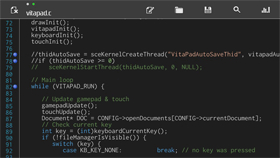 Notepad++ (VE) v0.31 by Arkanite
Last Release: Mar 19, 2017
Notepad++ (VE) v0.31 by Arkanite
Last Release: Mar 19, 2017
Downloads: 3361
Last Release: Mar 19, 2017
Downloads: 3361
Downloads: 3361
Notepad++ (VE) is a portable notepad and source code editor for the Playstation Vita.
Notepad++ (VE) is a portable notepad and source code editor for the Playstation Vita.
This project initially started as a simple text editor and has grown to support several features making it quite similar to the popular Notepad++ program available for PCs.
This project initially started as a simple text editor and has grown to support several features making it quite similar to the popular Notepad++ program available for PCs.
| Name | Version | Released | Hits | DL Link | QR |
 NRedneck Vita v1.0 by Rinnegatamante
Last Release: Mar 11, 2019
NRedneck Vita v1.0 by Rinnegatamante
Last Release: Mar 11, 2019
Downloads: 2391
Last Release: Mar 11, 2019
Downloads: 2391
Downloads: 2391
NRedneck (previously Rednukem) is a fork of EDuke32 that adds support for Redneck Rampage.
Redneck Rampage is a 1997 first-person shooter game developed by Xatrix Entertainment and published by Interplay. The game is a first person shooter with a variety of weapons and levels, but has a hillbilly theme, primarily taking place in a fictional Arkansas town. Many of the weapons and power-ups border on nonsensical, and in some ways it is a parody of both first shooter games and rural American life.
Redneck Rampage is a 1997 first-person shooter game developed by Xatrix Entertainment and published by Interplay. The game is a first person shooter with a variety of weapons and levels, but has a hillbilly theme, primarily taking place in a fictional Arkansas town. Many of the weapons and power-ups border on nonsensical, and in some ways it is a parody of both first shooter games and rural American life.
| Name | Version | Released | Hits | DL Link | QR |
| NRedneck Vita | v1.0 | 03/11/19 | 1325 | Download | QR |
| NRedneck Vita DATA | v1.0 | 03/11/19 | 1063 | Download | QR |
How to play:
NOTE: To play Rednack Rampage with NRedneck you need REDNECK.GRP file from your GOG/Steam/CD-ROM installation of the game. Demo files are not supported. Place the GRP file inside ux0:data/NRedneck.
NOTE: To play Rednack Rampage with NRedneck you need REDNECK.GRP file from your GOG/Steam/CD-ROM installation of the game. Demo files are not supported. Place the GRP file inside ux0:data/NRedneck.
| Name | Version | Released | Hits | DL Link | QR |
 OmniBook v1.96 by ninuzzomagno
Last Release: Sep 17, 2026
OmniBook v1.96 by ninuzzomagno
Last Release: Sep 17, 2026
Downloads: 199
Last Release: Sep 17, 2026
Downloads: 199
Downloads: 199
A book reader app for PSVITA with traslation support.
Fixed the issue with japanese characters
Now the traslator support Japanese and Chinese
Now the file manager works with d-pad and touch
Now the traslator support Japanese and Chinese
Now the file manager works with d-pad and touch
| Name | Version | Released | Hits | DL Link | QR |
| OmniBook | v1.96 | 09/17/26 | 51 | Download | QR |
| OmniBook | v1.90 | 09/12/26 | 74 | Download | QR |
| OmniBook | v1.0.1 | 08/30/26 | 69 | Download | QR |
 ONEMenu for PSVita v3.22 by Team ONElua
Last Release: Sep 7, 2025
ONEMenu for PSVita v3.22 by Team ONElua
Last Release: Sep 7, 2025
Downloads: 31500
Last Release: Sep 7, 2025
Downloads: 31500
Downloads: 31500
OneMenu for PSVita is a simple to use UI which separates the installed games and apps into categories, Onemenu comes with a built in file explorer
### Changelog 3.22 ###
- [FIX] error not showing all the gamecard games installed.
- Now the gamecard games installed shows red icon if the gamecard is not inserted or green if the gamecard is inserted.
- Please update the Onemenu themes by adding the image gamecard.png
- [FIX] error not showing all the gamecard games installed.
- Now the gamecard games installed shows red icon if the gamecard is not inserted or green if the gamecard is inserted.
- Please update the Onemenu themes by adding the image gamecard.png
| Name | Version | Released | Hits | DL Link | QR |
| ONEMenu for PSVita | v3.22 | 09/07/25 | 593 | Download | QR |
| ONEMenuVita.vpk | v3.17 | 10/03/20 | 1675 | Download | QR |
| ONEMenuVita.vpk | v3.16 | 02/02/20 | 1469 | Download | QR |
| ONEMenuVita.vpk | v3.15 | 01/20/20 | 801 | Download | QR |
| ONEMenuVita.vpk | v3.14 | 10/29/19 | 1041 | Download | QR |
| ONEMenuVita.vpk | v3.13 | 05/20/19 | 1205 | Download | QR |
| ONEMenuVita.vpk | v3.12 | 02/03/19 | 1041 | Download | QR |
| ONEMenuVita.vpk | v3.11 | 02/02/19 | 792 | Download | QR |
| ONEMenuVita.vpk | v3.10 | 12/26/18 | 867 | Download | QR |
| ONEMenuVita.vpk | v3.09 | 09/20/18 | 1234 | Download | QR |
| ONEMenuVita.vpk | v3.08 | 09/10/18 | 924 | Download | QR |
| ONEMenuVita.vpk | v3.07 | 08/30/18 | 1219 | Download | QR |
| ONEMenuVita.vpk | v3.06 | 08/29/18 | 1034 | Download | QR |
| ONEMenuVita.vpk | v3.05 | 08/14/18 | 1022 | Download | QR |
| ONEMenuVita.vpk | v3.04 | 07/02/18 | 1253 | Download | QR |
| ONEMenuVita.vpk | v3.03 | 06/20/18 | 972 | Download | QR |
| ONEMenuVita.vpk | v3.02 | 06/07/18 | 1111 | Download | QR |
| ONEMenuVita.vpk | v3.01 | 06/02/18 | 976 | Download | QR |
| ONEMenuVita.vpk | v3.00 | 05/22/18 | 955 | Download | QR |
| ONEMenu | v3,18 | 01/29/23 | 2456 | Download | QR |
| ONEMenuVita.vpk | v2.05 | 03/11/18 | 1129 | Download | QR |
| ONEMenuVita.vpk | v2.04 | 02/10/18 | 1108 | Download | QR |
| ONEMenuVita.vpk | v2.03 | 12/18/17 | 1117 | Download | QR |
| ONEMenuVita.vpk | v2.02 | 12/06/17 | 1071 | Download | QR |
| ONEMenuVita.vpk | v2.01 | 11/28/17 | 1110 | Download | QR |
| ONEMenuVita.vpk | v2.00 | 11/27/17 | 1025 | Download | QR |
| ONEMenuVita.vpk | v1.01 | 11/18/17 | 935 | Download | QR |
| ONEMenuVita.vpk | v1.00 | 11/13/17 | 1174 | Download | QR |
 ONEtranslate v1.0 by DavisDev
Last Release: Mar 9, 2017
ONEtranslate v1.0 by DavisDev
Last Release: Mar 9, 2017
Downloads: 1774
Last Release: Mar 9, 2017
Downloads: 1774
Downloads: 1774
ONEtranslate, is an application written in "ONElua" and supported by the well-known "Google translate" service to translate texts directly into the console, through a simple and friendly interface ...
| Name | Version | Released | Hits | DL Link | QR |
 ONScripter-jh-PSVita v0.5.1.3 by YuriSizuku
Last Release: Feb 19, 2023
ONScripter-jh-PSVita v0.5.1.3 by YuriSizuku
Last Release: Feb 19, 2023
Downloads: 3786
Last Release: Feb 19, 2023
Downloads: 3786
Downloads: 3786
Port of ONScripter-jh for PSVITA. ONScripter (O-N-Scripter) is a program that interprets and executes scripts written for NScripter in its own way. It can run games on Windows, Android, iOS, etc. using the exact same game data.
| Name | Version | Released | Hits | DL Link | QR |
| VitaOns.vpk | v0.5.1.2 | 02/07/23 | 512 | Download | QR |
| VitaOns.vpk | v0.5.1.1 | 09/20/22 | 491 | Download | QR |
| VitaOns.vpk | v0.5.1 | 09/20/22 | 432 | Download | QR |
| VitaOns.vpk | v0.5 | 09/17/22 | 451 | Download | QR |
| VitaOns.vpk | v0.3.2 | 09/16/22 | 501 | Download | QR |
| VitaOns.vpk | v0.3.1 | 09/15/22 | 496 | Download | QR |
 OpenBor Vita v4704-rsn8887git-1.2 by Cpasjuste
Last Release: Oct 2, 2020
OpenBor Vita v4704-rsn8887git-1.2 by Cpasjuste
Last Release: Oct 2, 2020
Downloads: 3937
Last Release: Oct 2, 2020
Downloads: 3937
Downloads: 3937
OpenBOR is the ultimate 2D side scrolling engine for beat em' ups, shooters, and more!


Description
=====
This is a release of Cpasjuste port of OpenBOR to the Vita and Switch, based on Cpasjuste's original port and Plombo's work before that.
I created a .vpk and .nro from Cpasjuste's port and made some improvements (see changelog below).
OpenBOR is a continuation of the Beats Of Rage 2D game engine, which was originally created by the wonderful folks over at Senile Team.
Official Website of the project: http://www.chronocrash.com/forum/
Thanks
=====
Thanks to Cpasjuste for the Switch and Vita ports.
Thanks to my supporters on Patreon: Andyways, Count Duckula, Jesse Harlin, Duncan Harris, Ãzgür Karter, Matthew Machnee, Ibrahim Fazel Poor, and RadicalR.
Installation
======
Vita:
- install the vpk
- copy game .pak files to `ux0:data/openbor/paks`
- enjoy!
Switch:
- copy the .nro file to `/switch/openbor/`
- copy game .pak game files to `/switch/openbor/Paks/`
- enjoy!
Recommended Settings
======
For optimum display quality on Vita, after launching a game
- press Start to see the menu
- select `Video Options`
- select `Filtering: linear`
- select `Shader: sharp`
To change aspect ratio: After launching a game, select Video Options->Fullscreen Type: Preserve Aspect Ratio or Stretch To Screen to switch between between 4:3 or 16:9 aspect ratio.
Build Instructions
======
Vita:
```
cmake -DBUILD_PSP2=1 -DBUILD_TREMOR=1 -DCMAKE_BUILD_TYPE=Release ../openbor
make OpenBOR.vpk -j12
```
Switch:
```
cmake -DBUILD_NX=ON -DCMAKE_BUILD_TYPE=Release ../openbor
make OpenBOR.nro -j12
```
Changelog
=======
v1.2 (Vita only)
- speed up startup time by disabling excessive debug logging
- fix player 2, 3, 4 controls on VitaTV
- fix player 2, 3, 4 button names in control mapping menu
- allow select button to be remapped for all players. Shader has to be selected in video options menu, not via select button anymore.
v1.1 (Switch only)
- fix compilation with latest toolchain on Switch, fixes controls on firmware 9.0.0 and later
- fix crash on startup on Switch
- fix docked mode on Switch
- fix aspect ratio correction option on Switch
- on Switch, set new default options to fullscreen stretched with bilinear filtering (can be changed in video options after starting a game)
- on Switch, add icon
v1.0
First release

Description
=====
This is a release of Cpasjuste port of OpenBOR to the Vita and Switch, based on Cpasjuste's original port and Plombo's work before that.
I created a .vpk and .nro from Cpasjuste's port and made some improvements (see changelog below).
OpenBOR is a continuation of the Beats Of Rage 2D game engine, which was originally created by the wonderful folks over at Senile Team.
Official Website of the project: http://www.chronocrash.com/forum/
Thanks
=====
Thanks to Cpasjuste for the Switch and Vita ports.
Thanks to my supporters on Patreon: Andyways, Count Duckula, Jesse Harlin, Duncan Harris, Ãzgür Karter, Matthew Machnee, Ibrahim Fazel Poor, and RadicalR.
Installation
======
Vita:
- install the vpk
- copy game .pak files to `ux0:data/openbor/paks`
- enjoy!
Switch:
- copy the .nro file to `/switch/openbor/`
- copy game .pak game files to `/switch/openbor/Paks/`
- enjoy!
Recommended Settings
======
For optimum display quality on Vita, after launching a game
- press Start to see the menu
- select `Video Options`
- select `Filtering: linear`
- select `Shader: sharp`
To change aspect ratio: After launching a game, select Video Options->Fullscreen Type: Preserve Aspect Ratio or Stretch To Screen to switch between between 4:3 or 16:9 aspect ratio.
Build Instructions
======
Vita:
```
cmake -DBUILD_PSP2=1 -DBUILD_TREMOR=1 -DCMAKE_BUILD_TYPE=Release ../openbor
make OpenBOR.vpk -j12
```
Switch:
```
cmake -DBUILD_NX=ON -DCMAKE_BUILD_TYPE=Release ../openbor
make OpenBOR.nro -j12
```
Changelog
=======
v1.2 (Vita only)
- speed up startup time by disabling excessive debug logging
- fix player 2, 3, 4 controls on VitaTV
- fix player 2, 3, 4 button names in control mapping menu
- allow select button to be remapped for all players. Shader has to be selected in video options menu, not via select button anymore.
v1.1 (Switch only)
- fix compilation with latest toolchain on Switch, fixes controls on firmware 9.0.0 and later
- fix crash on startup on Switch
- fix docked mode on Switch
- fix aspect ratio correction option on Switch
- on Switch, set new default options to fullscreen stretched with bilinear filtering (can be changed in video options after starting a game)
- on Switch, add icon
v1.0
First release
| Name | Version | Released | Hits | DL Link | QR |
| OpenBOR.vpk | v4704-rsn8887git-1.1 | 03/12/20 | 1044 | Download | QR |
| OpenBOR.vpk | v4704-rsn8887git | 01/02/19 | 1194 | Download | QR |
 OpenNow Vita v0.3.2 by josephinoo
Last Release: Aug 16, 2026
OpenNow Vita v0.3.2 by josephinoo
Last Release: Aug 16, 2026
Downloads: 352
Last Release: Aug 16, 2026
Downloads: 352
Downloads: 352
A native homebrew GeForce NOW client for the PlayStation Vita, written in Rust. It signs in to your GFN account, browses your game library, negotiates a real WebRTC session against NVIDIA's streaming servers, and plays the game on the Vita's screen using the console's hardware H.264 decoder — with your controller input forwarded back to the game.
[0.3.2] - 2026-08-16
A bigger streaming and Free-tier release: in-stream keyboard and settings, ads that actually finish, a region picker before launch, and a more stable decode path.
### Added
- **In-stream on-screen keyboard** with sticky Shift / Ctrl / Alt and chord support, replacing the old IME path so you can type without leaving the stream.
- **Settings modal** with tabs for stream quality, controls, region, language, color depth, session timer, and per-game control profiles.
- **Controls hint** and an in-stream controls modal with front/back Vita diagrams.
- **Session timer overlay** driven by membership tier (Free / Priority).
- **Queue ads lifecycle** (Start → progress → Finish) so Free sessions no longer time out waiting on ads.
- **Server / region picker** with latency probes and queue stats before launch.
- **Provider-aware CloudMatch base URL discovery. (Partial)**.
- **Lighter Japanese font subset** (~1.8 MB) for catalog titles.
- **EN / ES strings** for the new settings and launch UI.
- **File logging** for stream diagnostics.
### Changed
- **Async H.264 decode** with jitter-adaptive RTP reorder.
- **Adaptive bitrate ceiling**, **16-bit default color depth**, and frame pacing improvements.
- **Vita `APP_VER=00.32`** kept in sync with the Cargo version.
- **Multi-zone active-session cleanup** that survives one zone flaking.
### Fixed
- Settings cache **self-deadlock** on the first prefs write.
- Membership tier now **persists after token refresh** without clobbering refreshed tokens.
- Avoid cloning full settings on the **per-frame control path**.
- **UTF-8-safe** ad id log truncation.
A bigger streaming and Free-tier release: in-stream keyboard and settings, ads that actually finish, a region picker before launch, and a more stable decode path.
### Added
- **In-stream on-screen keyboard** with sticky Shift / Ctrl / Alt and chord support, replacing the old IME path so you can type without leaving the stream.
- **Settings modal** with tabs for stream quality, controls, region, language, color depth, session timer, and per-game control profiles.
- **Controls hint** and an in-stream controls modal with front/back Vita diagrams.
- **Session timer overlay** driven by membership tier (Free / Priority).
- **Queue ads lifecycle** (Start → progress → Finish) so Free sessions no longer time out waiting on ads.
- **Server / region picker** with latency probes and queue stats before launch.
- **Provider-aware CloudMatch base URL discovery. (Partial)**.
- **Lighter Japanese font subset** (~1.8 MB) for catalog titles.
- **EN / ES strings** for the new settings and launch UI.
- **File logging** for stream diagnostics.
### Changed
- **Async H.264 decode** with jitter-adaptive RTP reorder.
- **Adaptive bitrate ceiling**, **16-bit default color depth**, and frame pacing improvements.
- **Vita `APP_VER=00.32`** kept in sync with the Cargo version.
- **Multi-zone active-session cleanup** that survives one zone flaking.
### Fixed
- Settings cache **self-deadlock** on the first prefs write.
- Membership tier now **persists after token refresh** without clobbering refreshed tokens.
- Avoid cloning full settings on the **per-frame control path**.
- **UTF-8-safe** ad id log truncation.
| Name | Version | Released | Hits | DL Link | QR |
| OpenNow Vita | v0.3.2 | 08/16/26 | 100 | Download | QR |
| OpenNow Vita | v0.3.1 | 08/02/26 | 124 | Download | QR |
| OpenNow Vita | v0.3.0 | 07/31/26 | 120 | Download | QR |
 Pacman CE DX Vita v3 by mcallbosco
Last Release: Sep 12, 2026
Pacman CE DX Vita v3 by mcallbosco
Last Release: Sep 12, 2026
Downloads: 206
Last Release: Sep 12, 2026
Downloads: 206
Downloads: 206
A homebrew .so-loader port of PAC-MAN Championship Edition DX (Android) to the PlayStation Vita.
Requirements:
- libshacccg.suprx
- kubridge.skprx
- Game Data Files: Android
Requirements:
- libshacccg.suprx
- kubridge.skprx
- Game Data Files: Android
Changelog (v.3):
- Restores effects and gameplay modifiers from the PC/Console version.
- Ton of various improvements.
- Restores effects and gameplay modifiers from the PC/Console version.
- Ton of various improvements.
 PBP 6.61 Inserter v1.1 by theheroGAC
Last Release: Aug 15, 2025
PBP 6.61 Inserter v1.1 by theheroGAC
Last Release: Aug 15, 2025
Downloads: 452
Last Release: Aug 15, 2025
Downloads: 452
Downloads: 452
Easily manage and install PSP EBOOT files on your PS Vita! This homebrew tool allows you to quickly check for the presence of Adrenaline and automatically copy your 661.PBP file to the correct directory for PSP emulation.
v1.1 – Major Update
- Added partition selection (ux0: / uma0:) before installation.
- Added check before copy: if 661.PBP already exists, it won’t be copied again.
- Added progress bar when copying the file.
- Added dynamic messages for different states:
-
- Adrenaline missing
-
- Source file missing
-
- Copy successful
-
- Copy failed
- Added Rescan option (△) to recheck target folder without overwriting existing file.
- Texts are now centered on screen.
- Improved UX with clear instructions (e.g., “Left/Right to change partition, X to confirm”).
- Handles user cancel during copy by pressing O.
- Added partition selection (ux0: / uma0:) before installation.
- Added check before copy: if 661.PBP already exists, it won’t be copied again.
- Added progress bar when copying the file.
- Added dynamic messages for different states:
-
- Adrenaline missing
-
- Source file missing
-
- Copy successful
-
- Copy failed
- Added Rescan option (△) to recheck target folder without overwriting existing file.
- Texts are now centered on screen.
- Improved UX with clear instructions (e.g., “Left/Right to change partition, X to confirm”).
- Handles user cancel during copy by pressing O.
 PC Link v0.8b (open beta) by ArkSource
Last Release: Dec 27, 2017
PC Link v0.8b (open beta) by ArkSource
Last Release: Dec 27, 2017
Downloads: 3984
Last Release: Dec 27, 2017
Downloads: 3984
Downloads: 3984
This project for the VITA / PSTV will connect your HENkaku/Enso powered device to your PC. With a PC App and a VPK you can now stream and play your games from your PC on your PS Vita / PlayStation TV.
Download: PC LINK Whole package
Changelog
PC Link d0.7a
Originally i had planned to send out d0.65a as a small update to the in-stream menu, however quite a lot has been completed and bugs eradicated since last release.
In d0.7a we now have our full and final repertoire of video customizations.
Improvements and additions to control mapping.
Priority control for PC Link Streamer.
Direct links to Windows tools and major keyboard shortcuts.
Onscreen keyboard support.
Analog mouse mode.
Improvements to video encoding && decoding.
Additions to the animated UI.
PC Link - Game Library (oct 2 2017)
Finishing up the initial layout for Game Library connections. When creating/editing a desktop connection, you can choose to set the connection as 'Connect To Game Library". This will display your customized game library instead of the default Windows remote desktop. All games added to the Game Library (PC side) will be displayed here. Cover thumbs are pulled from TheCoverProject, or you may set your own customized covers under 'ux0:data/pclink/library/'.
PC Link Update (oct 1)
Thank you to DevAccess Patreons for the feedback on d0.5a. Latest WindowsSDK adjustments have now been added, which as expected has fixed the issue causing video lag in d0.5a. Smooth video stream again on all resolutions (tested <= 1920x1080).
Fixed issue on Vita (with SceNetCtl) which was causing problems re initializing a connection.
Currently working on additions for d0.6a:
In-Stream menu.
GameMode library.
Custom control mapping GUI.
New audio lib.
Additions to Connection Profiling.
Arkanite.
PC Link d0.5a (Sept 7)
re-hooked the font end and finishing up the last of the bug list for dev-build 0.5a. Download link for Dev Access Patreon available soon.
Next task : Dedicated Gaming Mode
Allows you to setup a connection for games only, which will display a library [with a Netflix-est GUI] instead of the Windows desktop.
re-hooked the font end and finishing up the last of the bug list for
dev-build 0.5a. Download link for Dev Access Patreon available soon.
Next task : Dedicated Gaming Mode
Allows you to setup a connection for games only, which will display a library [with a Netflix-est GUI] instead of the Windows desktop.
PC Link d0.7a
Originally i had planned to send out d0.65a as a small update to the in-stream menu, however quite a lot has been completed and bugs eradicated since last release.
In d0.7a we now have our full and final repertoire of video customizations.
Improvements and additions to control mapping.
Priority control for PC Link Streamer.
Direct links to Windows tools and major keyboard shortcuts.
Onscreen keyboard support.
Analog mouse mode.
Improvements to video encoding && decoding.
Additions to the animated UI.
PC Link - Game Library (oct 2 2017)
Finishing up the initial layout for Game Library connections. When creating/editing a desktop connection, you can choose to set the connection as 'Connect To Game Library". This will display your customized game library instead of the default Windows remote desktop. All games added to the Game Library (PC side) will be displayed here. Cover thumbs are pulled from TheCoverProject, or you may set your own customized covers under 'ux0:data/pclink/library/'.
PC Link Update (oct 1)
Thank you to DevAccess Patreons for the feedback on d0.5a. Latest WindowsSDK adjustments have now been added, which as expected has fixed the issue causing video lag in d0.5a. Smooth video stream again on all resolutions (tested <= 1920x1080).
Fixed issue on Vita (with SceNetCtl) which was causing problems re initializing a connection.
Currently working on additions for d0.6a:
In-Stream menu.
GameMode library.
Custom control mapping GUI.
New audio lib.
Additions to Connection Profiling.
Arkanite.
PC Link d0.5a (Sept 7)
re-hooked the font end and finishing up the last of the bug list for dev-build 0.5a. Download link for Dev Access Patreon available soon.
Next task : Dedicated Gaming Mode
Allows you to setup a connection for games only, which will display a library [with a Netflix-est GUI] instead of the Windows desktop.
re-hooked the font end and finishing up the last of the bug list for
dev-build 0.5a. Download link for Dev Access Patreon available soon.
Next task : Dedicated Gaming Mode
Allows you to setup a connection for games only, which will display a library [with a Netflix-est GUI] instead of the Windows desktop.
| Name | Version | Released | Hits | DL Link | QR |
 Picoloop vpicoloop-0.77b by yoyz
Last Release: Apr 21, 2017
Picoloop vpicoloop-0.77b by yoyz
Last Release: Apr 21, 2017
Downloads: 5416
Last Release: Apr 21, 2017
Downloads: 5416
Downloads: 5416
Picoloop is a synth and a stepsequencer (a clone of the famous nanoloop)
| Name | Version | Released | Hits | DL Link | QR |
| picoloop-20170421-0.77b-pc.zip | vpicoloop-0.77b | 04/21/17 | 1246 | Download | QR |
| Name | Version | Released | Hits | DL Link | QR |
| picoloop-20170417-0.77a-psvita.zip | vpicoloop-0.77a | 04/17/17 | 803 | Download | QR |
| picoloop-20170118-0.76a-psvita.zip | vpicoloop-0.76a | 01/18/17 | 726 | Download | QR |
| picoloop-20161228-0.75e-pc-psp.zip | vpicoloop-0.75e | 12/28/16 | 766 | Download | QR |
| picoloop-20161022-0.74d-pc-psp.zip | vpicoloop-0.74d-release | 10/31/16 | 788 | Download | QR |
| Picoloop | v0.77a | 04/17/17 | 1031 | Download | QR |
 PKGi v0.05 by mmozeiko
Last Release: Oct 24, 2017
PKGi v0.05 by mmozeiko
Last Release: Oct 24, 2017
Downloads: 7021
Last Release: Oct 24, 2017
Downloads: 7021
Downloads: 7021
pkgi allows to install original pkg files on your Vita.
This homebrew allows to download & unpack pkg file directly on Vita together with your NoNpDrm fake license.
This homebrew allows to download & unpack pkg file directly on Vita together with your NoNpDrm fake license.
* **significantly** improved download/unpack speed (should be ~4 to 5 times faster).
* better error message when config.txt file is missing last newline.
* better error message when config.txt file is missing last newline.
 PKGinstallerLauncher v3 by SKGleba
Last Release: Aug 13, 2018
PKGinstallerLauncher v3 by SKGleba
Last Release: Aug 13, 2018
Downloads: 26048
Last Release: Aug 13, 2018
Downloads: 26048
Downloads: 26048
A custom launcher for Playstation Vita's Package Installer.
Added few options, fixed some bugs ;-)
 pkgj v0.61-test0 by blastrock
Last Release: Jun 7, 2026
pkgj v0.61-test0 by blastrock
Last Release: Jun 7, 2026
Downloads: 97902
Last Release: Jun 7, 2026
Downloads: 97902
Downloads: 97902
pkgj (fork pkgi) allows to install original pkg files on your Vita.
This homebrew allows to download & unpack pkg file directly on Vita together with your NoNpDrm fake license.
This homebrew allows to download & unpack pkg file directly on Vita together with your NoNpDrm fake license.
_Autobuild system test!_
**Changes:**
Add better batch download (https://github.com/blastrock/pkgj/pull/443) by @IruzzArcana
A lot of changes (https://github.com/blastrock/pkgj/pull/461) by @toaster-code
**Changes:**
Add better batch download (https://github.com/blastrock/pkgj/pull/443) by @IruzzArcana
A lot of changes (https://github.com/blastrock/pkgj/pull/461) by @toaster-code
| Name | Version | Released | Hits | DL Link | QR |
| pkgj | v0.57 | 07/31/23 | 4588 | Download | QR |
| pkgj.vpk | v0.55 | 05/02/20 | 27053 | Download | QR |
| pkgj.vpk | v0.54 | 01/10/20 | 4686 | Download | QR |
| pkgj.vpk | v0.53 | 01/05/20 | 1304 | Download | QR |
| pkgj.vpk | v0.52 | 12/17/19 | 1557 | Download | QR |
| pkgj.vpk | v0.51 | 03/13/19 | 7044 | Download | QR |
| pkgj.vpk | v0.50 | 03/11/19 | 1049 | Download | QR |
| pkgj.vpk | v0.49 | 02/19/19 | 1341 | Download | QR |
| pkgj.vpk | v0.48 | 02/17/19 | 984 | Download | QR |
| pkgj.vpk | v0.47 | 01/29/19 | 1264 | Download | QR |
| pkgj.vpk | v0.46 | 01/14/19 | 1029 | Download | QR |
| pkgj.vpk | v0.45 | 01/05/19 | 1129 | Download | QR |
| pkgj.vpk | v0.44 | 01/03/19 | 843 | Download | QR |
| pkgj.vpk | v0.43 | 11/29/18 | 1478 | Download | QR |
| pkgj.vpk | v0.42 | 11/14/18 | 1274 | Download | QR |
| pkgj.vpk | v0.41 | 11/11/18 | 1099 | Download | QR |
| pkgj.vpk | v0.40 | 11/11/18 | 1020 | Download | QR |
| pkgj.vpk | v0.39 | 11/07/18 | 974 | Download | QR |
| pkgj.vpk | v0.38 | 11/04/18 | 974 | Download | QR |
| pkgj.vpk | v0.37 | 09/16/18 | 1850 | Download | QR |
| pkgj.vpk | v0.36 | 09/13/18 | 1279 | Download | QR |
| pkgj.vpk | v0.35 | 09/12/18 | 1068 | Download | QR |
| pkgj.vpk | v0.34 | 09/01/18 | 1569 | Download | QR |
| pkgj.vpk | v0.33 | 08/19/18 | 1622 | Download | QR |
| pkgj.vpk | v0.32 | 07/29/18 | 1562 | Download | QR |
| pkgj.vpk | v0.31 | 07/25/18 | 1107 | Download | QR |
| pkgj.vpk | v0.30 | 07/16/18 | 1148 | Download | QR |
| pkgj.vpk | v0.29 | 07/13/18 | 1092 | Download | QR |
| pkgj.vpk | v0.28 | 07/10/18 | 1106 | Download | QR |
| pkgj.vpk | v0.27 | 07/09/18 | 1003 | Download | QR |
| pkgj.vpk | v0.26 | 07/08/18 | 1039 | Download | QR |
| pkgj.vpk | v0.25 | 07/06/18 | 1179 | Download | QR |
| pkgj.vpk | v0.24 | 07/04/18 | 1109 | Download | QR |
| pkgj.vpk | v0.23 | 07/02/18 | 1182 | Download | QR |
| pkgj.vpk | v0.22 | 06/30/18 | 988 | Download | QR |
| pkgj.vpk | v0.21 | 05/28/18 | 1225 | Download | QR |
| pkgj.vpk | v0.20 | 05/27/18 | 1020 | Download | QR |
| pkgj.vpk | v0.19 | 05/19/18 | 1079 | Download | QR |
| pkgj.vpk | v0.18 | 05/09/18 | 1117 | Download | QR |
| pkgj.vpk | v0.17 | 05/07/18 | 1088 | Download | QR |
| pkgj.vpk | v0.16 | 05/01/18 | 827 | Download | QR |
| pkgj.vpk | v0.15 | 04/29/18 | 1066 | Download | QR |
| pkgj.vpk | v0.14 | 04/28/18 | 903 | Download | QR |
| pkgj.vpk | v0.13 | 04/11/18 | 942 | Download | QR |
| pkgj | v0.12 | 04/07/18 | 1040 | Download | QR |
| pkgj.vpk | v0.12 | 04/07/18 | 961 | Download | QR |
| pkgj | v0.11 | 04/02/18 | 930 | Download | QR |
| pkgj | v0.10 | 04/02/18 | 975 | Download | QR |
| pkgj | v0.09 | 03/26/18 | 1056 | Download | QR |
| pkgj | v0.08 | 03/11/18 | 987 | Download | QR |
| pkgj | v0.07 | 03/11/18 | 834 | Download | QR |
| pkgj.vpk | v0.00-test | 05/01/18 | 1017 | Download | QR |
 PKGJTXT Injector v1.01 by Sam
Last Release: Sep 22, 2018
PKGJTXT Injector v1.01 by Sam
Last Release: Sep 22, 2018
Downloads: 3894
Last Release: Sep 22, 2018
Downloads: 3894
Downloads: 3894
automatically creates the pkgi folder and injects the config.txt to speed up the operations with the pkgj tool
V1.01
you can choose the path ux0 or ur0
V1.00
Initial release
you can choose the path ux0 or ur0
V1.00
Initial release
 PlayStation Mini Store v0.2.0 by cuevavirus
Last Release: Apr 14, 2021
PlayStation Mini Store v0.2.0 by cuevavirus
Last Release: Apr 14, 2021
Downloads: 2262
Last Release: Apr 14, 2021
Downloads: 2262
Downloads: 2262
This application is an alternative for the PlayStation Store application.
Features
* Fast browsing with text-only UI
* 10 item cart even for free items
* Browse Vita and PS3 stores
* Browse arbitrary categories
* Browse arbitrary products
Category IDs
The top level category ID can be set or left blank to be populated automatically when opening the mini store.
Vita store: PN.VT.XX-PN.VT.GAME.XX-BASE where XX is your PSN account country code in uppercase
PS3 store: PN.P3.XX-PN.P3.GAME.XX-BASE where XX is your PSN account country code in uppercase
Please note that the PS3 store is a very old version and does not correspond to the PS3 store application.
Product IDs
It is possible to load product IDs from file to browse and purchase items for any PlayStation Network platform. Put product IDs one per line a file. If the file path is not specified, the default path is ux0:/product-list.txt.
Features
* Fast browsing with text-only UI
* 10 item cart even for free items
* Browse Vita and PS3 stores
* Browse arbitrary categories
* Browse arbitrary products
Category IDs
The top level category ID can be set or left blank to be populated automatically when opening the mini store.
Vita store: PN.VT.XX-PN.VT.GAME.XX-BASE where XX is your PSN account country code in uppercase
PS3 store: PN.P3.XX-PN.P3.GAME.XX-BASE where XX is your PSN account country code in uppercase
Please note that the PS3 store is a very old version and does not correspond to the PS3 store application.
Product IDs
It is possible to load product IDs from file to browse and purchase items for any PlayStation Network platform. Put product IDs one per line a file. If the file path is not specified, the default path is ux0:/product-list.txt.
| Name | Version | Released | Hits | DL Link | QR |
 pleNx v1.4.0 by thcolin
Last Release: Oct 24, 2026
pleNx v1.4.0 by thcolin
Last Release: Oct 24, 2026
Downloads: 477
Last Release: Oct 24, 2026
Downloads: 477
Downloads: 477
pleNx is a fork of Switchfin (Nitendo Switch Jellyfin client) fully migrated to the Plex API, with a redesigned interface. It is a third-party project, not affiliated with or endorsed by Plex.
### Added
- **Audio files from Files play in the music player (#33).** An audio file
picked in Files opens Now Playing and the persistent mini-bar, like a Plex,
Jellyfin or Emby track. The folder's audio files become the queue, in the
order shown. Title, artist, album and length come from the file tags.
- **Search and Files can be reordered and hidden (#34).** They move and hide
like libraries. Home and the profile stay in place, and the settings screen
is renamed Sidebar.
### Fixed
- **Offline sidebar (#34).** Offline, library tabs follow the order and
visibility saved for the server, and Jellyfin and Emby show Favorites
instead of Watchlist.
- **Offline details of Jellyfin and Emby downloads.** A movie or show
downloaded from Jellyfin or Emby now keeps its summary, poster, backdrop,
cast and versions offline, plus the show, season and episodes for an
episode. Downloads made before this release keep their minimal details.
- **Jellyfin and Emby versions.** The Version selector reads
"1080p · HEVC · 1.4 Mbps" on every backend, and Download takes the version
picked in the selector, like Play.
- **Resumed Plex transcodes (#72).** The OSD shows the resume time, chapter
markers sit in the right place, and seeking works anywhere, before the
resume point too.
- **FTP folders (#54).** Folders on FTP servers without MLSD (vsftpd,
busybox, most routers) open again. On those servers a non-media file such
as `readme.txt` shows as a folder.
- **Edit and Delete in the server menu (#54)** open their screen again.
- **macOS: crash at launch when the active server does not answer.** Errors
from the C++ standard library escaped the app's error handling.
- **Rounded icon on the sign-in screens.** The icon on the connection type,
sign-in and hint screens was clipped at its corners.
- **Server image paths.** An image path from the server that does not start
with `/` is refused, so the access token cannot be sent to another host.

| Name | Version | Released | Hits | DL Link | QR |
| GMCA.vpk | v1.3.1 | 10/24/26 | 15 | Download | QR |
| GMCA.vpk | v1.3.0 | 09/24/26 | 17 | Download | QR |
| pleNx | v0.1.4 | 06/11/26 | 93 | Download | QR |
| pleNx | v0.1.15 | 07/11/26 | 158 | Download | QR |
| pleNx | v0.1.14 | 07/05/26 | 91 | Download | QR |
| pleNx | v0.1.10 | 06/16/26 | 87 | Download | QR |
 PluginBox v0.20 by Team ONElua
Last Release: Jan 9, 2018
PluginBox v0.20 by Team ONElua
Last Release: Jan 9, 2018
Downloads: 2796
Last Release: Jan 9, 2018
Downloads: 2796
Downloads: 2796
The Manager Plugins for PlayStation®Vita
### Changelog 0.2 ###
- Initial release POC.
- Install 'gamesd/sd2vita' Plugin.
- Initial release POC.
- Install 'gamesd/sd2vita' Plugin.
 Plugins Manager (Vita) v2.5 by kylon
Last Release: Feb 10, 2019
Plugins Manager (Vita) v2.5 by kylon
Last Release: Feb 10, 2019
Downloads: 7156
Last Release: Feb 10, 2019
Downloads: 7156
Downloads: 7156
A plugins manager for PS Vita.
Usage
Changes are not saved automatically, you must open the menu and select Save config.txt once done.
TaiHEN config is automatically reloaded on save, but a reboot is still required for kernel plugins.
Commands
Left / Right - Switch section
Up / Down - Select plugin/section
Square - Multi-select (Title IDs)
Triangle - Open / Close menu
Circle / Cross(JAP) - Cancel
Cross / Circle(JAP) - Accept
Supported paths
ur0 is the preferred path if both ur0 and ux0 exist
Plugins Manager supports any path, however the preferred path is (ux0/ur0):tai/plugins.
Disabled and All Plugins sections require the use of (ux0/ur0):tai/plugins to be populated.
Plugins from arbitrary path will not be there.
These paths are harcoded in plugins manager:
( ur0/ux0 ):tai/henkaku.suprx ( ur0/ux0 ):tai/plugins ( ur0/ux0 ):adrenaline ux0:app/PSPEMUCFW/sce_module/adrenaline_kernel.skprx (Adrenaline 6+)
Plugins Manager special sections
Enabled: An overview of your config file, ie all your enabled plugins
Disabled: All the plugins that are not enabled anywhere, ie in no app (see supported paths)
All Plugins: A complete list of your plugins (see supported paths)
How to enable a plugin
METHOD 1: From plugins folder
1) Switch to Disabled or All Plugins
2) Select the plugin you want to enable
3) Press triangle to open the menu
4) Select Enable plugin
METHOD 2: Browse...
1) Press triangle to open the menu
2) Select Browse...
3) Select the plugin you want to enable
If you enabled a kernel plugin, a dialog will ask you to reboot.
If you enabled a user plugin, you can now select IDs (Press Square to select multiple IDs).
How to disable a plugin
1) Swith to Enabled or *PluginSectionHere section
2) Select the plugin you want to disable
3) Press triangle to open the menu
4) Select Disable plugin
How to delete a plugin from your memory card
1) Swith to Disabled section
2) Press triangle to open the menu
3) Select Delete plugin (This is not reversible)
How to add a new Halt Point
1) Switch to Enabled or Disabled or All Plugins section
2) Press Triangle to open the menu
3) Select Add Halt Point
4) Select IDs (Press Square to select multiple IDs)
How to set an existing section as Halt Point
1) Switch to Enabled section
2) Move to a section
3) Press Triangle to open the menu
4) Select Use as Halt Point
How to unset an Halt Point
1) Switch to Enabled section
2) Move to a section
3) Press Triangle to open the menu
4) Select Use as Section or Delete section
Other options
You can disable an entire section to disable its plugins
You can reload your config.txt within Plugins Manager if you want to undo your current changes
You can delete your plugins within Plugins Manager (Disabled section only)
How to build
mkdir build
cd build
cmake ..
make
Useful links
taiHEN config format
Credits
xerpi: vita2d
Team Molecule and its contributors: vitaSDK
TheFlow: vitaShell code
azumukupoe: Japanese translation
Changes are not saved automatically, you must open the menu and select Save config.txt once done.
TaiHEN config is automatically reloaded on save, but a reboot is still required for kernel plugins.
Commands
Left / Right - Switch section
Up / Down - Select plugin/section
Square - Multi-select (Title IDs)
Triangle - Open / Close menu
Circle / Cross(JAP) - Cancel
Cross / Circle(JAP) - Accept
Supported paths
ur0 is the preferred path if both ur0 and ux0 exist
Plugins Manager supports any path, however the preferred path is (ux0/ur0):tai/plugins.
Disabled and All Plugins sections require the use of (ux0/ur0):tai/plugins to be populated.
Plugins from arbitrary path will not be there.
These paths are harcoded in plugins manager:
( ur0/ux0 ):tai/henkaku.suprx ( ur0/ux0 ):tai/plugins ( ur0/ux0 ):adrenaline ux0:app/PSPEMUCFW/sce_module/adrenaline_kernel.skprx (Adrenaline 6+)
Plugins Manager special sections
Enabled: An overview of your config file, ie all your enabled plugins
Disabled: All the plugins that are not enabled anywhere, ie in no app (see supported paths)
All Plugins: A complete list of your plugins (see supported paths)
How to enable a plugin
METHOD 1: From plugins folder
1) Switch to Disabled or All Plugins
2) Select the plugin you want to enable
3) Press triangle to open the menu
4) Select Enable plugin
METHOD 2: Browse...
1) Press triangle to open the menu
2) Select Browse...
3) Select the plugin you want to enable
If you enabled a kernel plugin, a dialog will ask you to reboot.
If you enabled a user plugin, you can now select IDs (Press Square to select multiple IDs).
How to disable a plugin
1) Swith to Enabled or *PluginSectionHere section
2) Select the plugin you want to disable
3) Press triangle to open the menu
4) Select Disable plugin
How to delete a plugin from your memory card
1) Swith to Disabled section
2) Press triangle to open the menu
3) Select Delete plugin (This is not reversible)
How to add a new Halt Point
1) Switch to Enabled or Disabled or All Plugins section
2) Press Triangle to open the menu
3) Select Add Halt Point
4) Select IDs (Press Square to select multiple IDs)
How to set an existing section as Halt Point
1) Switch to Enabled section
2) Move to a section
3) Press Triangle to open the menu
4) Select Use as Halt Point
How to unset an Halt Point
1) Switch to Enabled section
2) Move to a section
3) Press Triangle to open the menu
4) Select Use as Section or Delete section
Other options
You can disable an entire section to disable its plugins
You can reload your config.txt within Plugins Manager if you want to undo your current changes
You can delete your plugins within Plugins Manager (Disabled section only)
How to build
mkdir build
cd build
cmake ..
make
Useful links
taiHEN config format
Credits
xerpi: vita2d
Team Molecule and its contributors: vitaSDK
TheFlow: vitaShell code
azumukupoe: Japanese translation
| Name | Version | Released | Hits | DL Link | QR |
| Plugins Manager | v2.03 | 01/10/19 | 781 | Download | QR |
| Plugins Manager (Vita) | v2.01 | 09/10/18 | 1039 | Download | QR |
| Plugins Manager (Vita) | v1.4 | 01/05/18 | 1219 | Download | QR |
| Plugins Manager (Vita) | v1.0 | 09/05/17 | 830 | Download | QR |
 PrBoom Plus v2.5.1.7um-vita-r1.2 by fgsfdsfgs
Last Release: Nov 6, 2020
PrBoom Plus v2.5.1.7um-vita-r1.2 by fgsfdsfgs
Last Release: Nov 6, 2020
Downloads: 9
Last Release: Nov 6, 2020
Downloads: 9
Downloads: 9
PrBoom Plus is a Doom source port developed from the original PrBoom project.
It has completely hardware accelerated renderer and supports several advanced features.
It has completely hardware accelerated renderer and supports several advanced features.
| Name | Version | Released | Hits | DL Link | QR |
| prboom-plus-r1.2.vpk | v2.5.1.7um-vita-r1.2 | 11/06/20 | 9 | Download | QR |
### Changelog
- significantly increased software renderer performance;
- added FluidSynth support (data.zip now contains `TimGM6mb.sf2` as the default soundfont) .
### Installation
1. Install VPK.
2. Extract `data.zip` from the latest release to root of memory card (`ux0:` or `uma0:` or whatever, hereafter we'll use `ux0` as an example).
3. Copy any supported IWADs (see below) you have to `ux0:/data/prboom/iwads/`.
### Launcher controls
* LTrigger/RTrigger: select tab
* Up/Down: select option
* Left/Right: adjust option
* Cross: activate option
* Start: save settings and launch the game you have selected in the `Profiles` tab (in single-player mode)
* Circle: save settings and exit launcher / cancel selection when in file select dialog
* Triangle: clear current entry
### Supported games / IWADs
To play a game from this list, copy the corresponding files to `ux0:/data/prboom/iwads/`.
| Game | File(s) |
|----------------------------------------|----------------|
| Shareware Doom * | `doom1.wad` |
| Doom / Ultimate Doom | `doom.wad` |
| Doom II | `doom2.wad` |
| Final Doom: TNT Evilution | `tnt.wad` |
| Final Doom: The Plutonia Experiment | `plutonia.wad` |
| Chex Quest | `chex.wad`, [`chex.deh`](https://www.doomworld.com/idgames/?file=utils/exe_edit/patches/chexdeh.zip) |
| [FreeDoom](https://freedoom.github.io/): Phase 1 | `freedoom1.wad` |
| FreeDoom: Phase 2 | `freedoom2.wad`|
| FreeDM | `freedm.wad` |
| Hacx | `hacx.wad` |
\* included in `data.zip` for the latest Vita release
### Loading PWADs (and other custom game files)
Put all custom files into `ux0:/data/prboom/pwads/`, then use the `Files` tab in the launcher to select any custom content you want.
You can select WAD, LMP, DEH and BEX files there. Files will be loaded in the specified order.
See the [README](README.md) for more information.
- significantly increased software renderer performance;
- added FluidSynth support (data.zip now contains `TimGM6mb.sf2` as the default soundfont) .
### Installation
1. Install VPK.
2. Extract `data.zip` from the latest release to root of memory card (`ux0:` or `uma0:` or whatever, hereafter we'll use `ux0` as an example).
3. Copy any supported IWADs (see below) you have to `ux0:/data/prboom/iwads/`.
### Launcher controls
* LTrigger/RTrigger: select tab
* Up/Down: select option
* Left/Right: adjust option
* Cross: activate option
* Start: save settings and launch the game you have selected in the `Profiles` tab (in single-player mode)
* Circle: save settings and exit launcher / cancel selection when in file select dialog
* Triangle: clear current entry
### Supported games / IWADs
To play a game from this list, copy the corresponding files to `ux0:/data/prboom/iwads/`.
| Game | File(s) |
|----------------------------------------|----------------|
| Shareware Doom * | `doom1.wad` |
| Doom / Ultimate Doom | `doom.wad` |
| Doom II | `doom2.wad` |
| Final Doom: TNT Evilution | `tnt.wad` |
| Final Doom: The Plutonia Experiment | `plutonia.wad` |
| Chex Quest | `chex.wad`, [`chex.deh`](https://www.doomworld.com/idgames/?file=utils/exe_edit/patches/chexdeh.zip) |
| [FreeDoom](https://freedoom.github.io/): Phase 1 | `freedoom1.wad` |
| FreeDoom: Phase 2 | `freedoom2.wad`|
| FreeDM | `freedm.wad` |
| Hacx | `hacx.wad` |
\* included in `data.zip` for the latest Vita release
### Loading PWADs (and other custom game files)
Put all custom files into `ux0:/data/prboom/pwads/`, then use the `Files` tab in the launcher to select any custom content you want.
You can select WAD, LMP, DEH and BEX files there. Files will be loaded in the specified order.
See the [README](README.md) for more information.
| Name | Version | Released | Hits | DL Link | QR |
 Pro Camera Vita v1.1 by VitaHex
Last Release: Aug 16, 2017
Pro Camera Vita v1.1 by VitaHex
Last Release: Aug 16, 2017
Downloads: 4603
Last Release: Aug 16, 2017
Downloads: 4603
Downloads: 4603
PRO Camera Vita is a powerful camera app that unlocks all the hidden features from the default camera app plus it gives you lots of new options.
PRO Camera Vita is a powerful camera app that unlocks all the hidden features from the default camera app plus it gives you lots of new options. With PRO Camera Vita you can manually adjust the brightness, the contrast, white balance, you can also add image effects and photo frames to your photos all in real time with smooth framerate. Forget the choppy framerates of the official camera app.
The app fully uses the touch screen to control everything with a clean and modern look.
All those options are available for both rear and front cameras without limitations.
PRO Camera Vita actually feels like a camera app from smartphones.
There is also a Gallery (beta) menu where you can preview and export your photos to the official Photos app.
The app fully uses the touch screen to control everything with a clean and modern look.
All those options are available for both rear and front cameras without limitations.
PRO Camera Vita actually feels like a camera app from smartphones.
There is also a Gallery (beta) menu where you can preview and export your photos to the official Photos app.
| Name | Version | Released | Hits | DL Link | QR |
 PS Vita 3G Disabler v1.0 by KanadeEngel
Last Release: Aug 20, 2017
PS Vita 3G Disabler v1.0 by KanadeEngel
Last Release: Aug 20, 2017
Downloads: 2092
Last Release: Aug 20, 2017
Downloads: 2092
Downloads: 2092
PS Vita 3G Disabler
PS Vita 3G Disabler for Psvita
| Name | Version | Released | Hits | DL Link | QR |
 PS Vita Recovery Menu v1.1.6 by DrinkingSubset
Last Release: Oct 26, 2026
PS Vita Recovery Menu v1.1.6 by DrinkingSubset
Last Release: Oct 26, 2026
Downloads: 284
Last Release: Oct 26, 2026
Downloads: 284
Downloads: 284
A diagnostic and recovery environment for the PlayStation Vita with plugin repair tools, storage diagnostics, and boot-time recovery via R trigger.
> **After installing, open Recovery Installer and reinstall the boot plugin, then reboot.** Rebuild Database needs the new boot plugin.
## v1.1.6
- **Rebuild Database now works**, through the boot plugin. The app is a safe homebrew and can't see `ur0:shell`, so it now writes a request file (`ur0:tai/rebuild_db_trigger`). At the next boot, before the home screen starts, `boot_recovery.skprx` deletes `ur0:shell/db/app.db` and the system rebuilds it. The result appears as a notice on the main menu.
- Requires the **updated boot plugin**: reinstall it from Recovery Installer after updating. The screen tells you if the plugin is missing or older.
- A clear warning first: home screen **folders are removed and bubbles go back to the default order**. Games, apps and saves are not deleted. A second "Are you sure?" follows.
- If a rebuild is already scheduled, you can keep it or cancel it.
- Needs Enso (plugins loading at boot). On h-encore the plugin loads too late, so the delete is skipped and reported, never done while the home screen is using the database.
- Sony Recovery: pressing O on a confirm screen goes straight back to the list. The confusing "SUCCESS / Cancelled" screen is gone. Closing a result screen with O no longer also closes the list.
- Fixed the wide gaps in titles such as "Sony Recovery Rebuild Database". A dash character the screen font can't draw is replaced with `-` in about 45 messages.
## v1.1.6
- **Rebuild Database now works**, through the boot plugin. The app is a safe homebrew and can't see `ur0:shell`, so it now writes a request file (`ur0:tai/rebuild_db_trigger`). At the next boot, before the home screen starts, `boot_recovery.skprx` deletes `ur0:shell/db/app.db` and the system rebuilds it. The result appears as a notice on the main menu.
- Requires the **updated boot plugin**: reinstall it from Recovery Installer after updating. The screen tells you if the plugin is missing or older.
- A clear warning first: home screen **folders are removed and bubbles go back to the default order**. Games, apps and saves are not deleted. A second "Are you sure?" follows.
- If a rebuild is already scheduled, you can keep it or cancel it.
- Needs Enso (plugins loading at boot). On h-encore the plugin loads too late, so the delete is skipped and reported, never done while the home screen is using the database.
- Sony Recovery: pressing O on a confirm screen goes straight back to the list. The confusing "SUCCESS / Cancelled" screen is gone. Closing a result screen with O no longer also closes the list.
- Fixed the wide gaps in titles such as "Sony Recovery Rebuild Database". A dash character the screen font can't draw is replaced with `-` in about 45 messages.
| Name | Version | Released | Hits | DL Link | QR |
| VitaRecovery_v1.1.4.vpk | v1.1.4 | 10/26/26 | 0 | Download | QR |
| VitaRecovery_v1.1.3.vpk | v1.1.3 | 10/25/26 | 19 | Download | QR |
| PS Vita Recovery Menu | v1.0.6 | 03/19/26 | 251 | Download | QR |
| VitaRecovery.vpk | v1.0.6 | 03/19/26 | 14 | Download | QR |
 ps4linkcontrols-gui v0.1 by keltar
Last Release: Jun 12, 2020
ps4linkcontrols-gui v0.1 by keltar
Last Release: Jun 12, 2020
Downloads: 1281
Last Release: Jun 12, 2020
Downloads: 1281
Downloads: 1281
Minimal vita-ps4linkcontrols configuration program.
initial release
| Name | Version | Released | Hits | DL Link | QR |
 ps4relink v1.0 by theorywrong
Last Release: Feb 10, 2017
ps4relink v1.0 by theorywrong
Last Release: Feb 10, 2017
Downloads: 2316
Last Release: Feb 10, 2017
Downloads: 2316
Downloads: 2316
A homebrew that can change the online id for re-use ps4 link in 3.60
First version
| Name | Version | Released | Hits | DL Link | QR |
 PSP Emulators Installer v1.12 by theheroGAC
Last Release: Aug 22, 2020
PSP Emulators Installer v1.12 by theheroGAC
Last Release: Aug 22, 2020
Downloads: 15433
Last Release: Aug 22, 2020
Downloads: 15433
Downloads: 15433
Auto installs 20 emulators on adrenaline in 3 minutes
| Name | Version | Released | Hits | DL Link | QR |
| PSP Emulators Installer | v1.12 | 08/22/20 | 7184 | Download | QR |
| PSP.Emulators.Installer.vpk | v1.12 | 08/22/20 | 9 | Download | QR |
Fix installation problem
| Name | Version | Released | Hits | DL Link | QR |
| PSP.Emulators.Installer.vpk | v1.11 | 12/30/19 | 3388 | Download | QR |
| PSP.Emulators.Installer.vpk | v1.10 | 06/11/19 | 2826 | Download | QR |
| PSP Emulators Installer | v1.00 | 06/08/19 | 786 | Download | QR |
| PSP.Emulators.Installer.vpk | v1.00 | 06/08/19 | 1068 | Download | QR |
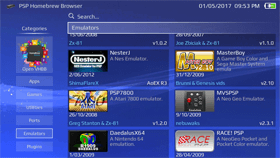 PSP Homebrew Browser v0.9b by ArkSource
Last Release: May 26, 2017
PSP Homebrew Browser v0.9b by ArkSource
Last Release: May 26, 2017
Downloads: 25105
Last Release: May 26, 2017
Downloads: 25105
Downloads: 25105
A HENkaku application to help with installing PSP homebrews to run under Adrenaline.
A HENkaku application to help with installing PSP homebrews to run under Adrenaline.
| Name | Version | Released | Hits | DL Link | QR |
 PSP2-batteryFixer v3.0.1 by SKGleba
Last Release: Jan 8, 2023
PSP2-batteryFixer v3.0.1 by SKGleba
Last Release: Jan 8, 2023
Downloads: 7197
Last Release: Jan 8, 2023
Downloads: 7197
Downloads: 7197
A small kernel plugin for enso that fixes most of PSVita's battery-related problems.
Basically the result is the same as hardware-disconnecting the battery or using a syscon keycombo.
As a bonus it deletes all the temp flags from the battery chip.
Basically the result is the same as hardware-disconnecting the battery or using a syscon keycombo.
As a bonus it deletes all the temp flags from the battery chip.
Read the readme!
Changelog:
- The tool now directly calls syscon reset command 0xC1 instead of ScePower's safe proxy, this should result in less freeze/crashes.
Changelog:
- The tool now directly calls syscon reset command 0xC1 instead of ScePower's safe proxy, this should result in less freeze/crashes.
| Name | Version | Released | Hits | DL Link | QR |
| PSP2-batteryFixer | v3.0.1 | 01/08/23 | 1999 | Download | QR |
| PSP2-batteryFixer | v3.0 | 01/06/23 | 421 | Download | QR |
| batteryFixer.vpk | v2.1 | 07/21/19 | 2676 | Download | QR |
| batteryFixer.vpk | v2.0 | 07/18/19 | 698 | Download | QR |
| PSP2-batteryFixer | v2.0 | 07/19/19 | 589 | Download | QR |
| bicr.skprx | v1.1 | 05/19/19 | 805 | Download | QR |
 PSV Cleaner v1.17 by theheroGAC
Last Release: Sep 26, 2026
PSV Cleaner v1.17 by theheroGAC
Last Release: Sep 26, 2026
Downloads: 4064
Last Release: Sep 26, 2026
Downloads: 4064
Downloads: 4064
PSV Cleaner is a powerful and user-friendly temporary files cleaner designed specifically for the PlayStation Vita homebrew community. This tool helps you free up valuable storage space by safely removing temporary files, cache data, and system dumps that accumulate over time.
## Version 1.17 - September 26, 2026
### Added
- **Storage Analyzer**: Detailed volume analysis for `ux0:`, `ur0:`, `uma0:`, and `imc0:`. Displays total/used/free space, category breakdown (app, patch, addcont, data, license, tai, temp), and top largest directories.
- **Smart Clean**: Comprehensive intelligent cleanup system that scans system caches, crash dumps, and unneeded temp files across partitions with an interactive pre-clean preview and post-clean metrics report.
- **Orphan Scanner**: Identifies leftover directories and files from previously uninstalled games, patches, DLCs, and homebrews across `ux0:data/`, `ux0:patch/`, `ux0:addcont/`, `ux0:appmeta/`, and `ux0:license/`. Includes support for homebrew data directories with manual confirmation.
- **Safety Engine**: Robust multi-tier verification (`SAFE`, `REGENERABLE`, `ORPHANED`, `REVIEW`, `PROTECTED`). Absolutely protects system volumes (`os0:`, `vs0:`), plugins (`tai/`), active game assets, and user save data (`ux0:user/00/savedata/`).
- **Tools Menu**: Dedicated launcher accessible via `L-trigger` from the main dashboard for quick navigation to Storage Analyzer, Smart Clean, and Orphan Scanner.
### Improved & Fixed
- **UI & Layout Enhancements**: Widened information cards and optimized typography across Storage Analyzer, Smart Clean Preview, and Orphan Scanner to prevent any text clipping or overflow on the 960x544 display.
- **High-Performance Non-Blocking Scans**: Directory traversal uses iterative bounded slot arrays and cooperative CPU yields, preventing memory bloat and keeping Emergency Stop immediately responsive even on massive storages.
- **Deletion Efficiency**: Minimized delay cycles during bulk file deletions while preserving UI interactivity and safe abort capability.
---
### Added
- **Storage Analyzer**: Detailed volume analysis for `ux0:`, `ur0:`, `uma0:`, and `imc0:`. Displays total/used/free space, category breakdown (app, patch, addcont, data, license, tai, temp), and top largest directories.
- **Smart Clean**: Comprehensive intelligent cleanup system that scans system caches, crash dumps, and unneeded temp files across partitions with an interactive pre-clean preview and post-clean metrics report.
- **Orphan Scanner**: Identifies leftover directories and files from previously uninstalled games, patches, DLCs, and homebrews across `ux0:data/`, `ux0:patch/`, `ux0:addcont/`, `ux0:appmeta/`, and `ux0:license/`. Includes support for homebrew data directories with manual confirmation.
- **Safety Engine**: Robust multi-tier verification (`SAFE`, `REGENERABLE`, `ORPHANED`, `REVIEW`, `PROTECTED`). Absolutely protects system volumes (`os0:`, `vs0:`), plugins (`tai/`), active game assets, and user save data (`ux0:user/00/savedata/`).
- **Tools Menu**: Dedicated launcher accessible via `L-trigger` from the main dashboard for quick navigation to Storage Analyzer, Smart Clean, and Orphan Scanner.
### Improved & Fixed
- **UI & Layout Enhancements**: Widened information cards and optimized typography across Storage Analyzer, Smart Clean Preview, and Orphan Scanner to prevent any text clipping or overflow on the 960x544 display.
- **High-Performance Non-Blocking Scans**: Directory traversal uses iterative bounded slot arrays and cooperative CPU yields, preventing memory bloat and keeping Emergency Stop immediately responsive even on massive storages.
- **Deletion Efficiency**: Minimized delay cycles during bulk file deletions while preserving UI interactivity and safe abort capability.
---
| Name | Version | Released | Hits | DL Link | QR |
| PSV Cleaner | v1.17 | 09/26/26 | 202 | Download | QR |
| PSV Cleaner | v1.16 | 08/14/26 | 651 | Download | QR |
| PSV Cleaner | v1.15 | 08/10/26 | 184 | Download | QR |
| PSV Cleaner | v1.14 | 07/07/26 | 166 | Download | QR |
| PSV Cleaner | v1.13 | 06/07/26 | 139 | Download | QR |
| PSV Cleaner | v1.12 | 05/09/26 | 200 | Download | QR |
| PSV Cleaner | v1.11 | 01/02/26 | 399 | Download | QR |
| PSV Cleaner | v1.10 | 12/30/25 | 156 | Download | QR |
| PSV Cleaner | v1.09 | 11/22/25 | 307 | Download | QR |
| PSV Cleaner | v1.08 | 11/14/25 | 194 | Download | QR |
| PSV Cleaner | v1.07 | 11/11/25 | 203 | Download | QR |
| PSV Cleaner | v1.06 | 11/05/25 | 198 | Download | QR |
| PSV Cleaner | v1.05 | 11/02/25 | 186 | Download | QR |
| PSV Cleaner | v1.04 | 10/13/25 | 240 | Download | QR |
| PSV Cleaner | v1.03 | 10/04/25 | 268 | Download | QR |
| PSV Cleaner | v1.02 | 10/01/25 | 214 | Download | QR |
| PSV Cleaner | v1.01 | 09/20/25 | 217 | Download | QR |
 PSV MIDI Player v1.0 by snkilc
Last Release: Mar 27, 2026
PSV MIDI Player v1.0 by snkilc
Last Release: Mar 27, 2026
Downloads: 199
Last Release: Mar 27, 2026
Downloads: 199
Downloads: 199
A native FluidSynth-based MIDI Player for Vita.
Changelog (v.1.0):
- First Release.
- First Release.
| Name | Version | Released | Hits | DL Link | QR |
 PSV NoPsmDrm Fixer v2.1 by Yoti
Last Release: Dec 3, 2019
PSV NoPsmDrm Fixer v2.1 by Yoti
Last Release: Dec 3, 2019
Downloads: 3427
Last Release: Dec 3, 2019
Downloads: 3427
Downloads: 3427
Tool to automatically activate PSM games
**PSM Manager v2.1** (by Yoti)
Formerly known as "NoPsmDrm Fixer".
**Why I need this tool?**
Because you simply can't run most of the PSM games on your modded Vita.
**Is it all in one solution?**
No. You must have [NoPsmDrm](https://github.com/frangarcj/NoPsmDrm/releases/latest) plugin for running native PSM games and [NoNpDrm](https://github.com/TheOfficialFloW/NoNpDrm/releases/latest) as second plugin for running PSM Unity games.
**How to use the Manager?**
First of all, install and run it. If you see that your AID is a batch of zeros (that means you don't have any PSN account on your Vita) use "Fake AID (NP-2052-9 fix)" option. It will stay until you do a system reset.
Next, you must have PSM Runtime Package with 2.01 update installed. Setup [HENkaku DNS](https://henkaku.xyz/usage/) for your Internet connection, then [update](https://manuals.playstation.net/document/en/psvita/settings/psmobile.html) PSM Runtime Package. Or just get it from [NoPayStation](http://nopaystation.com/) (`PCSI00011` one).
Update 2.01 can't be installed without running any PSM game, but I made a workaround -- use "Run the PSM Runtime App" option. You need to do this only once.
Got any PSM games from the [NoPayStation](http://nopaystation.com/faq) via NPS Browser or PKGj -- any way you like to use. Run the Manager and choose "Prepare games for installation" option, then press "Finish". After auto system reboot you will see new game bubbles on the [home screen](https://manuals.playstation.net/document/en/psvita/basic/screens.html).
**Warning!** On non-ensō systems with any MicroSD adapter mounted as ux0 and main storage mounted as uma0 (where you have the h-encore app after cold boot) you must also choose "Create mini bubbles in uma0" before "Finish". After auto system reboot you will have unplayable PSM bubbles. Just run h-encore, got your MicroSD as ux0 again and voilà -- it works!
**Note for the PSTV users:** Some games are blacklisted on PSTV. Use [DolcePolce](https://github.com/KuromeSan/DolcePolce/releases/latest) to fix this problem.
**PSM_Manager.vpk (v2.1) SHA-256:**
d585d2b2657442ca9c29d2f255614421cc67f0a2f0ccbc20d5f87b21a5b1f6e7
Formerly known as "NoPsmDrm Fixer".
**Why I need this tool?**
Because you simply can't run most of the PSM games on your modded Vita.
**Is it all in one solution?**
No. You must have [NoPsmDrm](https://github.com/frangarcj/NoPsmDrm/releases/latest) plugin for running native PSM games and [NoNpDrm](https://github.com/TheOfficialFloW/NoNpDrm/releases/latest) as second plugin for running PSM Unity games.
**How to use the Manager?**
First of all, install and run it. If you see that your AID is a batch of zeros (that means you don't have any PSN account on your Vita) use "Fake AID (NP-2052-9 fix)" option. It will stay until you do a system reset.
Next, you must have PSM Runtime Package with 2.01 update installed. Setup [HENkaku DNS](https://henkaku.xyz/usage/) for your Internet connection, then [update](https://manuals.playstation.net/document/en/psvita/settings/psmobile.html) PSM Runtime Package. Or just get it from [NoPayStation](http://nopaystation.com/) (`PCSI00011` one).
Update 2.01 can't be installed without running any PSM game, but I made a workaround -- use "Run the PSM Runtime App" option. You need to do this only once.
Got any PSM games from the [NoPayStation](http://nopaystation.com/faq) via NPS Browser or PKGj -- any way you like to use. Run the Manager and choose "Prepare games for installation" option, then press "Finish". After auto system reboot you will see new game bubbles on the [home screen](https://manuals.playstation.net/document/en/psvita/basic/screens.html).
**Warning!** On non-ensō systems with any MicroSD adapter mounted as ux0 and main storage mounted as uma0 (where you have the h-encore app after cold boot) you must also choose "Create mini bubbles in uma0" before "Finish". After auto system reboot you will have unplayable PSM bubbles. Just run h-encore, got your MicroSD as ux0 again and voilà -- it works!
**Note for the PSTV users:** Some games are blacklisted on PSTV. Use [DolcePolce](https://github.com/KuromeSan/DolcePolce/releases/latest) to fix this problem.
**PSM_Manager.vpk (v2.1) SHA-256:**
d585d2b2657442ca9c29d2f255614421cc67f0a2f0ccbc20d5f87b21a5b1f6e7
| Name | Version | Released | Hits | DL Link | QR |
| PSM_Manager.vpk | v2.0 | 08/20/19 | 2024 | Download | QR |
| nopsmdrm_fixer.vpk | v1.0 | 12/06/17 | 1391 | Download | QR |
 PSV Trophies Fixer v1.1 by Yoti
Last Release: Mar 21, 2018
PSV Trophies Fixer v1.1 by Yoti
Last Release: Mar 21, 2018
Downloads: 2818
Last Release: Mar 21, 2018
Downloads: 2818
Downloads: 2818
PSV Trophies Fixer
Added support for 3.65 with RePatch plugin.
You must use RePatch with this release!
You must use RePatch with this release!
 PSVident v1.01 by freakler
Last Release: Oct 10, 2026
PSVident v1.01 by freakler
Last Release: Oct 10, 2026
Downloads: 861
Last Release: Oct 10, 2026
Downloads: 861
Downloads: 861
Tool that bring all your Vita/PSTV info in to one place. App has a very nostalgic design for first PSP users, interface is looking very similar to well known PSPident application for PSP.
- added previously unknown internal memory card default sizes _(thx to [WROOBELEK](https://github.com/WROOBELEK) for confirming)_
- added anomaly check for currently installed firmware not matching device's target
- minor text changes
- added anomaly check for currently installed firmware not matching device's target
- minor text changes
| Name | Version | Released | Hits | DL Link | QR |
| PSVident | v1.01 | 10/10/26 | 31 | Download | QR |
| PSVident | v1.00 | 09/20/26 | 42 | Download | QR |
| PSVident | v0.43 | 11/12/23 | 239 | Download | QR |
| PSVident_v040.vpk | v0.40 | 01/30/23 | 531 | Download | QR |
 PSVITAMAN v0.1.0 Alpha 3 by ObsoleteSony
Last Release: Oct 12, 2026
PSVITAMAN v0.1.0 Alpha 3 by ObsoleteSony
Last Release: Oct 12, 2026
Downloads: 50
Last Release: Oct 12, 2026
Downloads: 50
Downloads: 50
A Walkman-inspired FLAC and MP3 player for PS Vita, with local libraries, Jellyfin streaming, equalizer, Spectrum and Cassette views.
- Major large-library improvements.
- Added read-only access to music from the Vita’s native Music library.
- Added WAV and AAC playback.
- Expanded FLAC compatibility and improved MP3 support for more real-world tag layouts.
- Faster warm startup and more reliable library refresh and recovery.
- Added clearer startup and library-update progress feedback.
- Improved audio format and source-quality information across the app.
- Added folder artwork fallback when supported embedded artwork is unavailable.
- Added Pocket Mode with a Now Playing lock, optional lock icon, and L/R trigger control.
- Improved navigation with contextual Back, a Home shortcut, and remembered browsing position.
- Improved sleep/resume behavior and removed the persistent diagnostic warning from the public UI.
- Improved Now Playing title readability for longer track names.
- Added read-only access to music from the Vita’s native Music library.
- Added WAV and AAC playback.
- Expanded FLAC compatibility and improved MP3 support for more real-world tag layouts.
- Faster warm startup and more reliable library refresh and recovery.
- Added clearer startup and library-update progress feedback.
- Improved audio format and source-quality information across the app.
- Added folder artwork fallback when supported embedded artwork is unavailable.
- Added Pocket Mode with a Now Playing lock, optional lock icon, and L/R trigger control.
- Improved navigation with contextual Back, a Home shortcut, and remembered browsing position.
- Improved sleep/resume behavior and removed the persistent diagnostic warning from the public UI.
- Improved Now Playing title readability for longer track names.
| Name | Version | Released | Hits | DL Link | QR |
 PSVitaRebootShutdown v1.08 by McCallum99
Last Release: May 17, 2019
PSVitaRebootShutdown v1.08 by McCallum99
Last Release: May 17, 2019
Downloads: 7813
Last Release: May 17, 2019
Downloads: 7813
Downloads: 7813
This is an app that reboots or shutsdown your PS Vita depending on what trigger you hold. Hold R to reboot, hold L to shutdown.
Functionality is intact. The only change is to the placement of the pictures. The logo and start up image have also been changed.
Since R trigger was used to reset in the past, it makes sense to have reset on the right and shutdown on the left so that's what I did.
Since R trigger was used to reset in the past, it makes sense to have reset on the right and shutdown on the left so that's what I did.
| Name | Version | Released | Hits | DL Link | QR |
| RebootShutdown.vpk | v1.1 | 08/07/18 | 926 | Download | QR |
| VitaRebootShutdown.vpk | v1.07 | 05/12/19 | 658 | Download | QR |
| VitaRebootShutdown.vpk | v1.06 | 03/02/19 | 696 | Download | QR |
| VitaRebootShutdown.vpk | v1.05 | 01/08/19 | 741 | Download | QR |
| VitaRebootShutdown.vpk | v1.04 | 01/05/19 | 737 | Download | QR |
| VitaRebootShutdown.vpk | v1.04 | 01/04/19 | 706 | Download | QR |
| VitaRebootShutdown.vpk | v1.03 | 01/04/19 | 612 | Download | QR |
| RebootShutdown.vpk | v1.0 | 08/07/18 | 726 | Download | QR |
 Q-Encore v1.0 by Yoti
Last Release: Dec 25, 2018
Q-Encore v1.0 by Yoti
Last Release: Dec 25, 2018
Downloads: 1203
Last Release: Dec 25, 2018
Downloads: 1203
Downloads: 1203
Quick h-encore (or Q-encore for short) is just a modification of the h-encore by TheFloW.
It has same stability and functionality as original one, but lacks menu for automation.
######After downloading the file rename it with a zip extension#######
It has same stability and functionality as original one, but lacks menu for automation.
######After downloading the file rename it with a zip extension#######
Notes:
1) If you have no HENkaku installed or accidentaly removed at least one of their modules it will be auto restored.
2) If you have no VitaShell it will be auto downloaded from TheFloW's GitHub. There is no force reinstall option.
3) If you have no both taiHEN config.txt files it will be restored. Or hold R in first three seconds after start.
4) SHA-256 of the system.dat is 1d3b765154d77a9765bb6dcfd51e57fc30e8aca83538f26b44106e0253b9daba
Installation:
0) You must install h-encore by TheFloW first!
1) Copy provided system.dat file to your Vita
2) Open VitaShell and go to the folder with file
3) Highlight it, press TRIANGLE and select Copy
4) Navigate to the ux0:user/00/savedata/
5) Highlight PCSG90096 folder and press TRIANGLE
6) Select Open decrypted, then TRIANGLE and Paste
7) If it works without any issues do QCMA backup
1) If you have no HENkaku installed or accidentaly removed at least one of their modules it will be auto restored.
2) If you have no VitaShell it will be auto downloaded from TheFloW's GitHub. There is no force reinstall option.
3) If you have no both taiHEN config.txt files it will be restored. Or hold R in first three seconds after start.
4) SHA-256 of the system.dat is 1d3b765154d77a9765bb6dcfd51e57fc30e8aca83538f26b44106e0253b9daba
Installation:
0) You must install h-encore by TheFloW first!
1) Copy provided system.dat file to your Vita
2) Open VitaShell and go to the folder with file
3) Highlight it, press TRIANGLE and select Copy
4) Navigate to the ux0:user/00/savedata/
5) Highlight PCSG90096 folder and press TRIANGLE
6) Select Open decrypted, then TRIANGLE and Paste
7) If it works without any issues do QCMA backup
| Name | Version | Released | Hits | DL Link | QR |
 QR Scanner v1.0 by Rinnegatamante
Last Release: Apr 20, 2025
QR Scanner v1.0 by Rinnegatamante
Last Release: Apr 20, 2025
Downloads: 246
Last Release: Apr 20, 2025
Downloads: 246
Downloads: 246
A minimalistic QR scanner that allows to either download the targeted file or open it on the PSVita webbrowser.
Changelog (v.1.0):
- First Release.
- First Release.
| Name | Version | Released | Hits | DL Link | QR |
 Quick Recovery v1.0 by CelesteBlue
Last Release: Jul 30, 2017
Quick Recovery v1.0 by CelesteBlue
Last Release: Jul 30, 2017
Downloads: 1235
Last Release: Jul 30, 2017
Downloads: 1235
Downloads: 1235
Quick Recovery.
Could be useful to access it quicKly, or for devs to hook it
Could be useful to access it quicKly, or for devs to hook it
Enter recovery mode from the application
| Name | Version | Released | Hits | DL Link | QR |
 QuickBackup v1.00 by GrapheneCt
Last Release: Dec 19, 2020
QuickBackup v1.00 by GrapheneCt
Last Release: Dec 19, 2020
Downloads: 676
Last Release: Dec 19, 2020
Downloads: 676
Downloads: 676
This vpk will give you error during installation. This is NORMAL.
QuickBackup is a tool to trigger automatic savedata backup feature on PS Vita. Savedata backups are created for the last 5 games that you played and stored in ux0:/user/xx/savedata_backup
To restore savedata backup for the game, open ux0:/user/xx/savedata/TITLEID/sce_sys and delete sdslot.dat. After that simply launch the game.
QuickBackup is a tool to trigger automatic savedata backup feature on PS Vita. Savedata backups are created for the last 5 games that you played and stored in ux0:/user/xx/savedata_backup
To restore savedata backup for the game, open ux0:/user/xx/savedata/TITLEID/sce_sys and delete sdslot.dat. After that simply launch the game.
This vpk will give you error during installation. This is NORMAL.
| Name | Version | Released | Hits | DL Link | QR |
 QuickLaunch Installer v1.3 by 1upus/DRok17
Last Release: May 2, 2021
QuickLaunch Installer v1.3 by 1upus/DRok17
Last Release: May 2, 2021
Downloads: 6092
Last Release: May 2, 2021
Downloads: 6092
Downloads: 6092
This tool installs custom shortcuts to multitasking menu (push PS button on LiveArea) on HomeBrew enabled PS Vita.
| Name | Version | Released | Hits | DL Link | QR |
| QuickLaunch Installer (data) | v1.3 | 05/03/21 | 2449 | Download | QR |
| QuickLaunch-Installer | v1.3 | 05/02/21 | 1746 | Download | QR |
Changes
- Ported to Lua Plus Player
- UI reworked and reworded.
- Added new System Message prompt
- Add cancel option when selecting QL slot
- Clear/Restore QL data option now has preview images
- Moved image data to the data folder, easier for future releases and less backup management.
- Ported to Lua Plus Player
- UI reworked and reworded.
- Added new System Message prompt
- Add cancel option when selecting QL slot
- Clear/Restore QL data option now has preview images
- Moved image data to the data folder, easier for future releases and less backup management.
| Name | Version | Released | Hits | DL Link | QR |
| QuickLaunch_installer_for_PSVita.vpk | v0.5 | 11/07/17 | 953 | Download | QR |
| QuickLaunch Installer | v0.2 | 11/03/17 | 887 | Download | QR |
 RALA:/:sutura v1.0 by solmare
Last Release: Oct 8, 2026
RALA:/:sutura v1.0 by solmare
Last Release: Oct 8, 2026
Downloads: 21
Last Release: Oct 8, 2026
Downloads: 21
Downloads: 21
RALA:/:sutura is a turn-based bullet hell roguelike. Nothing moves until you do, and every attack is marked on the floor a turn before it lands, so every hit can be avoided (in theory).
Changelog (v.1.0):
- First Release.
- First Release.
| Name | Version | Released | Hits | DL Link | QR |
 Random Vita Game Launcher v1.0 by jimbob4000
Last Release: Dec 30, 2023
Random Vita Game Launcher v1.0 by jimbob4000
Last Release: Dec 30, 2023
Downloads: 177
Last Release: Dec 30, 2023
Downloads: 177
Downloads: 177
Spend too long choosing a game to play, or you don't get around to trying new games? Use this app to select and launch a Vita game at random for you to play.
| Name | Version | Released | Hits | DL Link | QR |
| Random_Vita_Game_Launcher_v1.0.vpk | v1.0 | 12/30/23 | 12 | Download | QR |
## Initial release
About
- Spend too long choosing a game to play, or you don't get around to trying new games?
- Use this app to select and launch a Vita game at random for you to play.
Settings
- By default, only Vita games are chosen, however, you customise the list of games to include in the settings, to add homebrew games, or to remove games you don't want to play.
Installation
- Install the VPK file
More information
- See the [main page](https://github.com/jimbob4000/Random-Vita-Game-Launcher) for information.
About
- Spend too long choosing a game to play, or you don't get around to trying new games?
- Use this app to select and launch a Vita game at random for you to play.
Settings
- By default, only Vita games are chosen, however, you customise the list of games to include in the settings, to add homebrew games, or to remove games you don't want to play.
Installation
- Install the VPK file
More information
- See the [main page](https://github.com/jimbob4000/Random-Vita-Game-Launcher) for information.
 Random-Hentai v2.1 by SonicMastr
Last Release: Jan 11, 2020
Random-Hentai v2.1 by SonicMastr
Last Release: Jan 11, 2020
Downloads: 7934
Last Release: Jan 11, 2020
Downloads: 7934
Downloads: 7934
Simple PSVITA Application that returns a random Hentai Picture
Source Updated from caghandemir's version. Don't know what happened to them but the application stopped working, so I created and hosted my own API for now and updated the app to use it. Still uses Rinnegatamante's LPP-VITA. The new API uses Konachan as a source.
Source Updated from caghandemir's version. Don't know what happened to them but the application stopped working, so I created and hosted my own API for now and updated the app to use it. Still uses Rinnegatamante's LPP-VITA. The new API uses Konachan as a source.
Changes:
Now uses Safe Eboot (Installing wont ask you for unsafe permissions)
Drastically reduced load time (4-7 seconds compared to upwards of 30)
Random images are now truly random with no post limit. You better start saving stuff you like or you might never see them again ;)
Notifies you if the source is potentially blocked in your country (Solutions to this problem are being talked over)
Just in case you still happen to experience a crash, restarting works now
Now uses Safe Eboot (Installing wont ask you for unsafe permissions)
Drastically reduced load time (4-7 seconds compared to upwards of 30)
Random images are now truly random with no post limit. You better start saving stuff you like or you might never see them again ;)
Notifies you if the source is potentially blocked in your country (Solutions to this problem are being talked over)
Just in case you still happen to experience a crash, restarting works now
| Name | Version | Released | Hits | DL Link | QR |
| Random_Hentai.vpk | v2.0 | 01/11/20 | 635 | Download | QR |
| Random_Hentai.vpk | v1.0.1 | 01/08/20 | 566 | Download | QR |
| Random_Hentai.vpk | v1.0 | 01/07/20 | 534 | Download | QR |
 RandomHentai v1.3 by caghandemir
Last Release: Mar 5, 2019
RandomHentai v1.3 by caghandemir
Last Release: Mar 5, 2019
Downloads: 3495
Last Release: Mar 5, 2019
Downloads: 3495
Downloads: 3495
Hentai Anime app for PSVITA
| Name | Version | Released | Hits | DL Link | QR |
******* UPDATE *****
The Developer has reported this app is no longer working anymore and services have stopped
----------------------------------------------------------------------------------
Previous HTTP proxy is no longer available for me to use, so here's an update.
Older versions will probably stop working soon.
The Developer has reported this app is no longer working anymore and services have stopped
----------------------------------------------------------------------------------
Previous HTTP proxy is no longer available for me to use, so here's an update.
Older versions will probably stop working soon.
| Name | Version | Released | Hits | DL Link | QR |
| RandomHentai.vpk | v1.3 | 03/05/19 | 1370 | Download | QR |
| RandomHentai.vpk | v1.2 | 03/03/19 | 737 | Download | QR |
| RandomHentai.vpk | v1.1 | 03/03/19 | 665 | Download | QR |
| RandomHentai.vpk | v1.0 | 03/03/19 | 712 | Download | QR |
 Reaction Station v1.0 by AntHJ
Last Release: Oct 7, 2025
Reaction Station v1.0 by AntHJ
Last Release: Oct 7, 2025
Downloads: 164
Last Release: Oct 7, 2025
Downloads: 164
Downloads: 164
Have you ever seen or played games such as Dragons lair, Space Ace, Cobra Command? The gameplay fully relies on quick time responses like an interactive video..
With Reaction station (and a lot of time a patience) you can create or recreate your own with this tool..
Make a folder in ux0:video/
add a compatible mp4
(optional) add a cover image
launch the app and select the video with Triangle to edit
With Reaction station (and a lot of time a patience) you can create or recreate your own with this tool..
Make a folder in ux0:video/
add a compatible mp4
(optional) add a cover image
launch the app and select the video with Triangle to edit
First release
| Name | Version | Released | Hits | DL Link | QR |
 RealPackage Installer v1.2 by LiEnby
Last Release: Aug 27, 2025
RealPackage Installer v1.2 by LiEnby
Last Release: Aug 27, 2025
Downloads: 1016
Last Release: Aug 27, 2025
Downloads: 1016
Downloads: 1016
real_package_installer
This is a homebrew for installing .PKG files onto your vita, unlike the SCE Package installer this also allows you to specify a RIF for content that requires a license.
It looks for package files in ux0:/package and for rif files associated with those packages (if npdrm-bind) in ux0:/rif.
but unlike the offical package installer, this also works with NpDrm-Bind (you can specify a rif from ux0:/rif ..) as well as NpDrm-Free contents.
NOTE: as there are alot of package types it has not been tested with all of them, (mainly just Vita/Patch/PSM) so there may be some issues with different package types.
Explaination of the homebrew name:
Sony's offical "★Package Installer" app included on development kits is internally got the module name of "fake_package_installer", and includes a liveitem in the prototype 0.990 template.xml format that is the text "FakePackage Installer" ..
so if theirs is the "FAKE" one, then mine must be the real one right??
(also developer packages are referred to as "fake packages" implying retail ones would be "real")
i was considering this and "Package Installer 3.0", a reference to my first ever 'homebrew' of sorts, but honestly id rather dis-associate myself from that mess. at the same time though, i guess everyone has to start somewhere :D
This is a homebrew for installing .PKG files onto your vita, unlike the SCE Package installer this also allows you to specify a RIF for content that requires a license.
It looks for package files in ux0:/package and for rif files associated with those packages (if npdrm-bind) in ux0:/rif.
but unlike the offical package installer, this also works with NpDrm-Bind (you can specify a rif from ux0:/rif ..) as well as NpDrm-Free contents.
NOTE: as there are alot of package types it has not been tested with all of them, (mainly just Vita/Patch/PSM) so there may be some issues with different package types.
Explaination of the homebrew name:
Sony's offical "★Package Installer" app included on development kits is internally got the module name of "fake_package_installer", and includes a liveitem in the prototype 0.990 template.xml format that is the text "FakePackage Installer" ..
so if theirs is the "FAKE" one, then mine must be the real one right??
(also developer packages are referred to as "fake packages" implying retail ones would be "real")
i was considering this and "Package Installer 3.0", a reference to my first ever 'homebrew' of sorts, but honestly id rather dis-associate myself from that mess. at the same time though, i guess everyone has to start somewhere :D
Add the psp stat.bin workaround
Should allow installing PSP games and PS1 games,
Most likely will have issues with DLC and Updates however.
(it would be good to work out how stat.bin works, so i don't have to deal with this as much)
Should allow installing PSP games and PS1 games,
Most likely will have issues with DLC and Updates however.
(it would be good to work out how stat.bin works, so i don't have to deal with this as much)
| Name | Version | Released | Hits | DL Link | QR |
 reAuth v1.0.0 by cuevavirus
Last Release: Jun 18, 2021
reAuth v1.0.0 by cuevavirus
Last Release: Jun 18, 2021
Downloads: 1351
Last Release: Jun 18, 2021
Downloads: 1351
Downloads: 1351
Recent server-side changes blocked access to the PlayStation Store for lower firmware version users. reAuth allows you to use the PlayStation Store and sign in to the PlayStation Network on 3.60-3.65.
Installation
Enso is required. If you are experiencing these errors on a firmware version where Enso is not available, you must downgrade.
1. Copy reAuth.skprx to your device and add its path under *KERNEL in your taiHEN config file.
2. Copy reAuth.suprx, libhttp.suprx, and libssl.suprx to ur0:/data/reAuth. Do not add these to your taiHEN config file.
Make sure you have PSN spoofing turned on in Henkaku settings, and version spoof set to 3.73.
Installation
Enso is required. If you are experiencing these errors on a firmware version where Enso is not available, you must downgrade.
1. Copy reAuth.skprx to your device and add its path under *KERNEL in your taiHEN config file.
2. Copy reAuth.suprx, libhttp.suprx, and libssl.suprx to ur0:/data/reAuth. Do not add these to your taiHEN config file.
Make sure you have PSN spoofing turned on in Henkaku settings, and version spoof set to 3.73.
first release
| Name | Version | Released | Hits | DL Link | QR |
 Reboot v1.1 by luck
Last Release: Aug 19, 2016
Reboot v1.1 by luck
Last Release: Aug 19, 2016
Downloads: 864
Last Release: Aug 19, 2016
Downloads: 864
Downloads: 864
Just a quick way to reboot the system when you edit app.db or other things that require a reboot
| Name | Version | Released | Hits | DL Link | QR |
 Registry Profiler v1.0 by Codiak101
Last Release: Jan 8, 2022
Registry Profiler v1.0 by Codiak101
Last Release: Jan 8, 2022
Downloads: 673
Last Release: Jan 8, 2022
Downloads: 673
Downloads: 673
This app allows certain registry values like the ones for brightness & volume to change and saved into profiles. The first menu gives the options to manage the profiles stored in a created file. When the app is first launched it saves a default profile of the device's current values along with any others later created. The horizontal menu gives the registry categories each containing the settings, some are checkboxes and others are number entries.
| Name | Version | Released | Hits | DL Link | QR |
| Registry Profiler | v1.0 | 01/08/22 | 662 | Download | QR |
| RegistryProfiler.vpk | v1.0 | 01/08/22 | 9 | Download | QR |
README:
https://github.com/Codiak101/RegistryProfiler#readme
https://github.com/Codiak101/RegistryProfiler#readme
| Name | Version | Released | Hits | DL Link | QR |
 rePatch-Manager v1.10 by Eyeman
Last Release: May 14, 2022
rePatch-Manager v1.10 by Eyeman
Last Release: May 14, 2022
Downloads: 1198
Last Release: May 14, 2022
Downloads: 1198
Downloads: 1198
Tool to enable and disable specific rePatch game. Useful to enable and disable mods that using rePatch.
Tested with FW 3.60 and 3.65
Right now only support to read from ux0:/rePatch/
Tested with FW 3.60 and 3.65
Right now only support to read from ux0:/rePatch/
Fix the random crash after enable or disable rePatch mods.
 rePatchAIDS v2.70 by dots-tb
Last Release: Jul 15, 2018
rePatchAIDS v2.70 by dots-tb
Last Release: Jul 15, 2018
Downloads: 4402
Last Release: Jul 15, 2018
Downloads: 4402
Downloads: 4402
rePatch Addcont Injection Deficiency Supplement.
This program is for the maintenance of rePatch. It will allow the DECRYPTED + ENCRYPTED mode to work and will help delete no longer used rePatch game directories.
IF YOUR DLC DOES NOT WORK PLEASE TRY RUNNING rePATCH AIDS
This program is for the maintenance of rePatch. It will allow the DECRYPTED + ENCRYPTED mode to work and will help delete no longer used rePatch game directories.
IF YOUR DLC DOES NOT WORK PLEASE TRY RUNNING rePATCH AIDS
How to use (DLC USE):
Within a game's rePatch folder, create a folder named "addcont". Ex: ux0:rePatch//addcont
Place DECRYPTED content within this folder relating to DLC. This may include: DLC mods (similar to normal rePatch mods) or DLC decrypted/dumped by a pre-taihen dumper or Motoharu's tools.
Please continue to the following sections pertaining to the subject you want.
DLC Decrypted Only
Make sure that ux0:addcont/<TITLE ID> does not exist. This will make the game load from the rePatch addcont folder instead.
Place completely decrypted content in:
ux0:rePatch/<TITLE ID>/addcont/<DLC ID>
NOTE: You now may mod the DLC directly as you could with MAIDUMP or VITAMIN.
DLC Encrypted Only (Modding)
Make sure that ux0:addcont/<TITLE ID> does exist and that you have encrypted DLC. This includes officially downloaded DLC along with NoNpDRM DLC.
Place completely decrypted content in corresponding folder:
ux0:rePatch/<TITLE ID>/addcont/<DLC ID>
You may delete overlapping files within the original addcont folder to save space. This works exactly like a rePatch patch.
DLC Encrypted + Decrypted
Make sure that ux0:addcont/<TITLE ID> does exist and that you have encrypted DLC. This includes officially downloaded DLC along with NoNpDRM DLC.
Place completely decrypted content in corresponding folder:
ux0:rePatch/<TITLE ID>/addcont/<DLC ID>
Run the rePatch Addcont Injection Deficiency Supplement program.
NOTE: Modding still works in this mode.
Within a game's rePatch folder, create a folder named "addcont". Ex: ux0:rePatch//addcont
Place DECRYPTED content within this folder relating to DLC. This may include: DLC mods (similar to normal rePatch mods) or DLC decrypted/dumped by a pre-taihen dumper or Motoharu's tools.
Please continue to the following sections pertaining to the subject you want.
DLC Decrypted Only
Make sure that ux0:addcont/<TITLE ID> does not exist. This will make the game load from the rePatch addcont folder instead.
Place completely decrypted content in:
ux0:rePatch/<TITLE ID>/addcont/<DLC ID>
NOTE: You now may mod the DLC directly as you could with MAIDUMP or VITAMIN.
DLC Encrypted Only (Modding)
Make sure that ux0:addcont/<TITLE ID> does exist and that you have encrypted DLC. This includes officially downloaded DLC along with NoNpDRM DLC.
Place completely decrypted content in corresponding folder:
ux0:rePatch/<TITLE ID>/addcont/<DLC ID>
You may delete overlapping files within the original addcont folder to save space. This works exactly like a rePatch patch.
DLC Encrypted + Decrypted
Make sure that ux0:addcont/<TITLE ID> does exist and that you have encrypted DLC. This includes officially downloaded DLC along with NoNpDRM DLC.
Place completely decrypted content in corresponding folder:
ux0:rePatch/<TITLE ID>/addcont/<DLC ID>
Run the rePatch Addcont Injection Deficiency Supplement program.
NOTE: Modding still works in this mode.
| Name | Version | Released | Hits | DL Link | QR |
 RepoHub v0.15 by robDevs
Last Release: Jan 7, 2020
RepoHub v0.15 by robDevs
Last Release: Jan 7, 2020
Downloads: 9915
Last Release: Jan 7, 2020
Downloads: 9915
Downloads: 9915
View Github users, repos, and releases from a ps-vita
About
RepoHub allows you to browse GitHub users and repositories using the GitHub API. You can view and download releases from repositories as well.
Rate-Limiting
By default the API allows 60 requests per hour, per ip address. For light usage this should be plenty. If you need additional api requests please view the section about personal access tokens.
Personal Access Tokens
Using a personall access token increases the API request limit to 5000 per hour and is based on the token, not the ip address.
Using a token will also unlock these additional features:
Star and Unstar repositories.
Submit issues directly to RepoHub on GitHub
Creating Personal Access Tokens
visit https://github.com/settings/tokens to create your token
Select public_repo for the scope of the token.
Launch RepoHub and press Start on the home screen
Select Enter Token
Your token will be encrypted and saved using a key only provided at compile time.
Usage without a Personal Access Token
A user name is still required to use RepoHub. It is used to generate your list of followed users and starred repositories. To add your username:
press start from the home screen
select Enter UserName
About
RepoHub allows you to browse GitHub users and repositories using the GitHub API. You can view and download releases from repositories as well.
Rate-Limiting
By default the API allows 60 requests per hour, per ip address. For light usage this should be plenty. If you need additional api requests please view the section about personal access tokens.
Personal Access Tokens
Using a personall access token increases the API request limit to 5000 per hour and is based on the token, not the ip address.
Using a token will also unlock these additional features:
Star and Unstar repositories.
Submit issues directly to RepoHub on GitHub
Creating Personal Access Tokens
visit https://github.com/settings/tokens to create your token
Select public_repo for the scope of the token.
Launch RepoHub and press Start on the home screen
Select Enter Token
Your token will be encrypted and saved using a key only provided at compile time.
Usage without a Personal Access Token
A user name is still required to use RepoHub. It is used to generate your list of followed users and starred repositories. To add your username:
press start from the home screen
select Enter UserName
Change log:
- Featured repositories tab.
- To request a repository be added or removed submit an issue [here](https://github.com/robDevs/RepoHub/issues/new) with the `user/name` of the repository.
- Updated the release details page to look and feel more consistent with the rest of the app.
- Make sure temp folders used during installation are empty/removed before installing apps.
- Featured repositories tab.
- To request a repository be added or removed submit an issue [here](https://github.com/robDevs/RepoHub/issues/new) with the `user/name` of the repository.
- Updated the release details page to look and feel more consistent with the rest of the app.
- Make sure temp folders used during installation are empty/removed before installing apps.
| Name | Version | Released | Hits | DL Link | QR |
| RepoHub.vpk | v0.10 | 01/03/20 | 1038 | Download | QR |
| RepoHub.vpk | v0.05 | 09/02/19 | 934 | Download | QR |
| RepoHub.vpk | v0.04 | 09/01/19 | 802 | Download | QR |
| RepoHub.vpk | v0.03 | 08/31/19 | 1172 | Download | QR |
| RepoHub.vpk | v0.02 | 08/17/19 | 786 | Download | QR |
| RepoHub.vpk | v0.01 | 08/13/19 | 783 | Download | QR |
 Resurgent v1.0.0 by m1s3ry
Last Release: Aug 13, 2021
Resurgent v1.0.0 by m1s3ry
Last Release: Aug 13, 2021
Downloads: 694
Last Release: Aug 13, 2021
Downloads: 694
Downloads: 694
Traverse a post-apocalyptic city, ravaged by an unknown virus, in search of safety Original game by Tristan Harris.
Changelog (v.1.0.0):
- First Release.
- First Release.
| Name | Version | Released | Hits | DL Link | QR |
 Retroarch Bubble Builder v1.0 by AntHJ
Last Release: Nov 19, 2021
Retroarch Bubble Builder v1.0 by AntHJ
Last Release: Nov 19, 2021
Downloads: 1178
Last Release: Nov 19, 2021
Downloads: 1178
Downloads: 1178
Create LiveArea launch bubbles for your favourite Retroarch games
| Name | Version | Released | Hits | DL Link | QR |
| Retroarch Bubble Builder | v1.0 | 11/19/21 | 1154 | Download | QR |
| Retroarch.Bubble.Builder.vpk | v1.0 | 11/19/21 | 21 | Download | QR |
# Retroarch Bubble Builder
* Utilises Lua Player Plus Vita (lpp-vita). [Learn more.](https://github.com/Rinnegatamante/lpp-vita)

------
The first page you will see is the summary of your bubbles details.. This includes the selected Rom file, the core it will use, the BubbleID and its name on the LiveAena.. you can press left and right on the D-Pad to manually select a core if needed.. cores that are inluded in your current Retroarch install will be green, any you dont have will be red..
------

------
The file selection screen offers you some shortcuts to help locate your files.. you can set it to remember a temporary custom folder for quicker access to your chosen folder..
------

------
The next 2 screens are where you can load and resize your images into the template area to add your custom launch page background image and the start button.. the start button can be moved into 1 of 3 positions, or by pressing START it will use the background image giving it the illusion of being transparent.. from the button page you also have the ability of adding manual images (optional)
------

------
The help page shows roughly how to use the controls, but there are also prompts on each screen to help you along the way just in case you need them..
------

------
The last of the edit pages is for the Bubble itself.. you can load an image file and resise it for the template, you can add the overlay if needed, or you can select a color from the box and make a custom color button..
------

------
Once you are ready you can press START on the summary page and your bubble will be created and installed..
- you may get Image loading errors due to limitations in LUA, try to use smaller resolution files to avoid crashing
* Utilises Lua Player Plus Vita (lpp-vita). [Learn more.](https://github.com/Rinnegatamante/lpp-vita)

------
The first page you will see is the summary of your bubbles details.. This includes the selected Rom file, the core it will use, the BubbleID and its name on the LiveAena.. you can press left and right on the D-Pad to manually select a core if needed.. cores that are inluded in your current Retroarch install will be green, any you dont have will be red..
------

------
The file selection screen offers you some shortcuts to help locate your files.. you can set it to remember a temporary custom folder for quicker access to your chosen folder..
------

------
The next 2 screens are where you can load and resize your images into the template area to add your custom launch page background image and the start button.. the start button can be moved into 1 of 3 positions, or by pressing START it will use the background image giving it the illusion of being transparent.. from the button page you also have the ability of adding manual images (optional)
------

------
The help page shows roughly how to use the controls, but there are also prompts on each screen to help you along the way just in case you need them..
------

------
The last of the edit pages is for the Bubble itself.. you can load an image file and resise it for the template, you can add the overlay if needed, or you can select a color from the box and make a custom color button..
------

------
Once you are ready you can press START on the summary page and your bubble will be created and installed..
- you may get Image loading errors due to limitations in LUA, try to use smaller resolution files to avoid crashing
| Name | Version | Released | Hits | DL Link | QR |
 RetroFlow-Launcher v8.5.0 by jimbob4000
Last Release: Oct 11, 2026
RetroFlow-Launcher v8.5.0 by jimbob4000
Last Release: Oct 11, 2026
Downloads: 17485
Last Release: Oct 11, 2026
Downloads: 17485
Downloads: 17485
This is a modded version of HexFlow Launcher; a 3d coverflow like launcher for PS Vita.
This version includes categories for retro games which can be launched without bubbles for RetroArch and DaedalusX64. Playstation and PSP games can also be launched without having to create bubbles for every game!
Display and launch your retro games and homebrews in style.
RetroFlow Launcher features a 3d user interface to display your games with their box art and supports many customization options like custom covers and backgrounds.
Launching a game or app from RetroFlow Launcher will close the launcher automaticaly without asking.
Supported systems:
PS Vita, PSP, Playstation, Nintendo 64, Super Nintendo, Nintendo Entertainment System, Game Boy Advance, Game Boy Color, Game Boy, Sega Mega Drive / Genesis, Sega Master System, Sega Game Gear.
DaedalusX64 is required for N64 games. RetroArch is required for other retro systems. Adrenaline is required for Playstation and PSP games.
This version includes categories for retro games which can be launched without bubbles for RetroArch and DaedalusX64. Playstation and PSP games can also be launched without having to create bubbles for every game!
Display and launch your retro games and homebrews in style.
RetroFlow Launcher features a 3d user interface to display your games with their box art and supports many customization options like custom covers and backgrounds.
Launching a game or app from RetroFlow Launcher will close the launcher automaticaly without asking.
Supported systems:
PS Vita, PSP, Playstation, Nintendo 64, Super Nintendo, Nintendo Entertainment System, Game Boy Advance, Game Boy Color, Game Boy, Sega Mega Drive / Genesis, Sega Master System, Sega Game Gear.
DaedalusX64 is required for N64 games. RetroArch is required for other retro systems. Adrenaline is required for Playstation and PSP games.
### Updates
* **New:** Added support for the Azahar 3DS emulator.
* **Improvement:** Added new 3D models for DS and 3DS games.
* **Bug fix:** Fixed an issue where PSP EBOOT file sizes would incorrectly display as 0 B.
* **Note:** You may need to reselect your start category, as a new system has been added.
### Installation
- Please read and follow the [installation and setup guide](https://github.com/jimbob4000/RetroFlow-Launcher#installation--setup).
### Help and FAQs
- Please see the [FAQs](https://github.com/jimbob4000/RetroFlow-Launcher/blob/main/docs/FAQs.md) page.
### Nightly build
- See the [nightly build](https://github.com/jimbob4000/RetroFlow-Launcher/releases/tag/Nightly) for a preview of new features and bug fixes.
* **New:** Added support for the Azahar 3DS emulator.
* **Improvement:** Added new 3D models for DS and 3DS games.
* **Bug fix:** Fixed an issue where PSP EBOOT file sizes would incorrectly display as 0 B.
* **Note:** You may need to reselect your start category, as a new system has been added.
### Installation
- Please read and follow the [installation and setup guide](https://github.com/jimbob4000/RetroFlow-Launcher#installation--setup).
### Help and FAQs
- Please see the [FAQs](https://github.com/jimbob4000/RetroFlow-Launcher/blob/main/docs/FAQs.md) page.
### Nightly build
- See the [nightly build](https://github.com/jimbob4000/RetroFlow-Launcher/releases/tag/Nightly) for a preview of new features and bug fixes.
| Name | Version | Released | Hits | DL Link | QR |
| RetroFlow-Launcher | v8.5.0 | 10/11/26 | 3195 | Download | QR |
| RetroFlow Launcher | v8.1.0 | 06/16/26 | 108 | Download | QR |
| RetroFlow-Launcher | v8.0.2 | 12/11/25 | 1030 | Download | QR |
| RetroFlow-Launcher | v8.0.1 | 11/13/25 | 239 | Download | QR |
| RetroFlow-Launcher | v8.0.0 | 11/08/25 | 223 | Download | QR |
| RetroFlow Launcher | v7.2.2 | 04/14/25 | 337 | Download | QR |
| RetroFlow-Launcher (adrenaline) | v5.1.1 | 01/15/23 | 1529 | Download | QR |
| RetroFlow-Launcher | v5.1.0 | 01/15/23 | 433 | Download | QR |
| RetroFlow-Launcher (adrenaline) | v5.1.0 | 01/15/23 | 419 | Download | QR |
| RetroFlow-Launcher | v5.0.1 | 11/26/22 | 544 | Download | QR |
| RetroFlow-Launcher | v5.0.0 | 11/22/22 | 467 | Download | QR |
| RetroFlow-Launcher | v4.0.2 | 10/16/22 | 511 | Download | QR |
| RetroFlow_v4.0.1.vpk | v4.0.1 | 09/18/22 | 564 | Download | QR |
| RetroFlow.Adrenaline.Launcher.v2.0.vpk | v4.0.1 | 09/18/22 | 539 | Download | QR |
| RetroFlow_v3.6.1.vpk | v3.6 | 08/14/22 | 475 | Download | QR |
| RetroFlow.Adrenaline.Launcher.v2.0.vpk | v3.6 | 08/13/22 | 436 | Download | QR |
| RetroFlow-Launcher | v3.0 | 11/13/21 | 715 | Download | QR |
| RetroFlow-Launcher | v2.1 | 10/28/21 | 556 | Download | QR |
| RetroFlow-Launcher (adrenaline) | v2.1 | 10/28/21 | 520 | Download | QR |
| RetroFlow_v2.0.vpk | v2.0 | 10/24/21 | 599 | Download | QR |
| RetroFlow.Adrenaline.Launcher.v1.0.vpk | v2.0 | 10/24/21 | 515 | Download | QR |
| RetroFlow_v1.2.vpk | v1.2 | 10/24/21 | 529 | Download | QR |
| RetroFlow_DaedalusX64_Launcher_v1.0.vpk | v1.1 | 08/30/21 | 425 | Download | QR |
| RetroFlow_Retroarch_Launcher_v1.0.vpk | v1.1 | 08/30/21 | 485 | Download | QR |
| RetroFlow_v1.1.vpk | v1.1 | 08/30/21 | 624 | Download | QR |
| RetroFlow_DaedalusX64_Launcher_v1.0.vpk | v1.0 | 08/29/21 | 496 | Download | QR |
| RetroFlow_Retroarch_Launcher_v1.0.vpk | v1.0 | 08/29/21 | 515 | Download | QR |
| RetroFlow_v1.0.vpk | v1.0 | 08/30/21 | 506 | Download | QR |
| RetroFlow-Launcher (adrenaline) | v1.0 | 11/13/21 | 555 | Download | QR |
 RetroLivearea v1.0 by Rinnegatamante
Last Release: Apr 8, 2018
RetroLivearea v1.0 by Rinnegatamante
Last Release: Apr 8, 2018
Downloads: 2068
Last Release: Apr 8, 2018
Downloads: 2068
Downloads: 2068
Enhancer and Redirecter for PSX/PSP bubbles assets for PSVITA
Little tool that automatically improves PSX/PSP Livearea bubbles assets and also redirects them to ux0 to make customization a lot easier.
| Name | Version | Released | Hits | DL Link | QR |
 RIF Ripper v1.2.1 by cuevavirus
Last Release: Apr 25, 2021
RIF Ripper v1.2.1 by cuevavirus
Last Release: Apr 25, 2021
Downloads: 2326
Last Release: Apr 25, 2021
Downloads: 2326
Downloads: 2326
RIF Ripper backs up your licenses for purchased digital content for PSP, PS3, and PS Vita.
Usage
First connect to network and sign into your PSN account. Open the application and the backup process will begin automatically. Saved licenses are stored at ux0:/rif-ripper. It is recommended that you do not delete this folder, so that if the backup process is interrupted, or if you have purchased additional items, previously downloaded licenses are not downloaded again the next time you run RIF Ripper. During the backup process the screen may dim or turn off, however the console will not be put into suspend mode.
Please note that some the licenses for some PS3 content cannot be downloaded. This will be noted on the screen during the backup process.
RIFs for PlayStation Vita content are saved as NoNpDrm compatible fake RIFs, while licenses for PS3 and PSP content are saved as RAPs.
Usage
First connect to network and sign into your PSN account. Open the application and the backup process will begin automatically. Saved licenses are stored at ux0:/rif-ripper. It is recommended that you do not delete this folder, so that if the backup process is interrupted, or if you have purchased additional items, previously downloaded licenses are not downloaded again the next time you run RIF Ripper. During the backup process the screen may dim or turn off, however the console will not be put into suspend mode.
Please note that some the licenses for some PS3 content cannot be downloaded. This will be noted on the screen during the backup process.
RIFs for PlayStation Vita content are saved as NoNpDrm compatible fake RIFs, while licenses for PS3 and PSP content are saved as RAPs.
 rinCheat SE v1.1 by Rinnegatamante
Last Release: Oct 9, 2017
rinCheat SE v1.1 by Rinnegatamante
Last Release: Oct 9, 2017
Downloads: 4398
Last Release: Oct 9, 2017
Downloads: 4398
Downloads: 4398
rinCheat SE allows you to apply several cheats to your savedata with few passages.
rinCheat SE allows you to apply several cheats to your savedata with few passages.
You can select your savedata slot and your preferred cheats from the official database that will be automatically updated at homebrew start.
rinCheat SE also works as a database updater for rinCheat since when it will download database updates, it will update both rinCheat and rinCheat SE updates.
It supports both rinCheat and vita-savemgr.
You can select your savedata slot and your preferred cheats from the official database that will be automatically updated at homebrew start.
rinCheat SE also works as a database updater for rinCheat since when it will download database updates, it will update both rinCheat and rinCheat SE updates.
It supports both rinCheat and vita-savemgr.
| Name | Version | Released | Hits | DL Link | QR |
 Rubik cube solver v1.0 by Anchitpatra
Last Release: Mar 12, 2020
Rubik cube solver v1.0 by Anchitpatra
Last Release: Mar 12, 2020
Downloads: 831
Last Release: Mar 12, 2020
Downloads: 831
Downloads: 831
Made with Unity using 3D UI Raycast and Implementation of Fridrich Method of solving Rubik's cube.The two phase solver method is the fastest but the coding is hard to implement for an amateur like me.This could be used for solving any rubik's cube .These are official color schemes, if your cubes are different colors try to match the centers relatively to the official cube's color scheme .I wasn't sure to put the oversized cursor because the platform implementation makes it that way ,its the only way to insert color onto a facelet.My bad if its complex to use all was made to make maximum use of ps vita's controls.
| Name | Version | Released | Hits | DL Link | QR |
 Ruffle Vita v1.3.0 by Ibrahim Dogan
Last Release: Oct 12, 2026
Ruffle Vita v1.3.0 by Ibrahim Dogan
Last Release: Oct 12, 2026
Downloads: 132
Last Release: Oct 12, 2026
Downloads: 132
Downloads: 132
A native Flash player for the PS Vita built on Ruffle.
**RuffleVita** — play Flash games (`.swf`) on your PS Vita. Built on [Ruffle](https://ruffle.rs). Made by İbrahim Doğan.
### What's new in 1.3.0
**Home screen bubbles.**
- **Give any game its own bubble.** In a game's **Options → Home screen**, pick *Add to the home screen*. The bubble uses the game's cover as its round icon and LiveArea background, and **Start** goes straight into the game.
- **Installed for you.** With **Enable Unsafe Homebrew** on (Settings → HENkaku Settings), RuffleVita installs the bubble itself in a few seconds and comes right back. With it off, RuffleVita saves a VPK in `ux0:data/rufflevita/bubbles/` and shows how to install it with VitaShell.
- Bubbles follow dark mode, share your saves and settings with RuffleVita, and take under 10 MB each. Add them again after updating RuffleVita to bring them up to date.
- **Direct launch from other launchers.** HexFlow, RetroFlow and Custom Bubbles can open a game with `psgm:play?titleid=RUFFLEVIT¶m=ux0:data/FlashGames/<game>.swf`.
**More games work.**
- **Space and letter keys in older games.** Games that wait for a key with `on (keyPress ...)` now react to the buttons bound to it, for example **Press SPACE** in Electric Man 2 and Murder. A letter the game listens for in the other case works too, like **C** for the car in Stick RPG.
- **Text boxes no longer break the picture.** Drawing a text box's border or cursor turned the rest of the frame into a wireframe, for example on Stick RPG's name, bank and stock screens.
- **PixelBender effects no longer stop a game.** It runs on without that effect.
- **Games packed with Apparat's Matryoshka** unpack in under a second instead of timing out.
**Smaller and steadier.**
- **Less memory.** Games are unpacked while they're read instead of being held twice, sounds no longer copy the game's data, and the fallback font only loads when a game needs it. Electric Man 2 needs 35 MB instead of 44, A Koopa's Revenge 2 58 MB instead of 73.
- **Running out of memory ends the game, not RuffleVita.** You're back in the library with a message instead of a crash.
- **A smaller download.** RuffleVita itself is now under 10 MB instead of 27.
**Library.**
- **New games show up by themselves.** Copy `.swf` files over FTP or USB while RuffleVita is open and they appear in the library within a few seconds; no refresh needed.
- **Options has a General tab** for what applies everywhere: V-Sync, dark mode and refreshing the Explore catalog.
### Install
1. Download **`rufflevita.vpk`** below and install it with **VitaShell**. It updates RuffleVita in place.
2. Put your `.swf` files in **`ux0:data/FlashGames/`** (subfolders work), or find some in Explore (**R** in the library).
3. Launch **RuffleVita** from the home screen.
Requires a Vita with HENkaku / Ensō; Explore also needs Wi-Fi. Saves, settings and `log.txt` live in `ux0:data/rufflevita/`. Please attach `log.txt` to bug reports.
Games offered in Explore belong to their authors and are downloaded from Silvergames' public archive. RuffleVita is not affiliated with Silvergames.
### What's new in 1.3.0
**Home screen bubbles.**
- **Give any game its own bubble.** In a game's **Options → Home screen**, pick *Add to the home screen*. The bubble uses the game's cover as its round icon and LiveArea background, and **Start** goes straight into the game.
- **Installed for you.** With **Enable Unsafe Homebrew** on (Settings → HENkaku Settings), RuffleVita installs the bubble itself in a few seconds and comes right back. With it off, RuffleVita saves a VPK in `ux0:data/rufflevita/bubbles/` and shows how to install it with VitaShell.
- Bubbles follow dark mode, share your saves and settings with RuffleVita, and take under 10 MB each. Add them again after updating RuffleVita to bring them up to date.
- **Direct launch from other launchers.** HexFlow, RetroFlow and Custom Bubbles can open a game with `psgm:play?titleid=RUFFLEVIT¶m=ux0:data/FlashGames/<game>.swf`.
**More games work.**
- **Space and letter keys in older games.** Games that wait for a key with `on (keyPress ...)` now react to the buttons bound to it, for example **Press SPACE** in Electric Man 2 and Murder. A letter the game listens for in the other case works too, like **C** for the car in Stick RPG.
- **Text boxes no longer break the picture.** Drawing a text box's border or cursor turned the rest of the frame into a wireframe, for example on Stick RPG's name, bank and stock screens.
- **PixelBender effects no longer stop a game.** It runs on without that effect.
- **Games packed with Apparat's Matryoshka** unpack in under a second instead of timing out.
**Smaller and steadier.**
- **Less memory.** Games are unpacked while they're read instead of being held twice, sounds no longer copy the game's data, and the fallback font only loads when a game needs it. Electric Man 2 needs 35 MB instead of 44, A Koopa's Revenge 2 58 MB instead of 73.
- **Running out of memory ends the game, not RuffleVita.** You're back in the library with a message instead of a crash.
- **A smaller download.** RuffleVita itself is now under 10 MB instead of 27.
**Library.**
- **New games show up by themselves.** Copy `.swf` files over FTP or USB while RuffleVita is open and they appear in the library within a few seconds; no refresh needed.
- **Options has a General tab** for what applies everywhere: V-Sync, dark mode and refreshing the Explore catalog.
### Install
1. Download **`rufflevita.vpk`** below and install it with **VitaShell**. It updates RuffleVita in place.
2. Put your `.swf` files in **`ux0:data/FlashGames/`** (subfolders work), or find some in Explore (**R** in the library).
3. Launch **RuffleVita** from the home screen.
Requires a Vita with HENkaku / Ensō; Explore also needs Wi-Fi. Saves, settings and `log.txt` live in `ux0:data/rufflevita/`. Please attach `log.txt` to bug reports.
Games offered in Explore belong to their authors and are downloaded from Silvergames' public archive. RuffleVita is not affiliated with Silvergames.
| Name | Version | Released | Hits | DL Link | QR |
| Ruffle Vita | v1.3.0 | 10/12/26 | 36 | Download | QR |
| Ruffle Vita | v1.1.0 | 09/29/26 | 43 | Download | QR |
| FlashVita | v1.0.0 | 09/29/26 | 42 | Download | QR |
 S.O.S v1.0 by HWNJ/ChelseaFantasy
Last Release: Mar 18, 2018
S.O.S v1.0 by HWNJ/ChelseaFantasy
Last Release: Mar 18, 2018
Downloads: 1325
Last Release: Mar 18, 2018
Downloads: 1325
Downloads: 1325
A simple tool that will help you if you have an emergency on HENkaku Ensō 3.65
----- What it does?
*** In small words:
-It Installs VitaShell 1.82 on HENkaku Ensō 3.65
-It Replaces and/or Fixes the VitaShell's "eboot.bin"
-It Enables a FTP Server
*** In details:
-It installs VitaShell 1.82, in case you accidentally delete it.
-It updates VitaShell to v1.82, in case you forget to update it before updating your PSVita to HENkaku Ensō 3.65.
-It downgrades VitaShell to v1.82, if the newer version fails, let's get back.
-It corrects a damaged VitaShell installation.
-It allows you to browse your Memory Stick from your PC over FTP.
This application works totally offline.
If you are on 3.60, I recommend you to install this application before updating to HENkaku Ensō 3.65 (even before updating VitaShell to 1.82 or newer).
If you are on 3.65, install it and keep it safe inside a bubble or something. Just put it in a place you will not delete it accidentally.
----- How to use it?
1-Enable Unsafe Homebrew
2-Run S.O.S.
3-Fellow the on-screen instructions
----- Available Languages:
English and Spanish
----- F.A.Q.:
Q-Why VitaShell 1.82? There is a newer version available.
A-VitaShell 1.82 is the one TheFlow said is "the" version you must have before updating and required to avoid issues. It is actually a very well tested version. Newer versions could have issues. This is a way to stay safe. Once you are on v1.82, you can easily update to a newer version.
Q-I see there's a Spanish translation inside the application... can I make a ***** translation?
A-Yes, just translate every text you see on the pictures inside "L01" and the text inside the "template.xml". Then send me your translation ( [email protected] ) and I will release a new version with your translation included.
----- Credits:
Programmed by: Howling Wolf Naru-José (HWNJ) and ChelseaFantasy
Engine used: ONElua Vita 2R0
*** In small words:
-It Installs VitaShell 1.82 on HENkaku Ensō 3.65
-It Replaces and/or Fixes the VitaShell's "eboot.bin"
-It Enables a FTP Server
*** In details:
-It installs VitaShell 1.82, in case you accidentally delete it.
-It updates VitaShell to v1.82, in case you forget to update it before updating your PSVita to HENkaku Ensō 3.65.
-It downgrades VitaShell to v1.82, if the newer version fails, let's get back.
-It corrects a damaged VitaShell installation.
-It allows you to browse your Memory Stick from your PC over FTP.
This application works totally offline.
If you are on 3.60, I recommend you to install this application before updating to HENkaku Ensō 3.65 (even before updating VitaShell to 1.82 or newer).
If you are on 3.65, install it and keep it safe inside a bubble or something. Just put it in a place you will not delete it accidentally.
----- How to use it?
1-Enable Unsafe Homebrew
2-Run S.O.S.
3-Fellow the on-screen instructions
----- Available Languages:
English and Spanish
----- F.A.Q.:
Q-Why VitaShell 1.82? There is a newer version available.
A-VitaShell 1.82 is the one TheFlow said is "the" version you must have before updating and required to avoid issues. It is actually a very well tested version. Newer versions could have issues. This is a way to stay safe. Once you are on v1.82, you can easily update to a newer version.
Q-I see there's a Spanish translation inside the application... can I make a ***** translation?
A-Yes, just translate every text you see on the pictures inside "L01" and the text inside the "template.xml". Then send me your translation ( [email protected] ) and I will release a new version with your translation included.
----- Credits:
Programmed by: Howling Wolf Naru-José (HWNJ) and ChelseaFantasy
Engine used: ONElua Vita 2R0
| Name | Version | Released | Hits | DL Link | QR |
 S.R.S v1.0 by theheroGAC
Last Release: Aug 22, 2020
S.R.S v1.0 by theheroGAC
Last Release: Aug 22, 2020
Downloads: 1241
Last Release: Aug 22, 2020
Downloads: 1241
Downloads: 1241
Shoutdown,reboot,Standby All-in-one pack.
Press x when the messages come out
Press x when the messages come out
initial release
| Name | Version | Released | Hits | DL Link | QR |
 Save Keeper v1.4.0-test2 by falkenhawk
Last Release: Aug 19, 2026
Save Keeper v1.4.0-test2 by falkenhawk
Last Release: Aug 19, 2026
Downloads: 439
Last Release: Aug 19, 2026
Downloads: 439
Downloads: 439
Back up your PS Vita and PSP save games and sync them to your own Google Drive. Made for people with more than one Vita (or a PS TV) who want their saves to follow them.
test build of backup compression
compare changes: https://github.com/falkenhawk/vita-save-keeper/compare/v1.3.1...v1.4.0-test2
compare changes: https://github.com/falkenhawk/vita-save-keeper/compare/v1.3.1...v1.4.0-test2
| Name | Version | Released | Hits | DL Link | QR |
| Save Keeper | v1.3.1 | 08/16/26 | 65 | Download | QR |
| Save Keeper | v1.3.0 | 08/03/26 | 131 | Download | QR |
| Save Keeper | v1.1.1 | 07/24/26 | 87 | Download | QR |
| Save Keeper | v1.1.0 | 07/19/26 | 96 | Download | QR |
| Save Keeper | v1.0.0 | 07/06/26 | 86 | Download | QR |
 Save Manager vnightly by d3m3vilurr
Last Release: Apr 15, 2020
Save Manager vnightly by d3m3vilurr
Last Release: Apr 15, 2020
Downloads: 22825
Last Release: Apr 15, 2020
Downloads: 22825
Downloads: 22825
Dump / Restore for PSVita game save
[CHANGELOG](CHANGELOG.md#unreleased)
| Name | Version | Released | Hits | DL Link | QR |
| savemgr.vpk | vnightly | 01/16/20 | 1022 | Download | QR |
| savemgr.vpk | vnightly | 08/28/19 | 904 | Download | QR |
| savemgr.vpk | vnightly | 08/26/19 | 804 | Download | QR |
| savemgr.vpk | vnightly | 07/22/19 | 787 | Download | QR |
| savemgr.vpk | vnightly | 05/19/19 | 935 | Download | QR |
| savemgr.vpk | vnightly | 04/22/18 | 1372 | Download | QR |
| savemgr.vpk | vnightly | 04/15/18 | 849 | Download | QR |
| savemgr.vpk | vnightly | 03/12/18 | 1022 | Download | QR |
| savemgr.vpk | vnightly | 07/31/17 | 964 | Download | QR |
| savemgr.vpk | vnightly | 07/31/17 | 996 | Download | QR |
| savemgr.vpk | v2.0.0-b1 | 04/09/18 | 846 | Download | QR |
| savemgr.vpk | v2.0.0 | 04/14/18 | 964 | Download | QR |
| savemgr.vpk | v1.0.0 | 04/09/18 | 841 | Download | QR |
| savemgr.vpk | v0.8.0 | 10/23/16 | 955 | Download | QR |
| savemgr.vpk | v0.7.0 | 10/09/16 | 841 | Download | QR |
| savemgr.vpk | v0.6.0 | 09/22/16 | 992 | Download | QR |
| savemgr.vpk | v0.5.0 | 09/19/16 | 804 | Download | QR |
| savemgr.vpk | v0.4.1 | 09/17/16 | 954 | Download | QR |
| savemgr.vpk | v0.4 | 09/17/16 | 895 | Download | QR |
| savemgr.vpk | v0.3 | 09/15/16 | 966 | Download | QR |
| savemgr.vpk | v0.2 | 09/14/16 | 977 | Download | QR |
| savemgr.vpk | v0.1 | 09/14/16 | 928 | Download | QR |
 Save Sync v0.1.8 by unveroleone & iamcco
Last Release: Aug 19, 2026
Save Sync v0.1.8 by unveroleone & iamcco
Last Release: Aug 19, 2026
Downloads: 406
Last Release: Aug 19, 2026
Downloads: 406
Downloads: 406
Save Sync backs up PS Vita save data to a zip and uploads it to your own server. Download and restore on another device to keep saves in sync. Works with any number of Vitas and PSTVs sharing one server.
The server can be created with the prebuilt docker image.
The server can be created with the prebuilt docker image.
## What's new in v0.1.10
Fixes the Linux AppImage so it passes the AppImage catalog checks.
**Bug fixes**
- Linux AppImage: directories were packed as 0700 and AppRun.wrapped as 0770, so other users (and sandboxes such as firejail) got "Permission denied" on AppRun. Permissions are now normalized to 755/644.
- Linux AppImage: `.DirIcon` is now a relative symlink to the bundled icon (fixed in v0.1.9)
**CI**
- AppImage repack step now normalizes file permissions before packaging
Fixes the Linux AppImage so it passes the AppImage catalog checks.
**Bug fixes**
- Linux AppImage: directories were packed as 0700 and AppRun.wrapped as 0770, so other users (and sandboxes such as firejail) got "Permission denied" on AppRun. Permissions are now normalized to 755/644.
- Linux AppImage: `.DirIcon` is now a relative symlink to the bundled icon (fixed in v0.1.9)
**CI**
- AppImage repack step now normalizes file permissions before packaging
| Name | Version | Released | Hits | DL Link | QR |
| Save Sync | v0.2.0 | 06/25/26 | 87 | Download | QR |
| Save Sync | v0.1.8 | 08/19/26 | 76 | Download | QR |
| Save Sync | v0.1.5 | 08/14/26 | 70 | Download | QR |
| Save Sync | v0.1.4 | 06/27/26 | 95 | Download | QR |
| Save Sync | v0.1.3 | 06/22/26 | 77 | Download | QR |
 Save the Scene v1.03 by Lapy
Last Release: Apr 3, 2019
Save the Scene v1.03 by Lapy
Last Release: Apr 3, 2019
Downloads: 2489
Last Release: Apr 3, 2019
Downloads: 2489
Downloads: 2489
The aim of the game is to save the most acclaimed developers of the PS4 scene in avoiding the bombs that hit their heads with Dualshock 4 buttons. It's a fantastic homebrew, nice enough to install on your Psvita.
thanks to all the beta testers and to all those who were interested in helping with this:
Xalgovia (designer)
@RetroGamer_74 (sound & support)
@SilicaDevs (Unity tools)
@cien_bues (B.T)
@mr_0ta (B.T)
@VitaVsm (B.T)
Xalgovia (designer)
@RetroGamer_74 (sound & support)
@SilicaDevs (Unity tools)
@cien_bues (B.T)
@mr_0ta (B.T)
@VitaVsm (B.T)
 SeqMp3Player v0.57 by moody.b
Last Release: Oct 5, 2018
SeqMp3Player v0.57 by moody.b
Last Release: Oct 5, 2018
Downloads: 929
Last Release: Oct 5, 2018
Downloads: 929
Downloads: 929
SeqMp3Player is an application that sequentially plays mp3s stored in a PC's HDD via Wi-Fi. A home wireless LAN environment is required. The contents of the destination folder on the PC are sent to Vita one by one and played ... Functionally it is poor so I feel it can be used as background music for work. The feature is that you can set a moving background for a skin that you can create yourself.
See readme.txt for more information.
See readme.txt for more information.
| Name | Version | Released | Hits | DL Link | QR |
 ShaRKBR33D v.1.2 by Rinnegatamante
Last Release: Nov 14, 2024
ShaRKBR33D v.1.2 by Rinnegatamante
Last Release: Nov 14, 2024
Downloads: 6541
Last Release: Nov 14, 2024
Downloads: 6541
Downloads: 6541
ShaRKBR33D is an all-in-one, automated, one-click extractor/installer of libshacccg.suprx. It's a repackage of a feature of VitaDB Downloader in form of a standalone application.
- Replaced Sony CDN links that got taken down with archive.org links.
- Made the progressbar properly update in realtime during PSM Runtime download.
- Made the progressbar properly update in realtime during PSM Runtime download.
| Name | Version | Released | Hits | DL Link | QR |
| ShaRKBR33D | v1.2 | 11/14/24 | 2197 | Download | QR |
| ShaRKBR33D.vpk | v.1.0.1 | 10/20/22 | 3885 | Download | QR |
| ShaRKBR33D.vpk | v.1.0 | 10/19/22 | 411 | Download | QR |
 Sharpscale v1.4.0 by cuevavirus
Last Release: Jun 9, 2020
Sharpscale v1.4.0 by cuevavirus
Last Release: Jun 9, 2020
Downloads: 9345
Last Release: Jun 9, 2020
Downloads: 9345
Downloads: 9345
Native 960x544 HDMI output for PSTV
Sharpscale provides the following two features:
720p: outputs the native framebuffer size 960x544 with black borders
1080i: integer scale the framebuffer to 1920x1088 and trim the bottom 8 lines
Integer scaling is therefore possible up to 1440p and 4k.
This is the only method to obtain native resolution video capture with accurate colours at 60fps. A hardware capture kit for the Vita was previously available from Japan for $450 USD, but due to changes in Japanese laws, this is no longer available.
The scaling test program shows horizontal and vertical lines 1 pixel wide alternating between black and white. If any patterns are observed, then scaling has been improperly performed, such as in all output modes without this plugin.
*KERNEL
ur0:tai/sharpscale.skprx
Sharpscale provides the following two features:
720p: outputs the native framebuffer size 960x544 with black borders
1080i: integer scale the framebuffer to 1920x1088 and trim the bottom 8 lines
Integer scaling is therefore possible up to 1440p and 4k.
This is the only method to obtain native resolution video capture with accurate colours at 60fps. A hardware capture kit for the Vita was previously available from Japan for $450 USD, but due to changes in Japanese laws, this is no longer available.
The scaling test program shows horizontal and vertical lines 1 pixel wide alternating between black and white. If any patterns are observed, then scaling has been improperly performed, such as in all output modes without this plugin.
*KERNEL
ur0:tai/sharpscale.skprx
| Name | Version | Released | Hits | DL Link | QR |
| Sharpscale config | v1.4.0 | 06/09/20 | 2168 | Download | QR |
| Sharpscale PLUGIN | v1.4.0 | 06/09/20 | 1975 | Download | QR |
| Name | Version | Released | Hits | DL Link | QR |
| Sharpscale config | v1.3.0 | 05/06/20 | 618 | Download | QR |
| Sharpscale PLUGIN | v1.3.0 | 05/06/20 | 586 | Download | QR |
| Sharpscale config | v1.3 | 04/25/20 | 665 | Download | QR |
| Sharpscale PLUGIN | v1.3 | 04/24/20 | 692 | Download | QR |
| Sharpscale PLUGIN | v1.2 | 04/09/20 | 703 | Download | QR |
| Sharpscale PLUGIN | v1.1 | 04/08/20 | 671 | Download | QR |
| scalingtest | v1.0 | 04/02/20 | 595 | Download | QR |
| Sharpscale PLUGIN | v1.0 | 04/02/20 | 676 | Download | QR |
 Shortcuts Enhancer v2.00 by ONELua Team
Last Release: Jun 4, 2019
Shortcuts Enhancer v2.00 by ONELua Team
Last Release: Jun 4, 2019
Downloads: 3648
Last Release: Jun 4, 2019
Downloads: 3648
Downloads: 3648
Simple app to enhance the shortcuts on the PS Vita index menu.With this app, you can create custom images linked to any PS Vita app/game for the shortcuts shown in the PS Vita index menu, also, you can select between the icon or the startup image of your app/game to create the shrotcut preview.
When creating the preview images, you can choose between a bunch of colorfull backgrounds (when icon0 is selected, thanks to moody b) to make your shortcuts look the way you want them.
When creating the preview images, you can choose between a bunch of colorfull backgrounds (when icon0 is selected, thanks to moody b) to make your shortcuts look the way you want them.
### Changelog 2.00 ###
- Added compatibility with new official XML (blue icons).
- Added option to restore official XML (press and hold L&R).
- Added compatibility with new official XML (blue icons).
- Added option to restore official XML (press and hold L&R).
| Name | Version | Released | Hits | DL Link | QR |
| Shortcuts-Enhancer | v2.00 | 06/04/19 | 757 | Download | QR |
| Shortcuts-Enhancer.vpk | v1.01 | 04/19/19 | 822 | Download | QR |
| Shortcuts-Enhancer.vpk | v1.00 | 04/13/19 | 718 | Download | QR |
 Shutdown Shortcut v1.0 by luck
Last Release: Nov 3, 2016
Shutdown Shortcut v1.0 by luck
Last Release: Nov 3, 2016
Downloads: 2030
Last Release: Nov 3, 2016
Downloads: 2030
Downloads: 2030
A quick way to shutdown your system when Henkaku is running.
As the title says, a quick way to shutdown your system when henkaku is running.
| Name | Version | Released | Hits | DL Link | QR |
 Spelunky Vita Configurator v1.0 by r3au
Last Release: Sep 14, 2026
Spelunky Vita Configurator v1.0 by r3au
Last Release: Sep 14, 2026
Downloads: 61
Last Release: Sep 14, 2026
Downloads: 61
Downloads: 61
Spelunky Configurator lets you choose to start with a fixed number of lives, ropes, bombs, gold, items, random enemies and a level selector when using the tunnels. It is compatible with PCSB00359 version of the game.
Requirements:
- rePatch
Changelog (v.1.0):
- First Release.
- rePatch
Changelog (v.1.0):
- First Release.
| Name | Version | Released | Hits | DL Link | QR |
 Spiced Miku Vu v1.6.1 by null-EK720-SonicMas
Last Release: Aug 21, 2026
Spiced Miku Vu v1.6.1 by null-EK720-SonicMas
Last Release: Aug 21, 2026
Downloads: 387
Last Release: Aug 21, 2026
Downloads: 387
Downloads: 387
Application that shows random images of Hatsune Miku from Gelbooru. Allows saving images to album, features a slideshow mode, and supports offline use. Contains optional NSFW content.
Updated program to 1.6.1.
### Changelog:
- Fixed image retrieval code to comply with Gelbooru's new hotlinking prevention measures. If you were seeing the error "invalid magic" when trying to load images, this release should get rid of it.
Install through VitaShell or your favourite vpk installer.
### Changelog:
- Fixed image retrieval code to comply with Gelbooru's new hotlinking prevention measures. If you were seeing the error "invalid magic" when trying to load images, this release should get rid of it.
Install through VitaShell or your favourite vpk installer.
| Name | Version | Released | Hits | DL Link | QR |
| Spiced Miku Vu | v1.6.1 | 08/21/26 | 94 | Download | QR |
| Spiced Miku Vu | v1.6 | 01/19/26 | 298 | Download | QR |
 SSSPlayer v1.1.34 by SergioSSantiago
Last Release: Sep 24, 2026
SSSPlayer v1.1.34 by SergioSSantiago
Last Release: Sep 24, 2026
Downloads: 137
Last Release: Sep 24, 2026
Downloads: 137
Downloads: 137
SSSPlayer brings together a polished music experience (equalizer, visualizer, playlists, themes, Terminus by default) with a video player that lets you seek to the exact moment you want, plus local folders and network sources (SMB / SFTP / WebDAV / Jellyfin).
**Latest: 1.1.34** — download `SSSPlayer-1.1.34.vpk`
### Fix
- **YouTube audio download** works again — extracts M4A from progressive ~360p instead of failing on adaptive AAC CDN links (403)
Install over 1.1.33 or use in-app Check for updates.
### Fix
- **YouTube audio download** works again — extracts M4A from progressive ~360p instead of failing on adaptive AAC CDN links (403)
Install over 1.1.33 or use in-app Check for updates.
| Name | Version | Released | Hits | DL Link | QR |
| SSSPlayer | v1.1.34 | 09/24/26 | 45 | Download | QR |
| SSSPlayer | v1.1.32 | 09/23/26 | 34 | Download | QR |
| SSSPlayer | v1.1.26 | 09/21/26 | 49 | Download | QR |
 Standby Vita v1.0 by theheroGAC
Last Release: Aug 22, 2020
Standby Vita v1.0 by theheroGAC
Last Release: Aug 22, 2020
Downloads: 955
Last Release: Aug 22, 2020
Downloads: 955
Downloads: 955
A quick way to suspend your PSVITA
INITIAL RELEASE
(Thank you majortom87 for icon0,bg and startup icon)
(Thank you majortom87 for icon0,bg and startup icon)
| Name | Version | Released | Hits | DL Link | QR |
 StepMania 5 Vita vbuild 42 by Luckyl13l
Last Release: Oct 18, 2026
StepMania 5 Vita vbuild 42 by Luckyl13l
Last Release: Oct 18, 2026
Downloads: 38
Last Release: Oct 18, 2026
Downloads: 38
Downloads: 38
Port of the rhythm game StepMania 5.0.12 to the PS Vita. Toolchain: VitaSDK, graphics via vitaGL (fixed-function OpenGL over GXM).
StepMania 5.0.12 for PS Vita (TITLE_ID SM50VITA1).
Install the .vpk with VitaShell.
Changes since b42:
- New button icons: the in-game button prompts (arrows, Start/Select/Back) were redrawn in PS Vita style.
- Updated controller mapping: SELECT now acts as the game "Select" button and L (and L1) acts as "Back"; R is unbound. The D-pad and the face buttons navigate, START confirms.
- Carried over from b42: batched rendering for a steady 60 FPS, fixed black/gradient panels and missing textures, 1-player centered, 2-player styles hidden, texture resolution capped, redesigned LiveArea.
Songs ONLY as groups: ux0:data/stepmania-5.0/Songs/<Group>/<Song>/.
After updating, delete ux0:data/stepmania-5.0/Save/Preferences.ini once.
Install the .vpk with VitaShell.
Changes since b42:
- New button icons: the in-game button prompts (arrows, Start/Select/Back) were redrawn in PS Vita style.
- Updated controller mapping: SELECT now acts as the game "Select" button and L (and L1) acts as "Back"; R is unbound. The D-pad and the face buttons navigate, START confirms.
- Carried over from b42: batched rendering for a steady 60 FPS, fixed black/gradient panels and missing textures, 1-player centered, 2-player styles hidden, texture resolution capped, redesigned LiveArea.
Songs ONLY as groups: ux0:data/stepmania-5.0/Songs/<Group>/<Song>/.
After updating, delete ux0:data/stepmania-5.0/Save/Preferences.ini once.
 Subs4Vita v1.00 by GrapheneCt
Last Release: May 29, 2026
Subs4Vita v1.00 by GrapheneCt
Last Release: May 29, 2026
Downloads: 120
Last Release: May 29, 2026
Downloads: 120
Downloads: 120
TTML->M4T subtitle converter, mainly designed for PS Vita. Converts standard TTML timed text XML into an M4T (TTML inside the ISOBMFF container).
Usage on PS Vita
Recommended: use together with the VideoDebug plugin.
Convert TTML to M4T. You can either drag and drop TTML files onto the s4v.exe or use command line: s4v example1.ttml example2.ttml. Output M4T files will be created in the same folder as input.
Copy your M4T files to the PS Vita. M4T files must be in the same folder as video file and must have the same name.
Videos app will recognize subtitles automatically. You need to enable closed captions in the accessibility settings and click the "CC" button in the video player control panel.
Note that the extent of the TTML features supported on Vita is unknown, some styling may not work.
Recommended: use together with the VideoDebug plugin.
Convert TTML to M4T. You can either drag and drop TTML files onto the s4v.exe or use command line: s4v example1.ttml example2.ttml. Output M4T files will be created in the same folder as input.
Copy your M4T files to the PS Vita. M4T files must be in the same folder as video file and must have the same name.
Videos app will recognize subtitles automatically. You need to enable closed captions in the accessibility settings and click the "CC" button in the video player control panel.
Note that the extent of the TTML features supported on Vita is unknown, some styling may not work.
| Name | Version | Released | Hits | DL Link | QR |
 Super Hexagon Vita v1.0 by mcallbosco
Last Release: Jun 7, 2026
Super Hexagon Vita v1.0 by mcallbosco
Last Release: Jun 7, 2026
Downloads: 97
Last Release: Jun 7, 2026
Downloads: 97
Downloads: 97
A homebrew .so-loader port of Super Hexagon (Android) to the PlayStation Vita.
Requirements:
- libshacccg.suprx
- kubridge.skprx
- Game Data Files: Android
Changelog (v.1.0):
- First Release.
- libshacccg.suprx
- kubridge.skprx
- Game Data Files: Android
Changelog (v.1.0):
- First Release.
| Name | Version | Released | Hits | DL Link | QR |
 Switch to PSTV v1.0 by xCorra
Last Release: May 2, 2019
Switch to PSTV v1.0 by xCorra
Last Release: May 2, 2019
Downloads: 1588
Last Release: May 2, 2019
Downloads: 1588
Downloads: 1588
PSVITA app to disable/enable MiniVitaTV plugin by TheOfficialFloW - tutorial to setup MiniVitaTV here
Usage: Open the app, it will rename MiniVitaTV and DS3 plugins to a different name and reboot the console to apply changes. (during this process black screen will be displayed until it reboots). If plugins were disabled before opening this app (by this app) it will enable them!
Notes:
Plugins have to be installed and activated the first time you use this app!
Currently app doesn't automatically close if plugins are not installed/available so you have to manually quit using PS button.
Usage: Open the app, it will rename MiniVitaTV and DS3 plugins to a different name and reboot the console to apply changes. (during this process black screen will be displayed until it reboots). If plugins were disabled before opening this app (by this app) it will enable them!
Notes:
Plugins have to be installed and activated the first time you use this app!
Currently app doesn't automatically close if plugins are not installed/available so you have to manually quit using PS button.
Initial release.
Usage: Open the app, it will rename MiniVitaTV and DS3 plugins to a different name and reboot the console to apply changes. (during this process black screen will be displayed until it reboots). If plugins were disabled before opening this app (by this app) it will enable them!
Notes:
Plugins have to be installed and activated the first time you use this app!
Currently app doesn't automatically close if plugins are not installed/available so you have to manually quit using PS button.
Usage: Open the app, it will rename MiniVitaTV and DS3 plugins to a different name and reboot the console to apply changes. (during this process black screen will be displayed until it reboots). If plugins were disabled before opening this app (by this app) it will enable them!
Notes:
Plugins have to be installed and activated the first time you use this app!
Currently app doesn't automatically close if plugins are not installed/available so you have to manually quit using PS button.
| Name | Version | Released | Hits | DL Link | QR |
 Switchfin v0.9.4 by dragonflylee
Last Release: Aug 25, 2026
Switchfin v0.9.4 by dragonflylee
Last Release: Aug 25, 2026
Downloads: 1863
Last Release: Aug 25, 2026
Downloads: 1863
Downloads: 1863
Switchfin is a third-party client for Jellyfin that provides a native user interface to browse and play movies and series.
| Name | Version | Released | Hits | DL Link | QR |
| Switchfin-windows-arm64.zip | v0.9.4 | 08/25/26 | 9 | Download | QR |
| Switchfin-windows-x64.zip | v0.9.4 | 08/25/26 | 10 | Download | QR |
| Switchfin-windows-x86.zip | v0.9.4 | 08/25/26 | 10 | Download | QR |
| Switchfin.vpk | v0.9.4 | 08/25/26 | 10 | Download | QR |
### Added
* add eBook viewer with MuPDF support
* add local file gallery viewing
* add unplayed item count badge to media cards
### Fixed
* improve websocket receive loop to handle stop condition correctly
* PS4: improve shader handling of libmpv

* add eBook viewer with MuPDF support
* add local file gallery viewing
* add unplayed item count badge to media cards
### Fixed
* improve websocket receive loop to handle stop condition correctly
* PS4: improve shader handling of libmpv

| Name | Version | Released | Hits | DL Link | QR |
| Switchfin | v0.9.3 | 07/27/26 | 167 | Download | QR |
| Switchfin | v0.9.1 | 06/18/26 | 101 | Download | QR |
| Switchfin | v0.9.0 | 05/07/26 | 155 | Download | QR |
| Switchfin | v0.8.3 | 02/02/26 | 194 | Download | QR |
| Switchfin | v0.8.2 | 12/19/25 | 247 | Download | QR |
| Switchfin | v0.8.0 | 12/06/25 | 223 | Download | QR |
| Switchfin | v0.7.7 | 11/17/25 | 222 | Download | QR |
| Switchfin | v0.7.6 | 10/22/25 | 242 | Download | QR |
| Switchfin | v0.7.5 | 09/16/25 | 259 | Download | QR |
 Switchkaku v2.0 by kylon
Last Release: Mar 14, 2017
Switchkaku v2.0 by kylon
Last Release: Mar 14, 2017
Downloads: 1316
Last Release: Mar 14, 2017
Downloads: 1316
Downloads: 1316
This is an extended version of the Henkaku Offline Installer by xyz.
This is an extended version of the Henkaku Offline Installer by xyz.
| Name | Version | Released | Hits | DL Link | QR |
 SwitchSD2Vita v2.12U(theheroGAC) by Applelo
Last Release: Jan 18, 2020
SwitchSD2Vita v2.12U(theheroGAC) by Applelo
Last Release: Jan 18, 2020
Downloads: 9798
Last Release: Jan 18, 2020
Downloads: 9798
Downloads: 9798
Switch SD2Vita memory
Add support for FWs 3.69, 3.70, 3.71, 3.72 and 3.73
| Name | Version | Released | Hits | DL Link | QR |
| SwitchSD2Vita | v2.11U(by theheroGAC) | 05/25/19 | 1054 | Download | QR |
| switch_sd2vita.vpk | v2.1 | 09/29/18 | 1088 | Download | QR |
| switch_sd2vita.vpk | v2.0 | 07/09/18 | 1005 | Download | QR |
| switch_sd2vita.vpk | v1.3 | 03/13/18 | 1005 | Download | QR |
| Switch.SD2Vita.vpk | v1.2 | 09/18/17 | 898 | Download | QR |
| SwitchSD2Vita.vpk | v1.1 | 08/21/17 | 883 | Download | QR |
| SwitchSD2Vita.vpk | v1.0 | 08/07/17 | 918 | Download | QR |
 SwitchView UI v0.1.2 by VitaHex
Last Release: Oct 29, 2017
SwitchView UI v0.1.2 by VitaHex
Last Release: Oct 29, 2017
Downloads: 3972
Last Release: Oct 29, 2017
Downloads: 3972
Downloads: 3972
Switch interface on the Vita
Something very different this time. SwitchView UI will turn your PS Vita in to a Nintendo Switch! The title of the app is SwitchView UI. I started this project for fun and for personal use but in the process it turned out to something really great so I decided to share it with you. It's a simple homebrew app (or game launcher) that gives you an interface to launch your games and apps.
Changelog v0.1.2
- Added touch screen support. Useful for faster scrolling!
- Improved navigation controls
- You can now navigate using the L/R triggers for 5x scrolling
- Added a Setting Menu by pressing the Start button
- Added a loading splash image on start up
- Added a wifi icon when you have the option enabled
Changelog v0.1.2
- Added touch screen support. Useful for faster scrolling!
- Improved navigation controls
- You can now navigate using the L/R triggers for 5x scrolling
- Added a Setting Menu by pressing the Start button
- Added a loading splash image on start up
- Added a wifi icon when you have the option enabled
 Sysident v1.1 by cuevavirus
Last Release: Aug 27, 2020
Sysident v1.1 by cuevavirus
Last Release: Aug 27, 2020
Downloads: 1199
Last Release: Aug 27, 2020
Downloads: 1199
Downloads: 1199
This plugin will display the serial number, model and Console ID of the Device
・How to install
1. Download plugin : https://github.com/cuevavirus/sysident/releases
2. Add under *NPXS10015 and *NPXS10016 in Taihen config.txt
3. Reboot
4. Open Settings -> System -> System Information
5. Enjoy
・How to install
1. Download plugin : https://github.com/cuevavirus/sysident/releases
2. Add under *NPXS10015 and *NPXS10016 in Taihen config.txt
3. Reboot
4. Open Settings -> System -> System Information
5. Enjoy
Sysident now includes a kernel module. When installed, sysident shows additional information.
 Tema v2.1 by Mithrenes & xamthor
Last Release: Feb 6, 2023
Tema v2.1 by Mithrenes & xamthor
Last Release: Feb 6, 2023
Downloads: 1171
Last Release: Feb 6, 2023
Downloads: 1171
Downloads: 1171
Tema allows you to download themes directly through your PSVita web browser.
Similar to the way VPKMirror Direct Installer works.
Similar to the way VPKMirror Direct Installer works.
- Updated to latest vitasdk.
- Moved to curl usage.
- Added TLS support through openssl.
- Moved to curl usage.
- Added TLS support through openssl.
| Name | Version | Released | Hits | DL Link | QR |
 TF Card Plugin Tool v2.28 by Yizhi gai/TheheroGAC
Last Release: Sep 3, 2022
TF Card Plugin Tool v2.28 by Yizhi gai/TheheroGAC
Last Release: Sep 3, 2022
Downloads: 20387
Last Release: Sep 3, 2022
Downloads: 20387
Downloads: 20387
TF Card Plugin Tool is an excellent tool developed with the OneLua Team interpreter that allows you to simplify the installation and management of the drivers of the SD2VITA adapter and of the official PSVITA memory in the ux0: / uma0 paths
Compatible with PS Vita FWs 3.55, 3.57, 3.60, 3.61, 3.63, 3.65, 3.67, 3.68, 3.69, 3.70, 3.71, 3.72, 3.73 and 3.74 thank you RealYoti
| Name | Version | Released | Hits | DL Link | QR |
| TF Card Plugin Tool | v2.27 | 12/27/19 | 4113 | Download | QR |
| TF Card Plugin Tool | v2.26 | 08/28/19 | 1308 | Download | QR |
| TF Card Plugin Tool | v2.25 | 08/27/19 | 670 | Download | QR |
| TF Card Plugin Tool | v2.24 | 05/25/19 | 1198 | Download | QR |
| TF Card Plugin Tool | v2.23 | 07/28/18 | 4814 | Download | QR |
| TF Card Plugin Tool | v2.22 | 07/09/18 | 974 | Download | QR |
| TF Card Plugin Tool | v2.21 | 07/05/18 | 956 | Download | QR |
| TF Card Plugin Tool | v2.1 | 03/27/18 | 1176 | Download | QR |
| TF Card Plugin Tool | v2.0 | 03/22/18 | 1133 | Download | QR |
| TF Card Plugin Tool | v1.8 | 03/18/18 | 961 | Download | QR |
 Time Machine v1.0 by BalisticksMain
Last Release: May 14, 2020
Time Machine v1.0 by BalisticksMain
Last Release: May 14, 2020
Downloads: 709
Last Release: May 14, 2020
Downloads: 709
Downloads: 709
PSVita Homebrew for time travel.
Features:
Set the "Current, Secure, and Network RTC" to anything you want,
Can also change the CP RTC on DevKit.
Features:
Set the "Current, Secure, and Network RTC" to anything you want,
Can also change the CP RTC on DevKit.
# TimeMachine
PSVita Homebrew for time travel.
Features:
Set the "Current, Secure, and Network RTC" to anything you want,
Can also change the CP RTC on DevKit.
PSVita Homebrew for time travel.
Features:
Set the "Current, Secure, and Network RTC" to anything you want,
Can also change the CP RTC on DevKit.
| Name | Version | Released | Hits | DL Link | QR |
 tls_fixer v0.2 by devnoname120
Last Release: Oct 25, 2026
tls_fixer v0.2 by devnoname120
Last Release: Oct 25, 2026
Downloads: 106
Last Release: Oct 25, 2026
Downloads: 106
Downloads: 106
tls_fixer provides modern TLS transport using Mbed TLS 4.2.0 and TF-PSA-Crypto 1.2.0, alongside an authoritative Sony + curl/Mozilla certificate bundle. Sony's HTTP implementation continues to handle URLs, redirects, authentication, cookies and request processing.
| Name | Version | Released | Hits | DL Link | QR |
| tls_fixer.vpk | v0.2 | 10/25/26 | 22 | Download | QR |
| vita_tls_check.vpk | v0.2 | 10/25/26 | 17 | Download | QR |
TLS 1.2 and TLS 1.3 for the PS Vita browser and supported applications, with lower memory use and improved game compatibility.
### Improvements
- Reduced the system HTTP provider's reserved heap from **2 MiB to 128 KiB** per app.
- Root certificates are loaded on demand instead of keeping the whole parsed store in memory, for both apps and the browser.
- Games can use their own CA certificates alongside the system roots while keeping modern TLS.
- Added host redirects through `ux0:data/tls_fixer/redirects.txt`, with one `old-host new-host` pair per line.
- Included the PSN sign-in redirect for the Shell and PlayStation Store, without requiring a separate reAuth installation.
### Install or update
Install **tls_fixer.vpk** with VitaShell, open **tls_fixer**, and select **Full**. Press **Cross** for a new installation or **Square** to update an existing installation. The installer reboots after completion and preserves your host redirect rules.
Supports firmware **3.60–3.74** on retail, testkit and devkit systems. The new features have been tested on hardware; compatibility across the available firmware images is also checked statically. Runtime logging remains disabled.
### Optional tester
**vita_tls_check.vpk (TLS Check 1.2)** is a separate app for testing TLS connections, viewing cipher details and checking PlayStation server connectivity. It works with or without tls_fixer.
Thanks to @nyirsh for the memory, certificate handling, and redirect improvements.
### Improvements
- Reduced the system HTTP provider's reserved heap from **2 MiB to 128 KiB** per app.
- Root certificates are loaded on demand instead of keeping the whole parsed store in memory, for both apps and the browser.
- Games can use their own CA certificates alongside the system roots while keeping modern TLS.
- Added host redirects through `ux0:data/tls_fixer/redirects.txt`, with one `old-host new-host` pair per line.
- Included the PSN sign-in redirect for the Shell and PlayStation Store, without requiring a separate reAuth installation.
### Install or update
Install **tls_fixer.vpk** with VitaShell, open **tls_fixer**, and select **Full**. Press **Cross** for a new installation or **Square** to update an existing installation. The installer reboots after completion and preserves your host redirect rules.
Supports firmware **3.60–3.74** on retail, testkit and devkit systems. The new features have been tested on hardware; compatibility across the available firmware images is also checked statically. Runtime logging remains disabled.
### Optional tester
**vita_tls_check.vpk (TLS Check 1.2)** is a separate app for testing TLS connections, viewing cipher details and checking PlayStation server connectivity. It works with or without tls_fixer.
Thanks to @nyirsh for the memory, certificate handling, and redirect improvements.
| Name | Version | Released | Hits | DL Link | QR |
| tls_fixer | v0.1 | 10/17/26 | 38 | Download | QR |
| tls_fixer.vpk | v0.1 | 10/17/26 | 15 | Download | QR |
| vita_tls_check.vpk | v0.1 | 10/17/26 | 14 | Download | QR |
 Torn v1.0 by Antunes
Last Release: Mar 12, 2021
Torn v1.0 by Antunes
Last Release: Mar 12, 2021
Downloads: 780
Last Release: Mar 12, 2021
Downloads: 780
Downloads: 780
TORN is a single-screen platformer with portals, layer shifting and dimension hopping.
Simply get to the goal in each level.
Simply get to the goal in each level.
| Name | Version | Released | Hits | DL Link | QR |
 Touhou 6 Vita v0.1 by Wavy667
Last Release: Aug 12, 2026
Touhou 6 Vita v0.1 by Wavy667
Last Release: Aug 12, 2026
Downloads: 85
Last Release: Aug 12, 2026
Downloads: 85
Downloads: 85
This is a port of Touhou Koumakyou - the Embodiment of Scarlet Devil to the Playstation Vita using GensokyoClub's portable EoSD decompilation
Initial playable release. Please check the [README](https://github.com/Wavy667/th06-vita/blob/master/README.md) for installation instructions.
# NOTE ON MUSIC
By default, music might not play initially. This is because Touhou 6 defaults to MIDI music, which this port lacks. To fix this, go to the in-game settings and set the music option to WAV. I'll release an update to set the default music mode to WAV eventually.
# NOTE ON MUSIC
By default, music might not play initially. This is because Touhou 6 defaults to MIDI music, which this port lacks. To fix this, go to the in-game settings and set the music option to WAV. I'll release an update to set the default music mode to WAV eventually.
 TRAC Player v1.0 by AntHJ
Last Release: Oct 7, 2025
TRAC Player v1.0 by AntHJ
Last Release: Oct 7, 2025
Downloads: 337
Last Release: Oct 7, 2025
Downloads: 337
Downloads: 337
TRAC Player provides access to the KHInsider's archive (https://downloads.khinsider.com) but has no association with the site.
Browse by Console or Album Letter
Search bt Albun or Track
Open a Random Album or Track
Favourites list
Custom theme support
Download tracks or albums
Browse by Console or Album Letter
Search bt Albun or Track
Open a Random Album or Track
Favourites list
Custom theme support
Download tracks or albums
first version
| Name | Version | Released | Hits | DL Link | QR |
 TrackPlug v1.1 by Rinnegatamante
Last Release: Oct 24, 2016
TrackPlug v1.1 by Rinnegatamante
Last Release: Oct 24, 2016
Downloads: 5379
Last Release: Oct 24, 2016
Downloads: 5379
Downloads: 5379
TrackPlug is a simple plugin allowing you to take track of the time you spend in your games.
| Name | Version | Released | Hits | DL Link | QR |
| TrackPlug (vpk) | v1.1 | 10/24/16 | 1108 | Download | QR |
| TrackPlug(plugin) | v1.1 | 10/24/16 | 1007 | Download | QR |
Chinseng85 fixed an issue where if the played homebrew didn't have an icon, the app would crash.
| Name | Version | Released | Hits | DL Link | QR |
| BetterTrackPlug.zip | v1.1.1 | 03/21/20 | 510 | Download | QR |
| BetterTrackPlug.zip | v1.1 | 03/21/20 | 558 | Download | QR |
| BetterTrackPlug.zip | v1.0.3 | 03/25/20 | 560 | Download | QR |
| BetterTrackPlug.zip | v1.0.2 | 03/21/20 | 557 | Download | QR |
| BetterTrackPlug.zip | v1.0.1 | 03/21/20 | 531 | Download | QR |
| TrackPlug.zip | v1.0 | 03/16/20 | 566 | Download | QR |
 TrainsLIVE - London v1.00 by Mysters789
Last Release: Dec 11, 2020
TrainsLIVE - London v1.00 by Mysters789
Last Release: Dec 11, 2020
Downloads: 591
Last Release: Dec 11, 2020
Downloads: 591
Downloads: 591
An application that uses the TfL API, to show all London trains in realtime on a vector rendition of the london underground map. The application takes approx. 1.5 minutes to download all the trains and place them.
| Name | Version | Released | Hits | DL Link | QR |
 TropHAXSE v1.5 by SilicaAndPina
Last Release: Sep 1, 2019
TropHAXSE v1.5 by SilicaAndPina
Last Release: Sep 1, 2019
Downloads: 27035
Last Release: Sep 1, 2019
Downloads: 27035
Downloads: 27035
A homebrew app that can unlock trophys for any game.
Unlike the original TropHAX.SUPRX however, this is compadible with 100% of games!
You simply need the game installed and the trophy files inside ur0:/trophy and you can unlock stuffs!
Will i get banned?
Probably not, no one has ever gotten banned on vita
even in the past when using other trophy hacks such as:
TropHAX.suprx TrophyPather or PSVTrophyIsGood
Changelog
V1.5:
Added support for 3.71 and 3.72
v1.3
fixed some bugs and added support for 3.70.
You simply need the game installed and the trophy files inside ur0:/trophy and you can unlock stuffs!
Will i get banned?
Probably not, no one has ever gotten banned on vita
even in the past when using other trophy hacks such as:
TropHAX.suprx TrophyPather or PSVTrophyIsGood
Changelog
V1.5:
Added support for 3.71 and 3.72
v1.3
fixed some bugs and added support for 3.70.
| Name | Version | Released | Hits | DL Link | QR |
| TrophaxSE | v1.4 | 02/03/19 | 2837 | Download | QR |
| TrophaxSE | v1.3 | 01/15/19 | 973 | Download | QR |
| TropHAXSE | v1.1 | 12/02/18 | 1526 | Download | QR |
 Trophy Manager v1.03 by Team ONElua
Last Release: Sep 15, 2023
Trophy Manager v1.03 by Team ONElua
Last Release: Sep 15, 2023
Downloads: 5972
Last Release: Sep 15, 2023
Downloads: 5972
Downloads: 5972
This app allows you to preview the trophies and their status for each game and delete trophies as desired.
### Changelog 1.03 ###
- Support for trophies in homebrews and ports.<br>
- Support for trophies in homebrews and ports.<br>
| Name | Version | Released | Hits | DL Link | QR |
| TrophyManager.vpk | v1.02 | 01/24/19 | 4415 | Download | QR |
| TrophyManager.vpk | v1.01 | 12/27/18 | 810 | Download | QR |
| TrophyManager.vpk | v1.00 | 12/20/18 | 721 | Download | QR |
 TrophyDumper v1.1 by SilicaAndPina
Last Release: Nov 29, 2018
TrophyDumper v1.1 by SilicaAndPina
Last Release: Nov 29, 2018
Downloads: 1114
Last Release: Nov 29, 2018
Downloads: 1114
Downloads: 1114
Decrypt/Encrypt Trophy Data Folders at mass.
NOTE: After using this app you will receive an error code after running every game this is because the Trophy_Local.db is invalid simply re-launch the trophy app to fix this!
Decrypt/Encrypt Trophy Data Folders at mass.
Features + Decrypt ALL Trophys + Re-Encrypt ALL Trophys + Run an FTP Server (for quick access) + Launch Trophy App (for quick access)
Credits to Princess Of Sleeping and TheFlow for helping me with trophy_dat0 mounting :D
Decrypt/Encrypt Trophy Data Folders at mass.
Features + Decrypt ALL Trophys + Re-Encrypt ALL Trophys + Run an FTP Server (for quick access) + Launch Trophy App (for quick access)
Credits to Princess Of Sleeping and TheFlow for helping me with trophy_dat0 mounting :D
| Name | Version | Released | Hits | DL Link | QR |
 TubeVita v1.07 by theheroGAC
Last Release: May 14, 2019
TubeVita v1.07 by theheroGAC
Last Release: May 14, 2019
Downloads: 69578
Last Release: May 14, 2019
Downloads: 69578
Downloads: 69578
Simple application to use youtube on PSVITA
| Name | Version | Released | Hits | DL Link | QR |
| Tubevita | v1.07 | 05/14/19 | 50644 | Download | QR |
| Tubevita.vpk | v1.07 | 05/14/19 | 11 | Download | QR |
- Clean code
- now go directly to the youtube mobile page
- now go directly to the youtube mobile page
| Name | Version | Released | Hits | DL Link | QR |
| Tubevita.vpk | v1.04 | 12/21/18 | 4012 | Download | QR |
| Tubevita | v1.03 | 12/21/18 | 1070 | Download | QR |
| Tubevita.vpk | v1.03 | 12/21/18 | 914 | Download | QR |
| TubeVita | v1.02 | 12/03/17 | 5171 | Download | QR |
| TubeVita.vpk | v1.02 | 12/03/17 | 900 | Download | QR |
| TubeVita | v1.01 | 12/02/17 | 1842 | Download | QR |
| TubeVita.vpk | v1.01 | 12/02/17 | 860 | Download | QR |
| ReTube | v1.00 | 11/28/17 | 1401 | Download | QR |
| TubeVita | v1.00 | 11/29/17 | 1328 | Download | QR |
| TubeVita.vpk | v1.00 | 11/30/17 | 1021 | Download | QR |
 Two Touch FTP v1.02 by theheroGAC
Last Release: Feb 18, 2018
Two Touch FTP v1.02 by theheroGAC
Last Release: Feb 18, 2018
Downloads: 3952
Last Release: Feb 18, 2018
Downloads: 3952
Downloads: 3952
simple and automatic FTP for PSVITA in two touches
| Name | Version | Released | Hits | DL Link | QR |
| Two Touch FTP | v1.02 | 02/18/18 | 757 | Download | QR |
| Two Touch FTP | v1.01 | 02/12/18 | 756 | Download | QR |
| Two Touch FTP | v1.0 | 02/11/18 | 692 | Download | QR |
 UMD Player v0.8.7 by xesf
Last Release: Oct 25, 2026
UMD Player v0.8.7 by xesf
Last Release: Oct 25, 2026
Downloads: 133
Last Release: Oct 25, 2026
Downloads: 133
Downloads: 133
UMD Player is a video playback decoder that can play PSP UMD Movies and PSP UMD-PG interactive games directly in PS Vita without the need of any PSP emulation. It works with multiple ISO formats including compressed ones. By default movies play directly without the extra clips (intro, warnings, copyrights) but user can change to disc mode where all the menu interactions are displayed like in PSP and DVD players.
**Full Changelog**: https://github.com/xesf/umd-player/compare/v0.8.6...v0.8.7
| Name | Version | Released | Hits | DL Link | QR |
| umdplayer-v0.8.6.vpk | v0.8.6 | 10/25/26 | 12 | Download | QR |
| umdplayer-v0.8.5.vpk | v0.8.5 | 10/24/26 | 15 | Download | QR |
| umdplayer-v0.8.4.vpk | v0.8.4 | 10/24/26 | 16 | Download | QR |
| umdplayer-v0.8.3-macos.zip | v0.8.3 | 10/23/26 | 16 | Download | QR |
| umdplayer-v0.8.3-windows-x86_64.zip | v0.8.3 | 10/23/26 | 18 | Download | QR |
| umdplayer-v0.8.3.vpk | v0.8.3 | 10/23/26 | 16 | Download | QR |
| UMD Player | v0.5.1 | 10/15/26 | 34 | Download | QR |
 UniPCemu v2022.10.19 by Superfury1
Last Release: Oct 19, 2022
UniPCemu v2022.10.19 by Superfury1
Last Release: Oct 19, 2022
Downloads: 1135
Last Release: Oct 19, 2022
Downloads: 1135
Downloads: 1135
The UniPCemu (Universal PC emulator) emulator, originally made to play games on the PSP, now built for Android, Windows, PSP and PS Vita! Play your old classic PC games on Android! It's a cycle-accurate x86 emulator (previously called x86EMU before the rename, This isn't based on the other cpu-emulator called x86emu (lower case)). It's a 8086(IBM PC) up to Pentium II (Compaq Deskpro 386, Compaq Deskpro 386 with PS/2 mouse (adds PS/2 mouse to the Compaq Deskpro 386 chipset, optional BIOS ROM replacement (loading it instead, or alternatively a i430fx Pentium or i440fx Pentium Pro/Pentium II chipset with PS/2 mouse) and seperate CMOS settings like the other architectures) emulator(with various, configurable hardware), with up to 80386 timings (80486SX and Pentium using 80386 timings or 1 cycle for newer/unknown timings/instructions, both having no floating point unit)).
| Name | Version | Released | Hits | DL Link | QR |
The latest build of UniPCemu is now released!
It has various CPU and hardware improvements, various hardware settings changed to become architecture-specific and the System Management Mode CPU mode added to it's emulation on some emulated architectures!
UniPCemu:
Implemented a configuration option to protect the BIOS boot ROM block.
Fixed BIOS flash ROM issues.
Optimized BIU memory read caching.
Implemented x86 SMM on Pentium, Pentium Pro and Pentium II processors.
Improved hidden IDTR/GDTR cache emulation to include access rights.
Improved x86 PAE loading and caching of the PDPT entries.
Improved PAE and PSE reserved bits faulting.
Improved CR4 PGE emulation to flush caches when needed.
Improved debug messages.
Improved ejected CD-tray to show an icon of an ejected CD-ROM disc tray.
Implemented i430fx/i440fx/i450gx STPCLK signal and CPU halting.
Made SMRAM compatible with 4 CPUs instead of just two CPUs.
Fully implemented i430fx/i440fx/i450gx SMI.
Improved ATAPI IRQ handling when finishing a command.
Implemented APIC SMI triggers.
Implemented serial control lines to immediately send control signals without timing when nothing is queued.
Improved APIC reads and writes to non-existing addresses to always be zeroed.
Implemented IO APIC SMI signal mapping.
Implemented i450gx 512K memory block to be properly unmapped if required to be unmapped.
Fixed APIC unmapped error status to work correctly again.
STPCLK blocks interrupts only.
Improved STPCLK to affect instruction boundaries only outside of SMM.
Improved NMI masking to be performed at the CPU itself.
Implemented STPCLK during NMI handling.
Improved interrupt masking during SMM, NMI and STPCLK assertion.
Ignore STPCLK for interrupt handling by (A)PIC during SMM and NMI handling.
Simplified memory address precalcs to not be using reserved memory.
Fixed maximum memory to be using the proper translated address.
Fixed Compaq mid memory block lowering.
Cleaned up MMU mapping code unused variables.
Improved the information row to allow dynamic content.
Fixed debugging row to display content correctly.
Fixed i430fx memory remapping.
Restored Compaq mid memory remapping.
Fixed ISA memory hole start address.
Fixed SMM to force a CPL of 0.
Implemented CR0 and CR4 register validation and shutdown when executing RSM.
Fixed SMM RSM shutdown detection when verifying CR0/CR4.
Improved directory autodetection support.
Made directory support more cross-platform.
Made path seperators proper on non-linux paths.
Made the Sound Blaster IRQ configurable as a architecture setting.
Split the GPU functionality into the GPU unit from the headers.
Fixed code to compile again with the new common settings support.
Fixed input settings to be properly updated again.
Cleaned up 386 opcodes.
Cleaned up MMU variables.
Made the video card input to the 8042 setting a parameter to the initialization function.
Moved the CMOS loading and saving support to the BIOS.
Fixed missing CMOS function in the BIOS module.
Moved all architecture-specific hardware settings to be automatically loaded into and from the architecture-specific settings instead of global settings.
Fixed converting from the old settings file format to the new settings file format.
Fixed the settings version to be compatible with older versions again.
Fixed CMOS saving to properly leave the new transferred fields alone in the settings file.
Fixed missing comments needing to be moved to the CMOS fields.
Cleaned up settings loading code.
Renamed the video 'synchronization' setting field to become 'videocardsynchronization'.
Moved not common PS/2 keyboard data to the PS/2 keyboard module.
Fixed kp* key shift handling.
Implemented backing storage for all XT RTC registers.
Implemented the XT RTC status register.
Implemented the XT RTC counter/RAM reset writes.
Implemented the XT RTC "GO" command.
Implemented the XT RTC Alarm function in with limited compatibility.
Properly trigger OPL2 CSM note-off.
Fixed OPL2 CSM forcing a key on.
Made the 320us timer use further division of the 80us clock.
Implemented different XT RTC Synchronization modes. It can now not synchronize again, fully synchronize or synchronize to 100th or whole seconds.
Improved the OPL2 timer control register to behave better than it did before with timer status flags, clearing them in some cases.
Updated the common emulator framework to the latest commit.
Cleaned up CMOS time updating code.
Fixed scancode set 0 tilde key break scancode.
Updated SDL2 on Windows and Android to version 2.26.1
Common emulator framework:
Made UniPCemu always support a debug text surface for text rendering.
Fixed rendering of text surfaces when other modules aren't initialized yet.
Fixed invalid CPU speed display when the speed is undefined.
Moved the debug surface text layer to the common emulator framework.
Added a simplified overlapping detection support for precalculated values.
Improved video updates on static screens to be properly handled.
Count the SDL_RENDER_TARGETS_RESET fixed on the SDL2 2.24.2 and up and disable the bugfix.
Added a CD tray to the custom font.
Fixed the definition of the triangle UTF code point.
Improved the information row to allow dynamic content.
Cleaned up screen updates when using static screen resolutions.
Added a global define for the path seperator of the host.
Made path seperators proper on non-linux paths.
Split more functionality into the GPU structures.
Moved GPU framerate settings to be using a set function.
Made all input settings local to the input unit.
Properly initialize input settings.
Cleaned up GPU framerate to no longer require bios headers.
Fixed missing main function headers including.
Fixed storage detection.
Fixed GPU missing input header for input OSK support.
Fixed missing setting loading when not compiling UniPCemu.
Moved common storage and setting support to the emu_misc header.
Cleaned up unused log headers.
Don't make releasing last keys take the shift status into account.
Made the amount of usable input keys a global define.
Moved common keyboard data to the input module.
Removed the PS2 keyboard data module, as it isn't common.
Fixed PSP-style OSK keypad to use the correct kp key names and mapping for the divide, multiply, minus and plus keys.
Fixed PSP WiFi connection menu input delay code to compile again.
It has various CPU and hardware improvements, various hardware settings changed to become architecture-specific and the System Management Mode CPU mode added to it's emulation on some emulated architectures!
UniPCemu:
Implemented a configuration option to protect the BIOS boot ROM block.
Fixed BIOS flash ROM issues.
Optimized BIU memory read caching.
Implemented x86 SMM on Pentium, Pentium Pro and Pentium II processors.
Improved hidden IDTR/GDTR cache emulation to include access rights.
Improved x86 PAE loading and caching of the PDPT entries.
Improved PAE and PSE reserved bits faulting.
Improved CR4 PGE emulation to flush caches when needed.
Improved debug messages.
Improved ejected CD-tray to show an icon of an ejected CD-ROM disc tray.
Implemented i430fx/i440fx/i450gx STPCLK signal and CPU halting.
Made SMRAM compatible with 4 CPUs instead of just two CPUs.
Fully implemented i430fx/i440fx/i450gx SMI.
Improved ATAPI IRQ handling when finishing a command.
Implemented APIC SMI triggers.
Implemented serial control lines to immediately send control signals without timing when nothing is queued.
Improved APIC reads and writes to non-existing addresses to always be zeroed.
Implemented IO APIC SMI signal mapping.
Implemented i450gx 512K memory block to be properly unmapped if required to be unmapped.
Fixed APIC unmapped error status to work correctly again.
STPCLK blocks interrupts only.
Improved STPCLK to affect instruction boundaries only outside of SMM.
Improved NMI masking to be performed at the CPU itself.
Implemented STPCLK during NMI handling.
Improved interrupt masking during SMM, NMI and STPCLK assertion.
Ignore STPCLK for interrupt handling by (A)PIC during SMM and NMI handling.
Simplified memory address precalcs to not be using reserved memory.
Fixed maximum memory to be using the proper translated address.
Fixed Compaq mid memory block lowering.
Cleaned up MMU mapping code unused variables.
Improved the information row to allow dynamic content.
Fixed debugging row to display content correctly.
Fixed i430fx memory remapping.
Restored Compaq mid memory remapping.
Fixed ISA memory hole start address.
Fixed SMM to force a CPL of 0.
Implemented CR0 and CR4 register validation and shutdown when executing RSM.
Fixed SMM RSM shutdown detection when verifying CR0/CR4.
Improved directory autodetection support.
Made directory support more cross-platform.
Made path seperators proper on non-linux paths.
Made the Sound Blaster IRQ configurable as a architecture setting.
Split the GPU functionality into the GPU unit from the headers.
Fixed code to compile again with the new common settings support.
Fixed input settings to be properly updated again.
Cleaned up 386 opcodes.
Cleaned up MMU variables.
Made the video card input to the 8042 setting a parameter to the initialization function.
Moved the CMOS loading and saving support to the BIOS.
Fixed missing CMOS function in the BIOS module.
Moved all architecture-specific hardware settings to be automatically loaded into and from the architecture-specific settings instead of global settings.
Fixed converting from the old settings file format to the new settings file format.
Fixed the settings version to be compatible with older versions again.
Fixed CMOS saving to properly leave the new transferred fields alone in the settings file.
Fixed missing comments needing to be moved to the CMOS fields.
Cleaned up settings loading code.
Renamed the video 'synchronization' setting field to become 'videocardsynchronization'.
Moved not common PS/2 keyboard data to the PS/2 keyboard module.
Fixed kp* key shift handling.
Implemented backing storage for all XT RTC registers.
Implemented the XT RTC status register.
Implemented the XT RTC counter/RAM reset writes.
Implemented the XT RTC "GO" command.
Implemented the XT RTC Alarm function in with limited compatibility.
Properly trigger OPL2 CSM note-off.
Fixed OPL2 CSM forcing a key on.
Made the 320us timer use further division of the 80us clock.
Implemented different XT RTC Synchronization modes. It can now not synchronize again, fully synchronize or synchronize to 100th or whole seconds.
Improved the OPL2 timer control register to behave better than it did before with timer status flags, clearing them in some cases.
Updated the common emulator framework to the latest commit.
Cleaned up CMOS time updating code.
Fixed scancode set 0 tilde key break scancode.
Updated SDL2 on Windows and Android to version 2.26.1
Common emulator framework:
Made UniPCemu always support a debug text surface for text rendering.
Fixed rendering of text surfaces when other modules aren't initialized yet.
Fixed invalid CPU speed display when the speed is undefined.
Moved the debug surface text layer to the common emulator framework.
Added a simplified overlapping detection support for precalculated values.
Improved video updates on static screens to be properly handled.
Count the SDL_RENDER_TARGETS_RESET fixed on the SDL2 2.24.2 and up and disable the bugfix.
Added a CD tray to the custom font.
Fixed the definition of the triangle UTF code point.
Improved the information row to allow dynamic content.
Cleaned up screen updates when using static screen resolutions.
Added a global define for the path seperator of the host.
Made path seperators proper on non-linux paths.
Split more functionality into the GPU structures.
Moved GPU framerate settings to be using a set function.
Made all input settings local to the input unit.
Properly initialize input settings.
Cleaned up GPU framerate to no longer require bios headers.
Fixed missing main function headers including.
Fixed storage detection.
Fixed GPU missing input header for input OSK support.
Fixed missing setting loading when not compiling UniPCemu.
Moved common storage and setting support to the emu_misc header.
Cleaned up unused log headers.
Don't make releasing last keys take the shift status into account.
Made the amount of usable input keys a global define.
Moved common keyboard data to the input module.
Removed the PS2 keyboard data module, as it isn't common.
Fixed PSP-style OSK keypad to use the correct kp key names and mapping for the divide, multiply, minus and plus keys.
Fixed PSP WiFi connection menu input delay code to compile again.
| Name | Version | Released | Hits | DL Link | QR |
| UniPCemu | v2022.10.19 | 10/19/22 | 478 | Download | QR |
| UniPCemu | v1.0 | 09/26/21 | 655 | Download | QR |
 Unreal Vita psvita vci-dev-build by fgsfds
Last Release: Jul 30, 2026
Unreal Vita psvita vci-dev-build by fgsfds
Last Release: Jul 30, 2026
Downloads: 928
Last Release: Jul 30, 2026
Downloads: 928
Downloads: 928
Port of Unreal for PSVita based on the reconstructed sourcecode of the Unreal Engine 1 v200.
Unreal is a first-person shooter video game developed by Epic MegaGames and Digital Extremes and published by GT Interactive for Microsoft Windows in May 1998.
Unreal is a first-person shooter video game developed by Epic MegaGames and Digital Extremes and published by GT Interactive for Microsoft Windows in May 1998.
| Name | Version | Released | Hits | DL Link | QR |
| unreal-arm-psvita-gcc.zip | vci-dev-build | 07/30/26 | 9 | Download | QR |
| unreal-i686-windows-gcc.zip | vci-dev-build | 07/30/26 | 9 | Download | QR |
| unreal-i686-windows-msvc.zip | vci-dev-build | 07/30/26 | 11 | Download | QR |
Latest automatic builds of the master branch for Windows, Linux and PSVita.
If you're on Windows and don't know which ZIP to pick, use `unreal-i686-windows-gcc.zip`.
**WARNING:** Due to how the save list works in vanilla Unreal, **do not** replace your current `Unreal.ini` when updating if you have saved games, or the save list in the Load Game menu will become empty. You still need to replace the other files, though.
Refer to the [README](https://github.com/fgsfdsfgs/UE1?tab=readme-ov-file#running) for instructions.
If you're on Windows and don't know which ZIP to pick, use `unreal-i686-windows-gcc.zip`.
**WARNING:** Due to how the save list works in vanilla Unreal, **do not** replace your current `Unreal.ini` when updating if you have saved games, or the save list in the Load Game menu will become empty. You still need to replace the other files, though.
Refer to the [README](https://github.com/fgsfdsfgs/UE1?tab=readme-ov-file#running) for instructions.
| Name | Version | Released | Hits | DL Link | QR |
| Unreal Vita psvita | vr6 | 11/16/25 | 229 | Download | QR |
| Unreal Vita psvita data | vr6 | 11/16/25 | 187 | Download | QR |
| Unreal Vita psvita | vr5 | 12/25/24 | 167 | Download | QR |
| Unreal Vita psvita data | vr5 | 12/24/24 | 163 | Download | QR |
| Unreal Vita psvita | v7 | 07/13/26 | 101 | Download | QR |
| Unreal Vita psvita data | v7 | 07/13/26 | 80 | Download | QR |
 UpdateBlocker v1.1 by SilicaAndPina
Last Release: Jan 25, 2019
UpdateBlocker v1.1 by SilicaAndPina
Last Release: Jan 25, 2019
Downloads: 4563
Last Release: Jan 25, 2019
Downloads: 4563
Downloads: 4563
Block "System Update" on PSVITA
Features:
1) Block "System Update" option in settings
when this is enables the System Update tab in Settings wont allow you to complete an update.
essentally blocking updates complete from here
2) Block Update Downloads
When this is enabled, update files cannot be automatically downloaded by the system
(even if its enabled in auto-start settings) - the auto-start setting for system updates is also turned off. .
Once enabled these features will work even without henkaku enabled.
The "Block Update Download" will be disabled upon restoring the system however,
and "Block System Update In Settings" will be disabled upon reinstalling the firmware.
In both cases, you can still use the update function in safe mode.
so if you ever semi-brick its still recoverable...
1) Block "System Update" option in settings
when this is enables the System Update tab in Settings wont allow you to complete an update.
essentally blocking updates complete from here
2) Block Update Downloads
When this is enabled, update files cannot be automatically downloaded by the system
(even if its enabled in auto-start settings) - the auto-start setting for system updates is also turned off. .
Once enabled these features will work even without henkaku enabled.
The "Block Update Download" will be disabled upon restoring the system however,
and "Block System Update In Settings" will be disabled upon reinstalling the firmware.
In both cases, you can still use the update function in safe mode.
so if you ever semi-brick its still recoverable...
 usbhostfs v8f6c5e8 by Cpasjuste
Last Release: Oct 12, 2017
usbhostfs v8f6c5e8 by Cpasjuste
Last Release: Oct 12, 2017
Downloads: 1439
Last Release: Oct 12, 2017
Downloads: 1439
Downloads: 1439
This is a port of usbhostfs psp plugin to the psp2 (vita). It add a "host0" drive on the vita device, allowing, for example, to browse your computer hard drive from VitaShell via USB
First release !
| Name | Version | Released | Hits | DL Link | QR |
 USBMC v6U by yifanlu
Last Release: Dec 30, 2019
USBMC v6U by yifanlu
Last Release: Dec 30, 2019
Downloads: 5377
Last Release: Dec 30, 2019
Downloads: 5377
Downloads: 5377
This is VitaShell's patches for USB storage support as a standalone plugin. If loaded on startup (before SceShell), it will automatically mount the USB storage as ux0 instead of the memory card or internal memory.
| Name | Version | Released | Hits | DL Link | QR |
| USBMC | v6U | 12/30/19 | 1122 | Download | QR |
| USBMC (plugin) | v6U | 12/30/19 | 909 | Download | QR |
* Added support for 3.69,3.70,3.71,3.72,3.73
| Name | Version | Released | Hits | DL Link | QR |
| usbmc_installer.vpk | v6 | 06/25/18 | 991 | Download | QR |
| usbmc_installer.vpk | v6 | 06/20/18 | 758 | Download | QR |
| usbmc_installer.vpk | v5 | 03/13/18 | 764 | Download | QR |
| usbmc_installer.vpk | v4 | 07/31/17 | 811 | Download | QR |
 UX0 to SD CloneTool v2.3b by AntHJ
Last Release: May 2, 2024
UX0 to SD CloneTool v2.3b by AntHJ
Last Release: May 2, 2024
Downloads: 210
Last Release: May 2, 2024
Downloads: 210
Downloads: 210
This simple to use tool has been designed to semi-automate the SD migration process. It will assign your memory allocations, and clone your Sony memory to the SD. Works with SD2Vita, PSVSD and USB on PSTVs and Vitas.
Quick and easy solution to setup your SD card allocations and automatically clone the UX0 to your card..
Compatible with SD2Vita, PSVSD and USB on PSTV and Vita consoles..
After Formatting your SD :
1 - Run the app,
2 - Select your storage device (system them reboots)
3 - Run the app again,
4 - The app should detects your SD and clones the current storage to the card, reboots again and you should now have your SD as your primary storage..
** NEW IN 2.3 **
- Fixed YAMT detection
- Removed unnecessary items
- Added basic SD Check and warning..
( The app should now detect if your using a fake SD*)
2.3b *Fixed SD values for cards such as Samsung Evo Plus
- App now grabs memory values from the git page
2.3c *Fixed Crashing if VitaShell wasn't detected
Compatible with SD2Vita, PSVSD and USB on PSTV and Vita consoles..
After Formatting your SD :
1 - Run the app,
2 - Select your storage device (system them reboots)
3 - Run the app again,
4 - The app should detects your SD and clones the current storage to the card, reboots again and you should now have your SD as your primary storage..
** NEW IN 2.3 **
- Fixed YAMT detection
- Removed unnecessary items
- Added basic SD Check and warning..
( The app should now detect if your using a fake SD*)
2.3b *Fixed SD values for cards such as Samsung Evo Plus
- App now grabs memory values from the git page
2.3c *Fixed Crashing if VitaShell wasn't detected
 v-kaio v1.0 by SKGleba
Last Release: Jan 30, 2019
v-kaio v1.0 by SKGleba
Last Release: Jan 30, 2019
Downloads: 809
Last Release: Jan 30, 2019
Downloads: 809
Downloads: 809
All-In-One kplugin + manager for PSVita
Usage
Just install the vpk and open the "VKAIO" app.
0: Disabled, 1: Enabled
Notes
The kaio plugin replaces the following kplugins:
LOLIcon, rePatch, ioPlus by dots-tb
reF00D by FAPS team (lul)
NoAvls by SilicaAndPina
NoNpDrm by TheFlow
Gamecard-MicroSD by xyzz (with uma0 mod)
I do not own/did not write any of the listed plugins. I just created a combo for fun.
Usage
Just install the vpk and open the "VKAIO" app.
0: Disabled, 1: Enabled
Notes
The kaio plugin replaces the following kplugins:
LOLIcon, rePatch, ioPlus by dots-tb
reF00D by FAPS team (lul)
NoAvls by SilicaAndPina
NoNpDrm by TheFlow
Gamecard-MicroSD by xyzz (with uma0 mod)
I do not own/did not write any of the listed plugins. I just created a combo for fun.
heh nice
| Name | Version | Released | Hits | DL Link | QR |
 VagaChatVITA v0.1.0 alpha by Frxn5J
Last Release: Sep 6, 2026
VagaChatVITA v0.1.0 alpha by Frxn5J
Last Release: Sep 6, 2026
Downloads: 38
Last Release: Sep 6, 2026
Downloads: 38
Downloads: 38
VagaChatVITA is a homebrew application written in C that brings the VagaRoute AI experience to PlayStation Vita. Its interface is designed for the console’s screen, featuring button-based navigation, touch support, and a dark appearance inspired by modern chat clients.
When launched, the application asks for the user’s name and saves it locally on the Vita. It then opens a chat screen with a message composer, persistent history, endpoint settings, a masked API key, and a model selector.
The chat uses an OpenAI-compatible chat/completions API, receives responses via streaming, and keeps the interface active while the response is being generated. The “Check Connection†option queries the /models route of the configured endpoint.
When launched, the application asks for the user’s name and saves it locally on the Vita. It then opens a chat screen with a message composer, persistent history, endpoint settings, a masked API key, and a model selector.
The chat uses an OpenAI-compatible chat/completions API, receives responses via streaming, and keeps the interface active while the response is being generated. The “Check Connection†option queries the /models route of the configured endpoint.
Changelog (v.0.1.0 alpha):
- First Release.
- First Release.
| Name | Version | Released | Hits | DL Link | QR |
 VHBB v0.92 by devnoname120
Last Release: Apr 20, 2020
VHBB v0.92 by devnoname120
Last Release: Apr 20, 2020
Downloads: 37047
Last Release: Apr 20, 2020
Downloads: 37047
Downloads: 37047
A native homebrew browser for the Playstation Vita.
# Changelog
- Fix crash at start-up https://github.com/devnoname120/vhbb/issues/75
- Fix crash at start-up https://github.com/devnoname120/vhbb/issues/75
| Name | Version | Released | Hits | DL Link | QR |
| VitaHBBrowser.vpk | v0.91 | 06/17/19 | 8658 | Download | QR |
| VitaHBBrowser.vpk | v0.90 | 06/16/19 | 1012 | Download | QR |
| VitaHBBrowser.vpk | v0.83 | 11/03/18 | 5628 | Download | QR |
| VitaHBBrowser.vpk | v0.82 | 07/14/18 | 2157 | Download | QR |
| VitaHBBrowser.vpk | v0.81 | 04/26/17 | 1447 | Download | QR |
| VitaHBBrowser.vpk | v0.80 | 04/09/17 | 1067 | Download | QR |
 Virtual Game Card v2.0 by motoharu-gosuto
Last Release: Feb 6, 2019
Virtual Game Card v2.0 by motoharu-gosuto
Last Release: Feb 6, 2019
Downloads: 2516
Last Release: Feb 6, 2019
Downloads: 2516
Downloads: 2516
User application and kernel plugin that allow to produce game card dumps and run them.
Add 3.63+ FW support
 Vita Account Manager vita-account-manager-0.91 by windsurfer1122
Last Release: Sep 1, 2019
Vita Account Manager vita-account-manager-0.91 by windsurfer1122
Last Release: Sep 1, 2019
Downloads: 4965
Last Release: Sep 1, 2019
Downloads: 4965
Downloads: 4965
Switch between multiple PSN/SEN accounts on a PS Vita or PS TV. Handle execution history. Dump console IDs. Save and restore WLAN settings.
Features
Save the current account for later restore.
Restore a saved account or remove the current account.
Removes trophies of current account to reduce ban risk on an accidental trophy sync.
Unlink memory card from current account.
Delete execution history of current account to discard Homebrew title IDs in it. A reboot is still needed to clear execution history in memory.
Remove obligatory "save data" of Vita Account Manager to avoid trophy message after account switch.
Delete execution history of current account to discard Homebrew title IDs in it before logging into PSN. A reboot is still needed to clear execution history in memory.
Write-protect execution history files by replacing files with not overwritable directories. A reboot is still needed to clear execution history in memory.
Save the IDPS and PSID of the console.
Save WLAN settings and restore them.
Uses an extandable coding framework for easy enhancements and/or extensions. Go fork and send pull requests and/or patches.
Details
Account data.
Data is stored at ux0:data/ACTM00003/accounts//.
Saved files.
tm0:npdrm/act.dat - PSV game activation data, stored under tm0/npdrm/act.dat
tm0:psmdrm/act.dat - PSM activation data, stored under tm0/psmdrm/act.dat
ur0:user/00/np/myprofile.dat - PSN avatar data, stored under ur0/np/myprofile.dat
Removed files.
ur0:user/00/trophy/data/sce_trop/TRPUSER.DAT - trophy data
ur0:user/00/trophy/data/sce_trop/sce_pfs/files.db - trophy data
ux0:id.dat - Link of memory card to account and firmware version
imc0:id.dat - Link of internal memory card to account and firmware version
uma0:id.dat - Link of additional memory card to account and firmware version
Saved registry entries.
Stored under registry/ with their full entry path.
/CONFIG/SYSTEM/username - PSN Online ID, used as folder name to store data
/CONFIG/NP/login_id - E-mail address of account
/CONFIG/NP/account_id - Account ID (binary)
/CONFIG/NP/password - Password of account
/CONFIG/NP/lang - Language of account
/CONFIG/NP/country - Language of account
/CONFIG/NP/yob - Year of Birth of account
/CONFIG/NP/mob - Month of Birth of account
/CONFIG/NP/dob - Day of Birth of account
/CONFIG/NP/has_subaccount
/CONFIG/NP/enable_np
/CONFIG/NP/download_confirmed
/CONFIG/NP/env
Execution history.
Title IDs from all launched games/apps.
ur0:ci/file/m.log (pointer is not in ur0:ci/file/m.cnt)
ur0:user/00/shell/playlog/playlod.dat
ur0:user/00/shell/playlog/playlog.dat
ur0:user/00/shell/playlog/playlog.dat.tmp
Error codes and title IDs from crashed games/apps.
vd0:history/data.bak
vd0:history/data.bin
Reboot to also clear execution history in memory.
Console data.
Data is stored at ux0:data/ACTM00003/console/.
idps.bin - IDPS of console
psid.bin - PSID of console
WLAN data.
Data is stored at ux0:data/ACTM00003/wlans//.
Saved registry entries.
Stored under registry/ with their full entry path, but excluding the NET count (01-30 decimal).
/CONFIG/NET/WIFI/ssid - WLAN SSID, used as folder name to store data
/CONFIG/NET/WIFI/wep_key
/CONFIG/NET/WIFI/wifi_security
/CONFIG/NET/WIFI/wpa_key
/CONFIG/NET/APP/http_proxy_flag
/CONFIG/NET/APP/http_proxy_port
/CONFIG/NET/APP/http_proxy_server
/CONFIG/NET/COMMON/conf_flag
/CONFIG/NET/COMMON/conf_name - same as WLAN SSID
/CONFIG/NET/COMMON/conf_serial_no
/CONFIG/NET/COMMON/conf_type
/CONFIG/NET/COMMON/device
/CONFIG/NET/COMMON/enable_auto_connect
/CONFIG/NET/COMMON/ether_mode
/CONFIG/NET/COMMON/mtu
/CONFIG/NET/IP/auth_key
/CONFIG/NET/IP/auth_name
/CONFIG/NET/IP/default_route
/CONFIG/NET/IP/dhcp_hostname
/CONFIG/NET/IP/dns_flag
/CONFIG/NET/IP/ip_address
/CONFIG/NET/IP/ip_config
/CONFIG/NET/IP/netmask
/CONFIG/NET/IP/primary_dns
/CONFIG/NET/IP/secondary_dns
Converting Backups of Other Account Managers
AccountManager by ONElua Team (link)
Copy ux0:pspemu/PSP/SAVEDATA/ACTM00001/ to ux0:data/ACTM00003/accounts/.
If act.dat exists then create account subdirectories and move file to tm0/npdrm/act.dat.
If myprofile.dat exists then create account subdirectories and move file to ur0/np/myprofile.dat.
Create account subdirectories registry/CONFIG/NP and create the following files:
No newlines in files.
registry/CONFIG/NP/login_id.txt with e-mail address of PSN/SEN account.
registry/CONFIG/NP/password.txt with password address of PSN/SEN account.
Advanced-Account-Switcher by SiliciaAndPina (link)
Copy ux0:AdvancedAccountSwitcher/accounts/ to ux0:data/ACTM00003/accounts/
If npdrm.dat exists then create account subdirectories, move and rename file to tm0/npdrm/act.dat.
If psmdrm.dat exists then create account subdirectories, move and rename file to tm0/psmdrm/act.dat.
Create account subdirectories registry/CONFIG/NP, move and rename the following files:
aid.bin to registry/CONFIG/NP/account_id.bin.
username.txt to registry/CONFIG/NP/login_id.txt.
password.txt to registry/CONFIG/NP/password.txt.
If you have a separate backup of myprofile.dat then create account subdirectories and move file to ur0/np/myprofile.dat.
Editing Data
!!! DO AT YOUR OWN RISK !!!
!!! DO A BACKUP FIRST !!!
The saved registry data can be edited by text editors for integer and string values (e.g. Notepad++) and by hex editors for binary values (e.g. HxD). No newlines!
For editing the registry directly the tool Registry Editor MOD by devnoname120 is recommended as it also allows to edit binary registry entries.
Console will retrieve/refresh account details from PSN when logging into PSN.
Features
Save the current account for later restore.
Restore a saved account or remove the current account.
Removes trophies of current account to reduce ban risk on an accidental trophy sync.
Unlink memory card from current account.
Delete execution history of current account to discard Homebrew title IDs in it. A reboot is still needed to clear execution history in memory.
Remove obligatory "save data" of Vita Account Manager to avoid trophy message after account switch.
Delete execution history of current account to discard Homebrew title IDs in it before logging into PSN. A reboot is still needed to clear execution history in memory.
Write-protect execution history files by replacing files with not overwritable directories. A reboot is still needed to clear execution history in memory.
Save the IDPS and PSID of the console.
Save WLAN settings and restore them.
Uses an extandable coding framework for easy enhancements and/or extensions. Go fork and send pull requests and/or patches.
Details
Account data.
Data is stored at ux0:data/ACTM00003/accounts//.
Saved files.
tm0:npdrm/act.dat - PSV game activation data, stored under tm0/npdrm/act.dat
tm0:psmdrm/act.dat - PSM activation data, stored under tm0/psmdrm/act.dat
ur0:user/00/np/myprofile.dat - PSN avatar data, stored under ur0/np/myprofile.dat
Removed files.
ur0:user/00/trophy/data/sce_trop/TRPUSER.DAT - trophy data
ur0:user/00/trophy/data/sce_trop/sce_pfs/files.db - trophy data
ux0:id.dat - Link of memory card to account and firmware version
imc0:id.dat - Link of internal memory card to account and firmware version
uma0:id.dat - Link of additional memory card to account and firmware version
Saved registry entries.
Stored under registry/ with their full entry path.
/CONFIG/SYSTEM/username - PSN Online ID, used as folder name to store data
/CONFIG/NP/login_id - E-mail address of account
/CONFIG/NP/account_id - Account ID (binary)
/CONFIG/NP/password - Password of account
/CONFIG/NP/lang - Language of account
/CONFIG/NP/country - Language of account
/CONFIG/NP/yob - Year of Birth of account
/CONFIG/NP/mob - Month of Birth of account
/CONFIG/NP/dob - Day of Birth of account
/CONFIG/NP/has_subaccount
/CONFIG/NP/enable_np
/CONFIG/NP/download_confirmed
/CONFIG/NP/env
Execution history.
Title IDs from all launched games/apps.
ur0:ci/file/m.log (pointer is not in ur0:ci/file/m.cnt)
ur0:user/00/shell/playlog/playlod.dat
ur0:user/00/shell/playlog/playlog.dat
ur0:user/00/shell/playlog/playlog.dat.tmp
Error codes and title IDs from crashed games/apps.
vd0:history/data.bak
vd0:history/data.bin
Reboot to also clear execution history in memory.
Console data.
Data is stored at ux0:data/ACTM00003/console/.
idps.bin - IDPS of console
psid.bin - PSID of console
WLAN data.
Data is stored at ux0:data/ACTM00003/wlans//.
Saved registry entries.
Stored under registry/ with their full entry path, but excluding the NET count (01-30 decimal).
/CONFIG/NET/WIFI/ssid - WLAN SSID, used as folder name to store data
/CONFIG/NET/WIFI/wep_key
/CONFIG/NET/WIFI/wifi_security
/CONFIG/NET/WIFI/wpa_key
/CONFIG/NET/APP/http_proxy_flag
/CONFIG/NET/APP/http_proxy_port
/CONFIG/NET/APP/http_proxy_server
/CONFIG/NET/COMMON/conf_flag
/CONFIG/NET/COMMON/conf_name - same as WLAN SSID
/CONFIG/NET/COMMON/conf_serial_no
/CONFIG/NET/COMMON/conf_type
/CONFIG/NET/COMMON/device
/CONFIG/NET/COMMON/enable_auto_connect
/CONFIG/NET/COMMON/ether_mode
/CONFIG/NET/COMMON/mtu
/CONFIG/NET/IP/auth_key
/CONFIG/NET/IP/auth_name
/CONFIG/NET/IP/default_route
/CONFIG/NET/IP/dhcp_hostname
/CONFIG/NET/IP/dns_flag
/CONFIG/NET/IP/ip_address
/CONFIG/NET/IP/ip_config
/CONFIG/NET/IP/netmask
/CONFIG/NET/IP/primary_dns
/CONFIG/NET/IP/secondary_dns
Converting Backups of Other Account Managers
AccountManager by ONElua Team (link)
Copy ux0:pspemu/PSP/SAVEDATA/ACTM00001/ to ux0:data/ACTM00003/accounts/.
If act.dat exists then create account subdirectories and move file to tm0/npdrm/act.dat.
If myprofile.dat exists then create account subdirectories and move file to ur0/np/myprofile.dat.
Create account subdirectories registry/CONFIG/NP and create the following files:
No newlines in files.
registry/CONFIG/NP/login_id.txt with e-mail address of PSN/SEN account.
registry/CONFIG/NP/password.txt with password address of PSN/SEN account.
Advanced-Account-Switcher by SiliciaAndPina (link)
Copy ux0:AdvancedAccountSwitcher/accounts/ to ux0:data/ACTM00003/accounts/
If npdrm.dat exists then create account subdirectories, move and rename file to tm0/npdrm/act.dat.
If psmdrm.dat exists then create account subdirectories, move and rename file to tm0/psmdrm/act.dat.
Create account subdirectories registry/CONFIG/NP, move and rename the following files:
aid.bin to registry/CONFIG/NP/account_id.bin.
username.txt to registry/CONFIG/NP/login_id.txt.
password.txt to registry/CONFIG/NP/password.txt.
If you have a separate backup of myprofile.dat then create account subdirectories and move file to ur0/np/myprofile.dat.
Editing Data
!!! DO AT YOUR OWN RISK !!!
!!! DO A BACKUP FIRST !!!
The saved registry data can be edited by text editors for integer and string values (e.g. Notepad++) and by hex editors for binary values (e.g. HxD). No newlines!
For editing the registry directly the tool Registry Editor MOD by devnoname120 is recommended as it also allows to edit binary registry entries.
Console will retrieve/refresh account details from PSN when logging into PSN.
| Name | Version | Released | Hits | DL Link | QR |
| vita-account-manager-0.91.vpk | vita-account-manager-0.91 | 09/01/19 | 14 | Download | QR |
* NEW: Separate function to unlink all memory cards (ux0, imc0, uma0).
| Name | Version | Released | Hits | DL Link | QR |
| vita-account-manager-0.90.vpk | vita-account-manager-0.90 | 08/28/19 | 624 | Download | QR |
| vita-account-manager-0.82.vpk | vita-account-manager-0.82 | 08/21/19 | 545 | Download | QR |
| vita-account-manager-0.81.vpk | vita-account-manager-0.81 | 08/20/19 | 616 | Download | QR |
| vita-account-manager-0.80.vpk | vita-account-manager-0.80 | 08/20/19 | 624 | Download | QR |
| Vita Account Manager | v0.91 | 09/01/19 | 2539 | Download | QR |
 Vita Calculator v1.0 by Flappy Jesus
Last Release: Oct 9, 2016
Vita Calculator v1.0 by Flappy Jesus
Last Release: Oct 9, 2016
Downloads: 2910
Last Release: Oct 9, 2016
Downloads: 2910
Downloads: 2910
Calculator for the PS Vita
Because it annoyed so much, that the vita had no calculator I decided to make one.
I hope you find it useful as well.
I hope you find it useful as well.
| Name | Version | Released | Hits | DL Link | QR |
 Vita Deck v1.0 by AntHJ
Last Release: Oct 7, 2025
Vita Deck v1.0 by AntHJ
Last Release: Oct 7, 2025
Downloads: 209
Last Release: Oct 7, 2025
Downloads: 209
Downloads: 209
It maybe a little confusing at first to figure out how to setup keysets and
apply them, but this app has potential to be quite handy to some people..
apply them, but this app has potential to be quite handy to some people..
Install the VPK onto your Vita
Run the Config.exe app on your PC
Create your own StreamDeck layout (or use the included sample keyset)
Launch SreamDeck and Send the keyset to the Vita to update its functions
Use the Receiver.exe app to link your Vita and PC using the IP address
Close the Vita app and the PC app will disconnect so you can close it.
Run the Config.exe app on your PC
Create your own StreamDeck layout (or use the included sample keyset)
Launch SreamDeck and Send the keyset to the Vita to update its functions
Use the Receiver.exe app to link your Vita and PC using the IP address
Close the Vita app and the PC app will disconnect so you can close it.
| Name | Version | Released | Hits | DL Link | QR |
 Vita Deck v0.0.1 by josephinoo
Last Release: Aug 28, 2026
Vita Deck v0.0.1 by josephinoo
Last Release: Aug 28, 2026
Downloads: 129
Last Release: Aug 28, 2026
Downloads: 129
Downloads: 129
VitaDeck is a high-performance game launcher and media library manager built natively for the PlayStation Vita in Rust using vita2d and vitasdk. It delivers a smooth, 60 FPS user experience modeled after the Steam Deck interface, automatically discovering installed titles, downloading high-resolution box art, and allowing custom game organization into playlists.
## What’s New
- Added full language support for English, Spanish, Portuguese, French, and Italian.
- Added a language selector in Settings. Your selection is saved automatically.
- Improved cover and artwork loading performance, especially in the Store.
- Cached artwork is now reused at startup, avoiding unnecessary network downloads.
- Artwork downloads no longer block the app’s loading screen.
- Improved frame stability by moving artwork work to background tasks.
- Refined the Settings screen layout so text and actions fit correctly on the PS Vita display.
- Added the Start button icon to the footer controls.
**Full Changelog**: https://github.com/josephinoo/vitaDeck/commits/v0.0.1
- Added full language support for English, Spanish, Portuguese, French, and Italian.
- Added a language selector in Settings. Your selection is saved automatically.
- Improved cover and artwork loading performance, especially in the Store.
- Cached artwork is now reused at startup, avoiding unnecessary network downloads.
- Artwork downloads no longer block the app’s loading screen.
- Improved frame stability by moving artwork work to background tasks.
- Refined the Settings screen layout so text and actions fit correctly on the PS Vita display.
- Added the Start button icon to the footer controls.
**Full Changelog**: https://github.com/josephinoo/vitaDeck/commits/v0.0.1
 Vita Drop v1.0.0 by Ibrahim Dogan
Last Release: Apr 11, 2026
Vita Drop v1.0.0 by Ibrahim Dogan
Last Release: Apr 11, 2026
Downloads: 204
Last Release: Apr 11, 2026
Downloads: 204
Downloads: 204
VitaDrop transforms your PS Vita into a wireless file server. Browse, upload, download, and manage your entire Vita filesystem from any device with a web browser. No USB cables, no FTP clients, no hassle.
## VitaDrop v1.0.0
### Installation
1. Download `vita_drop.vpk` below
2. Transfer to your PS Vita
3. Install using VitaShell
4. Launch from home screen
### Features
- Full Web-based File Manager (Browse, Upload, Download, Delete, Mkdir)
- Drag & Drop recursive folder uploads
- High-Speed Transfer (256KB chunks, TCP_NODELAY)
- QR Code instant connection via browser
### Controls
- **TRIANGLE**: App Info & Credits
- **SQUARE**: Quickly jump to VitaShell
- **START / CIRCLE**: Exit App
Preview:
https://github.com/user-attachments/assets/6d3b0f30-4999-40af-b6ff-21ba509df4d5
### Installation
1. Download `vita_drop.vpk` below
2. Transfer to your PS Vita
3. Install using VitaShell
4. Launch from home screen
### Features
- Full Web-based File Manager (Browse, Upload, Download, Delete, Mkdir)
- Drag & Drop recursive folder uploads
- High-Speed Transfer (256KB chunks, TCP_NODELAY)
- QR Code instant connection via browser
### Controls
- **TRIANGLE**: App Info & Credits
- **SQUARE**: Quickly jump to VitaShell
- **START / CIRCLE**: Exit App
Preview:
https://github.com/user-attachments/assets/6d3b0f30-4999-40af-b6ff-21ba509df4d5
 Vita DVD Screensaver v1.0 by Electric1447
Last Release: Mar 29, 2020
Vita DVD Screensaver v1.0 by Electric1447
Last Release: Mar 29, 2020
Downloads: 702
Last Release: Mar 29, 2020
Downloads: 702
Downloads: 702
DVD SCREENSAVER!
Features include:
"Boings" counter.
Change color on hit.
Features include:
"Boings" counter.
Change color on hit.
| Name | Version | Released | Hits | DL Link | QR |
 Vita Hardware Test v1.0 by ifrit05
Last Release: Aug 13, 2016
Vita Hardware Test v1.0 by ifrit05
Last Release: Aug 13, 2016
Downloads: 4264
Last Release: Aug 13, 2016
Downloads: 4264
Downloads: 4264
A simple button, touch input, and sound tester.
Uses the LPP r4 (Lua Player Plus) Engine by "Rinnegatamante" (http://rinnegatamante.it/site/)
---------
Changlog:
---------
v1.0
new GUI
now outputs left and right white noise to test speakers
added battery graphics
code cleanup
app icons (yay!)
APP ID changed to VHWT
Uses the LPP r4 (Lua Player Plus) Engine by "Rinnegatamante" (http://rinnegatamante.it/site/)
---------
Changlog:
---------
v1.0
new GUI
now outputs left and right white noise to test speakers
added battery graphics
code cleanup
app icons (yay!)
APP ID changed to VHWT
| Name | Version | Released | Hits | DL Link | QR |
 Vita Homebrew Browser Wiki v0.831 by Team ONElua
Last Release: Feb 3, 2019
Vita Homebrew Browser Wiki v0.831 by Team ONElua
Last Release: Feb 3, 2019
Downloads: 16140
Last Release: Feb 3, 2019
Downloads: 16140
Downloads: 16140
Browse, download, and launch Vita homebrews!
### Changelog 0.83 Fix MOD ###
- It solved the problem that occurred if you had not installed the original vhbb.
- Fixed the problem of the annoying and chilling crash when pressing circle.
- Added the correct wikihb resources.
Remember, this version is only temporary while devnoname decides to add it officially.
- It solved the problem that occurred if you had not installed the original vhbb.
- Fixed the problem of the annoying and chilling crash when pressing circle.
- Added the correct wikihb resources.
Remember, this version is only temporary while devnoname decides to add it officially.
| Name | Version | Released | Hits | DL Link | QR |
| Vita.Homebrew.Browser.Wiki.vpk | v0.83 | 01/26/19 | 1063 | Download | QR |
 Vita Homebrew Sorter v1.27 by Joel16
Last Release: May 12, 2024
Vita Homebrew Sorter v1.27 by Joel16
Last Release: May 12, 2024
Downloads: 7934
Last Release: May 12, 2024
Downloads: 7934
Downloads: 7934
A basic PS VITA homebrew application that sorts the application database in your LiveArea. The application sorts apps and games that are inside folders as well. This applications also allows you to backup your current "loadout" that you can switch into as you wish.
A backup will be made before any changes are applied to the application database. This backup is overwritten each time you use the sort option. You can find the backup in ux0:/data/VITAHomebrewSorter/backups/app.db.
- Sort app list alphabetically (ascending)
- Sort app list alphabetically (descending)
- Display app list after sorting is applied using ImGui's tables API.
- Backup application database before sorting is applied.
- Custom loadouts to backup/restore. (Do note: If you install a new application after you've already backed up your loadout and then attempt to restore this loadout, the new application will not appear on LiveArea and a warning message will be displayed. You can work around this by overwriting your load out backups each time an app is installed or simple re-install the VPK. Although the new application's icon will not appear on LiveArea, its data should not be lost.)
A backup will be made before any changes are applied to the application database. This backup is overwritten each time you use the sort option. You can find the backup in ux0:/data/VITAHomebrewSorter/backups/app.db.
- Sort app list alphabetically (ascending)
- Sort app list alphabetically (descending)
- Display app list after sorting is applied using ImGui's tables API.
- Backup application database before sorting is applied.
- Custom loadouts to backup/restore. (Do note: If you install a new application after you've already backed up your loadout and then attempt to restore this loadout, the new application will not appear on LiveArea and a warning message will be displayed. You can work around this by overwriting your load out backups each time an app is installed or simple re-install the VPK. Although the new application's icon will not appear on LiveArea, its data should not be lost.)
**Change-log:**
- Update imGui to v1.90.6
- Update sqlite3 to v3.45.3
- Clean up and optimize sort functions/algorithims.
- Switch to imGui + SDL2 Renderer backend (libshacccg.suprx is no longer required)
- Enable touch functionality.
- Update imGui to v1.90.6
- Update sqlite3 to v3.45.3
- Clean up and optimize sort functions/algorithims.
- Switch to imGui + SDL2 Renderer backend (libshacccg.suprx is no longer required)
- Enable touch functionality.
| Name | Version | Released | Hits | DL Link | QR |
| Vita Homebrew Sorter | v1.27 | 05/12/24 | 334 | Download | QR |
| VITA Homebrew Sorter | v1.26 | 07/24/22 | 1994 | Download | QR |
| Vita Homebrew Sorter | v1.23 | 06/05/21 | 882 | Download | QR |
| VITA-Homebrew-Sorter.vpk | v1.22 | 06/02/21 | 527 | Download | QR |
| VITA-Homebrew-Sorter.vpk | v1.21 | 04/24/21 | 530 | Download | QR |
| Vita Homebrew Sorter | v1.20 | 04/19/21 | 571 | Download | QR |
| VITA-Homebrew-Sorter.vpk | v1.20 | 04/19/21 | 531 | Download | QR |
| VITA-Homebrew-Sorter.vpk | v1.10 | 04/16/21 | 496 | Download | QR |
| Vita Homebrew Sorter | v1.1 | 04/17/21 | 552 | Download | QR |
| VITA-Homebrew-Sorter.vpk | v1.0.1 | 04/15/21 | 502 | Download | QR |
| VITA-Homebrew-Sorter.vpk | v1.0.0 | 04/14/21 | 483 | Download | QR |
| Vita Homebrew Sorter | v1.0 | 04/15/21 | 534 | Download | QR |
 Vita IPTV v0.5.0 by emrhky
Last Release: Oct 19, 2026
Vita IPTV v0.5.0 by emrhky
Last Release: Oct 19, 2026
Downloads: 83
Last Release: Oct 19, 2026
Downloads: 83
Downloads: 83
A native IPTV player for the PlayStation Vita and PS TV (HENkaku / Enso). Watch live TV and listen to radio from your own M3U playlists or Xtream accounts, decoded by the Vita's hardware H.264 decoder.
## v0.5.0 - 2026-10-19
### Sound
- **AC-3 / E-AC-3 now plays, decoded in software and mixed down to stereo
(5.1 and 7.1 come out as stereo). Before, these films and channels played without sound. Built with a small
FFmpeg 7.1 (LGPL, only the AC-3 / E-AC-3 decoders, `tools/build_ffmpeg_vita.sh`).
- **Choosing the audio track:** a channel or film with more than one sound lists them in the **Select** menu with
their language, e.g. *Audio: Turkish (E-AC-3)*. The language comes from the stream (TS language descriptors,
Matroska language). Without a choice the stream's default track plays, AAC before AC-3.
### Favourites and recently watched
- **START** marks a channel or a playlist as a favourite (star). Favourite channels come first and have their own
*Favorites* category.
- In *Favorites*, **Triangle** picks up a channel, Up / Down moves it, Triangle again saves the order.
- **Recently Watched:** a category with the last 20 channels of the playlist.
- *Clear Recently Watched* in the settings (after a question) empties it for every playlist; favourites stay.
### Now / next (Xtream)
- The programme on now and the next one, in the top bar while watching and for the selected channel in the list.
### Transcoding server
- New setting: **off / when needed / always**. With *always*, every channel and film goes through the server once
it is set up.
- **Select** while watching moves the channel or film to the server (*Through the Server*) and back.
- The server also runs on an Android phone (Termux) besides a PC.
### Screens
- **Turkish letters** (ç ğ ı İ ö ş ü) are drawn with the Vita's own Latin system font instead of being replaced.
### Sound
- **AC-3 / E-AC-3 now plays, decoded in software and mixed down to stereo
(5.1 and 7.1 come out as stereo). Before, these films and channels played without sound. Built with a small
FFmpeg 7.1 (LGPL, only the AC-3 / E-AC-3 decoders, `tools/build_ffmpeg_vita.sh`).
- **Choosing the audio track:** a channel or film with more than one sound lists them in the **Select** menu with
their language, e.g. *Audio: Turkish (E-AC-3)*. The language comes from the stream (TS language descriptors,
Matroska language). Without a choice the stream's default track plays, AAC before AC-3.
### Favourites and recently watched
- **START** marks a channel or a playlist as a favourite (star). Favourite channels come first and have their own
*Favorites* category.
- In *Favorites*, **Triangle** picks up a channel, Up / Down moves it, Triangle again saves the order.
- **Recently Watched:** a category with the last 20 channels of the playlist.
- *Clear Recently Watched* in the settings (after a question) empties it for every playlist; favourites stay.
### Now / next (Xtream)
- The programme on now and the next one, in the top bar while watching and for the selected channel in the list.
### Transcoding server
- New setting: **off / when needed / always**. With *always*, every channel and film goes through the server once
it is set up.
- **Select** while watching moves the channel or film to the server (*Through the Server*) and back.
- The server also runs on an Android phone (Termux) besides a PC.
### Screens
- **Turkish letters** (ç ğ ı İ ö ş ü) are drawn with the Vita's own Latin system font instead of being replaced.
| Name | Version | Released | Hits | DL Link | QR |
| Vita IPTV | v0.3.0 | 10/14/26 | 39 | Download | QR |
| Vita IPTV | v0.2 | 10/10/26 | 35 | Download | QR |
 Vita Media Center v0.01a by Arkanite
Last Release: Feb 28, 2018
Vita Media Center v0.01a by Arkanite
Last Release: Feb 28, 2018
Downloads: 3755
Last Release: Feb 28, 2018
Downloads: 3755
Downloads: 3755
A Video Player for PSVITA for MP4 videos.
A WIP media center application for the Playstation Vita.
Traveling for work at the moment and was looking for a small vita application to work on.
So far i have added support for Vitas native mp4 video formats.
* MPEG-4 Simple Profile Level 6, Maximum 1280 x 720 pixels, AAC
* H.264/MPEG-4 AVC Baseline/Main/High Profile Level 4.0, Maximum 1920 x 1080p, AAC
both video and audio must be compatible or the video simply wont play.
Initial release restriction:
- local playback only, from 'ux0:/data/media center/videos/', so all videos must be placed in this directory.
I will remove this restriction next, to allow for file browsing in all safe locations.
- limited gamepad support. not ideal for VitaTV yet, but basic playback and video selection is still achievable via gamepad.
Traveling for work at the moment and was looking for a small vita application to work on.
So far i have added support for Vitas native mp4 video formats.
* MPEG-4 Simple Profile Level 6, Maximum 1280 x 720 pixels, AAC
* H.264/MPEG-4 AVC Baseline/Main/High Profile Level 4.0, Maximum 1920 x 1080p, AAC
both video and audio must be compatible or the video simply wont play.
Initial release restriction:
- local playback only, from 'ux0:/data/media center/videos/', so all videos must be placed in this directory.
I will remove this restriction next, to allow for file browsing in all safe locations.
- limited gamepad support. not ideal for VitaTV yet, but basic playback and video selection is still achievable via gamepad.
| Name | Version | Released | Hits | DL Link | QR |
 Vita Media Importer v0.91 by cnsldv
Last Release: May 16, 2017
Vita Media Importer v0.91 by cnsldv
Last Release: May 16, 2017
Downloads: 11660
Last Release: May 16, 2017
Downloads: 11660
Downloads: 11660
A simple homebrew for importing media into the PS Vita Video and Muisc players. It removes the need to import your media into CMA/QCMA on your computer.
Minor update with video folders
| Name | Version | Released | Hits | DL Link | QR |
| MediaImporter.vpk | v0.9 | 05/15/17 | 786 | Download | QR |
| MediaImporter.vpk | v0.8 | 05/12/17 | 734 | Download | QR |
 Vita Moonlight v0.13.2 by xyzz
Last Release: Nov 16, 2025
Vita Moonlight v0.13.2 by xyzz
Last Release: Nov 16, 2025
Downloads: 29408
Last Release: Nov 16, 2025
Downloads: 29408
Downloads: 29408
NVIDIA Gamestream client for PlayStation Vita, based on moonlight-embedded
## What's Changed
### ✨ Major Features
- **PS Button Capture**
- Optional PS button capture implemented — double press opens the menu, single press forwarded to Sunshine as PS/Xbox button mapping.
- To support PS button capture we disabled `-s` (safe) flag for `vita-make-fself` and added the `SceShell` permission (0x2800000000000001) to the Vita package.
- **Touch Zones While Touch Enabled**
- Allow using front-screen touch zones independently of the selected touch input mode. When a zone is active, touch input in that area is ignored; unused touch zones behave as normal touch areas.
### 🔧 Core Improvements
- **feat:** Implement MAC address handling for devices and remove deprecated MAC retrieval functions — host MACs are saved to `device.ini` and the legacy ARP/fetch logic is removed.
- **fix:** Update subproject commits for `enet`, `inih`, and `moonlight-common-c`.
### ⚙️ Under the Hood
- Split `vitainput_process` into multiple smaller functions for readability and maintainability.
- Refactor: input and shortcut handling cleanup, improved overlay/input state handling.
## New Contributors
- @navewindre made their first contribution in https://github.com/xyzz/vita-moonlight/pull/278
## Contributors
- @AorsiniYT
**Full Changelog**: https://github.com/xyzz/vita-moonlight/compare/0.13.1...0.13.2
### ✨ Major Features
- **PS Button Capture**
- Optional PS button capture implemented — double press opens the menu, single press forwarded to Sunshine as PS/Xbox button mapping.
- To support PS button capture we disabled `-s` (safe) flag for `vita-make-fself` and added the `SceShell` permission (0x2800000000000001) to the Vita package.
- **Touch Zones While Touch Enabled**
- Allow using front-screen touch zones independently of the selected touch input mode. When a zone is active, touch input in that area is ignored; unused touch zones behave as normal touch areas.
### 🔧 Core Improvements
- **feat:** Implement MAC address handling for devices and remove deprecated MAC retrieval functions — host MACs are saved to `device.ini` and the legacy ARP/fetch logic is removed.
- **fix:** Update subproject commits for `enet`, `inih`, and `moonlight-common-c`.
### ⚙️ Under the Hood
- Split `vitainput_process` into multiple smaller functions for readability and maintainability.
- Refactor: input and shortcut handling cleanup, improved overlay/input state handling.
## New Contributors
- @navewindre made their first contribution in https://github.com/xyzz/vita-moonlight/pull/278
## Contributors
- @AorsiniYT
**Full Changelog**: https://github.com/xyzz/vita-moonlight/compare/0.13.1...0.13.2
| Name | Version | Released | Hits | DL Link | QR |
| moonlight.vpk | vita-alpha6 | 10/14/16 | 1025 | Download | QR |
| moonlight.vpk | vita-alpha5 | 10/09/16 | 970 | Download | QR |
| moonlight.vpk | vita-alpha4 | 09/13/16 | 919 | Download | QR |
| moonlight.vpk | vita-alpha3 | 08/22/16 | 928 | Download | QR |
| moonlight.vpk | vita-alpha2 | 08/17/16 | 886 | Download | QR |
| moonlight-2000.vpk | vita-alpha | 08/15/16 | 970 | Download | QR |
| moonlight-5000.vpk | vita-alpha | 08/15/16 | 1065 | Download | QR |
| vita-moonlight | v0.9.1 | 04/15/21 | 2493 | Download | QR |
| moonlight.vpk | v0.8.0 | 04/30/20 | 1764 | Download | QR |
| moonlight.vpk | v0.7.0 | 04/15/20 | 943 | Download | QR |
| moonlight.vpk | v0.6.1 | 06/12/19 | 2005 | Download | QR |
| moonlight.vpk | v0.6.0 | 05/29/19 | 1030 | Download | QR |
| moonlight.vpk | v0.5.0 | 03/01/19 | 926 | Download | QR |
| moonlight.vpk | v0.4.1 | 11/18/18 | 994 | Download | QR |
| moonlight.vpk | v0.4.0 | 10/09/18 | 867 | Download | QR |
| Vita-Moonlight | v0.4.0 | 10/09/18 | 1092 | Download | QR |
| moonlight.vpk | v0.3.3 | 07/28/18 | 1093 | Download | QR |
| moonlight.vpk | v0.3.2 | 01/16/18 | 1269 | Download | QR |
| moonlight.vpk | v0.3.1 | 01/15/18 | 921 | Download | QR |
| moonlight.vpk | v0.3.0 | 01/14/18 | 1253 | Download | QR |
| moonlight.vpk | v0.2.0 | 05/08/17 | 1045 | Download | QR |
| Vita Moonlight | v0.13.2 | 11/16/25 | 469 | Download | QR |
| Vita Moonlight | v0.13.1 | 07/17/25 | 240 | Download | QR |
| moonlight_uncomp.vpk | v0.1.2 | 12/17/16 | 1053 | Download | QR |
| moonlight.vpk | v0.1.2 | 12/15/16 | 955 | Download | QR |
| moonlight.vpk | v0.1.1 | 11/27/16 | 939 | Download | QR |
| moonlight.vpk | v0.1.0 | 10/23/16 | 903 | Download | QR |
 Vita Moonlight HD v0.9.2 by GrapheneCt
Last Release: Nov 30, 2020
Vita Moonlight HD v0.9.2 by GrapheneCt
Last Release: Nov 30, 2020
Downloads: 7138
Last Release: Nov 30, 2020
Downloads: 7138
Downloads: 7138
This is a vita port of Moonlight Embedded with support for 1280x720 and 1920x1080 resolutions.
Original port here: https://github.com/xyzz/vita-moonlight
Moonlight is an open source implementation of NVIDIA GameStream.
Documentation
More information can find moonlight-docs, moonlight-embedded, and our wiki. If you need more help, join the #vita-help channel in discord.
Original port here: https://github.com/xyzz/vita-moonlight
Moonlight is an open source implementation of NVIDIA GameStream.
Documentation
More information can find moonlight-docs, moonlight-embedded, and our wiki. If you need more help, join the #vita-help channel in discord.
- Use more module libs, less static libs
- Use ScePsp2Compat for some libraries
- Switch to SceLibc where possible
- First boot on normal PS Vita in 960x544 resolution
- Added bluetooth keyboard support
- Improved battery consumption in bg/suspended mode (video decoding deactivates)
- Use ScePsp2Compat for some libraries
- Switch to SceLibc where possible
- First boot on normal PS Vita in 960x544 resolution
- Added bluetooth keyboard support
- Improved battery consumption in bg/suspended mode (video decoding deactivates)
| Name | Version | Released | Hits | DL Link | QR |
| Vita Moonlight HD | v0.9.2 | 12/01/20 | 629 | Download | QR |
| moonlight.vpk | v0.9.1 | 10/15/20 | 540 | Download | QR |
| moonlight.vpk | v0.9.0 | 10/14/20 | 498 | Download | QR |
 Vita Ports Scanner v0.10.0 by lp1
Last Release: Jan 10, 2025
Vita Ports Scanner v0.10.0 by lp1
Last Release: Jan 10, 2025
Downloads: 166
Last Release: Jan 10, 2025
Downloads: 166
Downloads: 166
TCP hosts/ports scanner for local networks, which for each scan type 3 different scan levels.
# First fully working release!
This project's first fully working release, I fixed all of the bugs I could find and finished my TCP hosts and ports scan features \o/.
This project's first fully working release, I fixed all of the bugs I could find and finished my TCP hosts and ports scan features \o/.
 Vita Restart v0.10 by devnoname120
Last Release: Apr 18, 2017
Vita Restart v0.10 by devnoname120
Last Release: Apr 18, 2017
Downloads: 2526
Last Release: Apr 18, 2017
Downloads: 2526
Downloads: 2526
A simple button to restart the PS Vita, installed as a safe VPK (Henkaku v6+)
See #1
| Name | Version | Released | Hits | DL Link | QR |
| Restart.vpk | v0.2 | 09/17/16 | 676 | Download | QR |
| Restart.vpk | v0.1 | 09/13/16 | 645 | Download | QR |
 Vita Save Manager Plus v4.1.0 by Kylon
Last Release: Feb 2, 2019
Vita Save Manager Plus v4.1.0 by Kylon
Last Release: Feb 2, 2019
Downloads: 4933
Last Release: Feb 2, 2019
Downloads: 4933
Downloads: 4933
This is a fork of vita-savmgr.
## 4.1.0
- Support all vita partitions
- Better VitaShell module loading (Thanks Princess-of-sleeping)
- fix a few crashes
## 4.0.0
- Remove touch controls
- Remove list mode
- Remove ini config
- Change saves path to data/vitaSaveManager
- Change app title ID (you can keep both this and original)
- Auto replace ACCOUNT_ID in param.sfo (#75)
- Add My Saves page
- Add menu (Backup all / delete all)
- Add change savefile region option
- Support both encrypted and decrypted saves
- Support orphan saves
- Code clean up and optimization
- More...See git logs
About encrypted saves:
they are untouched and you can restore them as is, ie no need to start the game.
About region change option:
Most games use the same save "structure" for any region, but not all.
Region change is 100% safe and reversible, unless i/o errors occur :P
If the save does not work, the game uses a slightly different save structure (or your entered ID is wrong).
About orphan saves:
Saves of games that are not installed in your system.
You can backup and restore them. (For eg. games that require a save of the predecessor to unlock stuff)
- Support all vita partitions
- Better VitaShell module loading (Thanks Princess-of-sleeping)
- fix a few crashes
## 4.0.0
- Remove touch controls
- Remove list mode
- Remove ini config
- Change saves path to data/vitaSaveManager
- Change app title ID (you can keep both this and original)
- Auto replace ACCOUNT_ID in param.sfo (#75)
- Add My Saves page
- Add menu (Backup all / delete all)
- Add change savefile region option
- Support both encrypted and decrypted saves
- Support orphan saves
- Code clean up and optimization
- More...See git logs
About encrypted saves:
they are untouched and you can restore them as is, ie no need to start the game.
About region change option:
Most games use the same save "structure" for any region, but not all.
Region change is 100% safe and reversible, unless i/o errors occur :P
If the save does not work, the game uses a slightly different save structure (or your entered ID is wrong).
About orphan saves:
Saves of games that are not installed in your system.
You can backup and restore them. (For eg. games that require a save of the predecessor to unlock stuff)
 Vita Screen Test v1.0.0 by Ibrahim Dogan
Last Release: Jan 11, 2026
Vita Screen Test v1.0.0 by Ibrahim Dogan
Last Release: Jan 11, 2026
Downloads: 183
Last Release: Jan 11, 2026
Downloads: 183
Downloads: 183
A screen test utility for the PlayStation Vita to help detect OLED burn-in and test display quality.
## Vita Screen Test v1.0.0
### Installation
1. Download `vita_screen_test.vpk` below
2. Transfer to your PS Vita
3. Install using VitaShell
4. Launch from home screen
### Features
- 19 test patterns for OLED burn-in detection
- Double-buffered rendering (no screen tearing)
- Animated patterns with adjustable speed
### Controls
- **X/O**: Next pattern
- **□/△**: Previous pattern
- **L/R**: Adjust speed
- **SELECT**: Toggle info
- **START**: Exit
### Installation
1. Download `vita_screen_test.vpk` below
2. Transfer to your PS Vita
3. Install using VitaShell
4. Launch from home screen
### Features
- 19 test patterns for OLED burn-in detection
- Double-buffered rendering (no screen tearing)
- Animated patterns with adjustable speed
### Controls
- **X/O**: Next pattern
- **□/△**: Previous pattern
- **L/R**: Adjust speed
- **SELECT**: Toggle info
- **START**: Exit
 Vita Sketch v1.0 by AntHJ
Last Release: Oct 7, 2025
Vita Sketch v1.0 by AntHJ
Last Release: Oct 7, 2025
Downloads: 209
Last Release: Oct 7, 2025
Downloads: 209
Downloads: 209
an 'Etch A Sketch' inspired recreation for the Vita,
you can even shake to clear the image..
Utilises Lua Player Plus Vita (lpp-vita). Learn more.
you can even shake to clear the image..
Utilises Lua Player Plus Vita (lpp-vita). Learn more.
Left analog = Left and right only
Right analog = Up and down only
DPad = Multi-directional
Icon buttons = Multi-directional
Left trigger = Toggle slower draw speed
Right trigger = Toggle faster draw speed
START = Take a screenshot
SHAKE = Clear the screen
Right analog = Up and down only
DPad = Multi-directional
Icon buttons = Multi-directional
Left trigger = Toggle slower draw speed
Right trigger = Toggle faster draw speed
START = Take a screenshot
SHAKE = Clear the screen
| Name | Version | Released | Hits | DL Link | QR |
 Vita smb client vlatest by cy33hc
Last Release: Jan 28, 2023
Vita smb client vlatest by cy33hc
Last Release: Jan 28, 2023
Downloads: 1869
Last Release: Jan 28, 2023
Downloads: 1869
Downloads: 1869
Simple SMB Client App for Vita for connecting to remote Windows Shares, Linux SMB Shares and NAS SMB shares to transfer files back and forth.
**1.04**
- Add Turkish and Arabic language support
**v1.03**
- Updated with bug fixes from upstream SMB library
**v1.02**
- Fixed anonymous access for some SMB shares
**v1.01**
- Fix rename of files/folders in Windows Shares. This was a fix in the upstream dependency. https://github.com/sahlberg/libsmb2/issues/218
**v1.00**
- Initial Release
- Add Turkish and Arabic language support
**v1.03**
- Updated with bug fixes from upstream SMB library
**v1.02**
- Fixed anonymous access for some SMB shares
**v1.01**
- Fix rename of files/folders in Windows Shares. This was a fix in the upstream dependency. https://github.com/sahlberg/libsmb2/issues/218
**v1.00**
- Initial Release
| Name | Version | Released | Hits | DL Link | QR |
| smbclient.vpk | vlatest | 12/29/22 | 411 | Download | QR |
| Vita smb client | v1.02 | 01/13/23 | 380 | Download | QR |
| Vita smb client | v1.01 | 01/01/23 | 369 | Download | QR |
| Vita smb client | v1.0.3 | 01/21/23 | 655 | Download | QR |
 Vita Timer v1.0 by Anchitpatra
Last Release: Feb 11, 2020
Vita Timer v1.0 by Anchitpatra
Last Release: Feb 11, 2020
Downloads: 908
Last Release: Feb 11, 2020
Downloads: 908
Downloads: 908
A stopwatch utility made with Unity for PSVITA/PSTV.
| Name | Version | Released | Hits | DL Link | QR |
 Vita USB Stream v1.4 by BenMitnicK
Last Release: Sep 10, 2026
Vita USB Stream v1.4 by BenMitnicK
Last Release: Sep 10, 2026
Downloads: 321
Last Release: Sep 10, 2026
Downloads: 321
Downloads: 321
VitaUSBStream Audio & Video over USB allows you to stream both the video and audio from a PS Vita to a computer using a single USB cable.
The project is based on the original UDCD-UVC plugin, which streamed video only. This version adds USB Audio Class support so the console audio can be captured directly in OBS without using a 3.5 mm audio cable.
This version is still in beta. Video and most audio sources work correctly, but a few specific cases still need to be fixed.
The project is based on the original UDCD-UVC plugin, which streamed video only. This version adds USB Audio Class support so the console audio can be captured directly in OBS without using a 3.5 mm audio cable.
This version is still in beta. Video and most audio sources work correctly, but a few specific cases still need to be fixed.
| Name | Version | Released | Hits | DL Link | QR |
| VUSC00001-01.40-VitaUSBStream.vpk | v1.4 | 09/10/26 | 13 | Download | QR |
## Major UI and Camera Streaming Update
- New Sony PAF interface that is cleaner and easier to read.
- Larger text and controls for better visibility on the PS Vita screen.
- Redesigned streaming mode presentation with distinct colors.
- Added camera streaming with two native resolution profiles:
- **640×480 at 60 FPS**
- **480×272 at 30 FPS**
- Added support for both front and rear cameras, with switching via the **L/R buttons**.
- Added support for the PS Vita microphone during camera streaming.
- Camera streaming now uses native resolutions directly, without resizing.
- Improved compatibility with the Windows Camera app and OBS.
- Improved camera mode stability, especially with the **480×272** profile.
- Improved memory management when switching or stopping streaming modes.
- Camera, microphone, and audio resources are now released when streaming stops.
- Improved USB recovery after streaming errors.
- Screen On and Screen Off modes are now clearly identified.
- In Screen Off mode, disconnecting the USB cable restores the display, while reconnecting it turns the display off again.
- Improved standby and wake-up behavior during streaming.
- The interface now clearly displays the active source: screen, front camera, or rear camera.
- Improved installation, updating, and detection of VitaUSBStream, HomebrewUpdate, and HomebrewPatch.
- Various stability improvements and minor fixes.
- New Sony PAF interface that is cleaner and easier to read.
- Larger text and controls for better visibility on the PS Vita screen.
- Redesigned streaming mode presentation with distinct colors.
- Added camera streaming with two native resolution profiles:
- **640×480 at 60 FPS**
- **480×272 at 30 FPS**
- Added support for both front and rear cameras, with switching via the **L/R buttons**.
- Added support for the PS Vita microphone during camera streaming.
- Camera streaming now uses native resolutions directly, without resizing.
- Improved compatibility with the Windows Camera app and OBS.
- Improved camera mode stability, especially with the **480×272** profile.
- Improved memory management when switching or stopping streaming modes.
- Camera, microphone, and audio resources are now released when streaming stops.
- Improved USB recovery after streaming errors.
- Screen On and Screen Off modes are now clearly identified.
- In Screen Off mode, disconnecting the USB cable restores the display, while reconnecting it turns the display off again.
- Improved standby and wake-up behavior during streaming.
- The interface now clearly displays the active source: screen, front camera, or rear camera.
- Improved installation, updating, and detection of VitaUSBStream, HomebrewUpdate, and HomebrewPatch.
- Various stability improvements and minor fixes.
| Name | Version | Released | Hits | DL Link | QR |
| Vita USB Stream | v1.1 | 08/17/26 | 107 | Download | QR |
| Vita USB Stream | v1.0 beta | 07/31/26 | 63 | Download | QR |
| Vita USB Stream plugin | v1.0 | 07/31/26 | 99 | Download | QR |
 Vita VirtualKeyboard v00.01 by lp1
Last Release: Jun 5, 2026
Vita VirtualKeyboard v00.01 by lp1
Last Release: Jun 5, 2026
Downloads: 100
Last Release: Jun 5, 2026
Downloads: 100
Downloads: 100
Vita VirtualKeyboard turns your jailbroken PS Vita into a full-fledged low-latency USB keyboard.
Fully working version! With all the key features I wanted for a first version.
 Vita Volume v1.4.1 by inthecatsdreams
Last Release: May 31, 2025
Vita Volume v1.4.1 by inthecatsdreams
Last Release: May 31, 2025
Downloads: 4889
Last Release: May 31, 2025
Downloads: 4889
Downloads: 4889
An application to set your vita volume level without using the buttons (if they happen to be broken like mine are)
added two new features


| Name | Version | Released | Hits | DL Link | QR |
| Vita Volume | v1.4.3 | 06/20/25 | 248 | Download | QR |
| VitaVolume.vpk | v1.4.0 | 03/09/20 | 1263 | Download | QR |
| VitaVolume.vpk | v1.3.0 | 08/31/19 | 801 | Download | QR |
| VitaVolume.vpk | v1.2-1 | 08/12/19 | 668 | Download | QR |
| VitaVolume.vpk | v1.2 | 08/06/19 | 681 | Download | QR |
| VitaVolume.vpk | v1.1 | 08/01/19 | 583 | Download | QR |
| VitaVolume.vpk | v1.0 | 08/01/19 | 639 | Download | QR |
 Vita VPK Installer Direct v1.02 by theheroGAC
Last Release: Aug 23, 2026
Vita VPK Installer Direct v1.02 by theheroGAC
Last Release: Aug 23, 2026
Downloads: 649
Last Release: Aug 23, 2026
Downloads: 649
Downloads: 649
A fast and practical homebrew application for the PlayStation Vita that allows you to download and install .vpk packages directly from the internet, without needing a PC, USB cables, or FTP transfers!
- Added the option to only install the VPK after downloading
- Improved all app functions
- Added further improvements to the tools screen
- Improved all app functions
- Added further improvements to the tools screen
| Name | Version | Released | Hits | DL Link | QR |
| Vita VPK Installer Direct | v1.01 | 08/07/26 | 193 | Download | QR |
| Vita VPK Installer Direct | v1.00 | 08/07/26 | 67 | Download | QR |
| Vita VPK Installer Direct | v1.0.2 | 08/23/26 | 362 | Download | QR |
 Vita WebDAV Client vlatest by cy33hc
Last Release: Jan 28, 2023
Vita WebDAV Client vlatest by cy33hc
Last Release: Jan 28, 2023
Downloads: 896
Last Release: Jan 28, 2023
Downloads: 896
Downloads: 896
Simple WebDAV Client App for Vita for connecting to local WebDAV server or Cloud Storage that supports WebDAV
Tested with following:
(Recommeded) SFTPgo - For local hosted WebDAV server. Can also be used as a webdav frontend for Cloud Storage like AWS S3, Azure Blob or Google Storage.
box.com
mega.nz
4shared.com
Tested with following:
(Recommeded) SFTPgo - For local hosted WebDAV server. Can also be used as a webdav frontend for Cloud Storage like AWS S3, Azure Blob or Google Storage.
box.com
mega.nz
4shared.com
**v1.02**
- Add Arabic,Hungarian,Greek,Thai,Turkish language
**v1.01**
- Convert remote server time to local psvita time
- Fix for servers that redirects to another host
**v1.00**
- Initial release
- Add Arabic,Hungarian,Greek,Thai,Turkish language
**v1.01**
- Convert remote server time to local psvita time
- Fix for servers that redirects to another host
**v1.00**
- Initial release
| Name | Version | Released | Hits | DL Link | QR |
| webdavclient.vpk | vlatest | 01/03/23 | 311 | Download | QR |
| Vita WebDAV Client | v1.01 | 01/07/23 | 589 | Download | QR |
 Vita Webradios v1.2 by Aztorius
Last Release: Sep 12, 2025
Vita Webradios v1.2 by Aztorius
Last Release: Sep 12, 2025
Downloads: 209
Last Release: Sep 12, 2025
Downloads: 209
Downloads: 209
A homebrew internet radio player for PS Vita with M3U playlist support and HTTP+MP3 internet radio support, featuring a realtime spectrum visualizer.
Requirements:
- libshacccg.suprx
Changelog (v.1.2):
- Reduced heap size.
- libshacccg.suprx
Changelog (v.1.2):
- Reduced heap size.
| Name | Version | Released | Hits | DL Link | QR |
 vita-AdrenalineEasyInstaller v1.15 by Freakler
Last Release: Jun 22, 2017
vita-AdrenalineEasyInstaller v1.15 by Freakler
Last Release: Jun 22, 2017
Downloads: 13323
Last Release: Jun 22, 2017
Downloads: 13323
Downloads: 13323
An EasyInstaller for the 6.61 Adrenaline eCFW by TheFloW
| Name | Version | Released | Hits | DL Link | QR |
| AdrenalineEasyInstaller_v115.vpk | v1.15 | 06/22/17 | 2955 | Download | QR |
- updated for Adrenaline-5.1
| Name | Version | Released | Hits | DL Link | QR |
| AdrenalineEasyInstaller_v114.vpk | v1.14 | 06/05/17 | 772 | Download | QR |
| AdrenalineEasyInstaller_v113.vpk | v1.13 | 06/03/17 | 846 | Download | QR |
| AdrenalineEasyInstaller_v112.vpk | v1.12 | 05/27/17 | 795 | Download | QR |
| AdrenalineEasyInstaller_v111.vpk | v1.11 | 05/25/17 | 803 | Download | QR |
| AdrenalineEasyInstaller_v110.vpk | v1.10 | 04/18/17 | 791 | Download | QR |
| AdrenalineEasyInstaller_v109.vpk | v1.09 | 04/17/17 | 770 | Download | QR |
| AdrenalineEasyInstaller_v108.vpk | v1.08 | 04/16/17 | 807 | Download | QR |
| AdrenalineEasyInstaller_v107.vpk | v1.07 | 04/16/17 | 828 | Download | QR |
| EasyInstaller_v1061.vpk | v1.06 | 04/02/17 | 837 | Download | QR |
| EasyInstaller_v105.vpk | v1.05 | 02/15/17 | 840 | Download | QR |
| EasyInstaller_v104.vpk | v1.04 | 02/15/17 | 886 | Download | QR |
| EasyInstaller_v103.vpk | v1.03 | 02/15/17 | 647 | Download | QR |
 vita-bootanim v1.1 by SKGleba
Last Release: Jul 15, 2021
vita-bootanim v1.1 by SKGleba
Last Release: Jul 15, 2021
Downloads: 901
Last Release: Jul 15, 2021
Downloads: 901
Downloads: 901
Simple app that installs a plugin allowing for custom animations usage as replacement for the splashscreen at console boot.
Changelog (v.1.1):
- First Release.
- First Release.
| Name | Version | Released | Hits | DL Link | QR |
 vita-ConsoleID v1.01 by Freakler
Last Release: Sep 20, 2026
vita-ConsoleID v1.01 by Freakler
Last Release: Sep 20, 2026
Downloads: 738
Last Release: Sep 20, 2026
Downloads: 738
Downloads: 738
An Application that displays the PlayStation's unique Console Identification String.
- extended detection
- now differentiates between actual serial and unique data
- now differentiates between actual serial and unique data
| Name | Version | Released | Hits | DL Link | QR |
| vita-ConsoleID | v1.01 | 09/20/26 | 41 | Download | QR |
| ConsoleID_v100.vpk | v1.00 | 03/31/20 | 681 | Download | QR |
 vita-ezremote-client v1.12 by cy33hc
Last Release: Mar 2, 2025
vita-ezremote-client v1.12 by cy33hc
Last Release: Mar 2, 2025
Downloads: 182
Last Release: Mar 2, 2025
Downloads: 182
Downloads: 182
ezRemote Client is a File Manager application that allows you to connect the VITA to remote FTP, SMB, NFS, WebDAV servers to transfer and manage files. The interface is inspired by Filezilla client which provides a commander like GUI.
- Add support for browse and download release artifacts from github repos. Under the server just enter the git repo of the homebrew


 vita-Fingerprint v0.02 by Freakler
Last Release: Apr 1, 2020
vita-Fingerprint v0.02 by Freakler
Last Release: Apr 1, 2020
Downloads: 1584
Last Release: Apr 1, 2020
Downloads: 1584
Downloads: 1584
An Application that displays various Information of your Console
This is a preview release! Source will follow as soon as I have time to continue the project to a point where I am happy with it. It is far from finished but please use this instead of the old and outdate "PSVident" from years ago! Thanks :)
This is a preview release! Source will follow as soon as I have time to continue the project to a point where I am happy with it. It is far from finished but please use this instead of the old and outdate "PSVident" from years ago! Thanks :)
initial PREVIEW release!
| Name | Version | Released | Hits | DL Link | QR |
 vita-ftp-client vlatest by cy33hc
Last Release: Jan 28, 2023
vita-ftp-client vlatest by cy33hc
Last Release: Jan 28, 2023
Downloads: 1550
Last Release: Jan 28, 2023
Downloads: 1550
Downloads: 1550
Simple FTP Client App for Vita
**v1.54**
- Add Arabic,Greek,Thai,Turkish language support
**v1.53**
- Add Hungarian language
**v1.52**
- Fixed bug when if you try rename a file without changing the name, the file got deleted instead
**v1.51**
- Improved the upload/download speed. At least from my testing on pstv lan cable it increase from 3.7MB/s to 6.2MB/s.
**v1.50**
- Fixed bug where latin fonts weren't loaded. Caused by previous code change from 1.49.
**v1.49**
- Add Ryukyuan language. This is also a non-standard PSVITA system language, so edit the **"ux0:data/FTPCLI001/config.ini"** file and update the "language" setting to "Ryukyuan"
**v1.48**
- Add Indonesian language. This is also a non-standard PSVITA system language, so edit the **"ux0:data/FTPCLI001/config.ini"** file and update the "language" setting to "Indonesian"
**v1.47**
- Fix bug where selecting a file will cause a folder change in the next folder selected
- Only warn once if iTLS-Enso is not installed.
**v1.46**
- Disable suspend when a file transfer is in progress. This prevents the VITA going to sleep while transferring large files.
**v1.45**
- Some fixes for Portuguese_BR translation
**v1.44**
- Fix the flicker when open the IME input editor. NOTE: Still can't figure out what's causing the crash after opening the IME multiple times.
**v1.43**
- Added Croatian language translation. This is also a non-standard PSVITA system language, so edit the **"ux0:data/FTPCLI001/config.ini"** file and update the "language" setting to "Croatian"
**v1.42**
- Added Catalan, Euskera and Galego translations. These are non standard PSVITA system languages that cannot be auto detected by the application, so users need to edit the **"ux0:data/FTPCLI001/config.ini"** file and update the "language" setting to either Catalan, Euskera or Galego.
**v1.41**
- Added Chinese Simplified/Traditional and Japanese language
**v1.40**
- Added support for languages Dutch, French, German, Italian, Korean, Polish, Portuguese_BR, Russian and Spanish
- Some UI adjustments to catered for the various languages
- Add a tooltip to display full filename, while hovering over a file that can't fit in the displayed column
**v1.31**
- iTLS-Enso only needed on Firmware below 3.68
**v1.30**
- Add support for multiple languages. Currently only have lang/English.ini. Please submit translations by using the lang/English.ini as a template. https://github.com/cy33hc/vita-ftp-client/blob/main/lang/English.ini
- App won't crash if libshacccg.suprx is missing. Instead it will print a message.
**v1.21**
- Rebuilt app with imgui-vita library which seem to completely fix the random crash when changing folders. Note: This doesn't fix the random crash in the IME input still.
Note: The imgui-vita needs **libshacccg.suprx** extracted. If you experience crash after upgrade please follow the following guide to extract it.
https://samilops2.gitbook.io/vita-troubleshooting-guide/shader-compiler/extract-libshacccg.suprx
**v1.20**
- Add support for multiple sites
- Fix more random crashes when changing between folders and disconnect from FTP.
- Fixed an issue after suspend and a download happens, it will create a 0 byte file. App will always check if connection exists before upload or download a file.
**v1.14**
- added compatibility with VitaShell FTP server
- display the app version in the Title
**v1.13**
- Fix a potential crash when changing folder
**v1.12**
- Fix an infinite search loop
**v1.11**
- Add ability to use the L1/R1 buttons to move between the Local and Remote file browser
**v1.1**
- Add progressbar indicator when uploading/downloading files
- Add tooltip to local/remote directory field to display full path
- Show date/time in the local user timezone in the Properties dialog
- Remove the "." and ".." folder returned from some implements of the LIST cmd
**v1.0**
Initial Release
- Add Arabic,Greek,Thai,Turkish language support
**v1.53**
- Add Hungarian language
**v1.52**
- Fixed bug when if you try rename a file without changing the name, the file got deleted instead
**v1.51**
- Improved the upload/download speed. At least from my testing on pstv lan cable it increase from 3.7MB/s to 6.2MB/s.
**v1.50**
- Fixed bug where latin fonts weren't loaded. Caused by previous code change from 1.49.
**v1.49**
- Add Ryukyuan language. This is also a non-standard PSVITA system language, so edit the **"ux0:data/FTPCLI001/config.ini"** file and update the "language" setting to "Ryukyuan"
**v1.48**
- Add Indonesian language. This is also a non-standard PSVITA system language, so edit the **"ux0:data/FTPCLI001/config.ini"** file and update the "language" setting to "Indonesian"
**v1.47**
- Fix bug where selecting a file will cause a folder change in the next folder selected
- Only warn once if iTLS-Enso is not installed.
**v1.46**
- Disable suspend when a file transfer is in progress. This prevents the VITA going to sleep while transferring large files.
**v1.45**
- Some fixes for Portuguese_BR translation
**v1.44**
- Fix the flicker when open the IME input editor. NOTE: Still can't figure out what's causing the crash after opening the IME multiple times.
**v1.43**
- Added Croatian language translation. This is also a non-standard PSVITA system language, so edit the **"ux0:data/FTPCLI001/config.ini"** file and update the "language" setting to "Croatian"
**v1.42**
- Added Catalan, Euskera and Galego translations. These are non standard PSVITA system languages that cannot be auto detected by the application, so users need to edit the **"ux0:data/FTPCLI001/config.ini"** file and update the "language" setting to either Catalan, Euskera or Galego.
**v1.41**
- Added Chinese Simplified/Traditional and Japanese language
**v1.40**
- Added support for languages Dutch, French, German, Italian, Korean, Polish, Portuguese_BR, Russian and Spanish
- Some UI adjustments to catered for the various languages
- Add a tooltip to display full filename, while hovering over a file that can't fit in the displayed column
**v1.31**
- iTLS-Enso only needed on Firmware below 3.68
**v1.30**
- Add support for multiple languages. Currently only have lang/English.ini. Please submit translations by using the lang/English.ini as a template. https://github.com/cy33hc/vita-ftp-client/blob/main/lang/English.ini
- App won't crash if libshacccg.suprx is missing. Instead it will print a message.
**v1.21**
- Rebuilt app with imgui-vita library which seem to completely fix the random crash when changing folders. Note: This doesn't fix the random crash in the IME input still.
Note: The imgui-vita needs **libshacccg.suprx** extracted. If you experience crash after upgrade please follow the following guide to extract it.
https://samilops2.gitbook.io/vita-troubleshooting-guide/shader-compiler/extract-libshacccg.suprx
**v1.20**
- Add support for multiple sites
- Fix more random crashes when changing between folders and disconnect from FTP.
- Fixed an issue after suspend and a download happens, it will create a 0 byte file. App will always check if connection exists before upload or download a file.
**v1.14**
- added compatibility with VitaShell FTP server
- display the app version in the Title
**v1.13**
- Fix a potential crash when changing folder
**v1.12**
- Fix an infinite search loop
**v1.11**
- Add ability to use the L1/R1 buttons to move between the Local and Remote file browser
**v1.1**
- Add progressbar indicator when uploading/downloading files
- Add tooltip to local/remote directory field to display full path
- Show date/time in the local user timezone in the Properties dialog
- Remove the "." and ".." folder returned from some implements of the LIST cmd
**v1.0**
Initial Release
| Name | Version | Released | Hits | DL Link | QR |
| ftpclient.vpk | vlatest | 07/29/22 | 368 | Download | QR |
| vita-ftp-client | v1.52 | 12/13/22 | 786 | Download | QR |
| vita-ftp-client | v1.51 | 11/22/22 | 385 | Download | QR |
 vita-launcher v3.9.6 by cy33hc
Last Release: Nov 23, 2022
vita-launcher v3.9.6 by cy33hc
Last Release: Nov 23, 2022
Downloads: 31005
Last Release: Nov 23, 2022
Downloads: 31005
Downloads: 31005
This is a app/game launcher application.
The main purpose of this app is for users who have hundreds of games on their vita.
The psvita has limitation of 500 bubbles only. I couldn't find an app that served me well to manage my library of games so I decided to create my own.
Use in conjuction with the CopyIcons app to get icons not created by psvita. https://github.com/cy33hc/copyicons
Features
Games are display in 4 categories (vita/psp/honebrew/favorites). The psp game categories looks for games starting the the gameid PSPEMU. Mainly the bubbles created with Adrenaline Bubble Manager (https://github.com/ONElua/AdrenalineBubbleManager)
Game caching. With hundreds of games, scanning the folders and building the list takes a long time. So a cache is built on the first scan and subsequent startup of the app reads from the cache.
Favorites. With hundreds of games, it's takes a quite a while to browse all the pages to find your favorite game. Therefore I've implemented a feature to add a game to you favorites for easy access.
Game images loaded on demand. With hundreds of games, we can't possibly load all the game images into memory. So images are loaded on demand only and a few pages of images are cached.
Last but not least, you can access you full library of games/apps. Just an FYI, I could load 1600 games/apps on my vita-tv.
Controls
up/down/left/right - for browsing your games
left analog stick - for browsing your games
square - add the selected game to favorites
circle - switch game/app category
triangle - scan games and rebuild the cache.
cross - start the selected game/app
L-trigger - previous page
R-trigger - next page
The main purpose of this app is for users who have hundreds of games on their vita.
The psvita has limitation of 500 bubbles only. I couldn't find an app that served me well to manage my library of games so I decided to create my own.
Use in conjuction with the CopyIcons app to get icons not created by psvita. https://github.com/cy33hc/copyicons
Features
Games are display in 4 categories (vita/psp/honebrew/favorites). The psp game categories looks for games starting the the gameid PSPEMU. Mainly the bubbles created with Adrenaline Bubble Manager (https://github.com/ONElua/AdrenalineBubbleManager)
Game caching. With hundreds of games, scanning the folders and building the list takes a long time. So a cache is built on the first scan and subsequent startup of the app reads from the cache.
Favorites. With hundreds of games, it's takes a quite a while to browse all the pages to find your favorite game. Therefore I've implemented a feature to add a game to you favorites for easy access.
Game images loaded on demand. With hundreds of games, we can't possibly load all the game images into memory. So images are loaded on demand only and a few pages of images are cached.
Last but not least, you can access you full library of games/apps. Just an FYI, I could load 1600 games/apps on my vita-tv.
Controls
up/down/left/right - for browsing your games
left analog stick - for browsing your games
square - add the selected game to favorites
circle - switch game/app category
triangle - scan games and rebuild the cache.
cross - start the selected game/app
L-trigger - previous page
R-trigger - next page
New "System Apps" category added
Added support for launching System Apps like Settings, Content Manager etc...
Added support for playing background music
Only OGG files are supported
Under Global settings you can add multiple music files. On startup, only 1 random music file is selected and played repeatedly.
When you change the music settings, you need to restart for change to take effect
Changed the background image
Fixed bug where game couldn't be deleted from favourites if game was uninstalled.
Known Issue: If you suspend the app and resume, the music playback is corrupted. Install TheFlow "FdFix" plugin to resolve this issue.
Added support for launching System Apps like Settings, Content Manager etc...
Added support for playing background music
Only OGG files are supported
Under Global settings you can add multiple music files. On startup, only 1 random music file is selected and played repeatedly.
When you change the music settings, you need to restart for change to take effect
Changed the background image
Fixed bug where game couldn't be deleted from favourites if game was uninstalled.
Known Issue: If you suspend the app and resume, the music playback is corrupted. Install TheFlow "FdFix" plugin to resolve this issue.
| Name | Version | Released | Hits | DL Link | QR |
| launcher.vpk | vRelease | 09/26/20 | 576 | Download | QR |
| vita-launcher | v3.9.5 | 09/24/22 | 457 | Download | QR |
| vita-launcher | v3.4 | 09/21/21 | 953 | Download | QR |
| vita-launcher | v3.2 | 08/24/21 | 651 | Download | QR |
| vita-launcher | v3.0 | 04/19/21 | 649 | Download | QR |
| vita-launcher (adrenaline) | v3.0 | 04/19/21 | 629 | Download | QR |
| vita-launcher | v2.9.1 | 04/11/21 | 526 | Download | QR |
| vita-launcher (adrenaline) | v2.9.1 | 04/11/21 | 481 | Download | QR |
| vita-launcher | v2.9 | 04/02/21 | 528 | Download | QR |
| AdrenalineLauncher.vpk | v2.8.1 | 03/28/21 | 537 | Download | QR |
| launcher.vpk | v2.8.1 | 03/28/21 | 554 | Download | QR |
| vita-launcher | v2.8 | 03/26/21 | 436 | Download | QR |
| vita-launcher | v2.6 | 02/10/21 | 685 | Download | QR |
| vita-launcher | v2.5 | 01/31/21 | 548 | Download | QR |
| AdrenalineLauncher.vpk | v2.3 | 11/28/20 | 568 | Download | QR |
| launcher.vpk | v2.3 | 11/28/20 | 584 | Download | QR |
| vita-launcher | v2.3 | 11/27/20 | 616 | Download | QR |
| AdrenalineLauncher.vpk | v2.2 | 11/19/20 | 557 | Download | QR |
| launcher.vpk | v2.2 | 11/19/20 | 513 | Download | QR |
| AdrenalineLauncher.vpk | v2.1 | 11/16/20 | 493 | Download | QR |
| launcher.vpk | v2.1 | 11/16/20 | 563 | Download | QR |
| AdrenalineLauncher.vpk | v2.0 | 11/11/20 | 541 | Download | QR |
| launcher.vpk | v2.0 | 11/12/20 | 482 | Download | QR |
| launcher.vpk | v1.9.2 | 11/09/20 | 464 | Download | QR |
| AdrenalineLauncher.vpk | v1.9.1 | 11/07/20 | 522 | Download | QR |
| launcher.vpk | v1.9.1 | 11/07/20 | 559 | Download | QR |
| AdrenalineLauncher.vpk | v1.9 | 11/03/20 | 515 | Download | QR |
| launcher.vpk | v1.9 | 11/03/20 | 535 | Download | QR |
| AdrenalineLauncher.vpk | v1.8 | 10/30/20 | 458 | Download | QR |
| launcher.vpk | v1.8 | 10/30/20 | 497 | Download | QR |
| vita-launcher | v1.8 | 11/02/20 | 621 | Download | QR |
| vita-launcher (adrenaline) | v1.8 | 11/02/20 | 562 | Download | QR |
| AdrenalineLauncher.vpk | v1.7.2 | 10/30/20 | 539 | Download | QR |
| launcher.vpk | v1.7.2 | 10/30/20 | 513 | Download | QR |
| AdrenalineLauncher.vpk | v1.7.1 | 10/29/20 | 521 | Download | QR |
| launcher.vpk | v1.7.1 | 10/29/20 | 509 | Download | QR |
| AdrenalineLauncher.vpk | v1.7 | 10/28/20 | 511 | Download | QR |
| launcher.vpk | v1.7 | 10/28/20 | 503 | Download | QR |
| AdrenalineLauncher.vpk | v1.6.1 | 10/23/20 | 522 | Download | QR |
| launcher.vpk | v1.6.1 | 10/23/20 | 521 | Download | QR |
| AdrenalineLauncher.vpk | v1.6 | 10/19/20 | 519 | Download | QR |
| launcher.vpk | v1.6 | 10/19/20 | 518 | Download | QR |
| AdrenalineLauncher.vpk | v1.5.1 | 10/18/20 | 507 | Download | QR |
| launcher.vpk | v1.5.1 | 10/18/20 | 461 | Download | QR |
| AdrenalineLauncher.vpk | v1.5 | 10/15/20 | 495 | Download | QR |
| launcher.vpk | v1.5 | 10/15/20 | 521 | Download | QR |
| AdrenalineLauncher.vpk | v1.4 | 10/11/20 | 549 | Download | QR |
| launcher.vpk | v1.4 | 10/11/20 | 598 | Download | QR |
| launcher.vpk | v1.3 | 10/10/20 | 530 | Download | QR |
| launcher.vpk | v1.2 | 10/05/20 | 534 | Download | QR |
| launcher.vpk | v1.1 | 10/03/20 | 529 | Download | QR |
| launcher.vpk | v1.01 | 09/29/20 | 537 | Download | QR |
| launcher.vpk | v1.0.2 | 09/30/20 | 510 | Download | QR |
 vita-manager v2.2 by inthecatsdreams
Last Release: Apr 23, 2021
vita-manager v2.2 by inthecatsdreams
Last Release: Apr 23, 2021
Downloads: 3126
Last Release: Apr 23, 2021
Downloads: 3126
Downloads: 3126
An application to manage your PS Vita with features such as volume management in case of broken buttons, battery info, rebuilding the db and reboot.
This update changes nothing for the end-user, I just switched back to vitasdk because dolcesdk is dead.
| Name | Version | Released | Hits | DL Link | QR |
| VitaMANAGER.vpk | v2.1 | 07/06/20 | 626 | Download | QR |
| VitaMANAGER.vpk | v2.0 | 06/12/20 | 644 | Download | QR |
| VitaMANAGER.vpk | v1.1 | 04/19/20 | 574 | Download | QR |
| VitaMANAGER.vpk | v1.0 | 04/19/20 | 639 | Download | QR |
 Vita-Media-Player v1.01-PSTV by SonicMastr
Last Release: Apr 10, 2021
Vita-Media-Player v1.01-PSTV by SonicMastr
Last Release: Apr 10, 2021
Downloads: 3757
Last Release: Apr 10, 2021
Downloads: 3757
Downloads: 3757
An Open Source PSVita/TV MP4 player with 1080p playback and subtitle support
1080i output supported on the PSTV natively and on the Vita with Sharpscale
SRT subtitle support (Has to be the same name as the video file)
MKVs do NOT work. If you want to preserve subtitles with MKVs I recommend using Handbrake to convert them to MP4 with Timed Text Subtitles. Direct FFMPEG will also work.
1080i output supported on the PSTV natively and on the Vita with Sharpscale
SRT subtitle support (Has to be the same name as the video file)
MKVs do NOT work. If you want to preserve subtitles with MKVs I recommend using Handbrake to convert them to MP4 with Timed Text Subtitles. Direct FFMPEG will also work.
## NOTE
This version of Vita Media Player is meant for 1920x1088 output for the PSTV. It can be used on a Vita with Sharpscale.
# Changes:
- ### Added SRT File Support
**Requirements:** SRT subtitle file with the EXACT same filename as the MP4 you are trying to play<br>Eg. "video123.mp4" and "video123.srt"
This version of Vita Media Player is meant for 1920x1088 output for the PSTV. It can be used on a Vita with Sharpscale.
# Changes:
- ### Added SRT File Support
**Requirements:** SRT subtitle file with the EXACT same filename as the MP4 you are trying to play<br>Eg. "video123.mp4" and "video123.srt"
| Name | Version | Released | Hits | DL Link | QR |
| VitaMediaPlayer.vpk | v1.01 | 04/09/21 | 3227 | Download | QR |
| VitaMediaPlayer-1080i.vpk | v1.0-PSTV | 04/06/21 | 524 | Download | QR |
 VITA-NoAutoAvls v1.0 by SKGleba
Last Release: Oct 30, 2019
VITA-NoAutoAvls v1.0 by SKGleba
Last Release: Oct 30, 2019
Downloads: 817
Last Release: Oct 30, 2019
Downloads: 817
Downloads: 817
A small utility to permanently enable/disable the auto-avls "feature" on Playstation Vita
Usage
Download and install the VPK
Run the new app called "switch avls mode"
it will either enable or disable the auto-avls flag found in idstorage
it will create a log in ux0:tai/noautoavls.log and reboot
Enjoy
Usage
Download and install the VPK
Run the new app called "switch avls mode"
it will either enable or disable the auto-avls flag found in idstorage
it will create a log in ux0:tai/noautoavls.log and reboot
Enjoy
Read the readme!
| Name | Version | Released | Hits | DL Link | QR |
 vita-PKGEnabler v1.00 by Freakler
Last Release: Aug 17, 2020
vita-PKGEnabler v1.00 by Freakler
Last Release: Aug 17, 2020
Downloads: 1019
Last Release: Aug 17, 2020
Downloads: 1019
Downloads: 1019
A small tool to create a Package Installer bubble and re-enable its functionality via plugin.
initial release
| Name | Version | Released | Hits | DL Link | QR |
 vita-timer v1.03 by sinusinu
Last Release: Feb 11, 2020
vita-timer v1.03 by sinusinu
Last Release: Feb 11, 2020
Downloads: 2039
Last Release: Feb 11, 2020
Downloads: 2039
Downloads: 2039
vita-timer is a stopwatch/timer homebrew app for PS Vita. Made with no particular reason other than learning about vitasdk.
Features
Stopwatch
Timer (with beep)
Features
Stopwatch
Timer (with beep)
Added (working) power ticks to prevent system from suspending while running
Added proper way to exit application for proper resource release - pressing START will close application
Added Immersive mode - pressing SELECT key will hide all elements from screen except timer numbers
Added proper way to exit application for proper resource release - pressing START will close application
Added Immersive mode - pressing SELECT key will hide all elements from screen except timer numbers
| Name | Version | Released | Hits | DL Link | QR |
| vita-timer.vpk | v1.02 | 11/24/19 | 430 | Download | QR |
| vita-timer.vpk | v1.01 | 10/08/19 | 444 | Download | QR |
| vita-timer.vpk | v1.0 | 10/01/19 | 450 | Download | QR |
 vita-uriCaller v0.2 by Freakler
Last Release: Nov 9, 2017
vita-uriCaller v0.2 by Freakler
Last Release: Nov 9, 2017
Downloads: 1600
Last Release: Nov 9, 2017
Downloads: 1600
Downloads: 1600
Fast and easy solution to call URIs!
Here are some URIs to tamper with:
settings_dlg:
settings_dlg:updater
settings_dlg:updater::via_downloader
settings_dlg:updater::com
settings_dlg:updater::via_game
settings_dlg:updater::via_mc
settings_dlg:wifi::wps
settings_dlg:wifi::manual
settings_dlg:signin
settings_dlg:psn::account_information
settings_dlg:psn::profile
settings_dlg:psn::twitter
settings_dlg:custom_themes
settings_dlg:console_info::psm
settings_dlg:reset::format_mc_for_promote !!!!INSTA-FORMAT!!!!!
settings_dlg:debug::crash_test ---> Crashes the System
settings_dlg:sandbox::generic_page1 ---> Error
settings_dlg:psn::profile::account_panel_selection (dex only?)
photo:delete
photo:browse?category=ALL
music:delete
music:browse?category=ALL
video:delete
video:browse?category=ALL
video:browse?category=ALL&content_id=21617......
email:?body=LoremIpsum&attach=ux0:/calendar/vitacal.ics
scecalendar:type=schedule_detail&uid=201607301930002472&date=20160730
psnreg:
pscloud:
psns:demo
psvp:play?url=
psnmsg:chatview
psns:browse?category=
psns:browse?product=
psns_in_game:browse?category=
psns_in_game:browse?product=
psns:redeem?code1=XXX&code2=XXX&code3=XXX
Here are some URIs to tamper with:
settings_dlg:
settings_dlg:updater
settings_dlg:updater::via_downloader
settings_dlg:updater::com
settings_dlg:updater::via_game
settings_dlg:updater::via_mc
settings_dlg:wifi::wps
settings_dlg:wifi::manual
settings_dlg:signin
settings_dlg:psn::account_information
settings_dlg:psn::profile
settings_dlg:psn::twitter
settings_dlg:custom_themes
settings_dlg:console_info::psm
settings_dlg:reset::format_mc_for_promote !!!!INSTA-FORMAT!!!!!
settings_dlg:debug::crash_test ---> Crashes the System
settings_dlg:sandbox::generic_page1 ---> Error
settings_dlg:psn::profile::account_panel_selection (dex only?)
photo:delete
photo:browse?category=ALL
music:delete
music:browse?category=ALL
video:delete
video:browse?category=ALL
video:browse?category=ALL&content_id=21617......
email:?body=LoremIpsum&attach=ux0:/calendar/vitacal.ics
scecalendar:type=schedule_detail&uid=201607301930002472&date=20160730
psnreg:
pscloud:
psns:demo
psvp:play?url=
psnmsg:chatview
psns:browse?category=
psns:browse?product=
psns_in_game:browse?category=
psns_in_game:browse?product=
psns:redeem?code1=XXX&code2=XXX&code3=XXX
| Name | Version | Released | Hits | DL Link | QR |
| uriCaller (unofficial by theheroGAC) | v0.2 | 11/09/17 | 898 | Download | QR |
Fast and easy solution to call URIs!
 VitaArchive v1.02 by theheroGAC
Last Release: Jul 6, 2026
VitaArchive v1.02 by theheroGAC
Last Release: Jul 6, 2026
Downloads: 340
Last Release: Jul 6, 2026
Downloads: 340
Downloads: 340
A complete, powerful, and lightweight archive manager for PlayStation Vita, created by theheroGAC and compatible with the unofficial VitaSDK toolchain.
Born as a focused alternative for browsing and extracting archives, VitaArchive merges the familiar usability of the homebrew scene with advanced file inspection tools.
Born as a focused alternative for browsing and extracting archives, VitaArchive merges the familiar usability of the homebrew scene with advanced file inspection tools.
- Added USB support,
- Added search within a single folder or global search,
- Added the ability to install VPK files via the actions option,
- Added distinction between different file types.
UPDATE FIX
- Added search within a single folder or global search,
- Added the ability to install VPK files via the actions option,
- Added distinction between different file types.
UPDATE FIX
| Name | Version | Released | Hits | DL Link | QR |
| VitaArchive | v1.02 | 07/06/26 | 164 | Download | QR |
| VitaArchive | v1.01 | 07/01/26 | 87 | Download | QR |
| VitaArchive | v1.00 | 07/01/26 | 83 | Download | QR |
 VitaBackup v2.00 by joel16
Last Release: Dec 31, 2018
VitaBackup v2.00 by joel16
Last Release: Dec 31, 2018
Downloads: 4758
Last Release: Dec 31, 2018
Downloads: 4758
Downloads: 4758
A backup/restore tool for the PlayStation VITA/ PlayStation VITA TV. (Design created by Berion)
- Fixed bug with app.db not being backed up properly.
- Use sceIo instead of stdio for i/o handling.
- Display instructions in backup/restore screens.
- Removed light theme because it didn't fit well, and just took up a lot of space. (There is no longer a theme mode, because this is just a backup tool, we don't need that here.)
- Support files larger than 4GB.
- Add options to delete backup files from the restore menu. (Press **cross** to select files, then **square** to delete.)
- Add 11 levels of compression using miniz. (0 being no compression, which is generally recommended)
- Add more valuable data to initial backup list. (`ur0:/data/VitaBackup/path.txt`)
**If you'd like to support me, then feel free to buy me a coffee, I'd really appreciate it! https://www.paypal.me/Joel16IA**
- Use sceIo instead of stdio for i/o handling.
- Display instructions in backup/restore screens.
- Removed light theme because it didn't fit well, and just took up a lot of space. (There is no longer a theme mode, because this is just a backup tool, we don't need that here.)
- Support files larger than 4GB.
- Add options to delete backup files from the restore menu. (Press **cross** to select files, then **square** to delete.)
- Add 11 levels of compression using miniz. (0 being no compression, which is generally recommended)
- Add more valuable data to initial backup list. (`ur0:/data/VitaBackup/path.txt`)
**If you'd like to support me, then feel free to buy me a coffee, I'd really appreciate it! https://www.paypal.me/Joel16IA**
| Name | Version | Released | Hits | DL Link | QR |
| VitaBackup | v1.10 beta fix | 02/10/18 | 949 | Download | QR |
| VitaBackup | v1.10 beta | 02/10/18 | 754 | Download | QR |
| VitaBackup.vpk | v1.10 | 02/10/18 | 808 | Download | QR |
| VitaBackup | v1.0 Beta | 02/04/18 | 754 | Download | QR |
 VitaBatteryAlarm v1.0 by CallmeBK
Last Release: Jun 26, 2021
VitaBatteryAlarm v1.0 by CallmeBK
Last Release: Jun 26, 2021
Downloads: 789
Last Release: Jun 26, 2021
Downloads: 789
Downloads: 789
An app that wakes the PSVita from sleep mode and plays a WAV file when the PS Vita has reached a certain battery percentage specified by the user.
Why did I make this?
I want my battery to last for as many years as possible, so I always try to keep the PS Vita battery charge between 20% and 90% to minimize battery stress. Sometimes I forget that I left my PS Vita on the charger and it ends up charging overnight. When I do not forget, I am constantly waking the vita from sleep mode to check the battery percentage. This app was my solution to those 2 inconveniences.
What you can customize
the alarm sound (WAV file max length 8 seconds. Anything shorter will play on repeat for 8 seconds or until user closes the alarm dialog. WAV file must be "alarm.wav" and must be placed in "ux0:app/BALM00001" location.)
the alarm volume (can be changed after calibration in ux0:app/BALM00001/hibernatechargerate.txt. Volume values can be from 0 to 30.)
the vita battery percentage at which to trigger the alarm (can be changed after calibration in ux0:app/BALM00001/hibernatechargerate.txt. Percentage values can be from 0 to 100.)
Installation Instruction
Download latest release of BatteryAlarm.zip
Transfer BatteryAlarm.vpk to your PS Vita
Open BatteryAlarm.vpk on your PS Vita to install it
How to Use
Open the app and follow the on-screen prompts.
FIRST TIME USE
The first time you open the app, the app will need to run a 3-minute calibration test in order to know how fast your PS Vita will charge while it is in sleep mode. The app will not let you calibrate unless your PS Vita is at or below 60% charge. This is to allow for an accurate calibration.
AFTER CALIBRATION
Open the app, then plug in the charger. When the alarm goes off, you will see a dialog box that states that charging is complete. After you press the OK button, the alarm will cease and you may close the Battery Alarm app. Refer to the "What you can customize" section above to change the settings to your preference.
----WARNING----
Waking up the PS Vita and swiping the lockscreen before the alarm goes off will delete the alarm and you will have to reopen the app to set the alarm again.
Remarks
I still use the same battery and charger that came with my PS Vita. My battery state of health is currently 90%. You can use the VITAident app by joel16 to check your battery state of health and compare it to mine. During my tests, the battery percentage of my PS Vita when the alarm went off was always within 1% of the vita battery percentage value set in the ux0:app/BALM00001/hibernatechargerate.txt file. If your battery state of health is better than mine, your PS Vita might wake up at a percentage just above what you have set in the hibernatechargerate.txt file. If your battery state of health is worse than mine, your PS Vita might wake up at a percentage just below what you have set in the hibernatechargerate.txt file. Most likely, the accuracy will still be within 2% of your desired wakeup percentage. At the very least it should be consistent, so you can compensate by adjusting the alarmChargeValue in the hibernatechargerate.txt file to improve accuracy for your device. Let me know the results you have with the accuracy of this app and tell me the battery, its state of health, and the charging cable you are using. This could help me improve accuracy in future releases.
Why did I make this?
I want my battery to last for as many years as possible, so I always try to keep the PS Vita battery charge between 20% and 90% to minimize battery stress. Sometimes I forget that I left my PS Vita on the charger and it ends up charging overnight. When I do not forget, I am constantly waking the vita from sleep mode to check the battery percentage. This app was my solution to those 2 inconveniences.
What you can customize
the alarm sound (WAV file max length 8 seconds. Anything shorter will play on repeat for 8 seconds or until user closes the alarm dialog. WAV file must be "alarm.wav" and must be placed in "ux0:app/BALM00001" location.)
the alarm volume (can be changed after calibration in ux0:app/BALM00001/hibernatechargerate.txt. Volume values can be from 0 to 30.)
the vita battery percentage at which to trigger the alarm (can be changed after calibration in ux0:app/BALM00001/hibernatechargerate.txt. Percentage values can be from 0 to 100.)
Installation Instruction
Download latest release of BatteryAlarm.zip
Transfer BatteryAlarm.vpk to your PS Vita
Open BatteryAlarm.vpk on your PS Vita to install it
How to Use
Open the app and follow the on-screen prompts.
FIRST TIME USE
The first time you open the app, the app will need to run a 3-minute calibration test in order to know how fast your PS Vita will charge while it is in sleep mode. The app will not let you calibrate unless your PS Vita is at or below 60% charge. This is to allow for an accurate calibration.
AFTER CALIBRATION
Open the app, then plug in the charger. When the alarm goes off, you will see a dialog box that states that charging is complete. After you press the OK button, the alarm will cease and you may close the Battery Alarm app. Refer to the "What you can customize" section above to change the settings to your preference.
----WARNING----
Waking up the PS Vita and swiping the lockscreen before the alarm goes off will delete the alarm and you will have to reopen the app to set the alarm again.
Remarks
I still use the same battery and charger that came with my PS Vita. My battery state of health is currently 90%. You can use the VITAident app by joel16 to check your battery state of health and compare it to mine. During my tests, the battery percentage of my PS Vita when the alarm went off was always within 1% of the vita battery percentage value set in the ux0:app/BALM00001/hibernatechargerate.txt file. If your battery state of health is better than mine, your PS Vita might wake up at a percentage just above what you have set in the hibernatechargerate.txt file. If your battery state of health is worse than mine, your PS Vita might wake up at a percentage just below what you have set in the hibernatechargerate.txt file. Most likely, the accuracy will still be within 2% of your desired wakeup percentage. At the very least it should be consistent, so you can compensate by adjusting the alarmChargeValue in the hibernatechargerate.txt file to improve accuracy for your device. Let me know the results you have with the accuracy of this app and tell me the battery, its state of health, and the charging cable you are using. This could help me improve accuracy in future releases.
Why did I make this?
I want my battery to last for as many years as possible, so I always try to keep the PS Vita battery charge between 20% and 90% to minimize battery stress. Sometimes I forget that I left my PS Vita on the charger and it ends up charging overnight. When I do not forget, I am constantly waking the vita from sleep mode to check the battery percentage. This app was my solution to those 2 inconveniences.
What you can customize
the alarm sound (WAV file max length 8 seconds. Anything shorter will play on repeat for 8 seconds or until user closes the alarm dialog. WAV file must be "alarm.wav" and must be placed in "ux0:app/BALM00001" location.)
the alarm volume (can be changed after calibration in ux0:app/BALM00001/hibernatechargerate.txt. Volume values can be from 0 to 30.)
the vita battery percentage at which to trigger the alarm (can be changed after calibration in ux0:app/BALM00001/hibernatechargerate.txt. Percentage values can be from 0 to 100.)
Installation Instruction
Download latest release of BatteryAlarm.zip
Transfer BatteryAlarm.vpk to your PS Vita
Open BatteryAlarm.vpk on your PS Vita to install it
How to Use
Open the app and follow the on-screen prompts.
FIRST TIME USE
The first time you open the app, the app will need to run a 3-minute calibration test in order to know how fast your PS Vita will charge while it is in sleep mode. The app will not let you calibrate unless your PS Vita is at or below 60% charge. This is to allow for an accurate calibration.
AFTER CALIBRATION
Open the app, then plug in the charger. When the alarm goes off, you will see a dialog box that states that charging is complete. After you press the OK button, the alarm will cease and you may close the Battery Alarm app. Refer to the "What you can customize" section above to change the settings to your preference.
----WARNING----
Waking up the PS Vita and swiping the lockscreen before the alarm goes off will delete the alarm and you will have to reopen the app to set the alarm again.
Remarks
I still use the same battery and charger that came with my PS Vita. My battery state of health is currently 90%. You can use the VITAident app by joel16 to check your battery state of health and compare it to mine. During my tests, the battery percentage of my PS Vita when the alarm went off was always within 1% of the vita battery percentage value set in the ux0:app/BALM00001/hibernatechargerate.txt file. If your battery state of health is better than mine, your PS Vita might wake up at a percentage just above what you have set in the hibernatechargerate.txt file. If your battery state of health is worse than mine, your PS Vita might wake up at a percentage just below what you have set in the hibernatechargerate.txt file. Most likely, the accuracy will still be within 2% of your desired wakeup percentage. At the very least it should be consistent, so you can compensate by adjusting the alarmChargeValue in the hibernatechargerate.txt file to improve accuracy for your device. Let me know the results you have with the accuracy of this app and tell me the battery, its state of health, and the charging cable you are using. This could help me improve accuracy in future releases.
I want my battery to last for as many years as possible, so I always try to keep the PS Vita battery charge between 20% and 90% to minimize battery stress. Sometimes I forget that I left my PS Vita on the charger and it ends up charging overnight. When I do not forget, I am constantly waking the vita from sleep mode to check the battery percentage. This app was my solution to those 2 inconveniences.
What you can customize
the alarm sound (WAV file max length 8 seconds. Anything shorter will play on repeat for 8 seconds or until user closes the alarm dialog. WAV file must be "alarm.wav" and must be placed in "ux0:app/BALM00001" location.)
the alarm volume (can be changed after calibration in ux0:app/BALM00001/hibernatechargerate.txt. Volume values can be from 0 to 30.)
the vita battery percentage at which to trigger the alarm (can be changed after calibration in ux0:app/BALM00001/hibernatechargerate.txt. Percentage values can be from 0 to 100.)
Installation Instruction
Download latest release of BatteryAlarm.zip
Transfer BatteryAlarm.vpk to your PS Vita
Open BatteryAlarm.vpk on your PS Vita to install it
How to Use
Open the app and follow the on-screen prompts.
FIRST TIME USE
The first time you open the app, the app will need to run a 3-minute calibration test in order to know how fast your PS Vita will charge while it is in sleep mode. The app will not let you calibrate unless your PS Vita is at or below 60% charge. This is to allow for an accurate calibration.
AFTER CALIBRATION
Open the app, then plug in the charger. When the alarm goes off, you will see a dialog box that states that charging is complete. After you press the OK button, the alarm will cease and you may close the Battery Alarm app. Refer to the "What you can customize" section above to change the settings to your preference.
----WARNING----
Waking up the PS Vita and swiping the lockscreen before the alarm goes off will delete the alarm and you will have to reopen the app to set the alarm again.
Remarks
I still use the same battery and charger that came with my PS Vita. My battery state of health is currently 90%. You can use the VITAident app by joel16 to check your battery state of health and compare it to mine. During my tests, the battery percentage of my PS Vita when the alarm went off was always within 1% of the vita battery percentage value set in the ux0:app/BALM00001/hibernatechargerate.txt file. If your battery state of health is better than mine, your PS Vita might wake up at a percentage just above what you have set in the hibernatechargerate.txt file. If your battery state of health is worse than mine, your PS Vita might wake up at a percentage just below what you have set in the hibernatechargerate.txt file. Most likely, the accuracy will still be within 2% of your desired wakeup percentage. At the very least it should be consistent, so you can compensate by adjusting the alarmChargeValue in the hibernatechargerate.txt file to improve accuracy for your device. Let me know the results you have with the accuracy of this app and tell me the battery, its state of health, and the charging cable you are using. This could help me improve accuracy in future releases.
| Name | Version | Released | Hits | DL Link | QR |
 VitaBrightEX LUT Editor v4.2 by Zushikina-kun
Last Release: Aug 18, 2026
VitaBrightEX LUT Editor v4.2 by Zushikina-kun
Last Release: Aug 18, 2026
Downloads: 87
Last Release: Aug 18, 2026
Downloads: 87
Downloads: 87
Companion app for VitaBrightEX that allows to edit LUT configurations for the plugin.
| Name | Version | Released | Hits | DL Link | QR |
| VitaBrightEX-LUT-Editor-v4.2.vpk | v1.3 | 08/18/26 | 9 | Download | QR |
| VitaBrightEX-v1.3.zip | v1.3 | 08/18/26 | 9 | Download | QR |
## VitaBrightEX v1.3 + LUT Editor v4.2
### Critical fixes in this release
**OLED: presets no longer destroy screen colours**
The previous OLED screen filter applied CCT/gamma/contrast math directly
to the panel's 21-byte LUT rows. Those bytes are panel hardware control
registers — not linear RGB pixel values. Applying a colour matrix to them
produced wrong results and made every single preset look worse than the
default. This is now fully fixed.
The OLED LUT is left completely untouched by the filter system. Your
screen colour is set by the calibrated per-panel LUT file
(vitabright_lut_p5.txt etc.) loaded at boot — which already has the
correct white-point for your specific panel. Factory reset restores
this clean state instantly.
**Tab switching now works reliably**
The app was using sceCtrlPeekBufferPositiveExt2 which remaps the
physical L/R shoulder buttons to different bit positions (L1/R1 DS4
style) that the code wasn't reading. Fixed: uses plain
sceCtrlPeekBufferPositive so the physical L/R buttons correctly
switch tabs.
---
### What each part now does
**Plugin v1.3**
- OLED colour is controlled by the per-panel LUT file only
- Filter math (CCT/gamma/contrast) is NOT applied to OLED — it was
the wrong architecture and destroyed calibration
- Hardware invert (sceDisplaySetInvertColorsForDriver) still works
- LCD filter (IFTU CSC matrix) unchanged — works correctly
**App v4.2 on Vita 1000 (OLED):**
- Tab 1: Invert toggle + Factory reset — the only safe options
- Tab 2: Invert only, with explanation of why CCT/gamma/contrast
are not shown (to prevent accidentally breaking colours)
**App v4.2 on Vita 2000 (LCD):**
- Tab 1: Full CCT preset list (6500K–1200K) + IPS/sRGB/Night/Boost
enhancements — correct because IFTU CSC applies to pixel data
- Tab 2: Temperature / Gamma / Contrast / Brightness / Invert sliders
**Factory reset (Triangle):** Calls vitabrightOledReload() to restore
the clean panel LUT from the panel-specific file on disk, then clears
invert. Restores original colours immediately without a reboot.
---
### Installation
1. Extract VitaBrightEX-v1.3.zip and copy all files to ur0:/tai/
2. Add ur0:/tai/vitabright.skprx under *KERNEL in ur0:/tai/config.txt
3. Reboot
4. Install VitaBrightEX-LUT-Editor-v4.2.vpk via VitaShell
If ux0:/tai/ exists on your memory card it takes priority over ur0:/tai/.
---
Based on vitabright by devnoname120 (https://github.com/devnoname120/vitabright).
Screen filter inspired by Luma3DS Rosalina (https://github.com/LumaTeam/Luma3DS).
### Critical fixes in this release
**OLED: presets no longer destroy screen colours**
The previous OLED screen filter applied CCT/gamma/contrast math directly
to the panel's 21-byte LUT rows. Those bytes are panel hardware control
registers — not linear RGB pixel values. Applying a colour matrix to them
produced wrong results and made every single preset look worse than the
default. This is now fully fixed.
The OLED LUT is left completely untouched by the filter system. Your
screen colour is set by the calibrated per-panel LUT file
(vitabright_lut_p5.txt etc.) loaded at boot — which already has the
correct white-point for your specific panel. Factory reset restores
this clean state instantly.
**Tab switching now works reliably**
The app was using sceCtrlPeekBufferPositiveExt2 which remaps the
physical L/R shoulder buttons to different bit positions (L1/R1 DS4
style) that the code wasn't reading. Fixed: uses plain
sceCtrlPeekBufferPositive so the physical L/R buttons correctly
switch tabs.
---
### What each part now does
**Plugin v1.3**
- OLED colour is controlled by the per-panel LUT file only
- Filter math (CCT/gamma/contrast) is NOT applied to OLED — it was
the wrong architecture and destroyed calibration
- Hardware invert (sceDisplaySetInvertColorsForDriver) still works
- LCD filter (IFTU CSC matrix) unchanged — works correctly
**App v4.2 on Vita 1000 (OLED):**
- Tab 1: Invert toggle + Factory reset — the only safe options
- Tab 2: Invert only, with explanation of why CCT/gamma/contrast
are not shown (to prevent accidentally breaking colours)
**App v4.2 on Vita 2000 (LCD):**
- Tab 1: Full CCT preset list (6500K–1200K) + IPS/sRGB/Night/Boost
enhancements — correct because IFTU CSC applies to pixel data
- Tab 2: Temperature / Gamma / Contrast / Brightness / Invert sliders
**Factory reset (Triangle):** Calls vitabrightOledReload() to restore
the clean panel LUT from the panel-specific file on disk, then clears
invert. Restores original colours immediately without a reboot.
---
### Installation
1. Extract VitaBrightEX-v1.3.zip and copy all files to ur0:/tai/
2. Add ur0:/tai/vitabright.skprx under *KERNEL in ur0:/tai/config.txt
3. Reboot
4. Install VitaBrightEX-LUT-Editor-v4.2.vpk via VitaShell
If ux0:/tai/ exists on your memory card it takes priority over ur0:/tai/.
---
Based on vitabright by devnoname120 (https://github.com/devnoname120/vitabright).
Screen filter inspired by Luma3DS Rosalina (https://github.com/LumaTeam/Luma3DS).
 VitaBrot v0.1.2 by Imroy
Last Release: Dec 20, 2020
VitaBrot v0.1.2 by Imroy
Last Release: Dec 20, 2020
Downloads: 2025
Last Release: Dec 20, 2020
Downloads: 2025
Downloads: 2025
This is a Mandelbrot and Julia set explorer for the Playstation Vita.
CPU clock frequency is now increased to 500 MHz, GPU to 333 MHz.
Same as LOLIcon's "Holy Shit" profile.
Same as LOLIcon's "Holy Shit" profile.
| Name | Version | Released | Hits | DL Link | QR |
| VitaBrot.vpk | v0.1.1 | 12/20/20 | 543 | Download | QR |
| VitaBrot.vpk | v0.1 | 08/27/17 | 817 | Download | QR |
 VitaCar v0.6.0 by inigosui
Last Release: Oct 11, 2026
VitaCar v0.6.0 by inigosui
Last Release: Oct 11, 2026
Downloads: 75
Last Release: Oct 11, 2026
Downloads: 75
Downloads: 75
CarPlay clone app for PSVita. Requires an Android companion app.
**VitaCar ya habla tu idioma.** Español, inglés, francés, alemán e italiano, con ajustes de verdad que se comparten entre la Vita y el móvil. Además, el mapa ya se mueve con el dedo.
*English:* VitaCar is now available in English, French, German and Italian, with real settings (mph, °F, 12-hour clock) shared between the Vita and the phone, and a map you can drag with your finger.
## Novedades
### Idiomas
- La app de la Vita y la del móvil están en **español, inglés, francés, alemán e italiano**.
- La primera vez cada una toma el **idioma del sistema**.
- También se traducen las fechas, los días de la semana y las respuestas rápidas («I'm driving, I'll text you later.»).
### Ajustes
- **Vita:** Ajustes tiene opciones que se pueden cambiar: idioma, unidades (km/h o mph), temperatura (°C o °F) y reloj (24 o 12 horas con AM/PM). Al lado sigue el estado de la conexión.
- **Móvil:** pantalla nueva de Ajustes (botón arriba a la derecha) con las mismas opciones.
- **Se comparten:** lo cambias en uno y el otro se pone igual. Si se cambiaron en los dos estando desconectados, al conectar gana el cambio más reciente.
- Las unidades se aplican en todo: velocidad del mapa, distancias de la ruta, tiempo, agenda y todas las horas.
### Mapa
- **Se mueve con el dedo.** Mientras lo exploras deja de seguirte y aparece un botón azul de ubicación bajo el zoom; tócalo (o pulsa X) para volver a tu posición.
- El zoom actúa sobre lo que estás viendo, y al abrir Mapas vuelve a seguirte.
### Puente para iPhone 0.2 (ESP32)
- La **página de la pantalla** (Velocidad, Estado, Música) se cambia también **desde la Vita**: Ajustes › Pantalla de la placa. El botón BOOT sigue funcionando y la Vita se actualiza sola.
- La pantalla usa el **idioma y las unidades** elegidos en la Vita y los recuerda al apagarla.
## Instalación
- `VitaCar.vpk`: PS Vita (VitaShell, HENkaku/Ensō). Se instala encima de la versión anterior; la agenda y el mapa guardados se mantienen.
- `VitaCar.apk`: Android 8.0 o superior. **Hay que actualizarla** (los ajustes y las traducciones van en las dos apps).
- `VitaCar-puente-ESP32-0.2.bin`: solo para iPhone. Se graba en la dirección `0x0`, igual que la 0.1; pasos en la [guía](https://github.com/inigosui/VitaCar/blob/main/docs/IPHONE.md).
## Problemas conocidos
- Al mover el mapa a una zona nueva, las teselas tardan un poco en cargar.
- Las traducciones pueden tener algún fallo: si ves algo raro en tu idioma, abre un issue.
*English:* VitaCar is now available in English, French, German and Italian, with real settings (mph, °F, 12-hour clock) shared between the Vita and the phone, and a map you can drag with your finger.
## Novedades
### Idiomas
- La app de la Vita y la del móvil están en **español, inglés, francés, alemán e italiano**.
- La primera vez cada una toma el **idioma del sistema**.
- También se traducen las fechas, los días de la semana y las respuestas rápidas («I'm driving, I'll text you later.»).
### Ajustes
- **Vita:** Ajustes tiene opciones que se pueden cambiar: idioma, unidades (km/h o mph), temperatura (°C o °F) y reloj (24 o 12 horas con AM/PM). Al lado sigue el estado de la conexión.
- **Móvil:** pantalla nueva de Ajustes (botón arriba a la derecha) con las mismas opciones.
- **Se comparten:** lo cambias en uno y el otro se pone igual. Si se cambiaron en los dos estando desconectados, al conectar gana el cambio más reciente.
- Las unidades se aplican en todo: velocidad del mapa, distancias de la ruta, tiempo, agenda y todas las horas.
### Mapa
- **Se mueve con el dedo.** Mientras lo exploras deja de seguirte y aparece un botón azul de ubicación bajo el zoom; tócalo (o pulsa X) para volver a tu posición.
- El zoom actúa sobre lo que estás viendo, y al abrir Mapas vuelve a seguirte.
### Puente para iPhone 0.2 (ESP32)
- La **página de la pantalla** (Velocidad, Estado, Música) se cambia también **desde la Vita**: Ajustes › Pantalla de la placa. El botón BOOT sigue funcionando y la Vita se actualiza sola.
- La pantalla usa el **idioma y las unidades** elegidos en la Vita y los recuerda al apagarla.
## Instalación
- `VitaCar.vpk`: PS Vita (VitaShell, HENkaku/Ensō). Se instala encima de la versión anterior; la agenda y el mapa guardados se mantienen.
- `VitaCar.apk`: Android 8.0 o superior. **Hay que actualizarla** (los ajustes y las traducciones van en las dos apps).
- `VitaCar-puente-ESP32-0.2.bin`: solo para iPhone. Se graba en la dirección `0x0`, igual que la 0.1; pasos en la [guía](https://github.com/inigosui/VitaCar/blob/main/docs/IPHONE.md).
## Problemas conocidos
- Al mover el mapa a una zona nueva, las teselas tardan un poco en cargar.
- Las traducciones pueden tener algún fallo: si ves algo raro en tu idioma, abre un issue.
| Name | Version | Released | Hits | DL Link | QR |
| VitaCar | v0.6.0 | 10/11/26 | 35 | Download | QR |
| VitaCar | v0.5.0 | 10/10/26 | 28 | Download | QR |
 VitaChat v1.1 by MisteriousFalcon
Last Release: Oct 3, 2026
VitaChat v1.1 by MisteriousFalcon
Last Release: Oct 3, 2026
Downloads: 51
Last Release: Oct 3, 2026
Downloads: 51
Downloads: 51
VitaChat is an AI chat client for the PS Vita. It supports Claude, ChatGPT, Grok, Groq and Gemini, plus any OpenAI-compatible endpoint (OpenRouter, Ollama, LM Studio). The model can be picked from each service's live model list.
Features: questions about photos from the gallery or the front/back camera, image generation (OpenAI / Grok), voice input and a hands-free conversation mode with spoken replies, web search, extended thinking and code execution for Claude, memory across conversations, conversation history, cost tracking with an optional daily limit, landscape and portrait layouts, and 9 UI languages (English, Romanian, German, French, Italian, Spanish, Portuguese, Russian, Polish).
API keys can be entered from a phone through a QR code on the local network. The app requires the user's own API key for at least one service (Groq and Gemini offer free tiers). Keys and conversations are stored only on the console; the app has no servers of its own and no telemetry.
Features: questions about photos from the gallery or the front/back camera, image generation (OpenAI / Grok), voice input and a hands-free conversation mode with spoken replies, web search, extended thinking and code execution for Claude, memory across conversations, conversation history, cost tracking with an optional daily limit, landscape and portrait layouts, and 9 UI languages (English, Romanian, German, French, Italian, Spanish, Portuguese, Russian, Polish).
API keys can be entered from a phone through a QR code on the local network. The app requires the user's own API key for at least one service (Groq and Gemini offer free tiers). Keys and conversations are stored only on the console; the app has no servers of its own and no telemetry.
AI chat for the PS Vita: Claude, ChatGPT, Grok, Groq, Gemini or any OpenAI-compatible service, right on your console.


**Install:** download `VitaChat-1.1.vpk` below, copy it to your Vita and install it with VitaShell. Then open VitaChat → Triangle → *Set API key from phone* and add a key for at least one service (see the README).
### What's inside
- Claude, ChatGPT, Grok, Groq, Gemini + any OpenAI-compatible service (OpenRouter, Ollama, LM Studio…)
- Ask about photos (gallery or camera), image generation (OpenAI / Grok)
- Voice input and hands-free conversation mode
- Web search, extended thinking and code execution for Claude
- Memory, conversation history, cost tracking with a daily limit
- Landscape and portrait
- 9 languages: EN, RO, DE, FR, IT, ES, PT, RU, PL
You need your own API key(s). You pay the provider directly; VitaChat has no servers of its own and collects nothing.
Title ID `VCHT00001`. Tested on PS Vita PCH-1000.
Feature ideas? Open an issue.
Enjoying it? [A bottle of wine keeps the project alive](https://ko-fi.com/misterious_falcon)


**Install:** download `VitaChat-1.1.vpk` below, copy it to your Vita and install it with VitaShell. Then open VitaChat → Triangle → *Set API key from phone* and add a key for at least one service (see the README).
### What's inside
- Claude, ChatGPT, Grok, Groq, Gemini + any OpenAI-compatible service (OpenRouter, Ollama, LM Studio…)
- Ask about photos (gallery or camera), image generation (OpenAI / Grok)
- Voice input and hands-free conversation mode
- Web search, extended thinking and code execution for Claude
- Memory, conversation history, cost tracking with a daily limit
- Landscape and portrait
- 9 languages: EN, RO, DE, FR, IT, ES, PT, RU, PL
You need your own API key(s). You pay the provider directly; VitaChat has no servers of its own and collects nothing.
Title ID `VCHT00001`. Tested on PS Vita PCH-1000.
Feature ideas? Open an issue.
Enjoying it? [A bottle of wine keeps the project alive](https://ko-fi.com/misterious_falcon)
 VitaCID v1.0 by tomtomdu80
Last Release: Aug 18, 2016
VitaCID v1.0 by tomtomdu80
Last Release: Aug 18, 2016
Downloads: 872
Last Release: Aug 18, 2016
Downloads: 872
Downloads: 872
Get your PSVita ConsoleID
Get your vita CID (IDPS + PSID) and save it in ux0:CID.bin.
Useful to activate your vita.
Useful to activate your vita.
| Name | Version | Released | Hits | DL Link | QR |
 VitaCord v1.5fix1 by devingDev
Last Release: Nov 7, 2017
VitaCord v1.5fix1 by devingDev
Last Release: Nov 7, 2017
Downloads: 4530
Last Release: Nov 7, 2017
Downloads: 4530
Downloads: 4530
VitaCord, a Discord Client for PS Vita / PS TV.
Discord wanted to mess with me and changed it's api
https://discordapp.com/developers/docs/resources/channel#attachment-object
the type here was a string before and was "text" for text channels. So my check if(type=="text") failed and as I only show text channels it would not show.
Note: Not fully tested. Some parts are from development but were commented out (like image loading because it is not multithreaded yet and therefore slows everything down )
Oh and forgot this was actually a in progress build so ignore the emoji :D
https://discordapp.com/developers/docs/resources/channel#attachment-object
the type here was a string before and was "text" for text channels. So my check if(type=="text") failed and as I only show text channels it would not show.
Note: Not fully tested. Some parts are from development but were commented out (like image loading because it is not multithreaded yet and therefore slows everything down )
Oh and forgot this was actually a in progress build so ignore the emoji :D
 VitaDay v0.10.34 by s1zzle5486
Last Release: Oct 11, 2026
VitaDay v0.10.34 by s1zzle5486
Last Release: Oct 11, 2026
Downloads: 58
Last Release: Oct 11, 2026
Downloads: 58
Downloads: 58
A native clock, weather and calendar dashboard for PlayStation Vita.
A small maintenance update for homebrew-enabled PS Vita.
## Changes
- Applied community corrections to the Simplified Chinese interface and holiday translations.
- Added handling for the system quit request, cancellation of active network requests, and orderly release of the music worker, audio port and system services when closing the app.
- Reduced startup work: load the selected language first, defer built-in photo thumbnails until Appearance is opened, and prepare fonts and circle masks when needed.
- Added startup and shutdown diagnostics in `ux0:data/VitaDay/startup-status.txt` and `shutdown-status.txt`.
Thanks to [Whale-Circus](https://github.com/Whale-Circus) for the Simplified Chinese corrections and the report about other apps failing to launch after exiting VitaDay.
## Install
Install **VitaDay-0.10.34.vpk** with VitaShell over your existing installation. Settings, events, cached data and playlists stay in `ux0:data/VitaDay/`; title ID remains `VDAY00001`.
## Validation
Native VitaSDK build, ELF relocation checks, LiveArea checks, VPK integrity and the complete offline ASan/UBSan test suite passed. On a physical Vita, application entry to first frame improved from **8.48 to 3.22 seconds**; the owner measured approximately **5 seconds** from tapping Start. System loading before application entry is outside the logged interval.
The system-wide app-launch issue after closing VitaDay still needs confirmation from affected hardware; the shutdown changes address that report, but this release does not claim that the original scenario has been verified as resolved.
SHA-256: `3e5c122b059b8163fcc92abbb95b63f51174db205295b98626d52560ed9e7217`.
## Changes
- Applied community corrections to the Simplified Chinese interface and holiday translations.
- Added handling for the system quit request, cancellation of active network requests, and orderly release of the music worker, audio port and system services when closing the app.
- Reduced startup work: load the selected language first, defer built-in photo thumbnails until Appearance is opened, and prepare fonts and circle masks when needed.
- Added startup and shutdown diagnostics in `ux0:data/VitaDay/startup-status.txt` and `shutdown-status.txt`.
Thanks to [Whale-Circus](https://github.com/Whale-Circus) for the Simplified Chinese corrections and the report about other apps failing to launch after exiting VitaDay.
## Install
Install **VitaDay-0.10.34.vpk** with VitaShell over your existing installation. Settings, events, cached data and playlists stay in `ux0:data/VitaDay/`; title ID remains `VDAY00001`.
## Validation
Native VitaSDK build, ELF relocation checks, LiveArea checks, VPK integrity and the complete offline ASan/UBSan test suite passed. On a physical Vita, application entry to first frame improved from **8.48 to 3.22 seconds**; the owner measured approximately **5 seconds** from tapping Start. System loading before application entry is outside the logged interval.
The system-wide app-launch issue after closing VitaDay still needs confirmation from affected hardware; the shutdown changes address that report, but this release does not claim that the original scenario has been verified as resolved.
SHA-256: `3e5c122b059b8163fcc92abbb95b63f51174db205295b98626d52560ed9e7217`.
| Name | Version | Released | Hits | DL Link | QR |
| VitaDay | v0.10.31 | 10/10/26 | 26 | Download | QR |
| VitaDay | v0.10.20 | 10/09/26 | 23 | Download | QR |
 VitaDB Downloader v.2.8 by Rinnegatamante
Last Release: Oct 25, 2026
VitaDB Downloader v.2.8 by Rinnegatamante
Last Release: Oct 25, 2026
Downloads: 27280
Last Release: Oct 25, 2026
Downloads: 27280
Downloads: 27280
VitaDB Downloader is the official Vita client for VitaDB allowing to easily install homebrews from VitaDB directly from your PSVITA/PSTV.
- Severely improved download times by optimizing SSL cryptographic resolutions and fine-tuning download buffer sizes. (Up to 2x faster)
- Replaced Vibecoded Apps icon with a robot icon.
- Severely reduced booting times with several optimizations in hot paths of the app and caching repeated calculations where possible.
- Improved download errors resolutions and retries on unstable connections.
- Added a new feature "View Certified Reviews" in the Manage sub-menu to read reviews for apps having one or more.
- Added showcase of certified reviews score directly in the applications listing with an icon and a score nearby the application name.
- Added a new filter "Unreviewed Apps" to hide/show applications without certified reviews.
- Made so that the filter "AI Assisted Apps" does not hide Vibecoded Apps as well when anymore when disabled.
- Drastically improved application framerate by implementing CPU culling into the ImGui renderer.
- Drastically improved framerate when fast scrolling applications by implementing async icons loading and caching of a subset of icons.
- Improved images loading (affects screenshots and icons) by using single I/O reads instead of small buffered ones.
- Updated to latest vitaGL commit.
- Replaced Vibecoded Apps icon with a robot icon.
- Severely reduced booting times with several optimizations in hot paths of the app and caching repeated calculations where possible.
- Improved download errors resolutions and retries on unstable connections.
- Added a new feature "View Certified Reviews" in the Manage sub-menu to read reviews for apps having one or more.
- Added showcase of certified reviews score directly in the applications listing with an icon and a score nearby the application name.
- Added a new filter "Unreviewed Apps" to hide/show applications without certified reviews.
- Made so that the filter "AI Assisted Apps" does not hide Vibecoded Apps as well when anymore when disabled.
- Drastically improved application framerate by implementing CPU culling into the ImGui renderer.
- Drastically improved framerate when fast scrolling applications by implementing async icons loading and caching of a subset of icons.
- Improved images loading (affects screenshots and icons) by using single I/O reads instead of small buffered ones.
- Updated to latest vitaGL commit.
| Name | Version | Released | Hits | DL Link | QR |
| VitaDB.vpk | vNightly | 09/20/22 | 574 | Download | QR |
| VitaDB.zip | vNightly | 09/20/22 | 478 | Download | QR |
| VitaDB Downloader | v2.7 | 08/15/26 | 867 | Download | QR |
| VitaDB Downloader | v2.7 | 06/03/25 | 204 | Download | QR |
| VitaDB Downloader data | v2.7 | 08/15/26 | 416 | Download | QR |
| VitaDB Downloader | v2.6 | 08/14/26 | 80 | Download | QR |
| VitaDB Downloader data | v2.6 | 08/14/26 | 73 | Download | QR |
| VitaDB Downloader | v2.5 | 05/16/26 | 1405 | Download | QR |
| VitaDB Downloader data | v2.5 | 05/16/26 | 773 | Download | QR |
| VitaDB Downloader | v2.4 | 10/12/25 | 2190 | Download | QR |
| VitaDB Downloader | v2.3 hotfix | 09/21/25 | 626 | Download | QR |
| VitaDB Downloader | v2.3 | 06/03/25 | 207 | Download | QR |
| VitaDB Downloader | v1.7 | 11/12/22 | 9661 | Download | QR |
| VitaDB Downloader data | v1.7 | 11/12/22 | 4129 | Download | QR |
| VitaDB Downloader | v1.6 | 10/17/22 | 607 | Download | QR |
| VitaDB.vpk | v.2.7 | 08/15/26 | 29 | Download | QR |
| VitaDB.vpk | v.1.5 | 09/14/22 | 664 | Download | QR |
| VitaDB.zip | v.1.5 | 09/14/22 | 558 | Download | QR |
| VitaDB.vpk | v.1.4 | 09/09/22 | 472 | Download | QR |
| VitaDB.zip | v.1.4 | 09/09/22 | 493 | Download | QR |
| VitaDB.vpk | v.1.3 | 09/07/22 | 460 | Download | QR |
| VitaDB.zip | v.1.3 | 09/07/22 | 507 | Download | QR |
| VitaDB.vpk | v.1.2 | 09/06/22 | 415 | Download | QR |
| VitaDB.zip | v.1.2 | 09/06/22 | 533 | Download | QR |
| VitaDB.vpk | v.1.1 | 09/06/22 | 469 | Download | QR |
| VitaDB.zip | v.1.1 | 09/06/22 | 468 | Download | QR |
 VitaDeploy v1.2.3 by SKGleba
Last Release: Oct 25, 2025
VitaDeploy v1.2.3 by SKGleba
Last Release: Oct 25, 2025
Downloads: 23142
Last Release: Oct 25, 2025
Downloads: 23142
Downloads: 23142
Toolbox that makes homebrewing the Playstation Vita/TV easier
Features
file manager (VitaShell)
sd2vita mount/format
firmware updater/downgrader
3.65 preset "Quick Install"
optional enso install
optional taihen setup
app downloader (for core hb apps)
internal memory creation tool (imcunlock)
storage format utility
AutoAVLS enable/disable
kiosk and manufacturing mode disable
can run entirely on vs0
Features
file manager (VitaShell)
sd2vita mount/format
firmware updater/downgrader
3.65 preset "Quick Install"
optional enso install
optional taihen setup
app downloader (for core hb apps)
internal memory creation tool (imcunlock)
storage format utility
AutoAVLS enable/disable
kiosk and manufacturing mode disable
can run entirely on vs0
| Name | Version | Released | Hits | DL Link | QR |
| VitaDeploy-mshell.vpk | v1.2.3 | 10/25/25 | 12 | Download | QR |
| VitaDeploy.vpk | v1.2.3 | 10/25/25 | 20 | Download | QR |
## v1.2.3 coldfix
- for firmwares 3.60-3.74
### Changelog
- Replacing an already-replaced Near will now update VitaDeploy
- Updated tiny-modoru to the latest version
### Pick your version
- VitaDeploy.vpk - default homebrew package to install via VitaShell
- VitaDeploy-mshell.vpk - comes with molecularShell instead of VitaShell
### Notes
- This version fixes rare instances where reinstalling enso on a hacked unit could make the system unusable if the OS install failed.
- [Vita hacking from scratch with VitaDeploy](https://guide.psp2.dev/start)
- With the release of [henlo](https://github.com/SKGleba/henlo_jb), finalhe packages ( VitaDeploy-FHE.zip ) are no longer distributed
- for firmwares 3.60-3.74
### Changelog
- Replacing an already-replaced Near will now update VitaDeploy
- Updated tiny-modoru to the latest version
### Pick your version
- VitaDeploy.vpk - default homebrew package to install via VitaShell
- VitaDeploy-mshell.vpk - comes with molecularShell instead of VitaShell
### Notes
- This version fixes rare instances where reinstalling enso on a hacked unit could make the system unusable if the OS install failed.
- [Vita hacking from scratch with VitaDeploy](https://guide.psp2.dev/start)
- With the release of [henlo](https://github.com/SKGleba/henlo_jb), finalhe packages ( VitaDeploy-FHE.zip ) are no longer distributed
| Name | Version | Released | Hits | DL Link | QR |
| VitaDeploy | v1.2.3 | 10/25/25 | 1691 | Download | QR |
| VitaDeploy mshell | v1.2.3 | 10/25/25 | 573 | Download | QR |
| VitaDeploy | v1.2.1 | 02/22/23 | 11923 | Download | QR |
| VitaDeploy | v1.2 | 01/08/23 | 1565 | Download | QR |
| VitaDeploy-mshell | v1.2 | 01/08/23 | 836 | Download | QR |
| VitaDeploy | v1.1.1 | 01/05/23 | 683 | Download | QR |
| VitaDeploy-mshell | v1.1.1 | 01/05/23 | 628 | Download | QR |
| VitaDeploy | v1.1 | 12/30/22 | 798 | Download | QR |
| VitaDeploy-mshell | v1.1 | 12/30/22 | 542 | Download | QR |
| VitaDeploy | v1.0 | 03/27/21 | 2740 | Download | QR |
| VitaDeploy mshell | v1.0 | 03/27/21 | 1157 | Download | QR |
 VitAdhoc v1.1 by CBOC-Vita
Last Release: Oct 26, 2026
VitAdhoc v1.1 by CBOC-Vita
Last Release: Oct 26, 2026
Downloads: 14
Last Release: Oct 26, 2026
Downloads: 14
Downloads: 14
Remember trading Pokémon with a friend over a link cable? Or that one cartridge you played until the battery died? VitAdhoc brings all of it to the Vita, and makes it better than you remember. Your whole library on a home screen that fills itself with box art. A picture that is pin-sharp or beautifully smooth, and wide enough to fill the Vita's screen. Full speed, rewind, and a Continue button that drops you back into the exact moment you left. Link play with a friend, achievements, tilt games and ROM hacks.
## VitAdhoc 1.1 — sound fixes
A rebuilt audio path for Game Boy Advance, Game Boy and Game Boy Color.
- **Steadier output:** two fixed, aligned buffers take turns, so a long frame no longer causes gaps or clicks.
- **Correct stereo:** left/right routing of the GBA direct-sound channels is fixed.
- **Cleaner start, stop and pause:** short fades remove pops when opening a game, pausing, resuming or loading a state; the audio channel is closed properly on exit.
- **Right pitch and tempo at any speed:** square, wave and noise channels follow the real sample rate.
- **Fresh start after loading a state:** leftover sound no longer carries over.
- **Safer against bad data:** damaged save-state sound data is rejected instead of producing noise.
Installs straight over 1.0 (same app ID). Saves, save states, settings, ROMs and BIOS are untouched. Checked with new automated audio tests (including memory-error checking); not yet confirmed on every game on a Vita.
SHA-256 `VitAdhoc.vpk`: 5a207b57ad556180bae44166ff878e984d4e885ddd06a6bc1d813448908b0418
A rebuilt audio path for Game Boy Advance, Game Boy and Game Boy Color.
- **Steadier output:** two fixed, aligned buffers take turns, so a long frame no longer causes gaps or clicks.
- **Correct stereo:** left/right routing of the GBA direct-sound channels is fixed.
- **Cleaner start, stop and pause:** short fades remove pops when opening a game, pausing, resuming or loading a state; the audio channel is closed properly on exit.
- **Right pitch and tempo at any speed:** square, wave and noise channels follow the real sample rate.
- **Fresh start after loading a state:** leftover sound no longer carries over.
- **Safer against bad data:** damaged save-state sound data is rejected instead of producing noise.
Installs straight over 1.0 (same app ID). Saves, save states, settings, ROMs and BIOS are untouched. Checked with new automated audio tests (including memory-error checking); not yet confirmed on every game on a Vita.
SHA-256 `VitAdhoc.vpk`: 5a207b57ad556180bae44166ff878e984d4e885ddd06a6bc1d813448908b0418
 VitaDoctor v1.03 by theheroGAC
Last Release: Aug 15, 2026
VitaDoctor v1.03 by theheroGAC
Last Release: Aug 15, 2026
Downloads: 1096
Last Release: Aug 15, 2026
Downloads: 1096
Downloads: 1096
VitaDoctor is a standalone hardware testing and diagnostic tool for the PlayStation Vita (PCH-1000 OLED, PCH-2000 Slim, and PlayStation TV / VTE-1000).
It runs directly as a VPK application without requiring background plugins.
It runs directly as a VPK application without requiring background plugins.
- Accurate Model Detection: Integrated low-level hardware inspection (vshSysconIsMCEmuCapable, vshIdStorageReadLeaf, vshSysconHasWWAN) matching VITAident / PSVident.
- Fixed uma0: False-Positive Bug: PS Vita 1000 (Fat/OLED) units with SD2Vita or USB drives on uma0: are no longer falsely detected as Slim models.
- Factory Model String Readout: Reads exact model stamped in IdStorage leaf 0x115 (e.g. PCH-1004, PCH-1101, PCH-2004, VTE-1001, PTEL-1000, PDEL-1000).
- 3G / WWAN Cellular Identification: Accurately distinguishes 3G cellular units (PCH-11xx) from Wi-Fi only models.
- Correct Motherboard Revisions: Displays proper motherboard models (IRS-002, IRS-1001, USS-1001, USS-1002, DOL-1001, DOL-1002).
- Real vs. Spoofed Firmware Display: Compares SBL kernel version with running version (e.g. 3.65 (Spoofed: 3.74)).
- Unit Type & Region Decoding: Decodes Target ID and Console ID (CEX Retail, DEX, PTEL, PDEL, IDU) with region tags (EUR, USA, JPN, etc.).
- PlayStation TV Optimization: Gracefully handles PSTV across Battery, Camera, Display, and Audit tabs.
- Fixed uma0: False-Positive Bug: PS Vita 1000 (Fat/OLED) units with SD2Vita or USB drives on uma0: are no longer falsely detected as Slim models.
- Factory Model String Readout: Reads exact model stamped in IdStorage leaf 0x115 (e.g. PCH-1004, PCH-1101, PCH-2004, VTE-1001, PTEL-1000, PDEL-1000).
- 3G / WWAN Cellular Identification: Accurately distinguishes 3G cellular units (PCH-11xx) from Wi-Fi only models.
- Correct Motherboard Revisions: Displays proper motherboard models (IRS-002, IRS-1001, USS-1001, USS-1002, DOL-1001, DOL-1002).
- Real vs. Spoofed Firmware Display: Compares SBL kernel version with running version (e.g. 3.65 (Spoofed: 3.74)).
- Unit Type & Region Decoding: Decodes Target ID and Console ID (CEX Retail, DEX, PTEL, PDEL, IDU) with region tags (EUR, USA, JPN, etc.).
- PlayStation TV Optimization: Gracefully handles PSTV across Battery, Camera, Display, and Audit tabs.
| Name | Version | Released | Hits | DL Link | QR |
| VitaDoctor | v1.01 | 08/01/26 | 165 | Download | QR |
| VitaDoctor | v1.00 | 07/31/26 | 59 | Download | QR |
| VitaDoctor | v1.0.3 | 08/15/26 | 649 | Download | QR |
| VitaDoctor | v1.0.2 | 08/13/26 | 231 | Download | QR |
 vitaFFT v0.1.6 by pyroesp
Last Release: Sep 8, 2017
vitaFFT v0.1.6 by pyroesp
Last Release: Sep 8, 2017
Downloads: 4843
Last Release: Sep 8, 2017
Downloads: 4843
Downloads: 4843
Fast Fourier Transform for PSVita
Also added a Y-offset to the dB so the attenuation can be seen too
| Name | Version | Released | Hits | DL Link | QR |
| mic_fft.vpk | v0.1.5 | 09/06/17 | 662 | Download | QR |
| mic_fft.vpk | v0.1.4 | 09/01/17 | 645 | Download | QR |
| mic_fft.vpk | v0.1.3 | 08/31/17 | 690 | Download | QR |
| mic_fft.vpk | v0.1.2 | 08/31/17 | 682 | Download | QR |
| mic_fft.vpk | v0.1.1 | 08/30/17 | 663 | Download | QR |
| mic_fft.vpk | v0.1 | 08/30/17 | 662 | Download | QR |
 VitaFlightRadar v2.5 by ULTRA DESIGN
Last Release: Oct 11, 2026
VitaFlightRadar v2.5 by ULTRA DESIGN
Last Release: Oct 11, 2026
Downloads: 77
Last Release: Oct 11, 2026
Downloads: 77
Downloads: 77
VitaFlightRadar is a homebrew flight-tracking application for PS Vita. It uses Wi-Fi to retrieve live aircraft data and displays flights over an interactive satellite map with touch controls, search, route information and live tracking.
## VitaFlightRadar V1.6
Touch-control and zoom update.
- Added two-finger pinch zoom
- Added touch aircraft selection
- Made visual pinch zoom immediate
- Improved radius-control behavior
- Improved world-map/local-map transitions
> Historical release. Use V2.5 for the current experience.
Touch-control and zoom update.
- Added two-finger pinch zoom
- Added touch aircraft selection
- Made visual pinch zoom immediate
- Improved radius-control behavior
- Improved world-map/local-map transitions
> Historical release. Use V2.5 for the current experience.
| Name | Version | Released | Hits | DL Link | QR |
| VitaFlightRadar | v2.5 | 10/11/26 | 31 | Download | QR |
| VitaFlightRadar | v2.5 | 10/04/26 | 32 | Download | QR |
 VITAforecast v1.0 by joel16
Last Release: Mar 19, 2017
VITAforecast v1.0 by joel16
Last Release: Mar 19, 2017
Downloads: 1300
Last Release: Mar 19, 2017
Downloads: 1300
Downloads: 1300
A PS VITA application that grabs data from api.openweathermap.org, and parses the data to extract relevant details.
A PS VITA application that grabs data from api.openweathermap.org, and parses the data to extract relevant details.
Instructions:
Drag and drop the VPK into your vita's memory card.
Open Vitashell and install.
Make sure you have a working net connection and you're good to go.
Note:
Please enter your zip code correctly and use common letters only. For example (Use without quotations): Format: "zipcode,id"
"wv1,gb" = Wolverhampton, UK
"07001,us" = Avenel, US
"169-0072,jp" = Tōkyō-to, JP
"75008,fr" = Palais-Royal, FR
Controls:
Square: Re-enter zip code and ID.
Start: Exit app.
Triangle: Refresh data (although it already does this in the background).
Credits:
nickelad for helping me out with HTTP functions.
preetisketch for designing the GUI's background and the banner.
d3stroy from deviantart for the current atmosphere icons.
MerlinTheRed from deviantart for the app's icon0.
Instructions:
Drag and drop the VPK into your vita's memory card.
Open Vitashell and install.
Make sure you have a working net connection and you're good to go.
Note:
Please enter your zip code correctly and use common letters only. For example (Use without quotations): Format: "zipcode,id"
"wv1,gb" = Wolverhampton, UK
"07001,us" = Avenel, US
"169-0072,jp" = Tōkyō-to, JP
"75008,fr" = Palais-Royal, FR
Controls:
Square: Re-enter zip code and ID.
Start: Exit app.
Triangle: Refresh data (although it already does this in the background).
Credits:
nickelad for helping me out with HTTP functions.
preetisketch for designing the GUI's background and the banner.
d3stroy from deviantart for the current atmosphere icons.
MerlinTheRed from deviantart for the app's icon0.
| Name | Version | Released | Hits | DL Link | QR |
 VitaForge v0.1.8 by josephinoo
Last Release: Oct 24, 2026
VitaForge v0.1.8 by josephinoo
Last Release: Oct 24, 2026
Downloads: 1025
Last Release: Oct 24, 2026
Downloads: 1025
Downloads: 1025
VitaForge is a homebrew catalog browser and package installer built for the PlayStation Vita natively in Rust, SDL2, and egui.
## Highlights
• Much faster game data extraction
• Plugins can now be installed directly (fixes #29), including Wi-Fi Turbo and LiveArea NoLimits
• Full translations for English, Spanish, French, Italian and Portuguese
• New high-quality Lucide icons
## Downloads & installation
• Sequential streaming ZIP extractor: no more long "Preparing extraction" wait
• MD5 verification runs in parallel with the download
• Plugins install to the right taiHEN config section (ux0 or ur0); a reboot is requested afterwards
• Plugins still being validated show a friendly message instead of failing
## Interface
• Game data badge on tiles of apps that include game data
• Plugin tiles no longer show the grey placeholder icon
• Install progress, steps and notifications are fully translated
• System language detection fixed for French, Italian and Portuguese
## Technical
• Timestamps in all logs
• Version 0.1.8 / APP_VER 01.08
## Update testing
• Draft releases are not returned by GitHub's releases/latest endpoint
• After publishing, test the update prompt from an older installed version
• An installed 0.1.8 build will not offer to update to the same version
• Much faster game data extraction
• Plugins can now be installed directly (fixes #29), including Wi-Fi Turbo and LiveArea NoLimits
• Full translations for English, Spanish, French, Italian and Portuguese
• New high-quality Lucide icons
## Downloads & installation
• Sequential streaming ZIP extractor: no more long "Preparing extraction" wait
• MD5 verification runs in parallel with the download
• Plugins install to the right taiHEN config section (ux0 or ur0); a reboot is requested afterwards
• Plugins still being validated show a friendly message instead of failing
## Interface
• Game data badge on tiles of apps that include game data
• Plugin tiles no longer show the grey placeholder icon
• Install progress, steps and notifications are fully translated
• System language detection fixed for French, Italian and Portuguese
## Technical
• Timestamps in all logs
• Version 0.1.8 / APP_VER 01.08
## Update testing
• Draft releases are not returned by GitHub's releases/latest endpoint
• After publishing, test the update prompt from an older installed version
• An installed 0.1.8 build will not offer to update to the same version
| Name | Version | Released | Hits | DL Link | QR |
| vitaforge.vpk | v0.1.7 | 10/23/26 | 27 | Download | QR |
| VitaForge | v0.1.5 | 10/18/26 | 87 | Download | QR |
| VitaForge | v0.1.4 | 09/12/26 | 208 | Download | QR |
| VitaForge | v0.1.3 | 08/28/26 | 214 | Download | QR |
| VitaForge | v0.1.1 | 08/11/26 | 331 | Download | QR |
| VitaForge | v0.1.0 | 08/03/26 | 122 | Download | QR |
 VitaGrafix Configurator v3.0 by Kirezar
Last Release: May 9, 2020
VitaGrafix Configurator v3.0 by Kirezar
Last Release: May 9, 2020
Downloads: 12161
Last Release: May 9, 2020
Downloads: 12161
Downloads: 12161
A GUI Configurator for the VitaGrafix plugin
Requirements
This app requires the instalation of VitaGrafix by Electry
The configurator is compatible with VitaGrafix v2.3 pre-release
Requirements
This app requires the instalation of VitaGrafix by Electry
The configurator is compatible with VitaGrafix v2.3 pre-release
| Name | Version | Released | Hits | DL Link | QR |
| VitaGrafixConfigurator.vpk | v3.0 | 05/09/20 | 9 | Download | QR |
| VitaGrafixConfigurator.vpk | v3.0 | 01/12/20 | 5891 | Download | QR |
### Changes
Added support for VitaGrafix 5.0+
Don't forget to keep your patchlist.txt updated at https://github.com/Electry/VitaGrafixPatchlist
Edit 09/05/2020: Release updated with the most recent patchlist file. Took me a while to fin out it was missing apparently...
Added support for VitaGrafix 5.0+
Don't forget to keep your patchlist.txt updated at https://github.com/Electry/VitaGrafixPatchlist
Edit 09/05/2020: Release updated with the most recent patchlist file. Took me a while to fin out it was missing apparently...
| Name | Version | Released | Hits | DL Link | QR |
| VitaGrafixConfigurator.vpk | v2.1 | 02/12/19 | 1472 | Download | QR |
| VitaGrafixConfigurator.vpk | v2.0 | 01/11/19 | 830 | Download | QR |
| VitaGrafixConfigurator.vpk | v1.3 | 11/04/18 | 1042 | Download | QR |
| VitaGrafixConfigurator.vpk | v1.2 | 10/14/18 | 941 | Download | QR |
| VitaGrafixConfigurator.vpk | v1.1 | 09/02/18 | 964 | Download | QR |
| VitaGrafixConfigurator.vpk | v1.0 | 08/30/18 | 994 | Download | QR |
 VitaGram v0.38.09 by ing156
Last Release: Oct 19, 2026
VitaGram v0.38.09 by ing156
Last Release: Oct 19, 2026
Downloads: 44
Last Release: Oct 19, 2026
Downloads: 44
Downloads: 44
VitaGram is an unofficial homebrew Telegram client for PS Vita, built with VitaSDK, vita2d and TDLib. Use the console's buttons and touchscreen to read chats, send messages and attachments, and record voice messages and video notes.
## 🇬🇧 English
- Added custom theme support. Create your own themes at https://ing156.github.io/VitaGram/ and place them in `ux0:data/vitagram/palletes/`.
- Added support for Telegram account profile colors (can be disabled for more control over colors).
- Long-pressing Square now opens a radial menu for quick message type selection and switching between a regular message and a reply.
- Added chat opening position settings: last viewed message on the device, last read message synced from the server, or latest message. (Thanks @thereisnoname135)
- Improved quote rendering within messages.
- Added web link previews.
- Combined photo and video attachments into a single menu.
- Fixed playback issues with certain media files. (Thanks Maya)
- Added a two-finger horizontal spreading gesture to the custom keyboard, moving keys closer to the screen edges.
- Added GIF and sticker previews by long-pressing with touch or the X button.
- Sticker packs can now be previewed by long-pressing a sticker in chat, with an option to add the pack from the menu.
- Long-pressing X in chat now opens the reactions menu.
## 🇷🇺 Русский
- Добавлена поддержка пользовательских тем. Создать свою тему можно на https://ing156.github.io/VitaGram/ и поместить её в `ux0:data/vitagram/palletes/`.
- Добавлена поддержка цветов профиля, привязанных к учётной записи Telegram (можно отключить для большего контроля над цветами).
- Длительное удержание квадрата открывает радиальное меню быстрого выбора типа сообщения и переключения между обычным сообщением и ответом.
- Добавлена настройка позиции открытия чата: последнее просмотренное сообщение на устройстве, последнее прочитанное с сервера или самое новое сообщение. (Thanks @thereisnoname135)
- Улучшено отображение цитат внутри сообщений.
- Добавлен предпросмотр веб-ссылок.
- Фото и видео объединены в единое меню вложений.
- Исправлены ошибки воспроизведения некоторых медиафайлов. (Спасибо Майе)
- В кастомную клавиатуру добавлен жест раздвигания клавиш двумя пальцами по горизонтали к краям экрана.
- Добавлен предпросмотр GIF и стикеров при длительном удержании пальцем или кнопкой X.
- Теперь можно просмотреть набор стикеров, удерживая стикер в чате, и добавить набор через меню.
- Длительное удержание X в чате теперь открывает меню реакций.
- Added custom theme support. Create your own themes at https://ing156.github.io/VitaGram/ and place them in `ux0:data/vitagram/palletes/`.
- Added support for Telegram account profile colors (can be disabled for more control over colors).
- Long-pressing Square now opens a radial menu for quick message type selection and switching between a regular message and a reply.
- Added chat opening position settings: last viewed message on the device, last read message synced from the server, or latest message. (Thanks @thereisnoname135)
- Improved quote rendering within messages.
- Added web link previews.
- Combined photo and video attachments into a single menu.
- Fixed playback issues with certain media files. (Thanks Maya)
- Added a two-finger horizontal spreading gesture to the custom keyboard, moving keys closer to the screen edges.
- Added GIF and sticker previews by long-pressing with touch or the X button.
- Sticker packs can now be previewed by long-pressing a sticker in chat, with an option to add the pack from the menu.
- Long-pressing X in chat now opens the reactions menu.
## 🇷🇺 Русский
- Добавлена поддержка пользовательских тем. Создать свою тему можно на https://ing156.github.io/VitaGram/ и поместить её в `ux0:data/vitagram/palletes/`.
- Добавлена поддержка цветов профиля, привязанных к учётной записи Telegram (можно отключить для большего контроля над цветами).
- Длительное удержание квадрата открывает радиальное меню быстрого выбора типа сообщения и переключения между обычным сообщением и ответом.
- Добавлена настройка позиции открытия чата: последнее просмотренное сообщение на устройстве, последнее прочитанное с сервера или самое новое сообщение. (Thanks @thereisnoname135)
- Улучшено отображение цитат внутри сообщений.
- Добавлен предпросмотр веб-ссылок.
- Фото и видео объединены в единое меню вложений.
- Исправлены ошибки воспроизведения некоторых медиафайлов. (Спасибо Майе)
- В кастомную клавиатуру добавлен жест раздвигания клавиш двумя пальцами по горизонтали к краям экрана.
- Добавлен предпросмотр GIF и стикеров при длительном удержании пальцем или кнопкой X.
- Теперь можно просмотреть набор стикеров, удерживая стикер в чате, и добавить набор через меню.
- Длительное удержание X в чате теперь открывает меню реакций.
 VitaGraphs v0010 by Creckeryop
Last Release: Feb 7, 2018
VitaGraphs v0010 by Creckeryop
Last Release: Feb 7, 2018
Downloads: 1370
Last Release: Feb 7, 2018
Downloads: 1370
Downloads: 1370
Simple Graphing calculator for PS Vita™
## Simple Graphing calculator for PS VITA
- Press Triangle to Write function
(support "+, -, /, *, abs(), sin(), cos(), tg(), sqrt(), floor(), ceil(), arccos(), arcsin(), argtg()")
- Press Cross to reset Camera
- Move Left Stick up and down to Zoom in/out (You can use touchscreen to resize)
- Move Right Stick to move (You can use touchscreen to move)
- Press Square to choose Zoom mode (vertical, horizontal, both)
### Screenshots:
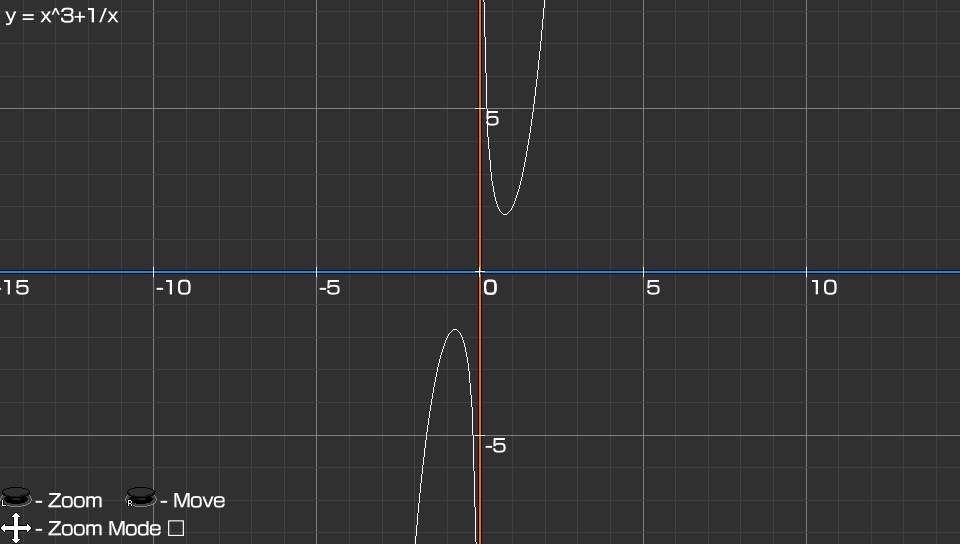
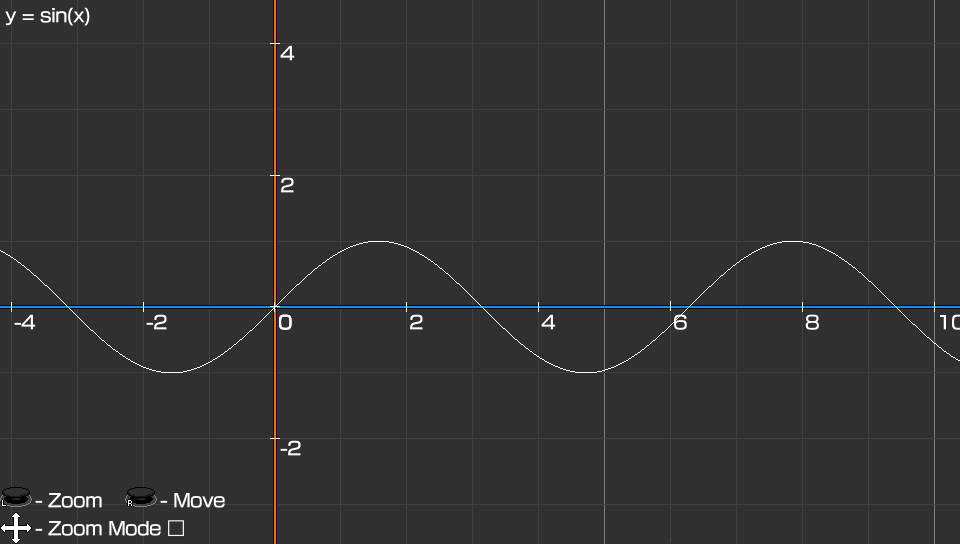
- Press Triangle to Write function
(support "+, -, /, *, abs(), sin(), cos(), tg(), sqrt(), floor(), ceil(), arccos(), arcsin(), argtg()")
- Press Cross to reset Camera
- Move Left Stick up and down to Zoom in/out (You can use touchscreen to resize)
- Move Right Stick to move (You can use touchscreen to move)
- Press Square to choose Zoom mode (vertical, horizontal, both)
### Screenshots:


| Name | Version | Released | Hits | DL Link | QR |
 vitaImmich v1.0.0 by SadsArches
Last Release: Jun 18, 2026
vitaImmich v1.0.0 by SadsArches
Last Release: Jun 18, 2026
Downloads: 86
Last Release: Jun 18, 2026
Downloads: 86
Downloads: 86
A native Immich client for the PlayStation Vita. Browse, search and map your whole photo & video library over Wi-Fi, play videos on the Vita's hardware decoder, and back up the camera roll, all on a 12-year-old handheld.
Changelog (v.1.0.0):
- First Release.
- First Release.
| Name | Version | Released | Hits | DL Link | QR |
 VitaKeyboard v1.1 by mswlandi
Last Release: Oct 29, 2022
VitaKeyboard v1.1 by mswlandi
Last Release: Oct 29, 2022
Downloads: 638
Last Release: Oct 29, 2022
Downloads: 638
Downloads: 638
VitaKeyboard is a plugin and application for PS Vita that lets you use it as a USB Keyboard. The host will think your vita is an actual keyboard.
Installation and Setup
Add hidkeyboard.skprx to taiHEN's config (ur0:/tai/config.txt):
*KERNEL
ur0:tai/hidkeyboard.skprx
Install vitakeyboard.vpk
Reboot the vita to load the kernel plugin
On the host computer, make sure you're using the English (US) QWERTY layout
About Special Characters
vitakeyboard emulates an actual physical keyboard that would use the English (US) layout, so only characters that are in a normal keyboard with that layout are sent. If other layouts were to be supported, some characters still wouldn't easily be sent. For example, when using the Portuguese (Brazil) layout, to send the special character á (that you can find on the vita's virtual keyboard), you'd have to first hit the ´ key and then the a key.
Credits
hnaves for making hidmouse and xerpi for porting it to vita, of which this is a fork from
xerpi for making vitastick, from which a lot of this code is based on (looking back, it would probably be easier to fork from it lol)
SonicMastr for help with libime and loading modules
Installation and Setup
Add hidkeyboard.skprx to taiHEN's config (ur0:/tai/config.txt):
*KERNEL
ur0:tai/hidkeyboard.skprx
Install vitakeyboard.vpk
Reboot the vita to load the kernel plugin
On the host computer, make sure you're using the English (US) QWERTY layout
About Special Characters
vitakeyboard emulates an actual physical keyboard that would use the English (US) layout, so only characters that are in a normal keyboard with that layout are sent. If other layouts were to be supported, some characters still wouldn't easily be sent. For example, when using the Portuguese (Brazil) layout, to send the special character á (that you can find on the vita's virtual keyboard), you'd have to first hit the ´ key and then the a key.
Credits
hnaves for making hidmouse and xerpi for porting it to vita, of which this is a fork from
xerpi for making vitastick, from which a lot of this code is based on (looking back, it would probably be easier to fork from it lol)
SonicMastr for help with libime and loading modules
- added support for other keyboard layouts
- added pt (BR) layout
- added es (ES) layout
- added de (DE) layout
- added LiveArea design
- added a better way to close the application (START while IME is closed)
- added pt (BR) layout
- added es (ES) layout
- added de (DE) layout
- added LiveArea design
- added a better way to close the application (START while IME is closed)
 vitaki-fork vtest-priority-hosts-2 by ywnico
Last Release: Sep 27, 2025
vitaki-fork vtest-priority-hosts-2 by ywnico
Last Release: Sep 27, 2025
Downloads: 497
Last Release: Sep 27, 2025
Downloads: 497
Downloads: 497
This is ywnico's fork of AAGaming's (@AAGaming00) Vitaki. AAGaming did all the hard work of porting Chiaki to Vita. This fork just adds some features and fixes on top of that foundation.
This fork builds on AAGaming's work with the following updates:
Implemented audio
Implemented controls
Control mappings for L2, R2, L3, R3, and touchpad (trapezoid button), following the official ps4 remote play maps in vs0:app/NPXS10013/keymap/. Note that Select + Start sends the PS (home) button.
Motion controls (thanks to @Epicpkmn11, who also contributed some other controller improvements)
Implemented external network remote play (with manually-specified remote IP addresses)
Fixed console wakeup
Made debug logs visible, added tooltips on some buttons
Fixed instant disconnection bug
Disabled vblank_wait and set fps to 30 to reduce lag.
NOTE: the fps in the config file (chiaki.toml) will be ignored
Merged in updates from chiaki4deck (improved some connection issues)
Included ghost's LiveArea icon fixes
Many bug and crash fixes
Instructions
Local connection
Connect PS Vita and PS5 (or PS4) to the same local WiFi network.
Log in to the same PSN account on both the PS5 and the Vita.
Open Vitaki on PS Vita.
Check settings (gear icon) to ensure your encoded PSN ID is there (if it's not automatically populated, or you accidentally deleted it, press START to re-detect it).
The console should be automatically detected and appear as an icon.
Select the console and Vitaki should ask for a registration code. On the PS5, navigate to Settings > System > Remote Play and select Pair Device. An 8-digit numeric code should appear; enter this into Vitaki and hit triangle to save.
Select the console again in Vitaki. It should now connect (and in the future, will not ask for the device pairing code).
Remote connection
UDP holepunching is not supported. Instead, a remote connection requires a static IP and port forwarding.
Register your console on your local network following the above instructions.
Follow the "manual remote connection" section in these instructions to set up a static IP and port forwarding on your network.
Select the add remote host button (the leftmost button in the toolbar) in Vitaki. Enter the remote IP address and the registered console.
If you are on the local network, your console will be discovered locally and a separate tile for remote connection will not be shown. If you want to test on the local network, turn off discovery (wifi icon in the toolbar).
Currently, Vitaki cannot detect the status of remote hosts. Therefore, when selecting one, it will both send the wakeup signal and immediately try to start remote play. If the console was asleep, then this first attempt at remote play will fail, so try again in 10 or 15 seconds.
Note: if the remote host cannot be reached, it will get stuck on "Trying to request session" for 90 seconds and then time out. If the remote host was reachable but asleep, "Trying to request session" should fail after just a few seconds.
Config settings
Some configuration lacks a UI but can be set in the config file located at ux0:data/vita-chiaki/chiaki.toml.
circle_btn_confirm = true swaps circle and cross in the main UI, so that circle is confirm and cross is cancel (false makes cross into confirm and circle into cancel). Note that this does not affect the button mappings in remote play, only in the UI before remote play starts.
auto_discovery = false makes Vitaki not start discovery on launch. It can still be started manually by selecting the wifi icon.
Known issues & troubleshooting
Latency. On remote connections (not local WLAN), it's especially bad. (Relevant GitHub issue)
Vitaki may crash with error C2-12828-1 if incompatible plugins such as reRescaler are installed. Thanks to @GuillermoAVeces for identifying this. (Relevant issue).
Typically only one stream works per launch. If the screen becomes gray and unresponsive, restart Vitaki. (Relevant issue)
In the past crashes occurred when multiple consoles are on the network, but this has likely been fixed. (Relevant issue).
If problems arise:
Try restarting Vitaki first.
Then, try deleting/renaming the config file (ux0:data/vita-chiaki/chiaki.toml).
If that doesn't help, create a new issue (or comment on an existing issue).
Chiaki4deck
chiaki4deck
An open source project looking to help users of the Steam Deck get the most out of Chiaki. Click here to see the accompanying site for documentation, updates and more.
Disclaimer: This project is not endorsed or certified by Sony Interactive Entertainment LLC.
Chiaki is a Free and Open Source Software Client for PlayStation 4 and PlayStation 5 Remote Play for Linux, FreeBSD, OpenBSD, NetBSD, Android, macOS, Windows, Nintendo Switch and potentially even more platforms.
Acknowledgements
This project has only been made possible because of the following Open Source projects: Rizin, Cutter, Frida and x64dbg.
Also thanks to delroth for analyzing the registration and wakeup protocol, grill2010 for analyzing the PSN's OAuth Login, as well as a huge thank you to FioraAeterna for giving me some extremely helpful information about FEC and error correction.
About
Created by Florian Märkl
This program is free software: you can redistribute it and/or modify it under the terms of the GNU Affero General Public License version 3 as published by the Free Software Foundation.
This program is distributed in the hope that it will be useful, but WITHOUT ANY WARRANTY; without even the implied warranty of MERCHANTABILITY or FITNESS FOR A PARTICULAR PURPOSE. See the GNU Affero General Public License for more details.
You should have received a copy of the GNU Affero General Public License along with this program. If not, see https://www.gnu.org/licenses/.
Additional permission under GNU AGPL version 3 section 7
If you modify this program, or any covered work, by linking or combining it with the OpenSSL project's OpenSSL library (or a modified version of that library), containing parts covered by the terms of the OpenSSL or SSLeay licenses, the Free Software Foundation grants you additional permission to convey the resulting work. Corresponding Source for a non-source form of such a combination shall include the source code for the parts of OpenSSL used as well as that of the covered work.
This fork builds on AAGaming's work with the following updates:
Implemented audio
Implemented controls
Control mappings for L2, R2, L3, R3, and touchpad (trapezoid button), following the official ps4 remote play maps in vs0:app/NPXS10013/keymap/. Note that Select + Start sends the PS (home) button.
Motion controls (thanks to @Epicpkmn11, who also contributed some other controller improvements)
Implemented external network remote play (with manually-specified remote IP addresses)
Fixed console wakeup
Made debug logs visible, added tooltips on some buttons
Fixed instant disconnection bug
Disabled vblank_wait and set fps to 30 to reduce lag.
NOTE: the fps in the config file (chiaki.toml) will be ignored
Merged in updates from chiaki4deck (improved some connection issues)
Included ghost's LiveArea icon fixes
Many bug and crash fixes
Instructions
Local connection
Connect PS Vita and PS5 (or PS4) to the same local WiFi network.
Log in to the same PSN account on both the PS5 and the Vita.
Open Vitaki on PS Vita.
Check settings (gear icon) to ensure your encoded PSN ID is there (if it's not automatically populated, or you accidentally deleted it, press START to re-detect it).
The console should be automatically detected and appear as an icon.
Select the console and Vitaki should ask for a registration code. On the PS5, navigate to Settings > System > Remote Play and select Pair Device. An 8-digit numeric code should appear; enter this into Vitaki and hit triangle to save.
Select the console again in Vitaki. It should now connect (and in the future, will not ask for the device pairing code).
Remote connection
UDP holepunching is not supported. Instead, a remote connection requires a static IP and port forwarding.
Register your console on your local network following the above instructions.
Follow the "manual remote connection" section in these instructions to set up a static IP and port forwarding on your network.
Select the add remote host button (the leftmost button in the toolbar) in Vitaki. Enter the remote IP address and the registered console.
If you are on the local network, your console will be discovered locally and a separate tile for remote connection will not be shown. If you want to test on the local network, turn off discovery (wifi icon in the toolbar).
Currently, Vitaki cannot detect the status of remote hosts. Therefore, when selecting one, it will both send the wakeup signal and immediately try to start remote play. If the console was asleep, then this first attempt at remote play will fail, so try again in 10 or 15 seconds.
Note: if the remote host cannot be reached, it will get stuck on "Trying to request session" for 90 seconds and then time out. If the remote host was reachable but asleep, "Trying to request session" should fail after just a few seconds.
Config settings
Some configuration lacks a UI but can be set in the config file located at ux0:data/vita-chiaki/chiaki.toml.
circle_btn_confirm = true swaps circle and cross in the main UI, so that circle is confirm and cross is cancel (false makes cross into confirm and circle into cancel). Note that this does not affect the button mappings in remote play, only in the UI before remote play starts.
auto_discovery = false makes Vitaki not start discovery on launch. It can still be started manually by selecting the wifi icon.
Known issues & troubleshooting
Latency. On remote connections (not local WLAN), it's especially bad. (Relevant GitHub issue)
Vitaki may crash with error C2-12828-1 if incompatible plugins such as reRescaler are installed. Thanks to @GuillermoAVeces for identifying this. (Relevant issue).
Typically only one stream works per launch. If the screen becomes gray and unresponsive, restart Vitaki. (Relevant issue)
In the past crashes occurred when multiple consoles are on the network, but this has likely been fixed. (Relevant issue).
If problems arise:
Try restarting Vitaki first.
Then, try deleting/renaming the config file (ux0:data/vita-chiaki/chiaki.toml).
If that doesn't help, create a new issue (or comment on an existing issue).
Chiaki4deck
chiaki4deck
An open source project looking to help users of the Steam Deck get the most out of Chiaki. Click here to see the accompanying site for documentation, updates and more.
Disclaimer: This project is not endorsed or certified by Sony Interactive Entertainment LLC.
Chiaki is a Free and Open Source Software Client for PlayStation 4 and PlayStation 5 Remote Play for Linux, FreeBSD, OpenBSD, NetBSD, Android, macOS, Windows, Nintendo Switch and potentially even more platforms.
Acknowledgements
This project has only been made possible because of the following Open Source projects: Rizin, Cutter, Frida and x64dbg.
Also thanks to delroth for analyzing the registration and wakeup protocol, grill2010 for analyzing the PSN's OAuth Login, as well as a huge thank you to FioraAeterna for giving me some extremely helpful information about FEC and error correction.
About
Created by Florian Märkl
This program is free software: you can redistribute it and/or modify it under the terms of the GNU Affero General Public License version 3 as published by the Free Software Foundation.
This program is distributed in the hope that it will be useful, but WITHOUT ANY WARRANTY; without even the implied warranty of MERCHANTABILITY or FITNESS FOR A PARTICULAR PURPOSE. See the GNU Affero General Public License for more details.
You should have received a copy of the GNU Affero General Public License along with this program. If not, see https://www.gnu.org/licenses/.
Additional permission under GNU AGPL version 3 section 7
If you modify this program, or any covered work, by linking or combining it with the OpenSSL project's OpenSSL library (or a modified version of that library), containing parts covered by the terms of the OpenSSL or SSLeay licenses, the Free Software Foundation grants you additional permission to convey the resulting work. Corresponding Source for a non-source form of such a combination shall include the source code for the parts of OpenSSL used as well as that of the covered work.
Note: This is likely to be the last release of vitaki-fork. Please check out [VitaRPS5](https://github.com/mauricio-gg/vitaki-vitarps5) for a much improved experience of remote play on Vita.
New features:
- Add support for PSTV with external controllers (thanks to @TheThomasD !)
- Experimental support for manually adding a host MAC, for cases where the network has more than four consoles on it.
> [!Warning]
> Supporting PSTV with external controllers broke compatibility with the AnalogsEnhancer plugin. If you rely on that plugin and are not using PSTV, add the following to your config toml to re-enable support: `enable_analogsenhancer = true` .
New features:
- Add support for PSTV with external controllers (thanks to @TheThomasD !)
- Experimental support for manually adding a host MAC, for cases where the network has more than four consoles on it.
> [!Warning]
> Supporting PSTV with external controllers broke compatibility with the AnalogsEnhancer plugin. If you rely on that plugin and are not using PSTV, add the following to your config toml to re-enable support: `enable_analogsenhancer = true` .
| Name | Version | Released | Hits | DL Link | QR |
| vitaki-fork | vtest-priority-hosts-2 | 09/27/25 | 195 | Download | QR |
| vitaki-fork | vtest-priority-hosts-1 | 09/23/25 | 144 | Download | QR |
| vitaki-fork | v0.06c | 02/14/25 | 158 | Download | QR |
 VITAlbum v1.40 by Joel16
Last Release: Dec 31, 2020
VITAlbum v1.40 by Joel16
Last Release: Dec 31, 2020
Downloads: 3069
Last Release: Dec 31, 2020
Downloads: 3069
Downloads: 3069
A simple homebrew file browser that is used for viewing various image formats on the PlayStation VITA.
Supported Formats:
BMP
GIF
ICO
JPG/JPEG
PCX
PNG
PGM/PPM
TGA
TIFF
WEBP
Supported Formats:
BMP
GIF
ICO
JPG/JPEG
PCX
PNG
PGM/PPM
TGA
TIFF
WEBP
- Config file now makes use of the SceLibJson API for reading/writing instead of jansson.
- No longer manually accounts for the offset when writing error logs.
- Files that aren't supported by VITAlbum are now filtered out and not displayed in the GUI.
- Added support for viewing SVGs using nanosvg
- Properly use cancel/enter buttons throughout the UI.
- The UI now uses the official PS Vita font.
- Settings now has a new section where it displays the app version as well as the versions of various libraries used in this application that expose some sort of version info in their API.
- LibTIFF updated to v4.2.0
- libjpeg-turbo updated to v2.0.6.
- Fix .TIFF images being read from the wrong orientation.
- Allow the use of L/R triggers to scroll through images in a single folder.
- The right analog stick can be used to move around image if its size is bigger than 960x544.
- The left analog stick can be used to zoom in/out of image.
- Clean-up imgui implementation (removed unused touchscreen/mouse functionalities).
- Many under the hood changes for QOL improvements.
- No longer manually accounts for the offset when writing error logs.
- Files that aren't supported by VITAlbum are now filtered out and not displayed in the GUI.
- Added support for viewing SVGs using nanosvg
- Properly use cancel/enter buttons throughout the UI.
- The UI now uses the official PS Vita font.
- Settings now has a new section where it displays the app version as well as the versions of various libraries used in this application that expose some sort of version info in their API.
- LibTIFF updated to v4.2.0
- libjpeg-turbo updated to v2.0.6.
- Fix .TIFF images being read from the wrong orientation.
- Allow the use of L/R triggers to scroll through images in a single folder.
- The right analog stick can be used to move around image if its size is bigger than 960x544.
- The left analog stick can be used to zoom in/out of image.
- Clean-up imgui implementation (removed unused touchscreen/mouse functionalities).
- Many under the hood changes for QOL improvements.
| Name | Version | Released | Hits | DL Link | QR |
| VITAlbum.vpk | v1.30 | 09/19/20 | 757 | Download | QR |
| VITAlbum.vpk | v1.20 | 09/14/20 | 580 | Download | QR |
| VITAlbum.vpk | v1.10 | 07/31/20 | 638 | Download | QR |
| VITAlbum.vpk | v1.01 | 07/08/20 | 522 | Download | QR |
| VITAlbum.vpk | v1.00 | 07/07/20 | 552 | Download | QR |
 vitals v1.4 by nyirish/devnoname120
Last Release: Oct 24, 2026
vitals v1.4 by nyirish/devnoname120
Last Release: Oct 24, 2026
Downloads: 3
Last Release: Oct 24, 2026
Downloads: 3
Downloads: 3
Modern TLS (1.2 and 1.3) for the PS Vita browser, apps and games that use Sony's sceHttp APIs.
All of the heavylifting has been done by devnoname120 with tls_fixer, I'm only making those weights lighter. (more info)
The Vita's own TLS stack (RSA BSAFE, 2014) can no longer connect to many current servers. vitals replaces only the TLS layer with Mbed TLS and installs an up-to-date certificate store. Sony's HTTP code keeps handling URLs, redirects, cookies and everything else, so apps work unchanged.
All of the heavylifting has been done by devnoname120 with tls_fixer, I'm only making those weights lighter. (more info)
The Vita's own TLS stack (RSA BSAFE, 2014) can no longer connect to many current servers. vitals replaces only the TLS layer with Mbed TLS and installs an up-to-date certificate store. Sony's HTTP code keeps handling URLs, redirects, cookies and everything else, so apps work unchanged.
- Added this very same changelog!
- The installer finds vitals in config.txt wherever you moved its line under \*KERNEL, and no longer adds it a second time
- Uninstalling removes vitals' line from config.txt wherever it is, not only from its own block
- When installing, reinstalling or updating, it is now possible to choose where to place the line in config.txt
- The app now shows when the certificates were last updated
- The connection test saves its log only when you press START
- UI improvements
- The installer finds vitals in config.txt wherever you moved its line under \*KERNEL, and no longer adds it a second time
- Uninstalling removes vitals' line from config.txt wherever it is, not only from its own block
- When installing, reinstalling or updating, it is now possible to choose where to place the line in config.txt
- The app now shows when the certificates were last updated
- The connection test saves its log only when you press START
- UI improvements
| Name | Version | Released | Hits | DL Link | QR |
 VitaMaps v1.0.0 by spyro-98
Last Release: Aug 28, 2026
VitaMaps v1.0.0 by spyro-98
Last Release: Aug 28, 2026
Downloads: 71
Last Release: Aug 28, 2026
Downloads: 71
Downloads: 71
VitaMaps is a native, GPU-rendered map viewer and cache explorer for PlayStation Vita homebrew. It uses VitaSDK and vita2d directly, there is no WebView, embedded browser, HTML, or JavaScript map engine.
 VitaMediaDeck v1.2.0 by spyro-98
Last Release: Sep 2, 2026
VitaMediaDeck v1.2.0 by spyro-98
Last Release: Sep 2, 2026
Downloads: 177
Last Release: Sep 2, 2026
Downloads: 177
Downloads: 177
VitaMediaDeck plays video and music already owned and stored by the user. Media can come from the Vita memory card or from an authenticated WebDAV, SFTP, or SMB server. Browsing, demuxing, hardware decoding, audio/video synchronization, and rendering all run on the console; no companion service is required.
VitaWave does not discover, acquire, export, convert, or copy media from online catalogues. It has no account integration with third-party media platforms and does not provide a download or audio-extraction feature.
VitaWave does not discover, acquire, export, convert, or copy media from online catalogues. It has no account integration with third-party media platforms and does not provide a download or audio-extraction feature.
**New download features:**
- Direct HTTP/HTTPS downloads from the web or local network
- Rear-camera QR scanner for resource links
- Downloads from WebDAV, SFTP and SMB
- Destination folder picker and folder creation
- Progress bar, pause/resume and abort
- Incomplete transfers remain separate .part files
**Media library improvements:**
- Local image albums and folders
- Cached, asynchronous thumbnails instead of loading full images in the grid
- Large-image-safe JPEG, PNG and WebP decoding, plus BMP, TGA, GIF, PSD, HDR, PIC and PNM support
- Touch gestures and hardware controls for image zoom, pan and rotation
- Folder-first local and network navigation
- Optional flattened media collections
- Faster startup, Back navigation and remote directory reopening
- Sorting, filtering and correctly scaled file sizes
- Watched-progress indicators on video covers
**Playback fixes and improvements:**
- Runtime HW/SW decoder selection when the global setting is Auto
- Correct audio/video synchronization after startup, resume and seeking at arbitrary timestamps
- Subtitle synchronization retained after seeking
- New bounded PCM queue preventing cumulative audio stuttering during long playback
- Faster indexed H.264 seeking
- Improved Jellyfin Range seeking and caching
- Audio codec, bitrate, sample rate, channels and bit-depth information
- Fixed music HUD touch toggling and truncated player telemetry
- Direct HTTP/HTTPS downloads from the web or local network
- Rear-camera QR scanner for resource links
- Downloads from WebDAV, SFTP and SMB
- Destination folder picker and folder creation
- Progress bar, pause/resume and abort
- Incomplete transfers remain separate .part files
**Media library improvements:**
- Local image albums and folders
- Cached, asynchronous thumbnails instead of loading full images in the grid
- Large-image-safe JPEG, PNG and WebP decoding, plus BMP, TGA, GIF, PSD, HDR, PIC and PNM support
- Touch gestures and hardware controls for image zoom, pan and rotation
- Folder-first local and network navigation
- Optional flattened media collections
- Faster startup, Back navigation and remote directory reopening
- Sorting, filtering and correctly scaled file sizes
- Watched-progress indicators on video covers
**Playback fixes and improvements:**
- Runtime HW/SW decoder selection when the global setting is Auto
- Correct audio/video synchronization after startup, resume and seeking at arbitrary timestamps
- Subtitle synchronization retained after seeking
- New bounded PCM queue preventing cumulative audio stuttering during long playback
- Faster indexed H.264 seeking
- Improved Jellyfin Range seeking and caching
- Audio codec, bitrate, sample rate, channels and bit-depth information
- Fixed music HUD touch toggling and truncated player telemetry
| Name | Version | Released | Hits | DL Link | QR |
| VitaMediaDeck | v1.2.0 | 09/02/26 | 61 | Download | QR |
| VitaMediaDeck | v1.0.2 | 08/30/26 | 63 | Download | QR |
| VitaMediaDeck | v1.0.1 | 08/28/26 | 47 | Download | QR |
 VitaOS v1.8.4 by mvizensk
Last Release: Oct 2, 2026
VitaOS v1.8.4 by mvizensk
Last Release: Oct 2, 2026
Downloads: 198
Last Release: Oct 2, 2026
Downloads: 198
Downloads: 198
A modern home screen for the PS Vita. VitaOS puts your games, films, music, apps and photos behind one fast, good-looking menu, with a PS5-style feel on the handheld you already own.
VitaOS is free and open source (GPLv3). It is not affiliated with or endorsed by Sony Interactive Entertainment. PlayStation and PS Vita are trademarks of Sony Interactive Entertainment.
VitaOS is free and open source (GPLv3). It is not affiliated with or endorsed by Sony Interactive Entertainment. PlayStation and PS Vita are trademarks of Sony Interactive Entertainment.
# VitaOS 1.8.4
- **Send a port's game files over Wi-Fi.** On an installed port's Store page, press Triangle: VitaOS shows an address and a QR code. Open it in a browser on any computer or phone on the same Wi-Fi, choose the folder with the game files, and they go straight into the folder the port reads. Only while that screen is open, only into that one folder.
- **Update apps automatically.** Settings > VitaOS > Update apps automatically: Store apps update by themselves while the Vita is plugged in.
- **Recently added.** A new Play collection with the games and ports added lately, newest first, marked NEW for two weeks.
- All new text is translated into the eight languages.
## Files
- `VitaOS.vpk`: install with VitaShell over any earlier version, or press Update in Settings; your settings stay.
- `vitaos_ps.suprx`: the optional PS plugin (1.3, unchanged).
Not affiliated with or endorsed by Sony Interactive Entertainment.
- **Send a port's game files over Wi-Fi.** On an installed port's Store page, press Triangle: VitaOS shows an address and a QR code. Open it in a browser on any computer or phone on the same Wi-Fi, choose the folder with the game files, and they go straight into the folder the port reads. Only while that screen is open, only into that one folder.
- **Update apps automatically.** Settings > VitaOS > Update apps automatically: Store apps update by themselves while the Vita is plugged in.
- **Recently added.** A new Play collection with the games and ports added lately, newest first, marked NEW for two weeks.
- All new text is translated into the eight languages.
## Files
- `VitaOS.vpk`: install with VitaShell over any earlier version, or press Update in Settings; your settings stay.
- `vitaos_ps.suprx`: the optional PS plugin (1.3, unchanged).
Not affiliated with or endorsed by Sony Interactive Entertainment.
| Name | Version | Released | Hits | DL Link | QR |
| VitaOS | v1.4.3 | 09/28/26 | 71 | Download | QR |
| VitaOS plugin | v1.4.3 | 09/28/26 | 70 | Download | QR |
| VitaOS | v1.4.0 | 09/27/26 | 47 | Download | QR |
 VitaOxiPad v1.3.0 by theSame & santarl
Last Release: Dec 15, 2024
VitaOxiPad v1.3.0 by theSame & santarl
Last Release: Dec 15, 2024
Downloads: 173
Last Release: Dec 15, 2024
Downloads: 173
Downloads: 173
VitaOxiPad is a client-server application with the ability to connect your PS Vita to your PC via WiFi as if it were a DualShock 4 with support for all keys and triggers, accelerometer, gyroscope and touchpad. Windows and Linux are supported. ViGEmBus installation is required for Windows.
The main focus of this release to refine the operation of the additional keys.
Unfortunately, we are not yet able to provide ready-made client binaries for Linux. [You will have to build them yourself](https://github.com/DvaMishkiLapa/VitaOxiPad/blob/v1.3.0/Build.md#1-client-compilation).
You can read about the [new features and configuration options in README.md](https://github.com/DvaMishkiLapa/VitaOxiPad/blob/v1.3.0/README.md#3-uses-and-options).
## What's Changed
- PC sound control function is assigned to the PS Vita's volume keys (#29);
- PS button support added (#29);
- Fixed a problem with triggers in `alt_triggers` configuration;
- Redesigned the PS Vita app interface (#29).
**Full Changelog**: https://github.com/DvaMishkiLapa/VitaOxiPad/compare/v1.2.0...v1.3.0
🛡️ **VirusTotal Results:**
- [VitaOxiPad-x64.exe](https://www.virustotal.com/gui/file-analysis/MDJlNzdlNDQzNDYyNzYwY2M1ZDM4NGNmM2VlNWZlZmI6MTczNDI5NTUxMQ==)
- [VitaOxiPad-x32.exe](https://www.virustotal.com/gui/file-analysis/MjMxNTJkMTNlMmYyYzlhNWZlMGI2MWRkYzliOWUwNmU6MTczNDI5NTUxMw==)
Unfortunately, we are not yet able to provide ready-made client binaries for Linux. [You will have to build them yourself](https://github.com/DvaMishkiLapa/VitaOxiPad/blob/v1.3.0/Build.md#1-client-compilation).
You can read about the [new features and configuration options in README.md](https://github.com/DvaMishkiLapa/VitaOxiPad/blob/v1.3.0/README.md#3-uses-and-options).
## What's Changed
- PC sound control function is assigned to the PS Vita's volume keys (#29);
- PS button support added (#29);
- Fixed a problem with triggers in `alt_triggers` configuration;
- Redesigned the PS Vita app interface (#29).
**Full Changelog**: https://github.com/DvaMishkiLapa/VitaOxiPad/compare/v1.2.0...v1.3.0
🛡️ **VirusTotal Results:**
- [VitaOxiPad-x64.exe](https://www.virustotal.com/gui/file-analysis/MDJlNzdlNDQzNDYyNzYwY2M1ZDM4NGNmM2VlNWZlZmI6MTczNDI5NTUxMQ==)
- [VitaOxiPad-x32.exe](https://www.virustotal.com/gui/file-analysis/MjMxNTJkMTNlMmYyYzlhNWZlMGI2MWRkYzliOWUwNmU6MTczNDI5NTUxMw==)
 VitaPad v1.3 by Rinnegatamante
Last Release: Jul 20, 2020
VitaPad v1.3 by Rinnegatamante
Last Release: Jul 20, 2020
Downloads: 6103
Last Release: Jul 20, 2020
Downloads: 6103
Downloads: 6103
VitaPad allows you to use your PSVITA as a wireless PC controller. It supports Windows (both 32 and 64 bit) and Linux (port made by nyorem). On the Windows client version (provided as Data Files in the download for 64 Bit systems) it's possible to enable ViGEm mode to make the PSVITA get detected from the PC as a DualShock 4 and/or vJoy mode to make it get detectes as an XInput joystick. If both modes are disabled, PSVITA will mimic keyboard/mouse actions.
| Name | Version | Released | Hits | DL Link | QR |
| VitaPad | v1.3 | 07/20/20 | 3278 | Download | QR |
| VitaPad datafile | v1.3 | 07/20/20 | 2826 | Download | QR |
Usage:
Install VPK file on PSVITA
Open VitaPad on PSVITA
Optional: Install vJoy driver on Windows PC for XInput emulation. Need to set VJOY_MODE to 1 in windows.xml.
Optional: Install ViGEm driver on Windows PC for DualShock 4 emulation. Need to set VIGEM_MODE to 1 in windows.xml.
Open VitaPad on PC
Insert the IP showed on PSVITA on PC
Controls Mapping
You can edit your controls mapping by editing the XML file inside the client folder (windows.xml / linux.xml)
Default mapping:
DPAD = WASD
Cross,Square,Triangle,Circle = IJKL
L Trigger = Ctrl
R Trigger = Spacebar
Start = Enter
Select = Shift
Left Analog = DKeys
Right Analog = 8,6,4,2
Touchscreen = Mouse movement
Retrotouch = Left/Right click
Default ViGEm mapping:
PS button unmapped
Select = Share
Start = Option
Left Front Touchscreen = L1
Right Front Touchscreen = R1
Left shoulder = L2
Right shoulder = R2
Rest of buttons are mapped to the expected buttons on DualShock 4
Credits
MakiseKurisu & yuntiancherry for the ViGEm client support
Evengard for the vJoy client support
nyorem for the Linux client port
All my Patroners for their awesome support:
@Sarkies_Proxy
ArkSource
Freddy Parra
RaveHeart
Tain Sueiras
Dieter B
The Vita3K project
drd7of14
nullobject
polytoad
psymu
Al Capwn
Ashton Flowers
Benjamin Bustamante
Count Duckula
Igor Kovacs Biscaia
Joseph Campo
Mark Vdovychenko
Matthieu Dubois
Mored4u
RitschiRitsch
Rob G
Tanguy Dip
The Libretro Team
Waffeleisen
Wiese
rsn8887
2Mourty
BOBdotEXE
Daniel
Daniel Krusenbaum
Degin Moras Perez
Des
Elwood Blues
GregoryRasputin
Jean_Monje
Jonathan Steen
Justin
LaFlex
Lars Zondervan
Miles Calloway
gnmmarechal
Neil MacAlasdair
PSX-Place.com
Pirloui
Thomas Radeck
Thomas Würgler
UnrootedTiara
Zendrick42
mineer4
n
spriteice
styroteqe
suLac4ever
Install VPK file on PSVITA
Open VitaPad on PSVITA
Optional: Install vJoy driver on Windows PC for XInput emulation. Need to set VJOY_MODE to 1 in windows.xml.
Optional: Install ViGEm driver on Windows PC for DualShock 4 emulation. Need to set VIGEM_MODE to 1 in windows.xml.
Open VitaPad on PC
Insert the IP showed on PSVITA on PC
Controls Mapping
You can edit your controls mapping by editing the XML file inside the client folder (windows.xml / linux.xml)
Default mapping:
DPAD = WASD
Cross,Square,Triangle,Circle = IJKL
L Trigger = Ctrl
R Trigger = Spacebar
Start = Enter
Select = Shift
Left Analog = DKeys
Right Analog = 8,6,4,2
Touchscreen = Mouse movement
Retrotouch = Left/Right click
Default ViGEm mapping:
PS button unmapped
Select = Share
Start = Option
Left Front Touchscreen = L1
Right Front Touchscreen = R1
Left shoulder = L2
Right shoulder = R2
Rest of buttons are mapped to the expected buttons on DualShock 4
Credits
MakiseKurisu & yuntiancherry for the ViGEm client support
Evengard for the vJoy client support
nyorem for the Linux client port
All my Patroners for their awesome support:
@Sarkies_Proxy
ArkSource
Freddy Parra
RaveHeart
Tain Sueiras
Dieter B
The Vita3K project
drd7of14
nullobject
polytoad
psymu
Al Capwn
Ashton Flowers
Benjamin Bustamante
Count Duckula
Igor Kovacs Biscaia
Joseph Campo
Mark Vdovychenko
Matthieu Dubois
Mored4u
RitschiRitsch
Rob G
Tanguy Dip
The Libretro Team
Waffeleisen
Wiese
rsn8887
2Mourty
BOBdotEXE
Daniel
Daniel Krusenbaum
Degin Moras Perez
Des
Elwood Blues
GregoryRasputin
Jean_Monje
Jonathan Steen
Justin
LaFlex
Lars Zondervan
Miles Calloway
gnmmarechal
Neil MacAlasdair
PSX-Place.com
Pirloui
Thomas Radeck
Thomas Würgler
UnrootedTiara
Zendrick42
mineer4
n
spriteice
styroteqe
suLac4ever
| Name | Version | Released | Hits | DL Link | QR |
 VitaPad v2.0.0 by carlelieser
Last Release: Oct 8, 2022
VitaPad v2.0.0 by carlelieser
Last Release: Oct 8, 2022
Downloads: 3042
Last Release: Oct 8, 2022
Downloads: 3042
Downloads: 3042
Use your PlayStation Vita as USB gamepad with front/rear touchpad controls.
Features
This is an improved version of the vitastick plugin by xerpi with added functionality, improved code readability, and some major changes that increase reliability and usability.
Simple and elegant interface
Captures touchpad control input (L2/R2 & L3/R3)
Allows custom placement of individual touchpad controls
Enable or disable active gamepad screen
Reduces clock frequencies when active to reduce power consumption
Disables use of power and PS buttons while gamepad functionality is active (this allows the gamepad to continue working as necessary)
Installation
Download the plugin and VPK from the releases page.
Copy vitapad.skprx to ur0:/tai/.
Add vitapad.skprx to your config.txt under the kernel section.
*KERNEL
ur0:tai/vitapad.skprx
Install vitapad.vpk.
Features
This is an improved version of the vitastick plugin by xerpi with added functionality, improved code readability, and some major changes that increase reliability and usability.
Simple and elegant interface
Captures touchpad control input (L2/R2 & L3/R3)
Allows custom placement of individual touchpad controls
Enable or disable active gamepad screen
Reduces clock frequencies when active to reduce power consumption
Disables use of power and PS buttons while gamepad functionality is active (this allows the gamepad to continue working as necessary)
Installation
Download the plugin and VPK from the releases page.
Copy vitapad.skprx to ur0:/tai/.
Add vitapad.skprx to your config.txt under the kernel section.
*KERNEL
ur0:tai/vitapad.skprx
Install vitapad.vpk.
| Name | Version | Released | Hits | DL Link | QR |
| VitaPad (plugin) | v2.0.0 | 10/08/22 | 1283 | Download | QR |
| vitapad.vpk | v.2.0.0 | 10/08/22 | 1358 | Download | QR |
This update adds some cool new features and improvements and makes some minor modifications to the user interface.
**Main stuffs**
- New menu on main screen
- Allows enabling/disabling user interface elements for active screen
- Adds ability to modify the position of individual touchpad controls and their placement (either on front or rear touchpad)
- Prevents Vita from going to sleep instead of autodetaching when not in use
- Introduces ability to save newly added generic settings and touchpad control settings
**Minor stuff**
- Use PS button to disconnect instead of SELECT + START since PS button doesn't get registered by gamepad anyway
- Moved connection status label
- Added version label
- New sleek background image on main screen
**Main stuffs**
- New menu on main screen
- Allows enabling/disabling user interface elements for active screen
- Adds ability to modify the position of individual touchpad controls and their placement (either on front or rear touchpad)
- Prevents Vita from going to sleep instead of autodetaching when not in use
- Introduces ability to save newly added generic settings and touchpad control settings
**Minor stuff**
- Use PS button to disconnect instead of SELECT + START since PS button doesn't get registered by gamepad anyway
- Moved connection status label
- Added version label
- New sleek background image on main screen
 vitaPDF v1.03 by joel16
Last Release: Sep 29, 2025
vitaPDF v1.03 by joel16
Last Release: Sep 29, 2025
Downloads: 384
Last Release: Sep 29, 2025
Downloads: 384
Downloads: 384
A simple homebrew file browser that is used for viewing various documents on the PlayStation VITA. vitaPDF utilizes various libraries to offer a simple and user friendly expereince.
- Added ability to switch been landscape and portrait orientation (Use the square button to toggle orientation). The orientation is saved into the database and is specific to the ebook.
- Update to MuPDF v1.26.10.
- Update to MuPDF v1.26.10.
| Name | Version | Released | Hits | DL Link | QR |
| vitaPDF | v1.2 | 09/18/25 | 151 | Download | QR |
| vitaPDF | v1.03 | 09/29/25 | 232 | Download | QR |
 VITAPluginsManager v0.6 by NeoLTK
Last Release: Oct 19, 2016
VITAPluginsManager v0.6 by NeoLTK
Last Release: Oct 19, 2016
Downloads: 1862
Last Release: Oct 19, 2016
Downloads: 1862
Downloads: 1862
VITAPluginsManager for vitamin / mai dump
Features :
* Enable : Write line in game.txt and change location of plugin ( "ux0:/plugins" )
* Disable : Remove line in game.txt and change location of plugin ( "ux0:/plugins_disabled" )
* Scan : Search dangerous path in the plugins binary (beta) ( process time is relative of size of plugins )
Require :
* Henkaku HEN
* VitaShell / MoleculeShell
* Plugins suprx on "ux0/plugins" or "ux0/plugins_disabled"
Features :
* Enable : Write line in game.txt and change location of plugin ( "ux0:/plugins" )
* Disable : Remove line in game.txt and change location of plugin ( "ux0:/plugins_disabled" )
* Scan : Search dangerous path in the plugins binary (beta) ( process time is relative of size of plugins )
Require :
* Henkaku HEN
* VitaShell / MoleculeShell
* Plugins suprx on "ux0/plugins" or "ux0/plugins_disabled"
Changelog V0.6 :
- Code optimized
- UI improve
- Scan plugins, search dangerous path in the plugins binary (beta)
- Code optimized
- UI improve
- Scan plugins, search dangerous path in the plugins binary (beta)
| Name | Version | Released | Hits | DL Link | QR |
| VITAPluginsManager.vpk | v0.4 | 10/07/16 | 412 | Download | QR |
| VITAPluginsManager.vpk | v0.3 | 10/06/16 | 433 | Download | QR |
| VITAPluginsManager.vpk | v0.2 | 10/06/16 | 459 | Download | QR |
 VitaPong v1.0 by nyorem
Last Release: Sep 17, 2016
VitaPong v1.0 by nyorem
Last Release: Sep 17, 2016
Downloads: 33
Last Release: Sep 17, 2016
Downloads: 33
Downloads: 33
A simple clone of the classic game Pong for PSVITA/PSTV.
Initial release
 VitaRPS5 (Vitaki Fork) v4.2.0 by mauriciogg
Last Release: Oct 21, 2026
VitaRPS5 (Vitaki Fork) v4.2.0 by mauriciogg
Last Release: Oct 21, 2026
Downloads: 1083
Last Release: Oct 21, 2026
Downloads: 1083
Downloads: 1083
PlayStation 5 Remote Play for PS Vita
This is a fork built on top of @ywnico's excellent vitaki-fork, which itself is based on @AAGaming00's Vitaki.
Credit where it's due: ywnico did the vast majority of the hard work, implementing audio, controls, external network support, wakeup functionality, and numerous critical fixes. AAGaming did the foundational work of porting Chiaki to PS Vita. This fork simply adds UI enhancements and quality-of-life improvements on top of their solid foundation.
This is a fork built on top of @ywnico's excellent vitaki-fork, which itself is based on @AAGaming00's Vitaki.
Credit where it's due: ywnico did the vast majority of the hard work, implementing audio, controls, external network support, wakeup functionality, and numerous critical fixes. AAGaming did the foundational work of porting Chiaki to PS Vita. This fork simply adds UI enhancements and quality-of-life improvements on top of their solid foundation.
| Name | Version | Released | Hits | DL Link | QR |
| VitaRPS5-latest.vpk | v4.2.0 | 10/21/26 | 11 | Download | QR |
| VitaRPS5-v4.2.0.vpk | v4.2.0 | 10/21/26 | 9 | Download | QR |
# VitaRPS5 v4.2.0
**Enhanced PlayStation 5 Remote Play for PS Vita**
Built with modern UI, optimized performance, and quality-of-life improvements.
## 📦 Installation
1. Download `VitaRPS5-v4.2.0.vpk` below
(Permanent link to the newest version: https://github.com/mauricio-gg/vitaki-vitarps5/releases/latest/download/VitaRPS5-latest.vpk)
2. Transfer to your PS Vita (via USB or FTP)
3. Install using VitaShell (press X on the VPK file)
4. Launch from LiveArea
## What's Changed
### Features
- **splash:** logo over the live background, dissolves into particles, Home fades in (#398) ([#436](https://github.com/mauricio-gg/vitaki-vitarps5/pull/436))
- **psn:** show a PSN console's last known address in the address slots (#94) ([#434](https://github.com/mauricio-gg/vitaki-vitarps5/pull/434))
- **ui:** top bar Wi-Fi icon shows the real signal as 0-3 bars (#428) ([#435](https://github.com/mauricio-gg/vitaki-vitarps5/pull/435))
- **profile:** type a manual PSN Account ID and choose which one to use (#201) ([#426](https://github.com/mauricio-gg/vitaki-vitarps5/pull/426))
### Fixes
- **ui:** vblank wait on except while the stream is shown, plus UI/SWAPS tear probe (#442) ([#443](https://github.com/mauricio-gg/vitaki-vitarps5/pull/443))
- **audio:** conceal lost audio frames so the playback cushion is kept (#440) ([#441](https://github.com/mauricio-gg/vitaki-vitarps5/pull/441))
- **holepunch:** free everything on list_devices error paths (#431) ([#438](https://github.com/mauricio-gg/vitaki-vitarps5/pull/438))
- **ui:** Glyphs symbols no longer look pixelated at Background Blur Soft, Strong and Dark (#400) ([#437](https://github.com/mauricio-gg/vitaki-vitarps5/pull/437))
- **overlay:** remove the fabricated Latency row from stream stats (#293) ([#432](https://github.com/mauricio-gg/vitaki-vitarps5/pull/432))
- **holepunch:** reject non-PS5 device-list requests (#93) ([#430](https://github.com/mauricio-gg/vitaki-vitarps5/pull/430))
- **hosts:** discovery never overwrites or wipes a manual host (#234) ([#429](https://github.com/mauricio-gg/vitaki-vitarps5/pull/429))
- **config:** save the config through a temp file and rename (#395) ([#425](https://github.com/mauricio-gg/vitaki-vitarps5/pull/425))
- **pairing:** block pairing without a valid PSN account ID (#270) ([#424](https://github.com/mauricio-gg/vitaki-vitarps5/pull/424))
## 🛠️ Build Information
- **Build System:** Docker + VitaSDK
- **Version:** v4.2.0
- **Commit:** ceeb0578fca5566c8cfaa36d0730807ce37beee0
- **Build Date:** 2026-10-21
---
Built with ❤️ for the PS Vita community over 3+ months of design and development.
☕ **Support development:** [Buy Me a Coffee](https://buymeacoffee.com/solidem)
**Enhanced PlayStation 5 Remote Play for PS Vita**
Built with modern UI, optimized performance, and quality-of-life improvements.
## 📦 Installation
1. Download `VitaRPS5-v4.2.0.vpk` below
(Permanent link to the newest version: https://github.com/mauricio-gg/vitaki-vitarps5/releases/latest/download/VitaRPS5-latest.vpk)
2. Transfer to your PS Vita (via USB or FTP)
3. Install using VitaShell (press X on the VPK file)
4. Launch from LiveArea
## What's Changed
### Features
- **splash:** logo over the live background, dissolves into particles, Home fades in (#398) ([#436](https://github.com/mauricio-gg/vitaki-vitarps5/pull/436))
- **psn:** show a PSN console's last known address in the address slots (#94) ([#434](https://github.com/mauricio-gg/vitaki-vitarps5/pull/434))
- **ui:** top bar Wi-Fi icon shows the real signal as 0-3 bars (#428) ([#435](https://github.com/mauricio-gg/vitaki-vitarps5/pull/435))
- **profile:** type a manual PSN Account ID and choose which one to use (#201) ([#426](https://github.com/mauricio-gg/vitaki-vitarps5/pull/426))
### Fixes
- **ui:** vblank wait on except while the stream is shown, plus UI/SWAPS tear probe (#442) ([#443](https://github.com/mauricio-gg/vitaki-vitarps5/pull/443))
- **audio:** conceal lost audio frames so the playback cushion is kept (#440) ([#441](https://github.com/mauricio-gg/vitaki-vitarps5/pull/441))
- **holepunch:** free everything on list_devices error paths (#431) ([#438](https://github.com/mauricio-gg/vitaki-vitarps5/pull/438))
- **ui:** Glyphs symbols no longer look pixelated at Background Blur Soft, Strong and Dark (#400) ([#437](https://github.com/mauricio-gg/vitaki-vitarps5/pull/437))
- **overlay:** remove the fabricated Latency row from stream stats (#293) ([#432](https://github.com/mauricio-gg/vitaki-vitarps5/pull/432))
- **holepunch:** reject non-PS5 device-list requests (#93) ([#430](https://github.com/mauricio-gg/vitaki-vitarps5/pull/430))
- **hosts:** discovery never overwrites or wipes a manual host (#234) ([#429](https://github.com/mauricio-gg/vitaki-vitarps5/pull/429))
- **config:** save the config through a temp file and rename (#395) ([#425](https://github.com/mauricio-gg/vitaki-vitarps5/pull/425))
- **pairing:** block pairing without a valid PSN account ID (#270) ([#424](https://github.com/mauricio-gg/vitaki-vitarps5/pull/424))
## 🛠️ Build Information
- **Build System:** Docker + VitaSDK
- **Version:** v4.2.0
- **Commit:** ceeb0578fca5566c8cfaa36d0730807ce37beee0
- **Build Date:** 2026-10-21
---
Built with ❤️ for the PS Vita community over 3+ months of design and development.
☕ **Support development:** [Buy Me a Coffee](https://buymeacoffee.com/solidem)
| Name | Version | Released | Hits | DL Link | QR |
| VitaRPS5 (Vitaki Fork) | v4.0.0 | 10/10/26 | 34 | Download | QR |
| VitaRPS5 (Vitaki Fork) | v3.1.0 | 08/17/26 | 117 | Download | QR |
| VitaRPS5 (Vitaki Fork) | v3.0.2 | 06/26/26 | 151 | Download | QR |
| VitaRPS5 (Vitaki Fork) | v3.0.1 | 05/05/26 | 141 | Download | QR |
| VitaRPS5 (Vitaki Fork) | v2.1.2 | 03/05/26 | 150 | Download | QR |
| vitaki-fork | v2.1.1 | 02/18/26 | 140 | Download | QR |
| vitaki-fork | v2.0.3 | 01/14/26 | 170 | Download | QR |
| VitaRPS5 (Vitaki Fork) | v2.0.2 | 12/29/25 | 183 | Download | QR |
 VitaSDR v0.3.0 by hiraethclub
Last Release: Oct 7, 2026
VitaSDR v0.3.0 by hiraethclub
Last Release: Oct 7, 2026
Downloads: 30
Last Release: Oct 7, 2026
Downloads: 30
Downloads: 30
A PS Vita homebrew client for web SDR receivers. Point it at a KiwiSDR and it streams the audio, tunes it, and shows a live RF waterfall, a shortwave/HF radio in your hands, using someone else's antenna over the internet.
VitaSDR v0.3.0 — a PS Vita homebrew client for web SDR receivers.
**Install:** download `VitaSDR.vpk` and install it with VitaShell on a HENkaku/enso Vita.
## New in 0.3.0
- **Server-picker filters** (press L on the picker). Applied to the fetched directory; favourites are never filtered. Persisted in `config.ini`.
- Free slots ≥ 2 (default on): hides receivers without room for the two connections the client opens (audio + waterfall). Does not catch per-IP caps, which the directory does not expose.
- Minimum SNR; location/name substring match.
- Max distance from a home point (entered as a Maidenhead grid or lat,lon), using the directory's GPS field; optional best-first sorting.
- **OpenWebRX / OpenWebRX+ client** and **TLS (`wss://`)** via vendored BearSSL, with a Settings toggle for certificate verification.
- **New LiveArea art** (icon, startup, background).
- **Band plan trimmed to HF** (everything a KiwiSDR can reach).
- **Tuning flicker fixed.**
- **No baked-in receiver**: a fresh install starts on the server picker with the live public directory.
## Testing
- Host: `vitasdr_test` passes 110/110 assertions.
- Hardware (PCH-1000): KiwiSDR connect / audio / tune / waterfall verified.
## Known caveats
- **OpenWebRX + TLS is host-validated only**, not yet shaken out on real Vita hardware.
- OpenWebRX waterfall shows the full sample-rate span, not re-centred on the tuned offset; verbose diagnostics still write to the SD card.
**Install:** download `VitaSDR.vpk` and install it with VitaShell on a HENkaku/enso Vita.
## New in 0.3.0
- **Server-picker filters** (press L on the picker). Applied to the fetched directory; favourites are never filtered. Persisted in `config.ini`.
- Free slots ≥ 2 (default on): hides receivers without room for the two connections the client opens (audio + waterfall). Does not catch per-IP caps, which the directory does not expose.
- Minimum SNR; location/name substring match.
- Max distance from a home point (entered as a Maidenhead grid or lat,lon), using the directory's GPS field; optional best-first sorting.
- **OpenWebRX / OpenWebRX+ client** and **TLS (`wss://`)** via vendored BearSSL, with a Settings toggle for certificate verification.
- **New LiveArea art** (icon, startup, background).
- **Band plan trimmed to HF** (everything a KiwiSDR can reach).
- **Tuning flicker fixed.**
- **No baked-in receiver**: a fresh install starts on the server picker with the live public directory.
## Testing
- Host: `vitasdr_test` passes 110/110 assertions.
- Hardware (PCH-1000): KiwiSDR connect / audio / tune / waterfall verified.
## Known caveats
- **OpenWebRX + TLS is host-validated only**, not yet shaken out on real Vita hardware.
- OpenWebRX waterfall shows the full sample-rate span, not re-centred on the tuned offset; verbose diagnostics still write to the SD card.
 VitaShell v2.02 by TheOfficialFlow
Last Release: Jan 18, 2020
VitaShell v2.02 by TheOfficialFlow
Last Release: Jan 18, 2020
Downloads: 150141
Last Release: Jan 18, 2020
Downloads: 150141
Downloads: 150141
VitaShell is an alternative replacement of the PS Vita's LiveArea. It offers you a file manager, package installer, built-in FTP and much more. This homebrew was an entry of the Revitalize PS Vita homebrew competition and won the first prize. HENkaku's molecularShell is also based on VitaShell.
### Changelog 2.02
- Reverted PSM refresh due to crashes.
- Reverted PSM refresh due to crashes.
| Name | Version | Released | Hits | DL Link | QR |
| VitaShell.vpk | v2.01 | 01/16/20 | 1454 | Download | QR |
| Vitashell LTRIGGER | v2.0 | 11/17/19 | 4319 | Download | QR |
| VitaShell.vpk | v2.0 | 08/27/19 | 10938 | Download | QR |
| VitaShell.vpk | v1.99 | 08/26/19 | 1081 | Download | QR |
| VitaShell.vpk | v1.98 | 01/15/19 | 11884 | Download | QR |
| VitaShell.vpk | v1.97 | 09/17/18 | 4673 | Download | QR |
| VitaShell.vpk | v1.96 | 09/12/18 | 1509 | Download | QR |
| VitaShell Mod | v1.95 0.1mod | 08/31/18 | 2549 | Download | QR |
| VitaShell.vpk | v1.95 | 08/28/18 | 1247 | Download | QR |
| VitaShell | v1.94 0.1mod | 06/23/18 | 3410 | Download | QR |
| VitaShell.vpk | v1.94 | 06/21/18 | 1191 | Download | QR |
| VitaShell.vpk | v1.93 | 06/19/18 | 1121 | Download | QR |
| VitaShell.vpk | v1.92 | 06/17/18 | 1047 | Download | QR |
| VitaShell.vpk | v1.91 | 06/17/18 | 1072 | Download | QR |
| VitaShell | v1.9 mod | 04/02/18 | 1652 | Download | QR |
| VitaShell | v1.9 0.5mod | 06/03/18 | 1557 | Download | QR |
| VitaShell Mod | v1.9 0.4mod | 05/10/18 | 1592 | Download | QR |
| VitaShell | v1.9 0.3mod | 04/22/18 | 1454 | Download | QR |
| VitaShell | v1.9 0.2mod | 04/22/18 | 1008 | Download | QR |
| VitaShell.vpk | v1.9 | 03/27/18 | 1257 | Download | QR |
| VitaShell.vpk | v1.83 | 03/14/18 | 1416 | Download | QR |
| VitaShell | v1.82 | 03/10/18 | 1092 | Download | QR |
| VitaShell.vpk | v1.82 | 03/11/18 | 1071 | Download | QR |
| VitaShell.vpk | v1.81 | 01/28/18 | 1314 | Download | QR |
| VitaShell | v1.8 | 01/25/18 | 969 | Download | QR |
| VitaShell.vpk | v1.8 | 01/25/18 | 1005 | Download | QR |
| VitaShell.vpk | v1.79 | 01/25/18 | 930 | Download | QR |
| VitaShell.vpk | v1.78 | 01/01/18 | 1159 | Download | QR |
| VitaShell | v1.77 beta | 01/01/18 | 1058 | Download | QR |
| VitaShell.vpk | v1.77 | 01/01/18 | 973 | Download | QR |
| VitaShell.vpk | v1.76 | 10/29/17 | 1182 | Download | QR |
| VitaShell.vpk | v1.75 | 10/02/17 | 1131 | Download | QR |
| VitaShell.vpk | v1.74 | 09/18/17 | 962 | Download | QR |
| VitaShell.vpk | v1.73 | 09/18/17 | 1133 | Download | QR |
| VitaShell.vpk | v1.72 | 09/17/17 | 942 | Download | QR |
| VitaShell.vpk | v1.71 | 09/17/17 | 925 | Download | QR |
| VitaShell.vpk | v1.7 | 09/17/17 | 963 | Download | QR |
| VitaShell.vpk | v1.63 | 09/15/17 | 1011 | Download | QR |
| VitaShell.vpk | v1.62 | 06/03/17 | 948 | Download | QR |
| VitaShell.vpk | v1.61 | 03/18/17 | 1015 | Download | QR |
| VitaShell.vpk | v1.60 | 03/17/17 | 1072 | Download | QR |
| VitaShell.vpk | v1.51 | 01/13/17 | 1012 | Download | QR |
| VitaShell.vpk | v1.5 | 01/12/17 | 892 | Download | QR |
| VitaShell.vpk | v1.43 | 11/28/16 | 1032 | Download | QR |
| VitaShell.vpk | v1.42 | 11/05/16 | 947 | Download | QR |
| VitaShell.vpk | v1.41 | 10/30/16 | 1178 | Download | QR |
| VitaShell.vpk | v1.4 | 10/27/16 | 962 | Download | QR |
| VitaShell.vpk | v1.31 | 10/15/16 | 961 | Download | QR |
| VitaShell.vpk | v1.3 | 10/15/16 | 1041 | Download | QR |
| VitaShell.vpk | v1.2 | 09/20/16 | 917 | Download | QR |
| VitaShell.vpk | v1.1 | 09/13/16 | 937 | Download | QR |
| VitaShell.vpk | v1.00 | 09/12/16 | 1076 | Download | QR |
| VitaShell.vpk | v0.99 | 10/30/16 | 944 | Download | QR |
| VitaShell.vpk | v0.95 | 09/09/16 | 836 | Download | QR |
| VitaShell.vpk | v0.91 | 09/04/16 | 850 | Download | QR |
| VitaShell.vpk | v0.9 | 09/03/16 | 929 | Download | QR |
| VitaShell.vpk | v0.86 | 08/30/16 | 830 | Download | QR |
| VitaShell.vpk | v0.85 | 08/28/16 | 971 | Download | QR |
 Vitashell fork v2.16 by theheroGAC
Last Release: Nov 30, 2025
Vitashell fork v2.16 by theheroGAC
Last Release: Nov 30, 2025
Downloads: 1677
Last Release: Nov 30, 2025
Downloads: 1677
Downloads: 1677
VitaShell is an alternative replacement of the PS Vita LiveArea.
WARNING
DO NOT try to install new VitaShell.vpk from VitaShell itself! Use another file manager like molecularShell or ONEMenu. Or replace eboot.bin file inside ux0:app/VITASHELL/ directory with new one.
WARNING
DO NOT try to install new VitaShell.vpk from VitaShell itself! Use another file manager like molecularShell or ONEMenu. Or replace eboot.bin file inside ux0:app/VITASHELL/ directory with new one.
WARNING
DO NOT try to install new VitaShell.vpk from VitaShell itself! Use another file manager like molecularShell or [ONEMenu](https://github.com/ONElua/ONEMenu-for-PSVita/releases/latest). Or replace eboot.bin file inside ux0:app/VITASHELL/ directory with new one.
# VitaShell 2.16 (mod by theheroGAC)
## What's New in 2.16
### Touch Screen Support (Major New Feature) in progress....
### Touch Usage Guide
- **Navigation**: Touch left side to select items
- **Open Items**: Double tap left side to open files/folders
- **Context Menu**: Double tap right side to open context menu
- **Scrolling**: Drag finger to scroll through lists smoothly
- **Close Menu**: Touch context menu or outside area to close
- **Disable Touch**: Use Settings → "Enable Touch" → Off
### New Feature
- Add OTG Support and fix usb mount thank you @LiEnby
### Localization Updates
- **Italian Translation**: Complete Italian localization for all touch features
- **English Translation**: Full English support for touch functionality
- **Touch Strings**: All touch-related UI strings properly translated
DO NOT try to install new VitaShell.vpk from VitaShell itself! Use another file manager like molecularShell or [ONEMenu](https://github.com/ONElua/ONEMenu-for-PSVita/releases/latest). Or replace eboot.bin file inside ux0:app/VITASHELL/ directory with new one.
# VitaShell 2.16 (mod by theheroGAC)
## What's New in 2.16
### Touch Screen Support (Major New Feature) in progress....
### Touch Usage Guide
- **Navigation**: Touch left side to select items
- **Open Items**: Double tap left side to open files/folders
- **Context Menu**: Double tap right side to open context menu
- **Scrolling**: Drag finger to scroll through lists smoothly
- **Close Menu**: Touch context menu or outside area to close
- **Disable Touch**: Use Settings → "Enable Touch" → Off
### New Feature
- Add OTG Support and fix usb mount thank you @LiEnby
### Localization Updates
- **Italian Translation**: Complete Italian localization for all touch features
- **English Translation**: Full English support for touch functionality
- **Touch Strings**: All touch-related UI strings properly translated
| Name | Version | Released | Hits | DL Link | QR |
| Vitashell fork | v2.16 | 11/30/25 | 506 | Download | QR |
| Vitashell fork | v2.15 | 10/12/25 | 240 | Download | QR |
| Vitashell fork | v2.14 | 10/10/25 | 197 | Download | QR |
| Vitashell fork | v2.13 | 10/07/25 | 189 | Download | QR |
| Vitashell fork | v2.12 | 10/06/25 | 195 | Download | QR |
| Vitashell fork | v2.11 | 10/05/25 | 173 | Download | QR |
| Vitashell fork | v2.09 | 09/12/25 | 209 | Download | QR |
 VitaShell One-Click Installer v0.2 by gnmmarechal
Last Release: Mar 17, 2018
VitaShell One-Click Installer v0.2 by gnmmarechal
Last Release: Mar 17, 2018
Downloads: 1626
Last Release: Mar 17, 2018
Downloads: 1626
Downloads: 1626
VitaRW-based one-click VitaShell installer for Near
This should replace Near with VitaShell. Intended for 3.65 EnsÅ users. Replacing Near with VitaShell will ensure you don't lose it even if you format your console.
Keep in mind that any applications installed to ur0 should be moved back to ux0 before using it, or they'll stop working (because the database will be rebuilt). If you don't really care, you can always delete the bubbles and reinstall them.
Keep in mind that any applications installed to ur0 should be moved back to ux0 before using it, or they'll stop working (because the database will be rebuilt). If you don't really care, you can always delete the bubbles and reinstall them.
| Name | Version | Released | Hits | DL Link | QR |
 VitaSPH v1.0 by sjoerdwouters
Last Release: Aug 31, 2025
VitaSPH v1.0 by sjoerdwouters
Last Release: Aug 31, 2025
Downloads: 133
Last Release: Aug 31, 2025
Downloads: 133
Downloads: 133
Fluid simulation for the PSVita: play with physically simulated water.
initial public release
 VitaSpot v0.0.4 by 0oPerryo0
Last Release: Oct 24, 2026
VitaSpot v0.0.4 by 0oPerryo0
Last Release: Oct 24, 2026
Downloads: 51
Last Release: Oct 24, 2026
Downloads: 51
Downloads: 51
A homebrew Spotify client for the PS Vita. It streams and plays music on the Vita itself through librespot, shows up as a Spotify Connect device in the official apps, and has a touch and button UI laid out like Spotify's own (sidebar, shelves, Now Playing) with its own branding. Spotify Premium is required.
## What's Changed
* Stop the endless skip loop and speed up startup by @0oPerryo0 in https://github.com/0oPerryo0/VitaSpot/pull/20
**Full Changelog**: https://github.com/0oPerryo0/VitaSpot/compare/v0.0.3...v0.0.4
* Stop the endless skip loop and speed up startup by @0oPerryo0 in https://github.com/0oPerryo0/VitaSpot/pull/20
**Full Changelog**: https://github.com/0oPerryo0/VitaSpot/compare/v0.0.3...v0.0.4
| Name | Version | Released | Hits | DL Link | QR |
| VitaSpot | v0.0.3 | 10/20/26 | 21 | Download | QR |
| VitaSpot.vpk | v0.0.3 | 10/20/26 | 14 | Download | QR |
 VitaSSH v1.0.0 by Rompelhd
Last Release: Mar 15, 2026
VitaSSH v1.0.0 by Rompelhd
Last Release: Mar 15, 2026
Downloads: 141
Last Release: Mar 15, 2026
Downloads: 141
Downloads: 141
VitaSSH is a proof-of-concept SSH client designed specifically for the PlayStation Vita, leveraging libssh2 for secure shell connections and VitaSDK for native Vita hardware integration. This experimental client provides basic SSH terminal functionality on the Vita's unique platform.
### Initial Release
This is the first official release. The project is no longer just a proof of concept and has become something more functional, although there are still several areas that need improvement.
Compared to the initial prototype, the rendering system has been migrated from `debug_screen` to **vita2d**, providing a much better foundation for the interface.
At the moment there are multiple command execution modes available. It may feel a bit confusing for now, but once a fully functional interactive shell is implemented, the simple command mode will likely be removed.
The interactive shell currently included still has a few bugs that I hope to fix and improve in future updates. For now, it should be considered more of an experimental extra feature.
Regarding the interface, there has been a big improvement compared to the first prototype. The application now includes:
* A proper menu system
* A loading screen
* Connection profiles for quicker access to remote hosts
Below are some screenshots so you can see the current progress.
<img width="960" height="544" alt="2026-03-15-224034" src="https://github.com/user-attachments/assets/76c378c9-501b-423f-a577-9b9e6617e5c2" />
<img width="960" height="544" alt="2026-03-15-224722" src="https://github.com/user-attachments/assets/7d882de8-a02e-4fba-a08a-adef1f8979dc" />
<img width="960" height="544" alt="2026-03-15-222904" src="https://github.com/user-attachments/assets/e26c6889-be46-47a3-9681-1c457a9ca963" />
<img width="960" height="544" alt="2026-03-15-224600" src="https://github.com/user-attachments/assets/3203e0a5-2077-4aeb-aa3a-f4083ee32143" />
This is the first official release. The project is no longer just a proof of concept and has become something more functional, although there are still several areas that need improvement.
Compared to the initial prototype, the rendering system has been migrated from `debug_screen` to **vita2d**, providing a much better foundation for the interface.
At the moment there are multiple command execution modes available. It may feel a bit confusing for now, but once a fully functional interactive shell is implemented, the simple command mode will likely be removed.
The interactive shell currently included still has a few bugs that I hope to fix and improve in future updates. For now, it should be considered more of an experimental extra feature.
Regarding the interface, there has been a big improvement compared to the first prototype. The application now includes:
* A proper menu system
* A loading screen
* Connection profiles for quicker access to remote hosts
Below are some screenshots so you can see the current progress.
<img width="960" height="544" alt="2026-03-15-224034" src="https://github.com/user-attachments/assets/76c378c9-501b-423f-a577-9b9e6617e5c2" />
<img width="960" height="544" alt="2026-03-15-224722" src="https://github.com/user-attachments/assets/7d882de8-a02e-4fba-a08a-adef1f8979dc" />
<img width="960" height="544" alt="2026-03-15-222904" src="https://github.com/user-attachments/assets/e26c6889-be46-47a3-9681-1c457a9ca963" />
<img width="960" height="544" alt="2026-03-15-224600" src="https://github.com/user-attachments/assets/3203e0a5-2077-4aeb-aa3a-f4083ee32143" />
 vitastick v0.4.1 by xerpi
Last Release: Jul 25, 2018
vitastick v0.4.1 by xerpi
Last Release: Jul 25, 2018
Downloads: 5719
Last Release: Jul 25, 2018
Downloads: 5719
Downloads: 5719
vitastick is a plugin and an application that lets you use a PSVita as a USB controller
| Name | Version | Released | Hits | DL Link | QR |
| vitastick plugin | v0.4.1 | 07/25/18 | 1825 | Download | QR |
| vitastick vpk | v0.4.1 | 07/25/18 | 2267 | Download | QR |
vitastick is a plugin and an application that lets you use a PSVita as a USB controller. It uses the UDCD (USB Device Controller Driver) infrastructure in the kernel to simulate such controller, and thus, the host thinks the PSVita is a legit USB gamepad.
Features:
When the VPK is activated, it reduces the clock frequencies to reduce power consumption
Installation:
Add vitastick.skprx to taiHEN's config (ux0:/tai/config.txt):
*KERNEL
ux0:tai/vitastick.skprx
Install vitastick.vpk
Usage:
Open the VPK and the Vita should switch to USB controller mode
Note: If you use Mai, don't put the plugin inside ux0:/plugins because Mai will load all stuff you put in there...
Features:
When the VPK is activated, it reduces the clock frequencies to reduce power consumption
Installation:
Add vitastick.skprx to taiHEN's config (ux0:/tai/config.txt):
*KERNEL
ux0:tai/vitastick.skprx
Install vitastick.vpk
Usage:
Open the VPK and the Vita should switch to USB controller mode
Note: If you use Mai, don't put the plugin inside ux0:/plugins because Mai will load all stuff you put in there...
| Name | Version | Released | Hits | DL Link | QR |
| vitastick plugin | valpha 0.3 | 04/12/17 | 870 | Download | QR |
| vitastick vpk | valpha 0.3 | 10/31/17 | 744 | Download | QR |
 vitaterm v0.2.0 by jmverges
Last Release: Oct 25, 2026
vitaterm v0.2.0 by jmverges
Last Release: Oct 25, 2026
Downloads: 6
Last Release: Oct 25, 2026
Downloads: 6
Downloads: 6
Claude Code on your PS Vita. The Vita becomes a wireless screen and controller for the Claude Code session running on your computer: read what Claude is doing, approve its edits with Cross, type prompts on the Vita's keyboard, and send it pictures from the Vita's camera.
Your code and Claude Code stay on your computer. The Vita only shows the screen and sends keys, and everything between the two is encrypted.
Your code and Claude Code stay on your computer. The Vita only shows the screen and sends keys, and everything between the two is encrypted.
Second preview of the Vita app, now run on a real PS Vita.
### What's new since 0.1.0
- **Accents.** Spanish and other Latin-1 text (á é í ó ú ñ ü ¿ ¡ ç « ») goes both ways: typed on the Vita, and shown on its screen.
- **A 25% bigger terminal**: 96x28 instead of 120x32, so the text is easier to read.
- **The keyboard sends its text with its own Enter**: type, confirm, and it's sent.
- **R is Backspace**, and holding it repeats.
- **Hold Select** to show what every button does.
### Install
Install `vitaterm.vpk` with VitaShell (over 0.1.0 is fine), and update the server on your computer:
```sh
pipx install --force git+https://github.com/jmverges/vitaterm
```
Run `vitaterm setup` if this is your first install.
### What's new since 0.1.0
- **Accents.** Spanish and other Latin-1 text (á é í ó ú ñ ü ¿ ¡ ç « ») goes both ways: typed on the Vita, and shown on its screen.
- **A 25% bigger terminal**: 96x28 instead of 120x32, so the text is easier to read.
- **The keyboard sends its text with its own Enter**: type, confirm, and it's sent.
- **R is Backspace**, and holding it repeats.
- **Hold Select** to show what every button does.
### Install
Install `vitaterm.vpk` with VitaShell (over 0.1.0 is fine), and update the server on your computer:
```sh
pipx install --force git+https://github.com/jmverges/vitaterm
```
Run `vitaterm setup` if this is your first install.
| Name | Version | Released | Hits | DL Link | QR |
 VitaTweakBox v3.0 by benmitnick
Last Release: Aug 11, 2026
VitaTweakBox v3.0 by benmitnick
Last Release: Aug 11, 2026
Downloads: 7152
Last Release: Aug 11, 2026
Downloads: 7152
Downloads: 7152
This is a vitashell mod with added features
Complete redesign of the interface and visual style.
Improvements and visual adaptation of the integrated VitaShell.
Integration and modification of Plugin Manager.
Integration and modification of Theme Manager.
New and improved built-in file viewers.
Improved book reader with support for PDF, MOBI, AZW and compressed archives.
Improved Music Player with AT9 and AT3 support.
Added customizable background music.
HomebrewUpdate integration with status detection.
Redesigned installation and progress dialogs.
Added English and French translations for the new features.
Fixed several longstanding bugs and improved overall stability.
General improvements to navigation and interface consistency.
Compiled with the latest VitaSDK.
Update VitaShell Qr scanner refactor by (isage)
Update VitaShell OTG Support by (LiEnby)
Improvements and visual adaptation of the integrated VitaShell.
Integration and modification of Plugin Manager.
Integration and modification of Theme Manager.
New and improved built-in file viewers.
Improved book reader with support for PDF, MOBI, AZW and compressed archives.
Improved Music Player with AT9 and AT3 support.
Added customizable background music.
HomebrewUpdate integration with status detection.
Redesigned installation and progress dialogs.
Added English and French translations for the new features.
Fixed several longstanding bugs and improved overall stability.
General improvements to navigation and interface consistency.
Compiled with the latest VitaSDK.
Update VitaShell Qr scanner refactor by (isage)
Update VitaShell OTG Support by (LiEnby)
| Name | Version | Released | Hits | DL Link | QR |
| VitaTweakBox | v2.07 beta | 08/08/19 | 2671 | Download | QR |
| VitaTweakBox | v2.06 beta | 12/29/18 | 1871 | Download | QR |
| VitaTweakBox | v2.05 beta | 12/08/18 | 1407 | Download | QR |
 VitaVault v1.01 by huceus
Last Release: Jun 5, 2026
VitaVault v1.01 by huceus
Last Release: Jun 5, 2026
Downloads: 86
Last Release: Jun 5, 2026
Downloads: 86
Downloads: 86
A PSVita save manager using a remote server connection to transfer saves between consoles.
- Replaced placeholder icons with other icons (still WIP, I'm looking for other images)
- Edited warning message
- Edited warning message
 VitaVault Backup utility v1.05 by theheroGAC
Last Release: Jun 27, 2026
VitaVault Backup utility v1.05 by theheroGAC
Last Release: Jun 27, 2026
Downloads: 751
Last Release: Jun 27, 2026
Downloads: 751
Downloads: 751
VitaVault is an all-in-one backup utility for the PlayStation Vita, designed to make data preservation simple, fast, and highly customizable. Whether you want to back up save games, trophies, licenses, or specific custom folders, VitaVault provides the tools you need with a native GPU-accelerated interface.
- Added German language
- Added ZIP compression levels
- Fixed translation issue in the footer
- Fixed some bugs
- Added ZIP compression levels
- Fixed translation issue in the footer
- Fixed some bugs
| Name | Version | Released | Hits | DL Link | QR |
| VitaVault Backup utility | v1.04 | 06/06/26 | 84 | Download | QR |
| VitaVault Backup utility | v1.03 | 06/06/26 | 72 | Download | QR |
| VitaVault Backup utility | v1.02 | 06/04/26 | 95 | Download | QR |
| VitaVault Backup utility | v1.01 | 06/02/26 | 116 | Download | QR |
| VitaVault Backup utility | v1.0.5 | 06/27/26 | 95 | Download | QR |
| VitaVault Backup utility | v1.0 | 05/29/26 | 98 | Download | QR |
| VitaVault Backup utility | v0.9 beta | 05/24/26 | 104 | Download | QR |
| VitaVault Backup utility | v0.3 alpha | 05/23/26 | 103 | Download | QR |
 VitaWave v1.0 by Stalgix
Last Release: Mar 29, 2026
VitaWave v1.0 by Stalgix
Last Release: Mar 29, 2026
Downloads: 321
Last Release: Mar 29, 2026
Downloads: 321
Downloads: 321
A full-featured music player for the PS Vita, built from the ground up as a native homebrew app. Clean interface, solid format support, and a theme system that lets you make it yours.
Features :
Format support — MP3, FLAC, and OGG Vorbis playback
Equalizer — 10-band EQ with built-in presets and the ability to save your own custom presets
Visualizer — real-time audio visualizer with multiple modes
Playlist management — create, rename, and manage multiple playlists; add tracks individually or load an entire folder at once
Theme system — ships with 7 built-in themes + Custom theme support.
Album art — reads embedded cover art from your music files
File browser — navigate your Vita's music library directly, no setup required
Crossfade — configurable crossfade between tracks
Background audio — music keeps playing while you're in other apps or the screen is off
Clean UI — smooth 60fps interface with per-theme fonts, colors, and backgrounds
1. Download VitaWave.vpk
2. Install via VitaShell or any VPK installer
3. Launch from the LiveArea
4. Enjoy!!
Music is read from ux0:music/ by default.
Format support — MP3, FLAC, and OGG Vorbis playback
Equalizer — 10-band EQ with built-in presets and the ability to save your own custom presets
Visualizer — real-time audio visualizer with multiple modes
Playlist management — create, rename, and manage multiple playlists; add tracks individually or load an entire folder at once
Theme system — ships with 7 built-in themes + Custom theme support.
Album art — reads embedded cover art from your music files
File browser — navigate your Vita's music library directly, no setup required
Crossfade — configurable crossfade between tracks
Background audio — music keeps playing while you're in other apps or the screen is off
Clean UI — smooth 60fps interface with per-theme fonts, colors, and backgrounds
1. Download VitaWave.vpk
2. Install via VitaShell or any VPK installer
3. Launch from the LiveArea
4. Enjoy!!
Music is read from ux0:music/ by default.
| Name | Version | Released | Hits | DL Link | QR |
 VitaXMB v1.9.1 by dekiller82
Last Release: Oct 25, 2026
VitaXMB v1.9.1 by dekiller82
Last Release: Oct 25, 2026
Downloads: 165
Last Release: Oct 25, 2026
Downloads: 165
Downloads: 165
A PSP-style XMB launcher for the PlayStation Vita.
The cross media bar, rebuilt for the Vita: your games and homebrew, music, settings and system apps in the layout, motion and sound of the original.
The cross media bar, rebuilt for the Vita: your games and homebrew, music, settings and system apps in the layout, motion and sound of the original.
If an update ever fails, download `VitaXMB-v1.9.1.vpk` from this page and install it with VitaShell.
> **Warning: columns of your own, Emulators and Utilities do not work with every custom theme.** Themes that paint the whole category bar (full-height panels or strips, like the Xbox 360 and Euphoria style ones) have no picture for them: those columns are hidden while such a theme is on and their apps appear in Game. Other themes show them with VitaXMB's own icons, which will not match the theme. Switch the theme off (Settings > Theme Settings > Custom Theme > Off) to see your columns.
Changed in 1.9.1:
- **Sharper icons.** Every XMB icon (the categories, the columns, the Settings rows and their wrench badge) is redrawn at twice the PSP's size, with the PSP's glassy shading and clean edges, so they no longer look blurry on the Vita's screen.
- **Opening and leaving a list or folder** follows the PSP firmware: the bar slides and the other categories fade in one 200 ms step (the firmware's own easing), and the apps under the category move with the bar at the same speed.
- **Apps with square art** (the VitaXMB Updater, YAMT, Simple Account Switcher and every other app whose only picture is its square icon) now get a landscape tile in every list and column, like the Game list's other entries: a blurred fill made from the icon itself with the icon centred on top, instead of a square in a dark frame.
Everything from 1.9.0 and before is included. Full notes: [Changelog](https://github.com/dekiller82/VitaXMB#changelog).
> **Warning: columns of your own, Emulators and Utilities do not work with every custom theme.** Themes that paint the whole category bar (full-height panels or strips, like the Xbox 360 and Euphoria style ones) have no picture for them: those columns are hidden while such a theme is on and their apps appear in Game. Other themes show them with VitaXMB's own icons, which will not match the theme. Switch the theme off (Settings > Theme Settings > Custom Theme > Off) to see your columns.
Changed in 1.9.1:
- **Sharper icons.** Every XMB icon (the categories, the columns, the Settings rows and their wrench badge) is redrawn at twice the PSP's size, with the PSP's glassy shading and clean edges, so they no longer look blurry on the Vita's screen.
- **Opening and leaving a list or folder** follows the PSP firmware: the bar slides and the other categories fade in one 200 ms step (the firmware's own easing), and the apps under the category move with the bar at the same speed.
- **Apps with square art** (the VitaXMB Updater, YAMT, Simple Account Switcher and every other app whose only picture is its square icon) now get a landscape tile in every list and column, like the Game list's other entries: a blurred fill made from the icon itself with the icon centred on top, instead of a square in a dark frame.
Everything from 1.9.0 and before is included. Full notes: [Changelog](https://github.com/dekiller82/VitaXMB#changelog).
| Name | Version | Released | Hits | DL Link | QR |
| VitaXMB-v1.9.0.vpk | v1.9.0 | 10/24/26 | 16 | Download | QR |
| VitaXMB-v1.8.0.vpk | v1.8.0 | 10/24/26 | 20 | Download | QR |
| VitaXMB | v1.7.0 | 10/20/26 | 25 | Download | QR |
| VitaXMB | v1.6.1 | 10/19/26 | 25 | Download | QR |
| VitaXMB | v1.2.0 | 10/05/26 | 55 | Download | QR |
 ViTube v2.0 by shorelight82
Last Release: Sep 15, 2026
ViTube v2.0 by shorelight82
Last Release: Sep 15, 2026
Downloads: 224
Last Release: Sep 15, 2026
Downloads: 224
Downloads: 224
A native YouTube client for the PlayStation Vita, written in C against VitaSDK/vita2d. ViTube talks directly to YouTube's internal ("innertube") JSON API, plays videos through the Vita's hardware decoders.
## ViTube 2.0 — hardware decoder no longer needs a system-wide plugin
**Fixes #2 and #5** (VitaDB and Green Vita crashing after ViTube): ViTube
bundled `reAvPlayer.suprx` (SonicMastr's ReAvPlayer), a taiHEN plugin that
patched five syscall stubs inside `SceAvcodecUser`, a module every process
on the console shares. When ViTube was closed from the LiveArea, the
process was killed and the plugin's cleanup never ran, so the patches stayed
in place and crashed the next app that touched the hardware H.264 decoder —
until the console was rebooted.
The plugin is gone. The decoder now calls `sceAvcdecDecodeAuInternal` and
`sceAvcdecDecodeGetPictureWithWorkPictureInternal` directly — the same pair
the plugin's hook used to redirect to — so nothing outside ViTube's own
process is touched anymore.
**If you're updating from 1.2 or earlier**, reboot the console once after
installing. ViTube 2.0 itself doesn't need it, but a hook left behind by an
older ViTube session survives until the next reboot regardless of which
version replaces it.
No changes to playback quality, sign-in or networking. Saved settings stay
valid.
### Install
Download `ViTube.vpk` and install it with VitaShell (requires HENkaku/Ensō).
Existing installs are updated in place. The corresponding source for this
build (GPL-3.0 §6) is this repository at tag `v2.0`.
**Fixes #2 and #5** (VitaDB and Green Vita crashing after ViTube): ViTube
bundled `reAvPlayer.suprx` (SonicMastr's ReAvPlayer), a taiHEN plugin that
patched five syscall stubs inside `SceAvcodecUser`, a module every process
on the console shares. When ViTube was closed from the LiveArea, the
process was killed and the plugin's cleanup never ran, so the patches stayed
in place and crashed the next app that touched the hardware H.264 decoder —
until the console was rebooted.
The plugin is gone. The decoder now calls `sceAvcdecDecodeAuInternal` and
`sceAvcdecDecodeGetPictureWithWorkPictureInternal` directly — the same pair
the plugin's hook used to redirect to — so nothing outside ViTube's own
process is touched anymore.
**If you're updating from 1.2 or earlier**, reboot the console once after
installing. ViTube 2.0 itself doesn't need it, but a hook left behind by an
older ViTube session survives until the next reboot regardless of which
version replaces it.
No changes to playback quality, sign-in or networking. Saved settings stay
valid.
### Install
Download `ViTube.vpk` and install it with VitaShell (requires HENkaku/Ensō).
Existing installs are updated in place. The corresponding source for this
build (GPL-3.0 §6) is this repository at tag `v2.0`.
| Name | Version | Released | Hits | DL Link | QR |
| ViTube | v2.0 | 09/15/26 | 110 | Download | QR |
| ViTube | v1.2 | 09/08/26 | 97 | Download | QR |
 ViTube Music v1.2 by PupueStudios
Last Release: Oct 24, 2026
ViTube Music v1.2 by PupueStudios
Last Release: Oct 24, 2026
Downloads: 19
Last Release: Oct 24, 2026
Downloads: 19
Downloads: 19
A YouTube Music client for the PSVita. Search for a song, hit play, and autoplay radio keeps the music going. It runs entirely on the console, no companion server or PC needed.
A YouTube Music client for the PS Vita. Search for a song, hit play, and autoplay radio keeps the music going. It runs entirely on the console, no companion server or PC needed.
Fixed a crash related to covers and added some options.
Please report any bug or whatever you find in the Issues page.
Fixed a crash related to covers and added some options.
Please report any bug or whatever you find in the Issues page.
| Name | Version | Released | Hits | DL Link | QR |
 Voice Recorder v1.0 by VitaHex
Last Release: Sep 1, 2017
Voice Recorder v1.0 by VitaHex
Last Release: Sep 1, 2017
Downloads: 2243
Last Release: Sep 1, 2017
Downloads: 2243
Downloads: 2243
Voice Recorder Vita is a simple sound recording app for the Vita.
Voice Recorder Vita is a simple voice recording app that was missing from the Vita.
You can record for up to 30 seconds and your recordings are saved in ux0:/data/Recordings/ in .wav format.
The app fully uses the touch screen to control everything with a clean and modern look.
There is also a menu that lists all your recordings.
Minimal interface with a dark modern look
Record up to 30 seconds (configurable)
Recordings are saved in .wav format
List with all your recordings with ability to play/delete
You can record for up to 30 seconds and your recordings are saved in ux0:/data/Recordings/ in .wav format.
The app fully uses the touch screen to control everything with a clean and modern look.
There is also a menu that lists all your recordings.
Minimal interface with a dark modern look
Record up to 30 seconds (configurable)
Recordings are saved in .wav format
List with all your recordings with ability to play/delete
| Name | Version | Released | Hits | DL Link | QR |
 Volume Control Pack v1.0 by GrapheneCt
Last Release: Jan 10, 2020
Volume Control Pack v1.0 by GrapheneCt
Last Release: Jan 10, 2020
Downloads: 1791
Last Release: Jan 10, 2020
Downloads: 1791
Downloads: 1791
This pack consits of applications to control system audio volume on PS vita in real time without closing games. Can be usefull if vol+- buttons are broken:
1. Modal Volume Control application
2. Volume Control application
3. Modal Volume Control plugin (only needed for Modal Volume Control)
All of this applications can be used simultaneously with any games, including the ones that require enlarged memory (with LowMemMode plugin). Runs on system-reserved CPU core.
You have two choices:
Install VolumeControl.vpk. Can be used right away, plugin is not required. You can install plugin (under *All) to get quick access to the application from games by pressing SELECT+RIGHT. Shell BGM will be played back in the app, allowing for easy volume setup.
(Not available for now) Install ModalVol plugin (under * All) and after that install ModalVolumeControl application. Application bubble will not appear in LiveArea, this is normal. Reboot your Vita. You can now launch Modal Volume Control application in most of the games by pressing SELECT + RIGHT button combination.
1. Modal Volume Control application
2. Volume Control application
3. Modal Volume Control plugin (only needed for Modal Volume Control)
All of this applications can be used simultaneously with any games, including the ones that require enlarged memory (with LowMemMode plugin). Runs on system-reserved CPU core.
You have two choices:
Install VolumeControl.vpk. Can be used right away, plugin is not required. You can install plugin (under *All) to get quick access to the application from games by pressing SELECT+RIGHT. Shell BGM will be played back in the app, allowing for easy volume setup.
(Not available for now) Install ModalVol plugin (under * All) and after that install ModalVolumeControl application. Application bubble will not appear in LiveArea, this is normal. Reboot your Vita. You can now launch Modal Volume Control application in most of the games by pressing SELECT + RIGHT button combination.
| Name | Version | Released | Hits | DL Link | QR |
| Volume Control Pack (plugin) | v1.0 | 01/11/20 | 793 | Download | QR |
| VolumeControl.vpk | v1.0 | 01/10/20 | 995 | Download | QR |
| Name | Version | Released | Hits | DL Link | QR |
 Vreed v00.10 beta by ocelot-oss
Last Release: Oct 16, 2026
Vreed v00.10 beta by ocelot-oss
Last Release: Oct 16, 2026
Downloads: 45
Last Release: Oct 16, 2026
Downloads: 45
Downloads: 45
EPUB/PDF reader for PSVita.
## Vreed 00.10 beta / bêta
Native EPUB and PDF reader for homebrew-enabled PS Vita systems.
### Download / Télécharger
- **Vreed.vpk**: install with VitaShell / à installer avec VitaShell.
- **Vreed-Sources.tar.gz**: complete corresponding sources, including pinned MuPDF and dependencies (AGPL-3.0-or-later). Use this archive rather than GitHub's automatic source ZIP for the complete build sources.
- **SHA256SUMS**: checksums for both downloads.
### Features
- Portrait reading in either direction: Triangle → Orientation → Vertical droite / Vertical gauche. Touch and directional controls rotate with the page; L/R still turn pages.
- Native PDF rendering, page-fit/width-fit zoom and panning.
- BOOK, CLEAN and OLED NIGHT themes; single page or landscape spread; four font choices.
- Bookshelf menu with animated mascot poses and original music by the project author.
- Persistent bookmarks, L+R whole-book page chooser and optional bookmark screenshots (disabled by default).
### Installation
Install Vreed.vpk with VitaShell, then launch once to create `ux0:/data/VitaReader/books/`. Put EPUB/PDF files there and press Triangle in the library to refresh. Updates preserve the existing title ID and data directory.
### Beta status
Seven portable test suites and the native Vita build passed. Rotated GPU output, touch comfort, PDF readability and animation performance still need device feedback. Password-protected PDFs, SVG EPUB illustrations, annotations and search are not supported.
Report issues with your Vita model, app version, file format and reproduction steps. [README](https://github.com/ocelot-oss/Vreed#readme) · [Verified build](https://github.com/ocelot-oss/Vreed/actions/runs/37753468103) · [Licenses](https://github.com/ocelot-oss/Vreed/blob/main/THIRD_PARTY_NOTICES.md)
Binary and corresponding-source revision: `cf73de1e52d71abf81a8821d553abd77228a3367`.
Native EPUB and PDF reader for homebrew-enabled PS Vita systems.
### Download / Télécharger
- **Vreed.vpk**: install with VitaShell / à installer avec VitaShell.
- **Vreed-Sources.tar.gz**: complete corresponding sources, including pinned MuPDF and dependencies (AGPL-3.0-or-later). Use this archive rather than GitHub's automatic source ZIP for the complete build sources.
- **SHA256SUMS**: checksums for both downloads.
### Features
- Portrait reading in either direction: Triangle → Orientation → Vertical droite / Vertical gauche. Touch and directional controls rotate with the page; L/R still turn pages.
- Native PDF rendering, page-fit/width-fit zoom and panning.
- BOOK, CLEAN and OLED NIGHT themes; single page or landscape spread; four font choices.
- Bookshelf menu with animated mascot poses and original music by the project author.
- Persistent bookmarks, L+R whole-book page chooser and optional bookmark screenshots (disabled by default).
### Installation
Install Vreed.vpk with VitaShell, then launch once to create `ux0:/data/VitaReader/books/`. Put EPUB/PDF files there and press Triangle in the library to refresh. Updates preserve the existing title ID and data directory.
### Beta status
Seven portable test suites and the native Vita build passed. Rotated GPU output, touch comfort, PDF readability and animation performance still need device feedback. Password-protected PDFs, SVG EPUB illustrations, annotations and search are not supported.
Report issues with your Vita model, app version, file format and reproduction steps. [README](https://github.com/ocelot-oss/Vreed#readme) · [Verified build](https://github.com/ocelot-oss/Vreed/actions/runs/37753468103) · [Licenses](https://github.com/ocelot-oss/Vreed/blob/main/THIRD_PARTY_NOTICES.md)
Binary and corresponding-source revision: `cf73de1e52d71abf81a8821d553abd77228a3367`.
 VX7 Vita FM Synthesizer v1.0 by clickbatedubs
Last Release: Oct 1, 2025
VX7 Vita FM Synthesizer v1.0 by clickbatedubs
Last Release: Oct 1, 2025
Downloads: 201
Last Release: Oct 1, 2025
Downloads: 201
Downloads: 201
A simple monophonic 3 operator frequency modulation synthesizer with a simple piano roll/sequencer.
Changelog (v.1.0):
- First Release.
- First Release.
| Name | Version | Released | Hits | DL Link | QR |
 VXHelper v1.1 by isage
Last Release: Mar 8, 2026
VXHelper v1.1 by isage
Last Release: Mar 8, 2026
Downloads: 134
Last Release: Mar 8, 2026
Downloads: 134
Downloads: 134
Helper app to provide necessary data required for adding new controllers support into ViXEn
* Auto-load kernel module
* Improve data log
* Improve data log
 WhatsApp Vita v2.0.4 by figarocool
Last Release: Oct 12, 2026
WhatsApp Vita v2.0.4 by figarocool
Last Release: Oct 12, 2026
Downloads: 75
Last Release: Oct 12, 2026
Downloads: 75
Downloads: 75
WhatsApp client for PSVita, requires a Node.js server on PC as relay.
I link nei messaggi ora sono cliccabili: tocca l'indirizzo evidenziato in blu per aprirlo nel browser della PS Vita.
- Funziona nelle chat private, nei gruppi e nei canali, anche nelle didascalie degli allegati.
- Riconosce indirizzi HTTP, HTTPS e www., anche quando vanno a capo su più righe.
- La pressione lunga sul link mantiene il menu delle azioni del messaggio dove disponibile.
- Include le correzioni della v2.0.3 per centraggio video e recupero di chat, gruppi e nomi.
Scarica `whatsapp-vita.vpk` oppure usa l'aggiornamento integrato nella console. Chiudi e riapri WhatsApp dopo l'aggiornamento.
Verificato sulla Vita dall'utente. Superati i test di riconoscimento e apertura dei link, del lettore software e del recupero delle chat; build VitaSDK e integrità VPK/SHA-256 verificate.
Inclusi il sorgente FFmpeg e la relativa licenza.
- Funziona nelle chat private, nei gruppi e nei canali, anche nelle didascalie degli allegati.
- Riconosce indirizzi HTTP, HTTPS e www., anche quando vanno a capo su più righe.
- La pressione lunga sul link mantiene il menu delle azioni del messaggio dove disponibile.
- Include le correzioni della v2.0.3 per centraggio video e recupero di chat, gruppi e nomi.
Scarica `whatsapp-vita.vpk` oppure usa l'aggiornamento integrato nella console. Chiudi e riapri WhatsApp dopo l'aggiornamento.
Verificato sulla Vita dall'utente. Superati i test di riconoscimento e apertura dei link, del lettore software e del recupero delle chat; build VitaSDK e integrità VPK/SHA-256 verificate.
Inclusi il sorgente FFmpeg e la relativa licenza.
| Name | Version | Released | Hits | DL Link | QR |
| WhatsApp Vita | v2.0.4 | 10/12/26 | 31 | Download | QR |
| WhatsApp Vita | v1.1.23 | 10/11/26 | 32 | Download | QR |
 WifiLevelMeter v0.02 by moody.b
Last Release: Aug 11, 2018
WifiLevelMeter v0.02 by moody.b
Last Release: Aug 11, 2018
Downloads: 1902
Last Release: Aug 11, 2018
Downloads: 1902
Downloads: 1902
It is an application that displays the radio reception level of the currently connected Wi-Fi on the screen.
his app is for HENkaku (enso) users.
-- Basic usage may be probably understood.
-- Use at your own risk.
-- Basic usage may be probably understood.
-- Use at your own risk.
| Name | Version | Released | Hits | DL Link | QR |
 wiliwili v1.6.0 by xfangfang
Last Release: Apr 25, 2026
wiliwili v1.6.0 by xfangfang
Last Release: Apr 25, 2026
Downloads: 634
Last Release: Apr 25, 2026
Downloads: 634
Downloads: 634
wiliwili is a third-party cross-platform Bilibili client specially designed for gamepad control, It supports hardware decoding for PSVita.
Bilibili is like the Chinese version of YouTube, with main users in China, Japan, South Korea, and Southeast Asia. (offical website: https://www.bilibili.com/).
Bilibili is like the Chinese version of YouTube, with main users in China, Japan, South Korea, and Southeast Asia. (offical website: https://www.bilibili.com/).
| Name | Version | Released | Hits | DL Link | QR |
| wiliwili-NintendoSwitch.zip | v1.6.0 | 04/25/26 | 10 | Download | QR |
| wiliwili-PSV.vpk | v1.6.0 | 04/25/26 | 10 | Download | QR |
| wiliwili-Windows-arm64.zip | v1.6.0 | 04/25/26 | 9 | Download | QR |
| wiliwili-Windows-x86_64-OldGPU.zip | v1.6.0 | 04/25/26 | 9 | Download | QR |
| wiliwili-Windows-x86_64.zip | v1.6.0 | 04/25/26 | 10 | Download | QR |
| wiliwili-Windows-x86-OldGPU.zip | v1.6.0 | 04/25/26 | 11 | Download | QR |
| wiliwili-Windows-x86.zip | v1.6.0 | 04/25/26 | 11 | Download | QR |
💡macOS 和 Windows 分别推出了适合 老系统/老设备 的版本,对于新用户,请先运行默认版,如有问题再尝试这些专门适配版。
### 相关链接 :
来 wiki 看看 wiliwili 还能玩出什么花样来: https://github.com/xfangfang/wiliwili/wiki
SteamDeck 防锁屏插件: https://github.com/xfangfang/DeckyInhibitScreenSaver
Xbox 版暂停维护:https://github.com/xfangfang/wiliwili/issues/468#issuecomment-3817713715
### v1.6.0 更新说明 :
- 【修复】非登录用户无法获取视频链接
- 【修复】搜索页偶现报错
- 【修复】无法获取直播子分区列表
- 【修复】部分情况下无法获取到用户的登录状态,感谢 @ WsureDev
- 【修复】部分情况下 DLNA 投屏崩溃,感谢@ abfactor
- 【优化】移除不支持显示的搜索结果(如:课程)
- 【优化】播放器TV模式下进度条选中拖拽更丝滑 (播放器TV模式入口:界面设置 -> 界面风格)
- 【新增】播放器TV模式下,OSD隐藏时支持左右方向键调整进度
- 【新增】进度条拖拽时显示缩略图(PSV & PS4 暂不支持)
- 【新增】支持通过修改配置文件更换应用主题色 (见 wiki -> 自定义应用主题色)
- 【新增】播放器应用内全屏时自动窗口全屏(PC Only,入口:界面设置 -> 窗口)
- 【新增】进入播放页后播放器自动全屏(入口:播放设置 -> 其他设置)
- 【其他】更新 flatpak 的 runtime,更新 fmt 依赖库,感谢 @dragonflylee
- 【隐藏功能】进入分P视频时,在历史进度弹出时按弹幕快捷键可以跳转进度
### Change log:
- [Fixed] non-logged-in users cannot obtain video links
- [Fixed] Occasional errors on search page
- [Fixed] Failed to fetch live streaming sub-section list
- [Fixed] User login status undetectable in some cases. Thanks to @WsureDev
- [Fixed] DLNA crashes in some cases. Thanks to @abfactor
- [Improved] Remove unsupported search results (e.g., courses)
- [Improved] Smoother progress bar dragging in player's TV mode
- [New] In player's TV mode, adjust progress with arrow keys when OSD is hidden
- [New] Show thumbnails when dragging progress bar
- [New] Change app theme color via config file (see wiki)
- [New] Auto full-screen window when player is full-screen in-app (PC only, go to Interface Settings -> Window)
- [New] Player auto full-screen upon entering playback page (go to Playback Settings -> Other Settings)
- [Others] Updated the runtime of flatpak and fmt library. Thanks to @dragonflylee
Please refer to the GitHub release page for detailed information.
### 相关链接 :
来 wiki 看看 wiliwili 还能玩出什么花样来: https://github.com/xfangfang/wiliwili/wiki
SteamDeck 防锁屏插件: https://github.com/xfangfang/DeckyInhibitScreenSaver
Xbox 版暂停维护:https://github.com/xfangfang/wiliwili/issues/468#issuecomment-3817713715
### v1.6.0 更新说明 :
- 【修复】非登录用户无法获取视频链接
- 【修复】搜索页偶现报错
- 【修复】无法获取直播子分区列表
- 【修复】部分情况下无法获取到用户的登录状态,感谢 @ WsureDev
- 【修复】部分情况下 DLNA 投屏崩溃,感谢@ abfactor
- 【优化】移除不支持显示的搜索结果(如:课程)
- 【优化】播放器TV模式下进度条选中拖拽更丝滑 (播放器TV模式入口:界面设置 -> 界面风格)
- 【新增】播放器TV模式下,OSD隐藏时支持左右方向键调整进度
- 【新增】进度条拖拽时显示缩略图(PSV & PS4 暂不支持)
- 【新增】支持通过修改配置文件更换应用主题色 (见 wiki -> 自定义应用主题色)
- 【新增】播放器应用内全屏时自动窗口全屏(PC Only,入口:界面设置 -> 窗口)
- 【新增】进入播放页后播放器自动全屏(入口:播放设置 -> 其他设置)
- 【其他】更新 flatpak 的 runtime,更新 fmt 依赖库,感谢 @dragonflylee
- 【隐藏功能】进入分P视频时,在历史进度弹出时按弹幕快捷键可以跳转进度
### Change log:
- [Fixed] non-logged-in users cannot obtain video links
- [Fixed] Occasional errors on search page
- [Fixed] Failed to fetch live streaming sub-section list
- [Fixed] User login status undetectable in some cases. Thanks to @WsureDev
- [Fixed] DLNA crashes in some cases. Thanks to @abfactor
- [Improved] Remove unsupported search results (e.g., courses)
- [Improved] Smoother progress bar dragging in player's TV mode
- [New] In player's TV mode, adjust progress with arrow keys when OSD is hidden
- [New] Show thumbnails when dragging progress bar
- [New] Change app theme color via config file (see wiki)
- [New] Auto full-screen window when player is full-screen in-app (PC only, go to Interface Settings -> Window)
- [New] Player auto full-screen upon entering playback page (go to Playback Settings -> Other Settings)
- [Others] Updated the runtime of flatpak and fmt library. Thanks to @dragonflylee
Please refer to the GitHub release page for detailed information.
| Name | Version | Released | Hits | DL Link | QR |
| wiliwili | v1.6.0 | 04/25/26 | 187 | Download | QR |
| wiliwili | v1.5.3 | 12/07/25 | 209 | Download | QR |
| wiliwili | v1.5.2 | 08/08/25 | 178 | Download | QR |
 WoozyLLM v0.1P-fix1 by Luckyl13l
Last Release: Aug 14, 2026
WoozyLLM v0.1P-fix1 by Luckyl13l
Last Release: Aug 14, 2026
Downloads: 66
Last Release: Aug 14, 2026
Downloads: 66
Downloads: 66
Local LLM chat client for PlayStation Vita. It runs a SmolLM 135M Q8_0 model entirely on-device, no network required.
Bugfix release.
Fixed:
- Chat history switching now works correctly - opening an old chat from the sidebar loads its messages properly.
Known issues:
- Settings menu is under development and does not work yet.
Requires model.bin (~137 MB) and tokenizer.bin (~1 MB) placed in ux0:data/woozyllm/ on the Vita.
Fixed:
- Chat history switching now works correctly - opening an old chat from the sidebar loads its messages properly.
Known issues:
- Settings menu is under development and does not work yet.
Requires model.bin (~137 MB) and tokenizer.bin (~1 MB) placed in ux0:data/woozyllm/ on the Vita.
 xsystem35-vita v00.02 by nunuhara
Last Release: Feb 14, 2022
xsystem35-vita v00.02 by nunuhara
Last Release: Feb 14, 2022
Downloads: 1358
Last Release: Feb 14, 2022
Downloads: 1358
Downloads: 1358
This is a port of xsystem35-sdl2 to the Playstation Vita. xsystem35 is an open-source implementation of AliceSoft's System 3.x game engine.
Installing games
Create a subdirectory under ux0:data/xsystem35/ and copy all .ald and .ain files from the game directory into it.
In order to get BGM, you must rip the CD audio from the game disk and create a playlist pointing to the files (see the section on BGM here). xsystem35-vita defaults to looking for a file named playlist in the game directory so it is not necessary to create a .xsys35rc file.
E.g. the directory for (English) Kichikuou Rance should look something like this:
ux0:
data
xsystem35
Kichikuou Rance
bgm
kichiku_2.mp3
kichiku_3.mp3
...
KICHIKUGA.ALD
KICHIKUGB.ALD
KICHIKUSA.ALD
KICHIKUWA.ALD
System39.ain
playlist
where the file playlist contains:
(The first line in this file is ignored.)
bgm/kichiku_2.mp3
bgm/kichiku_3.mp3
...
Known Issues
Startup time for some games (especially KR) is really bad. This is caused by the game rendering a bunch of invisible text at startup (TTF font rendering on Vita is pretty slow). I have a plan to fix this (use system font rendering API).
The game looks ugly/blurry. The Vita has a vertical resolution of 544 pixels, whereas System 3.x games usually run at a slightly lower resolution (400 or 480). Slight upscaling like this inherently produces a lousy result. You can run games at their original resolution if your eyes start bleeding: just hit the Start button to open the menu and switch fullscreen off.
Installing games
Create a subdirectory under ux0:data/xsystem35/ and copy all .ald and .ain files from the game directory into it.
In order to get BGM, you must rip the CD audio from the game disk and create a playlist pointing to the files (see the section on BGM here). xsystem35-vita defaults to looking for a file named playlist in the game directory so it is not necessary to create a .xsys35rc file.
E.g. the directory for (English) Kichikuou Rance should look something like this:
ux0:
data
xsystem35
Kichikuou Rance
bgm
kichiku_2.mp3
kichiku_3.mp3
...
KICHIKUGA.ALD
KICHIKUGB.ALD
KICHIKUSA.ALD
KICHIKUWA.ALD
System39.ain
playlist
where the file playlist contains:
(The first line in this file is ignored.)
bgm/kichiku_2.mp3
bgm/kichiku_3.mp3
...
Known Issues
Startup time for some games (especially KR) is really bad. This is caused by the game rendering a bunch of invisible text at startup (TTF font rendering on Vita is pretty slow). I have a plan to fix this (use system font rendering API).
The game looks ugly/blurry. The Vita has a vertical resolution of 544 pixels, whereas System 3.x games usually run at a slightly lower resolution (400 or 480). Slight upscaling like this inherently produces a lousy result. You can run games at their original resolution if your eyes start bleeding: just hit the Start button to open the menu and switch fullscreen off.
Update Vita SDK libs and pull changes from upstream.
 yamt-vita v4.0 by SKGleba
Last Release: Aug 9, 2020
yamt-vita v4.0 by SKGleba
Last Release: Aug 9, 2020
Downloads: 8550
Last Release: Aug 9, 2020
Downloads: 8550
Downloads: 8550
Yet another (re)mount tool kernel plugin for PS Vita/PS TV
Requires enso, compatible ONLY with firmware 3.60 and 3.65.
Features [basic]
sd2vita as ux0.
sony memcard as uma0.
if not found then internal ux storage is mounted as uma0
Usage [basic]
Remove the previous driver
Install the vpk
Open the app, the installer will do the rest for you.
Requires enso, compatible ONLY with firmware 3.60 and 3.65.
Features [basic]
sd2vita as ux0.
sony memcard as uma0.
if not found then internal ux storage is mounted as uma0
Usage [basic]
Remove the previous driver
Install the vpk
Open the app, the installer will do the rest for you.
Changelog compared to v3.1:
- Added (experimental) support for USB and PSVSD devices.
- New installer, reorganized the settings menu, added "developer options".
- Added ability to TexFAT format the storage device - via developer options.
- Added a "lite" install option for ease of use (sd2vita only).
- Various stability-related changes to all YAMT modules.
Changelog compared to v4.0 beta 4:
- Fixed the PSVSD not mounting unless in legacy mode
- Legacy mode now supports all mountpoints.
- Added ability to disable all the extra USB patches for faster bootup.
- Stability patches.
Notes:
- Read the readme!
- If USB/PSVSD does not work - try the legacy mode.
- It is recommended to clean up the tai config.txt after uninstalling yamt.
- Clean the boot config via enso's installer if you are updating from a beta release.
- Added (experimental) support for USB and PSVSD devices.
- New installer, reorganized the settings menu, added "developer options".
- Added ability to TexFAT format the storage device - via developer options.
- Added a "lite" install option for ease of use (sd2vita only).
- Various stability-related changes to all YAMT modules.
Changelog compared to v4.0 beta 4:
- Fixed the PSVSD not mounting unless in legacy mode
- Legacy mode now supports all mountpoints.
- Added ability to disable all the extra USB patches for faster bootup.
- Stability patches.
Notes:
- Read the readme!
- If USB/PSVSD does not work - try the legacy mode.
- It is recommended to clean up the tai config.txt after uninstalling yamt.
- Clean the boot config via enso's installer if you are updating from a beta release.
| Name | Version | Released | Hits | DL Link | QR |
| yamt lite (by Aurora) | vLight | 12/05/19 | 641 | Download | QR |
| yamt.vpk | v4.0-b4 | 08/06/20 | 582 | Download | QR |
| yamt.vpk | v4.0-b3 | 07/28/20 | 558 | Download | QR |
| yamt-3.vpk | v3.0 | 06/22/19 | 1327 | Download | QR |
| yamt_basic.vpk | v1.0 | 06/09/19 | 675 | Download | QR |
| yamt-vita | v1.0 | 06/10/19 | 662 | Download | QR |
.