.

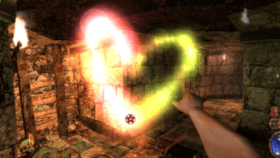 Arx Libertatis v2.0 by KingTorro
Last Release: Oct 25, 2026
Arx Libertatis v2.0 by KingTorro
Last Release: Oct 25, 2026
Downloads: 263
Last Release: Oct 25, 2026
Downloads: 263
Downloads: 263
Arx Libertatis is an open-source reimplementation of the Arx Fatalis engine, ported to PS Vita via vitaGL. Explore the dungeons of Arx as you fight, sneak, and cast your way through a full-length RPG with an immersive underground world.
Requirements:
- libshacccg.suprx
- Game Data Files: PC
Requirements:
- libshacccg.suprx
- Game Data Files: PC
- Substantially better performance (40-60fps)
- Substantially better view distance
- Substantially better view distance
| Name | Version | Released | Hits | DL Link | QR |
| Arx Libertatis | v1.003 | 02/17/26 | 140 | Download | QR |
| arx.vpk | v1.003 | 02/17/26 | 8 | Download | QR |
| Arx Libertatis | v1.001 | 02/14/26 | 118 | Download | QR |
 Descent Vita v1.0.2 by KiddRwxSsj
Last Release: Oct 25, 2026
Descent Vita v1.0.2 by KiddRwxSsj
Last Release: Oct 25, 2026
Downloads: 43
Last Release: Oct 25, 2026
Downloads: 43
Downloads: 43
Descent is a native PS Vita port of Descent (1995), Parallax Software's six-degrees-of-freedom shooter, built from the official 1.5 source release. The original software renderer is kept and still draws the game at 320x200, while the Vita GPU only scales the finished frame to the screen. The x86 assembly for fixed-point math, the 3D pipeline, texture mapping and blitting was rewritten in portable C with matching results, and game tables are loaded field by field so the DOS data files work on ARM. Sound effects run through a custom mixer and the original HMP music is played back with a SoundFont synthesizer. The port offers original 4:3 and stretched display modes, optional smooth scaling, 30 or 60 FPS caps, twin-stick controls with per-axis inversion, remappable buttons including both halves of the rear touchpad, and system keyboard text input. The shareware release is fully playable at 60 FPS; network multiplayer is not supported.
### 1.0.2
**Soundtrack packs:** drop a Descent 1 `.dxa` pack from DXX-Rebirth (SC-55, AWE32, Arachno and others, from https://github.com/pudlez/dxx-addons/releases) into `ux0:data/descent/`. The game plays those recordings instead of the MIDI music. Don't extract it, and only use one pack at a time.
**Clearer music setup:** the README now says exactly which SoundFont to grab. Download `GeneralUser-GS.sf2` from https://github.com/mrbumpy409/GeneralUser-GS, rename it to `music.sf2` and put it in the same folder.
You can use both. Any song a pack doesn't include plays through `music.sf2`, which is also what the shareware levels use.
**Soundtrack packs:** drop a Descent 1 `.dxa` pack from DXX-Rebirth (SC-55, AWE32, Arachno and others, from https://github.com/pudlez/dxx-addons/releases) into `ux0:data/descent/`. The game plays those recordings instead of the MIDI music. Don't extract it, and only use one pack at a time.
**Clearer music setup:** the README now says exactly which SoundFont to grab. Download `GeneralUser-GS.sf2` from https://github.com/mrbumpy409/GeneralUser-GS, rename it to `music.sf2` and put it in the same folder.
You can use both. Any song a pack doesn't include plays through `music.sf2`, which is also what the shareware levels use.
| Name | Version | Released | Hits | DL Link | QR |
| descent1.0.1.vpk | v1.0.1 | 10/24/26 | 8 | Download | QR |
| Descent Vita | v1.0 | 10/10/26 | 25 | Download | QR |
| Descent.vpk | v1.0 | 10/10/26 | 7 | Download | QR |
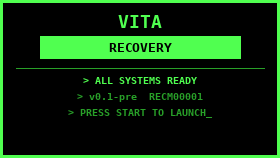 PS Vita Recovery Menu v1.1.3 by DrinkingSubset
Last Release: Oct 25, 2026
PS Vita Recovery Menu v1.1.3 by DrinkingSubset
Last Release: Oct 25, 2026
Downloads: 261
Last Release: Oct 25, 2026
Downloads: 261
Downloads: 261
A diagnostic and recovery environment for the PlayStation Vita with plugin repair tools, storage diagnostics, and boot-time recovery via R trigger.
## PS Vita Recovery Menu v1.1.3
**Install:** download `VitaRecovery_v1.1.3.vpk` below, copy it to your Vita and install it with VitaShell.
## Changelog
### v1.1.3
- Fix: the update check failed at once with "DNS lookup failed (0x80410116)" because the DNS timeout was passed in the wrong unit. It is now 5 seconds.
### v1.1.2
- **Update check now uses its own HTTPS client (mbedTLS)** instead of the Vita's built-in SSL library, which could not complete a handshake with GitHub on firmware 3.65 (errors 0x80435001, then 0x80431075).
- Certificates are checked against 28 root certificates bundled in the app (`source/ca_roots.h`).
- Follows GitHub's redirects and handles chunked replies; the download still goes to `ux0:downloads/` with progress and SHA-256 check.
- Error screen shows a readable reason and, for certificate problems, the issuer that was not trusted.
- If the Vita clock is wrong, the certificate date check is skipped and a note is shown.
- Build now needs mbedTLS: run `vdpm mbedtls` once.
- Known: the "retry without certificate check" option (Triangle) is still there; it skips verification for that attempt only.
### v1.1.1
- **New: Check for Updates** item in the main menu.
- Asks the GitHub Releases API for the newest release of this project and compares its tag with the installed version.
- Shows installed vs latest version, the VPK file name and size.
- Press X to download the VPK to `ux0:downloads/` (progress bar, O cancels, `.part` file so a failed download leaves nothing broken).
- Verifies the SHA-256 when GitHub publishes one; deletes the file on mismatch.
- Nothing is installed automatically: install the VPK yourself with VitaShell.
- Triangle on the error screen retries without the certificate check (off by default).
- Fix: HTTPS now starts the Vita SSL library (`sceSslInit`) before the first request. The first test build failed with error 0x80435001.
- Build: SceSsl stub is linked when the SDK has it; CMake prints a warning if not.
- Internal: network start-up is shared between the FTP server and the update screen (`net_ensure_init`).
### v1.1.0
- **System Info**
- Firmware is read from the os0 partition when possible; if it differs from what the system reports, the reported value is shown in yellow ("system reports X").
- Exploit row says "Enso (permanent CFW)" when Enso is detected; the "no Enso" warning is hidden in that case (also in Diagnostics).
- New "Detection debug" section showing the raw values used for model, motherboard and firmware detection.
- **CPU Speed** (Advanced)
- L/R triggers now change the selected value (D-pad still works).
- The live column shows the real readback from the hardware; mismatches are yellow.
- Error codes from refused clock changes are shown in red.
- Default bus clock is now the stock 222 MHz (old saved default is migrated).
- Added `build.sh`: `bash build.sh`, `bash build.sh clean`, `bash build.sh bump`.
- Known issues: Vita Slim 2000 is shown as "1000 (OLED)"; firmware may show 3.73 on Enso 3.65; ARM above 444 MHz and bus 166 MHz are not applied by the system.
### v1.0.9
- FTP server: the `ftp://` address is **green** while a client is connected and **red** when no client is connected.
### v1.0.8
- Based on the v1.0.7 source.
- Title bar reads **"PS Vita Recovery Menu vX.Y.Z"** on the left and **"By DrinkingSubset"** at the far right, on every screen.
- New version system: one `VERSION` file drives the title bar and the VPK version; `bump_version.sh` raises it by one step (1.0.9 -> 1.1.0 -> 1.1.1 ...).
Older builds (v1.0.8 to v1.1.2) are listed here for history only and are not available as downloads.
<img width="960" height="544" alt="2026-10-24-214746" src="https://github.com/user-attachments/assets/b46b0297-2832-4483-9a93-dc06c370cf71" />
**Install:** download `VitaRecovery_v1.1.3.vpk` below, copy it to your Vita and install it with VitaShell.
## Changelog
### v1.1.3
- Fix: the update check failed at once with "DNS lookup failed (0x80410116)" because the DNS timeout was passed in the wrong unit. It is now 5 seconds.
### v1.1.2
- **Update check now uses its own HTTPS client (mbedTLS)** instead of the Vita's built-in SSL library, which could not complete a handshake with GitHub on firmware 3.65 (errors 0x80435001, then 0x80431075).
- Certificates are checked against 28 root certificates bundled in the app (`source/ca_roots.h`).
- Follows GitHub's redirects and handles chunked replies; the download still goes to `ux0:downloads/` with progress and SHA-256 check.
- Error screen shows a readable reason and, for certificate problems, the issuer that was not trusted.
- If the Vita clock is wrong, the certificate date check is skipped and a note is shown.
- Build now needs mbedTLS: run `vdpm mbedtls` once.
- Known: the "retry without certificate check" option (Triangle) is still there; it skips verification for that attempt only.
### v1.1.1
- **New: Check for Updates** item in the main menu.
- Asks the GitHub Releases API for the newest release of this project and compares its tag with the installed version.
- Shows installed vs latest version, the VPK file name and size.
- Press X to download the VPK to `ux0:downloads/` (progress bar, O cancels, `.part` file so a failed download leaves nothing broken).
- Verifies the SHA-256 when GitHub publishes one; deletes the file on mismatch.
- Nothing is installed automatically: install the VPK yourself with VitaShell.
- Triangle on the error screen retries without the certificate check (off by default).
- Fix: HTTPS now starts the Vita SSL library (`sceSslInit`) before the first request. The first test build failed with error 0x80435001.
- Build: SceSsl stub is linked when the SDK has it; CMake prints a warning if not.
- Internal: network start-up is shared between the FTP server and the update screen (`net_ensure_init`).
### v1.1.0
- **System Info**
- Firmware is read from the os0 partition when possible; if it differs from what the system reports, the reported value is shown in yellow ("system reports X").
- Exploit row says "Enso (permanent CFW)" when Enso is detected; the "no Enso" warning is hidden in that case (also in Diagnostics).
- New "Detection debug" section showing the raw values used for model, motherboard and firmware detection.
- **CPU Speed** (Advanced)
- L/R triggers now change the selected value (D-pad still works).
- The live column shows the real readback from the hardware; mismatches are yellow.
- Error codes from refused clock changes are shown in red.
- Default bus clock is now the stock 222 MHz (old saved default is migrated).
- Added `build.sh`: `bash build.sh`, `bash build.sh clean`, `bash build.sh bump`.
- Known issues: Vita Slim 2000 is shown as "1000 (OLED)"; firmware may show 3.73 on Enso 3.65; ARM above 444 MHz and bus 166 MHz are not applied by the system.
### v1.0.9
- FTP server: the `ftp://` address is **green** while a client is connected and **red** when no client is connected.
### v1.0.8
- Based on the v1.0.7 source.
- Title bar reads **"PS Vita Recovery Menu vX.Y.Z"** on the left and **"By DrinkingSubset"** at the far right, on every screen.
- New version system: one `VERSION` file drives the title bar and the VPK version; `bump_version.sh` raises it by one step (1.0.9 -> 1.1.0 -> 1.1.1 ...).
Older builds (v1.0.8 to v1.1.2) are listed here for history only and are not available as downloads.
<img width="960" height="544" alt="2026-10-24-214746" src="https://github.com/user-attachments/assets/b46b0297-2832-4483-9a93-dc06c370cf71" />
| Name | Version | Released | Hits | DL Link | QR |
| PS Vita Recovery Menu | v1.0.6 | 03/19/26 | 249 | Download | QR |
| VitaRecovery.vpk | v1.0.6 | 03/19/26 | 7 | Download | QR |
 tls_fixer v0.2 by devnoname120
Last Release: Oct 25, 2026
tls_fixer v0.2 by devnoname120
Last Release: Oct 25, 2026
Downloads: 53
Last Release: Oct 25, 2026
Downloads: 53
Downloads: 53
tls_fixer provides modern TLS transport using Mbed TLS 4.2.0 and TF-PSA-Crypto 1.2.0, alongside an authoritative Sony + curl/Mozilla certificate bundle. Sony's HTTP implementation continues to handle URLs, redirects, authentication, cookies and request processing.
| Name | Version | Released | Hits | DL Link | QR |
| tls_fixer.vpk | v0.2 | 10/25/26 | 1 | Download | QR |
| vita_tls_check.vpk | v0.2 | 10/25/26 | 1 | Download | QR |
TLS 1.2 and TLS 1.3 for the PS Vita browser and supported applications, with lower memory use and improved game compatibility.
### Improvements
- Reduced the system HTTP provider's reserved heap from **2 MiB to 128 KiB** per app.
- Root certificates are loaded on demand instead of keeping the whole parsed store in memory, for both apps and the browser.
- Games can use their own CA certificates alongside the system roots while keeping modern TLS.
- Added host redirects through `ux0:data/tls_fixer/redirects.txt`, with one `old-host new-host` pair per line.
- Included the PSN sign-in redirect for the Shell and PlayStation Store, without requiring a separate reAuth installation.
### Install or update
Install **tls_fixer.vpk** with VitaShell, open **tls_fixer**, and select **Full**. Press **Cross** for a new installation or **Square** to update an existing installation. The installer reboots after completion and preserves your host redirect rules.
Supports firmware **3.60–3.74** on retail, testkit and devkit systems. The new features have been tested on hardware; compatibility across the available firmware images is also checked statically. Runtime logging remains disabled.
### Optional tester
**vita_tls_check.vpk (TLS Check 1.2)** is a separate app for testing TLS connections, viewing cipher details and checking PlayStation server connectivity. It works with or without tls_fixer.
Thanks to @nyirsh for the memory, certificate handling, and redirect improvements.
### Improvements
- Reduced the system HTTP provider's reserved heap from **2 MiB to 128 KiB** per app.
- Root certificates are loaded on demand instead of keeping the whole parsed store in memory, for both apps and the browser.
- Games can use their own CA certificates alongside the system roots while keeping modern TLS.
- Added host redirects through `ux0:data/tls_fixer/redirects.txt`, with one `old-host new-host` pair per line.
- Included the PSN sign-in redirect for the Shell and PlayStation Store, without requiring a separate reAuth installation.
### Install or update
Install **tls_fixer.vpk** with VitaShell, open **tls_fixer**, and select **Full**. Press **Cross** for a new installation or **Square** to update an existing installation. The installer reboots after completion and preserves your host redirect rules.
Supports firmware **3.60–3.74** on retail, testkit and devkit systems. The new features have been tested on hardware; compatibility across the available firmware images is also checked statically. Runtime logging remains disabled.
### Optional tester
**vita_tls_check.vpk (TLS Check 1.2)** is a separate app for testing TLS connections, viewing cipher details and checking PlayStation server connectivity. It works with or without tls_fixer.
Thanks to @nyirsh for the memory, certificate handling, and redirect improvements.
| Name | Version | Released | Hits | DL Link | QR |
| tls_fixer | v0.1 | 10/17/26 | 35 | Download | QR |
| tls_fixer.vpk | v0.1 | 10/17/26 | 8 | Download | QR |
| vita_tls_check.vpk | v0.1 | 10/17/26 | 8 | Download | QR |
 UMD Player v0.8.6 by xesf
Last Release: Oct 25, 2026
UMD Player v0.8.6 by xesf
Last Release: Oct 25, 2026
Downloads: 83
Last Release: Oct 25, 2026
Downloads: 83
Downloads: 83
UMD Player is a video playback decoder that can play PSP UMD Movies and PSP UMD-PG interactive games directly in PS Vita without the need of any PSP emulation. It works with multiple ISO formats including compressed ones. By default movies play directly without the extra clips (intro, warnings, copyrights) but user can change to disc mode where all the menu interactions are displayed like in PSP and DVD players.
**Full Changelog**: https://github.com/xesf/umd-player/compare/v0.8.5...v0.8.6
| Name | Version | Released | Hits | DL Link | QR |
| umdplayer-v0.8.5.vpk | v0.8.5 | 10/24/26 | 9 | Download | QR |
| umdplayer-v0.8.4.vpk | v0.8.4 | 10/24/26 | 10 | Download | QR |
| umdplayer-v0.8.3-macos.zip | v0.8.3 | 10/23/26 | 10 | Download | QR |
| umdplayer-v0.8.3-windows-x86_64.zip | v0.8.3 | 10/23/26 | 12 | Download | QR |
| umdplayer-v0.8.3.vpk | v0.8.3 | 10/23/26 | 10 | Download | QR |
| UMD Player | v0.5.1 | 10/15/26 | 30 | Download | QR |
 VitaXMB v1.9.1 by dekiller82
Last Release: Oct 25, 2026
VitaXMB v1.9.1 by dekiller82
Last Release: Oct 25, 2026
Downloads: 123
Last Release: Oct 25, 2026
Downloads: 123
Downloads: 123
A PSP-style XMB launcher for the PlayStation Vita.
The cross media bar, rebuilt for the Vita: your games and homebrew, music, settings and system apps in the layout, motion and sound of the original.
The cross media bar, rebuilt for the Vita: your games and homebrew, music, settings and system apps in the layout, motion and sound of the original.
If an update ever fails, download `VitaXMB-v1.9.1.vpk` from this page and install it with VitaShell.
> **Warning: columns of your own, Emulators and Utilities do not work with every custom theme.** Themes that paint the whole category bar (full-height panels or strips, like the Xbox 360 and Euphoria style ones) have no picture for them: those columns are hidden while such a theme is on and their apps appear in Game. Other themes show them with VitaXMB's own icons, which will not match the theme. Switch the theme off (Settings > Theme Settings > Custom Theme > Off) to see your columns.
Changed in 1.9.1:
- **Sharper icons.** Every XMB icon (the categories, the columns, the Settings rows and their wrench badge) is redrawn at twice the PSP's size, with the PSP's glassy shading and clean edges, so they no longer look blurry on the Vita's screen.
- **Opening and leaving a list or folder** follows the PSP firmware: the bar slides and the other categories fade in one 200 ms step (the firmware's own easing), and the apps under the category move with the bar at the same speed.
- **Apps with square art** (the VitaXMB Updater, YAMT, Simple Account Switcher and every other app whose only picture is its square icon) now get a landscape tile in every list and column, like the Game list's other entries: a blurred fill made from the icon itself with the icon centred on top, instead of a square in a dark frame.
Everything from 1.9.0 and before is included. Full notes: [Changelog](https://github.com/dekiller82/VitaXMB#changelog).
> **Warning: columns of your own, Emulators and Utilities do not work with every custom theme.** Themes that paint the whole category bar (full-height panels or strips, like the Xbox 360 and Euphoria style ones) have no picture for them: those columns are hidden while such a theme is on and their apps appear in Game. Other themes show them with VitaXMB's own icons, which will not match the theme. Switch the theme off (Settings > Theme Settings > Custom Theme > Off) to see your columns.
Changed in 1.9.1:
- **Sharper icons.** Every XMB icon (the categories, the columns, the Settings rows and their wrench badge) is redrawn at twice the PSP's size, with the PSP's glassy shading and clean edges, so they no longer look blurry on the Vita's screen.
- **Opening and leaving a list or folder** follows the PSP firmware: the bar slides and the other categories fade in one 200 ms step (the firmware's own easing), and the apps under the category move with the bar at the same speed.
- **Apps with square art** (the VitaXMB Updater, YAMT, Simple Account Switcher and every other app whose only picture is its square icon) now get a landscape tile in every list and column, like the Game list's other entries: a blurred fill made from the icon itself with the icon centred on top, instead of a square in a dark frame.
Everything from 1.9.0 and before is included. Full notes: [Changelog](https://github.com/dekiller82/VitaXMB#changelog).
| Name | Version | Released | Hits | DL Link | QR |
| VitaXMB-v1.9.0.vpk | v1.9.0 | 10/24/26 | 10 | Download | QR |
| VitaXMB-v1.8.0.vpk | v1.8.0 | 10/24/26 | 12 | Download | QR |
| VitaXMB | v1.7.0 | 10/20/26 | 20 | Download | QR |
| VitaXMB | v1.6.1 | 10/19/26 | 21 | Download | QR |
| VitaXMB | v1.2.0 | 10/05/26 | 53 | Download | QR |
 Art3m1sPSV v1.4.6 by DeQxJ00
Last Release: Oct 24, 2026
Art3m1sPSV v1.4.6 by DeQxJ00
Last Release: Oct 24, 2026
Downloads: 68
Last Release: Oct 24, 2026
Downloads: 68
Downloads: 68
An Artemis Engine (cross-platform visual novel engine) game runner for PlayStation Vita, based on the third-party Art3m1s implementation. Parsing and runtime behavior are based on Alphaly2K/art3m1s-core, with PSV adaptations for some newer engine script behaviors, rendering, shader, resource caching, audio/video, and input.
- 封面缩略图缓存改为 DXT1/BC1,单张磁盘缓存由约 182 KiB 降至 23 KiB;后台完成压缩和纹理排列转换,翻页复用按钮图集。
- 内置 demo 封面缩小到 640×360,减少资源体积和首次解码开销。
- 进入游戏前停止封面加载线程并清空队列;退出游戏时释放离屏目标、转场截图池、预留显存、E-mote 临时 GPU 资源及归档句柄。实机两轮进出 demo 后回到相同列表内存基线。
- 方块菜单及字体设置页的中英文底部提示改为预渲染图片,不再在打开时读取菜单字体;实机 demo 菜单首帧由约 3.35 秒降至约 58 毫秒,关闭后仍释放纹理。计时包含渲染等待,不代表所有场景的端到端延迟。
- Store cover thumbnails as DXT1/BC1, reducing each disk cache entry from about 182 KiB to 23 KiB. Compression and texture layout conversion run in the background; page changes reuse button atlases.
- Resize the bundled demo cover to 640×360 to reduce asset size and initial decoding work.
- Stop the cover worker and clear its queues before starting a game. Release offscreen targets, transition captures, reserved VRAM, transient E-mote GPU resources and archive handles on exit. Two device demo entry/exit cycles returned to the same launcher memory baseline.
- Bake Chinese and English footer hints for the Square-button menu and font settings instead of loading the menu font on opening. Device demo menu first-frame time dropped from about 3.35 seconds to 58 milliseconds; closing still releases textures. Timing includes rendering waits and is not a universal end-to-end latency guarantee.
PSV VPK built from `c6436c843cb63746ed3171b5b4f862ffa334190b`.
Package version: `v1.4.6`.
[Verified build](https://github.com/DeQxJ00/Art3m1sPSV/actions/runs/40085746877). Includes SHA256SUMS.
- 内置 demo 封面缩小到 640×360,减少资源体积和首次解码开销。
- 进入游戏前停止封面加载线程并清空队列;退出游戏时释放离屏目标、转场截图池、预留显存、E-mote 临时 GPU 资源及归档句柄。实机两轮进出 demo 后回到相同列表内存基线。
- 方块菜单及字体设置页的中英文底部提示改为预渲染图片,不再在打开时读取菜单字体;实机 demo 菜单首帧由约 3.35 秒降至约 58 毫秒,关闭后仍释放纹理。计时包含渲染等待,不代表所有场景的端到端延迟。
- Store cover thumbnails as DXT1/BC1, reducing each disk cache entry from about 182 KiB to 23 KiB. Compression and texture layout conversion run in the background; page changes reuse button atlases.
- Resize the bundled demo cover to 640×360 to reduce asset size and initial decoding work.
- Stop the cover worker and clear its queues before starting a game. Release offscreen targets, transition captures, reserved VRAM, transient E-mote GPU resources and archive handles on exit. Two device demo entry/exit cycles returned to the same launcher memory baseline.
- Bake Chinese and English footer hints for the Square-button menu and font settings instead of loading the menu font on opening. Device demo menu first-frame time dropped from about 3.35 seconds to 58 milliseconds; closing still releases textures. Timing includes rendering waits and is not a universal end-to-end latency guarantee.
PSV VPK built from `c6436c843cb63746ed3171b5b4f862ffa334190b`.
Package version: `v1.4.6`.
[Verified build](https://github.com/DeQxJ00/Art3m1sPSV/actions/runs/40085746877). Includes SHA256SUMS.
| Name | Version | Released | Hits | DL Link | QR |
| Art3m1sPSV-v1.4.5.vpk | v1.4.5 | 10/24/26 | 11 | Download | QR |
| Art3m1sPSV | v1.3.13 | 10/08/26 | 37 | Download | QR |
 Conker Vita v1.3.0 by HenryKun55
Last Release: Oct 24, 2026
Conker Vita v1.3.0 by HenryKun55
Last Release: Oct 24, 2026
Downloads: 14
Last Release: Oct 24, 2026
Downloads: 14
Downloads: 14
Conker's Bad Fur Day (Rare, 2001) running natively on the PS Vita / PS TV. This is not an emulator: the N64 game was statically recompiled to C with N64Recomp (based on CBFD-Recompiled) and built for the Vita, with the N64's graphics drawn by a renderer written for the Vita's GPU (sceGxm) and the audio microcode running on the Vita's CPU.
Requirements:
- libshacccg.suprx
- Game Data Files: N64
Changelog (v.1.3.0):
Real 60 fps
Picture > Frame rate now offers 60: the game's own logic runs at 60 fps, not frames drawn in between. On a real Vita it held 58-60 fps for about 95% of an hour of play; the heaviest scenes (the rainy bar entrance) drop toward 30, always at the right speed. It can be switched while playing. Off by default.
Things that counted frames instead of time were fixed so 60 plays exactly like 30: Windy's leaping creatures, a sound fade that never ended, falling drops, stuns, moving scenery and gravity steps.
The interpolated mode is gone from the menu (if you had it on, 60 is on now).
Camera
New option, Sticks and aiming > Camera: Avoids walls. The camera pulls in towards Conker instead of ending up behind a door, a pillar or a corner, and keeps the widescreen view from cutting into side walls. Only the follow camera in play; cutscenes are untouched. Off by default.
The B pads
The context-sensitive B pads carved on the ground (wood and stone) now show the Vita control you bound to B, carved in the same style, and follow your remapping.
Faster
Texture loads that repeat within a frame are skipped (a few percent less work in heavy scenes).
Updating keeps your saves and settings. On 1.0.0-1.2.0 the game offers this update at start-up (needs Enable Unsafe Homebrew).
- libshacccg.suprx
- Game Data Files: N64
Changelog (v.1.3.0):
Real 60 fps
Picture > Frame rate now offers 60: the game's own logic runs at 60 fps, not frames drawn in between. On a real Vita it held 58-60 fps for about 95% of an hour of play; the heaviest scenes (the rainy bar entrance) drop toward 30, always at the right speed. It can be switched while playing. Off by default.
Things that counted frames instead of time were fixed so 60 plays exactly like 30: Windy's leaping creatures, a sound fade that never ended, falling drops, stuns, moving scenery and gravity steps.
The interpolated mode is gone from the menu (if you had it on, 60 is on now).
Camera
New option, Sticks and aiming > Camera: Avoids walls. The camera pulls in towards Conker instead of ending up behind a door, a pillar or a corner, and keeps the widescreen view from cutting into side walls. Only the follow camera in play; cutscenes are untouched. Off by default.
The B pads
The context-sensitive B pads carved on the ground (wood and stone) now show the Vita control you bound to B, carved in the same style, and follow your remapping.
Faster
Texture loads that repeat within a frame are skipped (a few percent less work in heavy scenes).
Updating keeps your saves and settings. On 1.0.0-1.2.0 the game offers this update at start-up (needs Enable Unsafe Homebrew).
| Name | Version | Released | Hits | DL Link | QR |
 FF3-Vita v1.2.5 by frangarcj
Last Release: Oct 24, 2026
FF3-Vita v1.2.5 by frangarcj
Last Release: Oct 24, 2026
Downloads: 1394
Last Release: Oct 24, 2026
Downloads: 1394
Downloads: 1394
This is a wrapper/port of Final Fantasy 3 Android for the PS Vita.
The port works by loading the official Android ARMv7 executable in memory, resolving its imports with native functions and patching it in order to properly run.
The port works by loading the official Android ARMv7 executable in memory, resolving its imports with native functions and patching it in order to properly run.
## New options
Selectable from the Configurator:
- **Aspect Ratio** (#15): 16:9 (default), 4:3, 2:1 and 21:9. 4:3 shows more of the scene vertically, while 2:1 and 21:9 show more horizontally, with black bars filling the rest of the screen. The opening movie and the PostFX effects still use the whole screen.
- **Swap Cross/Circle** (#11): Circle confirms and Cross cancels.
## Fixes
- Spanish: character names are shown again instead of "?P1???" and "?P???" (#5). The game's Spanish texts for controller play have these name tags broken; the port now restores them.
- Korean: the party gets Korean default names (루네스, 아르크, 레피아, 잉거스) (#12).
- Korean, Japanese and Chinese: character names can now be typed in those scripts. The keyboard used to be limited to Latin characters (#12).
## Other changes
- Bump app version to 1.2.5 (SFO 01.25).
Selectable from the Configurator:
- **Aspect Ratio** (#15): 16:9 (default), 4:3, 2:1 and 21:9. 4:3 shows more of the scene vertically, while 2:1 and 21:9 show more horizontally, with black bars filling the rest of the screen. The opening movie and the PostFX effects still use the whole screen.
- **Swap Cross/Circle** (#11): Circle confirms and Cross cancels.
## Fixes
- Spanish: character names are shown again instead of "?P1???" and "?P???" (#5). The game's Spanish texts for controller play have these name tags broken; the port now restores them.
- Korean: the party gets Korean default names (루네스, 아르크, 레피아, 잉거스) (#12).
- Korean, Japanese and Chinese: character names can now be typed in those scripts. The keyboard used to be limited to Latin characters (#12).
## Other changes
- Bump app version to 1.2.5 (SFO 01.25).
| Name | Version | Released | Hits | DL Link | QR |
| FF3.vpk | v1.2.4 | 10/24/26 | 10 | Download | QR |
| FF3-Vita | v1.2.3 | 06/11/26 | 117 | Download | QR |
| FF3.vpk | v1.2.3 | 06/11/26 | 9 | Download | QR |
| FF3-Vita | v1.2.2 | 04/25/26 | 117 | Download | QR |
| FF3-Vita | v1.2.1 | 04/24/26 | 91 | Download | QR |
| FF3.vpk | v1.1 | 09/01/21 | 697 | Download | QR |
| FF3.vpk | v1.0 | 08/25/21 | 349 | Download | QR |
 GMCA v1.4.0 by thcolin
Last Release: Oct 24, 2026
GMCA v1.4.0 by thcolin
Last Release: Oct 24, 2026
Downloads: 174
Last Release: Oct 24, 2026
Downloads: 174
Downloads: 174
GMCA - A Gamepad (Switch, PS Vita, Linux, PS4) Media Center Aggregator (Plex, Jellyfin, Emby or Stremio)
### Added
- **Audio files from Files play in the music player (#33).** An audio file
picked in Files opens Now Playing and the persistent mini-bar, like a Plex,
Jellyfin or Emby track. The folder's audio files become the queue, in the
order shown. Title, artist, album and length come from the file tags.
- **Search and Files can be reordered and hidden (#34).** They move and hide
like libraries. Home and the profile stay in place, and the settings screen
is renamed Sidebar.
### Fixed
- **Offline sidebar (#34).** Offline, library tabs follow the order and
visibility saved for the server, and Jellyfin and Emby show Favorites
instead of Watchlist.
- **Offline details of Jellyfin and Emby downloads.** A movie or show
downloaded from Jellyfin or Emby now keeps its summary, poster, backdrop,
cast and versions offline, plus the show, season and episodes for an
episode. Downloads made before this release keep their minimal details.
- **Jellyfin and Emby versions.** The Version selector reads
"1080p · HEVC · 1.4 Mbps" on every backend, and Download takes the version
picked in the selector, like Play.
- **Resumed Plex transcodes (#72).** The OSD shows the resume time, chapter
markers sit in the right place, and seeking works anywhere, before the
resume point too.
- **FTP folders (#54).** Folders on FTP servers without MLSD (vsftpd,
busybox, most routers) open again. On those servers a non-media file such
as `readme.txt` shows as a folder.
- **Edit and Delete in the server menu (#54)** open their screen again.
- **macOS: crash at launch when the active server does not answer.** Errors
from the C++ standard library escaped the app's error handling.
- **Rounded icon on the sign-in screens.** The icon on the connection type,
sign-in and hint screens was clipped at its corners.
- **Server image paths.** An image path from the server that does not start
with `/` is refused, so the access token cannot be sent to another host.

| Name | Version | Released | Hits | DL Link | QR |
| GMCA.vpk | v1.3.1 | 10/24/26 | 10 | Download | QR |
| GMCA | v1.3.0 | 09/24/26 | 52 | Download | QR |
| GMCA.vpk | v1.3.0 | 09/24/26 | 8 | Download | QR |
| GMCA | v1.0.5 | 07/13/26 | 93 | Download | QR |
 Ignition Vita v1.1 by Zeusthenen
Last Release: Oct 24, 2026
Ignition Vita v1.1 by Zeusthenen
Last Release: Oct 24, 2026
Downloads: 54
Last Release: Oct 24, 2026
Downloads: 54
Downloads: 54
A native-feeling port of the 1997 arcade racer Ignition to the PlayStation Vita.
# Ignition Vita v1.1
*(Español primero · English below)*
## 🇪🇸 Español
**Ignition Vita** es un port no oficial, de aficionados y sin ánimo de lucro, de *Ignition* (1997) para **PlayStation Vita**.
> **Este paquete NO contiene el juego.** Debes aportar los archivos de tu propia copia legal de *Ignition*. El proyecto no está afiliado ni respaldado por los propietarios de *Ignition* ni por Sony.
### Novedades de v1.1
- Corregido el cuelgue que podía producirse al terminar un campeonato y restaurado su avance normal.
- Corregidos el desbloqueo y la persistencia de vehículos, dificultades y pistas.
- Verificados en una PS Vita real: primer campeonato completo, coche **Banana**, dificultad **Amateur** y una pista adicional, conservados tras guardar y reiniciar.
- Carrera rápida y Persecución terminan correctamente y vuelven al menú.
- Guardado atómico: el progreso se escribe primero en un archivo temporal para reducir el riesgo de corrupción.
- Controles predeterminados mejorados: **✕ acelera** y **□ frena / marcha atrás**.
- Los botones de Vita pueden configurarse desde **Opciones → Jugador 1 → Configurar teclado** y las asignaciones persisten al reiniciar.
- Diversas mejoras de estabilidad. Objetivo de 30 FPS, con posibles caídas en zonas exigentes.
### Actualización desde v1.0
1. Haz una copia de seguridad de ux0:data/ignition/ign_3dfx.btz.
2. Instala IgnitionVita_v1.1.vpk encima de la versión anterior con VitaShell y homebrew inseguro activado.
3. No borres ux0:data/ignition/: ahí están los datos del juego, progreso y opciones.
### Limitaciones conocidas
- Pantalla dividida y multijugador online/en red están visibles pero desactivados.
- Los campeonatos posteriores al primero usan la misma ruta de progresión, pero sus premios no se han verificado uno por uno.
- PlayStation TV no está probado.
### Verificación
- VPK: IgnitionVita_v1.1.vpk
- Tamaño: 2.136.458 bytes
- SHA-256: fda91c1b687c7b5e76e9ec2e7b95668d93350ba7d54092dec7bf68b7a1795d50
- Código fuente correspondiente: IgnitionVita_v1.1_corresponding-source.tar.xz
- SHA-256 del paquete de fuentes: 290701fffba027dd8a902e0f12bf1ce71d275f932690d98d73c3c22572a24d27
Para informar de errores, abre un *Issue* e incluye modelo de Vita, modo, pista, vehículo, dificultad, frecuencia, pasos para reproducir y los logs de ux0:data/ignition/logs. No adjuntes archivos del juego.
---
## 🇬🇧 English
**Ignition Vita** is an unofficial, fan-made, non-commercial port of *Ignition* (1997) to **PlayStation Vita**.
> **This package does NOT contain the game.** You must provide files from your own legal copy of *Ignition*. The project is not affiliated with or endorsed by the owners of *Ignition* or Sony.
### What is new in v1.1
- Fixed the crash that could occur at the end of a championship and restored normal championship progression.
- Fixed unlocking and persistence of vehicles, difficulties and tracks.
- Verified on real PS Vita hardware: first championship completion, **Banana** car, **Amateur** difficulty and one additional track, all retained after saving and restarting.
- Quick Race and Chase now finish correctly and return to the menu.
- Atomic saves: progress is written to a temporary file first to reduce corruption risk.
- Improved defaults: **✕ accelerates** and **□ brakes / reverses**.
- Vita buttons can be remapped through **Options → Player 1 → Keyboard config**, and assignments persist after restarting.
- Several stability improvements. The target is 30 FPS, with possible drops in demanding areas.
### Updating from v1.0
1. Back up ux0:data/ignition/ign_3dfx.btz.
2. Install IgnitionVita_v1.1.vpk over the previous version with VitaShell and unsafe homebrew enabled.
3. Do not delete ux0:data/ignition/: it contains game data, progress and settings.
### Known limitations
- Split screen and online/network multiplayer remain visible but disabled.
- Later championships use the same progression path, but their rewards have not been individually verified end to end.
- PlayStation TV has not been tested.
### Verification
- VPK: IgnitionVita_v1.1.vpk
- Size: 2,136,458 bytes
- SHA-256: fda91c1b687c7b5e76e9ec2e7b95668d93350ba7d54092dec7bf68b7a1795d50
- Corresponding source: IgnitionVita_v1.1_corresponding-source.tar.xz
- Source package SHA-256: 290701fffba027dd8a902e0f12bf1ce71d275f932690d98d73c3c22572a24d27
Please report reproducible problems through *Issues* with your Vita model, mode, track, vehicle, difficulty, clock frequency, exact steps and logs from ux0:data/ignition/logs. Do not attach game files.
Full source, licenses and detailed documentation: https://github.com/Zeusthenen/Ignition-Vita
*(Español primero · English below)*
## 🇪🇸 Español
**Ignition Vita** es un port no oficial, de aficionados y sin ánimo de lucro, de *Ignition* (1997) para **PlayStation Vita**.
> **Este paquete NO contiene el juego.** Debes aportar los archivos de tu propia copia legal de *Ignition*. El proyecto no está afiliado ni respaldado por los propietarios de *Ignition* ni por Sony.
### Novedades de v1.1
- Corregido el cuelgue que podía producirse al terminar un campeonato y restaurado su avance normal.
- Corregidos el desbloqueo y la persistencia de vehículos, dificultades y pistas.
- Verificados en una PS Vita real: primer campeonato completo, coche **Banana**, dificultad **Amateur** y una pista adicional, conservados tras guardar y reiniciar.
- Carrera rápida y Persecución terminan correctamente y vuelven al menú.
- Guardado atómico: el progreso se escribe primero en un archivo temporal para reducir el riesgo de corrupción.
- Controles predeterminados mejorados: **✕ acelera** y **□ frena / marcha atrás**.
- Los botones de Vita pueden configurarse desde **Opciones → Jugador 1 → Configurar teclado** y las asignaciones persisten al reiniciar.
- Diversas mejoras de estabilidad. Objetivo de 30 FPS, con posibles caídas en zonas exigentes.
### Actualización desde v1.0
1. Haz una copia de seguridad de ux0:data/ignition/ign_3dfx.btz.
2. Instala IgnitionVita_v1.1.vpk encima de la versión anterior con VitaShell y homebrew inseguro activado.
3. No borres ux0:data/ignition/: ahí están los datos del juego, progreso y opciones.
### Limitaciones conocidas
- Pantalla dividida y multijugador online/en red están visibles pero desactivados.
- Los campeonatos posteriores al primero usan la misma ruta de progresión, pero sus premios no se han verificado uno por uno.
- PlayStation TV no está probado.
### Verificación
- VPK: IgnitionVita_v1.1.vpk
- Tamaño: 2.136.458 bytes
- SHA-256: fda91c1b687c7b5e76e9ec2e7b95668d93350ba7d54092dec7bf68b7a1795d50
- Código fuente correspondiente: IgnitionVita_v1.1_corresponding-source.tar.xz
- SHA-256 del paquete de fuentes: 290701fffba027dd8a902e0f12bf1ce71d275f932690d98d73c3c22572a24d27
Para informar de errores, abre un *Issue* e incluye modelo de Vita, modo, pista, vehículo, dificultad, frecuencia, pasos para reproducir y los logs de ux0:data/ignition/logs. No adjuntes archivos del juego.
---
## 🇬🇧 English
**Ignition Vita** is an unofficial, fan-made, non-commercial port of *Ignition* (1997) to **PlayStation Vita**.
> **This package does NOT contain the game.** You must provide files from your own legal copy of *Ignition*. The project is not affiliated with or endorsed by the owners of *Ignition* or Sony.
### What is new in v1.1
- Fixed the crash that could occur at the end of a championship and restored normal championship progression.
- Fixed unlocking and persistence of vehicles, difficulties and tracks.
- Verified on real PS Vita hardware: first championship completion, **Banana** car, **Amateur** difficulty and one additional track, all retained after saving and restarting.
- Quick Race and Chase now finish correctly and return to the menu.
- Atomic saves: progress is written to a temporary file first to reduce corruption risk.
- Improved defaults: **✕ accelerates** and **□ brakes / reverses**.
- Vita buttons can be remapped through **Options → Player 1 → Keyboard config**, and assignments persist after restarting.
- Several stability improvements. The target is 30 FPS, with possible drops in demanding areas.
### Updating from v1.0
1. Back up ux0:data/ignition/ign_3dfx.btz.
2. Install IgnitionVita_v1.1.vpk over the previous version with VitaShell and unsafe homebrew enabled.
3. Do not delete ux0:data/ignition/: it contains game data, progress and settings.
### Known limitations
- Split screen and online/network multiplayer remain visible but disabled.
- Later championships use the same progression path, but their rewards have not been individually verified end to end.
- PlayStation TV has not been tested.
### Verification
- VPK: IgnitionVita_v1.1.vpk
- Size: 2,136,458 bytes
- SHA-256: fda91c1b687c7b5e76e9ec2e7b95668d93350ba7d54092dec7bf68b7a1795d50
- Corresponding source: IgnitionVita_v1.1_corresponding-source.tar.xz
- Source package SHA-256: 290701fffba027dd8a902e0f12bf1ce71d275f932690d98d73c3c22572a24d27
Please report reproducible problems through *Issues* with your Vita model, mode, track, vehicle, difficulty, clock frequency, exact steps and logs from ux0:data/ignition/logs. Do not attach game files.
Full source, licenses and detailed documentation: https://github.com/Zeusthenen/Ignition-Vita
| Name | Version | Released | Hits | DL Link | QR |
| IgnitionVita_v1.0.vpk | v1.0.0 | 10/13/26 | 13 | Download | QR |
| Ignition Vita | v1.0 | 10/13/26 | 27 | Download | QR |
 Mario Strikers Charged Vita v1.1 by CBOC-Vita
Last Release: Oct 24, 2026
Mario Strikers Charged Vita v1.1 by CBOC-Vita
Last Release: Oct 24, 2026
Downloads: 62
Last Release: Oct 24, 2026
Downloads: 62
Downloads: 62
A native PS Vita port of Mario Strikers Charged based on the mscharged-decomp
source reconstruction. It includes Vita controls, seven camera zoom levels,
GPU skinning, a startup shader cache and an in-game LiveArea settings overlay.
source reconstruction. It includes Vita controls, seven camera zoom levels,
GPU skinning, a startup shader cache and an in-game LiveArea settings overlay.
| Name | Version | Released | Hits | DL Link | QR |
| Strikers-Charged-Vita-install.zip | v1.1 | 10/24/26 | 17 | Download | QR |
| Strikers-Charged-Vita.vpk | v1.1 | 10/24/26 | 10 | Download | QR |
The performance update.
**Smoother play**
- Matches run at up to 60 fps. The Frame Rate setting is now **AUTO** by
default: 60 when the Vita can keep up, a smooth 30 when it can't. Prefer a
locked 30? Choose **30 FPS** in Settings.
- Mega Strikes run at a steady 30 fps at full resolution (about 15 fps
before). Their glowing haze is drawn at a lower resolution and blended over
the sharp, full-size scene.
- Snappier controls: a third less delay from button to screen, about a
tenth of a second in normal play. Stick and touch respond faster in Mega
Saves and other heavy scenes too.
- The picture size adapts to the load: effects soften first and the scene
only slightly, so the frame rate holds without the game looking rough.
- Fewer hitches from those size changes: they now happen at the cuts into
and out of a Mega Strike, not a few seconds into play, and a size used
recently is switched back to quickly.
**Better picture**
- A light sharpening filter is on by default (Settings > Sharpness: SMOOTH).
OFF, CRISP and CRISP+ are still there.
- SMOOTH also softens jagged character outlines, at almost no cost.
- Optional HD characters and ball: sharper faces, kits and ball in close-ups
(Mega Strikes, celebrations, menus), made on your computer from your own
game files with `tools/hdtex` and copied to `ux0:data/mscharged/hdtex.pack`.
In normal play the game draws the same detail as before, so it costs no
frame rate.
- When there's time to spare, the game is drawn above native resolution for
cleaner edges.
- New optional **Distant Textures** setting for sharper ground and walls at an
angle (experimental, off by default).
**Controls and gameplay**
- Tap anywhere on the title screen to start.
- All seven camera zoom levels are on the Options > Visual slider.
- The CPU plays just as well when your camera is zoomed in close.
- Quick screen taps are never missed, and button presses are never lost or
repeated after a system pop-up.
- The stick moves the glove three times faster in Mega Saves by default, so
you can reach the far side of the goal in time (Settings > Mega Save Speed:
3x, 4x, 2x or ORIGINAL). Optional rear-touch aiming is in Settings too.
**Under the hood**
- Fixed a crash when starting a match after the picture size had changed a
few times: unused graphics buffers are now freed, and the game only draws a
larger picture when there is graphics memory to spare.
- Mega Strikes no longer drop to a low resolution when that would not make
them any faster.
- More of the game's graphics come prebuilt, so a goal replay no longer stops
for a loading bar the first time.
- Fixed new graphics effects never being built on the console (a fault in
the shader cache code), which kept the sharpening and the lighter Mega
Strike glow from switching on.
- More reliable shader cache and graphics memory recovery.
- Faster texture uploads and less background CPU use.
- The game's 3D models are rebuilt less often after loading screens and
pauses (improvements shared with the Super Mario Galaxy port).
- Players' faces in celebrations, replays and cut-scenes are skinned on the
graphics chip like the rest of the body, so those scenes give the CPU less
to do.
Technical details for developers are in
[Technical Notes](docs/TECHNICAL.md#version-11-changes).
 MKW Vita v1.4.2 by boomannotjeff
Last Release: Oct 24, 2026
MKW Vita v1.4.2 by boomannotjeff
Last Release: Oct 24, 2026
Downloads: 231
Last Release: Oct 24, 2026
Downloads: 231
Downloads: 231
Not an emulator. A native port of MKW-3DS, the 1:1 3DS recreation of Mario Kart Wii (not of the Wii game itself), running on the Vita's own APIs with vitaGL.
| Name | Version | Released | Hits | DL Link | QR |
| mkw-retro-rewind.vpk | v1.4.2 | 10/24/26 | 12 | Download | QR |
| mkw.vpk | v1.4.2 | 10/24/26 | 13 | Download | QR |
# MKW Vita 1.4.2
Closer to the Wii: laps and Lakitu, the end of a race, course objects, item boxes and menus. Only the VPK changes: your 1.4.0 game files keep working.
>[!NOTE]
>**Coming from 1.4.x? Just install the new VPK.** 1.4.2 uses the same game files, so there's nothing to rebuild or copy.
>
>Coming from 1.3.0 or older? Rebuild your game files as described in the [1.4.0 release](https://github.com/boomannotjeff/mkwiita/releases/tag/1.4.0).
## What's new
### Racing
- **Lap counter and Lakitu.** Backing over the finish line no longer lowers your lap or brings Lakitu down with the lap sign.
- **Finish.** Lakitu flies in with the flag and follows your kart, like on the Wii.
- **End of race.** Racers who have finished lose their items. The out-of-bounds fade now draws under the HUD and results instead of over them.
- **Place number.** The black drop shadow behind your position is back.
- **Blue Shell.** It keeps facing forward instead of spinning like a Green Shell.
### Courses
- **Koopa Cape.** The tunnel glass draws over karts and items instead of under them. The same goes for every course's see-through parts.
- **Lava.** N64 Bowser's Castle lava columns and Grumble Volcano lava poles only show while erupting. Grumble Volcano's falling rocks vanish when they land.
- **Toad's Factory.** The falling crates show only while they're live, and they turn into iron boxes in Time Trials.
- **Cannons.** DK Summit, GCN DK Mountain and Maple Treeway cannons play their animation once per launch instead of looping.
- **Delfino Square.** The drawbridge animation follows how far the bridge is tilted.
- **SNES Ghost Valley 2.** The blocks rest, tumble and disappear like on the Wii.
- **Item boxes.** On Grumble Volcano, boxes on the falling rocks ride them down. On Wario's Gold Mine, the boxes along the cart line trail the carts.
### Menus
- **Main menu.** The frames no longer flash when selected (the Wii never selects them), and the titles have their glow back.
- **Drift page.** The flag no longer shows through the button movies, and the unselected movie is dimmed like on the Wii.
- **Sounds.** Pressing buttons during a page transition no longer plays button sounds.
- **Character on the kart.** Seated drivers blink and look ahead instead of staring at the camera.
Everything above is in the Retro Rewind edition too.
## Install
1. Install `mkw.vpk` (or `mkw-retro-rewind.vpk`), attached below, with VitaShell.
2. That's it if you're on 1.4.x. From an older release, rebuild your game files first (see the [1.4.0 release](https://github.com/boomannotjeff/mkwiita/releases/tag/1.4.0)).
3. Make sure `ur0:data/libshacccg.suprx` exists (run ShaRKF00D once).
Your licenses, times and ghosts stay.
The VPK contains no Nintendo game files. Please don't share your built game files.
## Building it yourself
- `Build MKW Vita.bat` builds the game files and the VPK (needs VitaSDK).
- `Build Game Files.bat` builds only the game files.
- See [BUILDING.md](BUILDING.md) for details.
Closer to the Wii: laps and Lakitu, the end of a race, course objects, item boxes and menus. Only the VPK changes: your 1.4.0 game files keep working.
>[!NOTE]
>**Coming from 1.4.x? Just install the new VPK.** 1.4.2 uses the same game files, so there's nothing to rebuild or copy.
>
>Coming from 1.3.0 or older? Rebuild your game files as described in the [1.4.0 release](https://github.com/boomannotjeff/mkwiita/releases/tag/1.4.0).
## What's new
### Racing
- **Lap counter and Lakitu.** Backing over the finish line no longer lowers your lap or brings Lakitu down with the lap sign.
- **Finish.** Lakitu flies in with the flag and follows your kart, like on the Wii.
- **End of race.** Racers who have finished lose their items. The out-of-bounds fade now draws under the HUD and results instead of over them.
- **Place number.** The black drop shadow behind your position is back.
- **Blue Shell.** It keeps facing forward instead of spinning like a Green Shell.
### Courses
- **Koopa Cape.** The tunnel glass draws over karts and items instead of under them. The same goes for every course's see-through parts.
- **Lava.** N64 Bowser's Castle lava columns and Grumble Volcano lava poles only show while erupting. Grumble Volcano's falling rocks vanish when they land.
- **Toad's Factory.** The falling crates show only while they're live, and they turn into iron boxes in Time Trials.
- **Cannons.** DK Summit, GCN DK Mountain and Maple Treeway cannons play their animation once per launch instead of looping.
- **Delfino Square.** The drawbridge animation follows how far the bridge is tilted.
- **SNES Ghost Valley 2.** The blocks rest, tumble and disappear like on the Wii.
- **Item boxes.** On Grumble Volcano, boxes on the falling rocks ride them down. On Wario's Gold Mine, the boxes along the cart line trail the carts.
### Menus
- **Main menu.** The frames no longer flash when selected (the Wii never selects them), and the titles have their glow back.
- **Drift page.** The flag no longer shows through the button movies, and the unselected movie is dimmed like on the Wii.
- **Sounds.** Pressing buttons during a page transition no longer plays button sounds.
- **Character on the kart.** Seated drivers blink and look ahead instead of staring at the camera.
Everything above is in the Retro Rewind edition too.
## Install
1. Install `mkw.vpk` (or `mkw-retro-rewind.vpk`), attached below, with VitaShell.
2. That's it if you're on 1.4.x. From an older release, rebuild your game files first (see the [1.4.0 release](https://github.com/boomannotjeff/mkwiita/releases/tag/1.4.0)).
3. Make sure `ur0:data/libshacccg.suprx` exists (run ShaRKF00D once).
Your licenses, times and ghosts stay.
The VPK contains no Nintendo game files. Please don't share your built game files.
## Building it yourself
- `Build MKW Vita.bat` builds the game files and the VPK (needs VitaSDK).
- `Build Game Files.bat` builds only the game files.
- See [BUILDING.md](BUILDING.md) for details.
| Name | Version | Released | Hits | DL Link | QR |
| mkw-retro-rewind.vpk | v1.4.1 | 10/23/26 | 18 | Download | QR |
| mkw.vpk | v1.4.1 | 10/23/26 | 17 | Download | QR |
| MKW Vita | v1.3.0 | 10/16/26 | 91 | Download | QR |
| MKW Vita | v1.2.0 | 10/15/26 | 32 | Download | QR |
| MKW Vita | v1.1.0 | 10/14/26 | 48 | Download | QR |
 MyShell v1 by ALVA-Store
Last Release: Oct 24, 2026
MyShell v1 by ALVA-Store
Last Release: Oct 24, 2026
Downloads: 28
Last Release: Oct 24, 2026
Downloads: 28
Downloads: 28
A PS5-inspired homebrew launcher for PlayStation Vita.
# MyShell V1.0.0 — First Public Release 🎮
Welcome to MyShell, an independent PS5-inspired homebrew launcher for PlayStation Vita.
**Features:** PS Vita / PSP game carousel, SteamGridDB or HexFlow artwork, covers/backgrounds/logos, MP3 and compatible WAV music player, VitaHomebrewDB-based Store, RSS News, game information and six languages.
## Installation
1. Download **MyShell.vpk** from this Release's **Assets** section.
2. Install with VitaShell on a homebrew-enabled PS Vita.
3. Launch from LiveArea, select a language and artwork provider.
4. **SteamGridDB requires your personal API key:** create a SteamGridDB account and generate a key at https://www.steamgriddb.com/profile/preferences/api. Enter it using MyShell's on-screen keyboard during first-run setup. To update it later: **Settings → Artwork/Covers → SteamGridDB → Square (□)**. HexFlow does not require a SteamGridDB key.
**Music:** `ux0:/music/` · **PSP:** `ux0:/pspemu/ISO/`, `ux0:/pspemu/PSP/GAME/` · **Manual artwork:** `ux0:/data/MyShell/{covers,backgrounds,logos}/`, named with each game's ID.
**Limitations:** Not a full operating system or LiveArea replacement. No movie playback in V1. PSP direct launch requires separately installed `RETROLNCR` and a compatible PSP/PS1 runtime. Online services may change.
Documentation: https://github.com/ALVA-Store/MyShell
> Publisher: verify installation of this exact VPK on real PS Vita hardware and confirm redistribution rights of bundled resources before publishing.
# MyShell V1.0.0 — Primera versión pública 🎮
¡Bienvenidos a MyShell! Launcher independiente para PlayStation Vita con una interfaz inspirada en PS5.
**Incluye:** biblioteca y carrusel de juegos PS Vita/PSP, selección entre SteamGridDB y HexFlow, covers/fondos/logos, reproductor de música MP3 y WAV compatible, Store con catálogo VitaHomebrewDB, News, información de juegos y seis idiomas.
## Instalación
1. Descargá **MyShell.vpk** desde **Assets** de esta Release.
2. Instalalo con VitaShell en una PS Vita habilitada para homebrew.
3. Abrilo desde LiveArea y elegí idioma y proveedor de imágenes.
4. **SteamGridDB necesita una API Key personal:** registrate en https://www.steamgriddb.com/ y generala en https://www.steamgriddb.com/profile/preferences/api. Introducila en el teclado de MyShell durante la primera configuración. Para modificarla: **Ajustes → Carátulas/Artwork → SteamGridDB → □ (Cuadrado)**. Con HexFlow no hace falta esa clave.
**Música:** `ux0:/music/` · **PSP:** `ux0:/pspemu/ISO/` y `ux0:/pspemu/PSP/GAME/` · **Artwork manual:** `ux0:/data/MyShell/{covers,backgrounds,logos}/` (archivo con el identificador del juego).
**Nota:** No es un sistema operativo independiente ni reemplaza LiveArea; no incluye videos/películas. El arranque de PSP necesita el helper externo `RETROLNCR` y el entorno PSP/PS1 correspondiente. Las funciones en línea dependen de terceros.
Documentación completa: https://github.com/ALVA-Store/MyShell
> Antes del anuncio público, verificar en hardware real la instalación de este VPK y las licencias de todos los recursos incorporados.
Welcome to MyShell, an independent PS5-inspired homebrew launcher for PlayStation Vita.
**Features:** PS Vita / PSP game carousel, SteamGridDB or HexFlow artwork, covers/backgrounds/logos, MP3 and compatible WAV music player, VitaHomebrewDB-based Store, RSS News, game information and six languages.
## Installation
1. Download **MyShell.vpk** from this Release's **Assets** section.
2. Install with VitaShell on a homebrew-enabled PS Vita.
3. Launch from LiveArea, select a language and artwork provider.
4. **SteamGridDB requires your personal API key:** create a SteamGridDB account and generate a key at https://www.steamgriddb.com/profile/preferences/api. Enter it using MyShell's on-screen keyboard during first-run setup. To update it later: **Settings → Artwork/Covers → SteamGridDB → Square (□)**. HexFlow does not require a SteamGridDB key.
**Music:** `ux0:/music/` · **PSP:** `ux0:/pspemu/ISO/`, `ux0:/pspemu/PSP/GAME/` · **Manual artwork:** `ux0:/data/MyShell/{covers,backgrounds,logos}/`, named with each game's ID.
**Limitations:** Not a full operating system or LiveArea replacement. No movie playback in V1. PSP direct launch requires separately installed `RETROLNCR` and a compatible PSP/PS1 runtime. Online services may change.
Documentation: https://github.com/ALVA-Store/MyShell
> Publisher: verify installation of this exact VPK on real PS Vita hardware and confirm redistribution rights of bundled resources before publishing.
# MyShell V1.0.0 — Primera versión pública 🎮
¡Bienvenidos a MyShell! Launcher independiente para PlayStation Vita con una interfaz inspirada en PS5.
**Incluye:** biblioteca y carrusel de juegos PS Vita/PSP, selección entre SteamGridDB y HexFlow, covers/fondos/logos, reproductor de música MP3 y WAV compatible, Store con catálogo VitaHomebrewDB, News, información de juegos y seis idiomas.
## Instalación
1. Descargá **MyShell.vpk** desde **Assets** de esta Release.
2. Instalalo con VitaShell en una PS Vita habilitada para homebrew.
3. Abrilo desde LiveArea y elegí idioma y proveedor de imágenes.
4. **SteamGridDB necesita una API Key personal:** registrate en https://www.steamgriddb.com/ y generala en https://www.steamgriddb.com/profile/preferences/api. Introducila en el teclado de MyShell durante la primera configuración. Para modificarla: **Ajustes → Carátulas/Artwork → SteamGridDB → □ (Cuadrado)**. Con HexFlow no hace falta esa clave.
**Música:** `ux0:/music/` · **PSP:** `ux0:/pspemu/ISO/` y `ux0:/pspemu/PSP/GAME/` · **Artwork manual:** `ux0:/data/MyShell/{covers,backgrounds,logos}/` (archivo con el identificador del juego).
**Nota:** No es un sistema operativo independiente ni reemplaza LiveArea; no incluye videos/películas. El arranque de PSP necesita el helper externo `RETROLNCR` y el entorno PSP/PS1 correspondiente. Las funciones en línea dependen de terceros.
Documentación completa: https://github.com/ALVA-Store/MyShell
> Antes del anuncio público, verificar en hardware real la instalación de este VPK y las licencias de todos los recursos incorporados.
 Neon Drift vNew by ToiletCat Games
Last Release: Oct 24, 2026
Neon Drift vNew by ToiletCat Games
Last Release: Oct 24, 2026
Downloads: 32
Last Release: Oct 24, 2026
Downloads: 32
Downloads: 32
Neon Drift is an arcade racing game for PlayStation Vita focused on drifting mechanics and time-based gameplay. Players control a vehicle through neon-themed environments while aiming to maintain speed and complete runs as efficiently as possible.
The game features stylized visuals inspired by neon aesthetics, score-based progression, and driving challenges centered around precision and vehicle control. Neon Drift is developed by ToiletCat Games for the PlayStation Vita platform.
The game features stylized visuals inspired by neon aesthetics, score-based progression, and driving challenges centered around precision and vehicle control. Neon Drift is developed by ToiletCat Games for the PlayStation Vita platform.
There's no errors or bugs, and is the same that in the original game.
| Name | Version | Released | Hits | DL Link | QR |
| NeonDrift.vpk | vGame | 10/20/26 | 9 | Download | QR |
| Neon Drift | v1.0 | 10/20/26 | 14 | Download | QR |
 OpenMW Vita v2.4.1 by KingTorro
Last Release: Oct 24, 2026
OpenMW Vita v2.4.1 by KingTorro
Last Release: Oct 24, 2026
Downloads: 726
Last Release: Oct 24, 2026
Downloads: 726
Downloads: 726
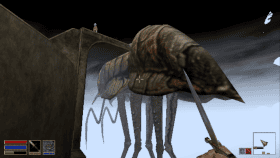
OpenMW for Vita is a native port of the open-source Morrowind engine, built on vitaGL. Runs the base game plus the Tribunal and Bloodmoon expansions through a custom GLSL pipeline. Dynamic fog scales draw distance on the fly to hold the target framerate, and both controller and front touchscreen are fully supported. Requires game data from a legally acquired copy of The Elder Scrolls III: Morrowind.
DOWNLOAD:
OpenMW - PS Vita Release (v2.2)
DOWNLOAD:
OpenMW - PS Vita Release (v2.2)
- Better crash safety for some users
| Name | Version | Released | Hits | DL Link | QR |
| openmw-2.4.vpk | v2.4 | 10/22/26 | 11 | Download | QR |
| link in description | v2.2 | 08/12/26 | 189 | Download | QR |
| OpenMW Vita | v1.3.3 | 05/03/26 | 97 | Download | QR |
| OpenMW Vita | v1.3.2 | 05/02/26 | 95 | Download | QR |
| OpenMW Vita | v1.3.1 | 04/30/26 | 114 | Download | QR |
| OpenMW Vita | v1.3 | 04/27/26 | 106 | Download | QR |
| OpenMW Vita | v1.1 | 04/26/26 | 110 | Download | QR |
 pleNx v1.4.0 by thcolin
Last Release: Oct 24, 2026
pleNx v1.4.0 by thcolin
Last Release: Oct 24, 2026
Downloads: 452
Last Release: Oct 24, 2026
Downloads: 452
Downloads: 452
pleNx is a fork of Switchfin (Nitendo Switch Jellyfin client) fully migrated to the Plex API, with a redesigned interface. It is a third-party project, not affiliated with or endorsed by Plex.
### Added
- **Audio files from Files play in the music player (#33).** An audio file
picked in Files opens Now Playing and the persistent mini-bar, like a Plex,
Jellyfin or Emby track. The folder's audio files become the queue, in the
order shown. Title, artist, album and length come from the file tags.
- **Search and Files can be reordered and hidden (#34).** They move and hide
like libraries. Home and the profile stay in place, and the settings screen
is renamed Sidebar.
### Fixed
- **Offline sidebar (#34).** Offline, library tabs follow the order and
visibility saved for the server, and Jellyfin and Emby show Favorites
instead of Watchlist.
- **Offline details of Jellyfin and Emby downloads.** A movie or show
downloaded from Jellyfin or Emby now keeps its summary, poster, backdrop,
cast and versions offline, plus the show, season and episodes for an
episode. Downloads made before this release keep their minimal details.
- **Jellyfin and Emby versions.** The Version selector reads
"1080p · HEVC · 1.4 Mbps" on every backend, and Download takes the version
picked in the selector, like Play.
- **Resumed Plex transcodes (#72).** The OSD shows the resume time, chapter
markers sit in the right place, and seeking works anywhere, before the
resume point too.
- **FTP folders (#54).** Folders on FTP servers without MLSD (vsftpd,
busybox, most routers) open again. On those servers a non-media file such
as `readme.txt` shows as a folder.
- **Edit and Delete in the server menu (#54)** open their screen again.
- **macOS: crash at launch when the active server does not answer.** Errors
from the C++ standard library escaped the app's error handling.
- **Rounded icon on the sign-in screens.** The icon on the connection type,
sign-in and hint screens was clipped at its corners.
- **Server image paths.** An image path from the server that does not start
with `/` is refused, so the access token cannot be sent to another host.

| Name | Version | Released | Hits | DL Link | QR |
| GMCA.vpk | v1.3.1 | 10/24/26 | 10 | Download | QR |
| GMCA.vpk | v1.3.0 | 09/24/26 | 10 | Download | QR |
| pleNx | v0.1.4 | 06/11/26 | 91 | Download | QR |
| pleNx | v0.1.15 | 07/11/26 | 157 | Download | QR |
| pleNx | v0.1.14 | 07/05/26 | 90 | Download | QR |
| pleNx | v0.1.10 | 06/16/26 | 86 | Download | QR |
 Shards of Dawn vNightly by HunterAzar
Last Release: Oct 24, 2026
Shards of Dawn vNightly by HunterAzar
Last Release: Oct 24, 2026
Downloads: 7
Last Release: Oct 24, 2026
Downloads: 7
Downloads: 7
Shards of Dawn is an online isometric RPG in which every fight is a turn-based card battle. The player explores a shared world, talks to NPCs, takes on quests and fights monsters, building a deck from cards earned through loot, quests and a class skill tree.
The game includes 5 classes, close to 300 quests, 47 story cutscenes and over 250 maps, plus a tutorial. All players share one world and see each other moving around the map in real time, whether they play on PS Vita or in a web browser. Multiplayer features include local, whisper, party and guild chat, friends and guilds, parties of up to 5 players with shared fights, duels, 2v2 and 3v3 team battles, trading and an auction house using in-game gold.
The PS Vita client is native (C++/SDL2) and supports both buttons and the touchscreen. One account works on PS Vita, in a web browser and on phones. The game is free, with no payments and no ads. Available in English and Polish.
The game includes 5 classes, close to 300 quests, 47 story cutscenes and over 250 maps, plus a tutorial. All players share one world and see each other moving around the map in real time, whether they play on PS Vita or in a web browser. Multiplayer features include local, whisper, party and guild chat, friends and guilds, parties of up to 5 players with shared fights, duels, 2v2 and 3v3 team battles, trading and an auction house using in-game gold.
The PS Vita client is native (C++/SDL2) and supports both buttons and the touchscreen. One account works on PS Vita, in a web browser and on phones. The game is free, with no payments and no ads. Available in English and Polish.
Changelog (Nightly):
- First Release.
- First Release.
| Name | Version | Released | Hits | DL Link | QR |
 Strikers Vita v1.3.0 by robin994
Last Release: Oct 24, 2026
Strikers Vita v1.3.0 by robin994
Last Release: Oct 24, 2026
Downloads: 17
Last Release: Oct 24, 2026
Downloads: 17
Downloads: 17
An unofficial port of Super Mario Strikers / Mario Smash Football for PlayStation Vita. The current runtime uses VitaGL, PC-prepared native graphics, PCM audio, and H.264/AAC MP4 movies streamed from PSARC through SceAvPlayer. This project is still under development. The next performance milestone is stable 30 FPS in rendered cutscenes, followed by 60 FPS. Neither target has been achieved or certified yet.
### Included
- PlayStation Vita VPK with native asset runtime, MP4 playback through SceAvPlayer, and PlayStation button glyphs.
- Clean tester configuration (`strikers.ini`), with diagnostics, profiling, logging, frame captures, and FPS overlay disabled.
### WARNING
- it requires CapUnlocker installed
### Installation
1. Install `strikers_vita.vpk` using VitaShell.
2. Prepare your own legally obtained game assets according to [ASSET_SETUP.md](https://github.com/robin994/strikersVita/blob/main/ASSET_SETUP.md).
3. Place `sms.psarc` at `ux0:data/strikersVita/sms.psarc` and the attached `strikers.ini` at `ux0:data/strikersVita/strikers.ini`.
4. Back up existing save data (`cardA/` and `cardB/`) before updating.
The game ISO, PSARC, and copyrighted game assets are not included.
**VPK SHA-256:** `dd103b6b75e239266ca092a620baf50056e3cd29750c26e1e0914503ecd5ac3b`
- PlayStation Vita VPK with native asset runtime, MP4 playback through SceAvPlayer, and PlayStation button glyphs.
- Clean tester configuration (`strikers.ini`), with diagnostics, profiling, logging, frame captures, and FPS overlay disabled.
### WARNING
- it requires CapUnlocker installed
### Installation
1. Install `strikers_vita.vpk` using VitaShell.
2. Prepare your own legally obtained game assets according to [ASSET_SETUP.md](https://github.com/robin994/strikersVita/blob/main/ASSET_SETUP.md).
3. Place `sms.psarc` at `ux0:data/strikersVita/sms.psarc` and the attached `strikers.ini` at `ux0:data/strikersVita/strikers.ini`.
4. Back up existing save data (`cardA/` and `cardB/`) before updating.
The game ISO, PSARC, and copyrighted game assets are not included.
**VPK SHA-256:** `dd103b6b75e239266ca092a620baf50056e3cd29750c26e1e0914503ecd5ac3b`
| Name | Version | Released | Hits | DL Link | QR |
 Super Mario Galaxy Vita v1.0 by CBOC-Vita
Last Release: Oct 24, 2026
Super Mario Galaxy Vita v1.0 by CBOC-Vita
Last Release: Oct 24, 2026
Downloads: 0
Last Release: Oct 24, 2026
Downloads: 0
Downloads: 0
This is Super Mario Galaxy running natively on a PS Vita. There's no emulator and no streaming involved: the game itself was rebuilt to run on the Vita's own processor and graphics chip. We haven't found anyone who has run Galaxy on the Vita before, so as far as we know this is a first.
Boot it up and you land in the Comet Observatory with Rosalina's music playing, holding the whole game in your hands. And it plays like it was made for the Vita: slide a finger on the rear touch pad to aim Star Bits, touch the screen where you used to point the Wii Remote, and tilt the Vita to roll the Star Ball.
Boot it up and you land in the Comet Observatory with Rosalina's music playing, holding the whole game in your hands. And it plays like it was made for the Vita: slide a finger on the rear touch pad to aim Star Bits, touch the screen where you used to point the Wii Remote, and tilt the Vita to roll the Star Ball.
Super Mario Galaxy, running natively on the PS Vita. No emulator, no streaming: the game's own code rebuilt for the Vita's processor and GPU.
**Touch controls, built for the Vita**
- Rear touch Star Bit aiming: slide a finger on the back pad and the pointer glides like a laptop trackpad, with your thumbs still on the sticks. Resting fingers are ignored. Turn it on in the pause menu with Triangle.
- The front screen is your Wii pointer: touch and Star Bits fly to you, tap to talk or choose, hold still to grab Pull Stars.
- Tilt to steer the Star Ball and the Manta ray; spin with Square or R.
- A settings panel in the pause menu: camera zoom and rear touch.
**How smooth it is** (measured with this release on a PS Vita; fps = new pictures per second, 60 is the most the screen shows)
- Good Egg Galaxy: 51 fps on average (41 to 56)
- Comet Observatory, the busiest place in the game: 43 fps on average (32 to 55)
- Quiet moments and menus: 60 fps
- Stutters longer than a tenth of a second while playing: 0
- Full game speed: when a moment is too busy, a picture is skipped instead of the game slowing down
- 1,131 graphics effects compiled ahead of time; up to 960×544 with automatic anti-aliasing
**Install:** the easiest way is CBOC Vita Installer (pick Super Mario Galaxy, choose your disc image, press Install). Or install `Galaxy-Vita.vpk` with VitaShell and copy your prepared game files to `ux0:data/smg/game/`; see INSTALL.md.
You need your own Super Mario Galaxy disc (Wii, USA, RMGE01). Unofficial fan project, not affiliated with Nintendo or Sony.
**Touch controls, built for the Vita**
- Rear touch Star Bit aiming: slide a finger on the back pad and the pointer glides like a laptop trackpad, with your thumbs still on the sticks. Resting fingers are ignored. Turn it on in the pause menu with Triangle.
- The front screen is your Wii pointer: touch and Star Bits fly to you, tap to talk or choose, hold still to grab Pull Stars.
- Tilt to steer the Star Ball and the Manta ray; spin with Square or R.
- A settings panel in the pause menu: camera zoom and rear touch.
**How smooth it is** (measured with this release on a PS Vita; fps = new pictures per second, 60 is the most the screen shows)
- Good Egg Galaxy: 51 fps on average (41 to 56)
- Comet Observatory, the busiest place in the game: 43 fps on average (32 to 55)
- Quiet moments and menus: 60 fps
- Stutters longer than a tenth of a second while playing: 0
- Full game speed: when a moment is too busy, a picture is skipped instead of the game slowing down
- 1,131 graphics effects compiled ahead of time; up to 960×544 with automatic anti-aliasing
**Install:** the easiest way is CBOC Vita Installer (pick Super Mario Galaxy, choose your disc image, press Install). Or install `Galaxy-Vita.vpk` with VitaShell and copy your prepared game files to `ux0:data/smg/game/`; see INSTALL.md.
You need your own Super Mario Galaxy disc (Wii, USA, RMGE01). Unofficial fan project, not affiliated with Nintendo or Sony.
| Name | Version | Released | Hits | DL Link | QR |
.