.

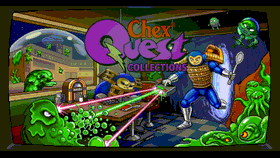 Chex Quest Collection v2.0 by SancioPanza88
Last Release: Oct 10, 2026
Chex Quest Collection v2.0 by SancioPanza88
Last Release: Oct 10, 2026
Downloads: 71
Last Release: Oct 10, 2026
Downloads: 71
Downloads: 71
One Vita app for Chex Quest 1, Chex Quest 2, and Chex Quest 3: Vanilla Edition. Pick a game with the D-pad and press Cross or START.
The final release of the collection: two to four consoles playing one game together, and every game at 60 frames per second.
## What's new
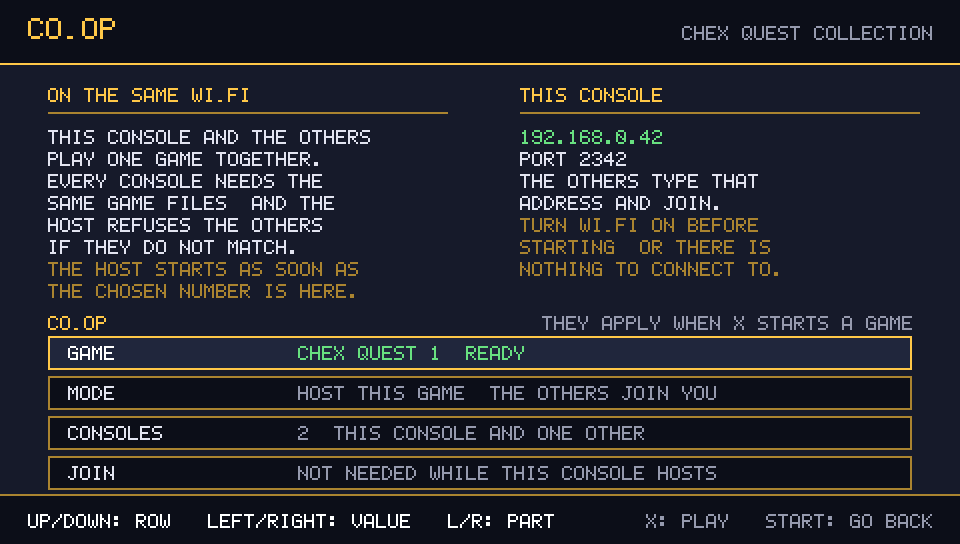
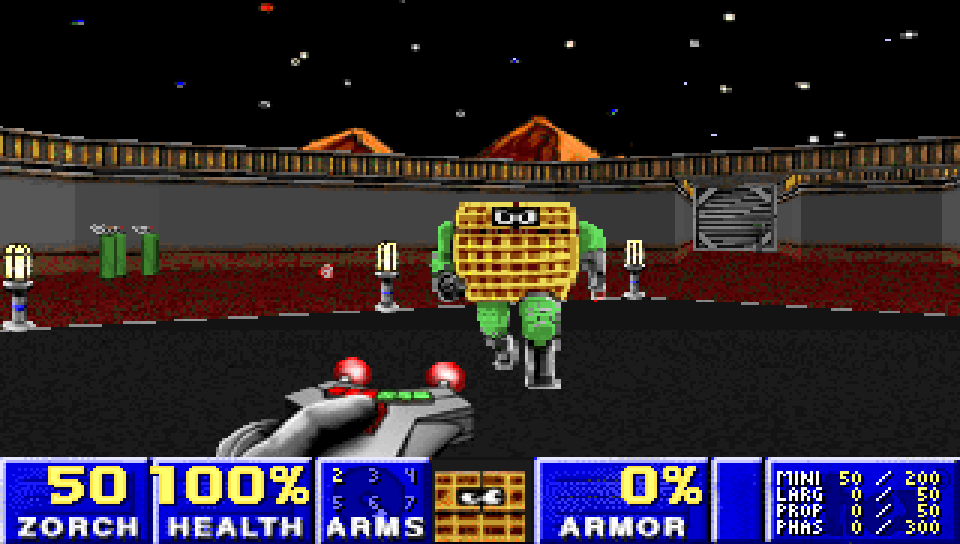
- **Co-op over the LAN.** Two to four consoles on the same Wi-Fi play one game together. Press **R** in the launcher for the **CO-OP** screen: pick the game, **HOST THIS GAME** or **JOIN ANOTHER CONSOLE**, how many consoles take part, and the address to join (typed once with the pad and remembered afterwards). The host starts the game by itself as soon as everyone is connected, the consoles compare their game data before the level loads and refuse to start when it does not match, and a session that cannot start says so and returns to the launcher. Nothing leaves your network: no account, no master server, no listing.
- **60 frames per second.** The picture is drawn once per vertical blank and interpolated between the last two game tics — the camera, monsters, projectiles, items, the weapon sway and the doors, lifts and moving floors — and it is presented double buffered, so turning the view neither steps at 35 Hz nor tears.
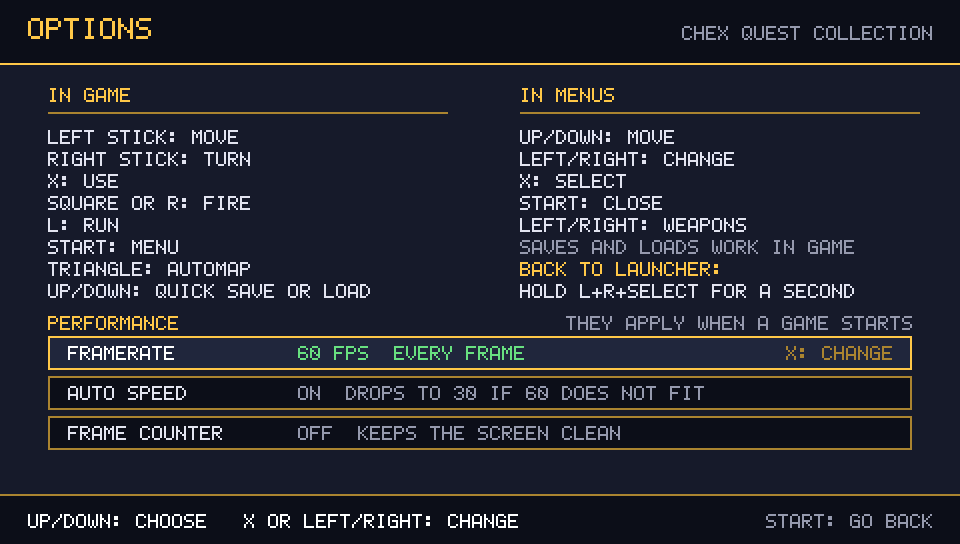
- **The framerate you choose, and a guard that keeps it honest.** The **OPTIONS** screen offers **60 FPS**, **30 FPS** and **35 FPS (classic)**; **AUTO SPEED** drops to 30 fps for the session when a scene genuinely cannot hold 55 fps, and **FRAME COUNTER** shows what you are actually getting.
- **The co-op problems found on two consoles are fixed.** Chex Quest 2's rushed maps carry no cooperative starts, so every other console now gets a body of its own instead of a black screen; the netgame start handshake is compiled in; the game keeps its own palette through the wait screen; and saving is refused in a network game, as it should be.
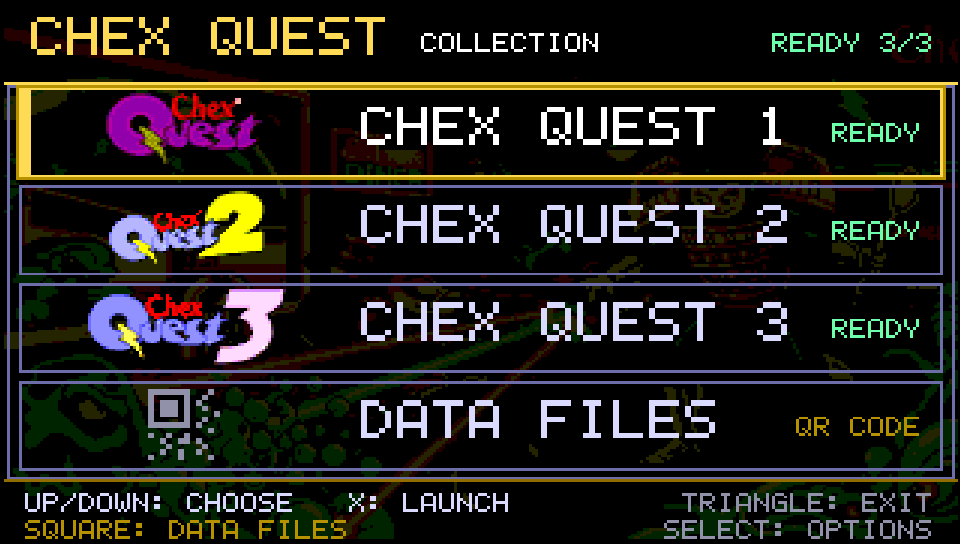
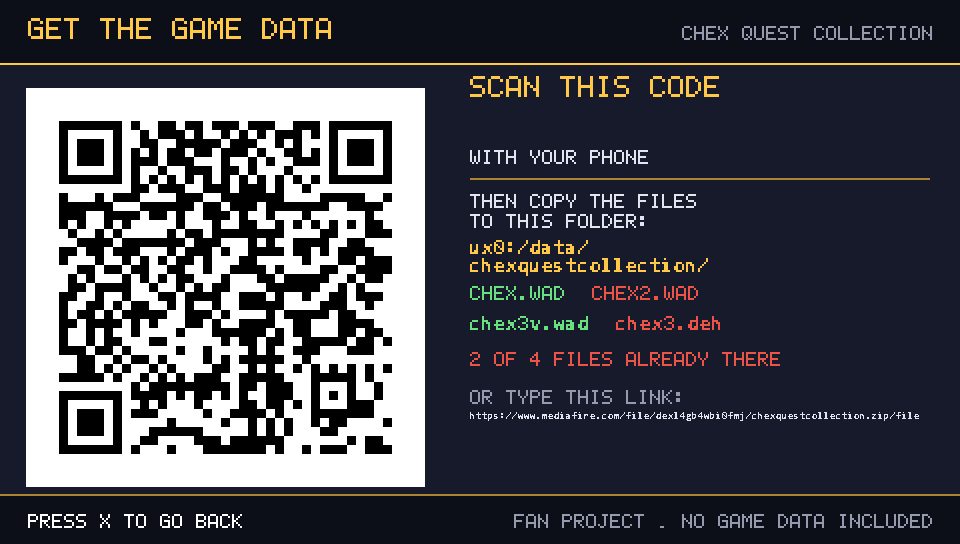
- **Launcher and game data.** The three games with a per-game **READY** / **MISSING** status and the **DATA FILES** screen with the QR code, the printable link and a live checklist of the four files, with menu music and blips. Files copied over FTP show up without restarting the app.
- **Quick save and load, and a way back.** **D-pad up/down** in game with a short on-screen confirmation, and **hold L + R + SELECT for a second** to return to the launcher.
- **Bubble icon.** Painted on the banner's own background, so no black band shows around it on the home screen.
| Launcher | Co-op: hosting | Co-op in game |
|---|---|---|
|  |  |  |
| Options | Data files and QR code | Quick save |
|---|---|---|
|  |  |  |
## Install
1. Install `ChexQuestCollection.vpk` with VitaShell (or any VPK installer).
2. Copy your legally obtained game data into `ux0:/data/chexquestcollection/`: `CHEX.WAD`, `CHEX2.WAD`, `chex3v.wad` and `chex3.deh`. All four files go directly in that folder, with no subfolders.
3. Launch the app, pick a game with the D-pad and press **Cross** or **START**. For co-op, press **R** and follow the CO-OP screen on every console taking part.
This is the last release of the collection. The VPK ships the launcher only: no game data, WAD or DEH files are included. Screenshots, the full control list, the co-op details and build instructions are in the [README](https://github.com/SancioPanza88/chex-quest-collection#readme).
## What's new
- **Co-op over the LAN.** Two to four consoles on the same Wi-Fi play one game together. Press **R** in the launcher for the **CO-OP** screen: pick the game, **HOST THIS GAME** or **JOIN ANOTHER CONSOLE**, how many consoles take part, and the address to join (typed once with the pad and remembered afterwards). The host starts the game by itself as soon as everyone is connected, the consoles compare their game data before the level loads and refuse to start when it does not match, and a session that cannot start says so and returns to the launcher. Nothing leaves your network: no account, no master server, no listing.
- **60 frames per second.** The picture is drawn once per vertical blank and interpolated between the last two game tics — the camera, monsters, projectiles, items, the weapon sway and the doors, lifts and moving floors — and it is presented double buffered, so turning the view neither steps at 35 Hz nor tears.
- **The framerate you choose, and a guard that keeps it honest.** The **OPTIONS** screen offers **60 FPS**, **30 FPS** and **35 FPS (classic)**; **AUTO SPEED** drops to 30 fps for the session when a scene genuinely cannot hold 55 fps, and **FRAME COUNTER** shows what you are actually getting.
- **The co-op problems found on two consoles are fixed.** Chex Quest 2's rushed maps carry no cooperative starts, so every other console now gets a body of its own instead of a black screen; the netgame start handshake is compiled in; the game keeps its own palette through the wait screen; and saving is refused in a network game, as it should be.
- **Launcher and game data.** The three games with a per-game **READY** / **MISSING** status and the **DATA FILES** screen with the QR code, the printable link and a live checklist of the four files, with menu music and blips. Files copied over FTP show up without restarting the app.
- **Quick save and load, and a way back.** **D-pad up/down** in game with a short on-screen confirmation, and **hold L + R + SELECT for a second** to return to the launcher.
- **Bubble icon.** Painted on the banner's own background, so no black band shows around it on the home screen.
| Launcher | Co-op: hosting | Co-op in game |
|---|---|---|
|  |  |  |
| Options | Data files and QR code | Quick save |
|---|---|---|
|  |  |  |
## Install
1. Install `ChexQuestCollection.vpk` with VitaShell (or any VPK installer).
2. Copy your legally obtained game data into `ux0:/data/chexquestcollection/`: `CHEX.WAD`, `CHEX2.WAD`, `chex3v.wad` and `chex3.deh`. All four files go directly in that folder, with no subfolders.
3. Launch the app, pick a game with the D-pad and press **Cross** or **START**. For co-op, press **R** and follow the CO-OP screen on every console taking part.
This is the last release of the collection. The VPK ships the launcher only: no game data, WAD or DEH files are included. Screenshots, the full control list, the co-op details and build instructions are in the [README](https://github.com/SancioPanza88/chex-quest-collection#readme).
| Name | Version | Released | Hits | DL Link | QR |
| Chex Quest Collection | v2.0 | 10/10/26 | 33 | Download | QR |
| Chex Quest Collection | v1.0.0 | 10/04/26 | 28 | Download | QR |
.