

OneFamily v1.2.1 by ChiricoG
Background payload that hands USB controllers the PS4 doesn't support to the system as DualShock 4s
Install on your PS4
Package (.pkg): with GoldHEN running, copy onefamily_companion.pkg to the root of a USB drive (exFAT or FAT32), plug it into the PS4 and install it from Settings › Debug Settings › Game › Package Installer.
From a computer or phone: give this link to a remote package sender (GoldHEN's Remote Package Install, or Remote Package Installer on port 12800):
https://store.brewology.com/dl/11523/onefamily_companion.pkg
Payload (.bin): download onefamily.bin under Files, then send it from a computer on the same network to your PS4's payload loader, such as GoldHEN's BinLoader on port 9090. A payload sender does it, or nc <PS4 address> 9090 < onefamily.bin.
Files
| File | Size | SHA-256 | |
|---|---|---|---|
| onefamily.bin | 181 KB | 82748947…dda1 | Download |
| onefamily_companion.pkg | 8.2 MB | c237659e…3073 | Download |
Screenshots


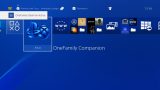
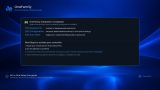
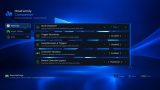
About OneFamily
The developer lists Xbox 360, Xbox One and Series pads on a cable, third-party Xbox-style pads, XInput and DirectInput PC pads such as the Logitech F310 and F710, the Stadia controller, Switch Pro and Switch-style pads and the DualShock 3, all with rumble except the Switch pads. The 1.2.0 betas add the DualSense. Controllers can be swapped while a game runs.
Install the companion app and open it once. It puts the payload in place and adds it to GoldHEN's AutoRun list, so after a restart with GoldHEN you get a "OneFamily Daemon Active" notification. Back in the app you can calibrate stick drift: it watches the sticks at rest for about three seconds and sets the dead zone to match. There's also a rumble test, button remapping for generic HID pads, and settings for dead zones, trigger thresholds, swapping bumpers with triggers and the Switch button layout. Everything is kept in /data/onefamily/.
For pads with no PS or touchpad button:
- Back + Start, or Share + D-pad down: PS button
- Share + D-pad up: touchpad click
Release notes
v1.2.1 · OneFamily v1.2.1 · Nov 2, 2026
We are excited to release OneFamily v1.2.1! This update officially introduces field-verified native Bluetooth support for PlayStation 4 Firmware 13.52, alongside an all-new universal VID-First AOB kernel scanner with Greedy Nearest-Pairing designed to automatically detect and patch the /dev/bt controller allowlist across any other GoldHEN firmware versions (5.05 - 11.00+).
Key Improvements & Highlights
1. Pre-Verified Zero-Delay Static Table for FW 13.52
- Native 0 ms Instant Activation: Extracted and integrated the exact 12 allowlist offsets (
static_1352[12]) for PS4 Firmware 13.52. - Fast Integrity Verification: Performs an ultra-fast 1-cycle CPU layout check before patching Ring 0 memory, eliminating any scan overhead or delays at boot.
register_dualsense = 0Certified: Natively validated with the Orbis OS/dev/btkernel subsystem, enabling immediate, seamless pairing of Sony DualSense & DualSense Edge controllers.
2. Universal VID-First AOB Dynamic Scanner (Success Rate > 90%)
- VID-First Clustering: Scans safe kernel memory (
[0x4E0000, 0x660000)) directly for rare Thrustmaster Vendor ID comparisons (0x044F), completely bypassing generic x86-64 stack frame anchors and eliminating false positives. - Strict Opcode Verification (
aob_is_cmp_imm): Accurately differentiatesCMPinstructions from regular memory allocations (PAGE_SIZE), preventing false triggers. - Greedy Nearest-Pairing Engine: Automatically pairs each discovered Vendor ID with its companion Product ID located within the same function block, resolving previous registration errors and ensuring both values are correctly patched simultaneously.
- Discovered Offsets Logging: Automatically logs discovered hex offsets to
/data/onefamily/onefamily.logon newly encountered firmware versions.
3. Dual-Firmware Pre-Verified Architecture & Dynamic Fallback
- FW 12.50: 10 pre-verified offsets (0 ms boot).
- FW 13.52: 12 pre-verified offsets (0 ms boot).
- All other firmwares (5.05 - 11.00+): Universal dynamic VID-First AOB scanner automatically engages on boot.
Installation & Update
- Download and install
onefamily_companion.pkgusing GoldHEN Package Installer. - Launch OneFamily Companion from your home screen once to apply and verify the payload installation.
- Restart your PS4 console to launch the new OneFamily background daemon via GoldHEN autoboot.