

Snes9x v1.30 by bubble2k16
SNES emulator based on Snes9x 1.43, made for the Old 3DS and 2DS and faster on a New 3DS
Install on your 3DS
Method 1Scan the QR code
With 3dsDL (Scan QR Code). Then open the .zip in 3dsDL's Files and extract it where the release notes say.
Method 2Send it to your 3DS
Open 3dsDL › Receive on the same Wi-Fi, then press:
Send to 3dsDL Not working?
Other ways to install
Send can't find your 3DS? Type the address 3dsDL shows on Receive, then press Send.
Send to 3dsDL
Files
| File | Size | SHA-256 | |
|---|---|---|---|
| snes9x_3ds-v1.30.zip | 1.7 MB | b20723ad…c58d | Download |
Screenshots
About Snes9x
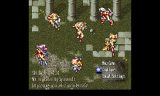
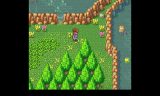
CX4 and SDD-1 games like Mega Man X2 and X3, Star Ocean and Super Street Fighter 2 Alpha work. SuperFX and SA-1 games (Yoshi's Island, Super Mario RPG, Kirby Super Star) run too, but slowly on an Old 3DS. The author suggests a New 3DS for those, and the .3dsx build uses its full clock speed.
ROMs can go in any folder, unzipped, as .sfc, .smc or .fig. For cheats, put a .cht or .chx text file with the same name next to the ROM. There are five save state slots, frame skipping, and a choice of full screen or 4:3. The top screen image, snes9x_3ds_top.png, goes in /3ds/snes9x_3ds for the .3dsx or in the root of the SD card for the CIA.
Tap the bottom screen for the menu. Up and Down pick an option, A confirms, holding X pages up and down, and Left and Right switch between the ROM list and the settings.
Sound needs CSND, so your entry point has to support it. Odd colours in games like Secret of Mana or Kirby Super Star can be fixed by changing In-Frame Palette Changes in the settings. If the sound drifts after you close the lid, open the menu and resume. Quit from the emulator's menu, not with HOME, or the music keeps playing.
ROMs can go in any folder, unzipped, as .sfc, .smc or .fig. For cheats, put a .cht or .chx text file with the same name next to the ROM. There are five save state slots, frame skipping, and a choice of full screen or 4:3. The top screen image, snes9x_3ds_top.png, goes in /3ds/snes9x_3ds for the .3dsx or in the root of the SD card for the CIA.
Tap the bottom screen for the menu. Up and Down pick an option, A confirms, holding X pages up and down, and Left and Right switch between the ROM list and the settings.
Sound needs CSND, so your entry point has to support it. Odd colours in games like Secret of Mana or Kirby Super Star can be fixed by changing In-Frame Palette Changes in the settings. If the sound drifts after you close the lid, open the menu and resume. Quit from the emulator's menu, not with HOME, or the music keeps playing.
Release notes
v1.30 · Mar 24, 2018
- Improved sound synchronization.
- Added BlargSNES DSP Core (experimental) for performance. The original Snes9X DSP core (default) suffers from sound skipping in some games like Aladdin and Gradius 3. You can choose which DSP core to use from the Options menu. The BlargSNES DSP Core sounds similar to the Snes9x Core for most games. Sounds like Final Fantasy 3's the howling wind sound different.
- Added support for Tengai Makyou Zero English Patch (for hopefully all future versions)