

Rogue Squadron 64 Recompiled v0.2.2 by yaboimanguy-a11y
New 3DS port of the Rogue Squadron 64 recompilation, with the game code made from your own ROM by a one-time setup on a computer
Install on your 3DS
Method 1Scan the QR code
With NSA or FBI (Remote Install › Scan QR Code), or 3dsDL (Scan QR Code, then Change Folder › Homebrew apps and Download).
Method 2Send it to your 3DS
With NSA 0.9.12 or newer open, or 3dsDL on Receive, on the same Wi-Fi, press:
Send to your 3DS Not working?
Other ways to install
From your SD card: copy rs64.3dsx into /3ds/ and start it from the Homebrew Launcher.
Files
| File | Size | SHA-256 | |
|---|---|---|---|
| rs64.3dsx | 1.4 MB | f78eea41…9e36 | Download |
Screenshots
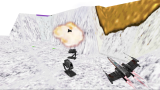
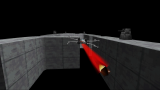
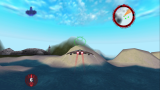
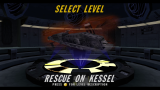
About Rogue Squadron 64 Recompiled
A port of Rogue Squadron 64 Recompiled, the static recompilation of Star Wars: Rogue Squadron for the N64. The file here is only the port: renderer, sound, controls and updater. It holds no game code or data. The game code (game.bin) is made once from your own ROM (USA v1.0) by a setup you run on a Windows, Mac or Linux computer. The setup zip is on the developer's releases page, and it copies everything to the SD card.
New 3DS, New 3DS XL and New 2DS XL only, with Luma3DS. Sound needs sdmc:/3ds/dspfirm.cdc, which the DSP1 homebrew writes. With Wi-Fi on, the game looks for a new release at each start and asks before installing it.
The developer says it plays from boot through missions and cutscenes, with missions at roughly 12 to 25 fps. There's widescreen, stereoscopic 3D and the radar on the bottom screen. Known issues from the developer: a white sky behind the 3D logo at boot and frame drops when levels load.
- Circle Pad: stick
- A / B: lasers and secondary weapon
- R or ZR, L, ZL: the N64's Z, R and L
- X, Y, Select or C-Stick: C buttons
- Tap the bottom screen: 4:3 or widescreen
- L + R + Start + Select: quit
Release notes
v0.2.2 · v0.2.2 - clean exit · Nov 8, 2026
- Quitting the game (closing it from the HOME menu, or L + R + START + SELECT) now shuts down cleanly.
- Going to the HOME menu or sleep waits for the current frame to finish before handing the graphics hardware to the system.
Only the port changed: install it with the in-game updater (start the game with Wi-Fi on and press A), or replace rs64.3dsx. Your game.bin keeps working; no setup needed.
New Nintendo 3DS only, with Luma3DS.