

Papaya v1.6.1 by wormprojects
Music player with a file browser, queue editor, themes and an effects menu, forked from ctrmus
Install on your 3DS
Method 1Scan the QR code
With NSA or FBI (Remote Install › Scan QR Code), or 3dsDL (Scan QR Code).
Method 2Send it to your 3DS
With NSA 0.9.12 or newer open, or 3dsDL on Receive, on the same Wi-Fi, press:
Send to your 3DS Not working?
Other ways to install
From your SD card: copy papaya.3dsx into /3ds/ and start it from the Homebrew Launcher.
Files
Screenshots

About Papaya
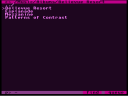
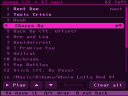
A fork of deltabeard's ctrmus with a lot added. It plays MP3, FLAC, Opus, Vorbis, WAV, M4A, AAC and SID files. There are no playlists on purpose: it plays from whichever folder you start in. The top line shows the folder you're browsing and the bottom one the folder that's playing.
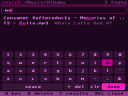
The main screen shows volume, brightness, battery, the time and date, and details of the track such as bitrate and format. There are tags, shuffle and repeat, seeking, a queue you can reorder, file search for big libraries, themes with an in-app theme editor and a spinning disc mode. The effects menu has playback speed (the pitch changes with it), distortion, reverb, an equaliser and reverse playback. Effects cost speed, so the author suggests using only a few, or fast mode on a New 3DS at the cost of battery life.
The author made it mainly for the New 3DS, hasn't tried it on an original 3DS, and says it's very vibe-coded.
- Select: menu and settings
- X: pause and resume
- L / R: previous and next song
- ZL / ZR: seek back and forward
- Start: shuffle
- R+Up / R+Down: brightness
- In the file browser, A plays, B goes up a folder and Y adds to the queue
Release notes
v1.6.1 · Nov 18, 2026
mac icon