

Metroid Zero Mission 3DS v0.8.1 by tinaut1986
Metroid: Zero Mission on 3DS, built from the decompilation, with 3D, a wide view and a touch map.
Install on your 3DS
Method 1Scan the QR code
With NSA or FBI (Remote Install › Scan QR Code), or 3dsDL (Scan QR Code).
Method 2Send it to your 3DS
With NSA 0.9.12 or newer open, or 3dsDL on Receive, on the same Wi-Fi, press:
Send to your 3DS Not working?
Other ways to install
Files
| File | Size | SHA-256 | |
|---|---|---|---|
| mzm-3ds-v0.8.1.cia | 3.1 MB | 5a557b86…03aa | Download |
Screenshots

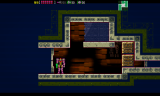
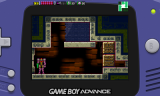
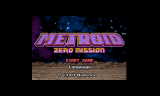
About Metroid Zero Mission 3DS
A native 3DS port of Metroid: Zero Mission, built from the C decompilation and drawn by the console's GPU. One build works with the EUR, USA or JAP ROM.
It adds stereoscopic 3D, a wide view that shows more of each room, GBA screen filters and frame pacing for the Old 3DS. The bottom screen has a live map, item status, save states and settings, and updates install from inside the app.
The WIDE + AI view fills parts of a few scenes, like the title screen, with art made by a generative image AI. It's off unless you choose it.
No ROM comes with it. You need your own copy of Metroid: Zero Mission.
- Install the CIA with FBI or NSA.
- Put your .gba ROM in sdmc:/3ds/Metroid Zero Mission 3DS/. Saves and settings go there too.
- Start it from the HOME menu.
Release notes
v0.8.1 · Release v0.8.1 · Nov 14, 2026
What's new
- Saves: mzm.sav is now a real GBA save (32 KB). Copy a save from a GBA emulator or cartridge into the game folder as mzm.sav and it loads, from any region's ROM, and yours works in an emulator. Your current save is converted the first time you start this version; the old file is kept as mzm.sav.legacy.
- Button remapping only changes the controls while you play: menus, the pause screen and messages use the normal buttons again. MORPH BALL IN/OUT does nothing until you have the Morph Ball.
- New option CHARGE PULLS DROPS (in the controls list): while the Charge Beam charges, nearby energy and ammo drops fly to Samus. Off by default.
- WIDE: Samus's close-up when she lands no longer shows broken copies at the sides. With WIDE + AI it gets a full picture around it.
Downloads
Install the CIA. No .3dsx is published: a 3dsx cannot
declare its own memory budget, so it inherits whatever the
Homebrew Launcher host has left -- not enough for the 8MB
ROM buffer plus the GPU buffers this port reserves. The CIA
asks for 64MB of its own (see cia/mzm3ds.rsf).
Changelog
- docs: release notes for v0.8.1 (d874910a)
- fix(wide): the close-up fades over the room in the margins too (#35) (94a383af)
- fix(wide): the close-up's picture fades with it, over black (#35) (40303236)
- feat(wide): WIDE + AI picture around Samus's landing close-up (#35) (bb2bbe6e)
- tools(scene-extend): package for Samus's landing close-up (#35) (46e0b572)
- fix(3ds): WIDE shows only the GBA frame during Samus's close-up (#35) (2f7cb1df)
- fix(3ds): the save's version text is the loaded ROM's region (#37) (49720e00)
- feat(3ds): mzm.sav is the GBA save file, byte for byte (#37) (ced7f2c7)
- feat(3ds): CHARGE PULLS DROPS option (#37) (4de76d26)
- fix(3ds): button mapping applies in game only; quick morph needs the Morph Ball (#36) (1fb08ae3)
- ci: announce releases on Discord (19be056d)
- test(3ds): cutscene-art BGs of priority 2 and 3 may share the far plane (2bc7437b)
Full Changelog: https://github.com/tinaut1986/mzm/compare/v0.8.0...v0.8.1