

Luma3DS with Timelock v12.0.1 by valx76
Luma3DS v12.0.1 with a time limit added: Rosalina locks the console behind a PIN once the play time is used up
Install on your 3DS
This replaces your console's boot.firm. Back up the old one first. Take it only from a project you trust and read its release notes first.
Scan the QR code
With 3dsDL (Scan QR Code, then Change Folder › SD card root, Download and Replace).
Other ways to install
boot.firm from your SD card: back up the old one, then copy the new one to the root of the card over it.
Files
| File | Size | SHA-256 | |
|---|---|---|---|
| boot.firm | 264 KB | 0886eaaf…f906 | Download |
Screenshots
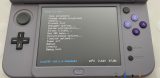
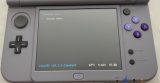
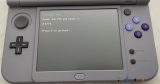
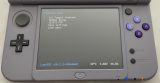
About Luma3DS with Timelock
A build of the Luma3DS custom firmware with a Timelock menu added to Rosalina. Once the console has been on for the time you set, it locks until someone types the PIN. The author made it for parents who don't want their kids on the console too long, something he found missing from Nintendo's parental controls.
From the Timelock menu you turn the lock on or off, set the time limit and set the PIN. The settings and the time already used are kept in a config file, so a reboot doesn't reset the count. The default PIN is 0000.
The file is a boot.firm that takes the place of your Luma3DS one. It's based on Luma3DS v12.0.1.
Release notes
v12.0.1 · v12.0.1 with Timelock · Jul 14, 2023
Luma3DS v12.0.1 (latest version as of today) containing the Timelock module.