

CyberPlayer3DS v1.0.7 by Taifuoguru
Y2K-style music player modelled on Kenwood car audio, with bass-reactive visualisers
Install on your 3DS
Method 1Scan the QR code
With FBI (Remote Install › Scan QR Code) or 3dsDL (Scan QR Code). Either one installs it.
Method 2Send it to your 3DS
Open 3dsDL › Receive on the same Wi-Fi, then press:
Send to 3dsDL Not working?
Other ways to install
From your SD card: copy CyberPlayer3DS.3dsx into /3ds/ and start it from the Homebrew Launcher.
Files
| File | Size | SHA-256 | |
|---|---|---|---|
| CyberPlayer3DS.3dsx | 14.5 MB | 7007ee7b…06b7 | Download |
| CyberPlayer3DS.cia | 817 KB | 414f7a07…392d | Download |
Screenshots
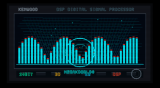
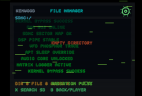

About CyberPlayer3DS
It tries to keep playing with the screen off or the lid shut, and headphones are recommended for lid-closed listening. Settings has a C-Stick mouse cursor. There's a random radio-static transition effect, and Matrix log and Geiger effects that are off unless you turn them on.
Player:
- A: play or pause
- B: back to the file browser
- D-Pad left and right: previous and next track
- Circle Pad left and right: seek
- X: screen-off mode
- Y: automatic visualiser switching
- L: shuffle
- R: repeat mode
- ZL and ZR: EQ preset
In the file browser, X searches the SD card for audio and Y opens settings. Select is a hold switch.
Release notes
v1.0.7 · CyberPlayer3DS · Jul 13, 2026
Unfortunately, playing FLAC files with sampling rates higher than 44.1 kHz or bit depths above 16-bit is too demanding for both Old 3DS and New 3DS models. Currently, it is not possible to play these high-res files while simultaneously rendering visual effects and graphics.
To address this, I have added a new error-handling function: if you attempt to load an unsupported audio format, the app will now display an error message stating that the file is not supported, rather than crashing.
I believe the FLAC playback issue on the 3DS is now mostly resolved. If you use the correct FLAC specifications (16-bit / 44.1 kHz), it should theoretically play without any lag or stuttering. However, I am still not 100% sure how it will perform on all Old 3DS models under different loads, so I am highly looking forward to your feedback and comments