

3dssavesync v3.13.2 by programgames
Keeps DS, Game Boy, GBA and 3DS saves the same on a modded 3DS, PC emulators and Android, through your own server
Install on your 3DS
Method 1Scan the QR code
With NSA or FBI (Remote Install › Scan QR Code), or 3dsDL (Scan QR Code).
Method 2Send it to your 3DS
With NSA 0.9.12 or newer open, or 3dsDL on Receive, on the same Wi-Fi, press:
Send to your 3DS Not working?
Other ways to install
From your SD card: copy 3dssavesync.3dsx into /3ds/ and start it from the Homebrew Launcher.
Files
| File | Size | SHA-256 | |
|---|---|---|---|
| 3dssavesync.3dsx | 1.1 MB | 5612791e…9ec8 | Download |
| 3dssavesync.cia | 787 KB | 5d460336…ab85 | Download |
Screenshots


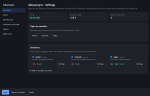
About 3dssavesync
The 3DS app syncs the saves of native 3DS games, Game Boy and Game Boy Color Virtual Console games, and games you run through TWiLight Menu++, open_agb_firm and mGBA forwarders. On the PC it works with melonDS, mGBA, Azahar, RetroArch and others, started from LaunchBox, ES-DE or a shortcut. There's an Android app too, which the author calls a first version.
The server is either the one built into the PC program, which works on your home network while the PC is on, or your own Docker server with HTTPS for syncing from anywhere. There's no account and no cloud service. The server keeps every version of a save, each device makes a backup copy before it replaces one, and when both sides have changed you choose which to keep.
On the 3DS, open the app before and after you play, then press Start to sync everything or A for one game. It only syncs while it's open. The PC program writes the server address and token to the SD card for you. 3DS saves over 16 MB stay unsynced, and Super Mario Maker is never synced.
The author asks you to keep your own backups as well, with Checkpoint or JKSM, and to use the same game update on every device.
Release notes
v3.13.2 · 3dssavesync v3.13.2 · Nov 19, 2026
What's Changed
- Fix false extdata Conflicts and twin-game extdata on the PC by @programgames in https://github.com/programgames/3dssavesync/pull/104
- Release 3.13.2 by @programgames in https://github.com/programgames/3dssavesync/pull/105
Full Changelog: https://github.com/programgames/3dssavesync/compare/v3.13.1...v3.13.2