

3dslibris v3.0.0 by RigleGit
Ebook and manga reader for EPUB, MOBI, PDF, CBZ and more, based on the DS reader dslibris
Install on your 3DS
Method 1Scan the QR code
With FBI (Remote Install › Scan QR Code) or 3dsDL (Scan QR Code). Either one installs it.
Method 2Send it to your 3DS
Open 3dsDL › Receive on the same Wi-Fi, then press:
Send to 3dsDL Not working?
Other ways to install
From your SD card: copy 3dslibris.3dsx into /3ds/ and start it from the Homebrew Launcher.
Files
| File | Size | SHA-256 | |
|---|---|---|---|
| 3dslibris.3dsx | 13.9 MB | ced62cd3…4562 | Download |
| 3dslibris.cia | 12.8 MB | 2965a6e0…a5d8 | Download |
Screenshots

About 3dslibris
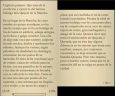
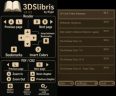
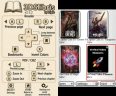
EPUB text reflows, with the table of contents, bookmarks, go to page, and word or phrase search. Pictures in EPUB, MOBI and FB2 can be zoomed and panned. Manga and documents (CBZ, PDF, XPS) open in a fixed-layout viewer with zoom and chapter jumps, and can use an 800x240 wide mode on the top screen, except on an original 2DS. You can read in portrait or landscape, set font size and spacing per book, and pick one of six themes. Progress and bookmarks are saved, and fonts for Cyrillic, Greek, CJK, Arabic, Hebrew, Thai and more are included.
- A, B, L, R: turn pages
- D-Pad Left/Right: jump between bookmarks
- Y: bookmark the page, hold Y to pick links and images
- X: change the background colour
- Select: book settings
- Start: back to the library
The .3dsx build also needs 3dslibris-sdmc.zip extracted to the root of the SD card.
Release notes
v3.0.0 · Oct 27, 2026
3dslibris 3.0.0
It has been a while, but now you can search your books and zoom in on images!
This release also includes many fixes and improvements, including better support for CJK text, landscape orientation and handedness controls, and more.
New
- #163: find words and phrases with the 3DS keyboard, highlight matches and move between results. Available in EPUB, MOBI, TXT, Markdown, FB2, RTF and ODT through the BOOK menu.
- #28: zoom and pan illustrations in EPUB, MOBI and FB2. Hold Y to select an image, then press A to open it. Includes touch controls and returns to your reading position.
- #101: optional 800×240 top-screen mode for PDF, CBZ and XPS through
wide top screenin the BOOK menu. Available on Old/New 3DS (including XL) and New 2DS XL; the original 2DS stays at 400×240. - Optional
disable ebook imagessetting understyle customization(I also read YT comment hehe).
Fixes and improvements
- Faster library browsing and EPUB page turns, smoother PDF panning and quicker app shutdown.
- Open PDFs fitted to the whole page and improve PDF/CBZ image scaling.
- EPUB books show the first page before the page cache finishes saving.
- Fix overlapping full-page images and preserve authored image sizes across reading screens.
- Correct orientation and handedness controls, landscape buttons, loading screens and partial redraws (I didn't try these for a while and some things were broken).
- Show two lines for library titles and load folder covers only when visible and idle.
- Fix a CJK pagination stack overflow (#165), parsing errors, image-loading limits and invalid page-cache handling.
Updating
EPUB and MOBI page caches are rebuilt on first open after updating. Reading progress, bookmarks and preferences are kept. If you close the app while an EPUB cache is still being prepared, it may need rebuilding on the next open. Returning to the library finishes the pending save.
Search does not support PDF/CBZ/XPS, OCR or RTL text. See the search guide and image controls for details.
Downloads
3dslibris.ciaor3dslibris.3dsxfor normal use.3dslibris-sdmc.zip: runtime files for Homebrew Launcher installs; use with the.3dsxdownload.- Debug builds (
3dslibris-debug.cia/3dslibris-debug.3dsx) and3dslibris-source.tar.gzare also included.
Thanks to everyone reporting issues and supporting the project. Special thanks to @Rhlp-Engineering and @Leblatar for supporting this version! You can help with a ⭐ on GitHub or a coffee.