

3ds-d2 v0.4.0 by exsilium
Runs Diablo II: Lord of Destruction 1.14d on the New 3DS from your own game files, through a Box86-based x86 recompiler
Install on your 3DS
Method 1Scan the QR code
With NSA or FBI (Remote Install › Scan QR Code), or 3dsDL (Scan QR Code).
Method 2Send it to your 3DS
With NSA 0.9.12 or newer open, or 3dsDL on Receive, on the same Wi-Fi, press:
Send to your 3DS Not working?
Other ways to install
Files
| File | Size | SHA-256 | |
|---|---|---|---|
| 3ds-d2.cia | 3.2 MB | e2f67de1…f23c | Download |
Screenshots
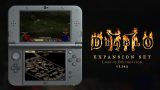
About 3ds-d2
It runs the unmodified Windows Game.exe of Diablo II 1.14d. The x86 code goes through an ARMv6 port of the Box86 dynamic recompiler from the WinVita engine, 3ds-d2's own runtime answers the Windows calls, and the busiest drawing routines run as native ARM code. It needs a New 3DS, New 3DS XL or New 2DS XL: the original models don't have the memory or CPU, the author says.
The game isn't included. Copy Game.exe and the eleven .mpq files from your own Diablo II and Lord of Destruction, patched to 1.14d, to /3ds/3ds-d2/game/. That's about 1.9 GB. The current Blizzard installers give you 1.14c, so patch first: the app refuses any other Game.exe and says why. Sound needs a DSP firmware dump.
The bottom screen has tabs for the automap, hotkey buttons, a 1:1 zoom around the cursor, and frame rate and memory use. Panels such as the inventory open there at full size so you can tap items.
- Circle Pad: walk, or move the cursor in menus
- C-Stick or touch screen: move the cursor
- A / B: left / right mouse button
- X: inventory
- D-Pad: belt potions 1 to 4
- ZR + A, B, Y or X: skills F1 to F4
- R + Select: on-screen keyboard
- Start: game menu
After a crash, or when you ask for it on the Info tab, it can send a problem report to the developer's Sentry account. Nothing is sent unless you press A or X, and saves and character names never are.
Release notes
v0.4.0 · Nov 13, 2026
This is a significant release aiming to improve performance, reporting and quality of life.
What's Changed
- Problem reports to Sentry, sent with a TLS module loaded only to send (#26) by @exsilium in https://github.com/exsilium/3ds-d2/pull/29
- Sprite cache governor without thrash, and a sprite trace sent with reports (#18) by @exsilium in https://github.com/exsilium/3ds-d2/pull/32
- Sprite decoding and the slow play windows: polls that return at once, and counters for where the time goes (#31) by @exsilium in https://github.com/exsilium/3ds-d2/pull/34
- Hitch counters, and a profiler run in place of the profiling build (#19) by @exsilium in https://github.com/exsilium/3ds-d2/pull/35
- Reports at the game's end: give the guest arena back first (#30) by @exsilium in https://github.com/exsilium/3ds-d2/pull/36
- A guest code profile's tables, by function (#20) by @exsilium in https://github.com/exsilium/3ds-d2/pull/41
- A file-read trace replayed through the read cache's policy (#21) by @exsilium in https://github.com/exsilium/3ds-d2/pull/42
- Translated code in use, beside the chunks opened for it (#23) by @exsilium in https://github.com/exsilium/3ds-d2/pull/43
- What a decoded sprite holds, replayed as memory held (#33) by @exsilium in https://github.com/exsilium/3ds-d2/pull/45
- The sprite cache's hits and file paths in native code (#37) by @exsilium in https://github.com/exsilium/3ds-d2/pull/46
- The locked lookups in native code (#38) by @exsilium in https://github.com/exsilium/3ds-d2/pull/47
- GetTickCount in line from the slice's clock, its reads counted (#39) by @exsilium in https://github.com/exsilium/3ds-d2/pull/49
- The guest code profile's tail in 64-byte buckets (#40) by @exsilium in https://github.com/exsilium/3ds-d2/pull/50
- The sprites' frames in blocks of their own (#44) by @exsilium in https://github.com/exsilium/3ds-d2/pull/51
- Uncontended lock calls in line, without the Bridge (#48) by @exsilium in https://github.com/exsilium/3ds-d2/pull/52
- A "Suspending..." panel on the bottom screen while HOME takes over (#27) by @exsilium in https://github.com/exsilium/3ds-d2/pull/53
- Let libctru's APT thread see the HOME press at once (#27) by @exsilium in https://github.com/exsilium/3ds-d2/pull/54
- Log what the system has left, and refused heap growth (#24) by @exsilium in https://github.com/exsilium/3ds-d2/pull/55
- The backend's work tree is prepared again when its patch series changes by @exsilium in https://github.com/exsilium/3ds-d2/pull/60
- JIT cache sync: the data cache by range through svcFlushProcessDataCache (patch 0056) by @exsilium in https://github.com/exsilium/3ds-d2/pull/58
- Cinematic soundtracks decoded in fixed point (#56) by @exsilium in https://github.com/exsilium/3ds-d2/pull/57
- Problem reports grouped by what happened; player reports titled by version and topic (#61) by @exsilium in https://github.com/exsilium/3ds-d2/pull/62
- Screenshot pairs for problem reports (#61) by @exsilium in https://github.com/exsilium/3ds-d2/pull/63
- Bottom screen: a cinematic's own panel while it plays (#59) by @exsilium in https://github.com/exsilium/3ds-d2/pull/65
- Act II arrival: the ARMv6 translator no longer aborts on mov al, al (#66) by @exsilium in https://github.com/exsilium/3ds-d2/pull/68
- Draw on core 2: floor tiles and the frame's copy on the second core, the governor's spare cut (#80) by @exsilium in https://github.com/exsilium/3ds-d2/pull/82
- Top screen at 50 Hz: each 25 fps frame shown for exactly two refreshes by @exsilium in https://github.com/exsilium/3ds-d2/pull/85
- Native DCC sprite decoder, run on core 2 off the read thread by @exsilium in https://github.com/exsilium/3ds-d2/pull/87
- Frame lock at 50 Hz: the game's clock kept in step with the screen's refreshes by @exsilium in https://github.com/exsilium/3ds-d2/pull/88
- Tile prefetch: the rooms near the player's tiles read on core 2 before their first draw by @exsilium in https://github.com/exsilium/3ds-d2/pull/91
- Crowds and Act II: the game thread's hottest routines as checked natives by @exsilium in https://github.com/exsilium/3ds-d2/pull/93
- A full static JIT pool refuses new code chunks without the heap fallback by @exsilium in https://github.com/exsilium/3ds-d2/pull/94
- Controls: ZR is a modifier, ZR + A/B/Y/X for skills F1–F4 by @exsilium in https://github.com/exsilium/3ds-d2/pull/100
- Game end: report progress on the bottom screen; whole-screen start-up and end messages by @exsilium in https://github.com/exsilium/3ds-d2/pull/101
- OPTIONS page: the options reordered, and a frame lock note that fits by @exsilium in https://github.com/exsilium/3ds-d2/pull/102
- Controls: Y sells (shop open) or drops (inventory open) the item under the cursor by @exsilium in https://github.com/exsilium/3ds-d2/pull/103
- Release v0.4.0 by @exsilium in https://github.com/exsilium/3ds-d2/pull/104
Full Changelog: https://github.com/exsilium/3ds-d2/compare/v0.3.2...v0.4.0