

3DMicroFlight v1.0 by zedlavld
Flight simulator for the New 3DS family, with five aircraft and aerial-photo scenery of the 48 contiguous US states
Install on your 3DS
Method 1Scan the QR code
With NSA or FBI (Remote Install › Scan QR Code), or 3dsDL (Scan QR Code).
Method 2Send it to your 3DS
With NSA 0.9.12 or newer open, or 3dsDL on Receive, on the same Wi-Fi, press:
Send to your 3DS Not working?
Other ways to install
From your SD card: copy 3DMicroFlight-v1.0.3dsx into /3ds/ and start it from the Homebrew Launcher.
Files
| File | Size | SHA-256 | |
|---|---|---|---|
| 3DMicroFlight-v1.0.3dsx | 25.9 MB | f6521b4d…921a | Download |
| 3DMicroFlight-v1.0.cia | 15.4 MB | 2f237180…4213 | Download |
Screenshots
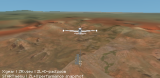
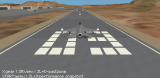
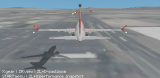
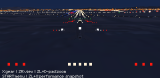
About 3DMicroFlight
Fly a Cirrus SR22, Cirrus Vision SF50, Boeing 737, Airbus A321 or F-16, each with its own flight model, exterior and cockpit. The scenery covers all 48 contiguous US states in USDA aerial photos on USGS elevation data, with real airports and runways. You can fly by day or night, with runway, city and navigation lights. There are clouds and weather, stereoscopic 3D, a touch-screen flight display, engine and wind sound, and three save slots. It used to be called CirrusFlight.
It needs a New 3DS, New 3DS XL or New 2DS XL. The scenery isn't in this download. It's 13 zips, 23.2 GB in total, on the developer's GitHub release, and you extract them to the root of the SD card, where they take about 30 GB. The card has to be FAT32 and at least 64 GB, with about 35 GB free. Engine sound needs a DSP firmware dump.
The aircraft models are by other people under CC BY 4.0, and the map data is US public domain. Saves and control settings go in /3ds/3DMicroFlight/. The author says it's not for real-world navigation or flight training.
Release notes
v1.0 · 3DMicroFlight v1.0 · Nov 18, 2026
3DMicroFlight v1.0
A free flight simulator for the New Nintendo 3DS, New 3DS XL and New 2DS XL.
- Five aircraft: Cirrus SR22, Cirrus Vision SF50, Boeing 737, Airbus A321 and F-16.
- All 48 contiguous US states in aerial photos on USGS elevation, with real airports.
- Day and night, clouds, stereoscopic 3D, a touchscreen flight display, sound and three save slots.
Install
Full step-by-step instructions: INSTALL.md
- You need a New 3DS-family console with Luma3DS and FBI, and a FAT32 microSD card of 64 GB or more (about 35 GB free).
- Download all 13
3DMicroFlight-scenery-NN-of-13.zipfiles and extract each one to the root of the SD card. The folders merge into3ds/CanyonFlight/scenery. - Copy
3DMicroFlight-v1.0.ciato the card and install it with FBI. Start it from the HOME Menu.
3DMicroFlight-v1.0.3dsx is the same game for the Homebrew Launcher. SHA256SUMS.txt lets you check the downloads.
Files
| File | Size |
|---|---|
| 3DMicroFlight-v1.0.cia | 16 MB |
| 3DMicroFlight-v1.0.3dsx | 27 MB |
| 3DMicroFlight-scenery-01-of-13.zip … 13-of-13.zip | 23.2 GB in total (12 × 1.9 GB + 0.33 GB) |
Licence and credits
The game's code, tools, artwork and audio are MIT-licensed. The aircraft models (CC BY 4.0) and the map data (USDA NAIP, USGS 3DEP, US Census TIGER/Line, OurAirports; public domain) are credited in THIRD_PARTY_NOTICES.md. Everything can be used, shared and changed freely, including commercially, as long as the credits are kept.
3DMicroFlight is an unofficial fan project, not affiliated with Nintendo or any aircraft manufacturer, and not for real-world navigation or flight training.