
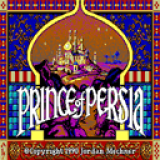
SDLPoP-Vita vita-1.7 by usineur
An open-source port of Prince of Persia, based on the disassembly of the DOS version.
Install on your Vita
In VitaShell, hold Left on the D-pad and press ○ to open the QR code scanner, then point the Vita's back camera at the code.
| File | Size | |
|---|---|---|
| SDLPoP-Vita.vpk 220f998e…65e2 | 976 KB | Hide code Download |
| prince.zip a66db517…971c | 272 KB | QR code Download |
Game data: the developer's notes say what the game needs. Scan its code the same way, then press ✕ on the zip in ux0:download/ to open it. Mark everything inside (△ › Mark all), copy it (△ › Copy), then go to the folder the developer's notes name and paste it (△ › Paste). You can delete the zip afterwards.
Other ways to install
Copy it to the memory card: copy SDLPoP-Vita_brewology_com.vpk to ux0: (USB or FTP in VitaShell), open it in VitaShell and press ✕ to install it.
Screenshots
About SDLPoP-Vita
Installation:
- Install
SDLPoP-Vita.vpkusing VitaShell - Extract the
prince.ziparchive intoux0:data
Controls:
| Keys | |
| --- | --- |
| Left | Turn or run left |
| Right | Turn or run right |
| Up or O | Jump or climb up |
| Down | Crouch or climb down |
| X | Pick up things, hang from edge |
| X + Left / Right | Careful step |
| â³ | Display remaining time |
| L | Quick load |
| R | Quick save |
| Select | Toggle fullscreen |
| Start | In-game menu |
Build instructions:
https://github.com/usineur/SDLPoP-Vita/wiki/Build-instructions
Customization
This can be done via the in-game menu. Press "Start" to access it.
2018-03-17-182437
2018-03-17-182443
Changelog:
1.7:
- Based on SDLPoP release 1.20 (2019-10-13)
1.6:
- Based on SDLPoP release 1.19 (2019-03-31)
1.5.1:
- Based on SDLPoP release 1.18.1 (2018-03-24)
- Various fixes
1.5:
- Based on SDLPoP release 1.18 (2018-03-17)
- Added in-game menu (press "Start") with ability to change settings while in-game
- Added support for MIDI music. External ogg music files are not needed anymore
- Full changelog [here](doc/ChangeLog.txt)
1.4:
- Image quality improvement. Thanks to @rsn8887.
- Rebase with last features / fixes of SDLPoP original project
1.3:
- Rebase with last features / enhancements of SDLPoP original project
- Enable toggle fullscreen
1.2:
- Fix music resume after clicking to the PS button.
- Enable L/R buttons to respectively quick load/save your progression.
- Add keyboard support to enter your name in the hall of fame (_you must finish the game first_)
1.1:
- Loading time is reduced
- Unneeded "overclocking" is removed
- Real fullscreen mode
- Circle button performs the same action as "up" button
1.0:
- First public release
Release notes
vita-1.7 · SDLPoP-Vita.vpk · Oct 13, 2019
Installation:
- Install
SDLPoP-Vita.vpkusing VitaShell - Extract the
prince.ziparchive intoux0:data
Controls:
| Keys | |
| --- | --- |
| Left | Turn or run left |
| Right | Turn or run right |
| Up or O | Jump or climb up |
| Down | Crouch or climb down |
| X | Pick up things, hang from edge |
| X + Left / Right | Careful step |
| â³ | Display remaining time |
| L | Quick load |
| R | Quick save |
| Select | Toggle fullscreen |
| Start | In-game menu |
Build instructions:
https://github.com/usineur/SDLPoP-Vita/wiki/Build-instructions
Customization
This can be done via the in-game menu. Press "Start" to access it.
2018-03-17-182437
2018-03-17-182443
Changelog:
1.7:
- Based on SDLPoP release 1.20 (2019-10-13)
1.6:
- Based on SDLPoP release 1.19 (2019-03-31)
1.5.1:
- Based on SDLPoP release 1.18.1 (2018-03-24)
- Various fixes
1.5:
- Based on SDLPoP release 1.18 (2018-03-17)
- Added in-game menu (press "Start") with ability to change settings while in-game
- Added support for MIDI music. External ogg music files are not needed anymore
- Full changelog [here](doc/ChangeLog.txt)
1.4:
- Image quality improvement. Thanks to @rsn8887.
- Rebase with last features / fixes of SDLPoP original project
1.3:
- Rebase with last features / enhancements of SDLPoP original project
- Enable toggle fullscreen
1.2:
- Fix music resume after clicking to the PS button.
- Enable L/R buttons to respectively quick load/save your progression.
- Add keyboard support to enter your name in the hall of fame (_you must finish the game first_)
1.1:
- Loading time is reduced
- Unneeded "overclocking" is removed
- Real fullscreen mode
- Circle button performs the same action as "up" button
1.0:
- First public release