
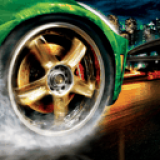
NFSU2 Ultimate Vita Edition v0.2.0-alpha by elmnt22
A native PlayStation Vita port of Need for Speed Underground 2, rebuilt in C and runs the PC game's own data on the console. That covers the city, cars, menus, HUD, speech, music and movies.
Install on your Vita
In VitaShell, hold Left on the D-pad and press ○ to open the QR code scanner, then point the Vita's back camera at the code.
| File | Size | |
|---|---|---|
| NFSU2Vita.vpk 571b61e3…93c9 | 4.9 MB | Download |
Other ways to install
Copy it to the memory card: copy NFSU2Vita_brewology_com.vpk to ux0: (USB or FTP in VitaShell), open it in VitaShell and press ✕ to install it.
Screenshots
About NFSU2 Ultimate Vita Edition
A new release of Need for Speed Underground 2 — Ultimate Vita Edition. It adds the optional World Expansion: take your Underground 2 car to Rockport and Palmont at night, with traffic and about 300 race events, using your own PC copies of Need for Speed Most Wanted (2005) and/or Carbon. It also brings a redesigned Prep Tool, fixes many freezes and crashes, adds new LiveArea and loading-screen art, and makes logs easier to send.
> Alpha. Still a test build. Most of these fixes were checked in the Windows simulator, not on hardware. Please keep sending logs. See Reporting problems.
> No game data is included. You need your own copy of NFSU2 for PC, patched to v1.2, and for the World Expansion your own PC copy of Need for Speed Most Wanted (2005) and/or Need for Speed Carbon. This project is not affiliated with or endorsed by Electronic Arts.
Downloads
| File | What it is |
|---|---|
| NFSU2Vita.vpk | The game. Install it with VitaShell over any earlier release (title ID NFSU20001, version 00.20). Profiles and options are kept. |
| NFSU2VitaPrep.exe | NFSU2 Vita Prep Tool for Windows (optional, recommended; needed for the World Expansion). Checks your game files, converts the world data on your PC, and sends everything to the Vita over Wi-Fi or USB. |
Coming from v0.1.2? Just install the VPK. The converted world format is the same, so you don't need to convert again. To add the World Expansion, use this release's Prep Tool (see below).
Coming from v0.1.1 or v0.1.0? Also run this release's Prep Tool (Convert, then Send to Vita), or let the Vita convert again on first boot (20–30+ minutes).
New installs: follow the README.
World Expansion: Rockport and Palmont (new, optional)
Two more cities, both at night, played by Underground 2's rules with your Underground 2 cars and handling:
- Rockport, from Need for Speed Most Wanted (2005): about 156 race events.
- Palmont, from Need for Speed Carbon: about 140 race events, including canyon duels, canyon sprints and canyon drifts.
Each city has free roam with traffic, the minimap, the world map and GPS, shops and the garage, smackable props, and circuits, sprints, drift, checkpoint, tollbooth, speedtrap and lap knockout races. The first time you drive into a city you choose to share your Underground 2 garage with it (cars, parts and cash) or start fresh with its own career; you can switch later. There are no cops or pursuits (Underground 2 has none).
No data from Most Wanted or Carbon is included. The Prep Tool converts your own installed copy on your PC. You only need one of the two games; the other city is simply left out.
- In this release's Prep Tool, pick your Most Wanted and/or Carbon folder under Optional: World Expansion (installed copies are found by themselves).
- Click Convert, then Send to Vita or Copy to Memory Card... with World Expansion too ticked. The cities need about 2.7 GB more on the memory card.
- On the Vita, open Settings (LiveArea, or hold L+R at start) and tick Rockport and Palmont under World Expansion.
- In the game, pick Quick Race → Free Run and choose the city.
Without the Prep Tool: copy the city's raw files from your PC install to ux0:data/NFSU2/expansion/mw/ (Rockport) or ux0:data/NFSU2/expansion/carbon/ (Palmont), keeping the TRACKS and GLOBAL folders, and the Vita translates the city itself the first time you drive in (slower, less tested). The file list is in the README.
Turn the switch off to hide the cities again; your Underground 2 career is untouched either way. The full guide is in the README.
What's changed
Prep Tool
- Redesigned window: one card per step (game folder, World Expansion, Convert, Put It on Your Vita, PC save), with a status line for your game folder and a label for each World Expansion city.
- Converts the World Expansion cities and sends them with World Expansion too.
- Shows Done! or Failed beside the progress bar when a job ends, and flashes the taskbar button if the window is in the background.
- Sending again skips converted files that haven't changed: the tool remembers what it sent to each Vita or memory card (
sent_<where>.txtin its output folder). Adding the cities later only sends the cities. Delete that file to send everything again. - Converting again now fills in World Expansion race files that an earlier conversion is missing (race names, route maps, Palmont's area maps) instead of skipping the city. If race routes don't show on the minimap, click Convert and Send to Vita again.
World Expansion races
- The minimap shows each race's route in white with a green start line, as in Most Wanted and Carbon. Rockport uses Most Wanted's own race maps; in Palmont the route is worked out from Carbon's road network the way Carbon does it.
- Palmont's minimap now covers the west district and the canyons, so canyon and drift events have a map too.
- Race arrows point the way the race goes.
- The race route on the minimap is wider and the other streets darker, so the route stands out in white as it does in Bayview.
- A race can no longer get stuck on its loading screen when memory runs short while the area is being built.
- Palmont's sea no longer covers low roads, so you don't drive "under" it.
- Rockport's tunnel walls no longer flicker between their texture and solid black.
New look
- New LiveArea start button and boot splash.
- Settings has a new World Expansion section with the Rockport and Palmont switch. It shows which cities are on the memory card.
- New loading-screen art: a PS Vita controller diagram, a new controls-screen logo and a new widescreen backdrop.
Stability
- A large freeze and crash audit. The game now survives low memory and damaged files when loading textures, meshes, collision, props, routes and the menus, instead of crashing.
- Fixed a stall where a full log buffer could freeze the game, and the freeze watchdog itself can no longer hang.
- A car that ends up in an invalid physics state is recovered instead of freezing the game.
- Leaks in the shops and the HUD fixed.
- Movies no longer wait on the sound to finish before ending.
- Saves survive a write that gets cut off: the old save is kept as
.savebakuntil the new one is complete. A failed autosave now tells you.
Fixes
- The people in the pre-race scenes (the flag girl and the crowd) no longer show up as corrupted, stretched shapes on the Vita (#31).
- In reversed races, the arrows on the race barriers now point the way you drive instead of backwards.
- The garage no longer shows roadside signs and props from the world after a race (#28).
- After quitting a race, the car in the main menu stays still instead of creeping off and falling (#29).
- The showroom no longer spins or zooms on its own (wider stick dead zone).
- The GPS and getaway arrows are no longer mirrored onto the road.
- Drift markers, URL berms and drag road pieces now show only for the event you're racing.
- Building lights fade in with their buildings instead of popping on.
- Trophies carry over correctly when the trophy count changes.
Performance
- The game is now built with link-time optimisation, which cut dropped frames in our hardware tests.
Bug reports
- Logs now go in
ux0:data/NFSU2/logs/:latest/for the current run, plus the 5 runs before it in folders named by their start time. - New Save logs as ZIP option in the LiveArea Settings (or L+R at boot). It packs all kept logs into one
NFSU2_logs_<time>.zipinux0:data/NFSU2/that you can attach to an issue.
Known issues
- The World Expansion is new and has had little hardware testing. Some spots in the cities can drop below 30 FPS. Logs from Rockport and Palmont are very welcome.
- Carbon's pursuit knockout events are not in Palmont (they need cops).
- A Rockport race froze once on hardware near the end of the race. The logs now record more to help track it down; please send them if it happens to you.
- Only parts of this build have been tested on hardware. Crashes and glitches on a real Vita are still expected.
- The first boot restarts the game once after compiling shaders or converting the world. That's expected.
- Drift events: the painted track markings can show as white blobs instead of lines (#5).
- Send skips game files of the same size. If
sdat.vivon the Vita is damaged, delete it on the Vita before you send again. - The first send with this Prep Tool sends the converted data once more, even if an older tool already sent it. After that, unchanged files are skipped.
- The first boot without the Prep Tool can take 20–30+ minutes ("OPTIMIZING WORLD DATA"). That's expected, not a hang.
- No Online or LAN play, no controller vibration.
- Korean, Chinese and Japanese fall back to English.
- Unlocked frame rate is experimental. 30 FPS is the default.
License
The port's code is under the PolyForm Noncommercial License 1.0.0. The original OpenUG2 code it is built on keeps its MIT license.
Reporting problems
Open an issue and attach the ZIP from Settings → Save logs as ZIP, or the files from ux0:data/NFSU2/logs/latest/ (log.txt, boot.txt, crumbs.txt). Add a screenshot for visual problems. For Prep Tool problems, attach convert_log.txt from its output folder (NFSU2 Vita Prep).
Release notes
v0.2.0-alpha · NFSU2Vita.vpk · Nov 20, 2026
A new release of Need for Speed Underground 2 — Ultimate Vita Edition. It adds the optional World Expansion: take your Underground 2 car to Rockport and Palmont at night, with traffic and about 300 race events, using your own PC copies of Need for Speed Most Wanted (2005) and/or Carbon. It also brings a redesigned Prep Tool, fixes many freezes and crashes, adds new LiveArea and loading-screen art, and makes logs easier to send.
Alpha. Still a test build. Most of these fixes were checked in the Windows simulator, not on hardware. Please keep sending logs. See Reporting problems.
No game data is included. You need your own copy of NFSU2 for PC, patched to v1.2, and for the World Expansion your own PC copy of Need for Speed Most Wanted (2005) and/or Need for Speed Carbon. This project is not affiliated with or endorsed by Electronic Arts.
Downloads
| File | What it is |
|---|---|
| NFSU2Vita.vpk | The game. Install it with VitaShell over any earlier release (title ID NFSU20001, version 00.20). Profiles and options are kept. |
| NFSU2VitaPrep.exe | NFSU2 Vita Prep Tool for Windows (optional, recommended; needed for the World Expansion). Checks your game files, converts the world data on your PC, and sends everything to the Vita over Wi-Fi or USB. |
Coming from v0.1.2? Just install the VPK. The converted world format is the same, so you don't need to convert again. To add the World Expansion, use this release's Prep Tool (see below).
Coming from v0.1.1 or v0.1.0? Also run this release's Prep Tool (Convert, then Send to Vita), or let the Vita convert again on first boot (20–30+ minutes).
New installs: follow the README.
World Expansion: Rockport and Palmont (new, optional)
Two more cities, both at night, played by Underground 2's rules with your Underground 2 cars and handling:
- Rockport, from Need for Speed Most Wanted (2005): about 156 race events.
- Palmont, from Need for Speed Carbon: about 140 race events, including canyon duels, canyon sprints and canyon drifts.
Each city has free roam with traffic, the minimap, the world map and GPS, shops and the garage, smackable props, and circuits, sprints, drift, checkpoint, tollbooth, speedtrap and lap knockout races. The first time you drive into a city you choose to share your Underground 2 garage with it (cars, parts and cash) or start fresh with its own career; you can switch later. There are no cops or pursuits (Underground 2 has none).
No data from Most Wanted or Carbon is included. The Prep Tool converts your own installed copy on your PC. You only need one of the two games; the other city is simply left out.
- In this release's Prep Tool, pick your Most Wanted and/or Carbon folder under Optional: World Expansion (installed copies are found by themselves).
- Click Convert, then Send to Vita or Copy to Memory Card... with World Expansion too ticked. The cities need about 2.7 GB more on the memory card.
- On the Vita, open Settings (LiveArea, or hold L+R at start) and tick Rockport and Palmont under World Expansion.
- In the game, pick Quick Race → Free Run and choose the city.
Without the Prep Tool: copy the city's raw files from your PC install to ux0:data/NFSU2/expansion/mw/ (Rockport) or ux0:data/NFSU2/expansion/carbon/ (Palmont), keeping the TRACKS and GLOBAL folders, and the Vita translates the city itself the first time you drive in (slower, less tested). The file list is in the README.
Turn the switch off to hide the cities again; your Underground 2 career is untouched either way. The full guide is in the README.
What's changed
Prep Tool
- Redesigned window: one card per step (game folder, World Expansion, Convert, Put It on Your Vita, PC save), with a status line for your game folder and a label for each World Expansion city.
- Converts the World Expansion cities and sends them with World Expansion too.
- Shows Done! or Failed beside the progress bar when a job ends, and flashes the taskbar button if the window is in the background.
- Sending again skips converted files that haven't changed: the tool remembers what it sent to each Vita or memory card (
sent_<where>.txtin its output folder). Adding the cities later only sends the cities. Delete that file to send everything again. - Converting again now fills in World Expansion race files that an earlier conversion is missing (race names, route maps, Palmont's area maps) instead of skipping the city. If race routes don't show on the minimap, click Convert and Send to Vita again.
World Expansion races
- The minimap shows each race's route in white with a green start line, as in Most Wanted and Carbon. Rockport uses Most Wanted's own race maps; in Palmont the route is worked out from Carbon's road network the way Carbon does it.
- Palmont's minimap now covers the west district and the canyons, so canyon and drift events have a map too.
- Race arrows point the way the race goes.
- The race route on the minimap is wider and the other streets darker, so the route stands out in white as it does in Bayview.
- A race can no longer get stuck on its loading screen when memory runs short while the area is being built.
- Palmont's sea no longer covers low roads, so you don't drive "under" it.
- Rockport's tunnel walls no longer flicker between their texture and solid black.
New look
- New LiveArea start button and boot splash.
- Settings has a new World Expansion section with the Rockport and Palmont switch. It shows which cities are on the memory card.
- New loading-screen art: a PS Vita controller diagram, a new controls-screen logo and a new widescreen backdrop.
Stability
- A large freeze and crash audit. The game now survives low memory and damaged files when loading textures, meshes, collision, props, routes and the menus, instead of crashing.
- Fixed a stall where a full log buffer could freeze the game, and the freeze watchdog itself can no longer hang.
- A car that ends up in an invalid physics state is recovered instead of freezing the game.
- Leaks in the shops and the HUD fixed.
- Movies no longer wait on the sound to finish before ending.
- Saves survive a write that gets cut off: the old save is kept as
.savebakuntil the new one is complete. A failed autosave now tells you.
Fixes
- The people in the pre-race scenes (the flag girl and the crowd) no longer show up as corrupted, stretched shapes on the Vita (#31).
- In reversed races, the arrows on the race barriers now point the way you drive instead of backwards.
- The garage no longer shows roadside signs and props from the world after a race (#28).
- After quitting a race, the car in the main menu stays still instead of creeping off and falling (#29).
- The showroom no longer spins or zooms on its own (wider stick dead zone).
- The GPS and getaway arrows are no longer mirrored onto the road.
- Drift markers, URL berms and drag road pieces now show only for the event you're racing.
- Building lights fade in with their buildings instead of popping on.
- Trophies carry over correctly when the trophy count changes.
Performance
- The game is now built with link-time optimisation, which cut dropped frames in our hardware tests.
Bug reports
- Logs now go in
ux0:data/NFSU2/logs/:latest/for the current run, plus the 5 runs before it in folders named by their start time. - New Save logs as ZIP option in the LiveArea Settings (or L+R at boot). It packs all kept logs into one
NFSU2_logs_<time>.zipinux0:data/NFSU2/that you can attach to an issue.
Known issues
- The World Expansion is new and has had little hardware testing. Some spots in the cities can drop below 30 FPS. Logs from Rockport and Palmont are very welcome.
- Carbon's pursuit knockout events are not in Palmont (they need cops).
- A Rockport race froze once on hardware near the end of the race. The logs now record more to help track it down; please send them if it happens to you.
- Only parts of this build have been tested on hardware. Crashes and glitches on a real Vita are still expected.
- The first boot restarts the game once after compiling shaders or converting the world. That's expected.
- Drift events: the painted track markings can show as white blobs instead of lines (#5).
- Send skips game files of the same size. If
sdat.vivon the Vita is damaged, delete it on the Vita before you send again. - The first send with this Prep Tool sends the converted data once more, even if an older tool already sent it. After that, unchanged files are skipped.
- The first boot without the Prep Tool can take 20–30+ minutes ("OPTIMIZING WORLD DATA"). That's expected, not a hang.
- No Online or LAN play, no controller vibration.
- Korean, Chinese and Japanese fall back to English.
- Unlocked frame rate is experimental. 30 FPS is the default.
License
The port's code is under the PolyForm Noncommercial License 1.0.0. The original OpenUG2 code it is built on keeps its MIT license.
Reporting problems
Open an issue and attach the ZIP from Settings → Save logs as ZIP, or the files from ux0:data/NFSU2/logs/latest/ (log.txt, boot.txt, crumbs.txt). Add a screenshot for visual problems. For Prep Tool problems, attach convert_log.txt from its output folder (NFSU2 Vita Prep).