
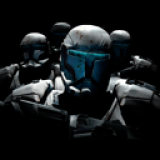
Delta Squad Vita .release by ianfrombailey
Delta Squad is a decompilation of Star Wars: Republic Commando for the original Xbox (USA release). The project reconstructs the game's C++ source from Default.xbe.
This decompilation is non-matching. The code is meant to compile and behave like the original, and the compiled output does not match the original binary.
Install on your Vita
In VitaShell, hold Left on the D-pad and press ○ to open the QR code scanner, then point the Vita's back camera at the code.
| File | Size | |
|---|---|---|
| deltasquad.vpk 38083972…f660 | 6.3 MB | Download |
Other ways to install
Copy it to the memory card: copy deltasquad_brewology_com.vpk to ux0: (USB or FTP in VitaShell), open it in VitaShell and press ✕ to install it.
Screenshots
About Delta Squad Vita
Delta Squad 1.0 for PlayStation Vita
First release of the PlayStation Vita port of Star Wars: Republic Commando, built from the Delta Squad decompilation of the original Xbox game.
This release contains no game files. You need your own disc image of the USA Xbox release.
Install
You need:
- A Vita running HENkaku or Ensō, with Enable Unsafe Homebrew turned on in HENkaku Settings.
libshacccg.suprxinur0:data/. Extract it on the Vita with ShaRKF00D. Without it the screen stays black.- A disc image of the USA Xbox release (full disc image or XISO).
- About 3.5 GB free on
ux0:, or about 8 GB free for a full disc image
Steps:
- Install
deltasquad.vpkwith VitaShell. - Copy the game's
.isointoux0:data/deltasquad/. Create the folder if it does not exist. Keep only one.isothere. - Start Delta Squad from the LiveArea.
The first boot copies the shipped shaders to ux0:data/shader_cache/DLTA00001 and takes longer than later boots.
Features
- The full campaign, played from the disc image directly. No extraction needed.
- Native renderer on vitaGL, with the game's shaders, shadows, projectors and lightmaps.
- Shaders compiled ahead of time and shipped in the vpk, so most of them load from the card instead of compiling during play.
- Render resolution that follows the GPU load.
- Audio with the Xbox's environmental reverb.
- Movies, played by a decoder written for the port.
- Saves and settings on the memory card, in
ux0:data/deltasquad. - A FRAMES AHEAD option in the game options menu:
1 (LOW LAG)by default,2 (FASTER)for a higher frame rate with more input lag. - The rear touch pad covers the Xbox buttons the Vita lacks.
Controls
<table>
<tr><th>Vita</th><th>Xbox</th></tr>
<tr><td>Left stick, right stick</td><td>Walk, Aim</td></tr>
<tr><td>Cross, Circle, Square, Triangle</td><td>Interact, Alt Fire, Reload, Jump</td></tr>
<tr><td>L, R</td><td>Grenade, Fire</td></tr>
<tr><td>D-pad</td><td>D-pad</td></tr>
<tr><td>Start</td><td>Start</td></tr>
<tr><td>Select</td><td>Back</td></tr>
<tr><td>Rear touch, top left</td><td>Visor Mode Toggle</td></tr>
<tr><td>Rear touch, top right</td><td>Grenade Switch</td></tr>
<tr><td>Rear touch, bottom left</td><td>Crouch</td></tr>
<tr><td>Rear touch, bottom right</td><td>Aim</td></tr>
</table>
The rear touch buttons are the four quarters of the middle of the rear pad. The outer edges are ignored, so holding the Vita does not press them.
Known issues
- The brightness option does nothing.
- Some materials still compile a shader the first time they are drawn, which causes a short stutter.
- Autosaves can stall the game for up to about half a second.
- Kashyyyk canopy and plants may be brighter than on the Xbox.
- Some reflective surfaces (bacta tanks, screens, glass, floors) show colored noise.
- Squad mates sometimes walk into walls, stand idle under fire or return to an old position.
- Lighting and shadow issues
Reporting bugs
Include ux0:data/deltasquad/log.txt and log_prev.txt, and say where in the game it happened.
Thanks
- Rinnegatamante for vitaGL, vitaShaRK and ShaRKF00D, and the Vita build of math-neon (by Lachlan Tychsen-Smith).
- The VitaSDK team for the toolchain.
- The Vita3K team. The shipped shader cache is built in Vita3K.
- TheFloW and the HENkaku and Ensō teams, and VitaShell.
- antangelo for xdvdfs.
- Jean-loup Gailly and Mark Adler for zlib.
- The NSA's Ghidra team. The decompilation was done in Ghidra.
Star Wars: Republic Commando was developed and published by LucasArts. This project is not affiliated with or endorsed by Lucasfilm, LucasArts or Disney.
<img width="956" height="543" alt="ss_pro_17" src="https://github.com/user-attachments/assets/0bc8d95d-391e-4c6f-b3d5-d128e011c2a0" />
<img width="958" height="541" alt="ss_pro_26" src="https://github.com/user-attachments/assets/b8d87ea6-eaa3-4114-b0df-1822b17de7bb" />
<img width="960" height="539" alt="kashyyyk-droid-fight" src="https://github.com/user-attachments/assets/3967f01b-3dd1-45d0-8f57-535ae2851601" />
Release notes
.release · deltasquad.vpk · Nov 20, 2026
Delta Squad 1.0 for PlayStation Vita
First release of the PlayStation Vita port of Star Wars: Republic Commando, built from the Delta Squad decompilation of the original Xbox game.
This release contains no game files. You need your own disc image of the USA Xbox release.
Install
You need:
- A Vita running HENkaku or Ensō, with Enable Unsafe Homebrew turned on in HENkaku Settings.
libshacccg.suprxinur0:data/. Extract it on the Vita with ShaRKF00D. Without it the screen stays black.- A disc image of the USA Xbox release (full disc image or XISO).
- About 3.5 GB free on
ux0:, or about 8 GB free for a full disc image
Steps:
- Install
deltasquad.vpkwith VitaShell. - Copy the game's
.isointoux0:data/deltasquad/. Create the folder if it does not exist. Keep only one.isothere. - Start Delta Squad from the LiveArea.
The first boot copies the shipped shaders to ux0:data/shader_cache/DLTA00001 and takes longer than later boots.
Features
- The full campaign, played from the disc image directly. No extraction needed.
- Native renderer on vitaGL, with the game's shaders, shadows, projectors and lightmaps.
- Shaders compiled ahead of time and shipped in the vpk, so most of them load from the card instead of compiling during play.
- Render resolution that follows the GPU load.
- Audio with the Xbox's environmental reverb.
- Movies, played by a decoder written for the port.
- Saves and settings on the memory card, in
ux0:data/deltasquad. - A FRAMES AHEAD option in the game options menu:
1 (LOW LAG)by default,2 (FASTER)for a higher frame rate with more input lag. - The rear touch pad covers the Xbox buttons the Vita lacks.
Controls
Vita Xbox
Left stick, right stick Walk, Aim
Cross, Circle, Square, Triangle Interact, Alt Fire, Reload, Jump
L, R Grenade, Fire
D-pad D-pad
Start Start
Select Back
Rear touch, top left Visor Mode Toggle
Rear touch, top right Grenade Switch
Rear touch, bottom left Crouch
Rear touch, bottom right Aim
The rear touch buttons are the four quarters of the middle of the rear pad. The outer edges are ignored, so holding the Vita does not press them.
Known issues
- The brightness option does nothing.
- Some materials still compile a shader the first time they are drawn, which causes a short stutter.
- Autosaves can stall the game for up to about half a second.
- Kashyyyk canopy and plants may be brighter than on the Xbox.
- Some reflective surfaces (bacta tanks, screens, glass, floors) show colored noise.
- Squad mates sometimes walk into walls, stand idle under fire or return to an old position.
- Lighting and shadow issues
Reporting bugs
Include ux0:data/deltasquad/log.txt and log_prev.txt, and say where in the game it happened.
Thanks
- Rinnegatamante for vitaGL, vitaShaRK and ShaRKF00D, and the Vita build of math-neon (by Lachlan Tychsen-Smith).
- The VitaSDK team for the toolchain.
- The Vita3K team. The shipped shader cache is built in Vita3K.
- TheFloW and the HENkaku and Ensō teams, and VitaShell.
- antangelo for xdvdfs.
- Jean-loup Gailly and Mark Adler for zlib.
- The NSA's Ghidra team. The decompilation was done in Ghidra.
Star Wars: Republic Commando was developed and published by LucasArts. This project is not affiliated with or endorsed by Lucasfilm, LucasArts or Disney.