
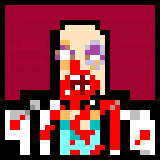
Cocaine Cowboy v0.1 by tijesef
This is a prototype, it has a few bugs, but still playable.
Most of the levels are unfinished versions of levels in final game.
Controls:
Menu:
LStick - Move between selections
X - Select
O - Go back
Pressing "EXIT GAME" will freeze your game, just press PS Button and close LiveArea card.
Gameplay:
LStick - Move
RStick - Aim
Left Shoulder - Pickup/Throw Weapons/Finish an enemy
Right Shoulder - Shoot/punch
X - restart/go to next level (even if you're not dead, X will restart the level, in case you got stuck)
Because you can't use touchscreen to move camera (as in PSN version) you can hold DPad down and use right stick
Install on your Vita
In VitaShell, hold Left on the D-pad and press ○ to open the QR code scanner, then point the Vita's back camera at the code.
| File | Size | |
|---|---|---|
| CocaineCowboy.vpk 9caf4f1c…7d8a | 11.6 MB | Download |
Other ways to install
Copy it to the memory card: copy CocaineCowboy_brewology_com.vpk to ux0: (USB or FTP in VitaShell), open it in VitaShell and press ✕ to install it.