
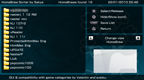
XMB Title Sorter v1.0.0 by VitaArchive
Sets the order games and homebrew appear in the XMB, by hand
Install on your PSP
Archive: extract TITLESORTER.zip and copy the TITLESORTER folder into /PSP/GAME/ on the Memory Stick.
Start it from Game › Memory Stick. On a PSP Go without a Memory Stick, use /PSP/GAME/ on the internal storage.
Files
| File | Size | SHA-256 | |
|---|---|---|---|
| TITLESORTER.zip | 422 KB | d82d9a62…fc6b | Download |
Screenshots
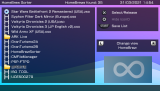
About XMB Title Sorter
A fork of HomeBrew Sorter GUI, also known as HomeBrew Sorter Plus. Move titles up and down the list and save, and the XMB shows them in that order. It works inside Game Categories folders and merges categories with the same name, as the plugin does.
Game Categories' Browser mode sorts by the EBOOT's date, so there's an option to rewrite those dates to match your list. It's off by default because it changes the EBOOT files. If you sorted before turning it on, open each category and save it again.
It needs PRO, ARK or isage's Adrenaline, as it calls decompression functions from their SystemControl.
Game Categories' Browser mode sorts by the EBOOT's date, so there's an option to rewrite those dates to match your list. It's off by default because it changes the EBOOT files. If you sorted before turning it on, open each category and save it again.
It needs PRO, ARK or isage's Adrenaline, as it calls decompression functions from their SystemControl.
Release notes
v1.0.0 · XMB Title Sorter v1.0.0 · Dec 27, 2025
XMB Title Sorter first release!! 🎉
This homebrew is a fork of Homebrew Sorter, with improvements
This application allows to manually sort the order that the titles will be shown in the PSP XMB (VSH).
In this version:
- All features of Homebrew Sorter
- Support for all ISO and Compressed ISO formats:
ISO,CSO,JSO,ZSOandDAX - Support to show up ISO icon0