

XLT v1.3.1 by boubounokefalos
Launcher for ARK custom firmware with games, music, video, pictures, files and a web browser in one row of cards
Install on your PSP
Archive: extract XLT-1.3.1.zip. It is laid out from the root of the Memory Stick: copy it there, so you have /PSP/GAME/XLT/.
Start it from Game › Memory Stick. On a PSP Go without a Memory Stick, use /PSP/GAME/ on the internal storage.
Files
| File | Size | SHA-256 | |
|---|---|---|---|
| XLT-1.3.1.zip | 2.2 MB | 4020c4b0…9f7b | Download |
Screenshots
About XLT
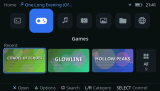
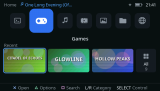
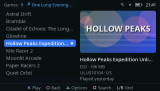
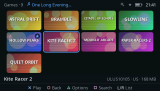
XLT keeps the XMB's way of moving around, L and R for categories and the D-pad inside them, in a flatter look. It lists PSP games, PS1 games and homebrew as a list or a grid, with CPU speed, favourites and your own folders for each game, and counts how long you play each one. It can also take over as ARK's launcher, so the PSP starts straight into it.
Music covers MP3, AAC/M4A and FLAC by artist, album or playlist, with covers, lyrics, a sleep timer and a five-band equaliser. Video plays MP4 and PMF with subtitles, audio tracks and resume. There's also a picture viewer, a file manager that unpacks ZIP files, save data backup, a text and PDF reader and a simple web browser that needs a PSP-2000 or later.
L + R + Start takes a screenshot, in games too, through a small plugin XLT sets up the first time it starts. The PC companion XLT Tool can send files over the cable while XLT keeps running.
- L / R: switch category
- Cross / Circle: open / back
- Triangle: options
- Square: search
- Select: control centre
- L + R + Start: screenshot
Release notes
v1.3.1 · XLT 1.3.1 · Nov 21, 2026
XLT 1.3.1 is a hotfix for a rare bug that could wipe files from the Memory Stick.
Fixed
- A rare bug that could wipe videos and other files from the Memory Stick. It could happen when the free space was being measured (Settings → About, or USB sync with XLT Tool) while the PSP was saving something, like a screen recording. XLT now leaves the measuring to the PSP itself, which is always safe. Every version from 1.0.0 to 1.3.0 had this, so updating is recommended.
Changed
- About asks before measuring the free space. The PSP's own count is slower: the first time after XLT starts, the PSP pauses for about 10 seconds on a big card. So About now asks first, shows "please wait" while it scans, and then shows the result. The Memory Stick row measures again with ✕.
Known limitation
- XLT Cast doesn't support PS1 (POPS) games yet. PSP games and homebrew cast as before.
Installing
- Download
XLT-1.3.1.zipbelow and copy itsPSPfolder to the root of your Memory Stick, so you havePSP/GAME/XLT/EBOOT.PBP. - Start XLT from the XMB's Game menu.
Updating from 1.1.0 or later: Settings → About → Check for updates installs it over Wi-Fi, or copy the new EBOOT.PBP over the old one. Your library and settings stay.
You need a PSP with ARK-4 or ARK-5. The zip's README.txt also covers removing XLT.
Tested on a PSP-E1004 with ARK-5. XLT is vibe-coded: written with Claude in Claude Code and tested on a real PSP. It is free software under the GPL-3.0, with code adapted from psp5 by 08Weber. Not affiliated with Sony or the ARK developers.
SHA-256 of XLT-1.3.1.zip: 4020c4b0c76eeb48757c059c557e5fa150d9368e759a7a4785d470e2f5b49f7b