
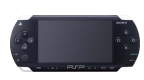
WiFiController v0.4.3
Install on your PSP
Archive: extract WiFiController_v0.4.3_brewology_com.zip and take the PSP folder from inside WiFiController-0.4.3/1.0/. It is laid out from the root of the Memory Stick: copy it there, so you have /PSP/GAME/WiFiController/.
Start it from Game › Memory Stick. On a PSP Go without a Memory Stick, use /PSP/GAME/ on the internal storage.
Files
| File | Size | SHA-256 | |
|---|---|---|---|
| WiFiController_v0.4.3.zip | 697 KB | 9742fb2d…6337 | Download |
Screenshots
Release notes
v0.4.3 · WiFiController v0.4.3 · May 11, 2007
After what seemed like a long hiatus, homebrew developer David Rudie came out anew and released an improved version of WiFiController for the PlayStation Portable (PSP). The program is based from Mikko Mononen's PPJoy and what it does is that it turns your PSP into a controller for your PC running Microsoft Windows.
WiFiController for PSP v0.4.3 runs in kernel mode so it should work fine on firmwares 1.0, 1.5, 2.5, and 2.6. Also, David Rudie mentioned that this should also work with CFW 3.x OE-x provided that you use v1.00 of this program for this. Changes since the last release include:
v0.4.3
- Renamed WiFiController.exe to WiFiServer.exe so it won't be confused for the actual PSP application itself.
- Added the ability to act as up to 4 separate controllers.
- Extended the life of some messages by 1 second. (This isn't in the CHANGES file itself.)
v0.4.2
- Rewrote some functions to clean up code more.
- Shortened all message displays by 1 second.
v0.4.1 (Never publicly released)
- Fixed configuration selection menu.
- Changed invert combo to L+R+SELECT.
- Renamed SocketTest.exe to WiFiController.exe
v0.4
- Cleaned up code some more and removed old header files not used anymore.
- Added ability to select which WLAN configuration to use.
- L+R+START now inverts analog Y in case some games don't support it.
- Probably new bugs introduced.
The downloads below contain all the porgram for PSP, Microsoft Windows and all source code for the programs. These were created using the SVN versions of PSPSDK and PSPLink. Please refer to the Readme file for more details and installation instructions.