
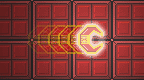
Vector Infector Beta 1 v2006-01-22
Install on your PSP
Archive: extract VectorInfector_Beta1_brewology_com.zip and copy the Vector folder into /PSP/GAME/ on the Memory Stick.
Start it from Game › Memory Stick. On a PSP Go without a Memory Stick, use /PSP/GAME/ on the internal storage.
Files
| File | Size | SHA-256 | |
|---|---|---|---|
| VectorInfector_Beta1.zip | 2.3 MB | d7b9ea12…32d0 | Download |
Screenshots
Release notes
v2006-01-22 · Vector Infector Beta 1 · Jan 22, 2006
Thanks to a little assistance from Fanjita, smayds has finally worked out what ails him and his wonderful homebrew game can now be run on PSP's with 2.0 Firmware! Here are the complete install instructions:
1.5 users:
Copy the 'vector' and 'vector%' folders to the GAME folder in the PSP folder of your memory stick. Play.
1.0 and 2.0 users:
Copy the 'vector' folder to the GAME folder in the PSP folder of your memory stick.
If you want a proper icon (and background, for 1.0 users), copy the EBOOT.PBP file from the '1.0 EBOOT' folder into the 'vector' folder on your memory stick. This isn't mandatory.
2.0 users only:
Use Fanjita's 0.9 eboot loader, plskthx. That's what it's been tested with. It won't run with 0.3, and I haven't tried 0.7 or 0.85.
Reboot your PSP. Completely. Don't put it to sleep; turn it off. Otherwise (sigh) the MP3 library probably won't start up, regardless of whether or not I release the sound channels. So you'll get sound effects, but no music. Nggghhhh. But the game will run.
Start the game from the eboot loader.
New keys:
Start switches music. If you want more music, just convert your mp3's to 44.1kHz, 32kbps, mono (too much of a CPU drain otherwise). You can have 3 tracks, titletune1.mp3 -> titletune3.mp3. If a particular song is missing, it doesn't care.
Select+Rtrigger dumps a TGA screenshot into the game's directory. Don't know why I didn't put a TGA header on the raw file to start with!
Select+Start quits. No more power-button-holding. *EDIT: You can just hold Home too, that works fine.
Remember, if it doesn't run: Reboot your PSP. It works fine here on 2.0.
It is still very much a beta, so aside from the explosions being toned down, nothing else has changed. I'm working on that now!