
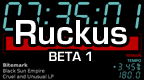
Ruckus v1.0 First Beta v1.0
Install on your PSP
Archive: extract Ruckus_brewology_com.zip and copy the Ruckus__________________________ folder (inside Ruckus/) into /PSP/GAME/ on the Memory Stick.
Start it from Game › Memory Stick. On a PSP Go without a Memory Stick, use /PSP/GAME/ on the internal storage.
Files
| File | Size | SHA-256 | |
|---|---|---|---|
| Ruckus.zip | 231 KB | 9a127bdf…b903 | Download |
Screenshots
Release notes
v1.0 · Ruckus v1.0 First Beta · Sep 10, 2006
captain dan has released the first beta version of Ruckus recently and it looks promising. Ruckus 1.0 beta 1 is an MP3 player for the PlayStation Portable that is designed to be used by DJs. It provides most of the functionality of a professional CD player, including cueing with 1/60 second precision, tempo adjustment ±12%, and pitch bend.
Loading Music:
Ruckus displays the file browser when it first starts up. Here you can choose an MP3 file from the Memory Stick. The list of files is filtered; only files with a .mp3 extension are listed. If an MP3 file has an ID3 tag, the song title and artist will be displayed instead of the file name.
Playback:
Ruckus will switch to a playback feature once you have selected an MP3 file in the file browser. The remaining track time is displayed by default, but you can switch between remaining and elapsed with the SELECT button. You can seek back and forth with the trigger buttons; holding down the CIRCLE button will speed up seeking.
Cueing:
When a track is first loaded, the cue point is set to the very beginning of the track. To change the cue point, start playing the track. When the track reaches the point where you want to set the cue point, pause it. While paused, Ruckus will continuously loop 1/4 of a second beginning at the point where the track was paused to help you set the cue point more precisely. Also, while paused, a single press of the seek buttons will advance or reverse 1/60 of a second. When you're ready to set the cue point, press the SQUARE button.
Tempo Control:
Tempo adjustment operates identically to the pitch selector on a professional turntable. Use the left and right buttons on the D-pad to set the tempo. You can adjust a track's tempo ±12%.
Pitch Control:
Pitch bend provides a momentary change in tempo only as long as the D-pad is held down. This is useful for giving a track a "nudge" if its tempo is only slightly off. Press the up and down buttons on the D-pad to activate pitch bend. The longer you hold down the button, the more extreme the effect becomes, gradually increasing to ±25% (in addition to any tempo adjustment you may have set) after two seconds. If the track you're playing has an ID3 tag that specifies the track's BPM, the adjusted BPM will be displayed below the tempo adjustment.