
PSPixel Fixer v2007-08-20
Install on your PSP
Archive: extract PSPixelFixerLUA_brewology_com.zip and copy the pspixelfixer folder into /PSP/GAME/ on the Memory Stick.
Start it from Game › Memory Stick. On a PSP Go without a Memory Stick, use /PSP/GAME/ on the internal storage.
Files
| File | Size | SHA-256 | |
|---|---|---|---|
| PSPixelFixerLUA.zip | 984 KB | 3b32f838…443b | Download |
Screenshots
Release notes
v2007-08-20 · PSPixel Fixer · Aug 20, 2007
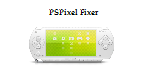
Exogan emailed us of his useful homebrew application, PSPixel Fixer. As the name of the homebrew suggests, it fixes stuck pixels that you might have on your screen.
While "pixel fixer" apps are a dime a dozen already, it's always welcoming thought to find something new. This particular one was coded in Lua, by the by, and you run it like any regular homebrew (check the readme for installation instructions).
The program cycles through different colors that flash onscreen. Now, depending on how stubbornly frozen your pixels are, the time it'd take to clear your screen of the eyesore pixels will vary. It could be anywhere from twenty minutes to three hours to maybe even overnight.
Also, since we're talking about bright colors flashing on the screen, we don't suggest staring at it for extended periods of time, despite how hypnotizing it might be. As with other pixel fixer apps, do note that it's not always a 100% guarantee of pixel fixing. Sometimes, it might even cause more stuck pixels to show up - in which some forum goers suggest that you use these only in extreme cases, like maybe if you have more than six stuck pixels.