

PSP System Monitor v.1.1 by mikeleonkurowski1-png
Live readout of battery, CPU speed, memory use, firmware and Wi-Fi status, with a Wi-Fi on and off switch
Install on your PSP
EBOOT: make a folder for it in /PSP/GAME/ on the Memory Stick, such as /PSP/GAME/PSPSYSTEMMONITOR/, and copy EBOOT.PBP into it.
Start it from Game › Memory Stick. On a PSP Go without a Memory Stick, use /PSP/GAME/ on the internal storage.
Files
| File | Size | SHA-256 | |
|---|---|---|---|
| EBOOT.PBP | 159 KB | 20200bc2…bd00 | Download |
Screenshots
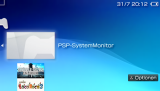
About PSP System Monitor
Shows battery charge and time left, CPU frequency, RAM use and the firmware version, refreshed as you watch. A button turns the Wi-Fi on and off, and while it's on you get the signal strength and IP address. The author made it while learning C and PSP homebrew, and runs it on custom firmware.
Release notes
v.1.1 · Aug 1, 2026
- Erweiterung des ursprünglichen SystemMonitors.
- Unter anderem neu sind:
- Farbiges UI,
- An- und Aus-schalten des Wlans direkt in der Anwendung durch einen Knopfdruck
- detaillierte live Wlan Statistiken wie z.B. Signalstärke und IP-Addresse