
PSP-DRP v0.4.0 by qberty1337
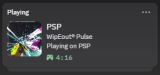
Shows the game you're playing as your Discord status and keeps play time stats, with a PC companion app
Install on your PSP
Archive: extract psp-drp-homebrew.zip and copy the PSP DRP folder into /PSP/GAME/ on the Memory Stick.
Start it from Game › Memory Stick. On a PSP Go without a Memory Stick, use /PSP/GAME/ on the internal storage.
Plugin: extract psp-drp-plugin.zip and copy psp_drp_net.prx, psp_drp_loader_game.prx, psp_drp_usb.prx, psp_drp_loader.prx to /SEPLUGINS/ on the Memory Stick. On ARK-4 and ARK-5, add a line for it to /SEPLUGINS/PLUGINS.TXT:
game, ms0:/SEPLUGINS/psp_drp_net.prx, on
Files
| File | Size | SHA-256 | |
|---|---|---|---|
| psp-drp-homebrew.zip | 259 KB | f4278d22…89e6 | Download |
| psp-drp-plugin.zip | 105 KB | aac05a3b…6ba2 | Download |
Screenshots
About PSP-DRP
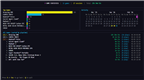
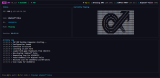
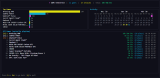
Two parts: a plugin on the PSP that spots which game or app is running, and a companion app for Windows, macOS or Linux that sets your Discord status and counts play time, sessions and the last time you played each game. Game art comes from the libretro thumbnails. It works with UMD, PSN and homebrew games, and in the XMB if you want. Without Wi-Fi it can log play time on the PSP and sync later over USB. A stats viewer for the PSP itself is a separate download.
It needs custom firmware. The author runs it on a PSP-1000 with ARK-4 on 6.61 and the companion on Windows.
- Copy the PRX files to ms0:/SEPLUGINS/pspdrp/ along with psp_drp.ini.
- In SEPLUGINS/plugins.txt add xmb, ms0:/SEPLUGINS/pspdrp/psp_drp_loader.prx, on and the same line starting with game. Leave out the xmb line if you don't want a status in the XMB.
- Put your PC's IP in psp_drp.ini, or turn on auto_discovery there and in the companion's config.toml.
- Start the companion and Discord, turn the Wi-Fi switch on and start a game.
Hold L while a game boots to skip the plugin for that session, and Select + L turns it back on. The author lists The Warriors and PQ as games it can't work with.
It needs custom firmware. The author runs it on a PSP-1000 with ARK-4 on 6.61 and the companion on Windows.
- Copy the PRX files to ms0:/SEPLUGINS/pspdrp/ along with psp_drp.ini.
- In SEPLUGINS/plugins.txt add xmb, ms0:/SEPLUGINS/pspdrp/psp_drp_loader.prx, on and the same line starting with game. Leave out the xmb line if you don't want a status in the XMB.
- Put your PC's IP in psp_drp.ini, or turn on auto_discovery there and in the companion's config.toml.
- Start the companion and Discord, turn the Wi-Fi switch on and start a game.
Hold L while a game boots to skip the plugin for that session, and Select + L turns it back on. The author lists The Warriors and PQ as games it can't work with.
Release notes
v0.4.0 · PSP DRP v0.4.0 · Apr 27, 2026
Downloads
Desktop Companion App:
psp-drp-desktop-windows.zip- Windows (x64)psp-drp-desktop-linux.zip- Linux (x64)psp-drp-desktop-macos.zip- macOS (x64)
PSP Plugin:
psp-drp-plugin.zip- Contains all PRX files and default config
PSP Homebrew App:
psp-drp-homebrew.zip- Stats viewer app for PSP (view your playtime on device)
Installation
See the README for full installation instructions.
Changelog
// PSP DRP v0.4.0
- (Fixed issue #8) Revert some of the weird changes the LLM pass to GH introduced. Should accumulate usage instead of replacing now.