

POPS Scaling Filter Fix v1.0.0 by mayuta212
Sharper PS1 games over the AV cable: switches the PS1 emulator's scaling filter to nearest neighbour for most screen widths
Install on your PSP
Plugin: copy PopsScaleFilter.prx to /SEPLUGINS/ on the Memory Stick. On ARK-4 and ARK-5, add a line for it to /SEPLUGINS/PLUGINS.TXT:
game, ms0:/SEPLUGINS/PopsScaleFilter.prx, on
Files
| File | Size | SHA-256 | |
|---|---|---|---|
| PopsScaleFilter.prx | 3 KB | ca8c53d9…33a1 | Download |
Screenshots
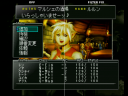
About POPS Scaling Filter Fix
A plugin for POPS, the PSP's PS1 emulator, that cuts the blur on a TV through the AV cable. PS1 screens 256, 320 or 640 pixels wide get nearest neighbour scaling, and 368 and 512 keep linear filtering. The stock scale and aspect ratio don't change, and it follows a game's resolution changes where it can.
The author made it for a PSP-3000 on 6.61 with ARK-5 and says it may not work with every game. It leaves a POPS version it doesn't know alone, and it ships no Sony files.
Don't use it together with the author's older PopsTVUnlock.prx, and quit the PS1 game completely before swapping them.