

PMPlayer Ultraviolet DebugAndSleep by LiamJSP
MP4 and MKV video player with subtitles, FLAC and Opus audio, and movies on an NTFS partition
Install on your PSP
Archive: extract PPU-1.1.zip and copy the PPU-1.1 folder into /PSP/GAME/ on the Memory Stick.
Start it from Game › Memory Stick. On a PSP Go without a Memory Stick, use /PSP/GAME/ on the internal storage.
Files
| File | Size | SHA-256 | |
|---|---|---|---|
| PPU-1.1.zip | 30.5 MB | e69e2672…01fc | Download |
Screenshots
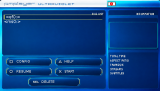
About PMPlayer Ultraviolet
Cooleyes' PMPlayer Advance and neur0n's original PMPlayer are its base. It plays H.264 video in MP4 or MKV, up to 720x480, with AAC, MP3, FLAC or Opus sound, and adjusts the CPU and bus clocks to what the video needs. The author recommends MKV, and 480x272 unless you use TV out. A beta compatibility layer copes with B-frame settings the PSP's decoder normally refuses.
Subtitles can be embedded (MP4 timed text, SRT, ASS, SSA, WebVTT in MKV) or sit next to the file as SRT, MicroDVD, ASS or SSA. There are chapters on L and R, seeking with Left and Right, aspect ratio and rotation settings, an audio-only mode, a sleep timer, and 18 menu languages.
Movies can live on a second NTFS partition on the Memory Stick, which shows up as ms1: in the browser, read only. Keep the first partition FAT32 for the PSP and the player. Partition the card on a computer, and back it up first.
- Cross (O on Asian consoles): play from the start. The other button resumes.
- Square: pause and resume. In the browser it opens the settings.
- Triangle: stop
- Start: back to the device list
It needs custom firmware. The author uses a PSP-3000 and hasn't tried TV out.
Subtitles can be embedded (MP4 timed text, SRT, ASS, SSA, WebVTT in MKV) or sit next to the file as SRT, MicroDVD, ASS or SSA. There are chapters on L and R, seeking with Left and Right, aspect ratio and rotation settings, an audio-only mode, a sleep timer, and 18 menu languages.
Movies can live on a second NTFS partition on the Memory Stick, which shows up as ms1: in the browser, read only. Keep the first partition FAT32 for the PSP and the player. Partition the card on a computer, and back it up first.
- Cross (O on Asian consoles): play from the start. The other button resumes.
- Square: pause and resume. In the browser it opens the settings.
- Triangle: stop
- Start: back to the device list
It needs custom firmware. The author uses a PSP-3000 and hasn't tried TV out.
Release notes
DebugAndSleep · PMPlayer Ultraviolet V1.1 · Oct 30, 2026
This release includes two major changes:
- The config menu opened with the square button now includes an option to enable "Debug Mode" which will generate log files on your memory card at the root ms0:// folder, relating to issues encountered, you can share these with me to assist in troubleshooting, feel free to open an issue or PR here.
- The player is now much more compatible with PSP standby during playback. Entering standby properly stores the state, waking does NOT auto resume playback, by design :)