
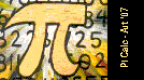
Pi Calc Version 3.14159265358979323846264 b v3.14159265358979323846264
Install on your PSP
Archive: extract PiCalcV1b_brewology_com.zip and copy the Pi Calc folder (inside Pi Calc V1b/) into /PSP/GAME/ on the Memory Stick.
Start it from Game › Memory Stick. On a PSP Go without a Memory Stick, use /PSP/GAME/ on the internal storage.
Files
| File | Size | SHA-256 | |
|---|---|---|---|
| PiCalcV1b.zip | 1.4 MB | f6816fb3…84c6 | Download |
Screenshots
Release notes
v3.14159265358979323846264 · Pi Calc Version 3.14159265358979323846264 b · Dec 16, 2007
How far can you count the digits of Pi? Well, unless you can count as far as the 33rd decimal place then perhaps you'll find an amusing use for Art's latest project: Pi Calc Version 3.14159265358979323846264 b homebrew app for the PSP.
Much like his previous applications, this one features a human voice which dictates each digit of Pi to the 29,033 decimal place. You can also speed up the count by pressing the shoulder buttons if you really want to find out what the 29,033 digit of Pi is (spoiler: it's "9").
Art mentions that future versions may have a maximum of more than 30,000 digits as well as the possibility of releasing its source code. This amusing little homebrew may not be as in-depth as his other releases but provides an interesting distraction at the very least.
In any case, don't forget to read the Readme.txt file included with the program on how to properly install and run the application. You can download the program from QJ.NET's download site you can access through the link below.