
niwPSPtoPC v1.2.0 by zxkrizz
Uses the PSP as an Xbox 360 controller on a Windows PC, over USB or Wi-Fi
Install on your PSP
Archive: extract niwPSPtoPC-v1.2.0-PSP.zip and copy the niwPSPtoPC folder into /PSP/GAME/ on the Memory Stick.
Start it from Game › Memory Stick. On a PSP Go without a Memory Stick, use /PSP/GAME/ on the internal storage.
Files
| File | Size | SHA-256 | |
|---|---|---|---|
| niwPSPtoPC-v1.2.0-PSP.zip | 110 KB | 9a588141…d04d | Download |
Screenshots
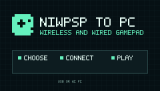
About niwPSPtoPC
You need a PSP-1000, 2000, 3000 or Go with custom firmware, and Windows 10 or 11 (64-bit) with ViGEmBus installed and UDP port 47999 open on private networks. For Wi-Fi, save a 2.4 GHz connection in the PSP's Network Settings first. WPA2 works on recent ARK-4 and ARK-5, otherwise the PSP needs an older WPA network. The PSP and PC must be on the same network.
- Left and Right, then Cross: choose USB or Wi-Fi
- L + R + Start (hold): back to the connection screen
- Screen or Home: turn the backlight back on after it switches off
- Home: quit
There's one analog stick and no analog triggers, since the PSP doesn't have them.
Release notes
v1.2.0 · niwPSPtoPC v1.2.0 · Oct 7, 2026
niwPSPtoPC 1.2.0
niwPSPtoPC is now the **Ultimate Wireless and Wired Gamepad for PSP and
Windows**. Version 1.2.0 makes USB a supported transport alongside Wi-Fi and
keeps the same virtual Xbox 360 controller active while the user changes how
the PSP is connected.
Highlights
- connect through a PSP USB data cable without entering a code;
- connect through Wi-Fi with the existing five-character authorization code;
- choose USB or Wi-Fi from large selectors in both applications;
- switch USB -> Wi-Fi -> USB without restarting the PSP or Windows app;
- keep the PSP application open when a cable is removed or WLAN is unavailable;
- automatically select Microsoft's signed inbox WinUSB driver on Windows 10/11;
- recover a missing WinUSB application interface through a narrowly scoped, one-time UAC helper;
- use the same protocol, input ordering, safety timeouts and Xbox 360 mapping on both transports.
PSP interface
The PSP now opens on a dedicated USB/WIFI selector controlled with LEFT/RIGHT
and CROSS. WIFI is visibly disabled while the physical WLAN switch is off.
USB waits for a data cable and Windows enumeration without closing the
application. Wi-Fi continues to use the saved-profile selector, automatic PC
discovery and five-character code. CIRCLE returns to the transport selector
from setup screens, and holding L+R+START for 0.75 seconds returns there during
an active link.
Removing the USB cable releases held input and returns to the selector.
Windows interface
The connection card now starts with two large USB and Wi-Fi fields:
- USB shows a short cable/setup instruction and never asks for a code;
- Wi-Fi shows the pairing code field and Connect button;
- once connected, setup controls disappear and only the connection status and Disconnect remain.
Selecting another transport prepares it without immediately interrupting the
working link. Diagnostics have been reduced to a compact summary with a
separate detailed Connection Doctor.
Windows USB setup
The PSP reports the WINUSB compatible ID and the niwPSPtoPC device-interface
GUID through Microsoft OS descriptors. Windows 10/11 therefore uses its inbox,
Microsoft-signed winusb.sys; the release does not include or require an
unsigned kernel driver or Zadig.
On systems where Windows binds WinUSB but omits the application interface,
niwPSPtoPC can request one UAC confirmation, register the interface for that
specific PSP device instance, restart it and retry automatically. A different
physical USB port can create a separate Windows device instance and require
one additional confirmation.
See [Wired USB mode](../usb.md) for driver details and troubleshooting.
Installation
- Install the final signed ViGEmBus 1.22.0 driver on Windows.
- Extract
niwPSPtoPC-v1.2.0-Windows-x64.zipand runniwPSPtoPC.exe. - Extract
niwPSPtoPC-v1.2.0-PSP.zip. - Copy the complete
niwPSPtoPCdirectory toms0:/PSP/GAME/or, on PSP Go internal storage,ef0:/PSP/GAME/. - Keep
EBOOT.PBP,usbhostfs.prxandconfig.initogether. - Start both applications in either order and select the same transport.
Verify both downloaded archives against SHA256SUMS.txt from the same GitHub
Release.
Upgrading from 1.1.0
Replace both sides together:
- close the Windows application and replace
niwPSPtoPC.exe; - replace the complete PSP
niwPSPtoPCdirectory, including the newusbhostfs.prx; - retain a customized
config.inionly if its port and send-rate settings are still required; - start both 1.2.0 applications and choose USB or Wi-Fi.
The protocol remains version 2, but using a 1.2.0 Windows executable with the
matching PSP package is strongly recommended.
Tested hardware
The complete USB, Wi-Fi, hot-plug and transport-switching path has been
physically tested on a PSP-2004 and Windows 11. The existing Wi-Fi path has
also been exercised across multiple Windows games.
PSP-1000, PSP-3000 and PSP Go use the same supported application paths but
have not all been physically revalidated for this release. PSP Street/E1000
has no Wi-Fi hardware; USB-only operation is expected but remains unverified.
Known limitations
- a data-capable PSP USB cable is required; charge-only cables cannot work;
- Windows may request UAC once for each device instance or physical USB port;
- ViGEmBus is required and must be installed separately;
- ViGEmBus was retired by its maintainers and 1.22.0 is its final release;
- the Windows executable is not Authenticode-signed; use the published checksums and GitHub build-provenance attestations;
- the PSP exposes one analog stick and digital shoulder buttons, so a second analog stick and analog triggers cannot be emulated;
- Wi-Fi requires compatible 2.4 GHz PSP networking and a trusted LAN without client isolation;
- UDP input is not encrypted and must never be exposed to the Internet.
Release integrity
The public workflow rebuilds the Windows executable and PSP application from
the tagged commit, runs the automated Python and C suites, smoke-tests and
inspects the Windows package, verifies version consistency, creates SHA-256
checksums and publishes GitHub build-provenance attestations for the Windows
executable and both release archives.