

Nazi Zombies: Portable nightly by nzp-team
Call of Duty: Zombies remake running on Quake engine forks, for the PSP-1000 and later models
Install on your PSP
Archive: extract nzportable-psp.zip and copy the nzportable folder into /PSP/GAME/ on the Memory Stick.
Start it from Game › Memory Stick. On a PSP Go without a Memory Stick, use /PSP/GAME/ on the internal storage.
Files
| File | Size | SHA-256 | |
|---|---|---|---|
| nzportable-psp.zip | 61.7 MB | 993775d7…737a | Download |
Screenshots
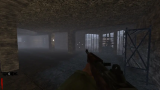
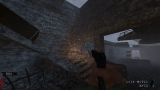
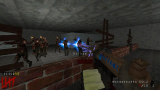
About Nazi Zombies: Portable
A fan de-make of the World at War zombies mode, in the works since 2009. The gameplay matches World at War in general, with small differences and a few touches from Black Ops. Most World at War maps aren't in yet.
Builds are nightlies. Extract the folder inside the zip into PSP/GAME/.
Release notes
nightly · 2.0.0-indev+20261119162905 · Oct 28, 2026
This is a nightly generated automagically. Nightlies are generated at 3AM EST if changes are made to any component of the project in the past 24 hours. Be sure to check the build date above and compare it to the version displayed on the main menu to verify whether or not you are out of date.
Changes in the following areas have been made since the last nightly:
- Game Assets
**If you are looking for Co-Op enabled FTEQW builds, see: https://github.com/nzp-team/fteqw/releases/tag/legacy
Installation Instructions:
- PC: Extract .ZIP archive into a folder of your choice. Linux users may need to mark as executable with
chmod. Linux users may also choose to use the Flatpak. - PSP: Extract the folder inside the .ZIP archive into
PSP/GAME/. - PS VITA: Extract
nzp.zipinto ux0:data/ and installnzportable.vpk. - PS2: Place
nzportable.elfon a USB, Memory Card, HDD. Copy game data to/APPS/NZPORTABLE/in the same media. - PS3: Install
nzportable.pkgand copy game data to/dev_hdd0/game/NZPT00001/USRDIR/. - PS4: Install
nzportable.pkgand copy game data to/data/nzportable/. - Xbox: Extract the
nzportablefolder into<drive>/Games/and launchdefault.xbe. - Xbox 360: Extract to root of USB drive and run with XeLL (Reloaded).* Nintendo 3DS: Extract the .ZIP archive into
/3ds/. - Nintendo Switch: Extract the folder inside the .ZIP archive into
/switch/and launch with Homebrew Launcher. Requires extra memory, so make sure to open HBLauncher by holding 'R' over an installed title! - TI NSPIRE: Extract the .ZIP archive and sync contents to
My Documents.
You can also play the WebGL version at https://nzp.gay/