

missyhud v0.7 by pebeto
Small black HUD with FPS, CPU use and clock speed, free RAM and battery, in the XMB, games and PS1 games
Install on your PSP
Plugin: copy missyhud.prx to /SEPLUGINS/ on the Memory Stick. On ARK-4 and ARK-5, add a line for it to /SEPLUGINS/PLUGINS.TXT:
game, ms0:/SEPLUGINS/missyhud.prx, on
Files
| File | Size | SHA-256 | |
|---|---|---|---|
| missyhud.prx | 17 KB | 602892b8…1f53 | Download |
Screenshots
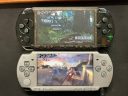
About missyhud
Shows CPU use, CPU and bus clock, free RAM, battery percentage and minutes left, and the frame rate. On a PSP Go the battery reads High, Medium or Low. Hold L + R + Start for a second to hide or show it, and Start + Analog left or right moves it around the screen.
Copy missyhud.prx to seplugins (ef0:/seplugins/ on a PSP Go) and turn it on for game, vsh and pops in ARK's PLUGINS.TXT, or in game.txt, vsh.txt and pops.txt on other custom firmware. It works without a config file. To change colours, hide rows or pin a position, copy missyhud.config.sample to seplugins as missyhud.config and edit it.
Some games, like GTA: Liberty City Stories, never flip buffers, so the FPS is estimated and marked (ge). In those the HUD can flicker. FPS doesn't work in PS1 games yet.
Copy missyhud.prx to seplugins (ef0:/seplugins/ on a PSP Go) and turn it on for game, vsh and pops in ARK's PLUGINS.TXT, or in game.txt, vsh.txt and pops.txt on other custom firmware. It works without a config file. To change colours, hide rows or pin a position, copy missyhud.config.sample to seplugins as missyhud.config and edit it.
Some games, like GTA: Liberty City Stories, never flip buffers, so the FPS is estimated and marked (ge). In those the HUD can flicker. FPS doesn't work in PS1 games yet.
Release notes
v0.7 · Aug 27, 2026
Full Changelog: https://github.com/pebeto/missyhud.prx/compare/v0.6...v0.7