
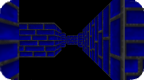
MazeGen3D v2.0
Install on your PSP
Archive: extract mazegenv2_brewology_com.zip and copy the MazeGen folder into /PSP/GAME/ on the Memory Stick.
Start it from Game › Memory Stick. On a PSP Go without a Memory Stick, use /PSP/GAME/ on the internal storage.
Files
| File | Size | SHA-256 | |
|---|---|---|---|
| mazegenv2.zip | 713 KB | 011c402a…9f96 | Download |
Screenshots
Release notes
v2.0 · MazeGen3D 2.0 · Oct 12, 2007
We thought PSP homebrew developer Highsight was done with his little project, MazeGen3D, after having it make the jump into the third dimension. Now he's here to prove us wrong and get our noodles baking with his latest update of MazeGen3D, one that sports not only a number of improvements, but also a feature that lets us listen to our favorite MP3s while playing. Sweet!
Let's check out the full list of changes from the last version with the changelog below:
Added:
- Menus (Lol Text GUI)
- Save Mazes
- Load Mazes
- Pause Menu
- (semi)MP3 Support!
Changes:
- 3D Rendering has been GREATLY improved, now guaranteed to be LAG FREE regardless of maze size!
- Changing Maze Size is now MUCH easier, Maximum Sizes changed to 100.
Lag-free rendering of the mazes, regardless of how large they are? Very nice indeed. As for the MP3 support, Highsight says that one only needs to place the relevant MP3 files themselves into the ms0:/MUSIC/ directory. There's also the neat deal of making your own maze, which you can easily do with a text editor and placing the file (with a .mze file extension) into the "Mazes" folder. Sounds simple enough, right?