

Homebrew Sorter Ultimate v1.29 by wad11656
Sorts, alphabetises and hides apps and categories in the Game menu, with PSP Go system storage support
Install on your PSP
Archive: extract Homebrew.Sorter.Ultimate.zip. It is laid out from the root of the Memory Stick: copy it there, so you have /PSP/GAME/Homebrew Sorter Ultimate/.
Start it from Game › Memory Stick. On a PSP Go without a Memory Stick, use /PSP/GAME/ on the internal storage.
Files
| File | Size | SHA-256 | |
|---|---|---|---|
| Homebrew.Sorter.Ultimate.zip | 3.1 MB | 8bfafadf…3422 | Download |
| No.Animations.-.Homebrew.Sorter.Ultimate.zip | 2.6 MB | 131f1532…ceed | Download |
Screenshots


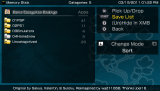
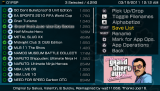
About Homebrew Sorter Ultimate
The follow-up to HomeBrew Sorter GUI, built on CMFileManager. It reorders apps in the Game menu by hand or alphabetically by file name or title, and holding R on the list gives a grouped sort that keeps PS1 games, homebrew and the rest in their own blocks. Apps can be renamed, deleted, hidden, and copied or moved between categories and storage devices. Icons and titles show for every app format ARK reads.
Categories need the Game Categories Lite plugin. The app installs the author's updated build of it for you when you pick your custom firmware under Game Categories on the main screen, or it can use a category_lite.prx you already have. Once Game Categories is on, every app starts out in Uncategorized: turn that category on in Game Categories Settings.
It needs custom firmware such as ARK-5 and also runs in Adrenaline on the Vita. On a PSP Go, run it from the Memory Stick to see the Memory Stick's apps. Apps with non-ASCII characters in their folder names don't show up.
Categories need the Game Categories Lite plugin. The app installs the author's updated build of it for you when you pick your custom firmware under Game Categories on the main screen, or it can use a category_lite.prx you already have. Once Game Categories is on, every app starts out in Uncategorized: turn that category on in Game Categories Settings.
It needs custom firmware such as ARK-5 and also runs in Adrenaline on the Vita. On a PSP Go, run it from the Memory Stick to see the Memory Stick's apps. Apps with non-ASCII characters in their folder names don't show up.
Release notes
v1.29 · Oct 25, 2026
- Stopped treating
\PSP\GAME\PSXand\PSP\GAME\Utilityas detected paths and now treat them as a standard Category folders. - Optimized scrolling speeds in lists that include EBOOTs.
- Fixed app icons sometimes going blank after Categories are deleted.
- Potential increase in file copy speeds.
- Blocked the
Sleep&Homebuttons during file operations. - Added a "blocked" message when attempting to manually create an
UncategorizedorVIDEOCategory folder. - Blocked auto-renaming TurboGrafx-16\PC Engine game data folders in
\PSP\GAME(i.e. Blacklist them) when toggling Category sorting and/orCAT_prefixes.