
FrogGBA PSP-1000 v0.4.0-beta.1 by picodesign
Game Boy Advance emulator tuned for the original PSP-1000, based on FrogGBA, with a Quickplay start screen
Install on your PSP
Archive: extract FrogGBA-PSP1000-v0.4.0-beta.1.zip. It is laid out from the root of the Memory Stick: copy it there, so you have /PSP/GAME/FrogGBA/.
Start it from Game › Memory Stick. On a PSP Go without a Memory Stick, use /PSP/GAME/ on the internal storage.
Files
| File | Size | SHA-256 | |
|---|---|---|---|
| FrogGBA-PSP1000-v0.4.0-beta.1.zip | 10.7 MB | c924ddae…802d | Download |
Screenshots

About FrogGBA PSP-1000
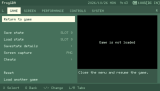
The menu is split into Game, Screen, Performance, Controls and System tabs, switched with L and R. Quickplay opens on your last game with a Continue button that resumes its auto save, and it can be turned off in System.
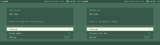
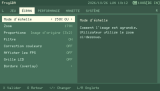
The interface is in English or French, with three bitmap fonts to pick from. There's a sharp bilinear filter for zooms like 150%, an optional LCD grid, extra clock steps up to 423 MHz and a bigger recompiler cache. Overlays, aspect modes, save states and analog stick support come from FrogGBA.
- Copy the PSP folder to the root of the Memory Stick. Custom firmware is needed.
- Put your own gba_bios.bin in PSP/GAME/FrogGBA/ and your games in PSP/GAME/FrogGBA/roms/.
The current build is a beta, and the author has run it on a PSP-1000.
The interface is in English or French, with three bitmap fonts to pick from. There's a sharp bilinear filter for zooms like 150%, an optional LCD grid, extra clock steps up to 423 MHz and a bigger recompiler cache. Overlays, aspect modes, save states and analog stick support come from FrogGBA.
- Copy the PSP folder to the root of the Memory Stick. Custom firmware is needed.
- Put your own gba_bios.bin in PSP/GAME/FrogGBA/ and your games in PSP/GAME/FrogGBA/roms/.
The current build is a beta, and the author has run it on a PSP-1000.
Release notes
v0.4.0-beta.1 · FrogGBA PSP-1000 Edition v0.4.0 beta 1 · Oct 26, 2026
Beta — not an official release. Tested on a PSP-1000; feedback welcome.
What's new
- Tabbed menu (Game / Screen / Performance / Controls / System) with L / R, and a matching file browser and sub-menus
- Quickplay start screen with a Continue button, plus an optional recent games list
- French interface and three bitmap fonts (Fixed, Terminus, Spleen)
- Sharp bilinear filter for crisp pixels at non-integer zooms such as 150%
- Optional LCD grid (light / strong)
- Performance work for the PSP-1000: larger recompiler cache, extra clock steps, profiling counters in the FPS overlay
Installation
Unzip and copy the PSP folder to the root of your memory stick (custom firmware required). Add your own gba_bios.bin to PSP/GAME/FrogGBA/ and your game files to PSP/GAME/FrogGBA/roms/.
No BIOS and no game is included. Use a BIOS and games that you legally own.