
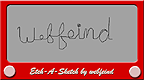
Etch-A-Sketch v1.0
Install on your PSP
Archive: extract EtchASketch_brewology_com.rar and copy the Etch-A-Sketch folder into /PSP/GAME/ on the Memory Stick.
Start it from Game › Memory Stick. On a PSP Go without a Memory Stick, use /PSP/GAME/ on the internal storage.
Files
| File | Size | SHA-256 | |
|---|---|---|---|
| EtchASketch.rar | 160 KB | 8a04781c…202e | Download |
Screenshots
Release notes
v1.0 · Etch-A-Sketch v1.0 · May 29, 2007
Some of you may have spent countless hours laboring over an Etch-A-Sketch while you were kids. To relive those bygone days of shaking and frustration brought about by a simple toy, webfeind has made a new Etch-A-Sketch clone for the Sony PSP handheld system.
In this Etch-A-Sketch clone, drawing is done via the D-pad or the analog stick. To clear the canvas, press Start. You can also save your drawing to "ms0:/psp/photo/Sketch.png" by pressing the Select button. The X button sets speed to high, while the Circle button slows things down.
Etch-A-Sketch v1.0 was made to be used under firmware 1.5, but webfeind says that it has been tested and works under the 3.03 to 3.40 OE custom firmwares. For more usage instructions, please read the readme file in the "Etch-A-Sketch" folder found in the download.