

Chocolate Doom v3.0.0-psp by mwpenny
Doom for the PSP, a port of Chocolate Doom that needs a Doom WAD
Install on your PSP
EBOOT: make a folder for it in /PSP/GAME/ on the Memory Stick, such as /PSP/GAME/CHOCOLATEDOOM/, and copy EBOOT.PBP into it.
Start it from Game › Memory Stick. On a PSP Go without a Memory Stick, use /PSP/GAME/ on the internal storage.
Files
| File | Size | SHA-256 | |
|---|---|---|---|
| EBOOT.PBP | 2.4 MB | 428318e9…4365 | Download |
Screenshots
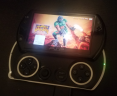
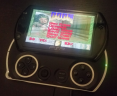
About Chocolate Doom
It needs a PSP that runs unsigned code, which means custom firmware or a signed EBOOT, and it also works in PPSSPP. Make the folder ms0:/PSP/GAME/DOOM and copy EBOOT.PBP and a Doom WAD into it.
Sound is turned off. It worked, but the game froze for several seconds every time a new sound loaded.
- D-pad or analog stick: move
- Cross: fire
- Circle: use
- Square / Triangle: next / previous weapon
- L / R: strafe
- Start: menu
- Select: automap
Sound is turned off. It worked, but the game froze for several seconds every time a new sound loaded.
- D-pad or analog stick: move
- Cross: fire
- Circle: use
- Square / Triangle: next / previous weapon
- L / R: strafe
- Start: menu
- Select: automap
Release notes
v3.0.0-psp · Chocolate Doom for PSP · Jun 14, 2020
To run, create a directory at ms0:/PSP/GAME/DOOM on your PSP and copy EBOOT.PBP and a Doom WAD file to that location. Then start the game like any other.