

BetterBright v0.93 by hobbo91
Brightness plugin with your own brightness levels, an on-screen level display and the setting kept across games and sleep
Install on your PSP
Plugin: extract BetterBright_v0.93.zip and copy BetterBright.prx, ._BetterBright.prx to /SEPLUGINS/ on the Memory Stick. On ARK-4 and ARK-5, add a line for it to /SEPLUGINS/PLUGINS.TXT:
game, ms0:/SEPLUGINS/BetterBright.prx, on
Files
| File | Size | SHA-256 | |
|---|---|---|---|
| BetterBright_v0.93.zip | 23 KB | 2aad8861…c7e9 | Download |
Screenshots
About BetterBright
- Display: cycle the levels as usual
- Hold R or L and tap Display: brighter or dimmer
- With combo_mode=2: hold L + R and press Up or Down
The ini also sets the dim level, the display's position, size and colours, and can keep the screen on or turn off auto-sleep. The author says to be careful with that last one.
Put BetterBright.prx and BetterBright.ini in your plugins folder and turn it on in the ARK Custom Launcher. It's made for ARK-4 and FasterARK on 6.61, and the author expects 6.60 to work. The author has run it on a PSP-3000 and a PSP-2000 with stock screens. Waking from sleep above about 84 can still drop back to the factory maximum.
Release notes
v0.93 · Jul 1, 2026
BetterBright v0.93
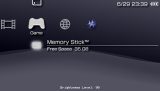
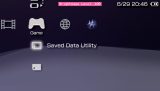
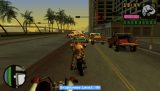
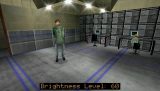
A small plugin for the PSP (ARK-4 / FasterARK, 6.61). Stock PSP gives you only 3–4 brightness steps, BetterBright lets you set your own (including off and brighter than factory max), shows the level on-screen, and remembers it across games, reboots and sleep. Drop the two files in your SEPLUGINS folder, enable it, done.
Download
BetterBright_v0.93.zip → BetterBright.prx + BetterBright.ini
What's new since v0.92
- Fixed max brightness snapping to lowest on wake - when waking from dim at the highest level, the firmware's brightness bump could be misread as a Display press and wrap all the way round to the lowest level; a wake guard now treats that bump as a restore.
- Fixed a crash when exiting to XMB - in games that use the poll-draw method, having the OSD active on exit could write into a framebuffer as it was being torn down and reboot the PSP; the poll-draw thread now pauses briefly across the game↔XMB switch to prevent it.
- Tighter OSD spacing - trimmed the gap after the colon in "Brightness Level: NN" for Latin languages.
Known issues
- Waking from sleep above ~84 (factory max) can still drop back to firmware max
- A few games may still flicker the OSD slightly (e.g. Lego Batman).
- Tested on a PSP-3000 (09g) and a PSP-2003, stock LCDs - other models/screens may need different values.
Compatibility
6.61, ARK-4 / FasterARK. Other 6.61 CFW should work (untested); should work fine with 6.60.
Credits
hobbo91 — BetterBright · hiroi01 — bright3 · plum — original bright