

battery_icon v1.1 by nuxa17
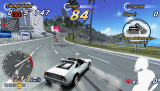
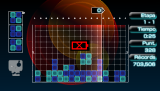
Blinks a low battery icon on screen, in games and the XMB
Install on your PSP
Plugin: extract battery_icon1.1.zip and copy battery_icon.prx to /SEPLUGINS/ on the Memory Stick. On ARK-4 and ARK-5, add a line for it to /SEPLUGINS/PLUGINS.TXT:
game, ms0:/SEPLUGINS/battery_icon.prx, on
Files
| File | Size | SHA-256 | |
|---|---|---|---|
| battery_icon1.1.zip | 404 KB | 9351c4a5…858b | Download |
Screenshots
About battery_icon
When the battery runs low, a blinking icon shows on screen. Its size and position are set in battery_icon.ini, which sits next to the plugin and gets made for you if it's missing. The author says the resizing looks a bit odd for now.
Put battery_icon.prx and battery_icon.ini in seplugins. On ARK add all, ms0:/seplugins/battery_icon.prx, on to PLUGINS.txt (ef0: on a PSP Go). On other custom firmware add ms0:/seplugins/battery_icon.prx 1 to game.txt, vsh.txt and pops.txt. Reboot.
Put battery_icon.prx and battery_icon.ini in seplugins. On ARK add all, ms0:/seplugins/battery_icon.prx, on to PLUGINS.txt (ef0: on a PSP Go). On other custom firmware add ms0:/seplugins/battery_icon.prx 1 to game.txt, vsh.txt and pops.txt. Reboot.
Release notes
v1.1 · battery_icon 1.1 · Oct 17, 2024
- Added options for resizing the icon (not the best scaling).
- Added options for changing the position of the icon.
- Various fixes.