
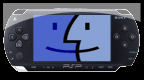
Basilisk II v1.1.1 by PSP-Archive
Mac II emulator that runs Mac OS 7.0.1 to 8.1, depending on the ROM
Install on your PSP
Archive: extract BasiliskII-PSP-1.1.1.zip and copy the BasiliskII folder into /PSP/GAME/ on the Memory Stick.
Start it from Game › Memory Stick. On a PSP Go without a Memory Stick, use /PSP/GAME/ on the internal storage.
Files
| File | Size | SHA-256 | |
|---|---|---|---|
| BasiliskII-PSP-1.1.1.zip | 883 KB | dccde6fd…df0d | Download |
Screenshots
About Basilisk II
You need your own Macintosh ROM image and a copy of Mac OS. Neither is included, and it does nothing without them.
Copy the BasiliskII folder to GAME, GAME3XX or GAME4XX in the PSP folder of the Memory Stick. ROM images go in roms, hard disk files (.hfv, usually 200 to 400 MB) in hardfiles, floppy images (.dsk) in disks and CD-ROM images (.iso, .bin, .img) in cdroms. Up to four hard disk files can be used at once.
The files folder can be mounted on the Mac desktop, and AppleTalk works over Wi-Fi through a UDP tunnel. Sound is 16-bit stereo with Sound Manager 3.0. IR keyboards work on the PSP-1000, and a Slim gets extra memory and TV out.
- SELECT: menu for input maps, floppies and CD-ROMs
- START: on-screen keyboard
- Analog stick: mouse
- Cross: mouse button
- Square: Enter
- Circle: Command + W
- Triangle: Command + Q
- L / R: Option / Control
Copy the BasiliskII folder to GAME, GAME3XX or GAME4XX in the PSP folder of the Memory Stick. ROM images go in roms, hard disk files (.hfv, usually 200 to 400 MB) in hardfiles, floppy images (.dsk) in disks and CD-ROM images (.iso, .bin, .img) in cdroms. Up to four hard disk files can be used at once.
The files folder can be mounted on the Mac desktop, and AppleTalk works over Wi-Fi through a UDP tunnel. Sound is 16-bit stereo with Sound Manager 3.0. IR keyboards work on the PSP-1000, and a Slim gets extra memory and TV out.
- SELECT: menu for input maps, floppies and CD-ROMs
- START: on-screen keyboard
- Analog stick: mouse
- Cross: mouse button
- Square: Enter
- Circle: Command + W
- Triangle: Command + Q
- L / R: Option / Control
Release notes
v1.1.1 · Basilisk II PSP 1.1.1 · Dec 15, 2020
Released in July 2008 on https://forums.exophase.com/threads/basilisk-ii-for-the-psp.8149/ .