
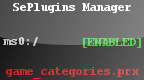
5h4d0w's Plugin Manager v1.6 FINAL v1.6
Install on your PSP
Archive: extract spm16final_brewology_com.rar and copy the Seplugins_Manager folder into /PSP/GAME/ on the Memory Stick.
Start it from Game › Memory Stick. On a PSP Go without a Memory Stick, use /PSP/GAME/ on the internal storage.
Files
| File | Size | SHA-256 | |
|---|---|---|---|
| spm16final.rar | 768 KB | 8efdf392…f1bc | Download |
Screenshots
Release notes
v1.6 · 5h4d0w's Plugin Manager v1.6 FINAL · May 22, 2011
Homebrew coder 5h4d0w's Plugin Manager is a handy homebrewed app that allows you to, as the name suggests, manage your plugins installed on your PSP.
Changelog:
Moved all files into the "resources" directory.
Please delete the old version before copying over the new one.
More improvements to the recovery menu code.
Removed unused testing code.
Features:
Tested on 5.00 M33, 5.03 GEN, 5.50 GEN, 6.20 TN and 6.35 PRO.
You can enable and disable plugins without a computer.
Works on PSP GOs.
You can load plugin .txt files from three locations: "ms0:/", "ef0:/", and "flash0:/".
Includes a built-in configuration editor. The editor is password-protected. The password will be encrypted.
Note: The config is saved separately from the plugin .txt files (Pressing start in the config editor will not save plugins, and vice-versa).
Can add, edit, remove, toggle, copy/paste, and move plugins in all three .txt files.
Adding a plugin is as easy as browsing for the file.
Only loads from .txt files that exist. If they don't exist, it creates them for you.
You can revert your changes by pressing [SELECT].
Gives the option to auto-exit from the app once you save your changes.
Allows you to decide which options are available (by editing the config).
(Example: You give a friend your PSP for a while but don't want him messing with your plugins, so you disable what you don't want him to do.)
Nice pop-up menu.
Can be "themed".
Will strip-out any empty lines in your text files, making them look cleaner.
You can view a short description of each plugin or add one if one isn't found.
You can load the Recovery Menu from the app.