

ytps5 v1.2.0 by MasterShivnath007
Payload that filters ads out of the official PS5 YouTube app and skips SponsorBlock segments, with its own settings inside the app
Install on your PS5
Payload: start elfldr 0.25 or newer on the PS5 first. It listens on port 9021. Then press Send to PS5 beside the file under Files, on a computer or phone on the same network. elfldr downloads the payload and runs it, so the PS5 needs to be online.
Files
| File | Size | SHA-256 | |
|---|---|---|---|
| ytps5.elf | 8.6 MB | bbbf486e…1036 | Send to PS5 Download |
Screenshots

About ytps5
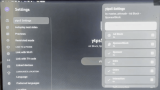
ytps5 attaches to the YouTube app you already have and changes it in memory while it runs. Ads in the player, in the feed and in the large cards at the top are filtered out, and segments marked on SponsorBlock are skipped, with a notification. The app's files aren't touched, and closing the app or rebooting takes the change away. A ytps5 Settings section in the app's own Settings turns ad blocking, SponsorBlock and each SponsorBlock category on or off. For now the choices only last until the app closes.
Send ytps5.elf from Payload Manager or another ELF loader and wait for the notification that it's waiting for PPSA01652, then open YouTube. It freezes for a moment, then says the hook is installed. The payload stays running and patches YouTube every time it opens, until the console restarts, so put it in your autoload.
It patches PPSA01652 by default. Set patch_title in /data/ytps5-sponsorblock/config.txt to another PPSA0165x build, or AUTO. PPSA01650 and PPSA01651 are left alone unless you also set allow_y2jb=1, as they're the copies Y2JB usually runs from and patching them can break your autoload chain. Restart ytps5.elf after you change the file. Logs are in /data/ytps5-sponsorblock/.
The developer lists firmware 8.20 and 11.40 with YouTube 01.000.003, and says other firmware should attach, though the app's build may differ. A notification tells you when there's a newer version on the developer's GitHub.
Release notes
v1.2.0 · v1.2.0 — firmware-agnostic (8.20 and 11.40 verified) · Nov 5, 2026
Firmware-agnostic release — 8.20 and 11.40 verified.
Kernel addresses are now resolved at runtime from the PS5 payload SDK, so the
same ELF follows firmware 1.00 through 13.60 instead of a hard-coded
table. The kernel layer is firmware-agnostic; the app-side hook still matches
the HTMLScriptExecute signature of the YouTube build.
Verified on real hardware
- PS5 8.20, YouTube
01.000.003(PPSA01652) - PS5 11.40, YouTube
01.000.003(PPSA01652) — community test
What changed
allproc/root_vnodecome from the SDK'sKERNEL_ADDRESS_*values; proc fields useKERNEL_OFFSET_PROC_P_*.- 12.x and 13.x added to the fallback table: 1.00–13.60 is complete (67 versions checked).
- Process walks are bounded; unknown firmware now stops with a clear notification instead of walking a bad pointer.
- Memory writes are chunked, retried after
mprotect, then tried throughkernel_proc_copyin, with awrite[...]line per region in the log. - The app is resumed instead of staying frozen if a pre-hook write fails.
Install
- Download
ytps5.elf. - Payload Manager → local payloads → add
ytps5.elf. - Run it and wait for
ytps5: waiting for PPSA01652. - Open YouTube (
PPSA01652).
Notes
PPSA01650/PPSA01651are refused by default (Y2JB daily drivers). Opt in withallow_y2jb=1in/data/ytps5-sponsorblock/config.txt.- Other firmware: the kernel layer should attach from 1.00 to 13.60, but the app build may differ. If it stops at
target not found, send/data/ytps5-sponsorblock/injector.log. - Not affiliated with Sony, Google or YouTube. No app packages, keys, DRM tools or copyrighted files are distributed.
SHA-256 of ytps5.elf: bbbf486e1e5c632916a22f86381e2948cbefd8d8bbd3ffa33978b954499b1036