

Wallpaper Modder v1.0 by hgr9519
Puts your own JPG, PNG or DDS pictures from a USB drive on the home screen and 13 other system screens, with a backup and restore of the originals
Install on your PS5
Payload: start elfldr 0.25 or newer on the PS5 first. It listens on port 9021. Then press Send to PS5 beside the file under Files, on a computer or phone on the same network. elfldr downloads the payload and runs it, so the PS5 needs to be online.
Files
| File | Size | SHA-256 | |
|---|---|---|---|
| ps5-wallpaper-modd.elf | 491 KB | b18a866b…9139 | Send to PS5 Download |
Screenshots
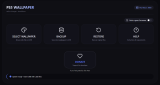
About Wallpaper Modder
Send ps5-wallpaper-modd.elf with any loader. It adds an icon to the home screen, and opening it brings up its page at http://127.0.0.1:8095 in the console's browser. Whether the browser opens by itself is a setting, kept in /data/ps5_wallpaper/config.txt.
Select Wallpaper lists the JPG, PNG and DDS images on your USB drives (exFAT or FAT32). Pick one, then the screens it goes on: the home screen, PS Plus, PS Store, All Apps, Explore, Game Library and eight more, one at a time or all at once. Images have to be under 8 MB. Uncompressed 32 MB DDS files fail after five, so the developer suggests JPG or PNG.
The pictures are written over the system's own wallpaper files. Run Backup first: it copies the originals to ps5_wallpaper_backup on the USB drive, and Restore puts them back. A log goes to /mnt/usb0/ps5_wallpaper_log.txt. The author says to use it at your own risk.