
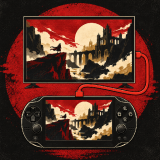
VITA5 v1.0.0 by StonedModder
Plays a PS Vita on the TV through the PS5 over one USB cable, with the DualSense as the Vita's controller and touchscreen
Install on your PS5
App folder (.zip): unzip PPSA17035.zip and copy the PPSA17035 folder to /data/homebrew/ on the PS5, over FTP or from a USB drive. Some apps also need their title ID added to etaHEN's app list: the release notes say.
Payload: start elfldr 0.25 or newer on the PS5 first. It listens on port 9021. Then press Send to PS5 beside the file under Files, on a computer or phone on the same network. elfldr downloads the payload and runs it, so the PS5 needs to be online.
Files
| File | Size | SHA-256 | |
|---|---|---|---|
| PPSA17035.zip | 17.0 MB | d4e23aa6…ea09 | Download |
| VITA5-payload.elf | 244 KB | 0f2b2461…5dda | Send to PS5 Download |
Screenshots
About VITA5
A real Vita sends its picture and sound to the PS5 over a USB cable, and the DualSense sends input back, with the touchpad standing in for the Vita's touchscreen. There's no emulation. The developer gives up to 60 fps.
The Vita needs custom firmware with BMK-Studio's VitaUSBStream plugin. No other stream plugin works. Copy input_receiver.skprx from the developer's release page to ur0:tai/ on the Vita, add it to ur0:tai/config.txt under *KERNEL on the line above VitaUSBStream.skprx, and reboot the Vita. The order matters, or the controller isn't picked up.
On the PS5, send VITA5-payload.elf to the ELF loader on port 9021 and leave it running. Copy the PPSA17035 folder from the zip to /data/homebrew/. Every file and folder in it must be mode 0777, or the app won't start. Launch VITA5, connect the Vita with a USB cable and the picture comes up. L3 is the modifier:
- L3 + R3: switch control between the Vita and the app's settings
- L3 + Left or Right: upscaling, off or Sharp or FSR at 2x, 3x or 4x
- L3 + Up: full screen
- L3 + Down: touchpad on the front touchscreen or the rear touch pad
- L3 + touchpad click: the Vita's PS button
VitaUSBStream leaks memory, so if the stream dies right after it starts, reboot the Vita.
Release notes
v1.0.0 · VITA5 1.0.0 · Oct 8, 2026
Install
This app requires the official VitaUSBStream plugin from BMK-Studio: https://github.com/BMK-Studio/VitaUSBStream
No other USB streaming plugin is supported or will work.
Both devices must already run homebrew. The Vita needs VitaUSBStream. The PS5 needs a jailbreak with elfldr.
This release has three files.
1. Vita plugin
- Copy
input_receiver.skprxtour0:tai/(VitaShell). - In
ur0:tai/config.txt, under*KERNEL, put this line aboveVitaUSBStream.skprx:
*KERNEL
ur0:tai/input_receiver.skprx
ur0:tai/VitaUSBStream.skprx
- Reboot the Vita. The input plugin must load before the stream plugin.
2. PS5 dock service
- Make sure the PS5 payload loader is running.
- Send
VITA5-payload.elfto elfldr (port 9021). - Leave it running.
3. PS5 app
- Extract
PPSA17035.zip. - Copy the
PPSA17035folder to/data/homebrew/over FTP (port 2120). - Every file and directory in that folder must be mode 0777. If the app will not start, fix the modes first.
- Close any older VITA5 title, then launch PPSA17035 from the home screen.
Connect the Vita to the PS5 with one USB cable. The Vita's picture and sound play on the TV, and the DualSense controls the game.