

Visor v0.2.1 by bps2414
Mirrors a Meta Quest 2 headset to the TV over Wi-Fi, with no PC in between
Install on your PS5
Payload: start an ELF loader on the PS5 first, such as elfldr, which listens on port 9021. Then open this address in a browser on a computer or phone on the same network, with your PS5's address in place of PS5. elfldr downloads the payload and runs it.
http://PS5:9021/?uri=https%3A%2F%2Fstore.brewology.com%2Fdl%2F2420%2Fvisor.elf
Files
| File | Size | SHA-256 | |
|---|---|---|---|
| visor.elf | 30.9 MB | 629c2bc4…0924 | Download |
Screenshots
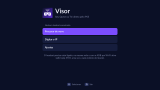

About Visor
The PS5 connects straight to the headset on your network and finds it by itself. You see one eye, cropped to 16:9, and can switch to both eyes in the settings. Pick a quality preset or set resolution, bitrate and frame rate yourself, in H.264 or H.265. English and Portuguese.
The Quest has to be in developer mode with ADB over Wi-Fi on. That takes a USB cable and a computer to run adb tcpip 5555, every time the headset reboots. The first time you connect, put the headset on and tick "Always allow" for USB debugging.
Sending visor.elf adds a Visor icon to the home screen. The icon opens a browser window first, so press Circle once to get rid of it. After a console restart the icon and your settings are still there, but Visor has to be loaded again.
- D-pad: reframe the picture (the stream restarts for about a second)
- L1 / R1: zoom out / in
- Options: show or hide stats
- Circle: stop
There's no sound, and the headset has to be awake on someone's head. It's made for the Quest 2. Other headsets would need a different crop, although the both-eyes view works on anything.
The Quest has to be in developer mode with ADB over Wi-Fi on. That takes a USB cable and a computer to run adb tcpip 5555, every time the headset reboots. The first time you connect, put the headset on and tick "Always allow" for USB debugging.
Sending visor.elf adds a Visor icon to the home screen. The icon opens a browser window first, so press Circle once to get rid of it. After a console restart the icon and your settings are still there, but Visor has to be loaded again.
- D-pad: reframe the picture (the stream restarts for about a second)
- L1 / R1: zoom out / in
- Options: show or hide stats
- Circle: stop
There's no sound, and the headset has to be awake on someone's head. It's made for the Quest 2. Other headsets would need a different crop, although the both-eyes view works on anything.