

Transmission v0.4 by freefelt
Transmission 4.1.4 BitTorrent client as one payload, with its web page on port 9091 made for the PS5 browser and a settings page on 9092
Install on your PS5
Payload: start elfldr 0.25 or newer on the PS5 first. It listens on port 9021. Then press Send to PS5 beside the file under Files, on a computer or phone on the same network. elfldr downloads the payload and runs it, so the PS5 needs to be online.
Files
| File | Size | SHA-256 | |
|---|---|---|---|
| Transmission-0.4.elf | 16.6 MB | bce3465e…fa51 | Send to PS5 Download |
Screenshots
About Transmission
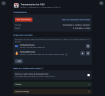
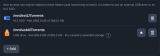
Send Transmission-<version>.elf to the ELF loader on port 9021, and a notification gives the address of the settings page on port 9092. Open it on a phone, a computer or the PS5's own browser and add at least one download folder: torrents only go to folders on that list, and a folder on an unplugged disk is never used. The M.2 drive (/mnt/ext1) or a USB disk formatted as extended storage works best.
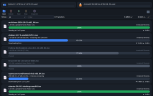
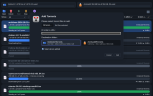
The Transmission page on port 9091 has dark and light themes, a panel with the free space on your disks and tiles for the folders. Paste a magnet link or open a .torrent file. The PS5 browser has no working file chooser, so the page has its own, listing the .torrent files on the console's disks. Torrents on exFAT and FAT32 disks get a USB disk fix, on by default, because without it a big torrent can freeze the console.
A watchdog restarts Transmission if it hangs or the network changes, and remembers which torrents were running. Downloads can pause while a game is on screen, and the console can go to rest mode or turn off when everything's done. Transmission stops before the console sleeps and starts again after it wakes. It updates itself from the settings page when it was started from Payload Manager. English and Russian are built in, and other languages are plain text files.
Neither page has a password, so don't forward their ports to the internet. After a reboot, send the ELF again. Everything it keeps is in /data/Transmission/. The developer works on firmware 11.20, and users report 10.01, 11.60 and 13.60. The author calls it a work in progress with rough edges.
Release notes
v0.4 · Transmission for PS5 0.4 · Nov 11, 2026
Changes
- Improved the closing flow.
- Added updating from the settings page.
- Add Torrents: the "Browse…" button is now localized.
- A .torrent file can now be chosen on the console.
- Diagnostics now has a button that prepares a report for the author.
- Interface improvements.
- .torrent files can be chosen on iPad Safari again.