

SwanStationPS5 v1.6.6 by darkxex
PlayStation emulator on the SwanStation core, drawn through Vulkan at up to 16x, with a cover-flow shelf, RetroAchievements and PS1 discs from a USB CD drive
Install on your PS5
App folder (.zip): unzip PPSA98510.zip and copy the PPSA98510 folder to /data/homebrew/ on the PS5, over FTP or from a USB drive. Some apps also need their title ID added to etaHEN's app list: the release notes say.
Payload: start elfldr 0.25 or newer on the PS5 first. It listens on port 9021. Then press Send to PS5 beside the file under Files, on a computer or phone on the same network. elfldr downloads the payload and runs it, so the PS5 needs to be online.
Files
| File | Size | SHA-256 | |
|---|---|---|---|
| SwanStationPS5-DiscDaemon.elf | 129 KB | f91922d1…f4fd | Send to PS5 Download |
| PPSA98510.zip | 18.6 MB | de4d0554…8ecf | Download |
Screenshots



About SwanStationPS5
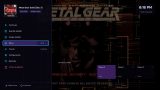
Every game runs on SwanStation, DuckStation's libretro core, at native to 16x resolution with PGXP to keep polygons still. The shelf and menus are drawn on the GPU as well, with 3D jewel cases, five themes and covers matched by each disc's serial. The picture goes out at 4K, or 1080p when the TV lacks it.
Bring your own games as .cue/.bin, .chd, .pbp, .iso, .img, .mdf, .ccd or .m3u, one folder per game, in /data/SwanStationPS5/games/ or SwanStationPS5/games/ on a USB drive. NFS shares and NTFS disks work too. A BIOS dump of your own goes in /data/SwanStationPS5/bios/ (the developer recommends SCPH1001.BIN). Without one it uses SwanStation's built-in OpenBIOS, which runs fewer games.
There are save states with pictures, quick resume, rewind, cheats downloaded per game, RetroAchievements with an optional hardcore mode, the DualSense as a GunCon light gun, frame generation, CRT and NTSC shaders, .ppf fan translations and a memory card manager. Your own PS1 discs play from a USB CD drive: each disc is copied to your games folder first. Send the optional SwanStationPS5-DiscDaemon.elf to your ELF loader and that works with the app closed.
It needs etaHEN with kstuff, and ShadowMountPlus. Copy the PPSA98510 folder to /data/homebrew/ and set its permissions to 777, or the console won't start it. To list your games folder the app needs /data unlocked: turn on Legacy CMD server in the etaHEN toolbox, or run LegacyJB or the PS5SX2 Helper. The developer lists firmware 13.60.
- Hold L3 + R3: the game menu
- Options: Start, touchpad tap: Select
- Touchpad + R2: fast forward
- Touchpad + L2: rewind (switch it on in Settings)
- Hold Circle for 2 seconds: close the app
Release notes
v1.6.6 · SwanStationPS5 1.6.6 · Nov 17, 2026
- Settings: holding Triangle now puts back to default only the selected tab, and only the settings that are not at their default already (an unchanged one no longer reacts, like the unlock sound's preview).