

SlopFin v2.00 by BeLikeBrett
Jellyfin client for films and TV, with direct play of MKV and MP4, DualSense trigger seeking, autoplay per series and voice search
Install on your PS5
App folder (.zip): unzip SlopFin-2.00-folder.zip and copy the PPSA99001 folder to /data/homebrew/ on the PS5, over FTP or from a USB drive. Some apps also need their title ID added to etaHEN's app list: the release notes say.
Files
| File | Size | SHA-256 | |
|---|---|---|---|
| SlopFin-2.00-folder.zip | 11.7 MB | 4cef8d6a…0938 | Download |
Screenshots



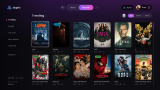
About SlopFin
A client for your own Jellyfin server, for films and TV. Home, the libraries and Discover have a 4K interface, and title pages carry Resume, Start over and file details. Supported MKV and MP4 files play straight from the library, with H.264 and HEVC on the console's hardware decoder up to 4K and HDR10. Dolby Vision plays from its HDR10 base layer, and anything else goes through Jellyfin's conversion.
Dolby and DTS go to your TV or receiver when it accepts them, and the PS5 decodes the rest. Text subtitles come in six fonts with their own colours and outlines, and PGS and DVD subtitles are drawn by the app. Autoplay can be set per series, intros are skipped where the server has their timestamps, and Search can be spoken into the PS5's microphone after a one-time model download. With Seerr or Jellyseerr you can browse trending titles and make requests.
Copy the whole PPSA99001 folder to /data/homebrew/ and sign in with Quick Connect or your Jellyfin account. Updates install from Settings, Updates, which needs elfldr on port 9021. Keep /data/slopfin/config.json when you replace the folder by hand. Music, books, photos and live TV aren't supported. The developer lists firmware 8.20.
- L2 and R2: rewind and fast-forward, faster the deeper you press
- L1 and R1: jump two minutes, or switch between Home and Discover
- Triangle: search
- Touchpad or R3: playback info
Release notes
v2.00 · SlopFin 2.0 — GPU menus, native subtitles & voice search · Oct 24, 2026
SlopFin 2.0 brings GPU-accelerated 4K menus, native picture subtitles, local voice search and redesigned playback controls to the PS5.
What's new
A smoother native 4K interface
Menus now render on the GPU, including backdrop shading. Moving between titles no longer rebuilds and uploads a full 4K background on the CPU. Home and Discover transitions, focus changes and scrolling have been refined throughout the app.
Subtitles, rebuilt
- Native PGS and DVD/VobSub overlays for supported embedded MKV tracks, avoiding subtitle burn-in and the video transcode it requires. Unsupported tracks keep the server fallback.
- Sharper text edges, with smooth outlines, soft shadows, independent edge thickness and opacity, better wrapping and a proper top anchor.
- Six font families, normal and bold weights, and separate colours for text, outlines and backgrounds.
- Picture subtitle size and placement controls, with separate Reset appearance buttons for text and picture subtitles.
- Bright and dark previews make settings easier to judge. Track names preserve languages, regional variants, Forced and SDH labels.
Voice search on the console
Open Search in Home or Discover and press R3 to speak, or ✕ to type. Recognition runs locally after a one-time verified model download; no speech service account is required.
SlopFin uses the microphone selected in PS5 settings and respects mute. ✕ Finish sits beside the search field while listening. Circle cancels recording, and dismissing the keyboard leaves Search open. Search hints sit directly below the field, and the keyboard uses consistent placement. Discover keeps the media filter selected before entering Search.
Cleaner playback controls
- Transparent media actions with a highlight that follows focus, plus a circular Play icon even before a title has progress.
- Resume groups its progress ring, label and remaining time together. Start over remains a separate action.
- A smaller Up next card with PlayStation prompts and a slide-in entrance.
- Smoother file-details scrolling, faster held d-pad navigation and a compact Circle Close prompt.
- Autoplay moves to the far right, after Debug.
Fixes and reliability
- Backing out updates Resume immediately from the displayed playback timestamp. Final progress reports are ordered and retried after transient failures; playback duration keeps its original precision.
- Mark watched clears stale resume progress and updates cached library rows and title pages.
- Returning from playback restores a populated media page, including playback started without an existing detail screen.
- Latest show rows include watched series and sort by their newest added episode.
- Update shutdown uses the verified installer helper to close and restart the app reliably.
Updating
Use Settings → Updates, or download SlopFin-2.00-folder.zip below and replace the complete PPSA99001 folder. Your sign-in, subtitle preferences, device identity and per-series autoplay settings are preserved. Keep /data/slopfin/config.json when replacing the folder manually.
The update package was installed and tested on PS5 firmware 8.20, and accepted by the current updater and legacy readers from 1.08, 1.09, 1.12, 1.13 and 1.17. Full regression tests, lint, Linux preview and native build checks passed.
Versions 1.07 and earlier need a one-time manual folder replacement; some restricted 1.10/1.11 installations may also need it. If an older client reports The app did not close, close it from the PS5 system menu and replace the folder once. Update and recovery guide.
Jellyfin's minimum-resume policy still applies to server bookmarks; very early progress may only remain in the running client. Voice recognition can need correction for unusual titles. Firmware, media and audio equipment can affect compatibility; see the compatibility guide.
Downloads: the folder ZIP is the installable app; SHA256SUMS verifies the downloads. The FFmpeg source archive is provided for license compliance and is not needed to install SlopFin.