

Ruffle Flash v1.3.0 by ZiZc3
Ruffle's Flash Player emulator as a native PS5 app: plays your own .swf games and animations, with per-game controls, USB mouse and keyboard, themes and badges
Install on your PS5
App folder (.zip): unzip PPSA68091.zip and copy the PPSA68091 folder to /data/homebrew/ on the PS5, over FTP or from a USB drive. Some apps also need their title ID added to etaHEN's app list: the release notes say.
Files
| File | Size | SHA-256 | |
|---|---|---|---|
| PPSA68091.zip | 13.0 MB | 29ad7ac8…3da0 | Download |
Screenshots

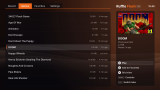
About Ruffle Flash
A port of Ruffle, the open-source Flash Player emulator written in Rust, drawn on the PS5's GPU. It plays ActionScript 1, 2 and 3 games and animations from .swf files, with MP3, AAC and Nellymoser sound. If a game works in Ruffle on a PC, the author expects it to work here. Flash videos in H.264 don't play, and very heavy ActionScript 3 games can run below full speed.
No games are included. Copy the PPSA68091 folder to /data/homebrew/, load ShadowMountPlus with kstuff, and put your .swf files in /data/ruffle/games/. A game that comes with extra files goes in a folder of its own with all of them. Covers are taken from the games, or put your own .png or .jpg named like the game in /data/ruffle/covers/. The app has no internet, so online parts of games such as high scores and logins are skipped.
Each game can have its own controls, with any DualSense button set to a key or a mouse click. A USB mouse and keyboard work in games and in the menus. The library has Recent, Games and Favourites tabs, search, four themes, play time for every game and 34 badges to unlock.
- Left stick: mouse pointer
- Cross: mouse click
- L2: on-screen keyboard
- R3: take a new cover
- Touchpad click: quick menu (resume, restart, volume, back to the library)
- Options in the library: controls for this game
Release notes
v1.3.0 · Ruffle Flash PS5 v1.3.0 · Oct 21, 2026
v1.3.0
Saves
- Fixed: game saves were lost when the console was turned off, put in rest mode or the app was closed while still in a game (#1). Saves are now kept every 3 seconds and whenever the quick menu opens
- Saves are written in the background, so games never stutter while saving
Fixes
- The Recent tab now highlights the game you just played
- Games with the same file name (in different folders, or names) no longer share saves, covers and controls
- A cover cut off by a crash is now retaken instead of staying broken
- Closing the controls page without changing anything no longer says "Controls saved" or counts toward the Remapper
Install
- Extract
PPSA68091.zipand copy thePPSA68091folder to/data/homebrew/. - Load
ShadowMountPlustogether with kstuff. - Put all your games (
.swf) in/data/ruffle/games/. - Start Ruffle Flash.