

RommPS v1.4.0 by s0liton
RomM client: browse your RomM server, download games and BIOS files, and keep saves in sync
Install on your PS5
App folder (.zip): unzip PPSA76677.zip and copy the PPSA76677 folder to /data/homebrew/ on the PS5, over FTP or from a USB drive. Some apps also need their title ID added to etaHEN's app list: the release notes say.
Payload: start an ELF loader on the PS5 first, such as elfldr, which listens on port 9021. Then open this address in a browser on a computer or phone on the same network, with your PS5's address in place of PS5. elfldr downloads the payload and runs it.
http://PS5:9021/?uri=https%3A%2F%2Fstore.brewology.com%2Fdl%2F3776%2Fromm-sync.elf
Files
| File | Size | SHA-256 | |
|---|---|---|---|
| PPSA76677.zip | 45.0 MB | c870b88e…57fe | Download |
| romm-sync.elf | 9.2 MB | 4e7b059d…6c2c | Download |
Screenshots
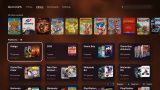


About RommPS
Emulator profiles decide where everything goes. There are presets for existing homebrew emulators, and one platform can sync to more than one emulator, PS2 on RetroArch and PS5SX2 for example. An activity log shows what synced, and conflicts can be settled and older versions restored in the app or the web page on port 8780.
It needs etaHEN or onionHEN on the console and RomM 5.2.0 or newer on the server. Open the app once and it sets the background service to start with your HEN. The PS4 version is marked experimental.
Release notes
v1.4.0 · Oct 30, 2026
Another significant update packing a plethora of features. I've spent a good amount of time optimizing connection handling as well as loading of covers and information, especially for larger libraries. This update also brings significant overhaul of save sync support for those consoles that are a bit more involved, like the Switch and 3DS.
An extra special thank you to @jheyneman for his extensive testing since the beginning.
New
- RomM collections support (Thanks @matschi95)
- Native notifications support.
- Direct emulator profile updates in app, no more waiting for a new app version.
- Proper PS2 per-game memory card support. (Thanks to @herobeniyoutube).
- Additional animations during library and cover loading.
- Different versions, discs, update files, or DLCs are now properly shown under a single game and individually downloadable.
- Additional game information displayed in details view.
- Emulator support: GBCXY (Game Boy / Color), Mupen64Plus PS5, Snes9x PS5, Genesis Plus GX PS5, Beetle PCE PS5, FBNeo PS5, PSP5, Crux2, Seedee5, and PS5-ECAM
- Fixed: PSP games that install data to the memory stick no longer fail to sync.
- PS2 per-game saves corrected and syncing as expected. (#32)
Fixed
- DS saves sync in PS5CEMU-HAR (#30).
- Multiple emulators per game platform are now mounted instead of copied.
- Resting the console with a game open no longer counts as closing it.
- Covers stay on screen when a game is downloaded or removed.
- PS4: less memory used with big emulator setups.
- Renamed game consoles in settings to reflect their proper brand names.
- Various UI improvements since 1.2.1 (Thanks @jheyneman)
Good to know
- Pair RommPS with RomM again to see collections, which gives you the needed collections permissions.
- Switch saves sync for one Switch user per emulator, the one mapped to the first PS5 user. I'll work on multiple profile support.